
st7789py_mpy
Driver for 320x240, 240x240, 135x240 and 128x128 ST7789 displays written in MicroPython
- 253
- Python
- MIT
- 2 y ago
JS library for rendering bitmap text in pixel-identical way, across all browsers and also node.
Repo davidedc/BitmapText.js, read from GitHub 1 min ago. davidedc has not joined Take My Repo.
davidedc/BitmapText.js is a public repo on GitHub by davidedc. JS library for rendering bitmap text in pixel-identical way, across all browsers and also node. It declares the MIT license on GitHub. It is written mainly in JavaScript, has 1 stars and last changed on 2026-11-19. Nobody has reviewed it on Take My Repo yet, which says nothing about its quality. Read from GitHub on 2026-11-22.
In the maintainer's words. Shown from GitHub; Take My Repo does not keep a copy.
A JavaScript library for rendering pixel-identical, consistent bitmap text across all browsers and devices, for both browser (HTML5 Canvas) and node (.png or .qoi image).
Documentation Navigation:
Browser text rendering on Canvas is inconsistent - different browsers apply anti-aliasing differently, making pixel-identical text rendering impossible with standard Canvas APIs. This library solves that by pre-rendering glyphs as bitmaps.
Compound Emoji Support: The library operates on Unicode code points, not grapheme clusters. Basic emojis work ('😀'), but compound emojis don't ('👨👩👧' family emoji, '🏳️🌈' rainbow flag). See docs/ARCHITECTURE.md for details.
BitmapText.js uses a static class architecture with zero configuration needed for most use cases:
For applications that consume pre-built bitmap fonts, simply include the static BitmapText class:
// Import only the static BitmapText class (~15-18KB)
import { BitmapText } from './src/runtime/BitmapText.js';

// Optional: Import helper classes for type safety and advanced usage
import { FontProperties } from './src/runtime/FontProperties.js';
import { TextProperties } from './src/runtime/TextProperties.js';

// Font data self-registers when loaded
// No configuration needed in browser environments
Best for: Production web apps, mobile apps, games where bundle size matters
For Node.js environments, minimal configuration is required:
// Import static BitmapText class
import { BitmapText } from './src/runtime/BitmapText.js';
import { Canvas } from './src/platform/canvas-mock.js';

// Configure for Node.js environment
BitmapText.configure({
  fontDirectory: './font-assets/',
  canvasFactory: () => new Canvas()
});
Best for: Server-side rendering, CLI tools, automated image generation
For applications that need to generate bitmap fonts at runtime:
// Import full toolkit including font assets building tools (~55KB+)
import { BitmapText } from './src/runtime/BitmapText.js';
import { AtlasDataStore } from './src/runtime/AtlasDataStore.js';
import { FontMetricsStore } from './src/runtime/FontMetricsStore.js';
import { BitmapTextFAB } from './src/builder/BitmapTextFAB.js';
import { AtlasDataStoreFAB } from './src/builder/AtlasDataStoreFAB.js';
import { FontMetricsStoreFAB } from './src/builder/FontMetricsStoreFAB.js';
import { FontPropertiesFAB } from './src/builder/FontPropertiesFAB.js';
Best for: Font building tools, development environments, CI/CD pipelines
| Distribution Type | Bundle Size | Use Case |
|---|---|---|
| Static Runtime | ~15-18KB | Production apps (browser & Node.js) |
| Full Toolkit | ~50KB+ | Development tools generating fonts |
Recommendation: Use static runtime in production and build font assets during your build process using the full toolkit.
For production deployments, use the pre-built minified bundles:
Browser (Single Script Tag):
<!-- Single file: ~44KB minified + gzipped ~11KB -->
<script src="dist/bitmaptext.min.js"></script>

<script>
  const fontProps = new FontProperties(1, "Arial", "normal", "normal", 19);
  await BitmapText.loadFont(fontProps.idString);
  BitmapText.drawTextFromAtlas(ctx, "Hello World", 10, 50, fontProps);
</script>
Node.js (With Your Canvas):
import { createCanvas } from 'node-canvas';  // or 'skia-canvas'
import './dist/bitmaptext-node.min.js';

BitmapText.configure({
  fontDirectory: './font-assets/',
  canvasFactory: () => createCanvas()
});

await BitmapText.loadFont(fontProps.idString);
BitmapText.drawTextFromAtlas(ctx, "Hello", 10, 50, fontProps);
Build from source:
./scripts/build-runtime-bundle.sh --all
# or
npm run build-bundle-all
Benefits:
What's included: StatusCode, FontProperties, TextProperties, BitmapText, BitmapTextRegistration, FontLoader, Atlas/Metrics stores, MetricsExpander, and all supporting classes.
What's excluded (Node.js): Canvas implementation (you provide), PNG encoder (image I/O not core library).
See dist/README.md for complete bundle documentation.
Get up and running with the production-ready bundles in seconds.
<!DOCTYPE html>
<html>
<head>
  <title>BitmapText Demo</title>
</head>
<body>
  <canvas id="myCanvas" width="400" height="100"></canvas>

  <!-- Single script tag - complete runtime (~44KB minified) -->
  <script src="dist/bitmaptext.min.js"></script>

  <script>
    const canvas = document.getElementById('myCanvas');
    const ctx = canvas.getContext('2d');

    // IMPORTANT - Pixel Density Configuration:
    // BitmapText requires explicit pixel density specification:
    // - Standard displays: Use 1.0
    // - HiDPI/Retina displays: Use window.devicePixelRatio (typically 2.0+)
    // - No automatic detection - you must provide this value
    // For detailed HiDPI setup, see "Understanding Coordinate Systems & Transforms" section below

    // Create font configuration
    const fontProperties = new FontProperties(
      1,          // pixelDensity (1.0 = standard, 2.0 = Retina)
      "Arial",    // fontFamily
      "normal",   // fontStyle
      "normal",   // fontWeight
      19          // fontSize in CSS pixels
    );

    // Optional: Configure font directory if needed
    BitmapText.setFontDirectory('./font-assets/');

    // Load font and render
    BitmapText.loadFont(fontProperties.idString).then(() => {
      // Optional: Create text rendering configuration
      const textProperties = new TextProperties({
        isKerningEnabled: true,      // Enable kerning (default: true)
        textBaseline: 'bottom',      // Baseline positioning (default: 'bottom')
        textAlign: 'left',           // Alignment (default: 'left')
        textColor: '#000000'         // Color (default: '#000000')
      });

      // IMPORTANT: Do NOT call ctx.scale() - BitmapText handles scaling internally
      // IMPORTANT: Coordinates are ABSOLUTE from canvas origin, transforms are ignored

      // Render text using static API
      BitmapText.drawTextFromAtlas(ctx, "Hello World", 10, 50, fontProperties, textProperties);
    });
  </script>
</body>
</html>
import { createCanvas } from 'node-canvas';  // or 'skia-canvas'
import './dist/bitmaptext-node.min.js';

// Configure with your Canvas implementation
BitmapText.configure({
  fontDirectory: './font-assets/',
  canvasFactory: () => createCanvas()
});

// Create font configuration
// Node.js pixel density: Use 1.0 for standard rendering, 2.0+ for HiDPI pre-rendering
// See "Node.js Pixel Density" section below for details
const fontProperties = new FontProperties(1, "Arial", "normal", "normal", 19);

// Load font
await BitmapText.loadFont(fontProperties.idString);

// Create canvas and render
const canvas = createCanvas(400, 100);
const ctx = canvas.getContext('2d');

// Coordinates are ABSOLUTE from canvas origin (0,0)
BitmapText.drawTextFromAtlas(ctx, "Hello World", 10, 50, fontProperties);

// Note: Image export requires separate PNG encoder (not included in bundle)
// See dist/README.md for details
// Measure text - returns { metrics, status }
const { metrics, status } = BitmapText.measureText("Hello World", fontProperties, textProperties);

if (status.code !== StatusCode.SUCCESS) {
  console.warn('Measurement issues:', getStatusDescription(status));
}

// Draw text - returns { rendered, status }
const result = BitmapText.drawTextFromAtlas(ctx, "Hello World", 10, 50, fontProperties, textProperties);

if (result.status.code !== StatusCode.SUCCESS) {
  console.warn('Rendering issues:', getStatusDescription(result.status));
  if (result.status.placeholdersUsed) {
    console.info('Some glyphs rendered as placeholder rectangles');
  }
}
See dist/README.md for complete bundle documentation.
For development and debugging: See the "Development & Debugging" section below for using individual source files.
BitmapText.js includes automatic support for special Unicode font-invariant characters via the BitmapTextInvariant font:
☺☹♠♡♦♣│─├└▶▼▲◀✔✘≠↗➜⇄←→↑↓∸⍿☓⋯↔°
Modern emoji characters are automatically mapped to their corresponding font-invariant symbols:
| Input Emoji | Rendered As | Unicode Name |
|---|---|---|
| 😊 😀 😃 | ☺ | Smiling faces → White Smiling Face |
| 😢 ☹️ | ☹ | Sad faces → White Frowning Face |
This allows you to use modern emojis in your text while rendering them using the bitmap font glyphs.
Font-invariant characters automatically render using the BitmapTextInvariant font when included in text:
// Load both your text font AND BitmapTextInvariant
await BitmapText.loadFonts([
  'density-1-0-Arial-style-normal-weight-normal-size-19-0',
  'density-1-0-BitmapTextInvariant-style-normal-weight-normal-size-19-0'
]);

// Use font-invariant characters anywhere in your text - they auto-redirect to font-invariant font
const fontProps = new FontProperties(1, "Arial", "normal", "normal", 19);
BitmapText.drawTextFromAtlas(ctx, "Task completed ✔", 10, 50, fontProps);
BitmapText.drawTextFromAtlas(ctx, "Score: 100 ♦", 10, 80, fontProps);
BitmapText.drawTextFromAtlas(ctx, "Hello 😊 World", 10, 110, fontProps);  // 😊 renders as ☺
Font-invariant fonts follow the same naming convention as regular fonts:
// For size 18
'density-1-0-BitmapTextInvariant-style-normal-weight-normal-size-18-0'

// For size 19
'density-1-0-BitmapTextInvariant-style-normal-weight-normal-size-19-0'

// For HiDPI (2×) at size 19
'density-2-0-BitmapTextInvariant-style-normal-weight-normal-size-19-0'
Always load the font-invariant font at the same pixel density and size as your text font.
BitmapText IGNORES all context transforms. Coordinates are always absolute from canvas origin (0,0).
// Setup
const ctx = canvas.getContext('2d');
ctx.scale(2, 2);
ctx.translate(100, 50);
ctx.rotate(Math.PI / 4);

// BitmapText ignores ALL transforms above
const fontProps = new FontProperties(2.0, "Arial", "normal", "normal", 19);
BitmapText.drawTextFromAtlas(ctx, "Hello", 10, 50, fontProps);
// ✅ Text renders at exactly (10, 50) CSS pixels from origin
// ❌ NOT at (120, 80) which would be 10+100 translate, 50+50 translate
// ❌ NOT rotated 45 degrees
Why: BitmapText needs direct control over physical pixel positioning for pixel-perfect rendering. It temporarily resets the context transform to identity during drawing, then restores it.
All BitmapText coordinates and measurements use CSS pixels:
| API | Input Units | Output Units |
|---|---|---|
drawTextFromAtlas(ctx, text, x_CssPx, y_CssPx, ...) |
x_CssPx, y_CssPx = CSS pixels | rendered status |
measureText(text, ...) |
N/A | width, bounds = CSS pixels |
FontProperties(density, family, style, weight, size) |
size = CSS pixels | N/A |
Internal conversion: physicalPixels = cssPixels × pixelDensity
const fontProps = new FontProperties(1.0, "Arial", "normal", "normal", 18);
const canvas = document.getElementById('myCanvas');
canvas.width = 400;   // 400 physical pixels
canvas.height = 100;  // 100 physical pixels
const ctx = canvas.getContext('2d');

// No special setup needed
BitmapText.drawTextFromAtlas(ctx, "Hello", 10, 50, fontProps);
const dpr = window.devicePixelRatio;  // e.g., 2.0 for Retina
const fontProps = new FontProperties(dpr, "Arial", "normal", "normal", 18);

const canvas = document.getElementById('myCanvas');
const cssWidth = 400;
const cssHeight = 100;

// Set physical dimensions
canvas.width = cssWidth * dpr;    // e.g., 800 physical pixels
canvas.height = cssHeight * dpr;  // e.g., 200 physical pixels

// Set CSS dimensions for proper display size
canvas.style.width = cssWidth + 'px';
canvas.style.height = cssHeight + 'px';

const ctx = canvas.getContext('2d');

// ⚠️ IMPORTANT: Do NOT call ctx.scale(dpr, dpr)
// BitmapText handles density scaling internally!

// Draw with CSS pixel coordinates
BitmapText.drawTextFromAtlas(ctx, "Hello", 10, 50, fontProps);
// Internally converts to physical (20, 100) for pixel-perfect rendering
BitmapText uses a different pattern than standard HTML5 Canvas:
HTML5 Canvas (Standard HiDPI):
ctx.scale(dpr, dpr);  // Scale context
ctx.font = '19px Arial';
ctx.fillText('Hello', 10, 50);  // Transform applied automatically
BitmapText:
// NO ctx.scale() - BitmapText handles scaling internally
const fontProps = new FontProperties(dpr, 'Arial', 'normal', 'normal', 19);
BitmapText.drawTextFromAtlas(ctx, 'Hello', 10, 50, fontProps);
Key Differences:
| Aspect | HTML5 Canvas | BitmapText |
|---|---|---|
| Context scaling | ctx.scale(dpr, dpr) |
NO scaling |
| Transform handling | Respects transforms | IGNORES transforms |
| Coordinate system | Relative to transform | Absolute from origin |
| Font size | String '19px' |
Number 19 |
| Pixel density | Implicit in scale | Explicit in FontProperties |
Node.js has no window.devicePixelRatio. Choose based on your use case:
Standard Server-Side Rendering:
const fontProps = new FontProperties(1.0, "Arial", "normal", "normal", 18);
const canvas = new Canvas(400, 100);  // Output is 400×100 pixels
Pre-rendering for HiDPI Displays:
const targetDensity = 2.0;  // Target display is 2× (Retina)
const fontProps = new FontProperties(targetDensity, "Arial", "normal", "normal", 18);

// Output will be 2× larger
const cssWidth = 400;
const cssHeight = 100;
const canvas = new Canvas(
  cssWidth * targetDensity,   // 800 physical pixels
  cssHeight * targetDensity   // 200 physical pixels
);
❌ DON'T scale the context when using BitmapText:
ctx.scale(dpr, dpr);  // ❌ This will be IGNORED
BitmapText.drawTextFromAtlas(ctx, text, 10, 50, fontProps);
// Works, but the scale is wasted (reset then restored)
❌ DON'T expect transforms to work:
ctx.translate(100, 50);  // ❌ This will be IGNORED
BitmapText.drawTextFromAtlas(ctx, text, 10, 50, fontProps);
// Text renders at (10, 50), NOT (110, 100)
❌ DON'T mix density values:
const fontProps = new FontProperties(2.0, ...);  // Font at 2×
canvas.width = 400;  // ❌ Canvas at 1× - glyphs will be too large!
✅ DO keep density consistent:
const density = window.devicePixelRatio;
const fontProps = new FontProperties(density, ...);
canvas.width = 400 * density;  // ✅ Matching density
✅ DO use absolute positioning:
// Calculate exact position you want
const x = 10;  // Absolute CSS pixels from origin
const y = 50;  // Absolute CSS pixels from origin
BitmapText.drawTextFromAtlas(ctx, text, x, y, fontProps);
BitmapText supports all six HTML5 Canvas textBaseline values. The y-coordinate you provide corresponds to the position of the chosen baseline.
| Baseline | Description | Use Case |
|---|---|---|
top |
Top of em square | Aligning text to top edge |
hanging |
Hanging baseline | Tibetan, Devanagari scripts |
middle |
Middle of em square | Vertically centering text |
alphabetic |
Alphabetic baseline | Standard Latin text (HTML5 default) |
ideographic |
Ideographic baseline | CJK characters |
bottom |
Bottom of em square | Aligning to bottom edge (BitmapText default) |
Standard alphabetic baseline (HTML5 Canvas default):
const textProps = new TextProperties({ textBaseline: 'alphabetic' });
BitmapText.drawTextFromAtlas(ctx, 'Hello', 10, 50, fontProps, textProps);
// y=50 is at the alphabetic baseline (bottom of most letters, excluding descenders)
Middle baseline (vertical centering):
const textProps = new TextProperties({ textBaseline: 'middle' });
BitmapText.drawTextFromAtlas(ctx, 'World', 10, 75, fontProps, textProps);
// y=75 is at the vertical center of the em square
Top baseline (hanging down):
const textProps = new TextProperties({ textBaseline: 'top' });
BitmapText.drawTextFromAtlas(ctx, 'Top', 10, 100, fontProps, textProps);
// y=100 is at the top of the em square, text hangs down from this point
Bottom baseline (BitmapText default):
const textProps = new TextProperties({ textBaseline: 'bottom' });
// or simply omit textBaseline to use default
BitmapText.drawTextFromAtlas(ctx, 'Bottom', 10, 125, fontProps, textProps);
// y=125 is at the bottom of the em square
See public/baseline-alignment-demo.html for a comprehensive visual demonstration of all baseline and alignment combinations.
BitmapText supports three horizontal text alignment modes. The x-coordinate you provide serves as the alignment anchor point.
| Alignment | Description | Anchor Point |
|---|---|---|
left |
Text starts at x | Leftmost point (BitmapText default) |
center |
Text is centered at x | Horizontal midpoint |
right |
Text ends at x | Rightmost point |
Left alignment (default):
const textProps = new TextProperties({ textAlign: 'left' });
// or simply omit textAlign to use default
BitmapText.drawTextFromAtlas(ctx, 'Left', 100, 50, fontProps, textProps);
// Text starts at x=100 and extends rightward
Center alignment (horizontal centering):
const textProps = new TextProperties({ textAlign: 'center' });
BitmapText.drawTextFromAtlas(ctx, 'Center', 200, 50, fontProps, textProps);
// Text is centered at x=200, extending equally left and right
Right alignment (right-justify):
const textProps = new TextProperties({ textAlign: 'right' });
BitmapText.drawTextFromAtlas(ctx, 'Right', 300, 50, fontProps, textProps);
// Text ends at x=300 and extends leftward
Combining alignment and baseline:
// Center text both horizontally (textAlign) and vertically (textBaseline)
const textProps = new TextProperties({
  textAlign: 'center',
  textBaseline: 'middle'
});
BitmapText.drawTextFromAtlas(ctx, 'Centered', 200, 150, fontProps, textProps);
// Text is centered both horizontally and vertically at point (200, 150)
See public/baseline-alignment-demo.html for a comprehensive visual demonstration of all baseline and alignment combinations.
measureText() before renderingFor development with maximum debugging flexibility, you can use individual source files instead of the production bundle.
<!-- Load core runtime classes (StatusCode must be loaded first) -->
<script src="src/runtime/StatusCode.js"></script>
<script src="src/runtime/FontProperties.js"></script>
<script src="src/runtime/TextProperties.js"></script>
<script src="src/runtime/FontMetrics.js"></script>
<script src="src/runtime/AtlasImage.js"></script>
<script src="src/runtime/AtlasPositioning.js"></script>
<script src="src/runtime/AtlasData.js"></script>
<script src="src/runtime/AtlasDataStore.js"></script>
<script src="src/runtime/FontMetricsStore.js"></script>
<script src="src/runtime/FontManifest.js"></script>
<script src="src/utils/AtlasCellDimensions.js"></script>
<script src="src/platform/FontLoaderBrowser.js"></script>
<script src="src/runtime/FontLoaderBase.js"></script>
<script src="src/builder/MetricsExpander.js"></script>
<script src="src/runtime/BitmapText.js"></script>

<!-- Metrics are loaded automatically on first BitmapText.loadFont() call from -->
<!-- font-assets/metrics-bundle.js (a single deflate-compressed bundle holding -->
<!-- every font's metrics, density-agnostic). Atlases load per-font as before. -->

<canvas id="myCanvas" width="400" height="100"></canvas>

<script>
  const canvas = document.getElementById('myCanvas');
  const ctx = canvas.getContext('2d');

  const fontProperties = new FontProperties(1, "Arial", "normal", "normal", 19);
  const textProperties = new TextProperties();

  // Render text using static API
  BitmapText.drawTextFromAtlas(ctx, "Hello World", 10, 50, fontProperties, textProperties);
</script>
Benefits:
Trade-offs:
python -m http.server or npx http-server)Example: See public/hello-world-demo.html for a complete unbundled example.
import { BitmapText } from './src/runtime/BitmapText.js';
import { FontProperties } from './src/runtime/FontProperties.js';
import { TextProperties } from './src/runtime/TextProperties.js';
import { Canvas } from './src/platform/canvas-mock.js';

// Configure for Node.js
BitmapText.configure({
  fontDirectory: './font-assets/',
  canvasFactory: () => new Canvas()
});

const fontProperties = new FontProperties(1, "Arial", "normal", "normal", 19);
await BitmapText.loadFont(fontProperties.idString);

const canvas = new Canvas(400, 100);
const ctx = canvas.getContext('2d');

BitmapText.drawTextFromAtlas(ctx, "Hello World", 10, 50, fontProperties);
For a middle ground between individual files and minified bundle, use the unminified bundle:
<!-- Easier to debug than minified, but still a single file -->
<script src="dist/bitmaptext.js"></script>
Benefits:
Trade-offs:
Rebuild all bundles:
npm run build
Rebuild and test:
./run-node-demos.sh # Builds bundles + runs Node.js demos| Command | What It Builds |
|---|---|
npm run build |
Browser + Node.js bundles |
npm run build-bundle |
Browser bundle only |
npm run build-bundle-node |
Node.js bundle only |
./scripts/build-runtime-bundle.sh --all |
Both bundles (explicit) |
For detailed rebuild instructions, see dist/README.md.
The full font-assets/ directory (~800 MB for 4,550 fonts) is too large to commit. The published distribution is a minimum set of metrics-bundle.js + atlas-*.webp (~72 MB total) hosted on GitHub Releases; everything else is regenerated locally.
One command (downloads the latest release, verifies SHA-256, unzips, and runs the local rebuild):
./scripts/download-font-assets.sh
Pin to a specific release with --tag font-assets-YYYY-MM-DD. Skip the rebuild step with --no-rebuild if you only want the bytes. Re-fetch over an existing populated tree with --force.
Manual fallback (no script):
curl -L -o font-assets-min.zip \
  https://github.com/davidedc/BitmapText.js/releases/latest/download/font-assets-min.zip
curl -L -o font-assets-min.zip.sha256 \
  https://github.com/davidedc/BitmapText.js/releases/latest/download/font-assets-min.zip.sha256
shasum -a 256 -c font-assets-min.zip.sha256   # integrity check
unzip font-assets-min.zip                      # populates font-assets/
./scripts/rebuild-from-minimal.sh              # re-derives QOI + JS wrappers (~10 min)
Requires dwebp (brew install webp), terser (npm i -g terser), and Node ≥ 12. See scripts/README.md § 9 for the full Consume / Publish / Re-derive workflow.
npm run watch-fonts
# or
./scripts/watch-font-assets.sh
Then use the font-assets-builder.html - files will be processed automatically!
Generate multiple font configurations automatically from JSON specifications:
node scripts/automated-font-builder.js --spec=font-sets/test-font-spec.json
See docs/FONT_SET_FORMAT.md for specification format details and scripts/README.md for complete usage documentation.
For complete automation documentation, see scripts/README.md.
All methods are static - no instantiation required.
BitmapText.configure({
  fontDirectory: './font-assets/',   // Directory containing font assets
  canvasFactory: () => new Canvas()  // Factory function (Node.js only)
})
fontDirectory:
public/)canvasFactory (Node.js only):
new HTMLCanvasElement() throws error)document.createElement('canvas')() => new Canvas() from canvas-mockloadFont(idString, options): Promise<void>
Loads a single font (metrics + atlas). Returns a Promise that resolves when the font is loaded, or rejects on error.
await BitmapText.loadFont('density-1-0-Arial-style-normal-weight-normal-size-18-0', {
  isFileProtocol: false,           // Optional: set true for file:// protocol
  onProgress: (loaded, total) => { // Optional: progress callback
    console.log(`${loaded}/${total} files loaded`);
  }
});
loadFonts(idStrings, options): Promise<void>
Loads multiple fonts in parallel. Returns a Promise that resolves when all fonts are loaded, or rejects on error.
await BitmapText.loadFonts([
  'density-1-0-Arial-style-normal-weight-normal-size-18-0',
  'density-1-0-Arial-style-normal-weight-normal-size-19-0'
], { onProgress: callback });
Font-Invariant Character Auto-Redirect:
When rendering text, font-invariant characters (☺☹♠♡♦♣│─├└▶▼▲◀✔✘≠↗➜⇄←→↑↓∸⍿☓⋯↔°) automatically use the BitmapTextInvariant font regardless of the specified base font. Modern emojis (😊😀😃😢) are also aliased to their symbol equivalents. To enable this:
Example:
await BitmapText.loadFonts([
  'density-1-0-Arial-style-normal-weight-normal-size-19-0',
  'density-1-0-BitmapTextInvariant-style-normal-weight-normal-size-19-0'
]);

// "Hello 😊" renders Hello in Arial, 😊 as ☺ in BitmapTextInvariant
BitmapText.drawTextFromAtlas(ctx, "Hello 😊", 10, 50, fontProps);
measureText(text, fontProperties, textProperties)
Returns measurement data:
{
  metrics: {
    width: number,                      // CSS pixels - total text width
    actualBoundingBoxLeft: number,      // CSS pixels - left extent from text position
    actualBoundingBoxRight: number,     // CSS pixels - right extent from text position
    actualBoundingBoxAscent: number,    // CSS pixels - ascent above baseline
    actualBoundingBoxDescent: number,   // CSS pixels - descent below baseline (negative)
    fontBoundingBoxAscent: number,      // CSS pixels - font ascent
    fontBoundingBoxDescent: number      // CSS pixels - font descent (negative)
  } | null,  // null if font metrics not available
  status: {
    code: StatusCode,           // 0=SUCCESS, 1=NO_METRICS, 2=PARTIAL_METRICS
    missingChars?: Set          // Missing characters (PARTIAL_METRICS only)
  }
}
Note: All measurements are in CSS pixels. To convert to physical pixels: physicalPixels = cssPixels × fontProperties.pixelDensity
drawTextFromAtlas(ctx, text, x_CssPx, y_CssPx, fontProperties, textProperties)
Renders text and returns status:
{
  rendered: boolean,            // Whether rendering occurred
  status: {
    code: StatusCode,           // 0=SUCCESS, 1=NO_METRICS, 2=PARTIAL_METRICS, 3=NO_ATLAS, 4=PARTIAL_ATLAS
    missingChars?: Set,         // Missing metric characters (PARTIAL_METRICS)
    missingAtlasChars?: Set,    // Missing atlas characters (PARTIAL_ATLAS)
    placeholdersUsed?: boolean  // Whether placeholders were used
  }
}
Parameters:
hasMetrics(idString: string): boolean - Check if metrics are loaded for a specific font
hasAtlas(idString: string): boolean - Check if atlas is loaded for a specific font
hasFont(idString: string): boolean - Check if both metrics and atlas are loaded
const isLoaded = BitmapText.hasFont('density-1-0-Arial-style-normal-weight-normal-size-18-0');
if (!isLoaded) {
  await BitmapText.loadFont('density-1-0-Arial-style-normal-weight-normal-size-18-0');
}
unloadMetrics(idString: string): void - Remove metrics from memory for a specific font
unloadAtlas(idString: string): void - Remove atlas from memory for a specific font
unloadFont(idString: string): void - Remove both metrics and atlas from memory
unloadFonts(idStrings: string[]): void - Remove multiple fonts from memory
unloadAllFonts(): void - Remove all fonts (metrics and atlases) from memory
unloadAllAtlases(): void - Remove all atlases from memory (keeps metrics)
// Unload a specific font to free memory
BitmapText.unloadFont('density-1-0-Arial-style-normal-weight-normal-size-18-0');

// Unload all atlases (keeps metrics for measurement)
BitmapText.unloadAllAtlases();
registerBundle(b64) (alias rBundle): Decode the metrics bundle. Called once by font-assets/metrics-bundle.js on first load. Async.
registerAtlas(...) (alias a): Register atlas image. Called per-font by atlas-*-{webp,qoi}.js files.
ensureMetricsBundleLoaded(): Public helper to await the metrics-bundle load before enumerating FontManifest.
These are called automatically when font asset files are loaded.
The StatusCode module provides status codes and helper functions for handling rendering results.
Using Production Bundle (Recommended):
<!-- StatusCode is included in the bundle, no special import needed -->
<script src="dist/bitmaptext.min.js"></script>

<script>
  // StatusCode is automatically available globally
  if (result.status.code === StatusCode.SUCCESS) {
    console.log('Rendering successful');
  }
</script>
Using Individual Source Files (Development):
When loading individual source files in browsers with script tags, StatusCode.js must be loaded before BitmapText.js because BitmapText depends on the StatusCode constants.
<!-- Load StatusCode first -->
<script src="src/runtime/StatusCode.js"></script>

<!-- Then load other runtime classes -->
<script src="src/runtime/FontProperties.js"></script>
<script src="src/runtime/TextProperties.js"></script>
<!-- ... other files ... -->
<script src="src/runtime/BitmapText.js"></script>
Using ES Modules:
// In ES modules, imports are automatically hoisted
import { StatusCode, isSuccess, getStatusDescription } from './src/runtime/StatusCode.js';
import { BitmapText } from './src/runtime/BitmapText.js';
StatusCode.SUCCESS = 0        // Everything worked perfectly
StatusCode.NO_METRICS = 1     // No font metrics available
StatusCode.PARTIAL_METRICS = 2 // Some characters missing metrics
StatusCode.NO_ATLAS = 3       // No atlas available (using placeholders)
StatusCode.PARTIAL_ATLAS = 4  // Some characters missing from atlas
isSuccess(status)             // Returns true if status indicates success
isCompleteFailure(status)     // Returns true if rendering completely failed
isPartialSuccess(status)      // Returns true if partial rendering occurred
getStatusDescription(status)  // Returns human-readable status description
Basic Usage (ignoring status):
const { metrics } = BitmapText.measureText(text, fontProps);
const { rendered } = BitmapText.drawTextFromAtlas(ctx, text, x, y, fontProps);
With Status Checking:
const result = BitmapText.measureText(text, fontProps);
if (result.status.code === StatusCode.SUCCESS) {
  console.log('Width:', result.metrics.width);
} else if (result.status.code === StatusCode.PARTIAL_METRICS) {
  console.warn('Missing characters:', [...result.status.missingChars]);
}

const drawResult = BitmapText.drawTextFromAtlas(ctx, text, x, y, fontProps);
if (drawResult.status.code === StatusCode.PARTIAL_ATLAS) {
  console.warn('Using placeholders for:', [...drawResult.status.missingAtlasChars]);
}
Immutable font configuration class with pre-computed keys for performance.
new FontProperties(pixelDensity, fontFamily, fontStyle, fontWeight, fontSize)
Immutable text rendering configuration class with pre-computed keys for performance.
new TextProperties(options = {})
"top": Top of em square (text hangs down from this point)"hanging": Hanging baseline (Tibetan, Devanagari scripts)"middle": Middle of em square (text is vertically centered)"alphabetic": Alphabetic baseline (HTML5 Canvas default, standard for Latin)"ideographic": Ideographic baseline (Chinese, Japanese, Korean scripts)"bottom": Bottom of em square (BitmapText default)"left": Text starts at x-coordinate (leftmost alignment, BitmapText default)"center": Text is centered at x-coordinate (midpoint alignment)"right": Text ends at x-coordinate (rightmost alignment)The FontSetGenerator provides memory-efficient generation of font configuration sets from JSON specifications. A general-purpose utility for automated testing, asset building, sample generation, and any scenario requiring systematic font exploration.
Use Cases:
Key Features:
Complete format specification: See docs/FONT_SET_FORMAT.md
const generator = new FontSetGenerator(spec);
Parameters:
spec (Object): JSON specification with fontSets array{
"fontSets": [
{
"name": "Optional descriptive name",
"density": [1.0, 2.0],
"families": ["Arial", "Georgia"],
"styles": ["normal", "italic"],
"weights": ["normal", "bold", [400, 700, 100]],
"sizes": [[12, 24, 0.5], 48]
}
]
}Field Types:
density: Array of positive numbers (e.g., [1.0], [1.0, 2.0])families: Array of font family name stringsstyles: Array from ["normal", "italic", "oblique"]weights: Array from ["normal", "bold", "bolder", "lighter", "100"-"900"] or numeric rangessizes: Array of numbers (CSS pixels) or rangesRange Format: Three-element array [start, stop, step]
[12, 24, 0.5] → [12, 12.5, 13, 13.5, ..., 24][100, 900, 100] → [100, 200, 300, ..., 900]Cross-Product: Each set generates: density_count × families_count × styles_count × weights_count × sizes_count configurations
Multi-Set Union: Multiple font sets combine via union (not cross-product between sets)
Returns total number of font configurations without generating them (memory-efficient).
const count = generator.getCount();
console.log(`Will generate ${count} font configurations`);
Returns ES6-compatible iterator that yields FontProperties instances one at a time.
for (const fontProps of generator.iterator()) {
  console.log(fontProps.idString);
  // Use fontProps for asset building, testing, sample generation, etc.
}
Convenience method for iteration with progress tracking.
generatordavidedc/BitmapText.js is a public repo on GitHub by davidedc. JS library for rendering bitmap text in pixel-identical way, across all browsers and also node.
It declares the MIT license on GitHub.
Its maker tagged it for macOS. That is declared by the maker; Take My Repo has not tested it.
Open "Take it" on its page: Take My Repo writes an install plan for your machine and hands it to your AI agent (Claude Code, Codex or Cursor), which asks you before each step. Take My Repo has not tested it on any machine.
Its last change on GitHub was on 2026-11-19. GitHub counts 0 open issues and pull requests. Take My Repo does not judge from that whether it is maintained.
Nobody has reviewed it on Take My Repo yet, which says nothing about its quality.
Driver for 320x240, 240x240, 135x240 and 128x128 ST7789 displays written in MicroPython
Virtual whiteboard for sketching hand-drawn like diagrams
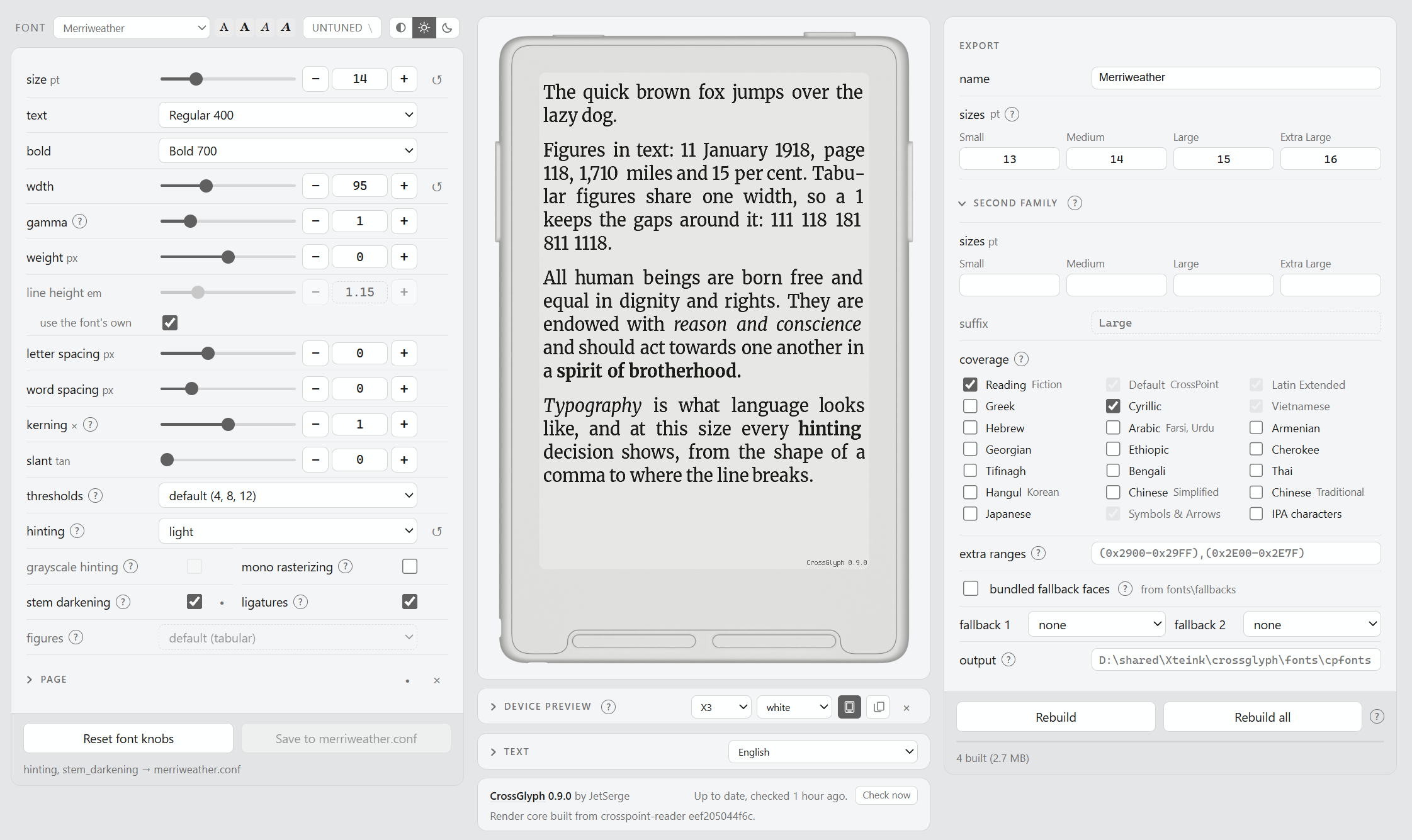
Build fonts for Xteink e-readers running CrossPoint, and tune them with live preview

a new web framework, an entire platform really, designed from the ground up to handle complex things easily. Put the power of an entire Operating System at your fingertips.

the best de-obfuscated version of Yusuke Endoh's "Most complex ASCII fluid" obfuscated C code competition 2012 entry
In Jan 2021 I moved around 29k notes from Evernote to markdown. These are the scripts I used to clean-up, validate, maintain the markdown notes.
P5Nitro turns your processing sketches into C++ code that runs at native speed
This page is also available as structured data, with the same sources and dates.
/api/v1/resources/gh/davidedc/BitmapText.jsTake My Repo has not tested this on your machine. Requirements come from the project's own documentation.


