KEPLER 🚀
An AI-Powered Autonomous Space Traffic Management Platform
🌍 Overview
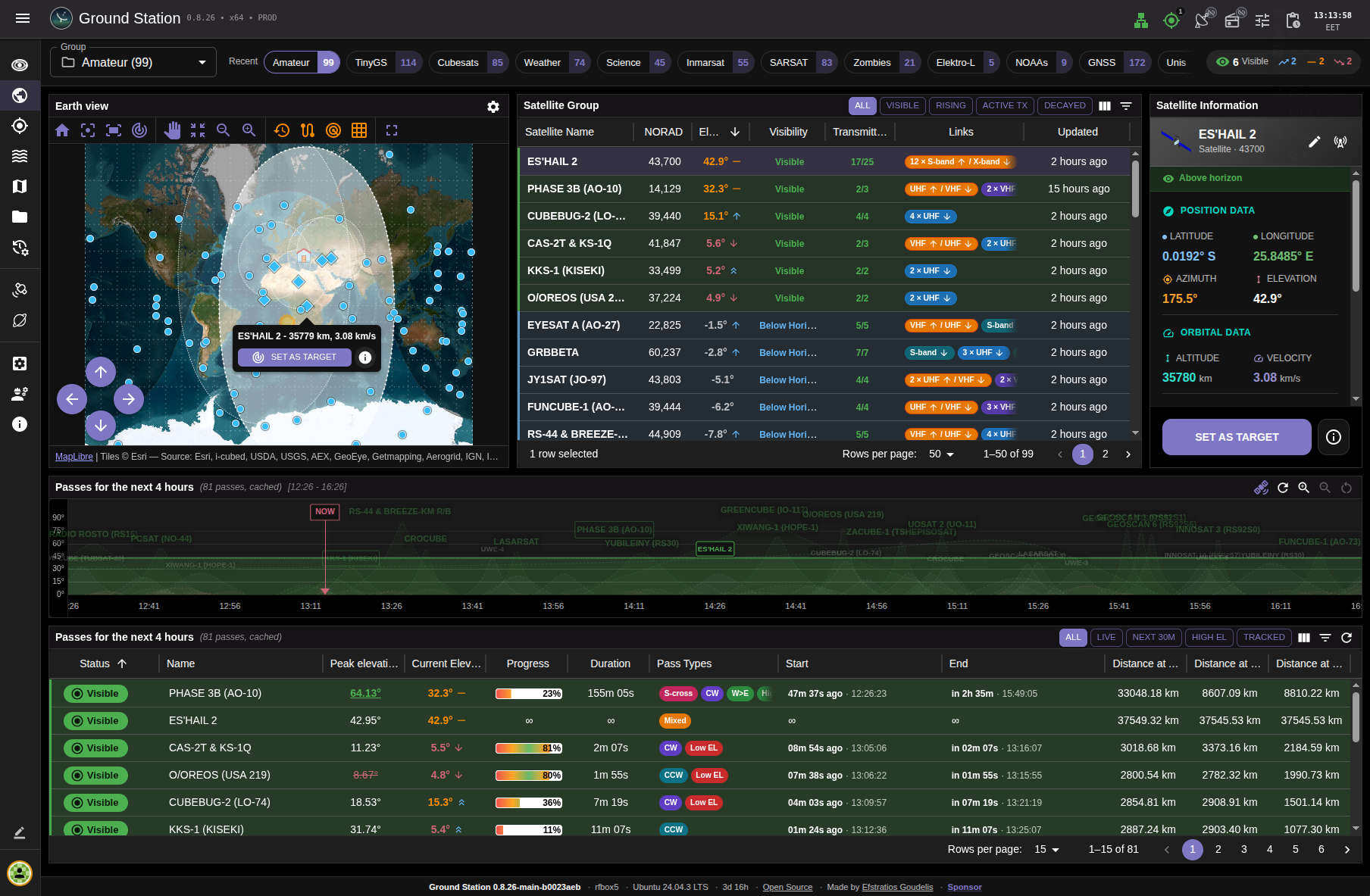
Kepler is an AI-powered Orbital Intelligence Platform designed to monitor satellites, track space debris, predict collision risks, and generate autonomous avoidance recommendations.
The project addresses one of the fastest-growing challenges in modern space operations:
The increasing congestion of Earth's orbital environment.
As thousands of new satellites enter orbit and space debris continues to accumulate, the probability of orbital collisions rises dramatically.
Kepler provides:
- Real-time orbital visualization
- Satellite and debris tracking
- Collision prediction
- Conjunction analysis
- Orbital risk assessment
- Autonomous maneuver recommendations
- Space weather monitoring
- Orbital intelligence dashboards
The platform combines modern AI systems, orbital mechanics, data visualization, and predictive analytics into a unified operational command center.
✨ Features
- 🛰️ Live Satellite Tracking
- ☄️ Space Debris Monitoring
- ⚠️ AI-Based Collision Prediction
- 📊 Orbital Risk Assessment
- 🤖 Multi-Agent AI Decision System
- 🌍 Digital Twin Earth Visualization
- 🚀 Autonomous Collision Avoidance Recommendations
- 🌞 Space Weather Monitoring
- 📈 Interactive Dashboard & Analytics
- 🔄 Real-time Orbital Data Processing
🏗️ Tech Stack
Frontend
- React
- TypeScript
- Tailwind CSS
- CesiumJS
- Redux Toolkit
Backend
- FastAPI
- Python
- PostgreSQL
- SQLAlchemy (async) / asyncpg
- Alembic (migrations)
AI & Data Processing
- OpenAI API
- LangGraph
- NumPy
- Pandas
- Scikit-learn
Space Data Sources
- Space-Track
- CelesTrak
- NASA DONKI
- NOAA SWPC
DevOps
- Docker
- Docker Compose
- GitHub Actions
📂 Project Structure
Kepler/
│
├── frontend/
│   ├── public/
│   ├── src/
│   ├── components/
│   ├── pages/
│   ├── hooks/
│   ├── store/
│   ├── services/
│   ├── utils/
│   ├── assets/
│   └── styles/
│
├── backend/
│   ├── app/
│   ├── api/
│   ├── services/
│   ├── ai/
│   ├── orbital/
│   ├── database/
│   ├── models/
│   ├── schemas/
│   ├── middleware/
│   ├── migrations/
│   └── utils/
│
├── docs/
├── datasets/
├── scripts/
├── docker/
├── tests/
│
├── .env
├── docker-compose.yml
├── requirements.txt
└── README.md
🚀 Getting Started
1. Fork the Repository
Click the Fork button at the top-right of this repository.
2. Clone Your Fork
git clone https://github.com/<your-username>/Kepler.git
3. Navigate to the Project
cd Kepler
4. Add the Original Repository as Upstream
git remote add upstream https://github.com/7-Blocks/Kepler.git
Verify:
git remote -v
5. Install Backend Dependencies
cd backend

pip install -r ../requirements.txt
6. Install Frontend Dependencies
cd ../frontend

npm install
7. Configure Environment Variables
Create a .env file in the project root.
Example:
POSTGRES_USER=your_username
POSTGRES_PASSWORD=your_password
POSTGRES_DB=kepler
POSTGRES_HOST=localhost
POSTGRES_PORT=5432

DATABASE_URL=postgresql+asyncpg://your_username:your_password@localhost:5432/kepler

SPACETRACK_USERNAME=your_username
SPACETRACK_PASSWORD=your_password

OPENAI_API_KEY=your_api_key
8. Start PostgreSQL
Run a local PostgreSQL instance, or use Docker:
docker run --name kepler-postgres \
  -e POSTGRES_USER=your_username \
  -e POSTGRES_PASSWORD=your_password \
  -e POSTGRES_DB=kepler \
  -p 5432:5432 \
  -d postgres:16
Alternatively, connect to a managed PostgreSQL instance (e.g. Supabase, Neon, RDS) by pointing DATABASE_URL at it.
9. Run Database Migrations
cd backend

alembic upgrade head
10. Run the Backend
cd backend

uvicorn app.main:app --reload
Backend:
http://localhost:8000
Swagger:
http://localhost:8000/docs
11. Run the Frontend
cd frontend

npm run dev
Frontend:
http://localhost:5173
12. Database Seeding
To quickly populate the local PostgreSQL database with realistic sample satellite, telemetry, and conjunction records for development, testing, and demonstration, use the seeding script:
cd backend
PYTHONPATH=. python scripts/seed_db.py --count 50 --clear
Seeding Options
--count / -c (default 50): Number of satellite records to generate.--clear / -x: Drops existing satellite, debris, telemetry, and conjunction records from PostgreSQL before seeding.
Configuration
By default, the script connects to the database specified by DATABASE_URL in the .env file, defaulting to postgresql+asyncpg://postgres:postgres@localhost:5432/orbital_guardian if unset. You can configure a custom PostgreSQL connection string by setting the DATABASE_URL environment variable:
DATABASE_URL=postgresql+asyncpg://postgres:postgres@localhost:5432/custom_db PYTHONPATH=. python scripts/seed_db.py --count 100 --clear
🧪 Running Tests
Backend
pytest
Frontend
npm test
🤝 Contributing
We welcome contributions from developers of all experience levels. Whether you're fixing bugs, improving documentation, or adding new features, your contributions are appreciated.
Important: