rea
Reverse engineer anything with agents, from app behavior down to native binaries.
- 476k
- TypeScript
- MIT
- 3 min ago

Run a task with AI as a flow of steps you keep, reuse, and refine, not a one-off chat.
Repo AIScientists-Dev/Flowtrace, read from GitHub 1 min ago. AIScientists-Dev has not joined Take My Repo.
AIScientists-Dev/Flowtrace is a public repo on GitHub by AIScientists-Dev. Run a task with AI as a flow of steps you keep, reuse, and refine, not a one-off chat. It declares the MIT license on GitHub. It is written mainly in TypeScript, has 484 stars and last changed on 2026-06-09. Nobody has reviewed it on Take My Repo yet, which says nothing about its quality. Read from GitHub on 2026-11-24.
Reverse engineer anything with agents, from app behavior down to native binaries.

Run your agent's work as steps you can follow, check, and reuse, instead of a stream of text that buries you and then disappears.
Works with the agent you already use: Claude Code, Codex, Cursor.
What it does · Get started · Examples · Docs
English · 简体中文
⭐ If Flowtrace looks useful, star it (button's top-right) — it's how we decide what to keep building in the open.
Real work with an agent happens as a stream of text. You run a skill and it does the whole task in one pass, or you go back and forth in a chat that keeps growing. Either way it piles up faster than you can follow, and once it is done you are left with a wall of messages.
For a quick question that is fine. For a buy or sell call, a due diligence memo, a security gate, anything you would actually need to verify or run again, it is a problem:
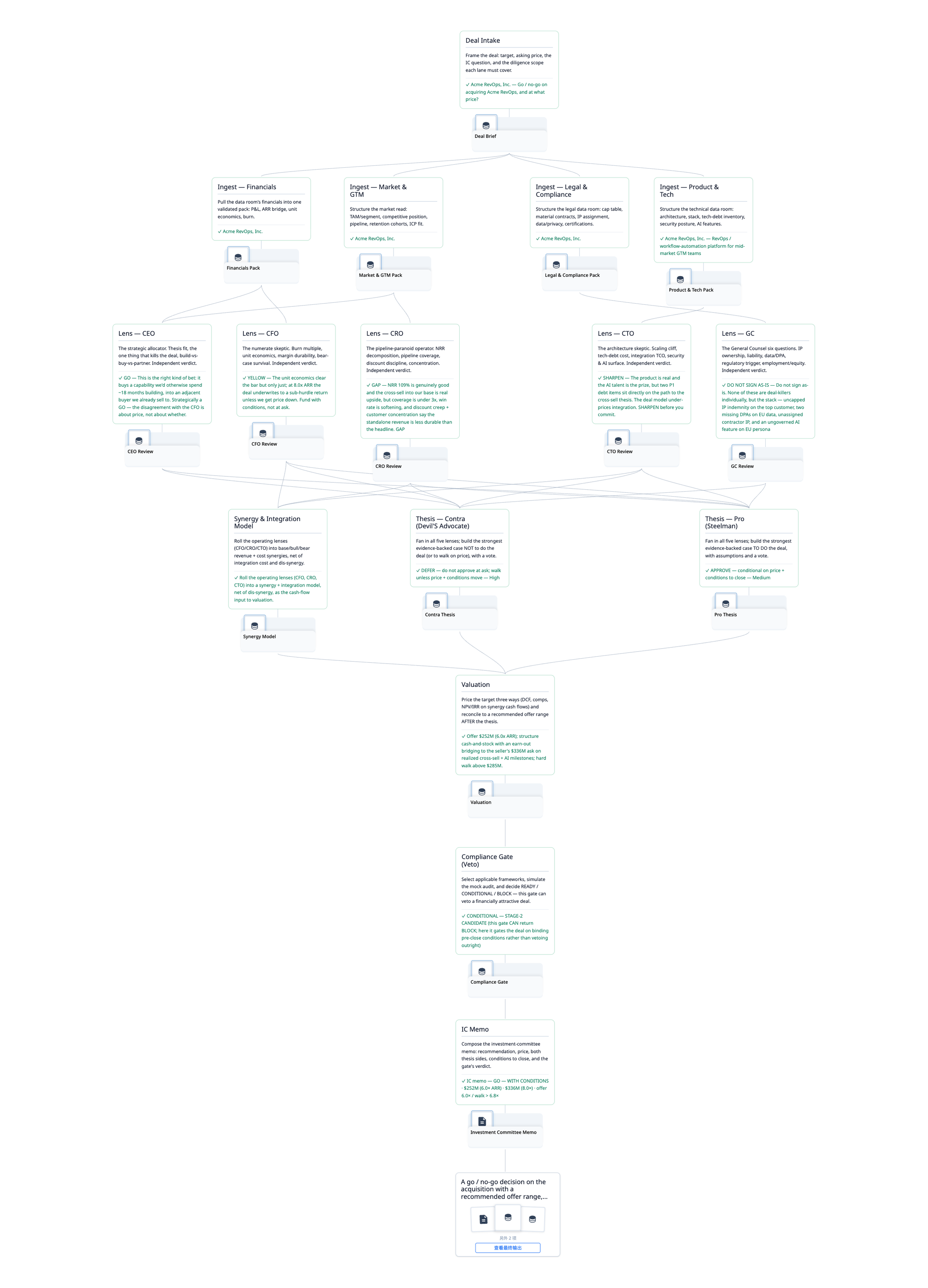
Flowtrace runs that same work as a trace: a flow of steps the agent moves through one at a time, each leaving its output on disk. Here is one, a buy or sell decision that ends in a fixed-format, citable PDF:
 The flow · click to enlarge |
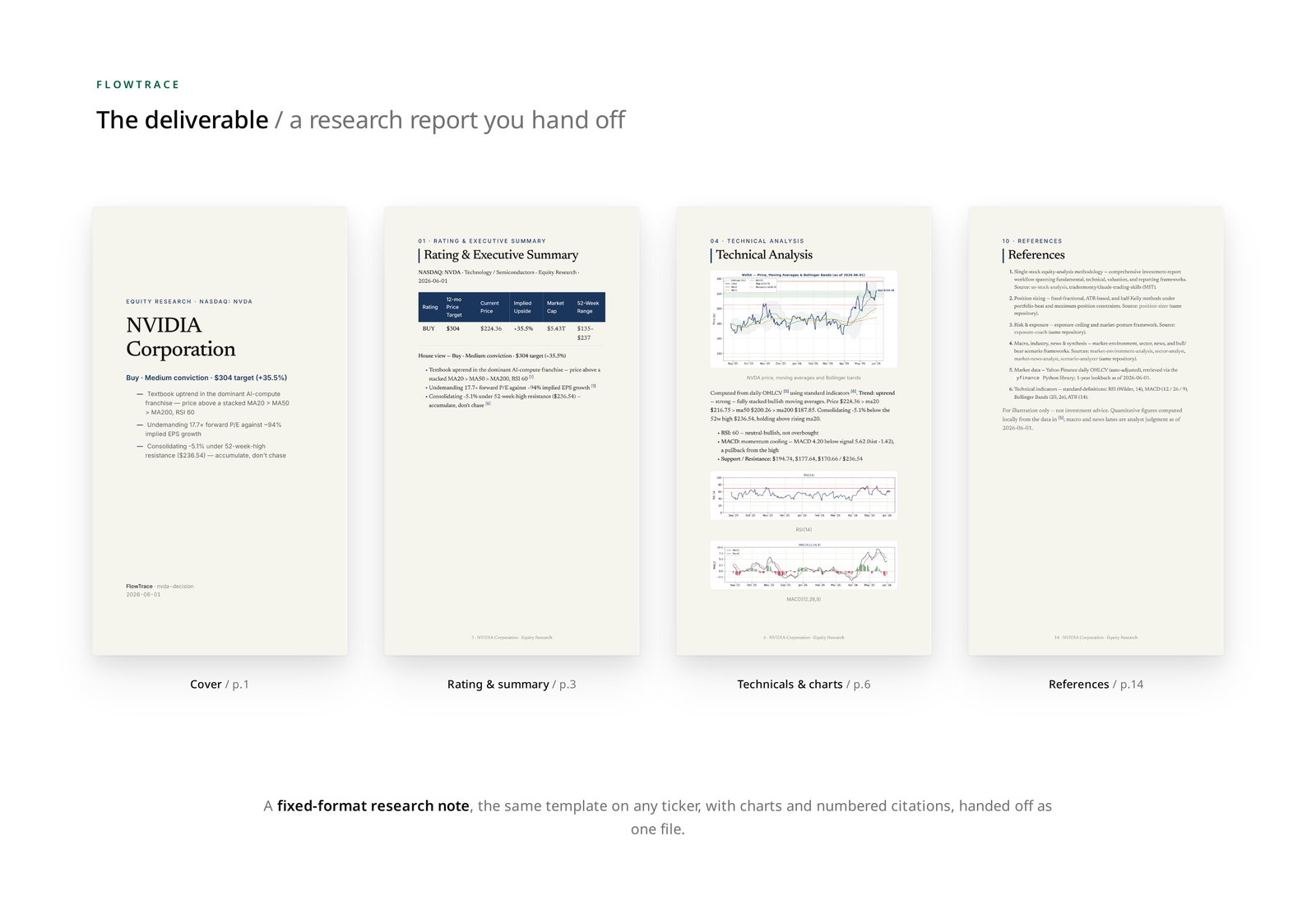 The deliverable · click to open |
Read the full research-note PDF
Same skills, same agent. Running that work as a trace is what changes:
Transparent. The work is a flow of steps you take in at a glance, not a thread you scroll. Each step's output is a file you open, so the intermediate work is right there instead of buried in messages.

Grounded. Every result points back to the files it came from, so you verify instead of trust.
 Finance |
 Clinical |
Steerable. Fix one step and only what depends on it re-runs. The rest stays put.
Traceable. The whole run is files and git, so it does not vanish when you close the tab. Stop and resume anytime, hand it to a teammate, read the full history.

Reusable. A finished task becomes a trace you run again on new input. The method is reused, not rebuilt.
Evolving. The trace gets better the more it runs. When a step misses its bar, the next version switches to a method that clears it, and the version that passes is the one that sticks.
Structured reading. A trace exposes the work as a graph of files, not a linear transcript. The agent reads it by structure and on demand, loading a step's contract, inputs, and outputs only while working on it and following explicit dependencies rather than carrying the whole history. This bounds working context, reduces drift, and yields a representation people and agents can both inspect and extend.
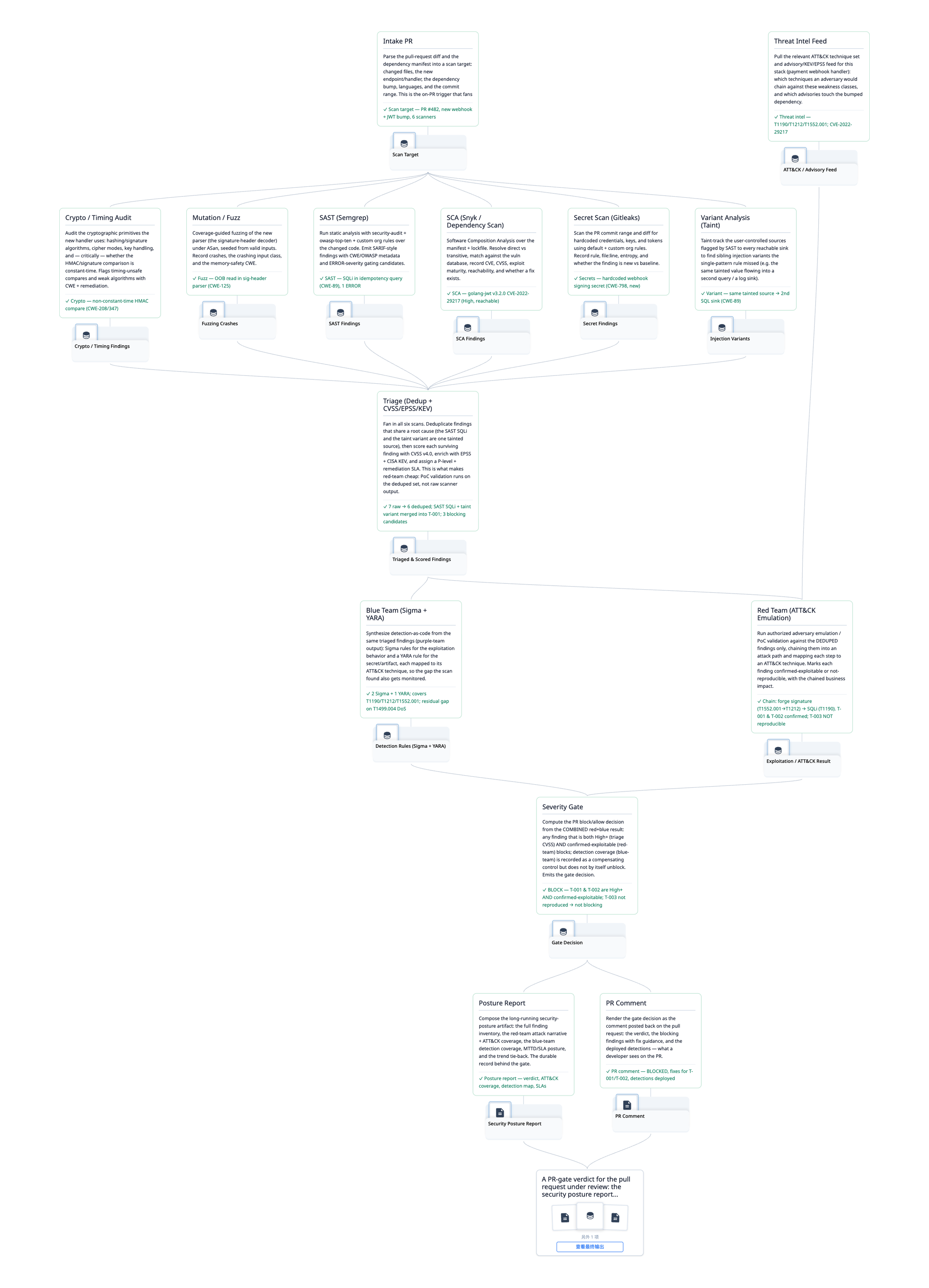
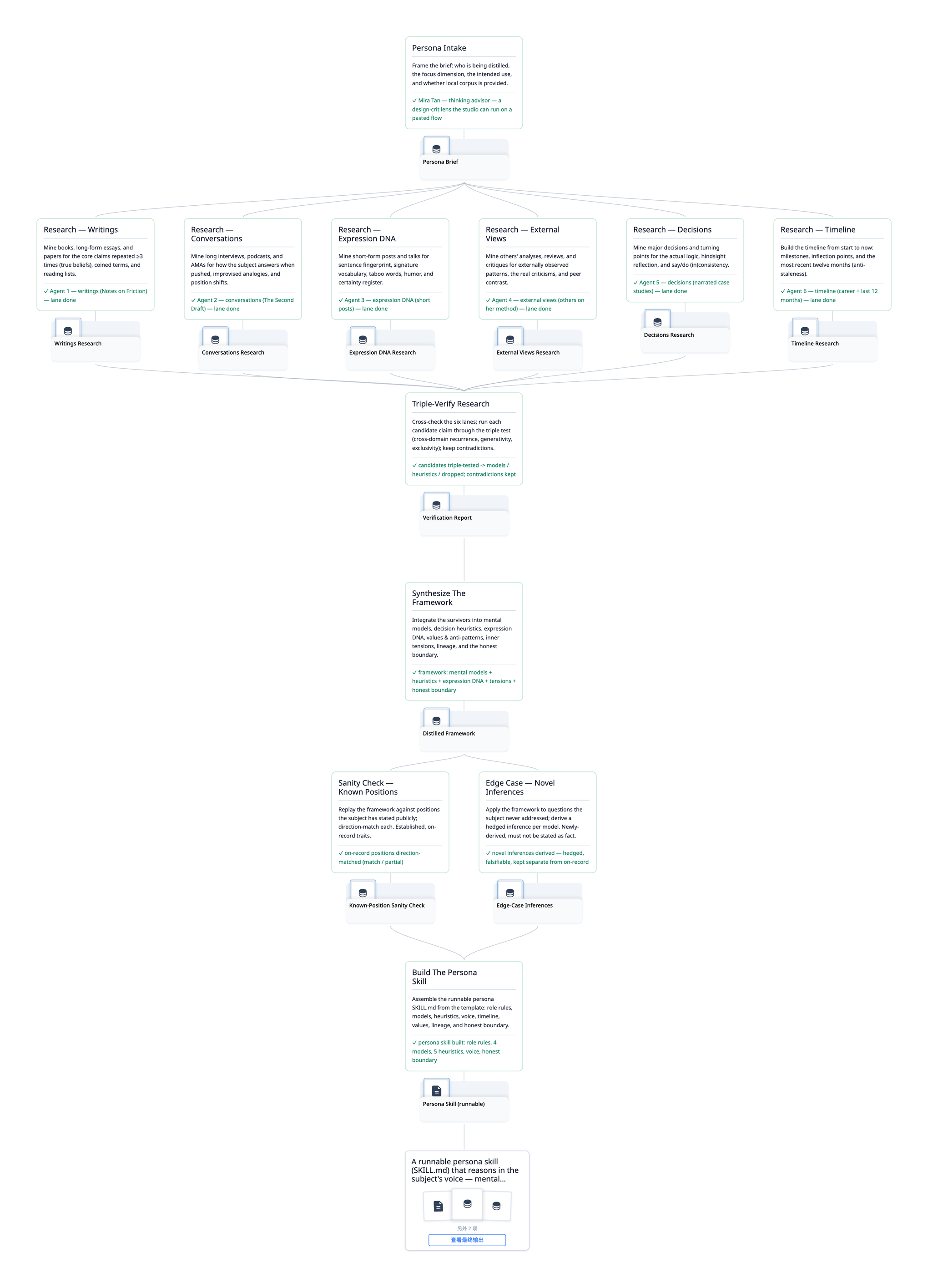
You do not start from scratch. A skill, a long session, a plan, a finished run: run any of them as a trace and you get the same steps you can follow, check, and run again. Open any one to read it full size.
 |
 |
 |
 |
Not every task needs this. A quick one off, just chat. Flowtrace earns its place when the result matters enough to verify, or when you will run the task again.
The fast path is to hand the repo to an agent. Point a coding agent (Claude Code, Codex, Cursor) at this folder and say:
"Install Flowtrace and run the tailored-resume example."
It installs the CLI, builds a real trace at ~/traces/tailored-resume/, and opens the web view at http://localhost:3000, where the flow lights up step by step.
Two ways to get a trace:
Try a reference. Each example ships as a builder that creates a real trace folder and walks one full run.
bash scripts/examples/tailored-resume/build.sh   # → ~/traces/tailored-resume/
flowtrace serve                                  # → http://localhost:3000
Make your own. The make-trace skill turns any source (a SKILL.md, a runbook, a chat log, a finished task) into a trace. Copy skills/make-trace/ into the agent's skills directory and run /make-trace.
A run is steerable: stop at any step, change it, and the steps that depend on it re-run while the rest stay put.
git clone https://github.com/AIScientists-Dev/flowtrace.git
cd flowtrace
./scripts/install.sh        # builds + symlinks flowtrace to ~/.local/bin/
Update with git pull && ./scripts/install.sh. Override the symlink target with INSTALL_DIR=…. Building from source or contributing? See CONTRIBUTING.md.
Nine examples built from popular open-source skills, spanning different domains. Open any one for its flow and a one-command demo in the examples gallery:
Plus six more:
A trace is one git repository. trace.json declares the steps, their dependencies, and the final deliverable. Each run lives under runs/<run_id>/:
AIScientists-Dev/Flowtrace is a public repo on GitHub by AIScientists-Dev. Run a task with AI as a flow of steps you keep, reuse, and refine, not a one-off chat.
It declares the MIT license on GitHub.
Its maker has not tagged a system, so it is unknown here. Its README says what it needs.
Open "Take it" on its page: Take My Repo writes an install plan for your machine and hands it to your AI agent (Claude Code, Codex or Cursor), which asks you before each step. Take My Repo has not tested it on any machine.
AutoGPT is the vision of accessible AI for everyone, to use and to build on. Our mission is to provide the tools, so that you can focus on what matters.
The agent harness performance optimization system. Skills, instincts, memory, security, and research-first development for Claude Code, Codex, Opencode, Cursor and beyond.
Build Agentic workflows, RAG pipelines, with rich AI model and tool support on one collaborative workspace. Deploy on cloud, VPC, or self-hosted, so teams move from prototype to production without rebuilding the stack.
Its last change on GitHub was on 2026-06-09. GitHub counts 5 open issues and pull requests. Take My Repo does not judge from that whether it is maintained.
Nobody has reviewed it on Take My Repo yet, which says nothing about its quality.
Take My Repo cannot say: it does not audit code and has not run Flowtrace. What is known comes from GitHub. It declares the MIT license on GitHub. Its last change was on 2026-06-09. It has 484 stars, which measure popularity, not safety. Nobody has reviewed it on Take My Repo yet, which says nothing about its quality. Read the source before you run it. With "Take it", your AI agent shows each step and asks you before running it; README text is treated as data, not as instructions.