CoBRA
[🏆 CHI26 Best Paper] CoBRA: Reproducible control of LLM agent behavior via classic social science experiments
- 99
- Python
- MIT
- 7 mo ago

PersonalDataHub: Gate personal data access for AI agents
Repo AISmithLab/PersonalDataHub, read from GitHub 1 min ago. AISmithLab has not joined Take My Repo.
AISmithLab/PersonalDataHub is a public repo on GitHub by AISmithLab. PersonalDataHub: Gate personal data access for AI agents. It declares the Apache-2.0 license on GitHub. It is written mainly in TypeScript, has 3 stars and last changed on 2026-10-22. Nobody has reviewed it on Take My Repo yet, which says nothing about its quality. Read from GitHub on 2026-11-21.
An open-source, self-hosted data hub between your personal services (Gmail, GitHub, etc.) and your AI agents.
PersonalDataHub connects to your accounts via OAuth2 and lets AI agents query them through MCP or REST API — all running locally on your machine, with no data sent to third parties. You configure quick filters to control what agents can see, and review every action they propose before it's executed.

SourceConnector interface| Source | Read | Write |
|---|---|---|
| Gmail | Emails (filtered by date, labels) | Draft / reply / send (staged for approval) |
| GitHub | Issues and PRs from selected repos | Via agent's own scoped credentials |
git clone https://github.com/AISmithLab/PersonalDataHub.git
cd PersonalDataHub && pnpm install && pnpm build

# Initialize (save the owner password it prints)
npx pdh init

# Start the server
npx pdh start
Open http://localhost:3000 in your browser.
To use your own OAuth credentials instead of the defaults, see OAuth Setup.
Add PersonalDataHub as an MCP server in .claude/settings.json:
{
  "mcpServers": {
    "personaldatahub": {
      "command": "npx",
      "args": ["pdh", "mcp"]
    }
  }
}
Cursor / Windsurf — add PersonalDataHub as an MCP server using the same command: npx pdh mcp
For OpenClaw setup (with OS-level user separation for stronger isolation), see the OpenClaw Setup Guide.
Tools are source-specific and only appear when the source is connected via OAuth:
read_emailsPull emails filtered by the owner's quick filter policy.
{
  "source": "gmail",
  "purpose": "Find emails about Q4 report to summarize for user"
}draft_emailCreate a draft email (staged for owner approval before saving).
{
  "to": "bob@company.com",
  "subject": "Re: Q4 Report",
  "body": "Thanks Bob, the numbers look good."
}send_emailSend an email directly (staged for owner approval before sending).
reply_to_emailReply to an existing email thread (staged for owner approval).
search_github_issuesSearch issues across selected repositories.
search_github_prsSearch pull requests across selected repositories.
Control what data agents can see using simple toggle-based filters in the GUI:
| Filter | What it does |
|---|---|
| Only emails after | Drop rows before a given date |
| Only from sender | Keep rows where sender contains a value |
| Subject contains | Keep rows where subject contains a value |
| Exclude sender | Drop rows where sender matches |
| Exclude subject containing | Drop rows where subject matches |
| Only with attachments | Keep only rows that have attachments |
| Hide field from agents | Remove a field (e.g., body) before delivery |
Skills are high-level workflows that orchestrate PersonalDataHub's REST API to handle multi-step tasks.
| Skill | Description |
|---|---|
email-assistant |
Parse a natural language email request, search for relevant emails, analyze context, and draft a response |
Installation (Claude Code): Copy the skill folder to ~/.claude/skills/, then invoke with /email-assistant.
npx pdh init [app-name]     Bootstrap a new installation
npx pdh start               Start the server in the background
npx pdh stop                Stop the background server
npx pdh status              Check if the server is running
npx pdh mcp                 Start a stdio MCP server for agent access
npx pdh install-service     Install a systemd/launchd service for auto-start on reboot
npx pdh uninstall-service   Remove the auto-start service
npx pdh reset               Remove all generated files and start fresh
PersonalDataHub runs on your local machine. OAuth tokens are encrypted at rest with AES-256-GCM and the server binds to 127.0.0.1 (localhost only).
Three layers of access control:
What the agent cannot do:
For the full threat model, see SECURITY.md.
PersonalDataHub runs as a self-contained Android or iOS app using React Native. The existing Hono backend runs in a native Node.js Mobile background thread; the UI is a WebView loading 127.0.0.1:3000.
cd mobile && npm install && npm run build:android
See the Android Build Guide for full setup, prerequisites, and troubleshooting.
Apache 2.0
AISmithLab/PersonalDataHub is a public repo on GitHub by AISmithLab. PersonalDataHub: Gate personal data access for AI agents.
It declares the Apache-2.0 license on GitHub.
Its maker has not tagged a system, so it is unknown here. Its README says what it needs.
Open "Take it" on its page: Take My Repo writes an install plan for your machine and hands it to your AI agent (Claude Code, Codex or Cursor), which asks you before each step. Take My Repo has not tested it on any machine.
Its last change on GitHub was on 2026-10-22. Take My Repo does not judge from that whether it is maintained.
Nobody has reviewed it on Take My Repo yet, which says nothing about its quality.
[🏆 CHI26 Best Paper] CoBRA: Reproducible control of LLM agent behavior via classic social science experiments
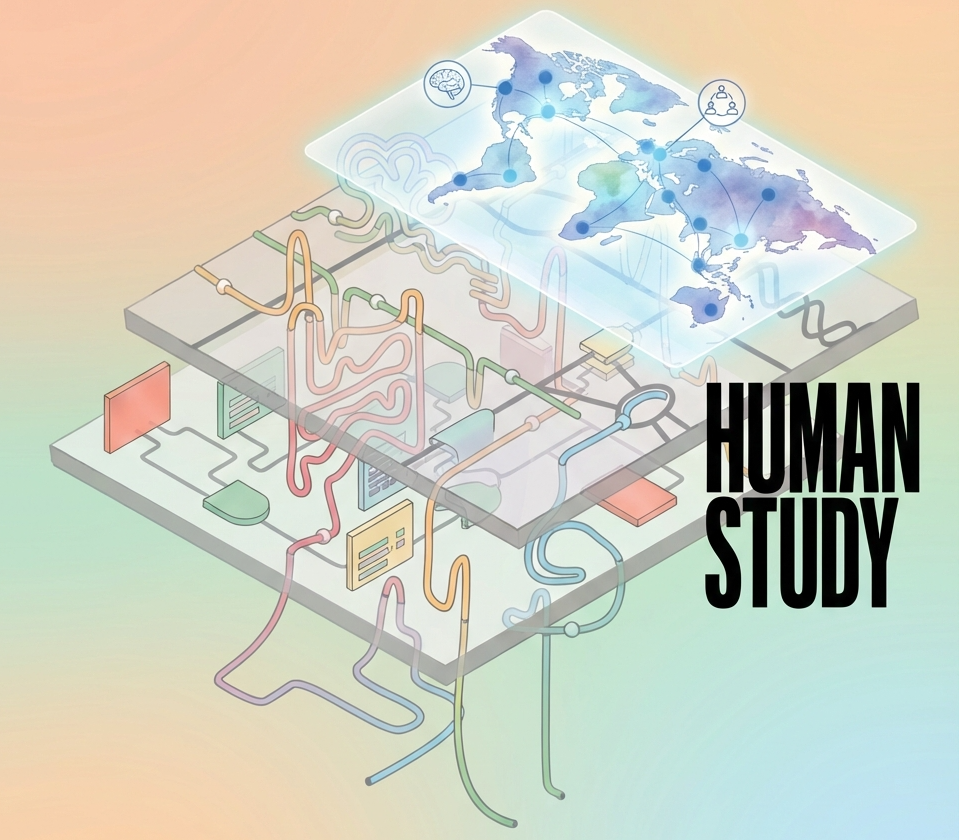
HumanStudy-Bench: Towards AI Agent Design for Participant Simulation
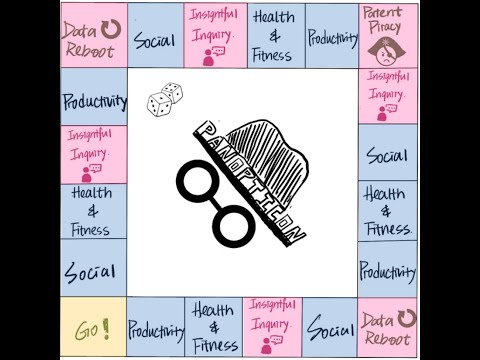
Panopticon is an educational board game that teaches data science students privacy design skills through interactive gameplay.
Can we deliberately degrade an LLM’s reasoning ability in a small set of high-risk domains—such as bomb-making—while preserving its overall performance in general use?