
vue-element-admin
:tada: A magical vue admin https://panjiachen.github.io/vue-element-admin
- 90k
- Vue
- MIT
- 2 y ago
Open-source back office for your product. Connect Postgres, MySQL/MariaDB or MongoDB, mock up the dashboard with your coding agent, then it builds the pages as TypeScript in your repo. Self-hosted.
Repo AntelopeJS/dms, read from GitHub 6 h ago. AntelopeJS has not joined Take My Repo.
AntelopeJS/dms is a public repo on GitHub by AntelopeJS. Open-source back office for your product. Connect Postgres, MySQL/MariaDB or MongoDB, mock up the dashboard with your coding agent, then it builds the pages as TypeScript in your repo. Self-hosted. It declares the Apache-2.0 license on GitHub. It is written mainly in TypeScript, has 27 stars and last changed on 2026-11-23. Nobody has reviewed it on Take My Repo yet, which says nothing about its quality. Read from GitHub on 2026-11-23.
:tada: A magical vue admin https://panjiachen.github.io/vue-element-admin
The open-source back office for your product.
Paste your PostgreSQL, MySQL, MariaDB, MongoDB or RethinkDB connection string.
Your coding agent drafts a live mockup you comment on, then builds the admin pages and dashboards as TypeScript in your repo.
Quick start · Live demo · Docs · Discord
npx @antelopejs/core project init demo --template dms-connect-demo
Then cd demo && docker compose up starts AntelopeJS DMS and a sample coffee shop in PostgreSQL.
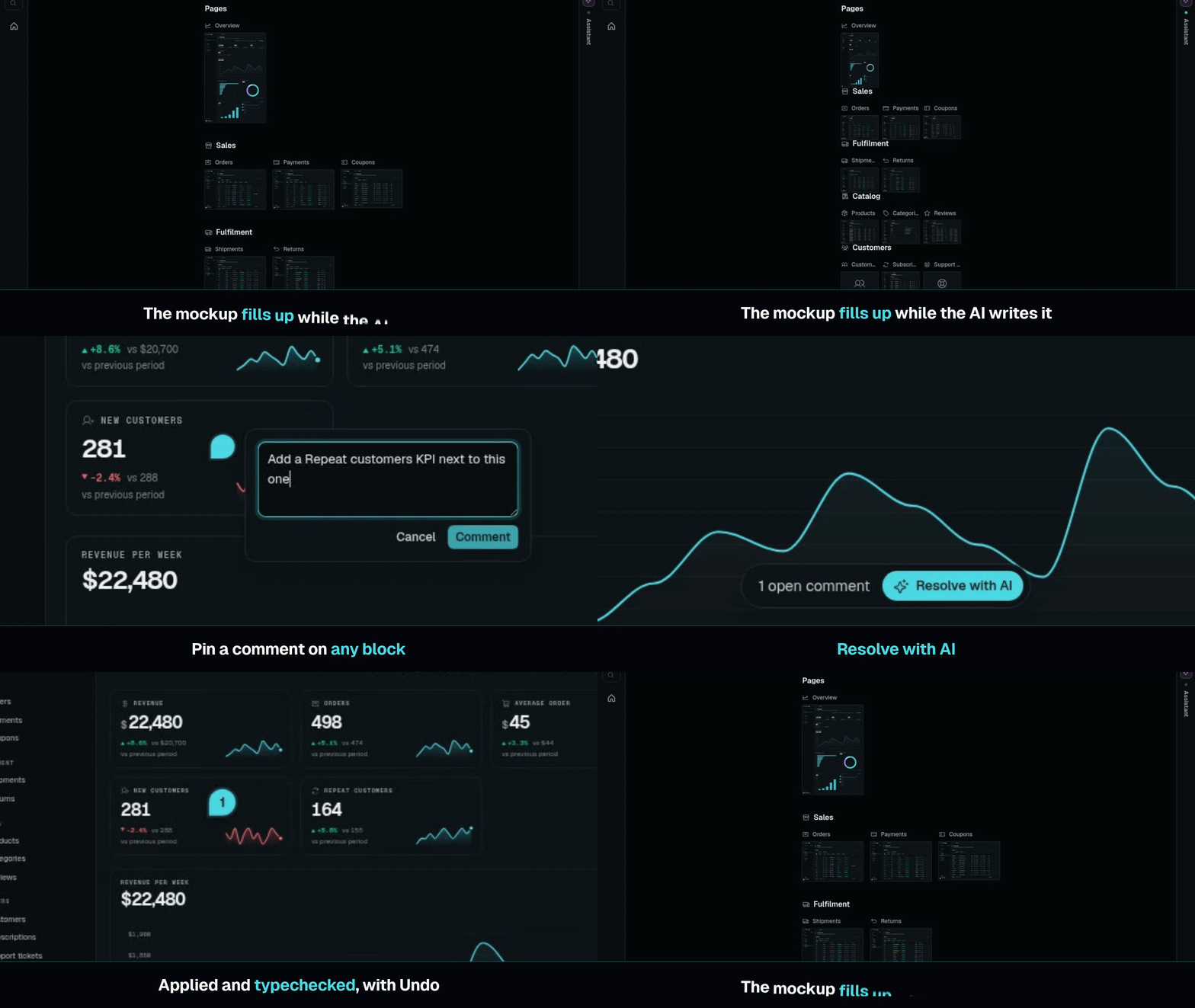
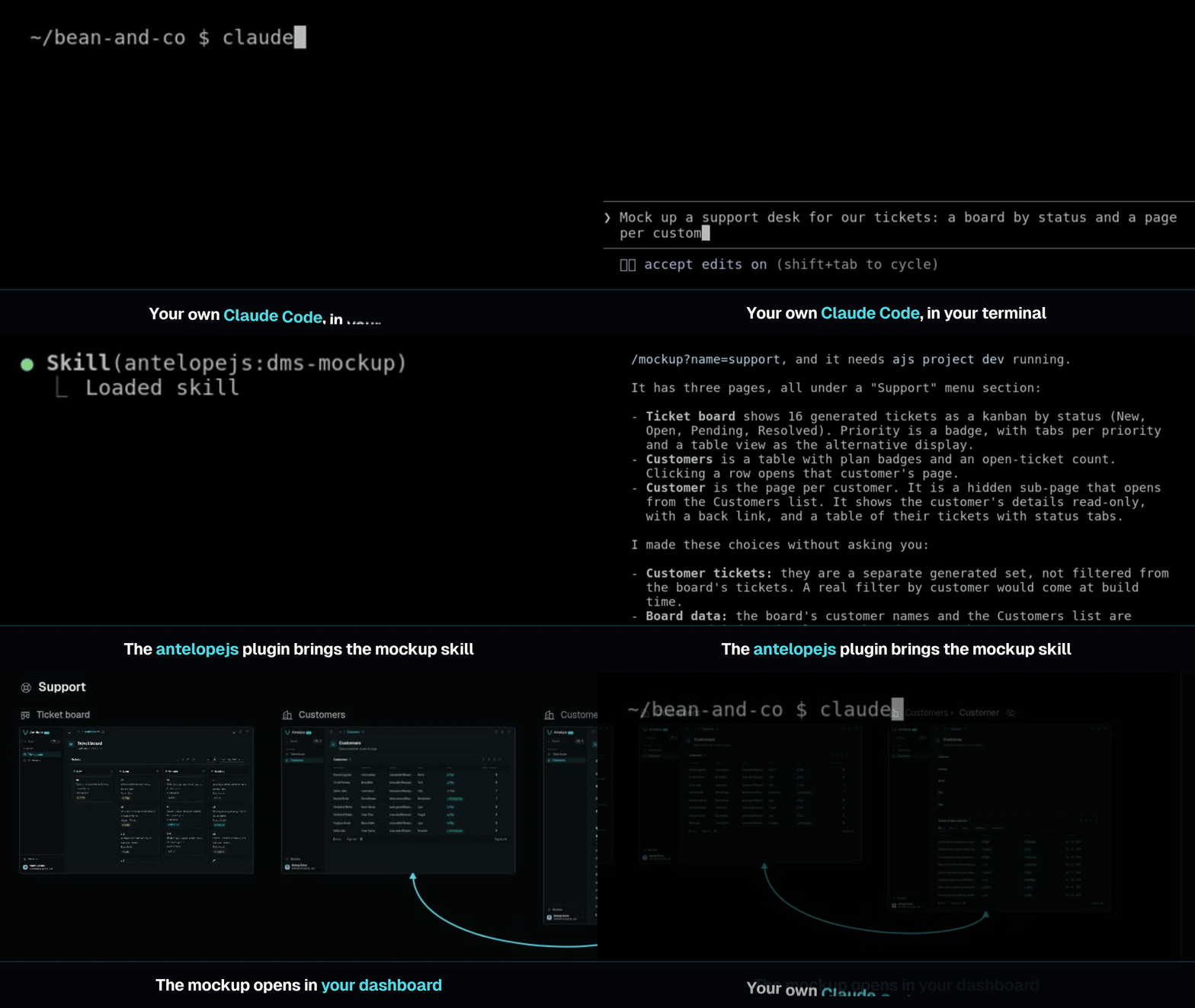
The assistant drafts the back office as a mockup first, drawn with the real blocks on the /mockup page:
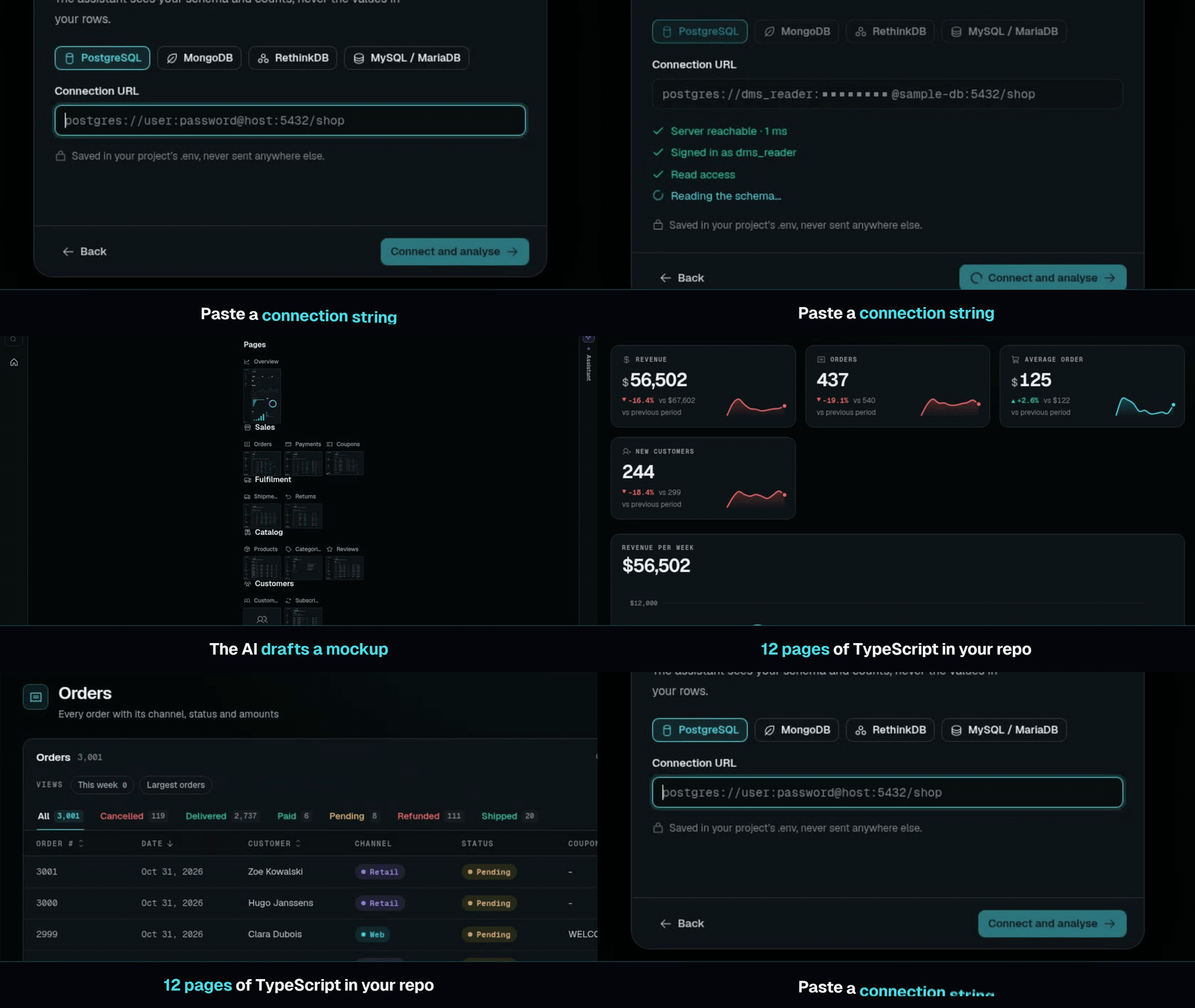
We ran it on the connect demo, a sample coffee shop on PostgreSQL.
| What | Result |
|---|---|
| Database | 12 tables, about 3,000 orders |
| Mockup | 12 pages, approved without changes |
| Pages | 1 dashboard and 11 table pages |
| Code | About 2,100 lines of TypeScript in 50 files, in one module |
| Result | The project typechecks, and all 12 pages pass the check against the mockup |
That was one run with no follow-up prompt. Run it yourself.
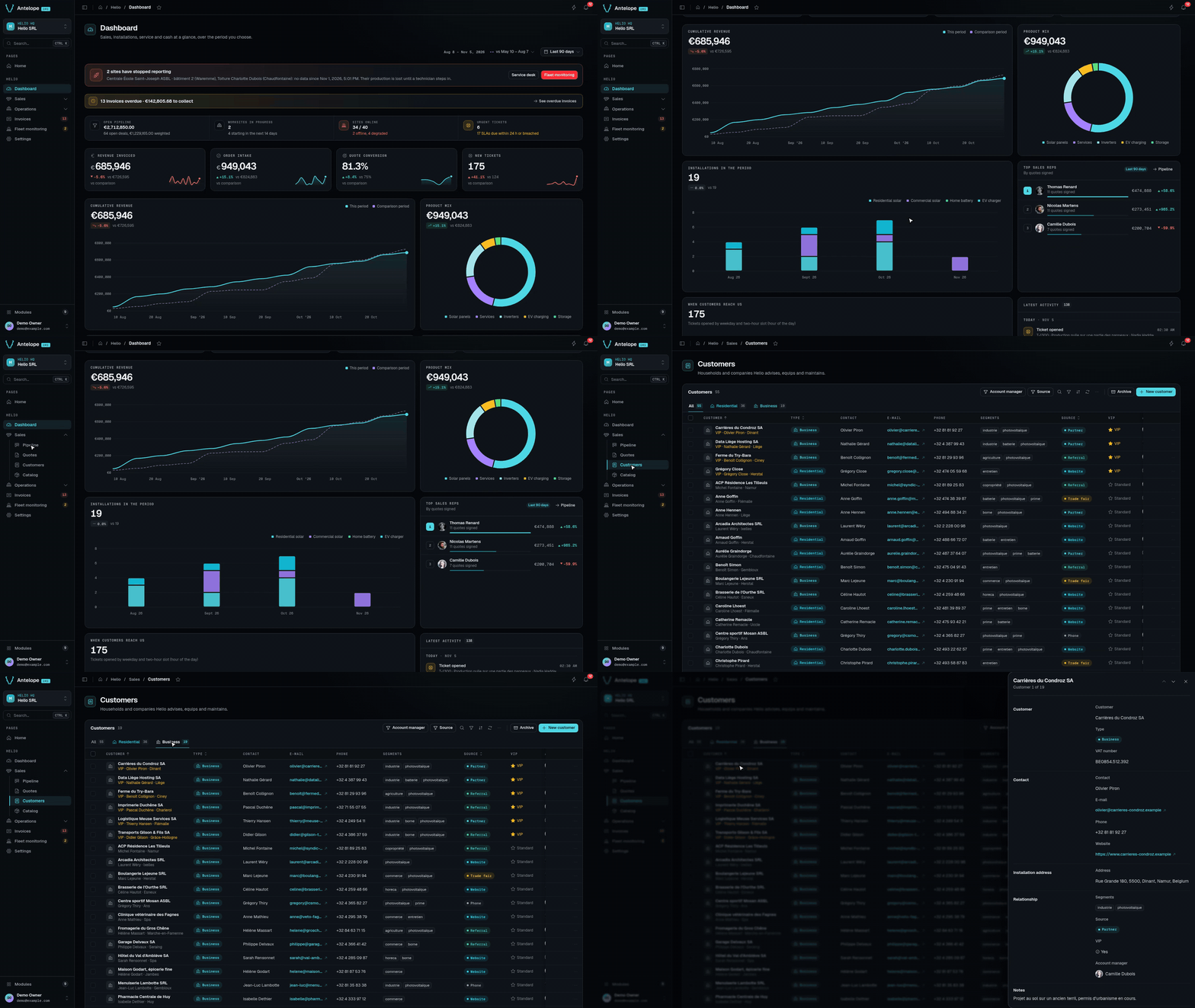
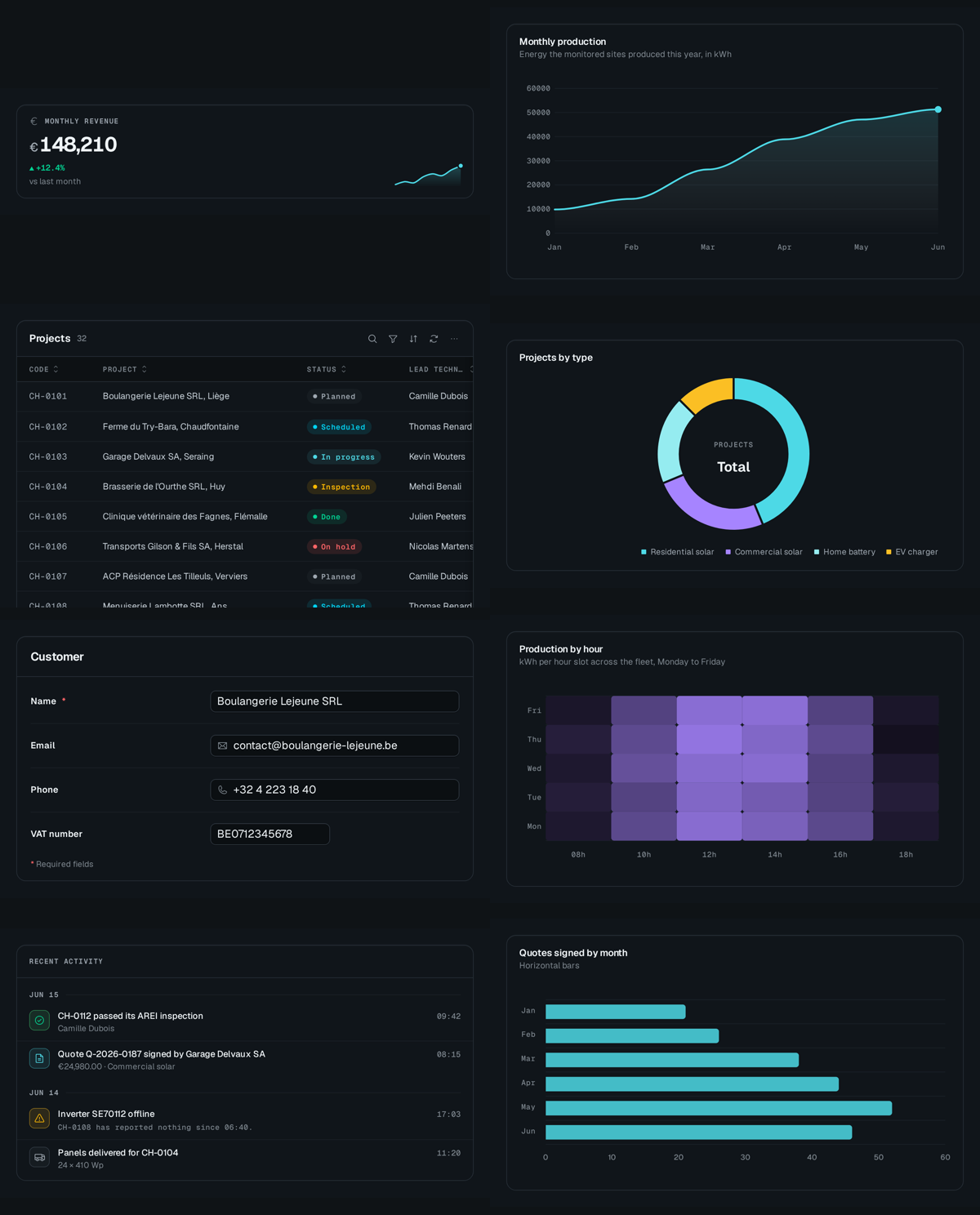
Everything in this tour is built with AntelopeJS DMS. Helio is a back office for a solar installer. Click through it live, no install needed.
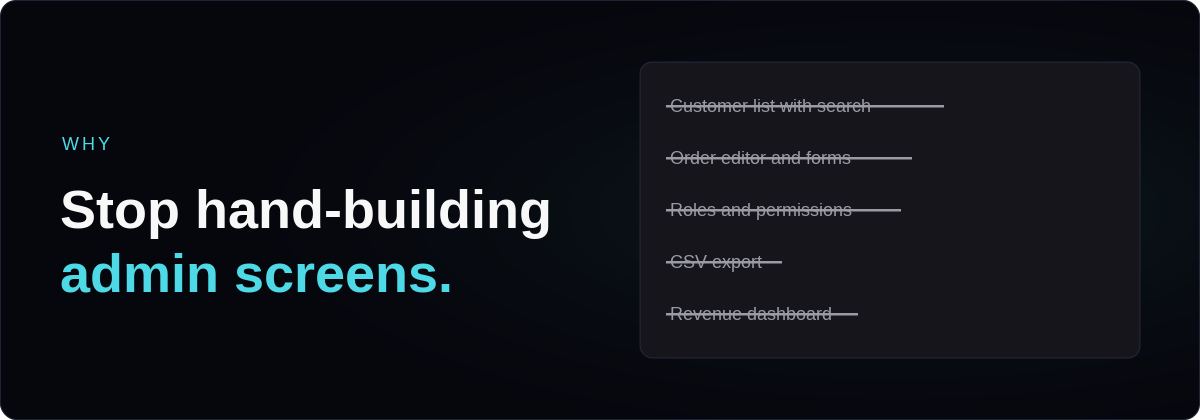
We run a service company. Almost every client project came with a back office, no two alike, so we rebuilt it each time and carried every permission fix by hand. Admin generators gave us a list screen fast, then got stuck the day a client asked for something they hadn't planned.
AntelopeJS DMS is the base we built instead, and we start every client project from it. It covers the standard screens with no frontend code, and you replace any piece without forking it.
On an empty repo, an agent has to invent sign-in, server-side roles, paginated lists, validated forms, charts and the layout in one go. The result looks finished. The gaps sit where a demo doesn't look:
With AntelopeJS DMS those pieces exist, and the agent picks blocks and fills in their options:
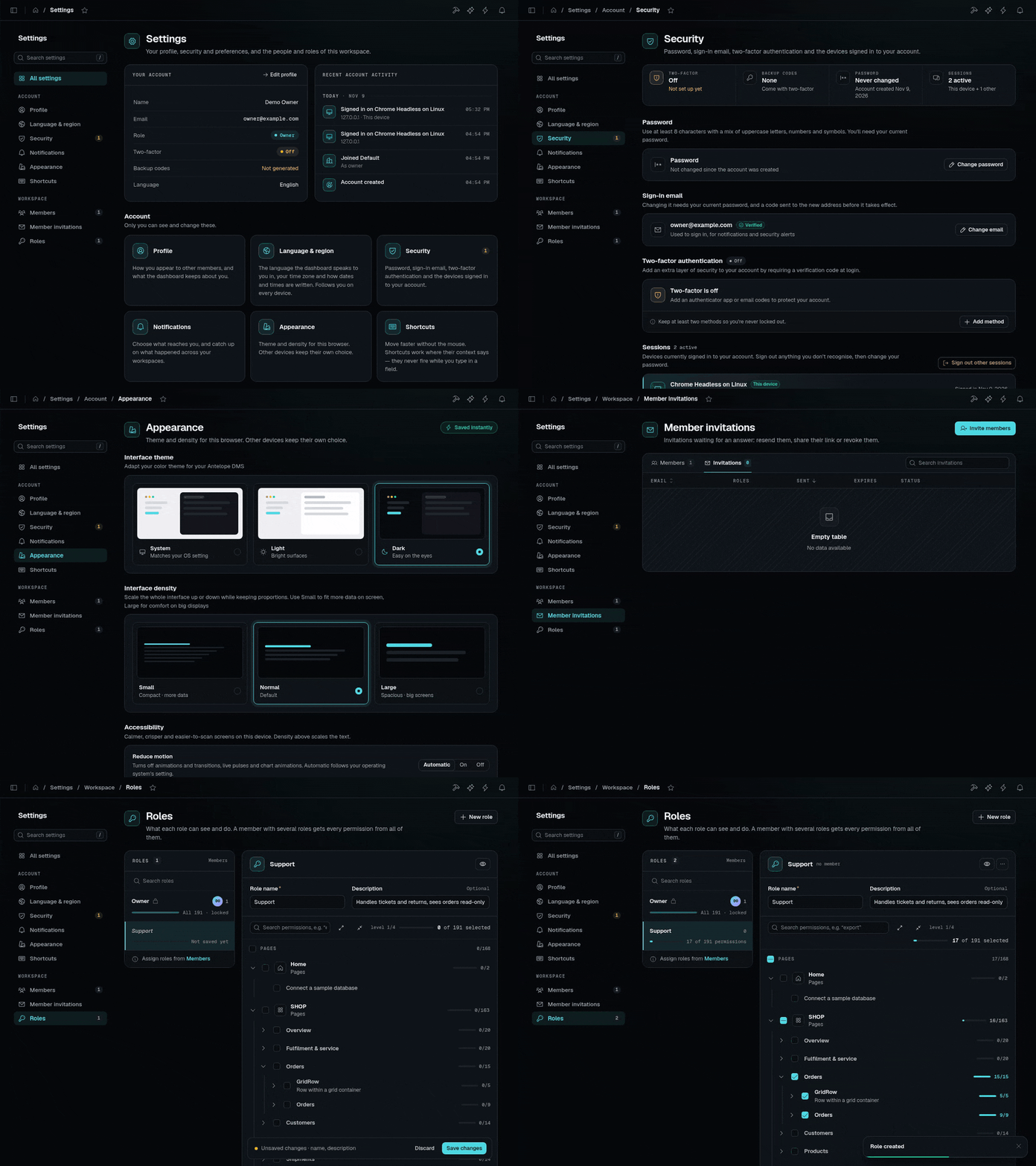
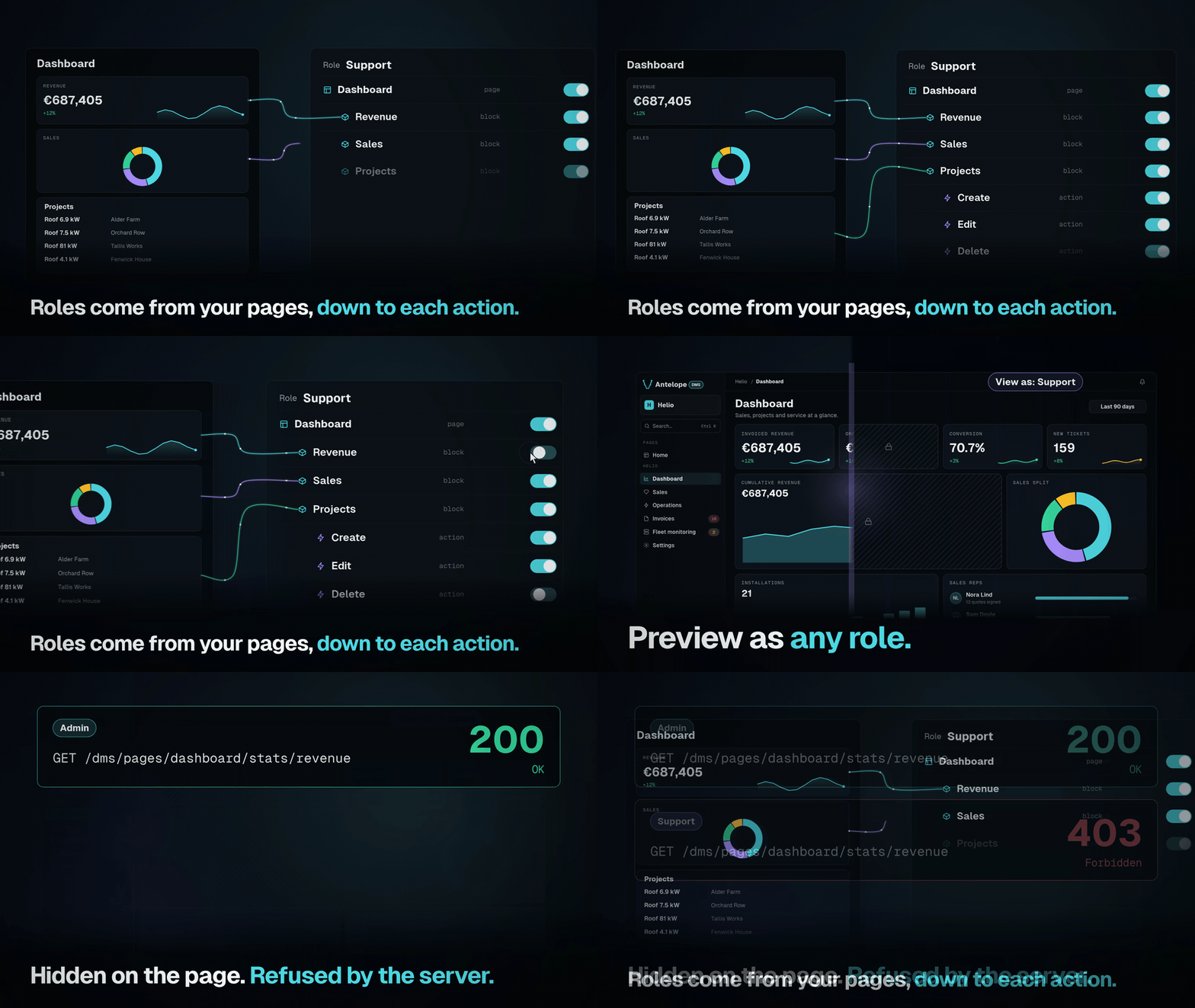
The roles editor already lists a permission for every page, block and action, so a Support role takes a few clicks.
You need Node.js, Git and Docker with Compose v2.
Try it on sample data. A coffee shop's orders in PostgreSQL, ready to connect.
npx @antelopejs/core project init demo --template dms-connect-demo
cd demo && docker compose up
Start your own project. Same DMS, no sample data. Connect your database from the assistant's popup, or build the tables from nothing.
npx @antelopejs/core project init my-app --template dms-starter
cd my-app && docker compose up
Open the onboarding link the dms service prints and create the admin account. In the assistant's popup, connect Claude Code or Codex, choose Start from an existing database and press Connect and analyse.
docker compose --profile mongodb up or docker compose --profile rethinkdb up.dms service prints a line that starts with [DMS] No owner exists yet. Open the address in that line to create the administrator.dms container, localhost is the container itself. A database on your machine needs an address the container can reach.To add the DMS to an existing AntelopeJS project:
ajs project modules add @antelopejs/dms
pnpm add -D @antelopejs/dms-frontend
It also needs an API module, a database module and an authentication module. The database module is @antelopejs/mongodb, or @antelopejs/mysql for MySQL and MariaDB, in a release built on the 0.4 line of interface-database. See Installation. The DMS also runs inside an AdonisJS backend.
Mix them on the same project. The assistant is a development tool and does not run in production.
A mockup is mockups/<name>/spec.json in your repo. See Mock it up, then build it.
Press Ctrl+Shift+K in the dashboard and describe what you want. Chats start in Safe mode, which changes pages, tables and queries through the builder tools only, and writes nothing unless the whole project still compiles. Code mode can also edit any file and run commands.
Run Claude Code or Codex in the project folder. Your agent needs the antelopejs plugin to get the DMS skills and tools. Without it, the agent does not know how to build a DMS page. Install it once:
# Claude Code
claude plugin marketplace add AntelopeJS/agent-skills
claude plugin install antelopejs@antelopejs

# Codex
codex plugin marketplace add AntelopeJS/agent-skills
codex plugin add antelopejs@antelopejs
Then run ajs project dev once. It adds a dms server to .mcp.json and .codex/config.toml, so your agent gets the builder, database, page and mockup tools the dashboard assistant uses. See Install the plugin.
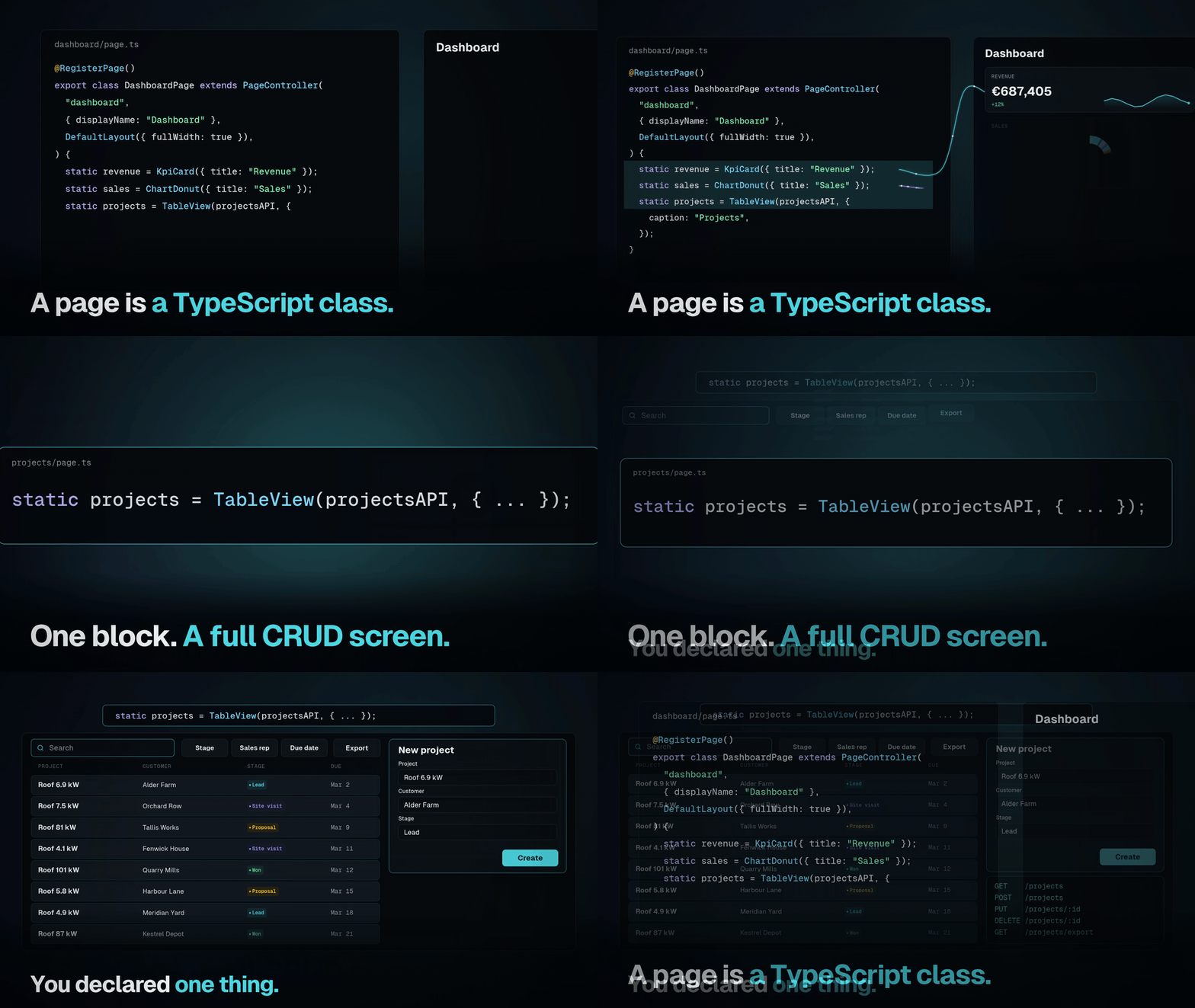
One field, one full screen. From the docs tutorial.
@RegisterPage()
export class SuppliersPage extends PageController("suppliers", {
  displayName: "Suppliers",
  icon: "i-ph-factory",
  category: purchasing,
}) {
  static table = TableView(supplierDataAPI, {
    caption: "Suppliers",
    labelKey: "name",
    formContainer: { type: "drawer" },
    rowActions: { add: true, edit: true, delete: true, hasSelection: true },
  });
}
The columns come from the data controller. The field also brings 14 API routes with their permissions, updates when someone saves a row through the table, and a row lock while someone edits it.
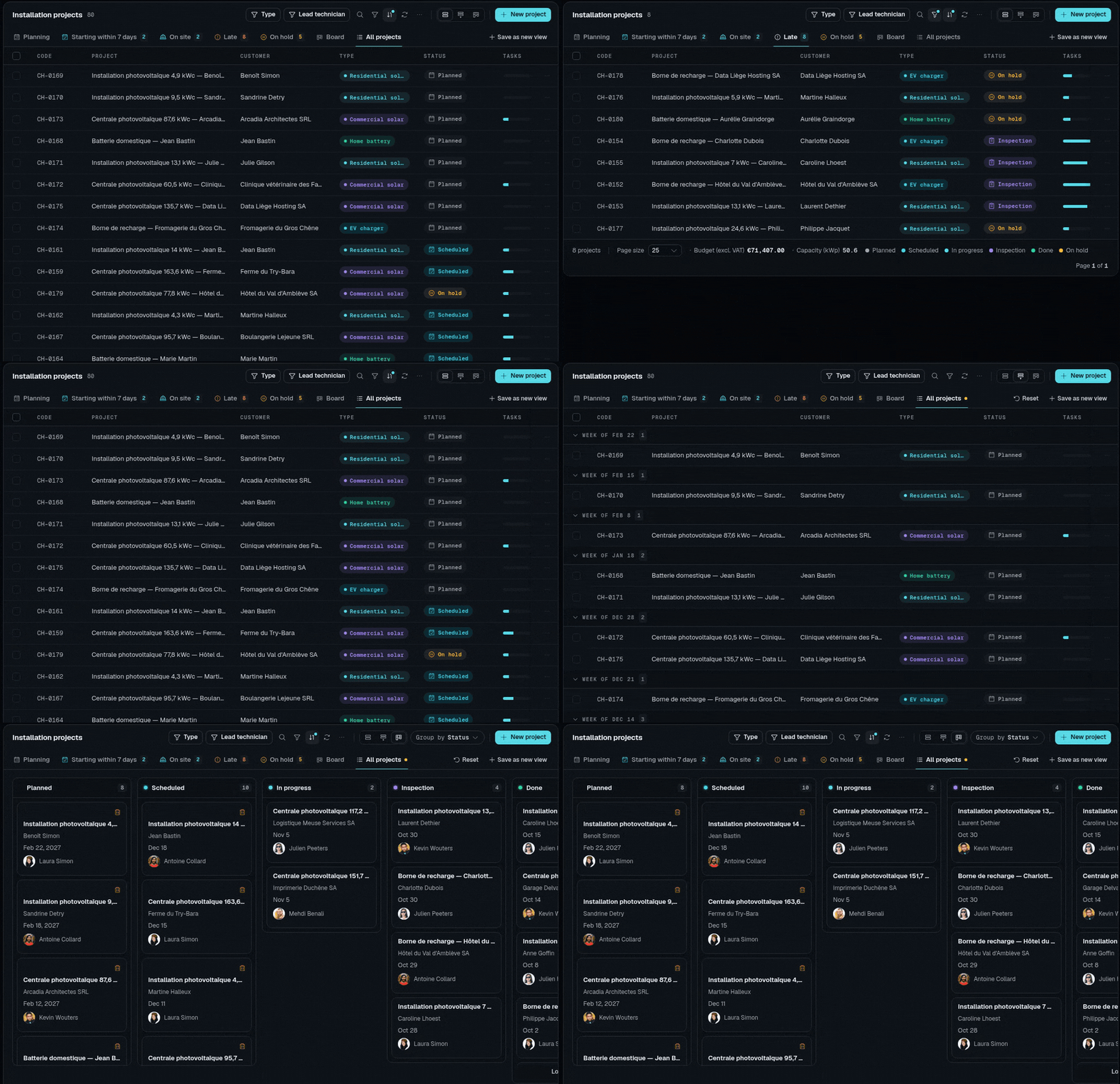
Several ways to look at the same rows. A grid, cards, a kanban board where dragging a card writes the value back, and a grouped list.
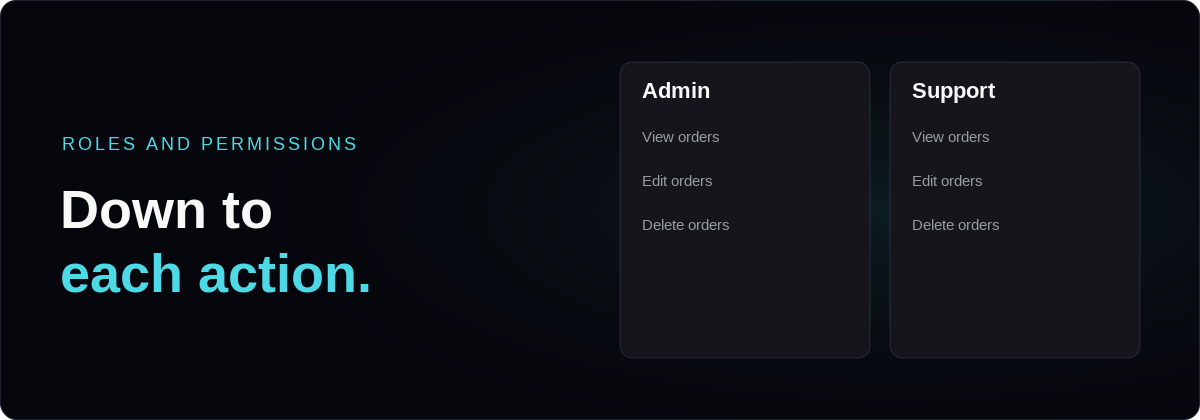
Roles down to each block and action. Preview the app as any role.

Tables, forms, KPI cards, activity feeds and 13 chart types. Each one is a line of TypeScript.
AntelopeJS/dms is a public repo on GitHub by AntelopeJS. Open-source back office for your product. Connect Postgres, MySQL/MariaDB or MongoDB, mock up the dashboard with your coding agent, then it builds the pages as TypeScript in your repo. Self-hosted.
It declares the Apache-2.0 license on GitHub.
Its maker tagged it for macOS, Windows and Linux, or as Docker or cross-platform. That is declared by the maker; Take My Repo has not tested it.
AdminLTE - Free admin dashboard template based on Bootstrap 5
The Postgres development platform. Supabase gives you a dedicated Postgres database to build your web, mobile, and AI applications.
Stop renting your intelligence. Own it with AnythingLLM. Everything you need for a powerful local-first agent experience
Free admin dashboard template — vanilla JS, SCSS, Vite 8. No Bootstrap, no jQuery.
Open "Take it" on its page: Take My Repo writes an install plan for your machine and hands it to your AI agent (Claude Code, Codex or Cursor), which asks you before each step. Take My Repo has not tested it on any machine.
Its last change on GitHub was on 2026-11-23. GitHub counts 14 open issues and pull requests. Take My Repo does not judge from that whether it is maintained.
Nobody has reviewed it on Take My Repo yet, which says nothing about its quality.
Take My Repo cannot say: it does not audit code and has not run dms. What is known comes from GitHub. It declares the Apache-2.0 license on GitHub. Its last change was on 2026-11-23. It has 27 stars, which measure popularity, not safety. Nobody has reviewed it on Take My Repo yet, which says nothing about its quality. Read the source before you run it. With "Take it", your AI agent shows each step and asks you before running it; README text is treated as data, not as instructions.


