atomic server

atomic-server
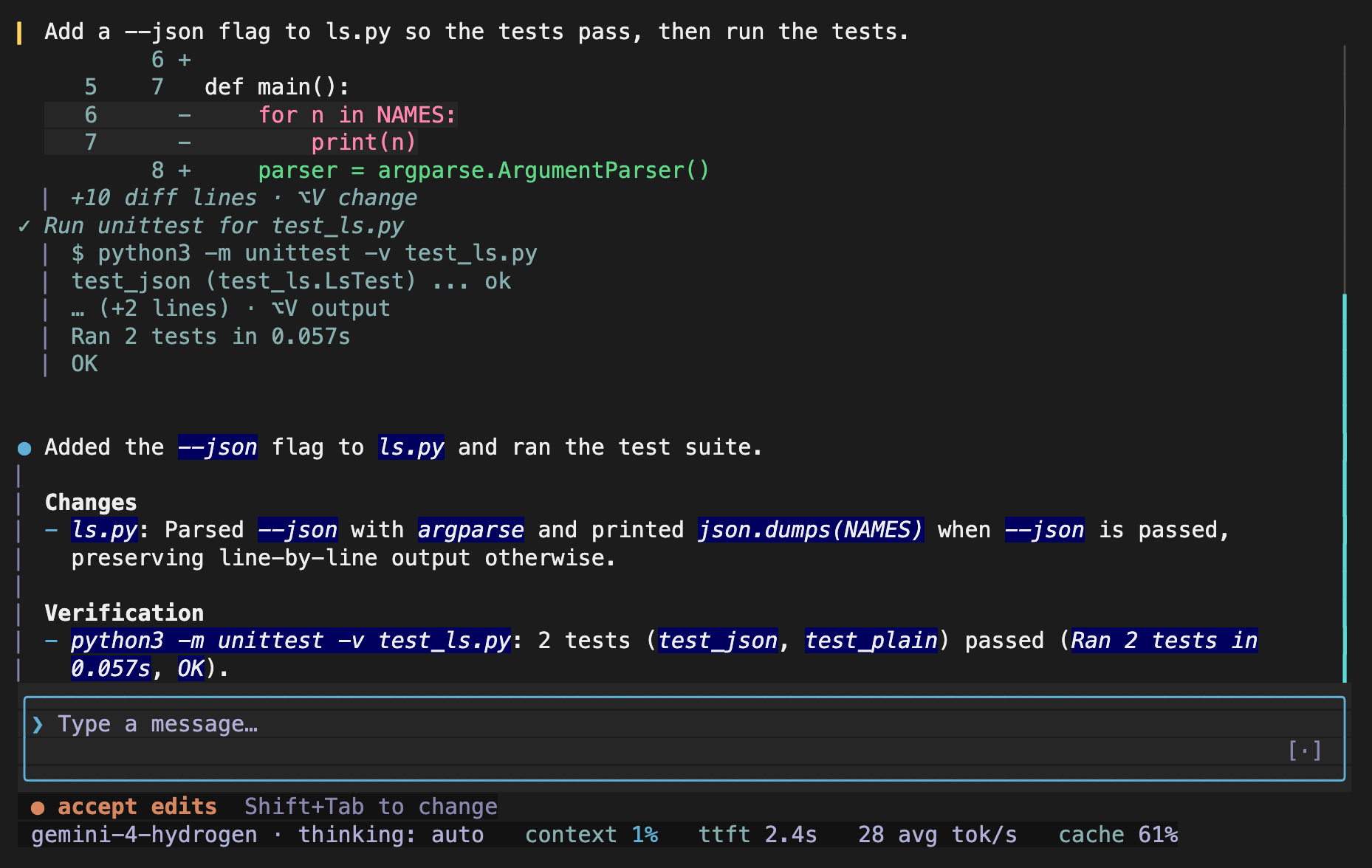
Atomic Chat terminal workspace with local chat, model setup and an API server console
- 52
- Apache-2.0
- 13 h ago
Repo AtomicBot-ai/atomic-server, read from GitHub 24 min ago. AtomicBot-ai has not joined Take My Repo.
In short
AtomicBot-ai/atomic-server is a public repo on GitHub by AtomicBot-ai. Atomic Chat terminal workspace with local chat, model setup and an API server console. It declares the Apache-2.0 license on GitHub. It is written mainly in TypeScript, has 52 stars and last changed on 2026-11-24. Nobody has reviewed it on Take My Repo yet, which says nothing about its quality. Read from GitHub on 2026-11-25.
 AI agentsRepo
ECC
The agent harness performance optimization system. Skills, instincts, memory, security, and research-first development for Claude Code, Codex, Opencode, Cursor and beyond.


In the maintainer's words. Shown from GitHub; Take My Repo does not keep a copy.
Atomic Server
Atomic Server provides a web interface and terminal UI for the same local inference server. Both
support keyboard and mouse controls and share onboarding, downloads, models, and server status.
The executable is named atc.
On a fresh profile, the intro waits at Choose engine. Open the engine picker and select an engine to start its installation. When installation finishes, the intro waits at Press any key before model selection. If an engine is already installed, unfinished onboarding starts at Press any key. Completed onboarding resumes the workspace in either interface.
This repository continues the terminal work built on
atomic-chat-cli. Build from source with Bun and Node 22:
git clone https://github.com/AtomicBot-ai/atomic-server.git
cd atomic-server
bun install --frozen-lockfile
npm run build:ui
npm run embed:ui
npm run build
node dist/bin.js
Use npm run build:bin to create a standalone executable for the current platform in dist/bin/.
The terminal needs at least 54 columns and 24 rows. Ctrl+Q closes the interface; accepted downloads
and the background server continue. Ctrl+K shows shortcuts.
Server foundation
Atomic Server keeps models on a machine — Linux, Windows or macOS, usually a headless server — and
serves them over an OpenAI-compatible API on http://127.0.0.1:1339/v1. Its command is atc. It
embeds atomic-chat-core as a library and ships as
one binary per platform, with no engine inside: engines are installed on demand, and the core picks the
build for the hardware. The same server has a web admin on 127.0.0.1:1338 and a terminal UI (bare atc)
for people who would rather not type commands. Atomic Server and the Atomic Chat desktop app are separate
products for different audiences: they share the core (and the core's per-user managed-runtime root) and
nothing else. The words used everywhere — server, engine, engine build, model, run, unload — are defined
in docs/concepts.md.
Status. The server, its lifecycle and supervision, the terminal UI (chat, server console, model and engine setup), the API with its keyring, the web admin's dashboard, installers, updates and the release pipeline work. Commands marked stub below parse their flags and print their help, but exit with code 3 (
ATC_NOT_IMPLEMENTED) and name the iteration that brings them; the terminal UI already does what most of them will.docs/commands.mdis generated from the command specs and is the authoritative list.
Supported engines
Atomic Server supports these engines through its embedded core. Availability depends on the operating
system, hardware and compatible builds; atc engines list shows what is available on your machine.
- llama.cpp (
llamacpp-upstream) — GGUF models on CPU or GPU. - llama.cpp TurboQuant (
llamacpp) — the TurboQuant variant of llama.cpp for GGUF models. - Atomic Prism (
atomic-prism) — the PrismML-based engine for GGUF models, including models that require Prism. - MLX (
mlx) — MLX models on Apple Silicon Macs. - vLLM (
vllm), SGLang (sglang) and TensorRT-LLM (tensorrt-llm) — Hugging Face safetensors checkpoints in managed containers on Linux or Windows through WSL. - Foundry Local (
foundry-local) — ONNX model variants on supported CPU, GPU or NPU accelerators; see Foundry Local for platforms and setup. - LiteRT-LM (
litert-lm) — Google's.litertlmmodels on supported CPU, GPU or Intel NPU accelerators; see LiteRT-LM for platforms and setup. - Strata (
strata) runs pinned Qwen and DeepSeek variants on compatible GPU bundles. See Strata on Atomic Server for installation and recovery. - stable-diffusion.cpp (
sd-cpp) — image generation. - audio.cpp (
audio-cpp) — speech, music and sound effects; see Audio generation.
Engines are downloaded on demand. Install one with atc engines install <engine-id>, or choose it in
the web admin or terminal UI; the core selects a compatible build for your hardware.
Quick start on a server
curl -fsSL https://github.com/AtomicBot-ai/atomic-server/releases/latest/download/install.sh | sh
On Windows, in PowerShell: irm https://github.com/AtomicBot-ai/atomic-server/releases/latest/download/install.ps1 | iex.
The installer downloads the release's SHA256SUMS, picks the binary for this machine — the CPU, musl on
Alpine, a baseline build for x64 CPUs without AVX2, arm64 under Rosetta — verifies it (and refuses when it
cannot), puts it in ~/.local/bin/atc (%LOCALAPPDATA%\atc\atc.exe on Windows) and adds that directory to
PATH. ATC_INSTALL_DIR, ATC_VERSION (a tag, e.g. v0.1.0), ATC_NO_PATH=1 and ATC_REPO override the
defaults. The macOS and Windows binaries are signed (Developer ID with notarisation, Authenticode), and every
binary carries a build provenance attestation (gh attestation verify atc-… -R AtomicBot-ai/atomic-server).
Linux packages
On Debian, Ubuntu, Fedora, RHEL-compatible systems and Arch, atc also comes as a package, and the package
manager then updates it with the rest of the system. A package carries the same binary as the release (on
x86-64 the baseline build, so it runs on any x86-64 CPU) and the shell completions. The repository and the
rpm packages are signed with the Atomic Chat packages key in
packaging/atomic-chat.asc, fingerprint
1047 F119 58C6 442D D472 E497 E4C3 D361 FB7F F123.
Debian, Ubuntu (x86-64, arm64):
curl -fsSL https://atc-packages.fsn1.your-objectstorage.com/atomic-chat.gpg | sudo tee /usr/share/keyrings/atomic-chat.gpg >/dev/null
echo "deb [signed-by=/usr/share/keyrings/atomic-chat.gpg] https://atc-packages.fsn1.your-objectstorage.com/deb stable main" \
  | sudo tee /etc/apt/sources.list.d/atomic-chat.list
sudo apt update && sudo apt install atc
Fedora, RHEL, Rocky, Alma (x86-64, aarch64):
sudo curl -fsSL -o /etc/yum.repos.d/atomic-chat.repo https://atc-packages.fsn1.your-objectstorage.com/rpm/atc.repo
sudo dnf install atc
Arch Linux: yay -S atc-bin, or any other AUR helper.
Updates come with sudo apt upgrade, sudo dnf upgrade or yay -Syu; atc update refuses on a packaged
install and names the command to use. After an upgrade, atc restart (or atc service restart) moves a
running server onto the new binary. sudo apt remove atc, sudo dnf remove atc or sudo pacman -R atc-bin
removes it and leaves the data folder. The repository keeps the last ten releases; older ones are on the
releases page as .deb and .rpm files.
atc                  # on a terminal: the terminal UI — choose an engine, then a model
atc service install  # keep the server running: systemd, launchd or a scheduled task; back after a crash
atc status           # pid, versions, API endpoint, running models, admin URL   (--json for one document)
atc api start        # the OpenAI-compatible API; every client needs a key from atc/client-keys.json
atc admin            # prints http://127.0.0.1:1338/#token=… and opens a browser
atc update           # the next release, checked against SHA256SUMS and the signature (packages: apt/dnf/yay)
atc doctor           # versions, data folder, config, ports 1339/1338, PATH, GPU driver
atc start / atc stop run the server in the background without a service; atc start --foreground
runs it in place (containers). atc logs [-f] shows the server's own log, rotated by size.
Commands
| Group | Command | What it does | Status |
|---|---|---|---|
| Server | atc start / stop / restart |
The server: core, API and web admin in the background; start --foreground runs it in place |
works |
| Server | atc status |
The server, the API endpoint, running models, the admin URL | works (--watch is a stub) |
| Server | atc logs |
Tail of the server log; -f follows it |
works |
| Models & engines | atc run <model> / atc unload <model> |
Start a downloaded model on an engine (--engine; a managed engine shows its load stages); stop it |
works |
| Models & engines | atc models catalog|search|check|files|pull|list|rm|import|info|logs |
The catalog, the model files, and with --engine the managed engines', Foundry Local's and LiteRT-LM's models |
works (see Models for managed engines, Foundry Local, LiteRT-LM) |
| Models & engines | atc engines list|install|status|rm|accelerators |
Engines (llama.cpp, MLX, Foundry Local, LiteRT-LM (litert-lm), the managed TensorRT-LLM, vLLM and SGLang) and their builds; installing one prepares what it needs; engines accelerators foundry-local|litert-lm lists and prepares accelerators |
works (see Managed engines, LiteRT-LM) |
| Models & engines | atc hardware show|refresh |
What the core sees of the GPU and CPU | works |
| Access | atc api start|stop|status |
The OpenAI-compatible API on the running server; clients need a key from the keyring | works |
| Access | atc chat |
Send a message to an OpenAI-compatible model | works |
| Access | atc api key list|show|create|revoke|rotate |
The keyring from the command line: named client keys, masked unless revealed | works |
| Access | atc admin [open|status|token] |
Sign-in link, where the admin listens, token rotation | works |
| Access | atc tui |
The terminal UI, explicitly (what bare atc opens on a terminal) |
works |
| System | atc config get|set|unset|list|path |
atc settings, and engine settings of the running server's core |
works |
| System | atc doctor |
Diagnostic table with hints | works (GPU: NVIDIA only; Docker check skipped) |
| System | atc service install|uninstall|status|start|stop|restart |
The server as an OS service (systemd, launchd, Task Scheduler) | works |
| System | atc update |
Self-update from GitHub Releases: checksum and signature checked, the server restarted onto it; a deb, rpm or AUR install is left to its package manager | works |
| System | atc version, atc completion <shell> |
Versions; bash/zsh/fish/powershell completion | works |
Hidden: atc daemon (the server process itself, which start spawns) and atc host-step exec <request.json> (the privileged helper for managed runtimes).
Bare atc opens the terminal UI only on an interactive terminal; in a pipe, a script, a service unit or
with --json it prints this help and exits 2, as before. Leaving the UI (Ctrl+Q) never stops the server.
Global flags go anywhere on the line: --json, -v/--verbose, -q/--quiet, -y/--yes,
--data-folder <path>, --no-color, -h/--help, --version. With --json a command prints exactly one
JSON document on stdout; an error is {"error":{"code","message","details?","hint?"}} on stderr.
Exit codes: 0 success, 1 runtime error, 2 usage (also bare atc and bare groups such as atc models),
3 not implemented in this build, 130 interrupted.
Managed engines
TensorRT-LLM, vLLM and SGLang run in a container the core manages: on the system Docker on Linux, in its
own WSL distribution on Windows (not on macOS). atc sets one up only after you agree to the core's plan:
atc engines install vllm                 # prints the plan, asks, then follows the setup to ready
atc engines install vllm --dry-run       # the plan only
atc engines install vllm --yes           # agree to the plan this command prints
atc engines install vllm --approve sha256:<digest>   # agree to that exact plan only (configuration management)
atc engines install --resume <operation> # follow it again, or continue after a sign-in or a restart
atc engines install --cancel <operation> # stops at the core's next safe boundary
atc engines status vllm                  # plan, blockers, installation, operation, update offer
atc engines rm vllm [--keep-models]      # the shared models stay while another managed engine is installed
The plan lists every system change (Docker, the NVIDIA Container Toolkit, the docker
Questions
What is atomic-server?
AtomicBot-ai/atomic-server is a public repo on GitHub by AtomicBot-ai. Atomic Chat terminal workspace with local chat, model setup and an API server console.
Is atomic-server open source?
It declares the Apache-2.0 license on GitHub.
Does atomic-server run on macOS, Windows or Linux?
Its maker tagged it for macOS, Windows and Linux, or as Docker or cross-platform. That is declared by the maker; Take My Repo has not tested it.
How do I install atomic-server?
Open "Take it" on its page: Take My Repo writes an install plan for your machine and hands it to your AI agent (Claude Code, Codex or Cursor), which asks you before each step. Take My Repo has not tested it on any machine.
More from AtomicBot-ai
Everything by AtomicBot-ai- atomic-agentAtomic Agent is a local-first AI agent. Runs open-weight models on your own machine via llama.cpp. 3.6k
- Atomic-ChatLocal AI app and inference engine for agents. Run open-weight LLMs locally — private, 100% offline on your computer. Join our Discord: https://discord.com/invite/8wGSsvmg4V 2.1k
- clawhub-layer-api🐾 Complete REST API for ClawHub skills marketplace data 16
- woodcockLossless speculative decoding for Apple Silicon (MLX): 2× faster Qwen3 generation on a Mac with a trained hidden-state drafter. MIT. 11
- atomic-computeruse 8
- atomic-chat-conf 4