Xcode Disk Cleanup Skill
An audit-first Agent Skill for developers using Xcode. Reclaim development storage without surprising deletions in any AI coding tool that supports the Agent Skills open format. The skill measures cleanup opportunities, explains the cost of each one, reports recoverable GiB with evidence, and waits for your explicit itemized approval before changing anything.
Built by Antoine van der Lee (SwiftLee), known for
RocketSim, which comes with a CLI + Agent Skill for
Simulator interactions, and his other agent skills
like the popular SwiftUI and
Swift Concurrency ones.
Who this is for
- Developers whose Mac keeps running out of space and suspect Xcode is the reason
- Anyone with years of accumulated DerivedData, simulators, runtimes, and archives
- Beta testers who install every Xcode beta and end up with leftover platform runtimes
- Teams that want agents to clean up build machines safely, with an audit trail
What it searches for
The skill runs a read-only audit across every place Xcode quietly accumulates
storage, from build caches to forgotten beta platform runtimes. Each finding is
reported with its size in GiB, supporting evidence, and the cost of regenerating
or permanently losing it.
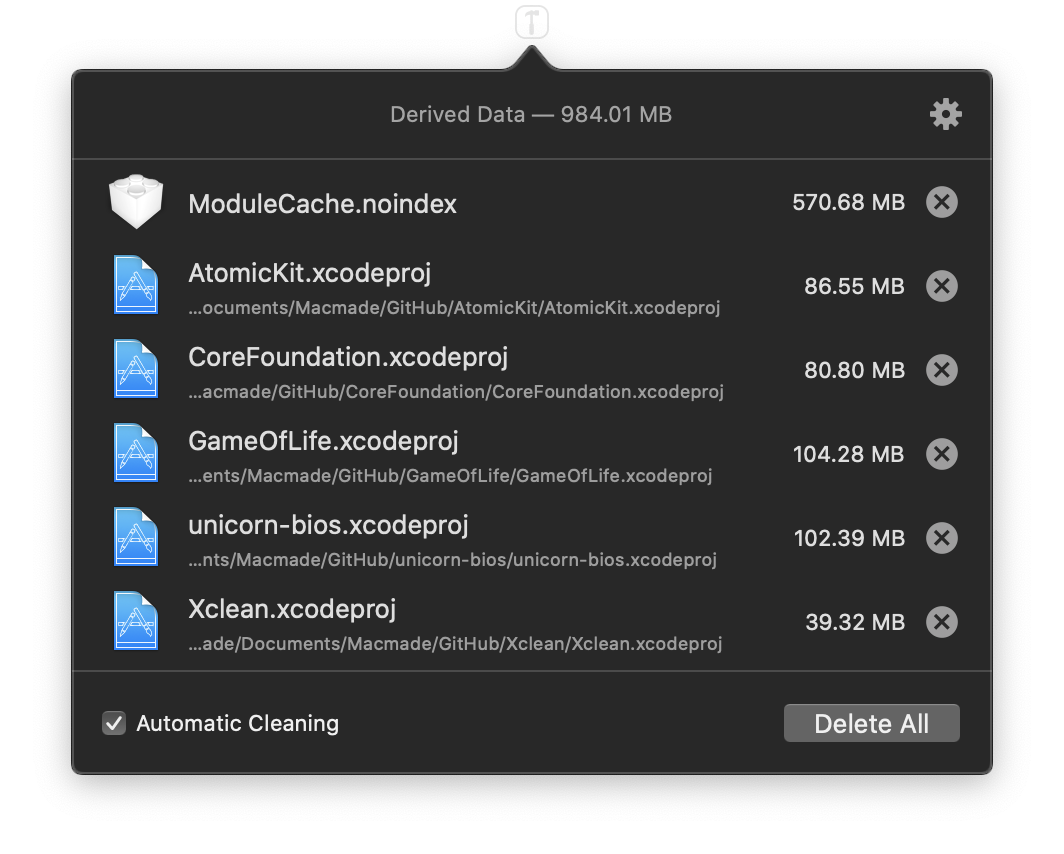
- Xcode DerivedData for missing or stale workspaces
- Project-local
.build and .derived-data folders
- Available and unavailable Simulator devices
- SwiftUI Preview device sets
- Installed Simulator runtimes, including stale beta runtimes superseded by a
newer platform version that no installed Xcode SDK still uses
- Orphaned Simulator runtime volumes not registered with CoreSimulator
- Simulator dyld caches left behind by removed runtimes
- Simulator clones created by parallel test runs (
XCTestDevices)
- CoreSimulator and iOS device diagnostic logs
- CocoaPods download caches
- Documentation caches and legacy DocSets
- Archives, dSYMs, and per-platform DeviceSupport symbols (iOS, watchOS, tvOS,
visionOS), keeping the newest symbol set per platform
- Orphan archives that were never uploaded or exported and are superseded by a
newer archive of the same app
- Xcode-managed components such as the Metal Toolchain and downloadable
documentation assets
- Downloaded Xcode
.xip, .dmg, and .zip installers
- Installed Xcode applications, active selection, and evidence of recent use
Safety guarantee
As a developer you always need to stay in control of what gets deleted from
your machine: a build cache is cheap to lose, but the wrong archive or
simulator is not. That's why the skill treats “clean Xcode” as permission to
inspect, never as permission to delete.
Before anything is mutated, you get to see for every candidate:
- A stable candidate ID
- Exact path or Simulator identifier
- Measured bytes and GiB
- Risk and regeneration cost
- Evidence supporting the recommendation
- The exact action it proposes
Nothing happens until you approve exact IDs. Ordinary files move to Trash by
default, so you can still recover them. Irreversible Simulator operations ask
you for a second, separate confirmation. Your archives and dSYMs stay preserved
unless you confirm the exact distributed build is safely backed up.
How the audit works
Unlike text-only skills, this repository ships an executable Python script that
does the measuring and the (gated) cleanup, so your agent reasons over
structured JSON instead of ad-hoc shell output.
When it triggers:
- You mention low disk space, Xcode storage, DerivedData, simulators, runtimes,
archives, or old Xcode versions.
- You ask why Xcode Settings → Components still lists old beta platforms.
- Your agent runs into low storage on its own, for example when a build or
download fails with an out-of-disk-space error.
What you can ask:
Audit my Xcode-related disk usage and show how many GB each cleanup could recover.My Mac is low on storage and Xcode seems to be the reason. Figure out what's safe to remove.Which simulator runtimes are actually stale after installing the latest Xcode beta?Find Xcode installers in my Downloads folder that I no longer need.
Under the hood:
scripts/xcode_disk_cleanup.py audit: read-only inventory across all
categories. Emits audit.json (stable candidate IDs, sizes, risk, evidence,
path fingerprints) and a markdown report.scripts/xcode_disk_cleanup.py apply: executes only the exact candidate IDs
you approved, with a required confirmation phrase, a second phrase for
irreversible Simulator operations, path-identity revalidation, and
running-process checks before every mutation.- Evidence-based staleness: simulator runtimes are cross-checked against every
installed Xcode with
simctl runtime match list, archives against their
Organizer distribution records, DerivedData against recorded workspace paths,
and installers against installed Xcode versions.
See also my other skills
How to Use This Skill
Option A: Using skills.sh
Install this skill with a single command:
npx skills add https://github.com/AvdLee/Xcode-Disk-Cleanup-Agent-Skill --skill xcode-disk-cleanup
Then use the skill in your AI agent, for example:
Use the xcode disk cleanup skill and show me how many GB I can safely recover.
Option B: Claude Code Plugin
Personal Usage
- Add the marketplace:
/plugin marketplace add AvdLee/Xcode-Disk-Cleanup-Agent-Skill
- Install the Skill:
/plugin install xcode-disk-cleanup@xcode-disk-cleanup-agent-skill
Project Configuration
To automatically provide this Skill to everyone working in a repository,
configure the repository's .claude/settings.json:
{
  "enabledPlugins": {
    "xcode-disk-cleanup@xcode-disk-cleanup-agent-skill": true
  },
  "extraKnownMarketplaces": {
    "xcode-disk-cleanup-agent-skill": {
      "source": {
        "source": "github",
        "repo": "AvdLee/Xcode-Disk-Cleanup-Agent-Skill"
      }
    }
  }
}
When team members open the project, Claude Code will prompt them to install the Skill.
Option C: Codex / OpenAI-compatible tools
This repository includes an agents/openai.yaml manifest. Copy or symlink the
xcode-disk-cleanup/ folder into your Codex skills directory:
cp -R xcode-disk-cleanup/ "$CODEX_HOME/skills/xcode-disk-cleanup"
See the Codex skills documentation
for details on where to save skills.
Option D: Using pi package manager
Install via pi:
pi install https://github.com/AvdLee/Xcode-Disk-Cleanup-Agent-Skill
The skill will be available automatically in pi sessions.
Option E: Manual install
- Clone this repository.
- Install or symlink the
xcode-disk-cleanup/ folder following your
tool's official skills installation docs (see links below).
- Ask your AI tool to use the “xcode-disk-cleanup” skill when storage runs low.
Where to Save Skills
Follow your tool's official documentation, here are a few popular ones:
How to verify:
Your agent should run the bundled audit script first, present an itemized
report with candidate IDs and recoverable GiB, and refuse to delete anything
until you approve exact IDs.
Skill Structure
xcode-disk-cleanup/
  SKILL.md - Safety contract, audit workflow, and proposal format
  references/
    safety-model.md - Confirmation phrases, Trash-first behavior, protected paths
    generated-data.md - DerivedData, project .build folders, CocoaPods, documentation
    simulators.md - Devices, runtime staleness evidence, dyld caches, XCTest clones
    release-artifacts.md - Archives, distribution records, DeviceSupport, logs, DocSets
    xcode-installations.md - Installer matching and multi-signal Xcode usage evidence
  scripts/
    xcode_disk_cleanup.py - Read-only audit and confirmation-gated apply
tests/ - Deterministic unit tests for classification and apply gating
evals/ - Scenario evaluations used to benchmark the skill
This skill's approach
- Token efficient: one bundled script performs the entire audit and returns
structured JSON, so your agent reasons over compact data instead of burning
context on dozens of exploratory shell commands.
- Proven Apple tooling: cleanup goes through supported workflows like
xcrun simctl and Xcode itself, never through wildcard deletes, sudo, SIP
changes, or raw system-runtime removal.
- Evidence over heuristics: staleness is proven with SDK runtime matching,
Organizer distribution records, workspace existence, and installer version
matching before anything is proposed.
- Honest accounting: deterministic JSON and Markdown reports separate
candidate sizes from actual APFS space recovered.
- Safe by design: read-only by default, Trash first, and path identity plus
running-process revalidation right before every mutation.
Sources
The safety model prioritizes first-party guidance:
Contributing
Contributions are welcome! This repository follows the
Agent Skills open format.
Please read CONTRIBUTING.md for format requirements and the
pull request process. Cleanup rules should favor evidence and supported APIs
over aggressive deletion.
About the author
Created by Antoine van der Lee, the creator
behind SwiftLee and
RocketSim, and a developer since 2009. This skill
distills years of Xcode housekeeping experience into evidence-based guidance
for AI assistants.
License
This skill is open-source and available under the MIT License. See
LICENSE for details.