
electron
:electron: Build cross-platform desktop apps with JavaScript, HTML, and CSS
- 124k
- C++
- MIT
- 11 h ago
Secure browser session manager with cross-device sync for Chrome
Repo Blue-B/safekeep, read from GitHub 21 min ago. Blue-B has not joined Take My Repo.
Blue-B/safekeep is a public repo on GitHub by Blue-B. Secure browser session manager with cross-device sync for Chrome. It declares the MIT license on GitHub. It is written mainly in JavaScript, has 5 stars and last changed on 2026-09-01. Nobody has reviewed it on Take My Repo yet, which says nothing about its quality. Read from GitHub on 2026-11-26.
:electron: Build cross-platform desktop apps with JavaScript, HTML, and CSS
A simple, open source bilingual translation extension & Greasemonkey script (一个简约、开源的 双语对照翻译扩展 & 油猴脚本)
Safekeep saves open browser windows and tabs so you can restore them later. It works locally without an account. Optional cross-device sync stores encrypted session data in a private GitHub Gist owned by you. Safekeep has no application server and no Safekeep account.
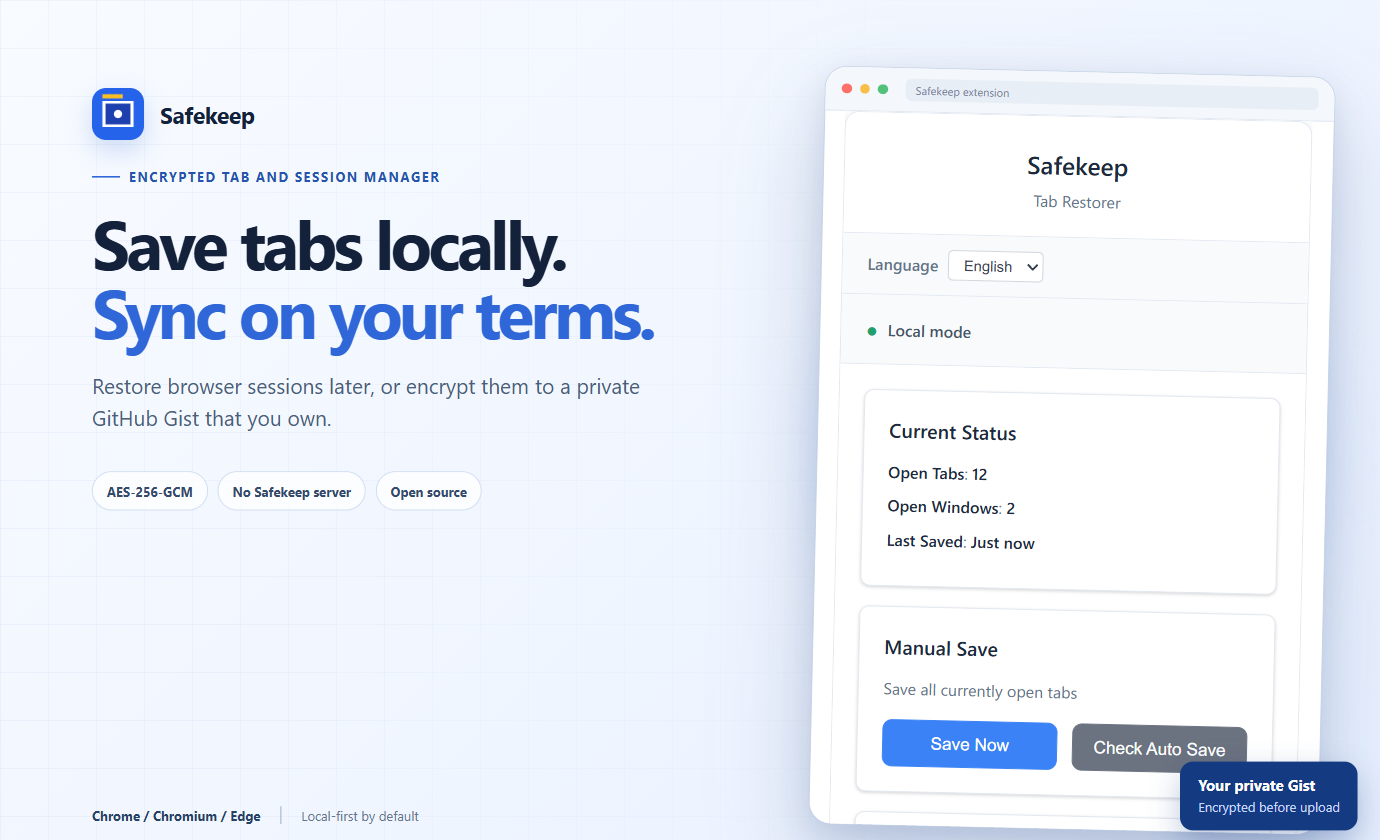
The Ctrl+S shortcut works while the extension popup is open. Safekeep does not currently preserve Chrome tab groups or capture tab thumbnails.
Popup and settings
        |
        v
Manifest V3 background service worker
        |
        +---- Chrome extension local storage
        |
        +---- GitHub Gist API, when sync is enabled
Safekeep requests tabs, storage, and alarms. Its only host permission is https://api.github.com/*. It does not inject content scripts into visited pages.
Install Safekeep from the Chrome Web Store.
chrome://extensions/.No configuration is required. Saved sessions stay in chrome.storage.local on the current browser profile. Auto-save is disabled until you enable it in settings.
GitHub sync requires two values on every device:
gist permission.To create a classic token:
gist scope.On a second device, enter a token for the same GitHub account and the same sync passphrase. Safekeep discovers the existing tab-sessions.json Gist and decrypts it locally.
Keep both values in a password manager. If the passphrase is lost, Safekeep cannot decrypt the synced sessions. If a token is exposed, revoke it in GitHub and create a replacement.
New cloud data uses AES-256-GCM. The encryption key is derived from the sync passphrase with PBKDF2-SHA-256, a random salt, and 310,000 iterations. Encryption and decryption happen inside the extension before data is sent to GitHub.
The GitHub token and sync passphrase are stored in the extension's local Chrome storage so background sync can run. Safekeep does not upload the passphrase or send either value to a Safekeep server. Chrome extension local storage is not a password manager, so protect the operating-system account and browser profile.
The original browser can read older Safekeep Gist formats with its locally retained legacy key. Configure a sync passphrase and save once on that browser before adding a new device. The successful save migrates the Gist to the current PBKDF2 format.
chrome:// cannot be restored and are reported as skipped.The Gist exists but no sessions appear
Confirm that the same sync passphrase is configured on both devices. A wrong passphrase is shown as a decryption error and the Gist is not overwritten.
Auto-save does not run
Enable auto-save in settings and confirm the selected interval. The Manifest V3 background worker uses chrome.alarms.
A token does not connect
Confirm that it is valid and has the gist permission. The extension uses the GitHub API directly and remains in local mode when remote access fails.
No build step is required. Load the repository as an unpacked extension. Run the encryption self-check with:
node tests/crypto-selfcheck.cjs
Report bugs through GitHub Issues.
chrome.alarmsBlue-B/safekeep is a public repo on GitHub by Blue-B. Secure browser session manager with cross-device sync for Chrome.
It declares the MIT license on GitHub.
Its maker has not tagged a system, so it is unknown here. Its README says what it needs.
Open "Take it" on its page: Take My Repo writes an install plan for your machine and hands it to your AI agent (Claude Code, Codex or Cursor), which asks you before each step. Take My Repo has not tested it on any machine.
Its last change on GitHub was on 2026-09-01. Take My Repo does not judge from that whether it is maintained.
Reverse engineer anything with agents, from app behavior down to native binaries.
QTTabBar is a small tool that allows you to use tab multi label function in Windows Explorer. https://www.yuque.com/indiff/qttabbar
Playwright is a framework for Web Testing and Automation. It allows testing Chromium, Firefox and WebKit with a single API.
🥗 All-in-one professional pop-up dictionary and page translator which supports multiple search modes, page translations, new word notebook and PDF selection searching.
Nobody has reviewed it on Take My Repo yet, which says nothing about its quality.
Take My Repo cannot say: it does not audit code and has not run safekeep. What is known comes from GitHub. It declares the MIT license on GitHub. Its last change was on 2026-09-01. It has 5 stars, which measure popularity, not safety. Nobody has reviewed it on Take My Repo yet, which says nothing about its quality. Read the source before you run it. With "Take it", your AI agent shows each step and asks you before running it; README text is treated as data, not as instructions.


