freeCodeCamp
freeCodeCamp.org's open-source codebase and curriculum. Learn math, programming, and computer science for free.
- 460k
- TypeScript
- BSD-3-Clause
- 9 h ago
Arguably the best python course of all time
Repo Bouwles/pauls-python-course, read from GitHub 14 h ago. Bouwles has not joined Take My Repo.
Bouwles/pauls-python-course is a public repo on GitHub by Bouwles. Arguably the best python course of all time. It declares the MIT license on GitHub. It is written mainly in TypeScript, has 9 stars and last changed on 2026-11-19. Nobody has reviewed it on Take My Repo yet, which says nothing about its quality. Read from GitHub on 2026-11-23.
freeCodeCamp.org's open-source codebase and curriculum. Learn math, programming, and computer science for free.

So I teach Python to my friends (Neil helps me out from time to time), and this is the website for it. Everyone in it is a real person, because the six people in that picture are actually us.
You can play it here. It's free, you make an account with a username, your email and a password, and then you pick who you are and start.
In the game I've turned an old clocktower into a code school, and you start on the ground floor printing a sign for the door, then work your way up through nine floors and 116 projects until you've written a neural network from scratch and a tiny GPT, trained a crab to race and ended up on the roof building something of your own. All of it takes about 410 hours, so there's no rush.
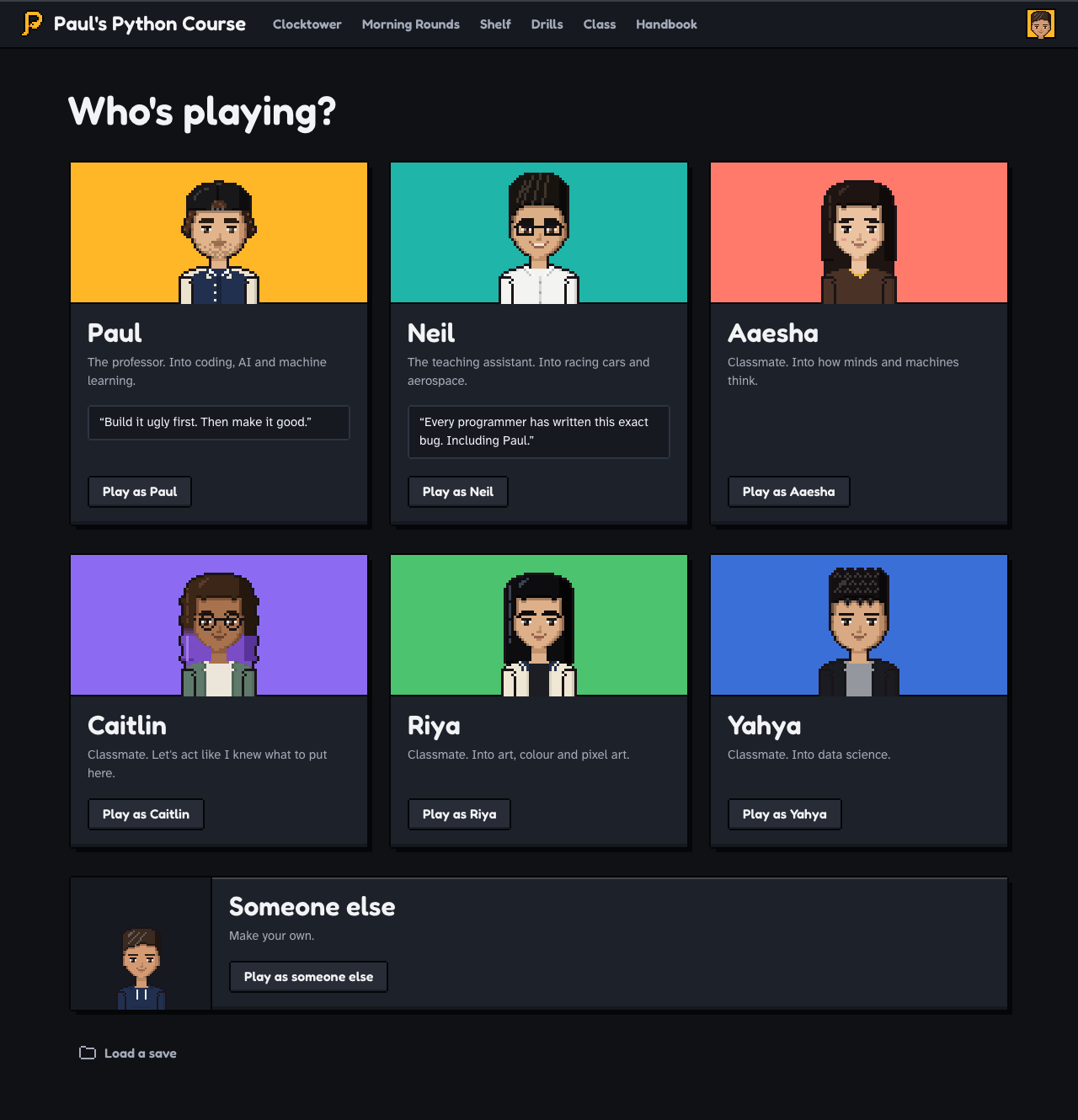
You can play as any of us or make your own avatar, and everyone learns the same Python either way, it's just the story around it that changes. If you play as Neil, for example, Neil's projects become yours, the buggy code you end up fixing turns out to be your own old code, everyone calls you Neil, and I'm the one giving you hints.
 |
Paul | That's me. Into coding, AI and machine learning. |
 |
Neil | Helps me teach. Into racing cars and aerospace. |
 |
Aaesha | Into how minds and machines think. |
 |
Caitlin | Let's act like I knew what to put here. |
 |
Riya | Into art, colour and pixel art. |
 |
Yahya | Into data science. |
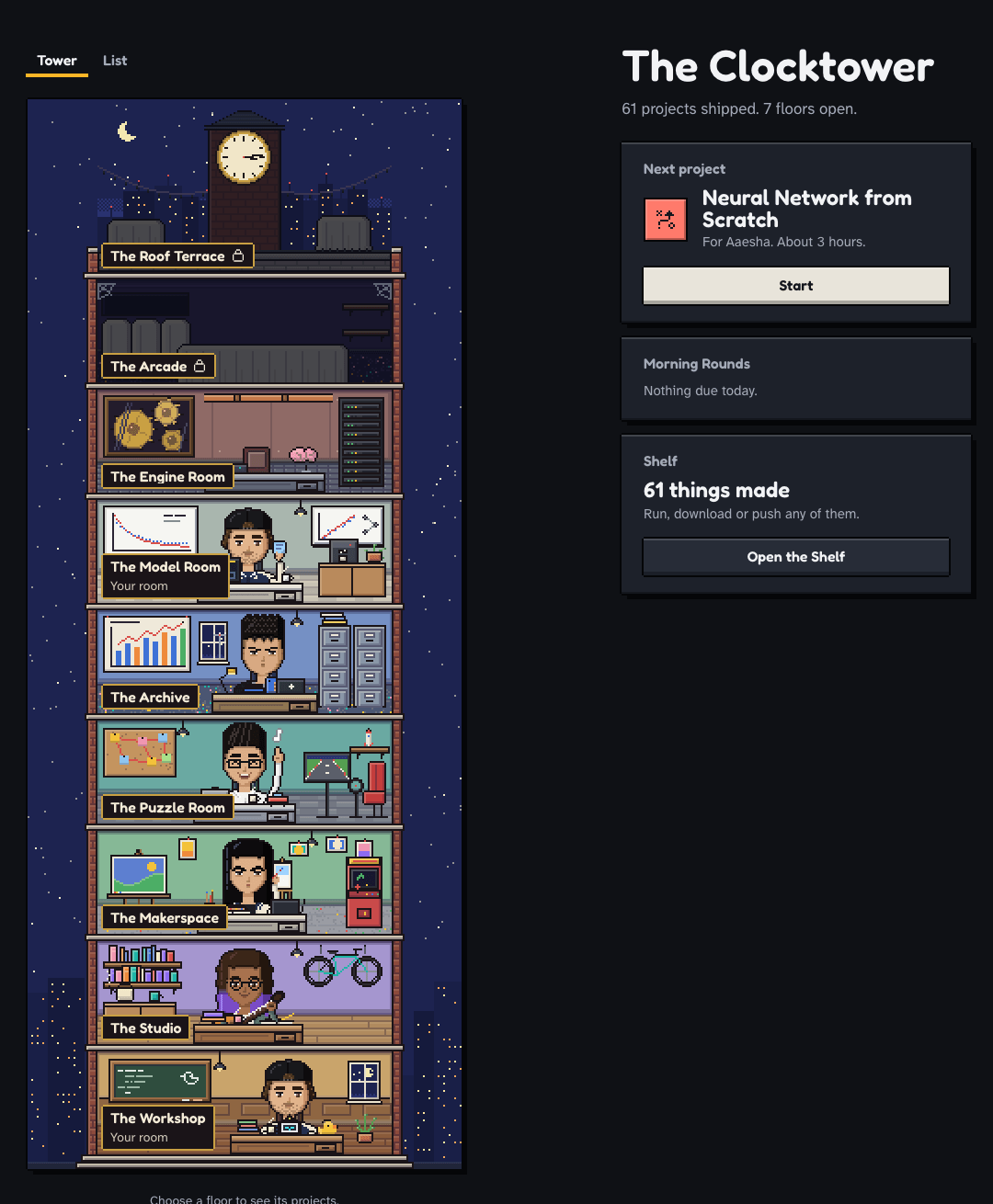
Each floor is an Act and we've all got a room somewhere in the building, and the locked floors keep their furniture under dust sheets until you get up there (if you already know some Python, there's a placement test that can open the early floors for you).
| Floor | Room | What you learn | Some of what you build |
|---|---|---|---|
| Roof | The Roof Terrace | Capstones and a portfolio | Paper Reproduction, Your Own Project |
| 7 | The Arcade | Reinforcement learning | Q-Learning Crab, Snake AI, CartPole with DQN |
| 6 | The Engine Room | Deep learning and AI | Neural Network from Scratch, Tiny Autograd Engine, Tiny GPT |
| 5 | The Model Room | Machine learning | Spam Filter, Movie Recommender, Fishing Forecast |
| 4 | The Archive | Data science | Census Explorer, Earth Data Map, Data Story |
| 3 | The Puzzle Room | Algorithms and data structures | Hash Map from Scratch, Maze Solver, Sudoku Solver |
| 2 | The Makerspace | Real-world Python | Snake, Flask Web App, Chat Bot |
| 1 | The Studio | Fluent Python | Quiz App, Bank Account System, Text Adventure Engine |
| Ground | The Workshop | Foundations | Bill Splitter, To-Do List, Rock Paper Scissors |
Every project starts with one of us needing something, like Caitlin picking the restaurant for class dinner when there are six of us and one bill, and it took twenty minutes last time to settle who had the extra garlic bread, so you build a bill splitter.
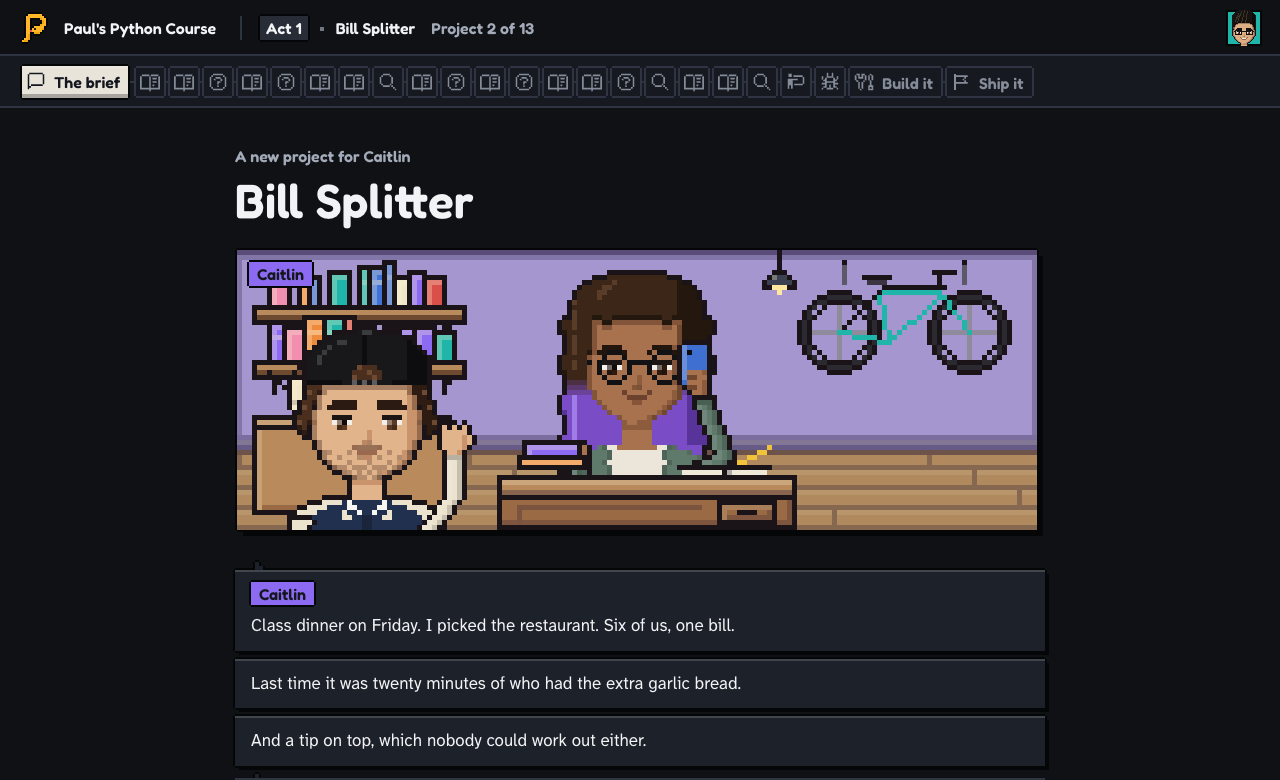
You pick up the ideas as you go, with short explanations, examples you can run, and questions that make you guess what some code will print before you get to run it. When a step is only asking you to read something or answer a question, the code next to it is locked, so you can run it but you can't type in it, and it opens up for typing when the step actually wants you to change something.
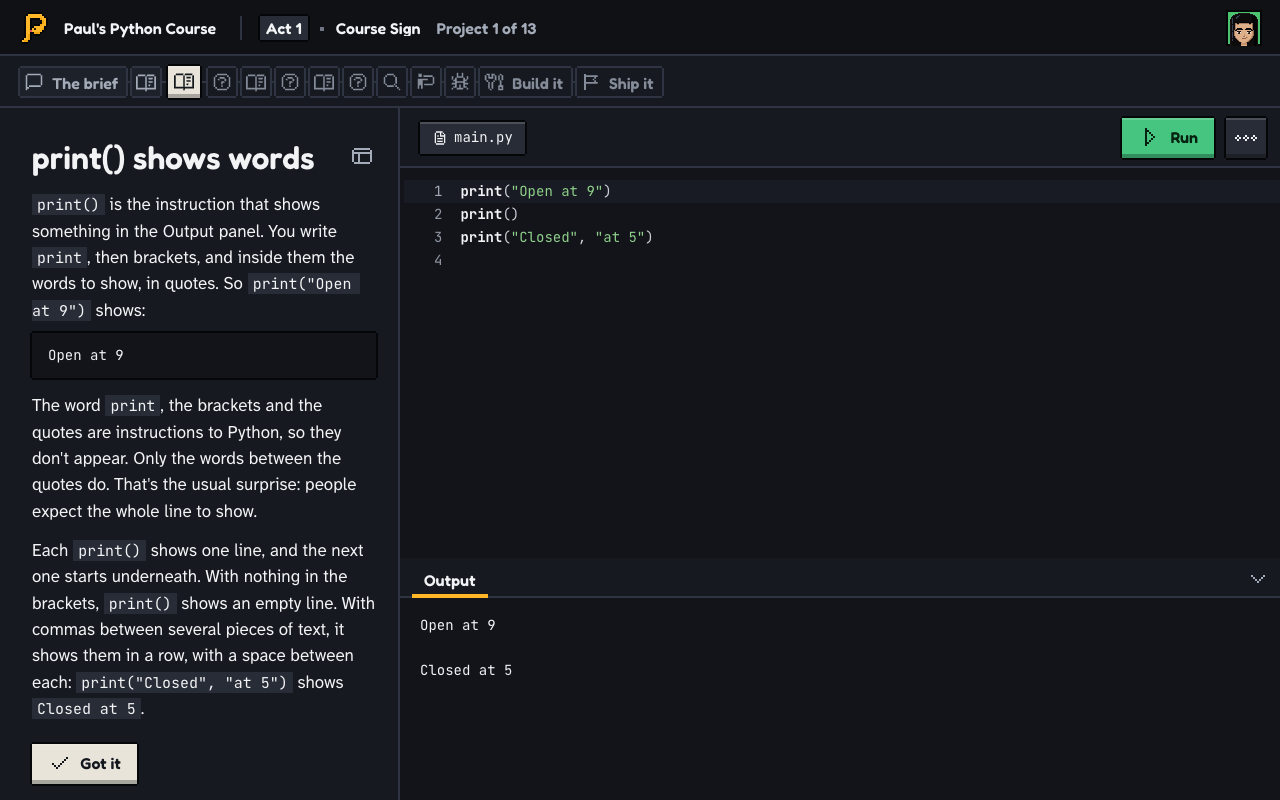
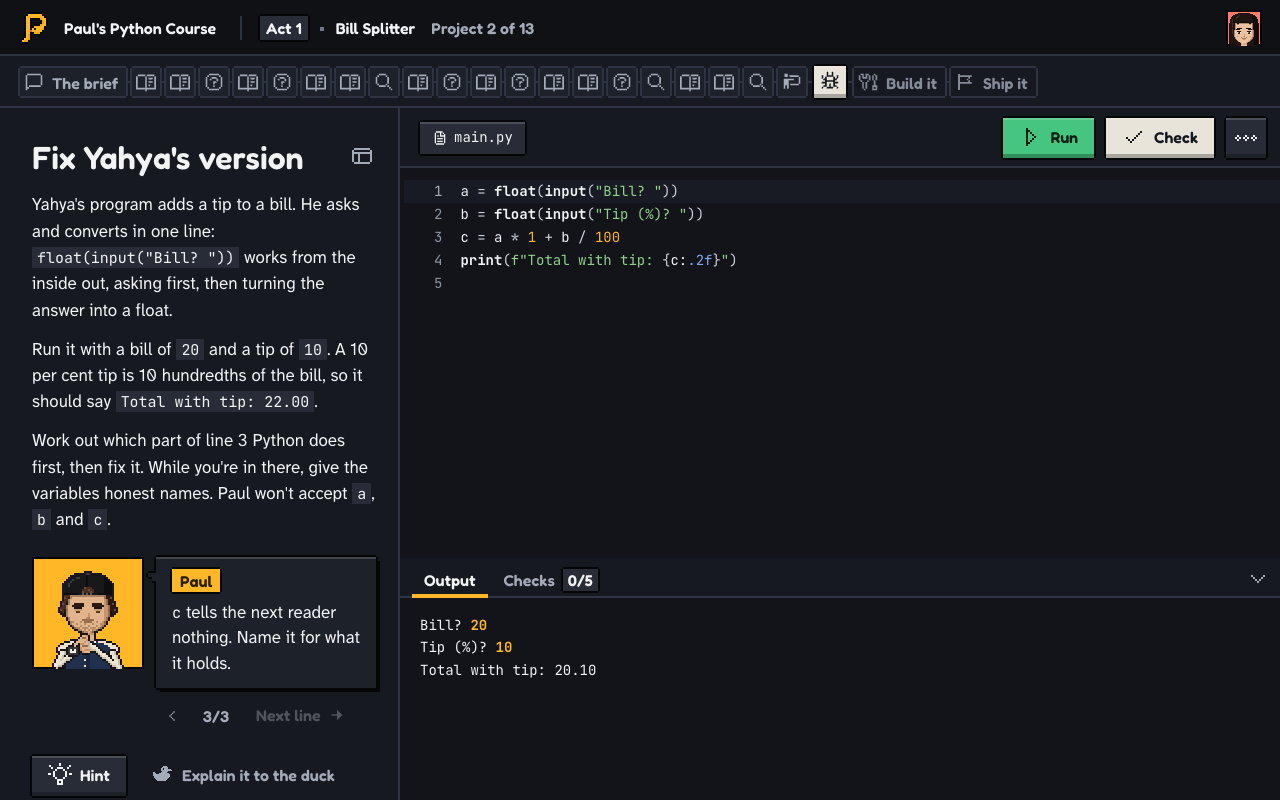
At some point somebody's code turns up with a mistake in it, like Yahya's tip program, which says a bill of 20 with a 10 per cent tip comes to 20.10, so you find the bug and fix it (and I'll have something to say about the variable called c).
Then you write the program yourself and the tests check it, and if you get stuck there are hints that give away a little more each time, or a rubber duck you can explain the problem to, although it won't answer you.
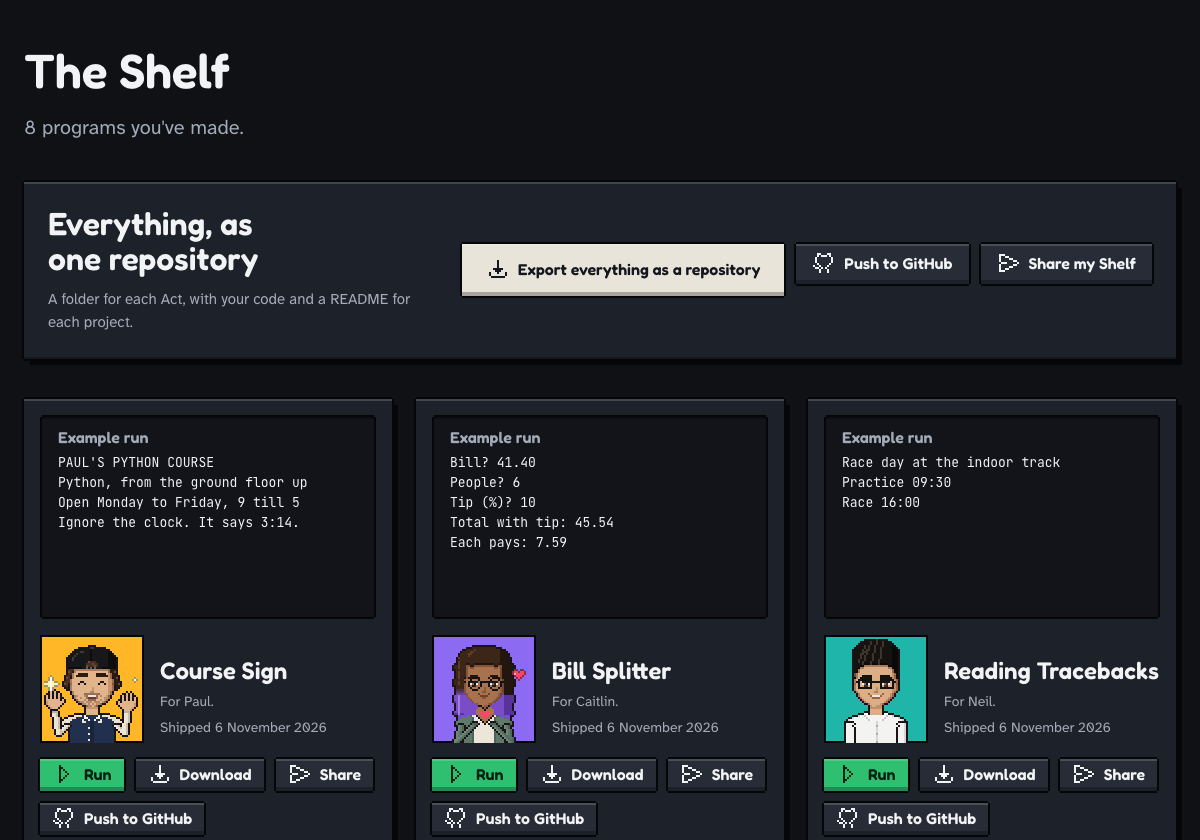
Once the checks pass you ship it and it goes on your Shelf, where you can download everything as one repository, push it to GitHub or send a friend a link that runs it in their browser.
Python runs right there in the browser so you don't have to install anything to get going, but some of the later projects need more than a browser can do, like PyTorch and Pygame, so you build those on your own computer and paste the test results back in.
Morning Rounds brings each idea back a day or two after you first use it, and then less and less often as it sticks.
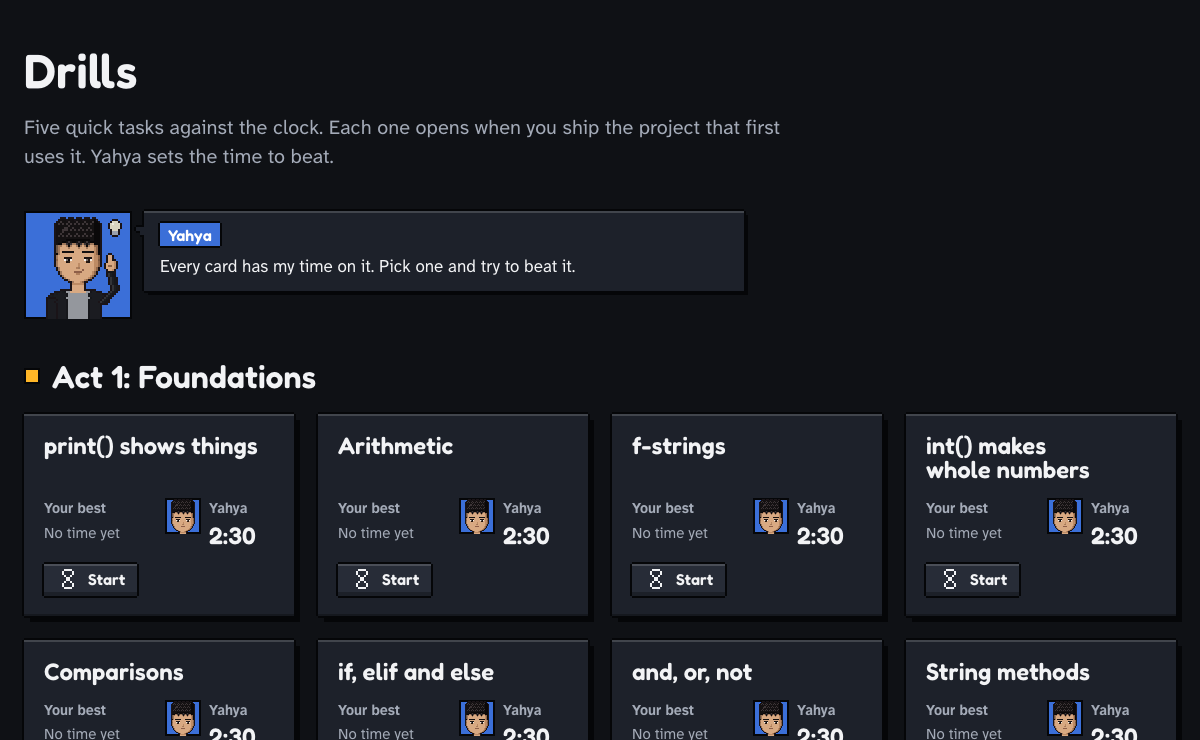
Drills are five quick tasks against the clock, and Yahya has set the time to beat on every single one of them.
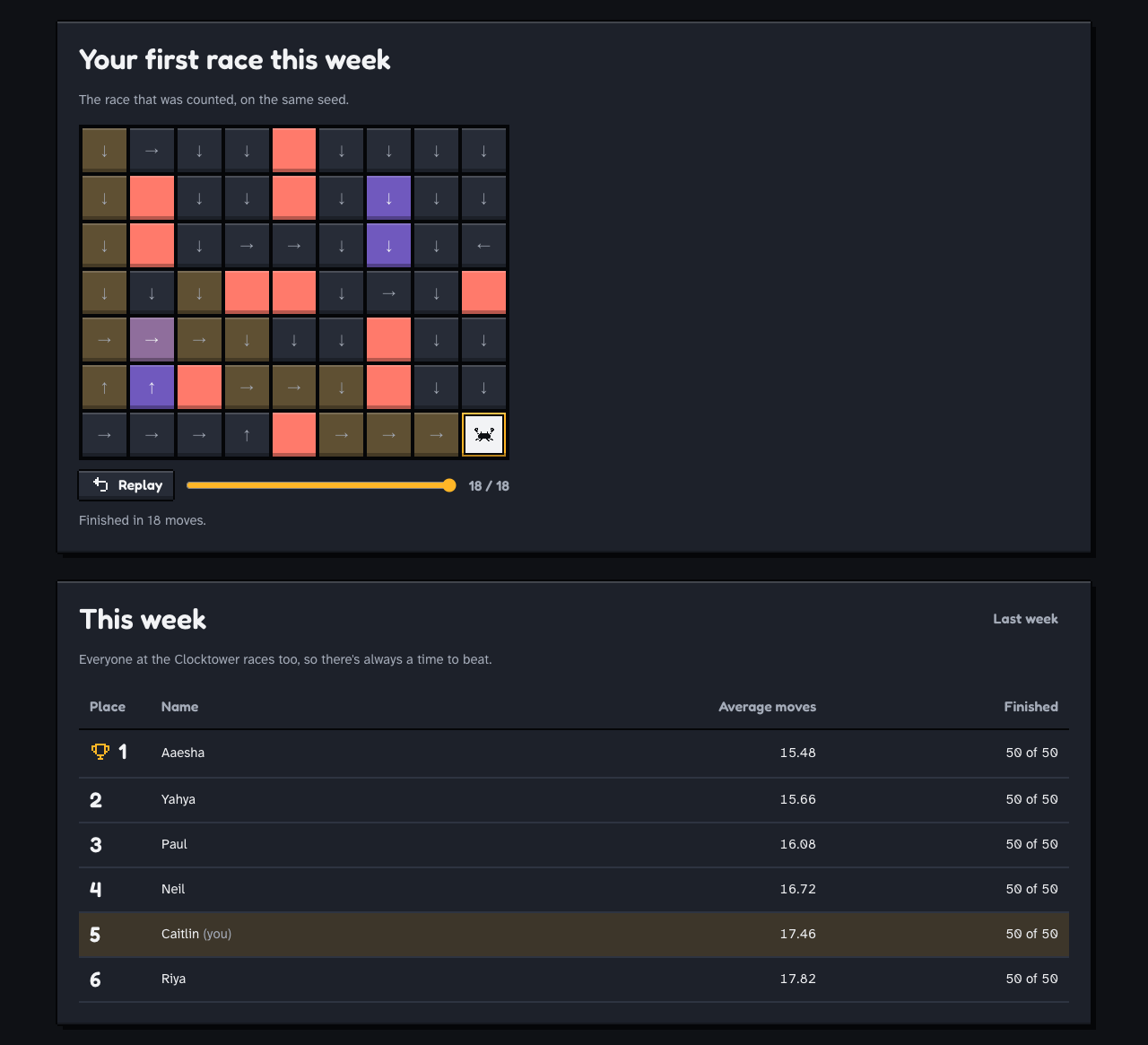
The Arcade League is a race every week for the crabs you train in Act 8, where your crab runs on the same seeds as everyone else's and the lowest average number of moves wins, and since the rest of us are on the table too there's always someone to beat.
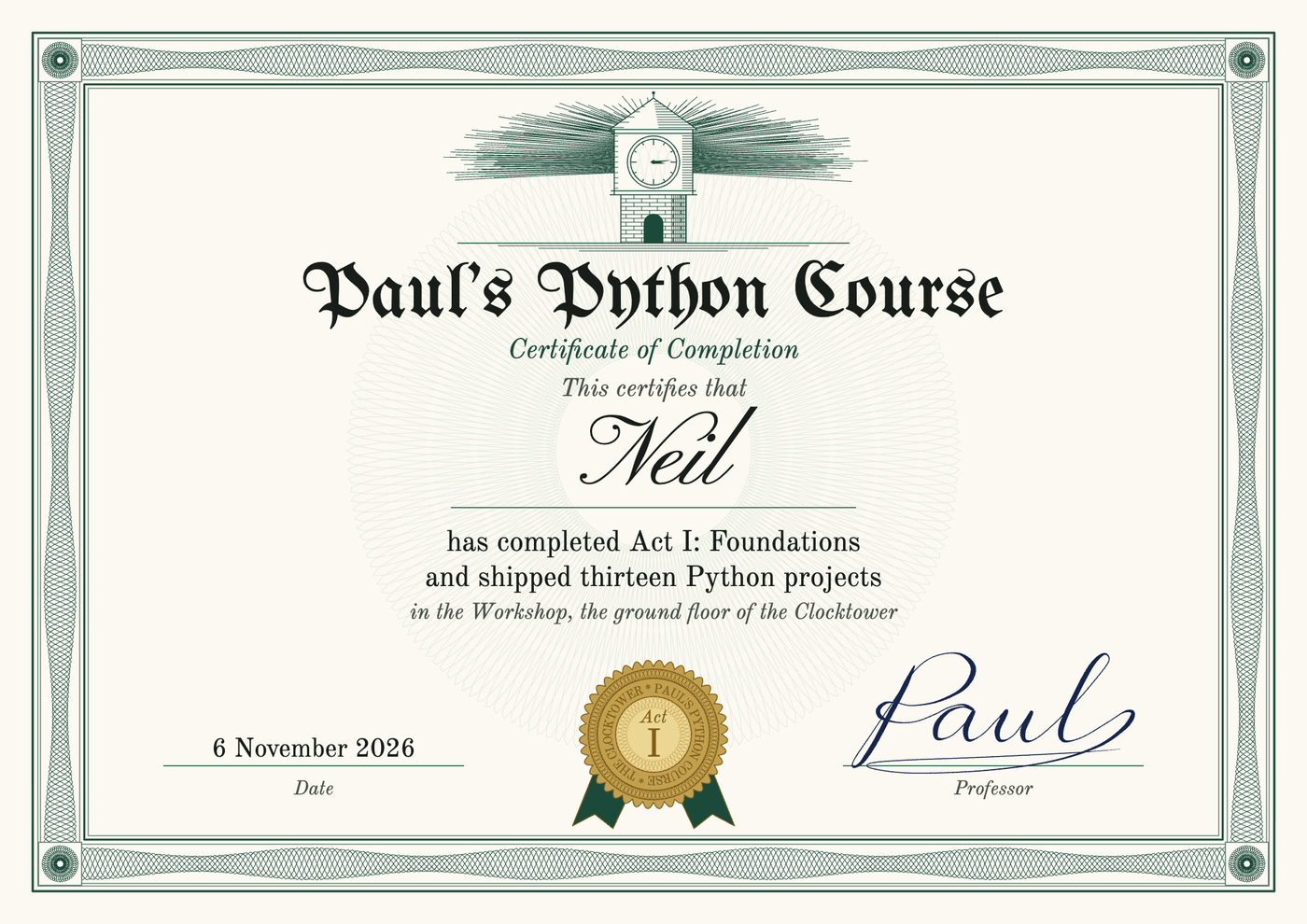
Certificates are for finishing an Act, and they're proper ones with an engraved border, a gold seal and my signature on them, which you can save as a picture or print on a sheet of A4.
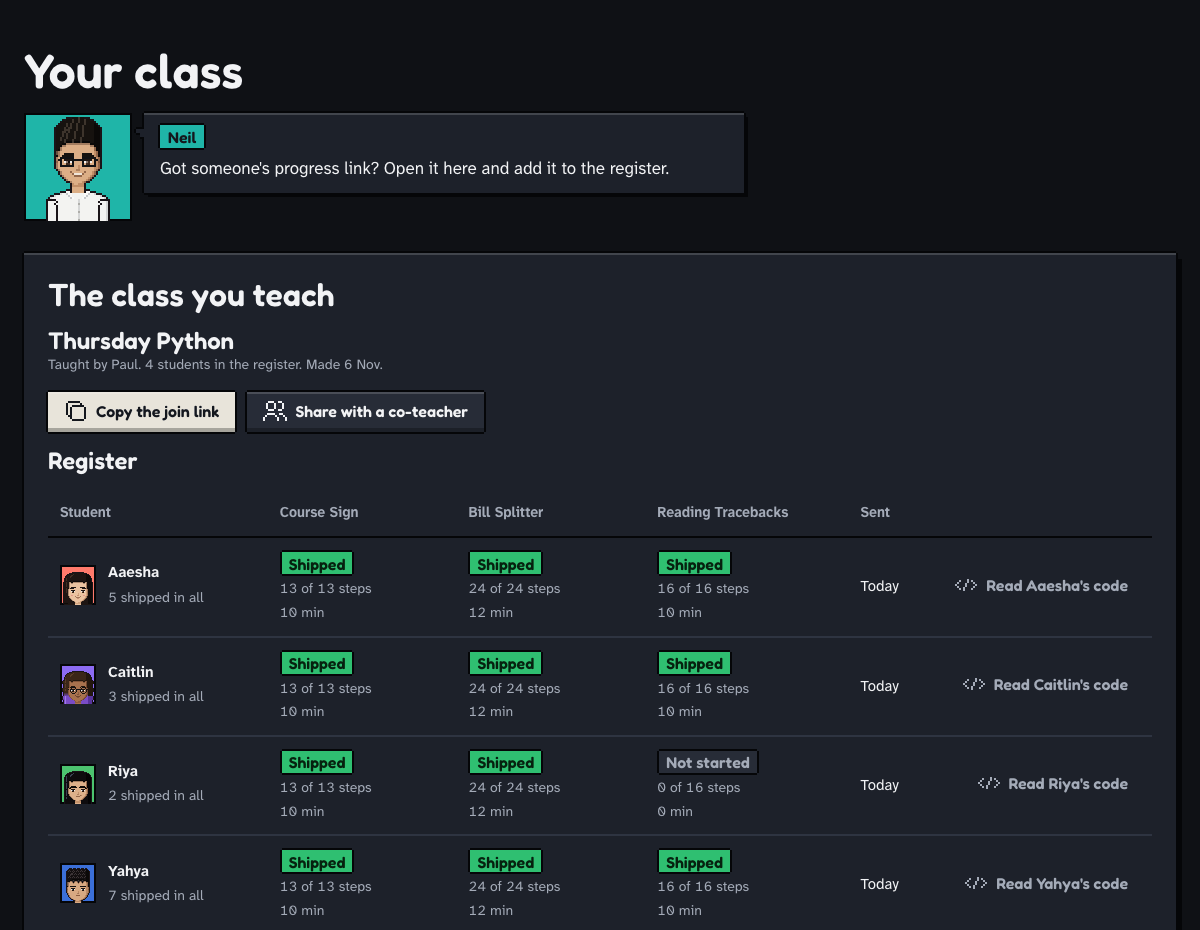
This part is for when I'm teaching. I make a class, choose which projects to set and give everyone its six-letter code or a join link. Once they've joined, my register shows how far each of them has got, how long they've spent and their code, as they go, without anyone having to send me anything, and what I've set turns up on their desk in the Clocktower.
You can add your friends by their username, and once they've said yes you can look round each other's Shelves and run anything the other one has shipped. Nobody sees work you haven't finished.
Your account keeps everything saved, so you can carry on from any computer, and you can still download a save as a file whenever you like.
All the art is drawn in code as well, so everyone is put together pixel by pixel from a description of how they look, with 135 gestures to choose from, and every room in the tower is built the same way.
Bouwles/pauls-python-course is a public repo on GitHub by Bouwles. Arguably the best python course of all time.
It declares the MIT license on GitHub.
Its maker has not tagged a system, so it is unknown here. Its README says what it needs.
Open "Take it" on its page: Take My Repo writes an install plan for your machine and hands it to your AI agent (Claude Code, Codex or Cursor), which asks you before each step. Take My Repo has not tested it on any machine.
Pyodide is a Python distribution for the browser and Node.js based on WebAssembly
A Programmer’s Guide to Longevity | Helping everyone live a longer, healthier, happier life. Available in 8 languages.
Flutter makes it easy and fast to build beautiful apps for mobile and beyond
f.k.a. Awesome ChatGPT Prompts. Share, discover, and collect prompts from the community. Free and open source — self-host for your organization with complete privacy.
Its last change on GitHub was on 2026-11-19. Take My Repo does not judge from that whether it is maintained.
Nobody has reviewed it on Take My Repo yet, which says nothing about its quality.
Take My Repo cannot say: it does not audit code and has not run pauls-python-course. What is known comes from GitHub. It declares the MIT license on GitHub. Its last change was on 2026-11-19. It has 9 stars, which measure popularity, not safety. Nobody has reviewed it on Take My Repo yet, which says nothing about its quality. Read the source before you run it. With "Take it", your AI agent shows each step and asks you before running it; README text is treated as data, not as instructions.