
openhuman
The fastest, cheapest, most efficient open-source agent harness. Run more than 500 agents on a $10 VPS.
- 43k
- Rust
- GPL-3.0
- 1 d ago
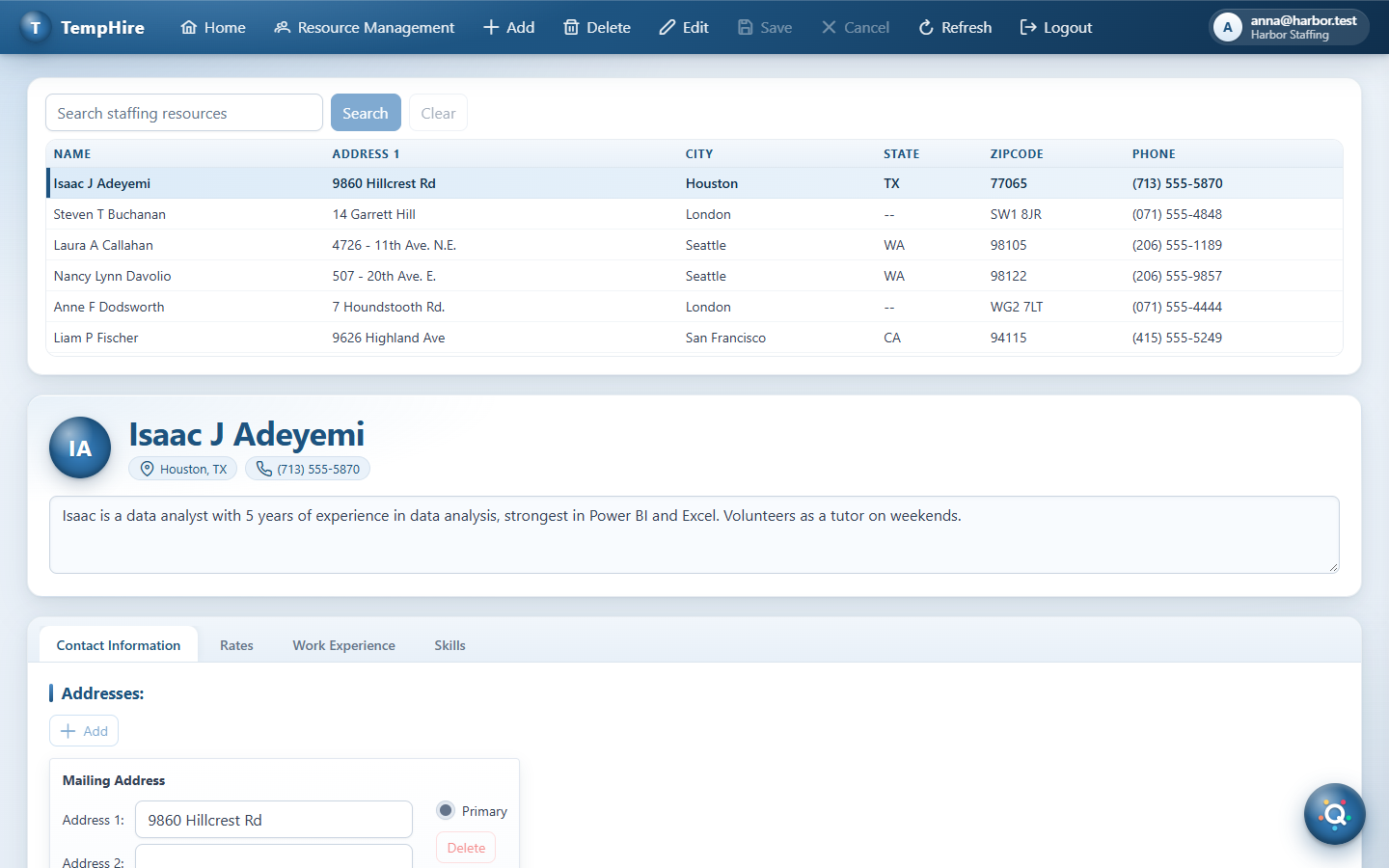
Reference line-of-business app on Angular 22, Breeze 3 and .NET 10: generated entities, sandboxed editing, one set of validation rules for client and server, multi-tenancy, OAuth 2.1 sign-in with roles, and Quinn, an AI assistant over MCP. Shares its server, temphire.server, with the React version. Modernized with AI from Silverlight/WPF.
Repo Breeze/temphire.angular, read from GitHub 11 h ago. Breeze has not joined Take My Repo.
Breeze/temphire.angular is a public repo on GitHub by Breeze. Reference line-of-business app on Angular 22, Breeze 3 and .NET 10: generated entities, sandboxed editing, one set of validation rules for client and server, multi-tenancy, OAuth 2.1 sign-in with roles, and Quinn, an AI assistant over MCP. Shares its server, temphire.server, with the React version. Modernized with AI from Silverlight/WPF. It declares no license on GitHub. Public does not mean open source: without a license, nobody is granted the right to reuse it. It is written mainly in TypeScript, has 31 stars and last changed on 2026-11-25. Nobody has reviewed it on Take My Repo yet, which says nothing about its quality. Read from GitHub on 2026-11-25.
The fastest, cheapest, most efficient open-source agent harness. Run more than 500 agents on a $10 VPS.
TempHire is a reference implementation of a data-driven line-of-business application on a modern stack: Angular on the client, Breeze for data access - entity caching, change tracking, validation and save - and the latest .NET with EF Core on the server. It covers what such applications need beyond CRUD screens: a master/detail workspace, editing in isolated sandboxes with save and cancel, a cached lookup data set, client- and server-side validation from one model, authentication, and entity classes generated from the server's model.
Prefer React? temphire.react is the same application converted to React 19, with Mantine, React Router and Vite, on the same Breeze 3 and .NET server. Every file names its Angular counterpart here, and a guide to React for Angular developers maps the concepts side by side, with examples from both versions.
Contents
Built on Breeze 3. TempHire uses Breeze 3, the new major version of Breeze released in September 2026:
breeze-client3 on the client, an ESM-only rewrite for modern TypeScript with typed entities, typed queries and an entity class generator, and the matching Breeze .NET server 8 from breeze-server-v3. The app shows those features in use: generated entity classes (see Entity classes are generated), typed queries andcreateEntitycalls, and validation driven by the server's model (see Validation comes from the server).
It goes beyond the original in two ways. It is multi-tenant: each user belongs to a company, and every query and save is confined to that company's data (see Multi-tenancy). And it has Quinn, an AI assistant in a chat pane who answers questions about the company's staffing data in plain language, through an MCP server in the same .NET server, with a local Ollama model or Claude (see Quinn, the assistant).
It is also a modernization example. TempHire began as a .NET Silverlight and WPF
application built on IdeaBlade's Punch framework, which combines DevForce, Caliburn.Micro and
Entity Framework. (Punch was first called Cocktail, and its code still uses that name: the
original sample's using Cocktail; is Punch.) It was converted to this
web stack, and then brought up to current Angular, Breeze and .NET, with the help of AI. The
original Silverlight and WPF versions are in the
Punch repository
(TempHire.Silverlight.sln and TempHire.Wpf.sln), so the two can be read side by side: every
ported file names the file it came from, and docs/CONVERSION-NOTES.md maps the old architecture
onto the new one. The modernization story tells the whole journey:
the conversion to a modern stack, and then what was built on it - Quinn, multi-tenancy, a fresh UI,
OAuth 2.1, validation rules in one file, a React client, and a documented API with bounded
queries.
Have a Silverlight, WPF or DevForce application of your own to take forward? That is what IdeaBlade, the team behind Breeze and DevForce, does.
| Original (Silverlight / WPF) | This version | |
|---|---|---|
| Client | Silverlight or WPF + Punch (Caliburn.Micro) | Angular 22 (standalone, zoneless, signals) + Optimus UI 2 |
| Data access (client) | DevForce EntityManager |
breeze-client 3 |
| Server | DevForce EntityServer (WCF) | ASP.NET Core 10 + Breeze.AspNetCore 8 |
| ORM | Entity Framework 6 (Code First) | EF Core 10 |
| Database | SQL Server Compact (.sdf) |
SQL Server LocalDB / Express |
| Auth | DevForce IEntityLoginManager + server session |
ASP.NET Core Identity + OAuth 2.1 (OpenIddict) |
The application behaves the same as the original: log in, search staffing resources, view one,
edit it in an isolated sandbox, and save or cancel. docs/CONVERSION-NOTES.md maps every piece of
the old architecture onto its replacement and records the places where behaviour deliberately
changed. The conversion was made from the WPF version, so where the two originals differ, the
table and the notes describe WPF.
The server is shared with the React version: it is
temphire.server, included here as a git submodule in
server/ (see The server).
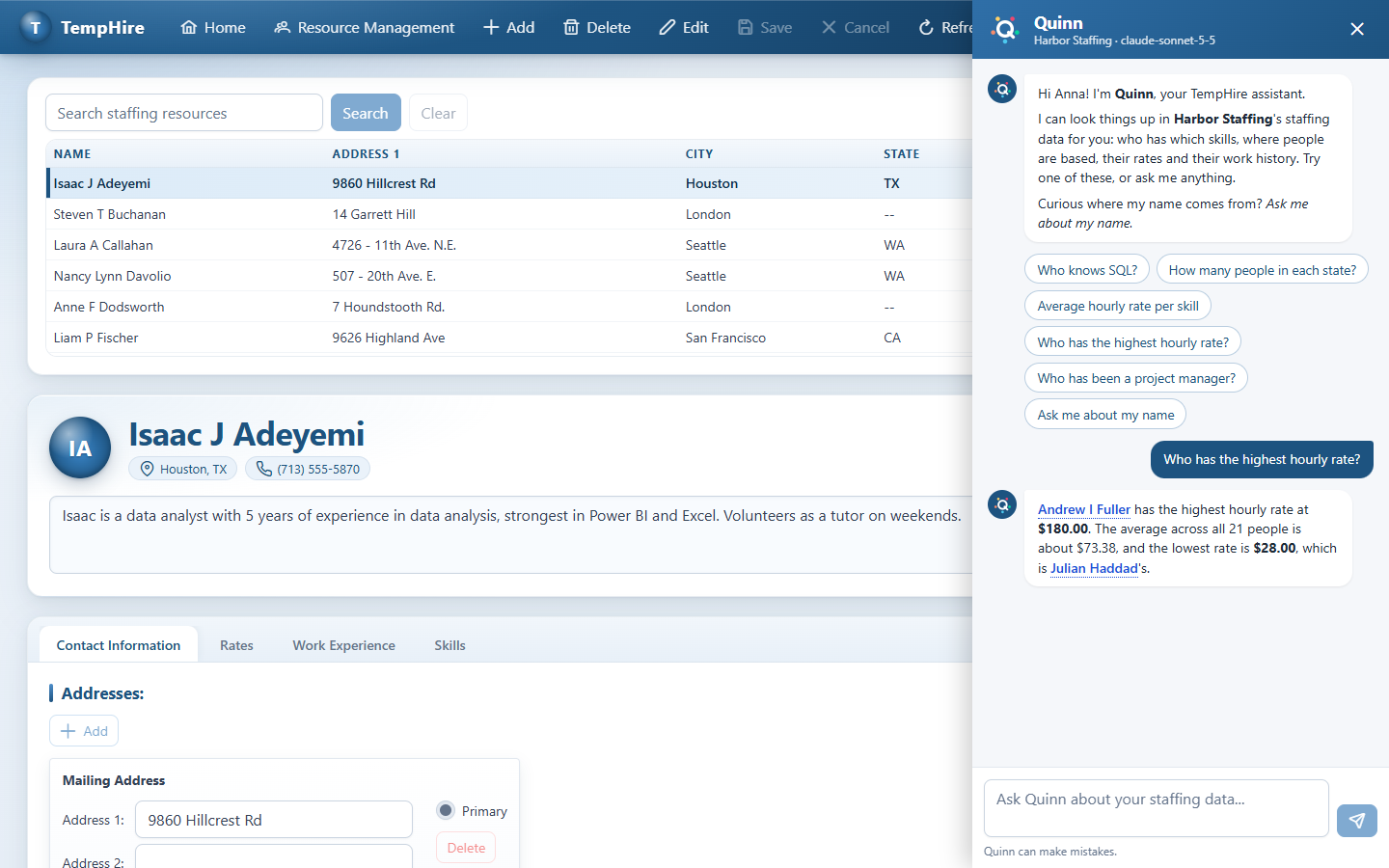
Quinn, the assistant, answers in plain language and links the people it mentions to their records:
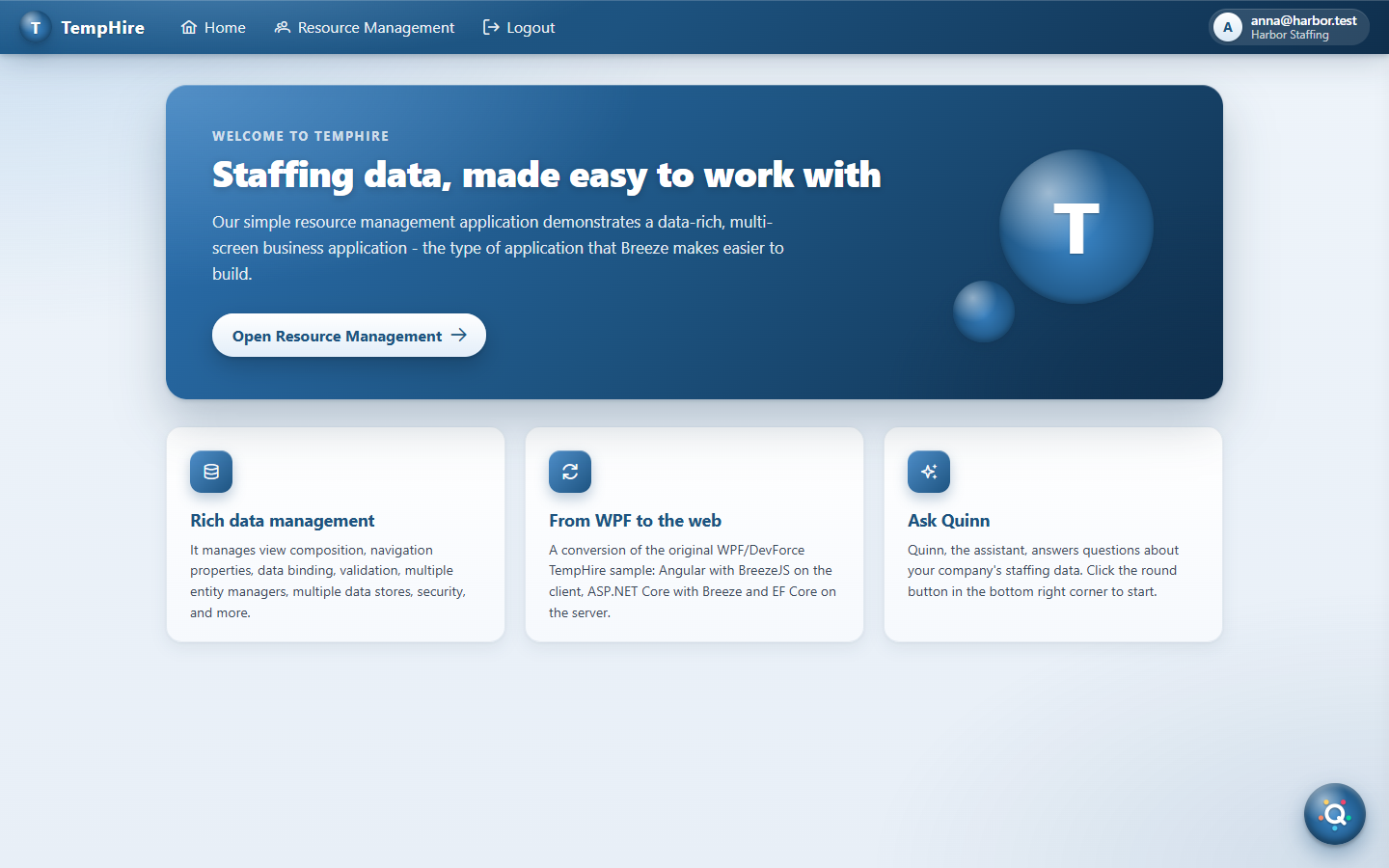
Home, the default workspace:
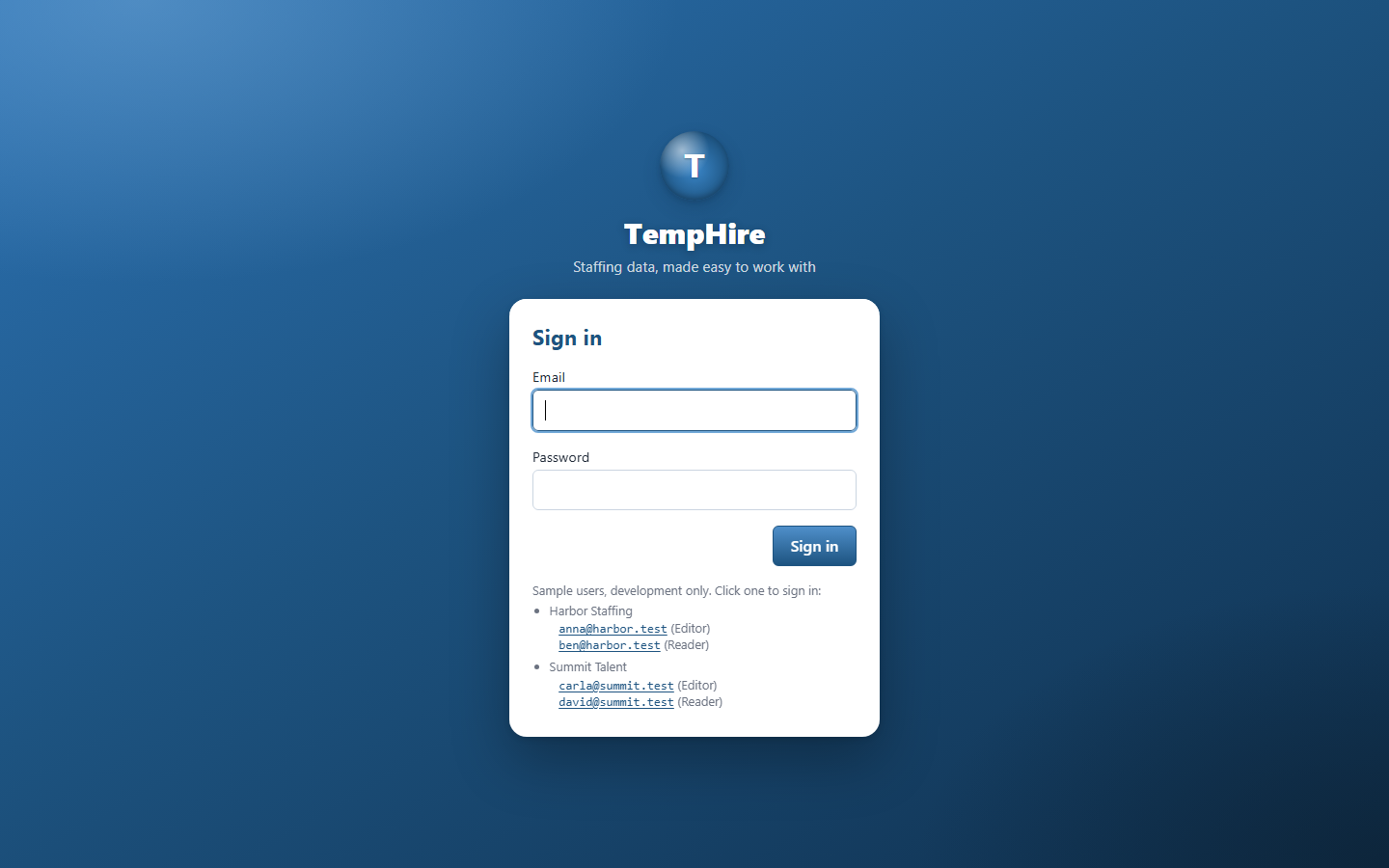
Sign in, on the server's own sign-in page (see Signing in); in development it lists the sample users, and a click on one signs in:
The look - cards with layered shadows on a soft gradient, in one blue - comes from
client/src/styles.css and the theme preset in client/src/app/core/theme/temphire-preset.ts.
.node-version (with npm 11.20.0).
With nvs, nvs auto (or nvs auto on) selects it, and adds
it if it is missing, in any directory of the repository; fnm reads the file as well. The
Angular 22 CLI itself accepts 22.22.3+, 24.15+ or 26+.The server is a git submodule, so clone with --recurse-submodules:
git clone --recurse-submodules https://github.com/Breeze/temphire.angular.git
In a clone made without it, run git submodule update --init once. After a git pull that moves
the submodule to another commit, run git submodule update to check that commit out.
Then two terminals. Server first, because the client fetches its Breeze and validation metadata from it.
1. Server (http://localhost:5000)
cd server/TempHire.Server
dotnet run
On startup the server creates or migrates its two databases (TempHire and TempHireIdentity)
and seeds them with two companies, their users and their staffing resources; see the server's
Running it. It also describes its API with
Swagger UI, at http://localhost:5000/swagger, where its root redirects; sign in with
Authorize (see the server's Swagger).
2. Client (http://localhost:4200)
cd client
npm install
npm start
Then open http://localhost:4200 and sign in as one of the
sample users, such as
anna@harbor.test (an Editor at Harbor Staffing) or ben@harbor.test (a Reader there). The
password is password for all of them.
The app sends you to the server's sign-in page. When the server runs in the Development environment, the page lists the sample users too, and a click on one signs in as that user; anywhere else it doesn't offer them.
Sign in as one user from each company to see that each sees only their own company's people, and that Quinn only knows about them too.
cd client
npm run build:server     # builds into ../server/TempHire.Server/wwwroot
cd ../server/TempHire.Server
dotnet run --environment Production
Program.cs already serves static files and falls back to index.html, so the whole app is then
available from the server's own origin and no CORS is involved.
The TypeScript entity classes in client/src/app/core/model/ are written by the entity generator
that ships with breeze-client 3 (breeze-gen-entities), from the same Breeze metadata the server
publishes. The flow has three steps, and npm run model in client/ runs the first two:
EF Core model ──► client/metadata.json ──► client/src/app/core/model/*.ts ──► registerModelClasses
   (server)      npm run model:metadata     npm run model:generate           (at login, client)
npm run model:metadata runs the server with --export-metadata, which
writes exactly what GET /api/model/Metadata serves to client/metadata.json and exits. It
reads the EF Core model only, so it needs no database and no login. The file is checked in, so a
schema change shows up in review as a metadata diff next to the class diff it causes.npm run model:generate writes one class per entity type, each
extending the hand-written BaseEntity, plus an index.ts barrel with registerModelClasses.
Generated lines end in // @generated; constructors, getters and methods you add (such as
StaffingResource.addAddress) are never touched, so regenerating is always safe.core/model-registration.ts calls registerModelClasses on the master
manager's MetadataStore once the metadata has loaded. From then on Breeze builds entities from
these classes, and the typed APIs work: EntityQuery.from(StaffingResource) is an
EntityQuery<StaffingResource>, and createEntity(Address, { ... }) checks its initial values
against the class.After changing an entity on the server, run npm run model in client/ and commit the
metadata and class changes together. client/src/app/core/model/README.md covers the markers for
keeping a hand-written property away from the generator.
Once you are signed in, a round button in the bottom right corner opens a chat pane with Quinn, who answers questions about your company's staffing data: Who knows SQL?, How many people do we have in each state?, Who has worked as a project manager? The first time the pane opens, Quinn introduces themselves and offers example questions to click. Answers are Markdown, rendered in the pane, so figures arrive as lists and tables. The people Quinn mentions are links: a click closes the pane and opens that person in Resource Management, searched for by last name and selected.
Ask Quinn about their name, and they tell you where it comes from: Punch, the drink, is named after the Hindi panch
Breeze/temphire.angular is a public repo on GitHub by Breeze. Reference line-of-business app on Angular 22, Breeze 3 and .NET 10: generated entities, sandboxed editing, one set of validation rules for client and server, multi-tenancy, OAuth 2.1 sign-in with roles, and Quinn, an AI assistant over MCP. Shares its server, temphire.server, with the React version. Modernized with AI from Silverlight/WPF.
:books: 免费的计算机编程类中文书籍,欢迎投稿
The agent harness performance optimization system. Skills, instincts, memory, security, and research-first development for Claude Code, Codex, Opencode, Cursor and beyond.
Reverse engineer anything with agents, from app behavior down to native binaries.
It declares no license on GitHub. Public does not mean open source: without a license, nobody is granted the right to reuse it.
Its maker has not tagged a system, so it is unknown here. Its README says what it needs.
Open "Take it" on its page: Take My Repo writes an install plan for your machine and hands it to your AI agent (Claude Code, Codex or Cursor), which asks you before each step. Take My Repo has not tested it on any machine.
Its last change on GitHub was on 2026-11-25. Take My Repo does not judge from that whether it is maintained.
Nobody has reviewed it on Take My Repo yet, which says nothing about its quality.
Take My Repo cannot say: it does not audit code and has not run temphire.angular. What is known comes from GitHub. It declares no license on GitHub. Public does not mean open source: without a license, nobody is granted the right to reuse it. Its last change was on 2026-11-25. It has 31 stars, which measure popularity, not safety. Nobody has reviewed it on Take My Repo yet, which says nothing about its quality. Read the source before you run it. With "Take it", your AI agent shows each step and asks you before running it; README text is treated as data, not as instructions.






