
TikLocal
TikTok meets Pinterest for your local media
- 11
- MIT
- 8 wk ago
Repo ChanMo/TikLocal, read from GitHub 6 h ago. ChanMo has not joined Take My Repo.
In short
ChanMo/TikLocal is a public repo on GitHub by ChanMo. TikTok meets Pinterest for your local media. It declares the MIT license on GitHub. It is written mainly in Python, has 11 stars and last changed on 2026-10-01. Nobody has reviewed it on Take My Repo yet, which says nothing about its quality. Read from GitHub on 2026-11-23.
Similar repos


Your own TikTok for the videos and photos you already have.
Self-hosted, offline, no account, no cloud.
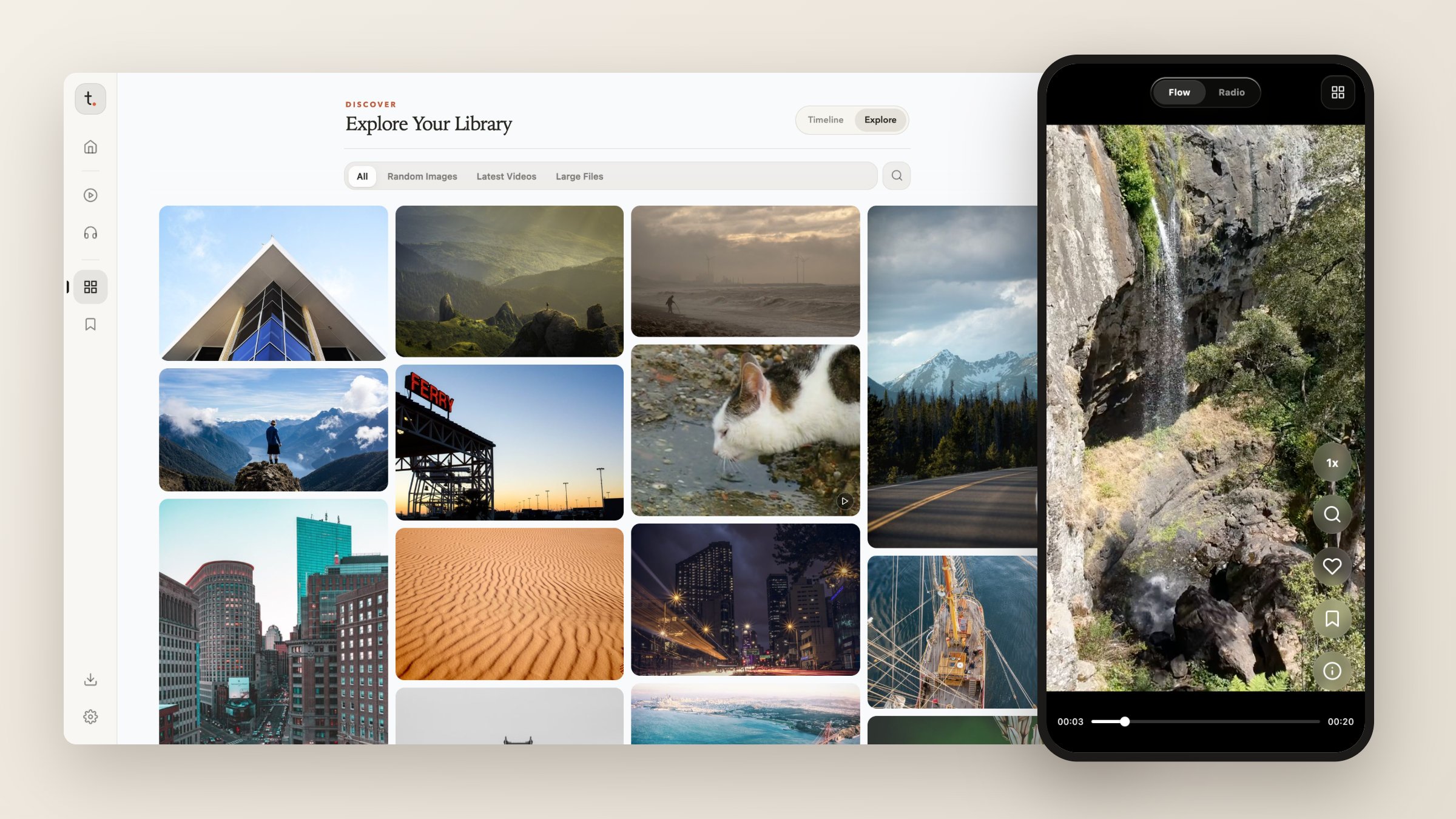
TikLocal turns a folder of media into a private feed. Run one command on your computer or NAS, open it on your phone, and swipe through your own videos and photos full screen — or browse them as a Pinterest-style grid and a year/month timeline. Nothing leaves your machine.
Quick start
pip install tiklocal
tiklocal ~/Videos
Open http://<your-computer>:8000 on any phone, tablet, or browser on the same
network. The first start prints an access password in the terminal.
What it does
- Flow — a full-screen vertical feed that mixes videos and images. Swipe to the next item, double-tap to favorite, hold a video to play it at 2×, and drag sideways to seek.
- Library — a year/month timeline for multi-year archives and an Explore grid with random images, latest videos, and large files.
- Home — pick up where you left off, see what happened On This Day, and open your collections.
- Favorites and collections — save anything from any view; long videos resume where you stopped, across devices.
- Downloads — paste a link and TikLocal fetches it into your library with
yt-dlporgallery-dl. - Radio — an ambient audio player for the music in the same folders.
- Many folders, one library — merge several media directories; deletions go to a trash you can undo.
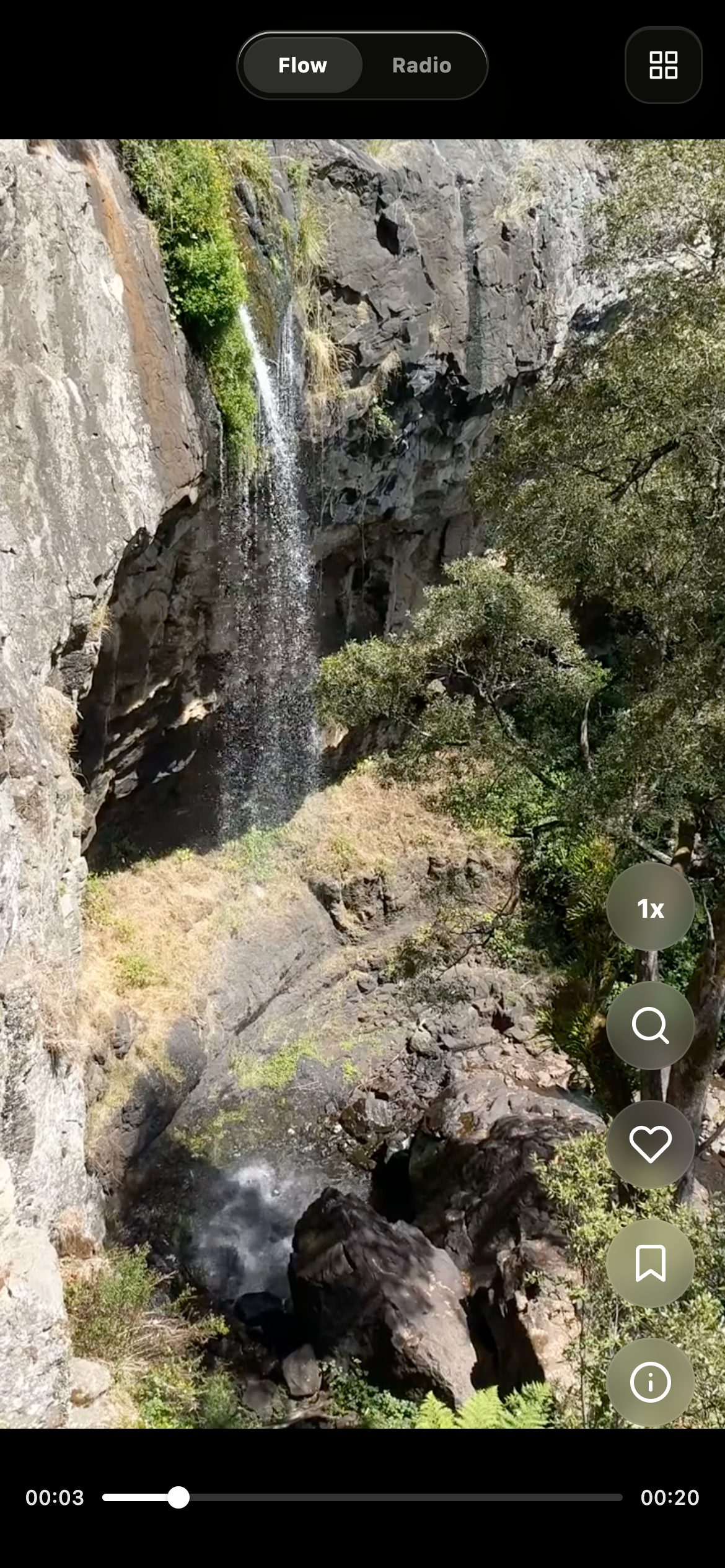



Screenshots use CC0 and public-domain photos and clips from Wikimedia Commons.
Flow controls
| Gesture | Video | Image |
|---|---|---|
| Swipe up / down, wheel, ↑ ↓ | Next / previous | Next / previous |
| Tap | Play / pause | Show / hide the interface |
| Double-tap | Favorite | Favorite |
| Press and hold | 2× while held | Show / hide the interface |
| Drag sideways | Seek | Next image in a gallery |
| ← → | Back / forward 5 s | Gallery image, otherwise next / previous |
Files the browser cannot play (for example some HEVC or AV1 videos) are skipped with a short note instead of stopping the feed.
Configuration
Settings come from command-line options, then environment variables
(MEDIA_ROOT, TIKLOCAL_HOST, TIKLOCAL_PORT), then
~/.config/tiklocal/config.yaml:
media_sources:
  - id: default
    name: Main Library
    path: ~/Videos/TikLocal
  - id: photos
    name: Photos
    path: ~/Pictures
download_source: default   # where URL downloads are saved
name: Studio Mac           # shown in the browser tab
port: 8000
A single media_root: ~/Videos still works. Sources are merged into one library;
media URIs look like @source_id/path, and old bare-path links and favorites keep
working through the default source.
tiklocal /path/to/media                        # start with one folder
tiklocal --port 9000                           # custom port
tiklocal --media-source photos=~/Pictures/AI   # add a source (repeatable)
tiklocal --help
Access password
Sign-in is on by default. Every page, API and media file requires it.
tiklocal auth status          # status and storage path
tiklocal auth set-password    # new password; signs out existing sessions
TIKLOCAL_AUTH_PASSWORD='a-long-private-password' tiklocal auth set-password
The password is stored as a scrypt hash in ~/.tiklocal/auth.json. Keep TikLocal
on a trusted network.
HTTPS
TikLocal serves plain HTTP. For HTTPS, put it behind a reverse proxy that keeps the original Host header and media Range requests, and mark the session cookie secure:
FLASK_AUTH_COOKIE_SECURE=true tiklocal ~/Videos --host 127.0.0.1 --port 8000URL downloads
The /download page queues background downloads. Install the tools it uses:
brew install yt-dlp gallery-dl ffmpeg        # macOS
sudo apt install yt-dlp gallery-dl ffmpeg    # Ubuntu / Debian
yt-dlp(required) handles video sites; TikLocal asks it for H.264/AAC so downloads play in every browser.gallery-dlhandles image posts and albums.ffmpegmerges formats and makes video thumbnails.- For sign-in-only content, put exported cookie files in
~/.tiklocal/cookieswith the domain in the name (x.com.txt,youtube.com.cookies), or upload them on the download page.
Stopping the server (Ctrl + C or SIGTERM) cancels unfinished downloads and keeps finished files; interrupted jobs are not resumed.
More commands
Thumbnails
tiklocal thumbs /path/to/media              # generate video thumbnails
tiklocal thumbs /path --overwrite           # regenerate
Duplicates
tiklocal dedupe /path/to/media              # dry run
tiklocal dedupe /path --type video          # videos only
tiklocal dedupe /path --keep newest --execute
Options: --type video|image|all, --algorithm sha256|md5,
--keep oldest|newest|shortest_path, --dry-run (default), --execute,
--auto-confirm.
AI titles and similar images (optional)
Image titles and tags use a vision model; similar images use an embedding model. Both are off unless configured:
vision:
  enabled: true
  base_url: https://openrouter.ai/api/v1
  model_name: google/gemini-2.5-flash
  tags_limit: 5

experiments:
  similarity:
    enabled: true

embedding:
  enabled: true
  base_url: https://openrouter.ai/api/v1
  model_name: google/gemini-embedding-2
  dimensions: 768
  image_max_size: 512
  image_quality: 82
API keys come from TIKLOCAL_VISION_API_KEY, TIKLOCAL_EMBEDDING_API_KEY, then
TIKLOCAL_AI_API_KEY, OPENAI_API_KEY or OPENROUTER_API_KEY.
Vectors are built from the command line and stored in
~/.tiklocal/tiklocal.sqlite3; viewing results never calls a model.
tiklocal vectorize ~/Videos --dry-run                  # see what would be sent
tiklocal vectorize ~/Videos --limit 200 --order latest
tiklocal vectorize ~/Videos --source photos --cleanup
tiklocal analyze-similar ~/Videos --limit 500 --yes
Only missing or stale images are uploaded, resized and re-encoded without their
original metadata. Results appear at /experiments/similarity, opened from
Settings. experiments.similarity.enabled: false turns the feature off without
deleting data; restart after changing it. When omitted, a valid legacy
embedding.enabled: true enables it. Precedence is defaults < YAML < saved
embedding configuration < CLI options.
Embedding in another WSGI server
The CLI owns the download manager. When hosting create_app() yourself, call
app.extensions['download_manager'].start() inside the serving worker and
.close() in its shutdown hook — not in Flask's per-request teardown.
Upgrading from versions with built-in HTTPS or PWA
Built-in HTTPS, certificate management, PWA installation and offline caching were
removed. Remove https, tls_cert, tls_key and hostnames from the YAML
configuration; active old TLS settings stop startup rather than silently switching
to HTTP. The --https, --tls-cert, --tls-key, --hostname options, tls
commands and the [https] extra are gone. Files under ~/.tiklocal/tls/ are left
untouched. Revisit the same address once to retire the old service worker; old
home-screen shortcuts can be removed by hand.
LumaFold for iPhone and Android
apps/radio contains LumaFold, a local-first native client. It imports photos
and videos you pick into a private offline Flow with no account, network, or
server, and can optionally connect to your TikLocal server for Radio. See
docs/radio-native-client-architecture.md.
Documentation
Contributing
Bug reports, ideas and pull requests are welcome on GitHub. To refresh the screenshots, serve a demo folder without sign-in and run the capture script (it uses your installed Chrome):
npm install
FLASK_AUTH_ENABLED=false tiklocal demo-media --port 8793
node scripts/screenshots.mjs
Contact: chan.mo@outlook.com
License
Questions
What is TikLocal?
ChanMo/TikLocal is a public repo on GitHub by ChanMo. TikTok meets Pinterest for your local media.
Is TikLocal open source?
It declares the MIT license on GitHub.
Does TikLocal run on macOS, Windows or Linux?
Its maker has not tagged a system, so it is unknown here. Its README says what it needs.
How do I install TikLocal?
Open "Take it" on its page: Take My Repo writes an install plan for your machine and hands it to your AI agent (Claude Code, Codex or Cursor), which asks you before each step. Take My Repo has not tested it on any machine.
Is TikLocal still maintained?
Its last change on GitHub was on 2026-10-01. GitHub counts 0 open issues and pull requests. Take My Repo does not judge from that whether it is maintained.




