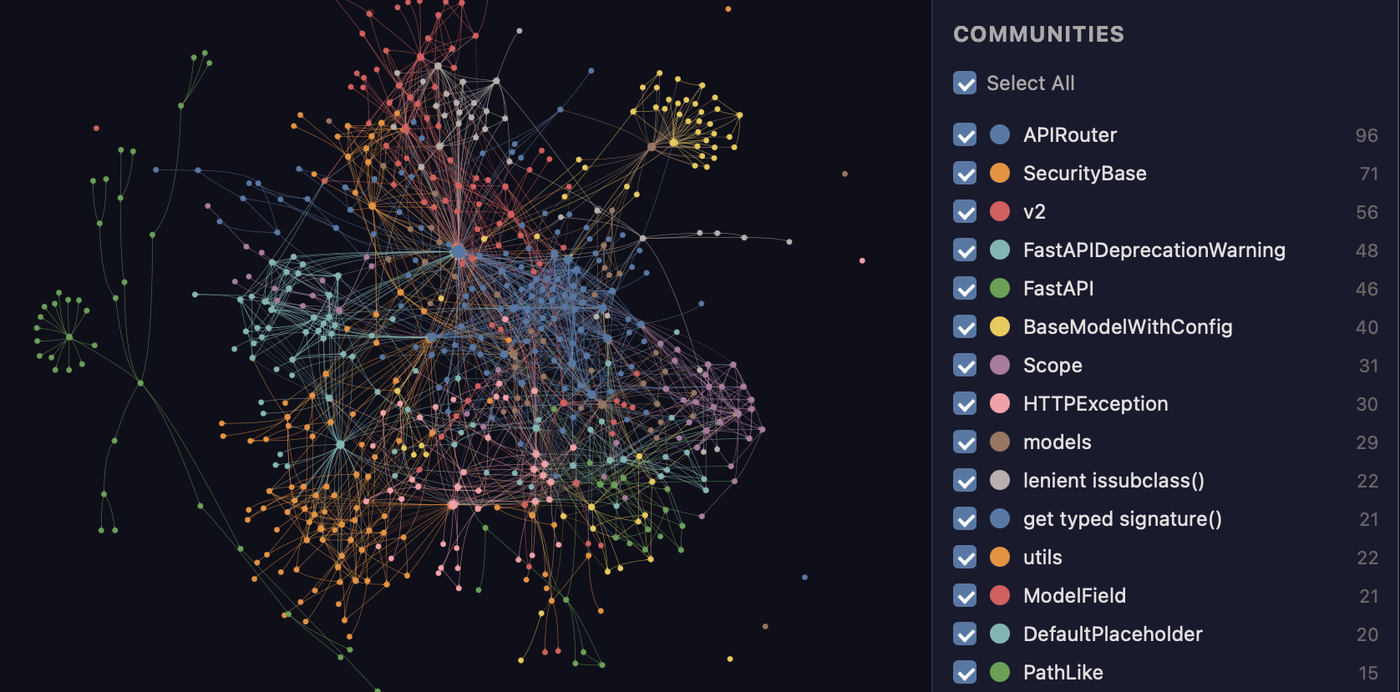
MiroFish
A Simple and Universal Swarm Intelligence Engine, Predicting Anything. 简洁通用的群体智能引擎,预测万物
- 86k
- Python
- AGPL-3.0
- 6 wk ago
Shared long-term memory, document search and a code index for AI agents, linked to your code. Memories point at the files and symbols they're about and surface when an agent edits them. MCP server, Claude Code and Codex plugins, SDKs. Self-hosted on ClickHouse.
Repo ClickHouse/loom, read from GitHub 1 h ago. ClickHouse has not joined Take My Repo.
ClickHouse/loom is a public repo on GitHub by ClickHouse. Shared long-term memory, document search and a code index for AI agents, linked to your code. Memories point at the files and symbols they're about and surface when an agent edits them. MCP server, Claude Code and Codex plugins, SDKs. Self-hosted on ClickHouse. It declares the Apache-2.0 license on GitHub. It is written mainly in Python, has 197 stars and last changed on 2026-11-23. Nobody has reviewed it on Take My Repo yet, which says nothing about its quality. Read from GitHub on 2026-11-23.
A Simple and Universal Swarm Intelligence Engine, Predicting Anything. 简洁通用的群体智能引擎,预测万物
Shared memory, document search and code intelligence for AI agents.
For Claude Code, Codex, Cursor and your own agents.
English · 简体中文 · 日本語 · 한국어 · Português (Brasil) · Español
What Loom is for · Benchmarks · Get started · Capabilities · Integrations · Documentation
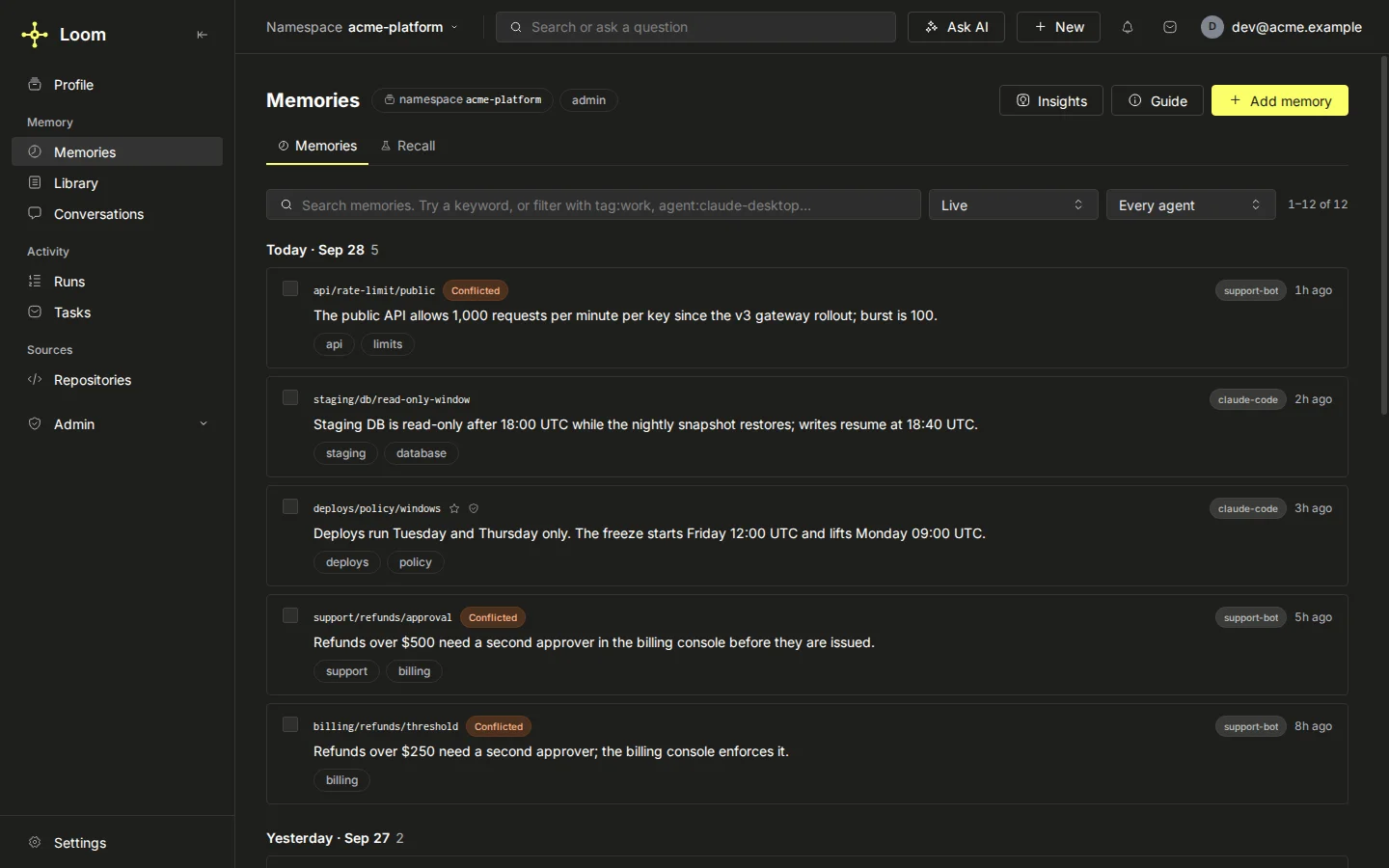
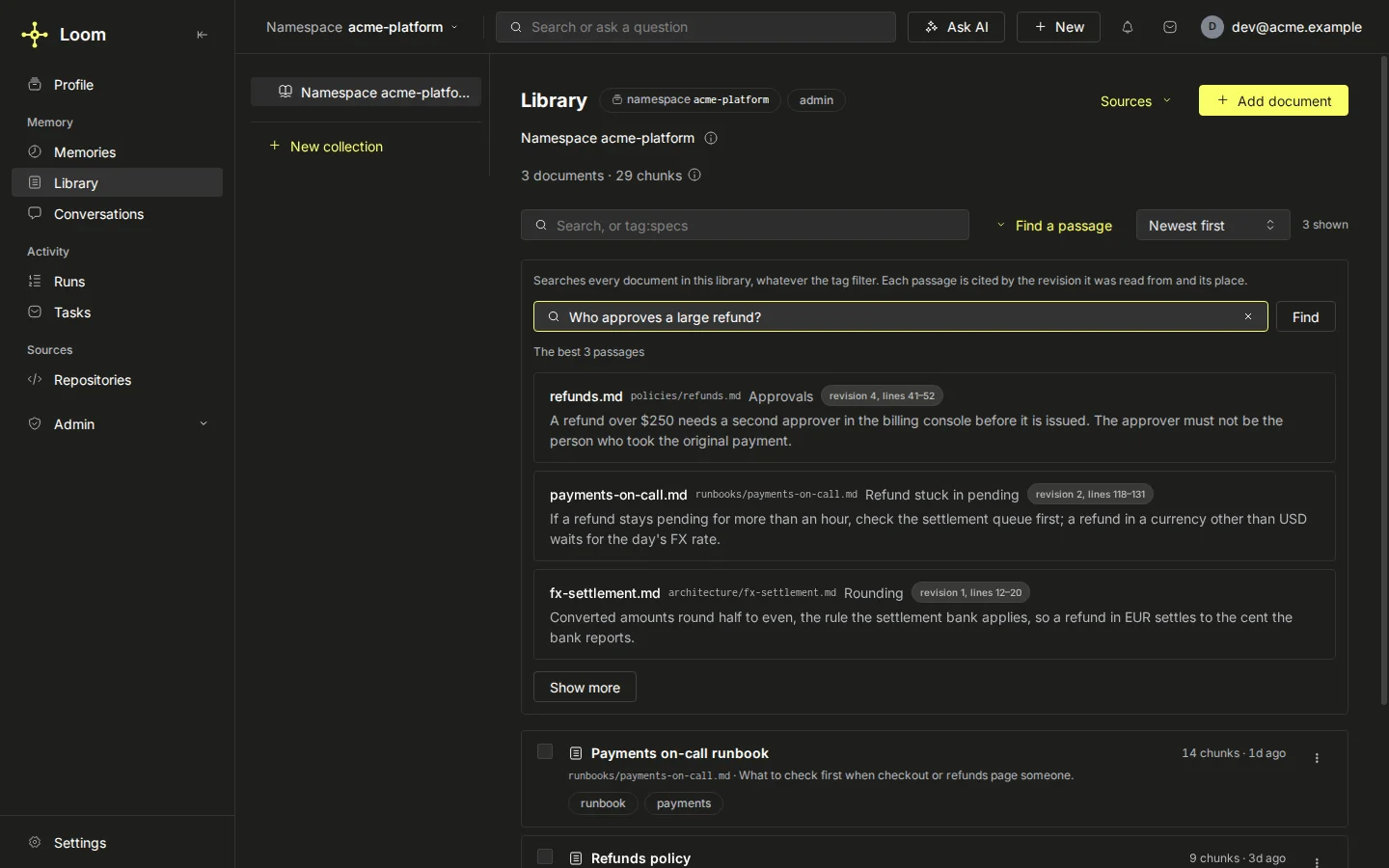
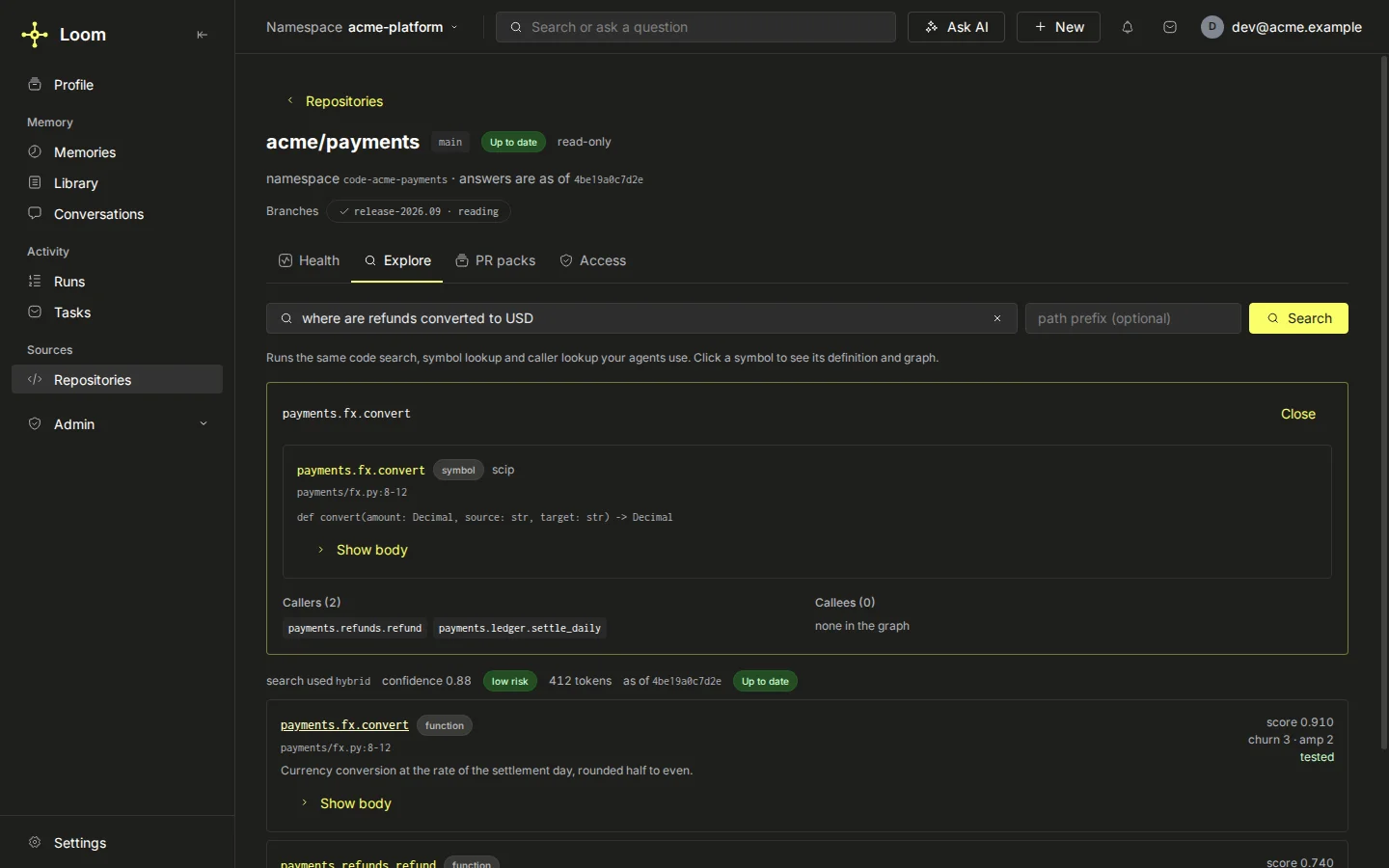
Loom is an open-source, self-hosted MCP server that gives your agents long-term, shared memory: what one agent learns in a session, the next agent or tool can find. In an authenticated team deployment, each agent uses a token scoped to namespaces and read or write roles. Check shared memory and denied access.
Agents connect through MCP, HTTP, Python or TypeScript. Self-host with Docker or on Kubernetes with the Helm chart; agent context and index data live in ClickHouse, and a deployment can choose Postgres at first boot for live memory and knowledge state. The dashboard brings memories, repositories, tasks and runs into one place.
.docx and .pptx files the
extractor service converts. Document searchMemory for a software factory. Loom gives implementation and review agents shared lessons, issue context and source provenance across sessions. Scope each principal's access with tokens, await required writes and task handoffs in your application, and recheck code-linked lessons against the current source before review. The same service supports multi-agent workflows and autonomous bots; your orchestration runs the agents, tests and approvals. Offering a tool does not guarantee the model uses it. Multi-agent workflow · Autonomous-agent memory
Every use case, and when another tool fits better: use cases.
Read Choosing memory for a software factory for memory architecture choices, data ownership and operating responsibilities.
Loom is not an in-process library for one agent's short-lived memory, nor an agent framework. When Loom does not fit
| Evaluation | With Loom | Without Loom | Efficiency gain | Scope |
|---|---|---|---|---|
| Coding-agent answer quality | 0.84 | 0.78 | 20% lower model cost | 24 questions × 3 paired runs |
| Coding-agent file localization | 96.4% | 91.4% | 21% lower model cost | 36 questions × 10 paired runs |
| Memory vs full-history answers | 94% | 90% | 91% fewer reader prompt tokens | 100 paired LongMemEval-S questions |
Both coding setups use Claude Code (claude-sonnet-5) on the ClickHouse codebase;
cost is the whole session's model bill, excluding Loom's server-side model calls, hosting
and indexing. Answer quality
measures coverage of a verified answer's key points, with a contradiction penalty.
File localization counts whether the right file is among the up to three files the agent is
asked to name at the end of its answer.
The memory row compares retrieved memories with full conversation history using
the same gpt-5 reader. Token savings exclude memory construction; the 94% vs 90%
accuracy difference is descriptive, not statistically established.
Separately, Loom's memory.ask configuration scored 96.6% answer accuracy on all
500 LongMemEval-S questions. This is a product evaluation with its own configured
answer models, not the fixed-reader comparison above.
Results are specific to the tested workloads.
Protocols and reproducible artifacts · detailed results · evaluate on your workload
dev/local
namespace. One person can connect multiple agents.Both modes support the same Loom features, including configured LLMs and embeddings. Single-user is not a reduced-feature edition. You can also switch an existing installation without deleting its data; grant new accounts access to the existing namespaces.
To try it with nothing installed, open it in a codespace:
(what it runs and who can reach it)
For the default personal installation, with Docker installed (on Windows, in a WSL 2
terminal where docker works: Docker Desktop with its WSL integration on, or Docker Engine
installed in the distribution):
curl -fsSL https://github.com/ClickHouse/loom/releases/latest/download/install.sh -o loom-install.sh && sh loom-install.sh && rm loom-install.sh
Run it from your home directory, or another
directory only you can write to.
The installer starts Loom and ClickHouse, applies migrations and prints the dashboard URL:
http://localhost:7777/; on a new install it then checks that a memory saves and reads
back. On a terminal it also offers to connect the coding agents it finds (Claude Code, Codex,
VS Code) and, on a new install, opens the dashboard. The image includes the server,
workers, dashboard and Python, TypeScript and Go compiler indexers, plus the C++ one on
amd64; TypeScript dependencies are prepared automatically. Quickstart and pinned releases
The installation lives in ~/.loom (LOOM_INSTALL_DIR chooses another directory): the
Compose file and the startup settings in ~/.loom/.env. Running the install command again
upgrades in place and keeps your .env settings.
Keep single-user mode localhost-only. For shared access, follow the team deployment guide, including TLS.
The stock installation boots without keys or network. Storage, the dashboard, structural code indexing and semantic search work, on a small local embedding model the image carries; the fake LLM gives no AI-generated answers.
| Component | Configure for real use | Without configuration |
|---|---|---|
| Embeddings | Provider, embedding model, dimensions and API key. | local (bge-small on CPU): semantic retrieval, weaker than a hosted model. |
| LLM | Provider, model and API key. | fake-echo-1: no meaningful extraction, summaries or answers. |
Open Settings → Models & keys, choose both providers and models, enter their
keys, then click Test & apply. No Docker restart is needed; changing the embedding
space rebuilds the existing index. The dashboard's embedding choices are hosted
providers: to keep local and add an LLM, set the LLM lines in ~/.loom/.env instead
(Models and keys).
One OpenAI API key can serve both roles.
ClickHouse/loom is a public repo on GitHub by ClickHouse. Shared long-term memory, document search and a code index for AI agents, linked to your code. Memories point at the files and symbols they're about and surface when an agent edits them. MCP server, Claude Code and Codex plugins, SDKs. Self-hosted on ClickHouse.
It declares the Apache-2.0 license on GitHub.
Its maker tagged it for macOS, Windows and Linux, or as Docker or cross-platform. That is declared by the maker; Take My Repo has not tested it.
The agent harness performance optimization system. Skills, instincts, memory, security, and research-first development for Claude Code, Codex, Opencode, Cursor and beyond.
Turn any codebase, with its docs, SQL schemas, configs, and PDFs, into a queryable knowledge graph. A /graphify skill for Claude Code, Cursor, Codex, and Gemini CLI: local deterministic AST parsing, every edge explained, no vector store.
Graphs that teach > graphs that impress. Turn any code into an interactive knowledge graph you can explore, search, and ask questions about. Works with Claude Code, Codex, Cursor, Copilot, Gemini CLI, and more.
Reverse engineer anything with agents, from app behavior down to native binaries.
🌊 The original agent harness. Deploy intelligent multi-player swarms, coordinate autonomous workflows, and build conversational AI systems. Features adaptive memory, self-learning intelligence, federation, vector RAG integration, and native Claude Code / Codex / Hermes and many more Integrated
Open "Take it" on its page: Take My Repo writes an install plan for your machine and hands it to your AI agent (Claude Code, Codex or Cursor), which asks you before each step. Take My Repo has not tested it on any machine.
Its last change on GitHub was on 2026-11-23. GitHub counts 78 open issues and pull requests. Take My Repo does not judge from that whether it is maintained.
Nobody has reviewed it on Take My Repo yet, which says nothing about its quality.
Take My Repo cannot say: it does not audit code and has not run loom. What is known comes from GitHub. It declares the Apache-2.0 license on GitHub. Its last change was on 2026-11-23. It has 197 stars, which measure popularity, not safety. Nobody has reviewed it on Take My Repo yet, which says nothing about its quality. Read the source before you run it. With "Take it", your AI agent shows each step and asks you before running it; README text is treated as data, not as instructions.