awesome-selfhosted
A list of Free Software network services and web applications which can be hosted on your own servers
- 339k
- 2 d ago
Codelessly Cloud UI SDK
Repo Codelessly/CodelesslySDK, read from GitHub 1 min ago. Codelessly has not joined Take My Repo.
Codelessly/CodelesslySDK is a public repo on GitHub by Codelessly. Codelessly Cloud UI SDK. It declares the BSD-3-Clause license on GitHub. It is written mainly in Dart, has 22 stars and last changed on 2026-11-19. Nobody has reviewed it on Take My Repo yet, which says nothing about its quality. Read from GitHub on 2026-11-19.

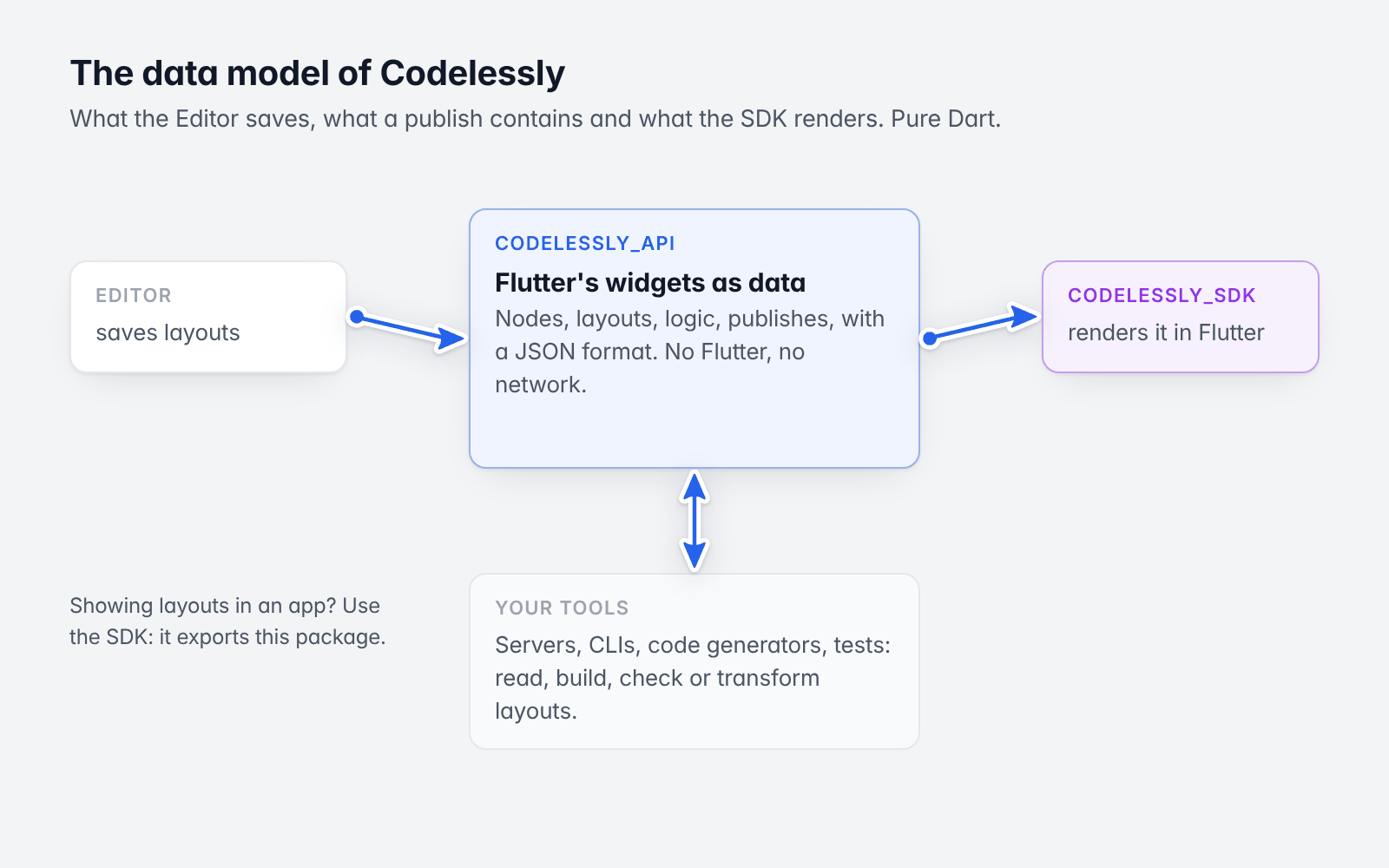
Server-driven UI for Flutter. Design screens in the Codelessly Editor, publish, and show them in your app with one widget. The SDK renders a published layout natively, straight into Flutter render objects, and runs it: variables, conditions, actions, navigation, data, APIs and scripts. A new publish reaches running apps without an app release.
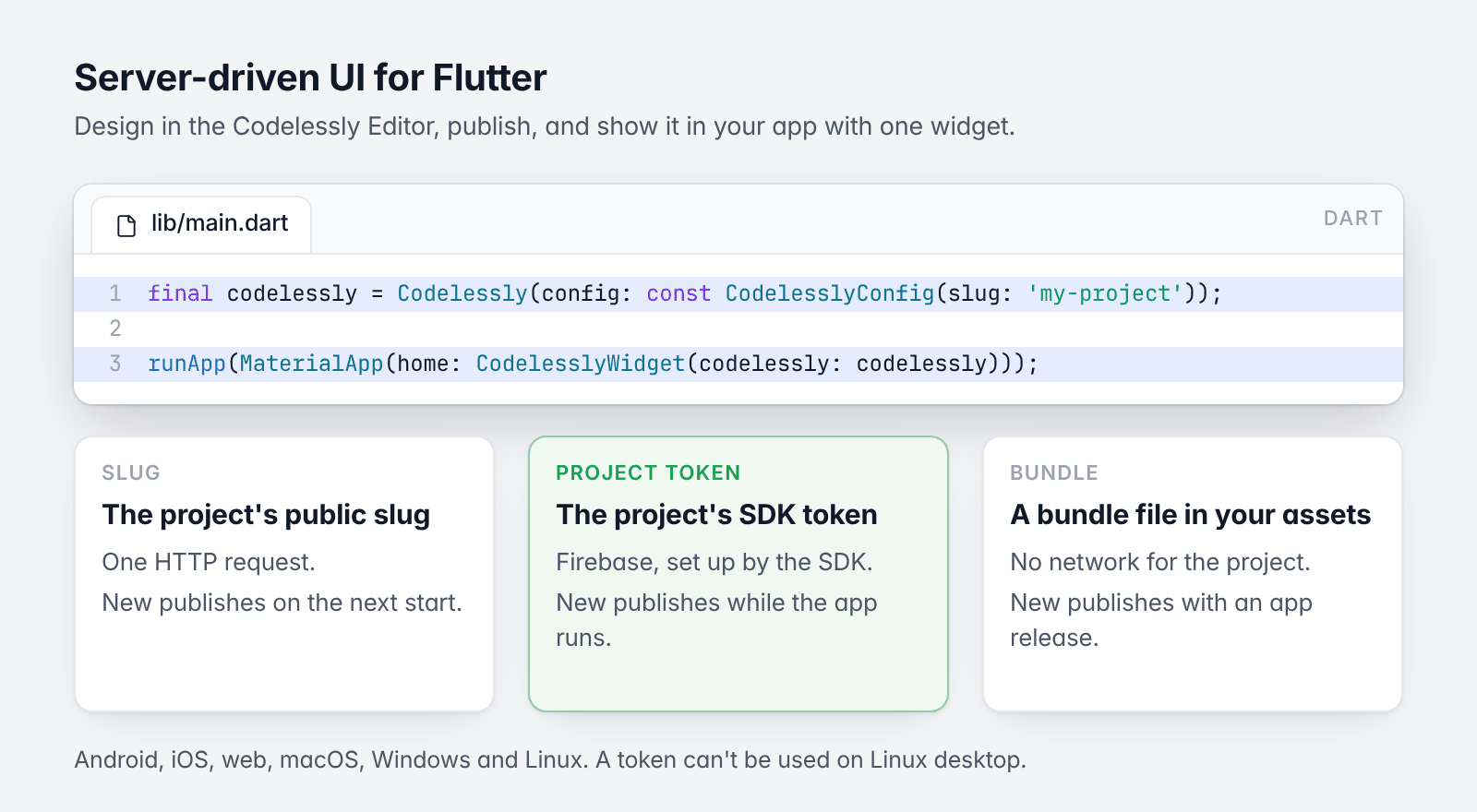
One widget, three ways to load a project.
final codelessly = Codelessly(config: const CodelesslyConfig(slug: 'my-project'));

runApp(MaterialApp(home: CodelesslyWidget(codelessly: codelessly)));
CodelesslyWidget essentialsflutter pub add codelessly_sdk
Requires Dart 3.12 and Flutter 3.35 or newer. Runs on Android, iOS, web, macOS, Windows and Linux.
import 'package:codelessly_sdk/codelessly_sdk.dart';
A Codelessly is one published project. A CodelesslyWidget shows one of its screens. Pick how the project loads:
| You need | Network | Live updates | |
|---|---|---|---|
| Slug | The project's public slug | One HTTP request | On the next start |
| Project token | The project's SDK token | Firebase (set up by the SDK) | While the app runs |
| Bundle | A bundle file in your assets | None for the project | With an app release |
Load by slug.
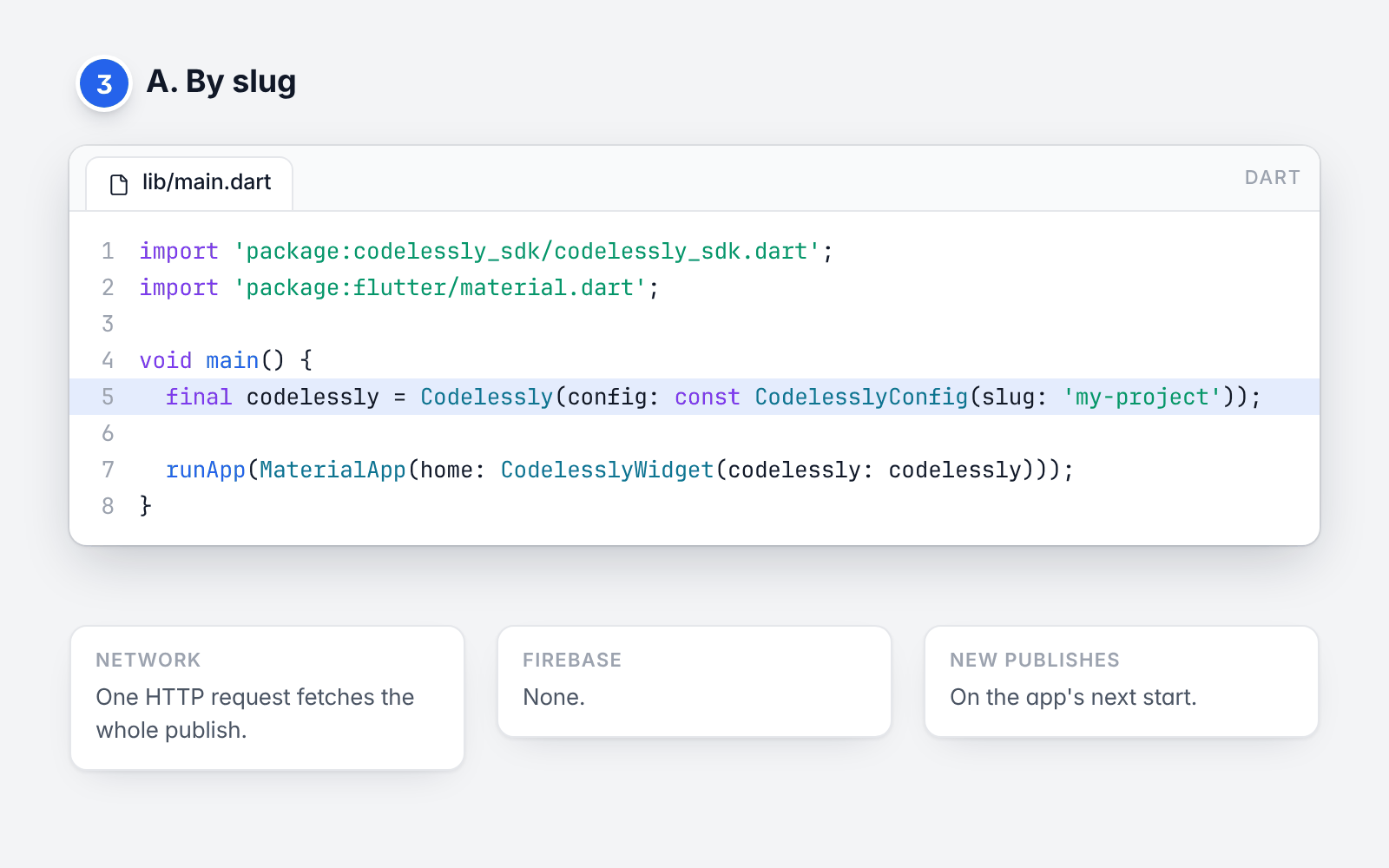
A project with a public slug (the name in site.codelessly.com/<slug>) publishes one bundle file. The SDK fetches
it over HTTP; there is nothing else to set up.
import 'package:codelessly_sdk/codelessly_sdk.dart';
import 'package:flutter/material.dart';

void main() {
  final codelessly = Codelessly(config: const CodelesslyConfig(slug: 'my-project'));

  runApp(MaterialApp(home: CodelesslyWidget(codelessly: codelessly)));
}
Load by project token.
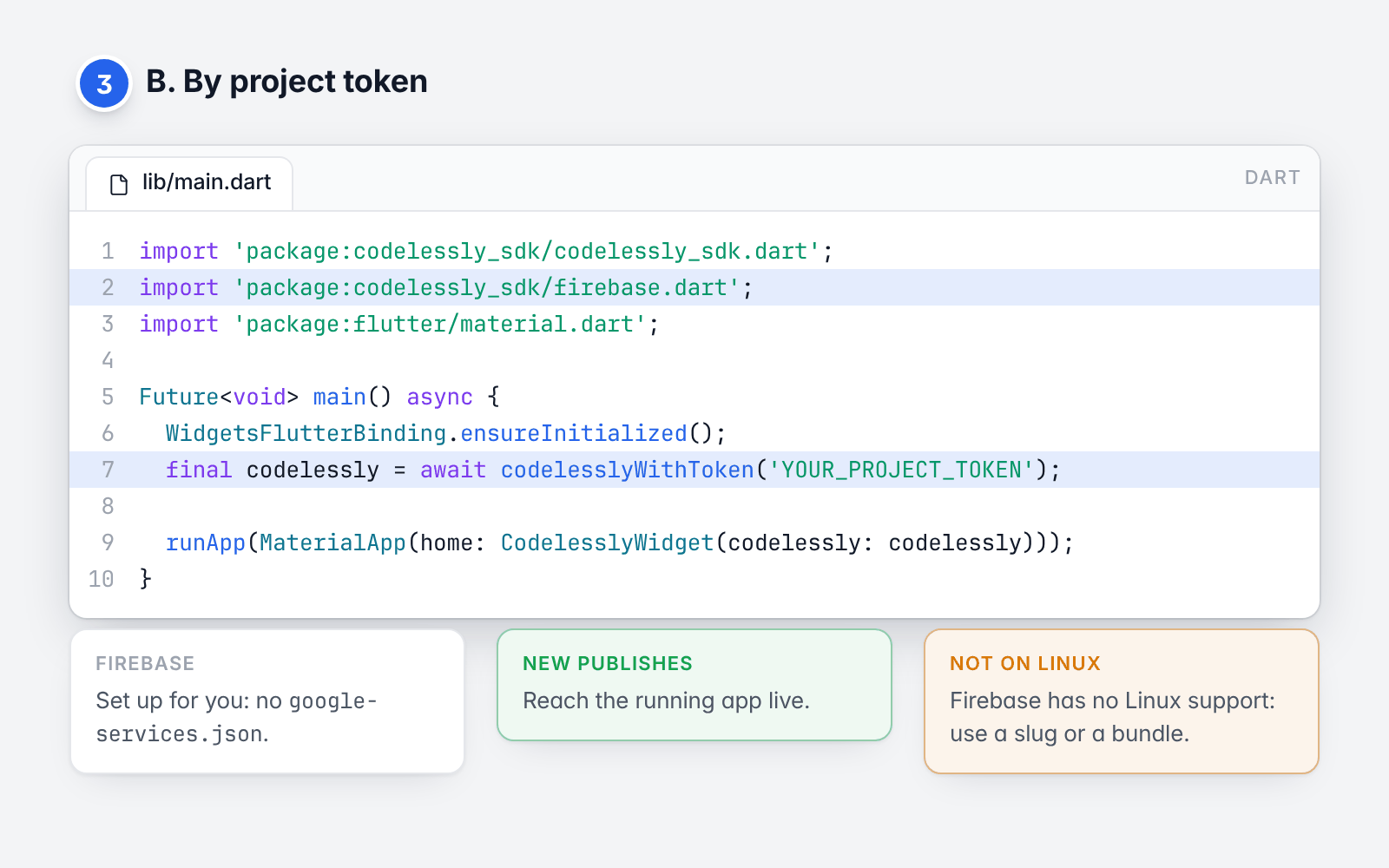
A project's SDK token gives an app access to its publish in Codelessly's backend. Each new publish reaches the
running app. The token is all you need: codelesslyWithToken opens Codelessly's Firebase project as a secondary
Firebase app, in Dart. No google-services.json, no flutterfire configure, and your own Firebase project (if you
have one) is not touched.
import 'package:codelessly_sdk/codelessly_sdk.dart';
import 'package:codelessly_sdk/firebase.dart';
import 'package:flutter/material.dart';

Future<void> main() async {
  WidgetsFlutterBinding.ensureInitialized();
  final codelessly = await codelesslyWithToken('YOUR_PROJECT_TOKEN');

  runApp(MaterialApp(home: CodelesslyWidget(codelessly: codelessly)));
}
Firebase has no Linux support, so a token can't be used on Linux desktop: load by slug or from a bundle there.
If the project uses Codelessly cloud data, accounts or file uploads, pass cloudServices: true
(Cloud data and services).
Load a bundle offline.
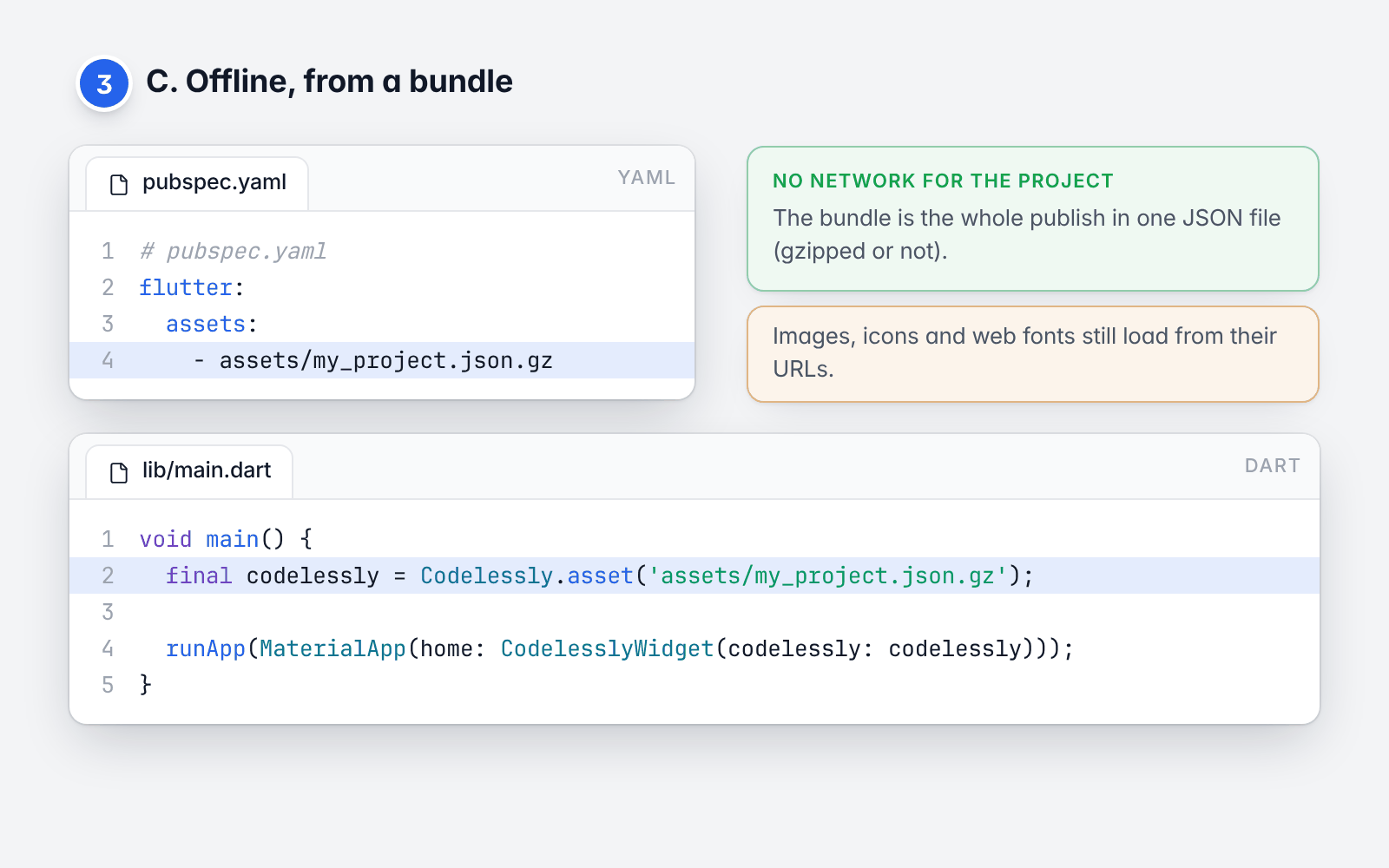
A bundle is a publish in one JSON file (gzipped or not). Ship it as an asset and the project loads with no network.
# pubspec.yaml
flutter:
  assets:
    - assets/my_project.json.gz
void main() {
  final codelessly = Codelessly.asset('assets/my_project.json.gz');

  runApp(MaterialApp(home: CodelesslyWidget(codelessly: codelessly)));
}
A bundle already in memory works the same way: Codelessly.fromBundle(PublishBundle.fromJson(json)).
Loading modes and caching
says where a bundle file comes from.
CodelesslyWidget essentials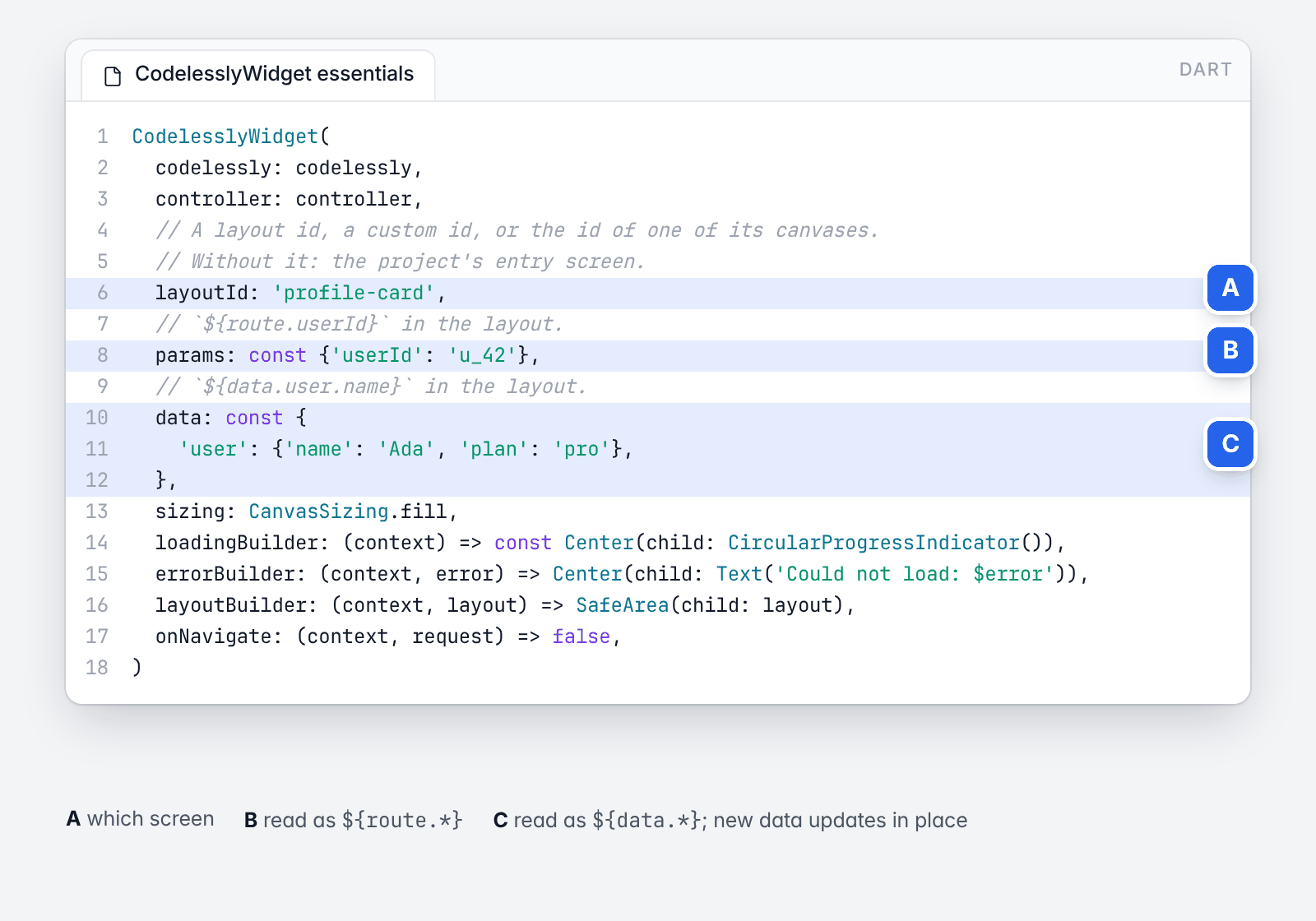
The essentials, annotated.
CodelesslyWidget(
  codelessly: codelessly,
  controller: controller,
  // A layout id, a custom id, or the id of one of its canvases.
  // Without it: the project's entry screen.
  layoutId: 'profile-card',
  // `${route.userId}` in the layout.
  params: const {'userId': 'u_42'},
  // `${data.user.name}` in the layout.
  data: const {
    'user': {'name': 'Ada', 'plan': 'pro'},
  },
  sizing: CanvasSizing.fill,
  loadingBuilder: (context) => const Center(child: CircularProgressIndicator()),
  errorBuilder: (context, error) => Center(child: Text('Could not load: $error')),
  layoutBuilder: (context, layout) => SafeArea(child: layout),
  onNavigate: (context, request) => false,
)
Which screen. layoutId names a layout by its id, its custom id, or the id of one of its canvases. A layout
can hold one canvas per breakpoint (mobile, tablet, desktop); the widget shows the one for the width it is given.
canvasId forces one. With no layoutId, initialScreen opens a screen by its URL path ('/guide/42'), id or
name ('record-form' opens "Record form"); with neither, the project's entry screen shows.
Which project. Pass codelessly, or put a CodelesslyScope(codelessly: ..., child: ...) above the widgets, or
call Codelessly.setDefault(codelessly) once.
Data. data is read in the layout as ${data.<key>}. Rebuild the widget with new data and the layout updates
in place. Codelessly(data: ...) and codelessly.setData(key, value) set data for every screen. params are read
as ${route.<name>}.
Sizing. CanvasSizing.fill (the default) makes the canvas fill the space it is given: use it for screens.
CanvasSizing.design keeps the canvas's design size (a card, a dialog). CanvasSizing.fillWidth fills the width
and keeps the design height (a sheet). In a scroll view, where the height is unbounded, a canvas takes its own
height.
Loading and errors. loadingBuilder and errorBuilder replace the default spinner and error text.
layoutBuilder wraps the loaded layout.
Functions. A "call function" action calls a function of your app, by name:
final codelessly = Codelessly(
  config: CodelesslyConfig(
    slug: 'my-project',
    functions: {
      'addToCart': (context, params) async {
        final id = params['productId'] as String?;
        debugPrint('add $id to the cart');
        // Change a variable of the screen that called.
        context.setVariable('cartCount', 3);
        // The result is `${result}` for the next action of the chain.
        return {'ok': true};
      },
    },
  ),
);
Navigation. Navigation actions push the project's screens on the nearest Navigator. A project that is the
whole app gives its screens to MaterialApp, so each has its URL path:
MaterialApp(onGenerateRoute: CodelesslyWidget.onGenerateRoute(codelessly))
To route some destinations yourself, return true from onNavigate:
CodelesslyWidget(
  codelessly: codelessly,
  layoutId: 'home',
  onNavigate: (context, request) {
    if (request.type == NavigationType.push && request.destinationId == 'settings') {
      Navigator.of(context).pushNamed('/settings', arguments: request.params);
      return true; // Handled: the SDK does nothing more.
    }
    return false; // The SDK navigates.
  },
)
Controller. A CodelesslyWidgetController reads and changes the shown screen from outside:
final controller = CodelesslyWidgetController(layoutId: 'cart');

controller.read('count');                 // a variable, `route.id`, `data.user.name`
controller.setVariable('count', 0);
controller.trigger('checkout-button', 'click');
controller.layoutId = 'checkout';         // show another layout
A layout is data, so an agent can write one. Five things in this repository are for that:
Design systems as data (design_systems/).
ssui is Soft SaaS UI as 160 component documents (buttons and fields through menus, trees, diffs, a terminal and a
prompt box), each drawn from the source's own sizes, radii and colors, with a
catalog page
of every one. paper and harbor are the same components under other brands, written by
design_systems/tool/new_design_system.py from a short brand file.
A compact notation (package:codelessly_api/notation.dart). One node a line, children indented; a design
system's components are called by name:
state seats=2
Column gap=12 pad=16
  StatusBadge "Active" tone=success
  Stepper @seats min=1 max=9
  Panel "Billing" subtitle="Plan and invoices"
    Text.muted "You have {seats} seats."
  TrialBanner "7 days left in your trial" onUpgrade={emit upgrade}
tool/notation/notation.sh expand <file.txt> --design-system design_systems/ssui turns that into a layout
document, and says on the line what a component does not take; tool/notation/notation.sh prompt prints what a
model is told to write it. Everything after a node's text is key=value; a value worked out from the state is
in braces (visible={seats > 2}, "{seats} seats"); @seats is the variable itself, read and written (bare,
the control's value; key=@name another property), declared by a state line; what a node does is an event
with its actions in braces (onTap={seats=seats+1}). The
script uses the codelessly_api checked out beside this repository
(../CodelesslyAPI, its master branch): the notation is newer than the published package.
A render tool (tool/render). It
draws a document at the sizes asked for, and drives it (--tap, --type, --drag, --scroll), so
what was generated can be checked without an app.
The toolkit around it (tool/codelessly).
One entry point for the whole loop: docs (look the reference up), flatten (nested trees to a document),
render --outline (every node's box, text and problems as text), states (every state of a site
against its references, worst first), sheet (captures on one image), and mcp, an MCP server that gives any
agent those as tool calls, screenshots included.
A playground (examples/playground).
Type the notation, see it render as you type, switch design system, read what was not understood and the
document it became.
design_systems/ssui/examples/targets
holds seventy-four cards written this way (approvals, tables, plans, diffs, sources, a handoff), each ten to thirty
lines.
The developer guide covers each topic with working code:
| Introduction and concepts | Editor, publish, SDK; the model and the renderer |
| Quickstart | Five minutes to a running screen |
| Embedding and sizing | Layout ids, canvases, sizing, builders, the controller |
| Loading modes and caching | Slug, token, bundles, self-hosting, offline |
| Data and variables | data, route, storage, screen and app variables |
| Actions and functions | Triggers, the action list, your functions |
| Navigation | Routes, deep links, onNavigate |
| Conditions and breakpoints | Conditions, ${screen}, responsive canvases |
| Cloud data and services | Firebase, auth, APIs, storage, analytics |
| Scripting | JavaScript in a sandbox; the QuickJS engine |
| Theming and fonts | Project theme, host theme, fonts, text scale |
| Custom widgets | Your widgets inside a layout; your own services |
| Publishing and environments | Publish, preview, templates, app identity |
| Testing | Widget tests without a network |
| Troubleshooting and FAQ | Errors and what they mean |
The example app runs offline and shows an embedded layout with data, a function and a controller, and a whole project as an app.
| Import | What |
|---|---|
package:codelessly_sdk/codelessly_sdk.dart |
Codelessly, CodelesslyWidget, loaders, services. Never imports Firebase. |
package:codelessly_sdk/firebase.dart |
codelesslyWithToken, and Codelessly's services on Firebase (publish, accounts, cloud data, files, paywalls). |
package:codelessly_sdk/store.dart |
In-app purchases through the App Store and Google Play. |
Scripts need an engine on devices: add
codelessly_quickjs to apps whose projects use scripts. The data
model is its own package, codelessly_api.
BSD 3-Clause. See LICENSE.
Configure Services.paywalls with your PaywallRuntime, trusted backend and
store-adapter factory. A published action opens a placement from any screen:
{"type":"paywall","operation":"openPaywall","placement":"onboarding"}CodelesslyWidget resolves the placement, loads its store products and layout,
and presents a route whose native actions share one PaywallSession. Supply
paywallAppVersion for server targeting. Missing configuration/products fail
before selling controls open; onActionError lets the host show its recovery UI.
The session and its owned adapter are disposed when the route closes or the
account changes. A custom host can use PaywallRuntime.open(present: ...).
Bindings read products.annual.price, products.monthly.price, the selected
product, purchase progress in paywall, and live verified entitlements.
Prices come from the store. Purchase/restore actions wait for a verified
per-attempt outcome; cancellation and restore-nothing stop the success chain.
openPaywall returns result.outcome (purchased, restored, closed) and
result.entitlementId to its originating chain. A UI must check that outcome
before displaying paid-access success. Account/profile bindings read live
auth; do not declare app variables with service namespace names.
Codelessly/CodelesslySDK is a public repo on GitHub by Codelessly. Codelessly Cloud UI SDK.
It declares the BSD-3-Clause license on GitHub.
Its maker has not tagged a system, so it is unknown here. Its README says what it needs.
Open "Take it" on its page: Take My Repo writes an install plan for your machine and hands it to your AI agent (Claude Code, Codex or Cursor), which asks you before each step. Take My Repo has not tested it on any machine.
Its last change on GitHub was on 2026-11-19. Take My Repo does not judge from that whether it is maintained.
Nobody has reviewed it on Take My Repo yet, which says nothing about its quality.
A list of Free Software network services and web applications which can be hosted on your own servers
Flutter makes it easy and fast to build beautiful apps for mobile and beyond
An open-source remote desktop application designed for self-hosting, as an alternative to TeamViewer.
Terraform enables you to safely and predictably create, change, and improve infrastructure. It is a source-available tool that codifies APIs into declarative configuration files that can be shared amongst team members, treated as code, edited, reviewed, and versioned.
Easily make Flutter apps responsive. Automatically adapt UI to different screen sizes. Responsiveness made simple. Demo: https://gallery.codelessly.com/flutterwebsites/minimal/
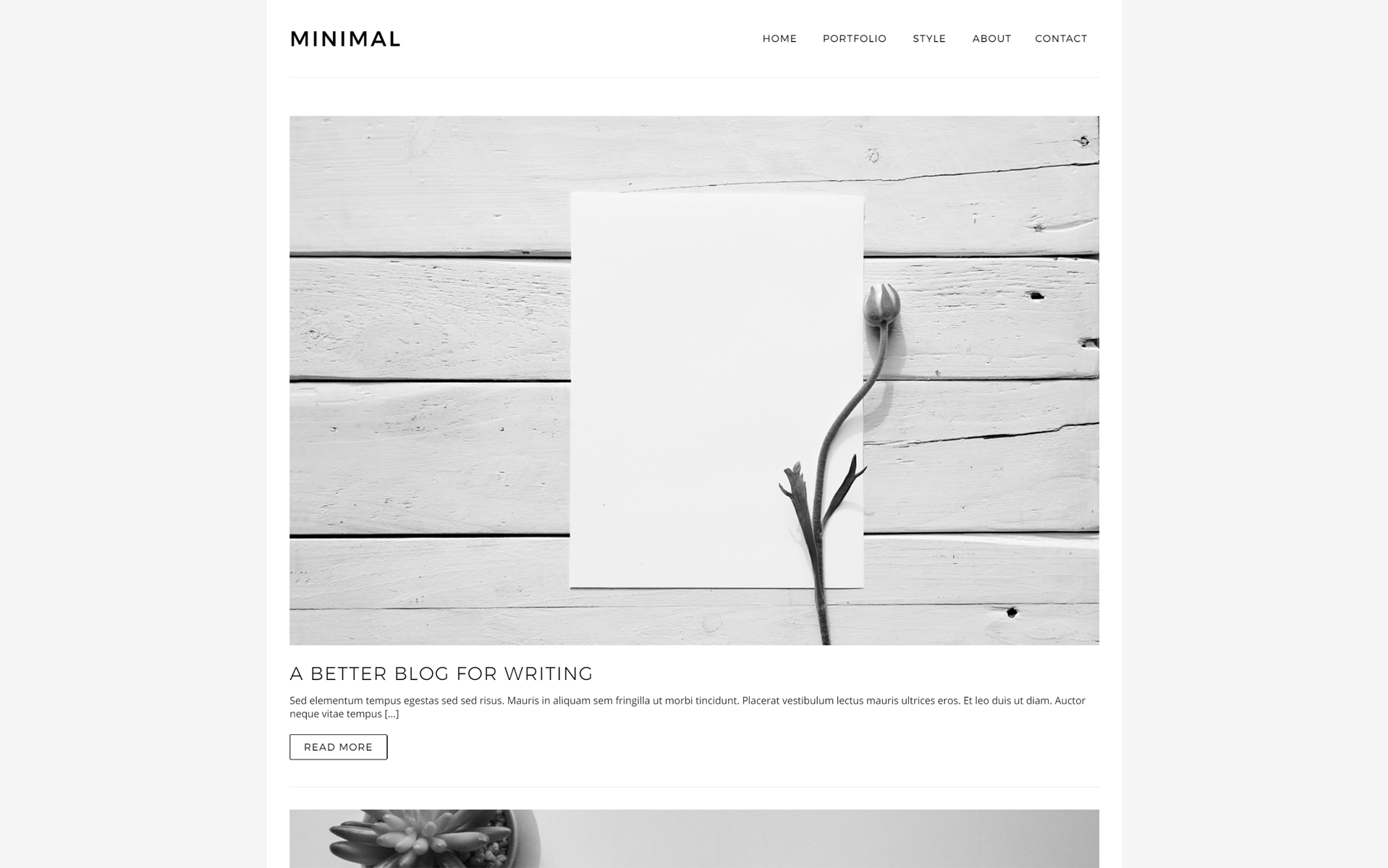
A minimalistic Flutter website template for blogs and portfolios. Demo: https://gallery.codelessly.com/flutterwebsites/minimal/
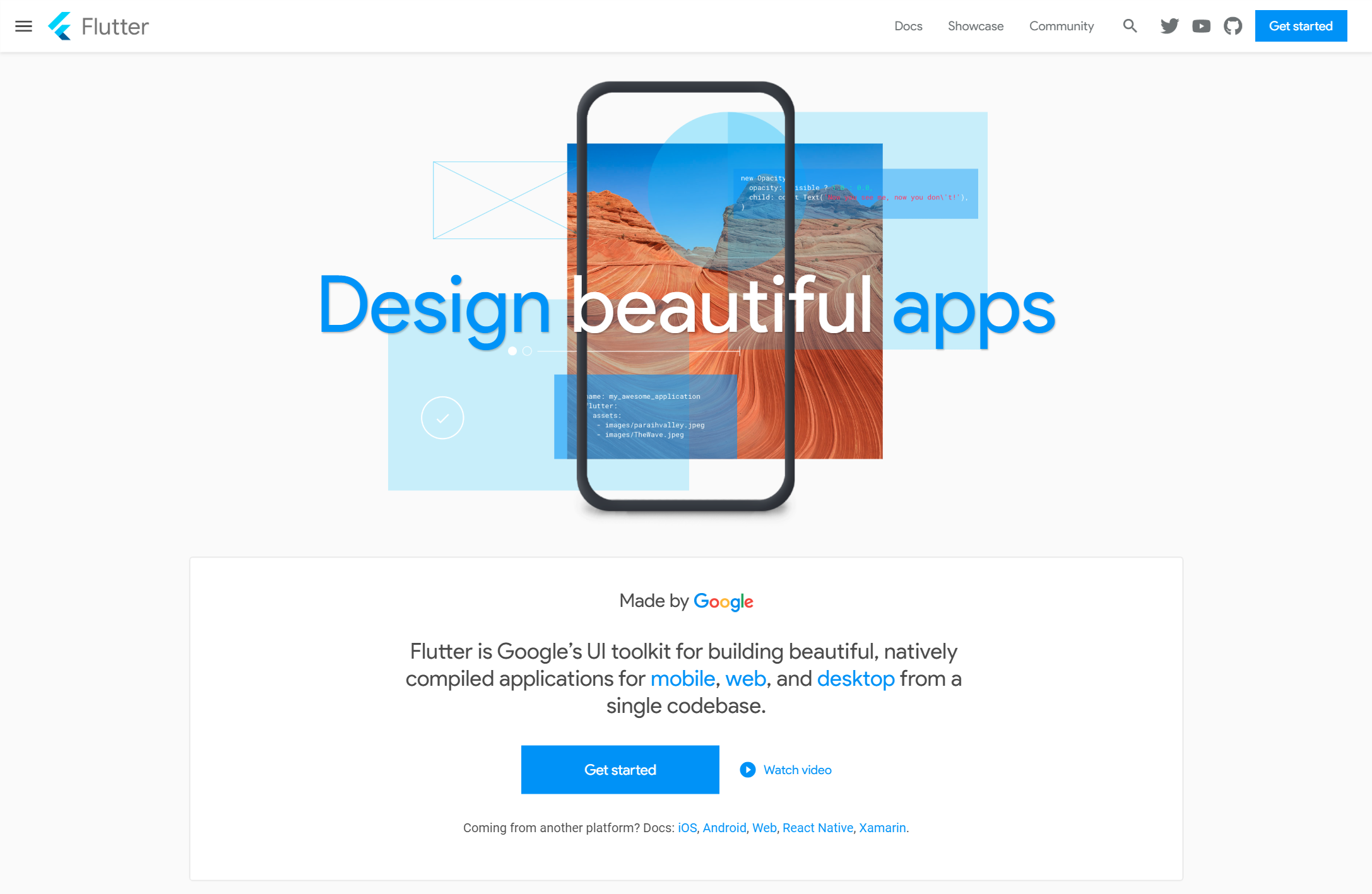
The flutter.dev website recreated in Flutter. https://gallery.codelessly.com/flutterwebsites/flutterwebsite
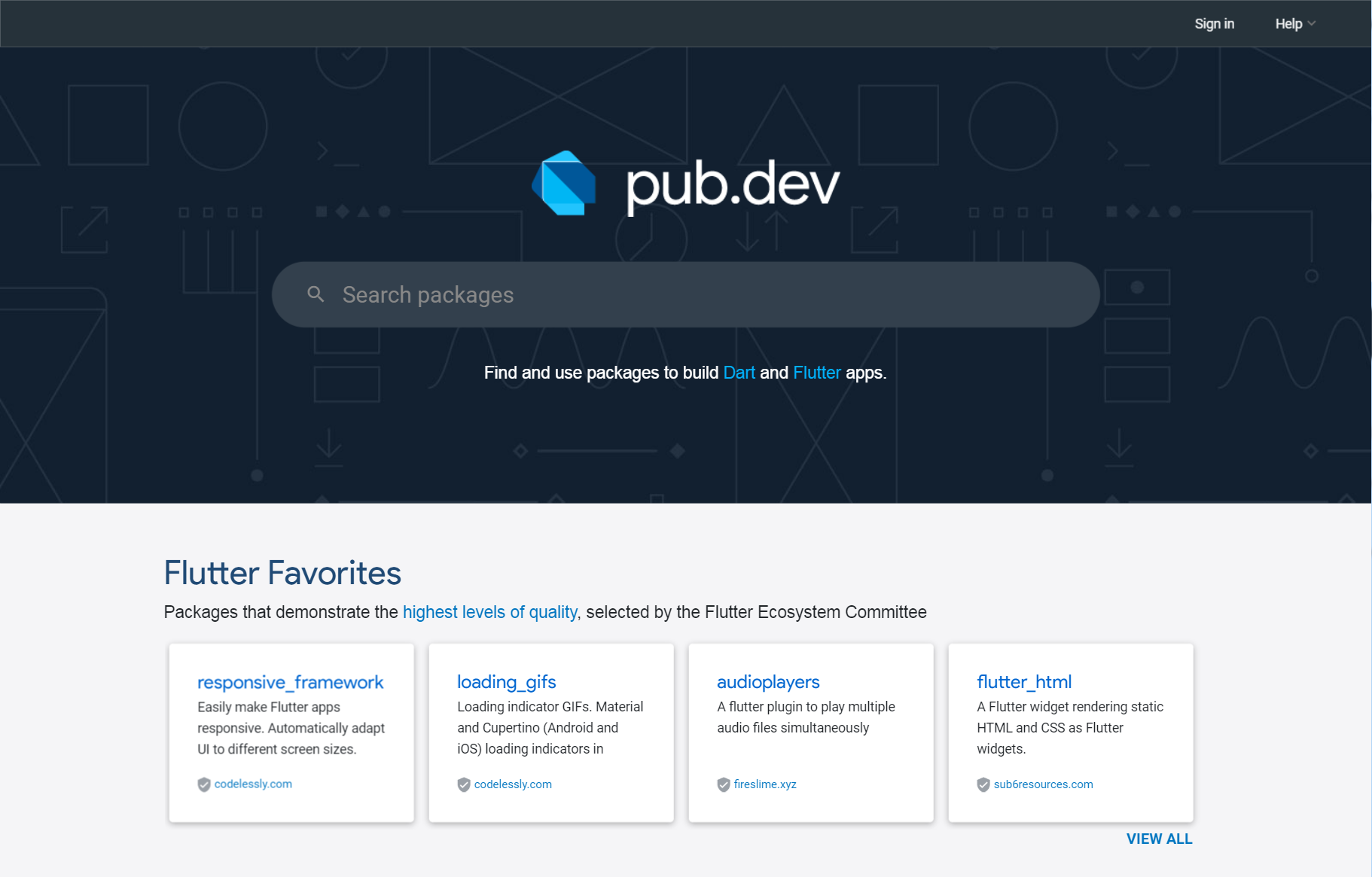
The pub.dev website recreated in Flutter. https://gallery.codelessly.com/flutterwebsites/pub
Loading indicator GIFs. Material and Cupertino (Android and iOS) loading indicators in assorted sizes. Use as placeholders for loading remote image assets. Demo: https://gallery.codelessly.com/flutterwebsites/loadinggifs/