
godot-multiplayer-starter
A server-authoritative co-op multiplayer starter for Godot 4 with a ready-up lobby, client-side prediction, reconciliation and validated RPCs.
- 69
- MIT
- 7 wk ago
Repo CodingQuests/godot-multiplayer-starter, read from GitHub 9 h ago. CodingQuests has not joined Take My Repo.
In short
CodingQuests/godot-multiplayer-starter is a public repo on GitHub by CodingQuests. A server-authoritative co-op multiplayer starter for Godot 4 with a ready-up lobby, client-side prediction, reconciliation and validated RPCs. It declares the MIT license on GitHub. It is written mainly in GDScript, has 69 stars and last changed on 2026-10-09. Nobody has reviewed it on Take My Repo yet, which says nothing about its quality. Read from GitHub on 2026-11-23.
Similar repos


Godot Multiplayer Starter
A server-authoritative co-op multiplayer starter for Godot 4: host or join, a ready-up lobby, rounds, chat, and player movement with client-side prediction, server reconciliation and smooth interpolation. Plain ENet, no addons.
Features
- Host, join or run a dedicated server. A listen server (you play too), a
client, or a headless
--serverwith no player of its own. - A ready-up lobby. Everyone readies up, the host starts the round. A dedicated server starts on its own once everyone is ready.
- Rounds with a replicated timer that return to the lobby when time runs out. Players can join while a round is running.
- Server-authoritative movement. The server owns every avatar. Clients send numbered input commands; the server checks each one and simulates it.
- Client-side prediction and reconciliation. Your own player moves the moment you press a key, and quietly corrects itself if the server disagrees.
- Interpolation for everyone else. Other players are drawn 100 ms in the past between server updates, so they glide instead of stuttering.
- Validated RPCs. Every RPC checks who sent it and what it carries before acting on it: joining, ready state, movement, chat and emotes.
- A clean join handshake. Replicated nodes stay hidden from a peer until its world has loaded, which avoids the "spawned before the scene existed" race.
- Chat and emotes that show reliable and unreliable RPCs on separate channels.
- Testing tools: an F3 network inspector, an F4 lag dial, a
--bottest client, and an optional UDP proxy that delays and drops real packets.
Demo
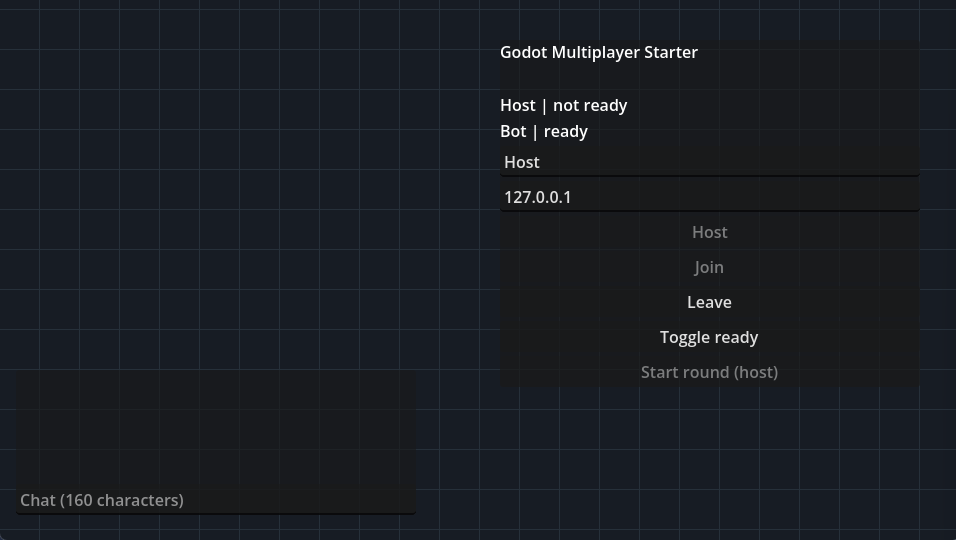
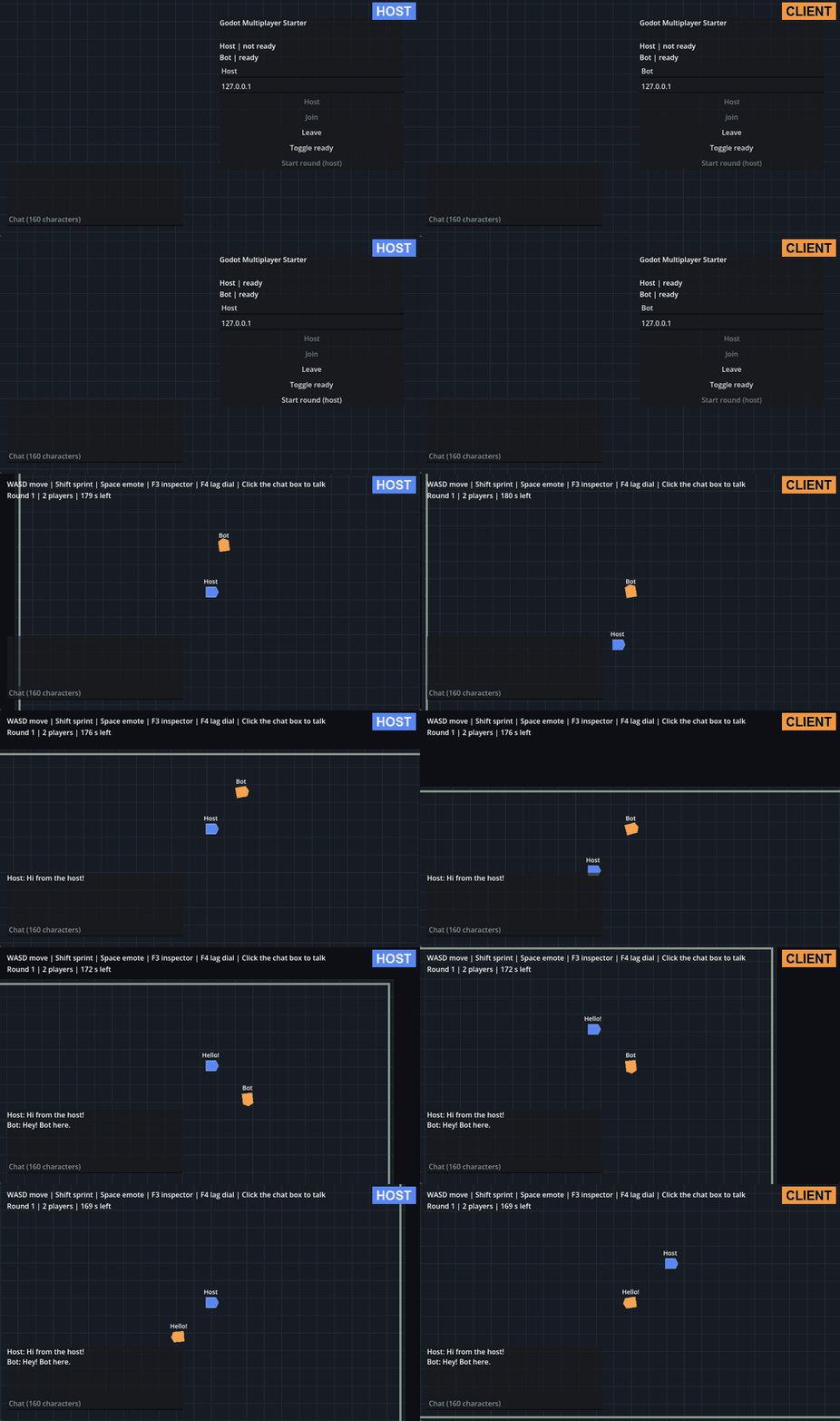
Each window is one player. Host in one, join from the other, ready up, and start a round. Move around and watch the other window: both players appear in both, in their own colours.
Requirements
- Godot 4.7 or later, standard build (GDScript only, no .NET needed).
- Tested on Godot 4.7.2 stable on Windows, with a host and a client on one machine and with a headless dedicated server. Earlier 4.x versions are untested.
- No addons. Networking is Godot's built-in ENet over UDP, port 7654 by default.
- Optional: Python 3 for
tools/udp_proxy.py.
Installation
Clone the repository:
git clone https://github.com/CodingQuests/godot-multiplayer-starter.git
Or download it with Code > Download ZIP and unzip it.
Then open Godot, click Import, pick the project.godot file inside the folder,
and click Import & Edit.
Quick Start
Two windows from the editor
- Open Debug > Customize Run Instances.
- Turn on Enable Multiple Instances and set the count to 2.
- Give instance 1 the arguments
--host --name=Hostand instance 2--join=127.0.0.1 --name=Alex. - Press F5. Two windows open, already connected.
- Click Toggle ready in both, then Start round (host) in the host window.
- Move with WASD, sprint with Shift, emote with Space, and click the chat box to talk.
You can also skip the arguments and click Host in one window and Join in the other.
Alone, with a bot
Run one instance with --host and a second with --bot. The bot joins
127.0.0.1, readies up and walks in a circle. Ready up yourself and start the
round.
From the command line
Game arguments go after --:
godot --path . -- --host --name=Host
godot --path . -- --join=127.0.0.1 --name=Alex
godot --headless --path . -- --server
| Argument | What it does |
|---|---|
--host |
Host a session and play in it |
--join=ADDRESS |
Join a session |
--port=NUMBER |
Use another UDP port, on both sides (default 7654) |
--name=TEXT |
Your display name |
--server |
Dedicated server with no player. Add Godot's --headless for no window |
--bot |
Join 127.0.0.1 as a scripted test player |
--upnp |
When hosting, ask the router to open the port |
--lag=MS --jitter=MS --loss=PERCENT |
Start with the lag dial on |
How It Works
Who is in charge
The server (peer id 1) is the authority for everything. Every avatar calls
set_multiplayer_authority(1), so only the server's copy of its position counts.
Clients never move their avatar on the server directly; they send input and the
server decides what happens.
Joining
- The client connects and calls
_register(name, uid)on the server. - The server checks it, adds the player to
Net.peers, and sends the roster to everyone. The client'ssession_readyfires. SessionFlowloads the world, then the client tells the server_ready_for_world(session_id).- Only now does the server make replicated nodes visible to that client, and spawn its avatar if a round is running.
The world stays loaded for the whole connection. Rounds change a phase and clear the players instead of swapping scenes, so the spawner and synchronizer paths every client relies on never move.
Movement
Every network tick (30 a second, from NetTick):
- The owning client turns its input into a numbered command, moves right away (prediction), and sends every command the server has not confirmed yet.
- The server checks each command, simulates at most one per tick, and publishes
server_state = {seq, position}. - The client compares that with what it predicted for the same
seq. If they differ, it takes the server's position and replays the newer commands (reconciliation), easing the sprite into place instead of teleporting it. - Everyone else draws the avatar 100 ms in the past, interpolating between the last two server positions.
The server's simulation, the client's prediction and the replay during
reconciliation all use one function, _apply_movement(), so they can never
disagree about how a command moves you.
What the server checks
func _accept_command(sender: int, command: Dictionary) -> bool:
	if not Net.is_server() or sender != owner_peer_id:
		return false
	if int(command.get("round", -1)) != round_id:
		return false
	var seq: int = int(command.get("seq", 0))
	if seq <= processed_seq or seq > processed_seq + 64 or commands.has(seq):
		return false
	var direction: Vector2 = Vector2(float(command.get("x", 0.0)), float(command.get("y", 0.0)))
	var angle: float = float(command.get("aim", 0.0))
	if not direction.is_finite() or not is_finite(angle):
		return false
	if direction.length() > 1.001:
		return false
On top of that, the server grants movement time itself: one command per tick, with a little banked for jitter. A client that floods commands cannot move faster than anyone else.
Every RPC
| RPC | Sent by | Mode | Channel | Checked |
|---|---|---|---|---|
Net._register(name, uid) |
a new client, to the server | reliable | 0 | connected, not already registered, uid not taken, name trimmed to 24 |
Net._receive_roster(peers, session) |
the server only | reliable | 0 | authority mode: clients cannot call it |
Net._request_ready(value) |
a client, to the server | reliable | 0 | registered player, lobby phase only |
Net.post_message(text) |
anyone, to everyone | reliable | 0 | sender registered, text cut to 160 |
Net._show_emote(index) |
anyone, to everyone | unreliable | 2 | sender registered, index clamped |
SessionFlow._ready_for_world(session) |
a client, to the server | reliable | 0 | session id matches |
PlayerAvatar._push_inputs(batch) |
the owner, to the server | unreliable ordered | 1 | everything above, batch of 64 at most |
Input runs on its own channel so a lost movement packet never holds up chat or the roster, and emotes run unreliable because losing one does not matter.
Testing on a bad connection
F3 opens the network inspector: who is connected, messages sent and received, ENet round-trip time, and how often prediction was corrected.
F4 opens the lag dial. It delays or drops application messages (input, chat, emotes), not Godot's own replication.
tools/udp_proxy.pysits between a client and the host and delays or drops real UDP packets, replication included:python tools/udp_proxy.py --listen 7761 --target 7654 --delay 100 --jitter 20 --loss 5Then join
127.0.0.1on port7761. Use one proxy per client.
Project Structure
project.godot                      Project file, autoloads, input actions
autoload/Net.gd                    The connection: host, join, roster, ready, chat, emotes
autoload/SessionFlow.gd            Loads the world, the join handshake, starting rounds
autoload/GameState.gd              Round phase and timer, replicated (scene: scenes/GameState.tscn)
autoload/NetTick.gd                The fixed 30 Hz network clock
autoload/NetDebug.gd               Message counters and the lag simulator
scenes/Boot.tscn                   Main scene: builds the UI, reads launch arguments
scenes/Lobby.tscn                  Host, join, ready, start
scenes/Arena.tscn                  The shared world and the PlayerSpawner
scenes/Player.tscn                 An avatar with its MultiplayerSynchronizer
scripts/player/PlayerAvatar.gd     Prediction, validation, reconciliation, interpolation
scripts/player/PlayerInput.gd      Input into a command (or a bot's input)
scripts/player/InputBuffer.gd      Commands waiting for the server to confirm them
scripts/player/RemoteSmoother.gd   Interpolation for other players
scripts/player/BotClient.gd        The --bot test player
scripts/net/PortMapper.gd          Optional UPnP port forwarding
scripts/ui/                        HUD, chat box, network inspector
tools/udp_proxy.py                 Optional real-packet delay and loss (Python 3)
Using It In Your Own Game
- Your level: replace the drawing and walls in
scenes/Arena.tscnwith your own. KeepPlayersandPlayerSpawner. - Your character: change the visuals in
scenes/Player.tscn. If you add properties every machine must see (health, animation state), add them to theSyncnode's replication config and only ever change them on the server. - A new action (attack, interact): add it to the command in
PlayerInput.sample(), check it in_accept_command(), and act on it in_simulate()on the server. Never let the client decide the result. - Your own messages: write an
@rpcfunction, checkmultiplayer.get_remote_sender_id()and every argument on the receiving side, and send it withNet.send_to()so the lag dial covers it.
Customizing It
- Players and port:
MAX_PLAYERSandDEFAULT_PORTinautoload/Net.gd. - Round length:
RUN_SECONDSinautoload/GameState.gd. - Tick rate:
RATEinautoload/NetTick.gd. - Speed:
SPEEDand the sprint multiplier inPlayerAvatar.gd. - Interpolation delay:
DELAY_MSinRemoteSmoother.gd. Lower is more current, higher is smoother on a jittery connection. - Player colours:
COLORSinPlayerAvatar.gd.
Known Limitations
- This is a starter, not anti-cheat. The server validates movement and requests, but every client still receives every player's position, traffic is not encrypted, and chat has no rate limit.
- Up to 4 players, joined by IP address. There is no lobby browser, relay or NAT
punch-through. Internet play needs the host's UDP port forwarded (
--upnpasks the router to do it), or a dedicated server on a machine with a public address. - If the host leaves, the session ends and everyone returns to the lobby. There is no host migration.
- 2D only, desktop only. No Steam, WebSocket or browser transport.
- The F4 lag dial does not touch Godot's own replication. Use
tools/udp_proxy.pyto impair everything. - Tested on Godot 4.7.2 on Windows only.
License
MIT. See LICENSE.
Third-Party Assets
None. Every visual is drawn with Polygon2D and _draw(), and the UI uses Godot's
built-in theme.
Learn How It Works
Want to understand how this works instead of just copying it?
CodingQuests teaches you how to build systems like this step by step in Godot, with interactive lessons and real projects.
- Two Windows Talking starts from zero: host, join and your first RPC. Free, 9 lessons.
- RPCs: Who Is Allowed To Say What covers authority and RPC modes. Free, 8 lessons.
Questions
What is godot-multiplayer-starter?
CodingQuests/godot-multiplayer-starter is a public repo on GitHub by CodingQuests. A server-authoritative co-op multiplayer starter for Godot 4 with a ready-up lobby, client-side prediction, reconciliation and validated RPCs.
Is godot-multiplayer-starter open source?
It declares the MIT license on GitHub.
Does godot-multiplayer-starter run on macOS, Windows or Linux?
Its maker has not tagged a system, so it is unknown here. Its README says what it needs.


