
vue-element-admin
:tada: A magical vue admin https://panjiachen.github.io/vue-element-admin
- 90k
- Vue
- MIT
- 2 y ago
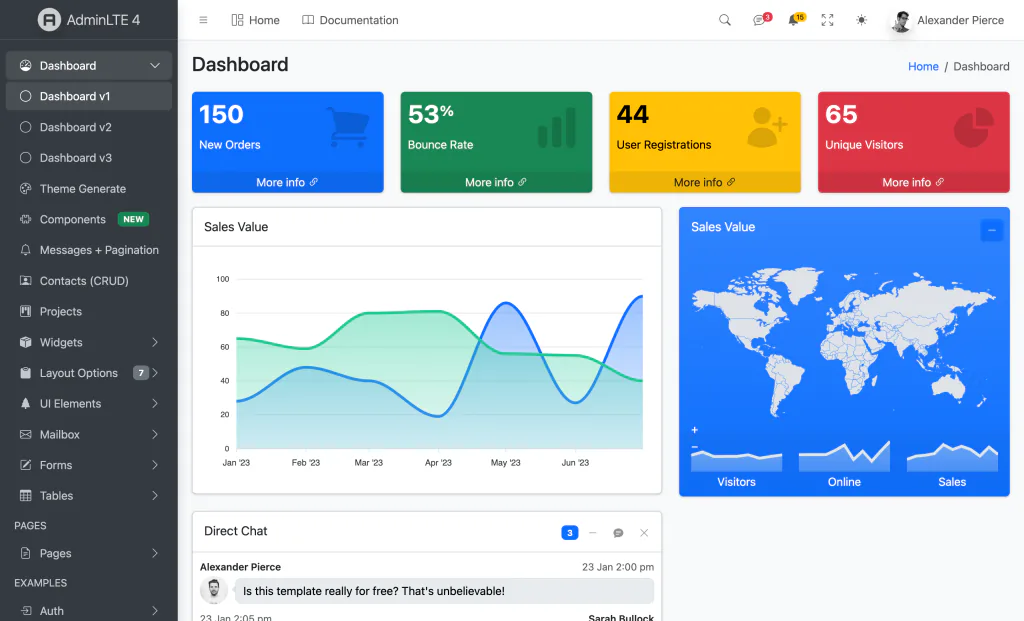
Official AdminLTE 4 integration for Django — Bootstrap 5.3, vanilla JS, Vite-ready. Config-driven sidebar menu with per-request filters, 33+ components, themed django.contrib.admin, {{ form }} renderer.
Repo ColorlibHQ/adminlte-django, read from GitHub 9 h ago. ColorlibHQ has not joined Take My Repo.
ColorlibHQ/adminlte-django is a public repo on GitHub by ColorlibHQ. Official AdminLTE 4 integration for Django — Bootstrap 5.3, vanilla JS, Vite-ready. Config-driven sidebar menu with per-request filters, 33+ components, themed django.contrib.admin, {{ form }} renderer. It declares the MIT license on GitHub. It is written mainly in Python, has 3 stars and last changed on 2026-11-17. Nobody has reviewed it on Take My Repo yet, which says nothing about its quality. Read from GitHub on 2026-11-23.
:tada: A magical vue admin https://panjiachen.github.io/vue-element-admin
Official AdminLTE 4 integration for Django — Bootstrap 5.3, vanilla JS,
Vite-ready. A config-driven sidebar menu with a per-request filter pipeline, an
AdminLTE 4 base layout, a library of django-components,
a themed django.contrib.admin, and first-class hooks into Django's own forms,
tables, auth, messages, pagination and i18n. By Colorlib.
Live demo: django.adminlte.io · Docs: django.adminlte.io/docs
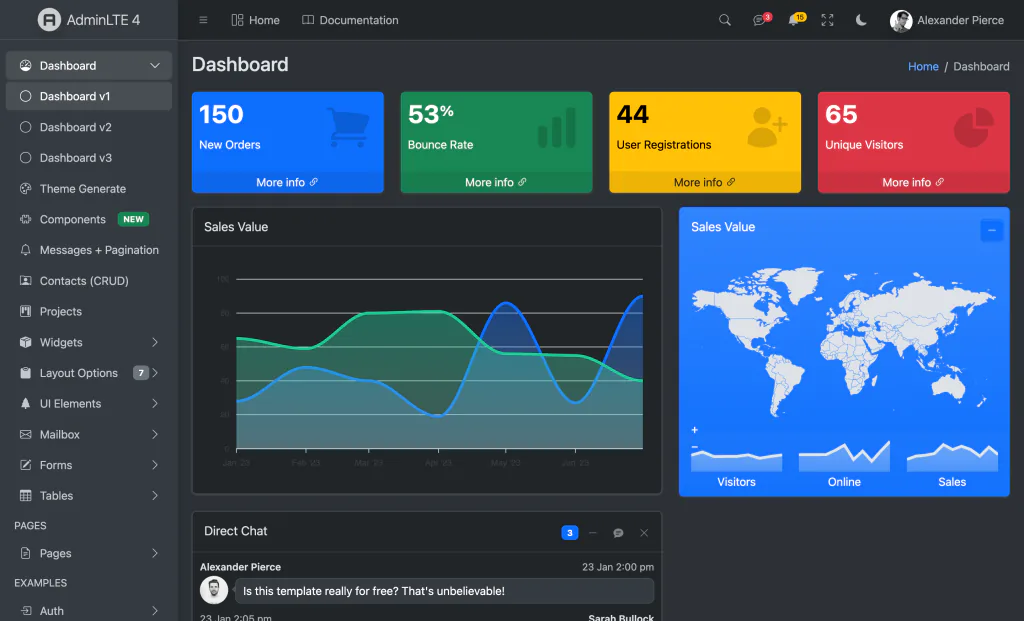
Available for your stack — the same AdminLTE 4 dashboard, in the framework you know best:
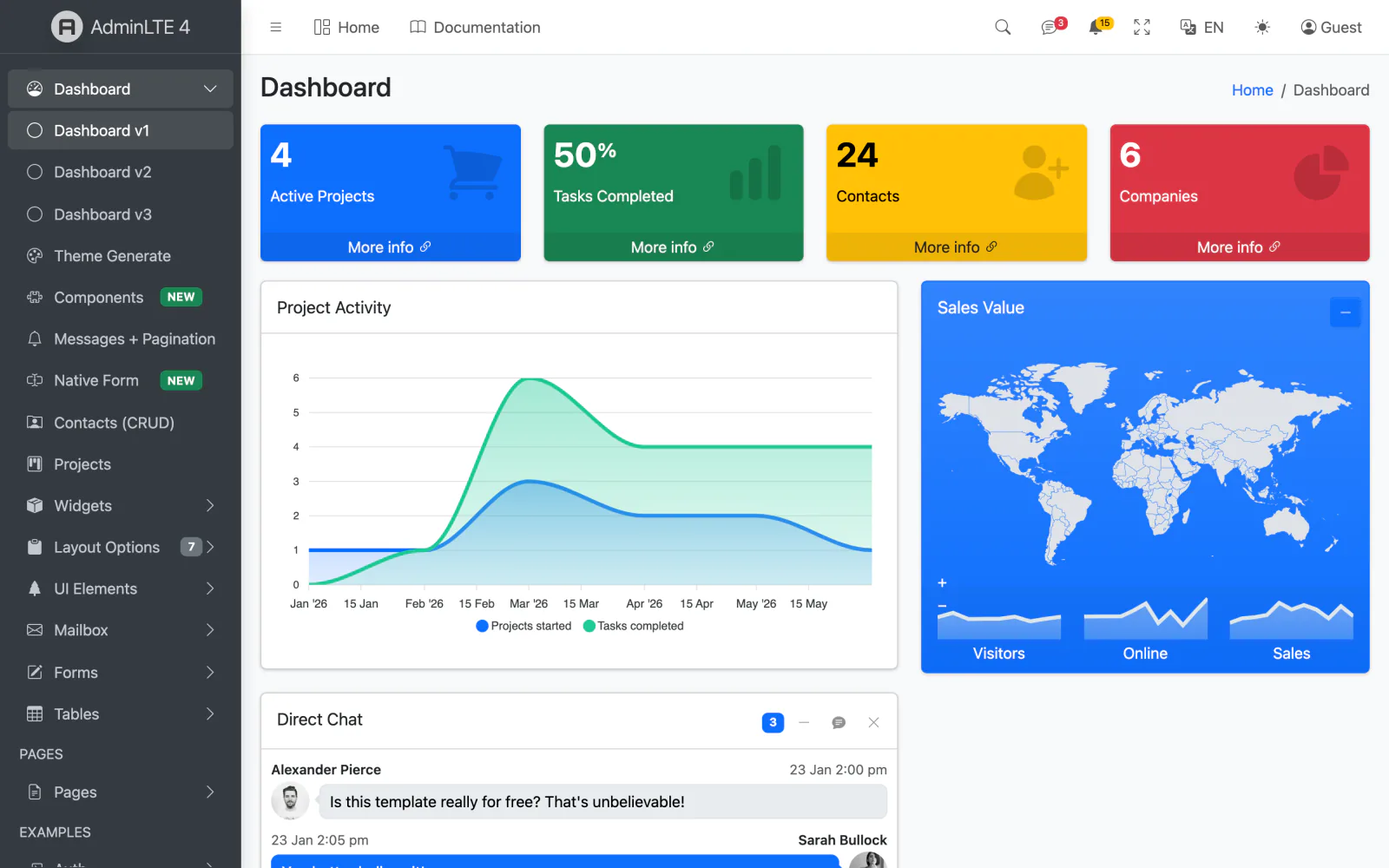
v1 scope: layout, menu + filter pipeline, auth pages, and the Form + Widget component families. Tool/plugin components (datatable, charts, calendar, editor, kanban, vector-map) land in v2.
Full documentation is published at django.adminlte.io/docs —
Getting started, a complete configuration reference,
components, admin,
forms, tables,
auth, i18n,
assets, deployment
and more. The source lives in docs/ as a MkDocs Material site — build/serve
it locally:
pip install -e .[docs]
mkdocs serve        # http://127.0.0.1:8000  (or: mkdocs build)
django-components 0.150–0.152, django-vite 3.1+pip install adminlte-django
INSTALLED_APPS = [
    "django_components",
    # ... django.contrib.* ...
    "django_vite",
    "django_adminlte4",
]

MIDDLEWARE = [
    # ...
    "django_components.middleware.ComponentDependencyMiddleware",
]

COMPONENTS = {"dirs": [], "app_dirs": ["components"], "autodiscover": True}

TEMPLATES = [{
    "BACKEND": "django.template.backends.django.DjangoTemplates",
    "DIRS": [],
    # IMPORTANT: APP_DIRS must be False because we provide an explicit `loaders`
    # list (required by django-components).
    "APP_DIRS": False,
    "OPTIONS": {
        "context_processors": [
            "django.template.context_processors.request",
            "django.contrib.auth.context_processors.auth",
            "django_adminlte4.context_processors.adminlte",
        ],
        "loaders": [(
            "django.template.loaders.cached.Loader",
            [
                "django.template.loaders.filesystem.Loader",
                "django.template.loaders.app_directories.Loader",
                "django_components.template_loader.Loader",
            ],
        )],
        "builtins": ["django_components.templatetags.component_tags"],
    },
}]

STATICFILES_FINDERS = [
    "django.contrib.staticfiles.finders.FileSystemFinder",
    "django.contrib.staticfiles.finders.AppDirectoriesFinder",
    "django_components.finders.ComponentsFileSystemFinder",
]

DJANGO_VITE = {"default": {"dev_mode": DEBUG, "manifest_path": BASE_DIR / "assets" / "dist" / "manifest.json"}}
python manage.py adminlte_install   # copies assets/app.js, assets/app.scss, vite.config.js stubs
npm install                          # installs admin-lte, bootstrap, overlayscrollbars, ...
npm run dev                          # dev server with HMR (DEBUG=True)
# production: npm run build && python manage.py collectstatic
settings.ADMINLTE)ADMINLTE = {
"title": "My Dashboard",
"logo": "<b>My</b>App",
"sidebar_theme": "dark", # dark | light
"menu": [
{"text": "Dashboard", "url": "/", "icon": "bi bi-speedometer"},
{"header": "CONTENT"},
{"text": "Posts", "icon": "bi bi-file-post", "submenu": [
{"text": "All posts", "route": "posts:index", "icon": "bi bi-circle"},
{"text": "New post", "route": "posts:create", "icon": "bi bi-circle", "can": "blog.add_post"},
]},
],
}
Menu item keys: header, text, route (named route), url (raw), icon,
icon_color, label + label_color (badge), active (URL patterns),
target, can (permission/callable — item hidden if denied), submenu,
topnav/topnav_right.
The navbar renders Messages/Notifications dropdowns and a rich user card when you provide their data (all optional — omit a key to hide that dropdown):
ADMINLTE = {
    "logo": "<b>My</b>App",          # auth-page lockup (HTML allowed)
    "logo_alt_text": "My App",       # sidebar brand text next to the logo
    "navbar_search": True,           # search trigger icon
    "navbar_messages": {
        "count": 3,
        "items": [
            {"image": "adminlte/img/user1-128x128.jpg", "name": "Brad Diesel",
             "text": "Call me whenever you can...", "time": "4 Hours Ago",
             "star": "danger", "url": "#"},
        ],
    },
    "navbar_notifications": {
        "count": 15,
        "items": [
            {"icon": "bi bi-envelope", "text": "4 new messages", "time": "3 mins", "url": "#"},
        ],
    },
    "usermenu": {                    # rich user card; omit to fall back to the
        "image": "adminlte/img/user2-160x160.jpg",   # Django-user simple menu
        "name": "Alexander Pierce", "description": "Web Developer",
        "since": "Member since Nov. 2023",
        "stats": [{"label": "Followers", "url": "#"}, {"label": "Sales", "url": "#"}],
    },
}
When usermenu is omitted, the topbar shows a minimal menu driven by the
authenticated Django user (with a CSRF-protected POST sign-out to your logout
route). color_mode_toggle and a fullscreen toggle are always shown.
{% extends "adminlte/page.html" %}
{% block page_title %}Dashboard{% endblock %}
{% block breadcrumb %}
    <li class="breadcrumb-item active">Dashboard</li>
{% endblock %}
{% block content %}
    {% component "adminlte_card" title="Sales" theme="primary" outline=True collapsible=True %}
        Card body…
        {% fill "footer" %}Updated 5 min ago{% endfill %}
    {% endcomponent %}
{% endblock %}
Widget: adminlte_card, adminlte_small_box, adminlte_info_box,
adminlte_alert, adminlte_callout, adminlte_progress,
adminlte_progress_group, adminlte_timeline, adminlte_description_block,
adminlte_profile_card, adminlte_ratings, adminlte_breadcrumb.
Form: adminlte_input, adminlte_textarea, adminlte_select,
adminlte_input_switch, adminlte_input_color, adminlte_input_file,
adminlte_button. Bind a Django form field for automatic validation feedback:
{% component "adminlte_input" field=form.email type="email" %}{% endcomponent %}
Bootstrap (no extra libs): adminlte_modal, adminlte_toast,
adminlte_tabs, adminlte_accordion, adminlte_direct_chat,
adminlte_nav_messages, adminlte_nav_notifications.
Plugin-backed Tool components: adminlte_chart (Chart.js),
adminlte_vector_map (jsVectorMap), adminlte_datatable (Tabulator),
adminlte_editor (Quill), adminlte_sortable (SortableJS). Each renders a
data-* container with a JSON config; the shipped initializer
(assets/adminlte-plugins.js, installed by adminlte_install) lazily imports
each library only when a matching element is on the page — so you install just
the plugins you use:
npm i chart.js jsvectormap tabulator-tables quill sortablejs # pick what you need
{% component "adminlte_chart" type="area" series=series categories=labels height="300px" %}{% endcomponent %}
{% component "adminlte_datatable" columns=columns data=rows %}{% endcomponent %}
{% component "adminlte_tabs" items=tabs %}{% endcomponent %}
Charts are Chart.js (MIT). adminlte_install
also copies assets/adminlte-charts.js, the AdminLTE theme preset: it reads the
Bootstrap colours and font from the page, so charts match the dashboard and
switch live with the Light/Dark toggle (and flip their legends under RTL).
Upgrading from 0.2.x? See the
0.3.0 migration note.
django.contrib.admin is themed with the AdminLTE 4 shell out of the box — the
topbar, and a sidebar auto-generated from your registered apps/models (it
reuses the same menu builder + filter pipeline as the app sidebar, so it honours
per-user view permissions and active-state). The native admin change-list /
change-form content renders inside the shell.
Enable it by putting django_adminlte4 before django.contrib.admin in
INSTALLED_APPS (so its admin/* template overrides win):
INSTALLED_APPS = [
    "django_components",
    "django_adminlte4",          # must precede django.contrib.admin
    "django.contrib.admin",
    # ...
]
Customise via the ADMINLTE dict: admin_brand (sidebar brand text) and
admin_menu (a list of menu-item dicts to replace the auto app/model menu).
The package ships a compiled asset bundle (static/adminlte/dist/), so you can
run with zero Node/npm — just collectstatic. The themed admin always uses
it; switch the front-end layout to it with:
ADMINLTE = {"assets_mode": "static"} # default "vite"
"vite" keeps the HMR/dev pipeline (and the optional plugin set) via
django-vite; "static" serves the shipped bundle (Bootstrap + AdminLTE +
Bootstrap Icons + OverlayScrollbars + color-mode/init). With "static",
django-vite is not imported at all.
Messages — Django's messages framework is rendered as dismissible AdminLTE
alerts automatically (included in the base layout). Levels map to Bootstrap
classes with an icon, and error → danger, so no MESSAGE_TAGS config is
required. Override the {% block messages %} to customise.
Pagination — a reusable partial for any Django Paginator page that
preserves the current query string (filters/sort):
{% include "adminlte/partials/pagination.html" with page_obj=page_obj %}
Auth — themed registration/ templates ship for Django's built-in auth
views, so the full login / logout / password change + reset flow works on
the AdminLTE auth card out of the box — just wire the URLs:
path("", include("django.contrib.auth.urls")),
For one-line whole-form rendering of any Django form/ModelForm, install the
[crispy] extra and use the Bootstrap 5 pack (AdminLTE 4 is Bootstrap 5, so
it renders natively — no custom pack needed):
INSTALLED_APPS += ["crispy_forms", "crispy_bootstrap5"]
CRISPY_ALLOWED_TEMPLATE_PACKS = "bootstrap5"
CRISPY_TEMPLATE_PACK = "bootstrap5"
{% load crispy_forms_tags %}
{% crispy form %}      {# renders the <form>, fields, csrf and buttons #}
Drive the layout/buttons from a FormHelper on the form (see the demo's
crud/forms.py). Prefer the bespoke adminlte_input/adminlte_select
components when you want to hand-author a designed form instead.
For server-rendered data tables, install the [tables] extra
(django-tables2 + django-filter) and point tables2 at the AdminLTE theme:
# settings.py
DJANGO_TABLES2_TEMPLATE = "django_tables2/adminlte.html"
The theme wraps any tables.Table in an AdminLTE card with the pagination in
the card footer — sortable headers, query-string-preserving paging, all native.
A SingleTableMixin + FilterView list view then gets a themed table plus a
filter form for free. The demo's Contacts (CRUD)
ColorlibHQ/adminlte-django is a public repo on GitHub by ColorlibHQ. Official AdminLTE 4 integration for Django — Bootstrap 5.3, vanilla JS, Vite-ready. Config-driven sidebar menu with per-request filters, 33+ components, themed django.contrib.admin, {{ form }} renderer.
It declares the MIT license on GitHub.
Its maker has not tagged a system, so it is unknown here. Its README says what it needs.
The most popular HTML, CSS, and JavaScript framework for developing responsive, mobile first projects on the web.
π RuView turns commodity WiFi signals into real-time spatial intelligence, vital sign monitoring, and presence detection — all without a single pixel of video.
Free Bootstrap Admin & Dashboard Template Built for AI-Assisted Development
Open "Take it" on its page: Take My Repo writes an install plan for your machine and hands it to your AI agent (Claude Code, Codex or Cursor), which asks you before each step. Take My Repo has not tested it on any machine.
Its last change on GitHub was on 2026-11-17. GitHub counts 1 open issue and pull requests. Take My Repo does not judge from that whether it is maintained.
Nobody has reviewed it on Take My Repo yet, which says nothing about its quality.
Take My Repo cannot say: it does not audit code and has not run adminlte-django. What is known comes from GitHub. It declares the MIT license on GitHub. Its last change was on 2026-11-17. It has 3 stars, which measure popularity, not safety. Nobody has reviewed it on Take My Repo yet, which says nothing about its quality. Read the source before you run it. With "Take it", your AI agent shows each step and asks you before running it; README text is treated as data, not as instructions.


