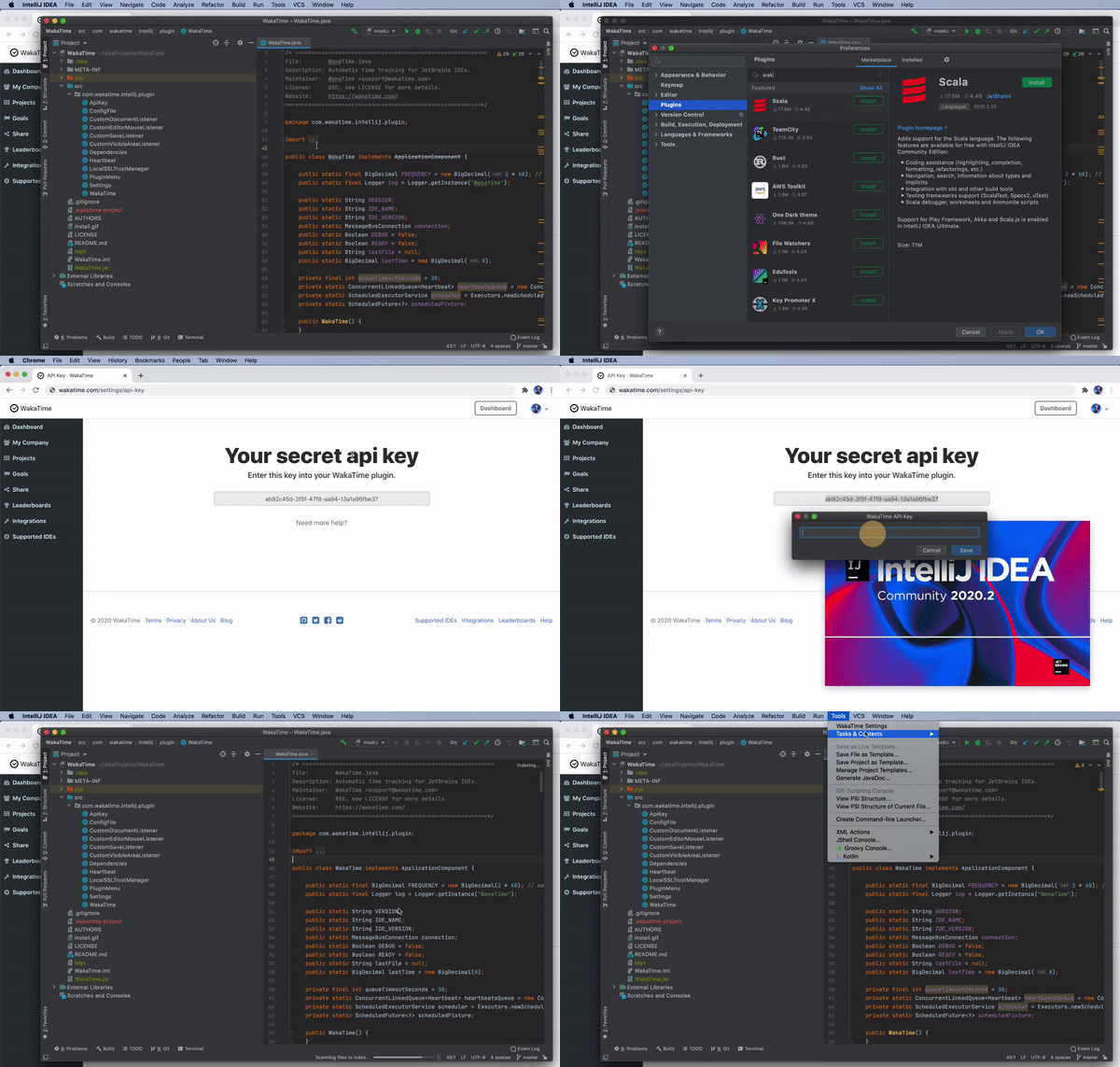
jetbrains-wakatime
IntelliJ IDEA, PyCharm, RubyMine, PhpStorm, AppCode, AndroidStudio, Goland, Rider, & WebStorm plugin for quantifying your coding.
- 1.2k
- Java
- BSD-3-Clause
- 7 mo ago
SVG/XML to Compose ImageVector: IntelliJ IDEA / Android Studio plugin + build-in previewer without compilation, CLI tool, Gradle plugin
Repo ComposeGears/Valkyrie, read from GitHub 20 h ago. ComposeGears has not joined Take My Repo.
ComposeGears/Valkyrie is a public repo on GitHub by ComposeGears. SVG/XML to Compose ImageVector: IntelliJ IDEA / Android Studio plugin + build-in previewer without compilation, CLI tool, Gradle plugin. It declares the Apache-2.0 license on GitHub. It is written mainly in Kotlin, has 908 stars and last changed on 2026-11-21. Nobody has reviewed it on Take My Repo yet, which says nothing about its quality. Read from GitHub on 2026-11-22.

During the development Jetpack Compose / Compose Multiplatform, we often faced the challenge of converting icons from SVG or XML format to ImageVector. While there are existing tools available for this purpose, we found that they often fell short in terms of usability, reliability, and the quality of the generated code and in some cases, even being paid 😄.
To address these issues, we decided to create our own tool that would streamline the conversion process and provide a better user experience.
The primary goal of this project is to offer a fast, reliable, and user-friendly solution for converting SVG and XML icons to ImageVector format, while also allowing for customization of the generated code to meet individual project needs.
[!NOTE] This project is especially relevant now as Material Icons is no longer maintained and not recommended for use in your apps. Learn more.
public keyword)kotlin.* package)Quick conversion of individual SVG/XML icons to ImageVector format. Perfect for one-off conversions, prototyping, or testing icons without setting up a full icon pack structure.
ImageVector on different backgrounds (pixel grid, white, black)ImageVector to file or copy to clipboard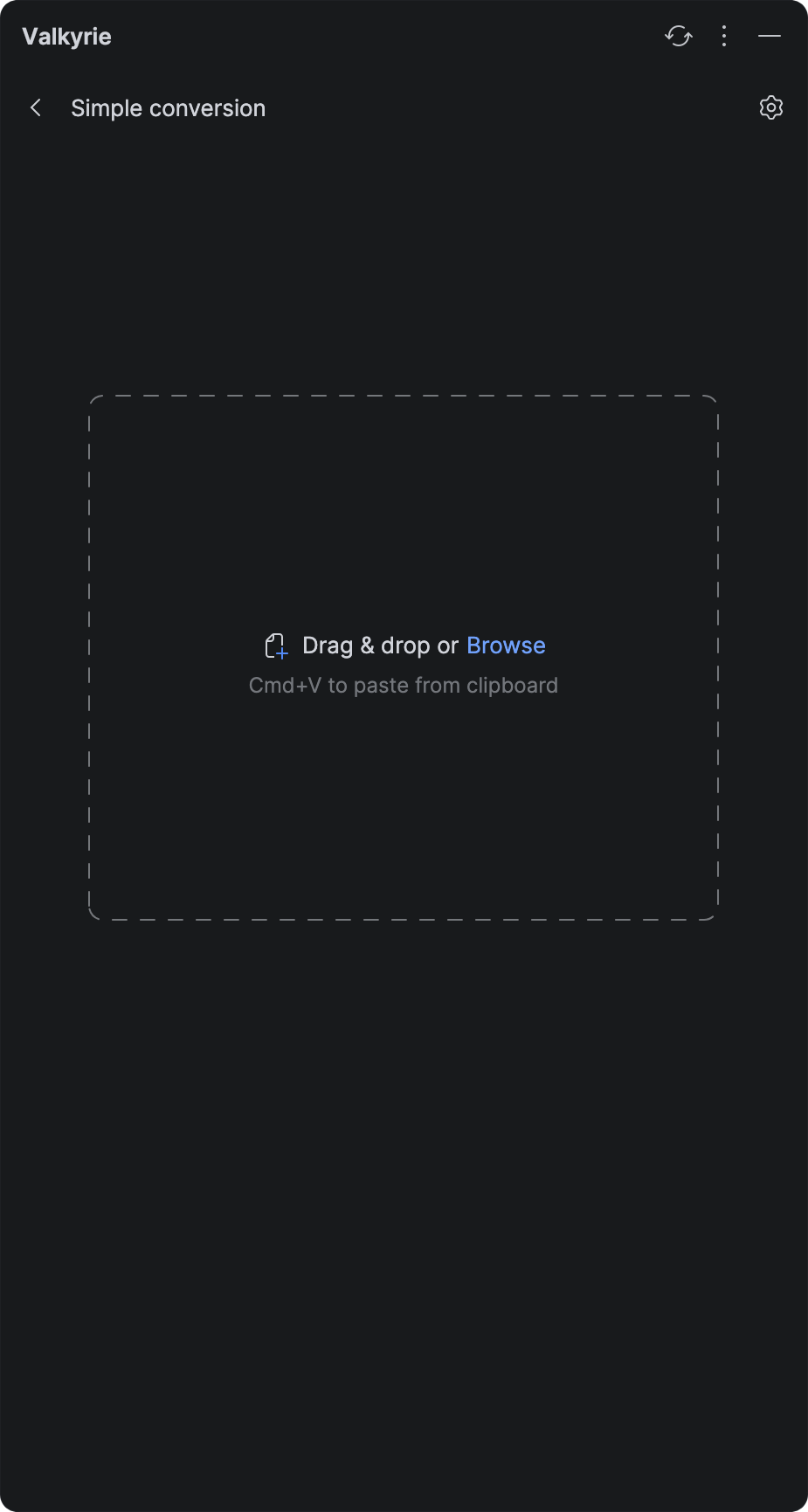
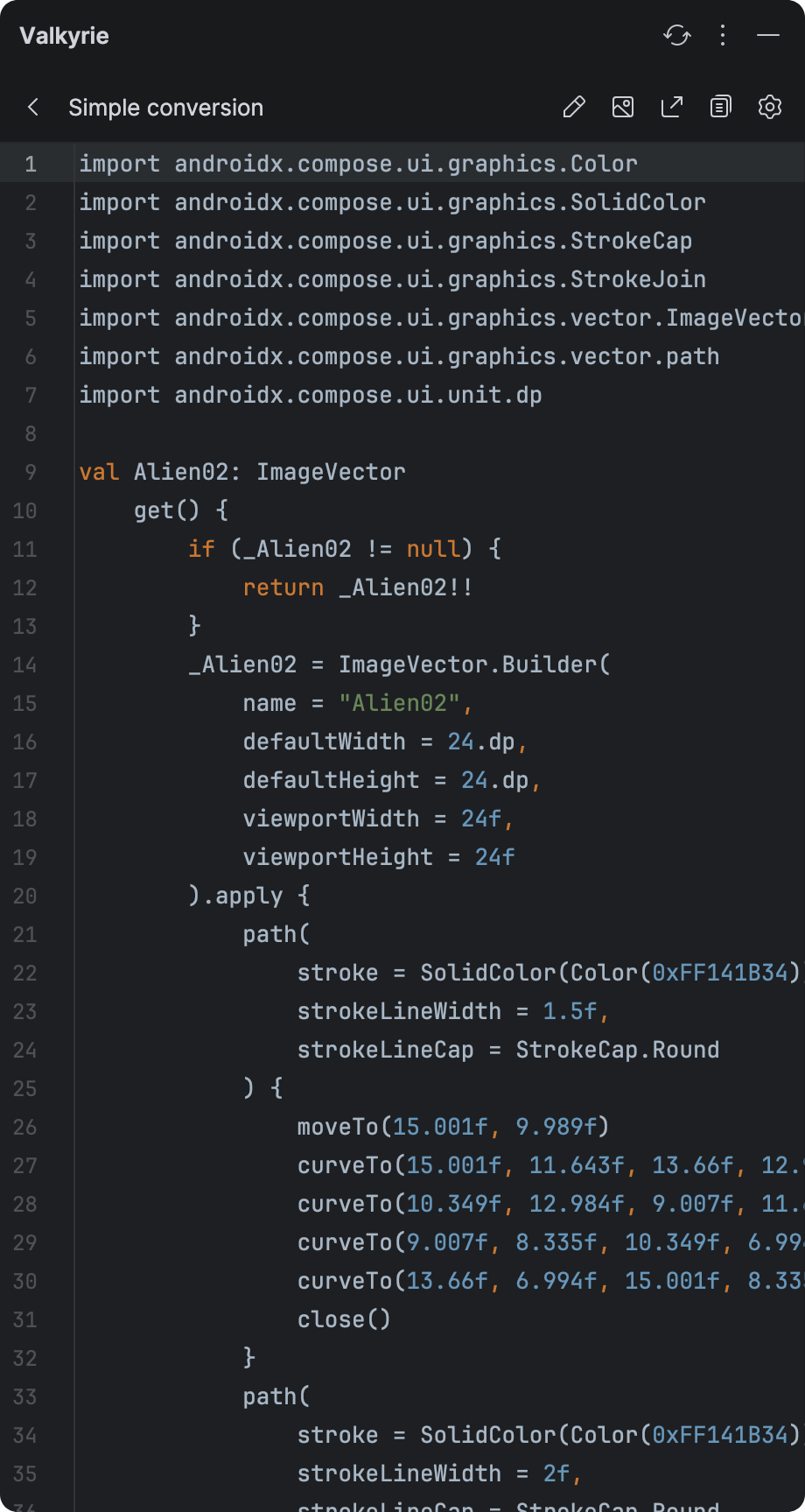
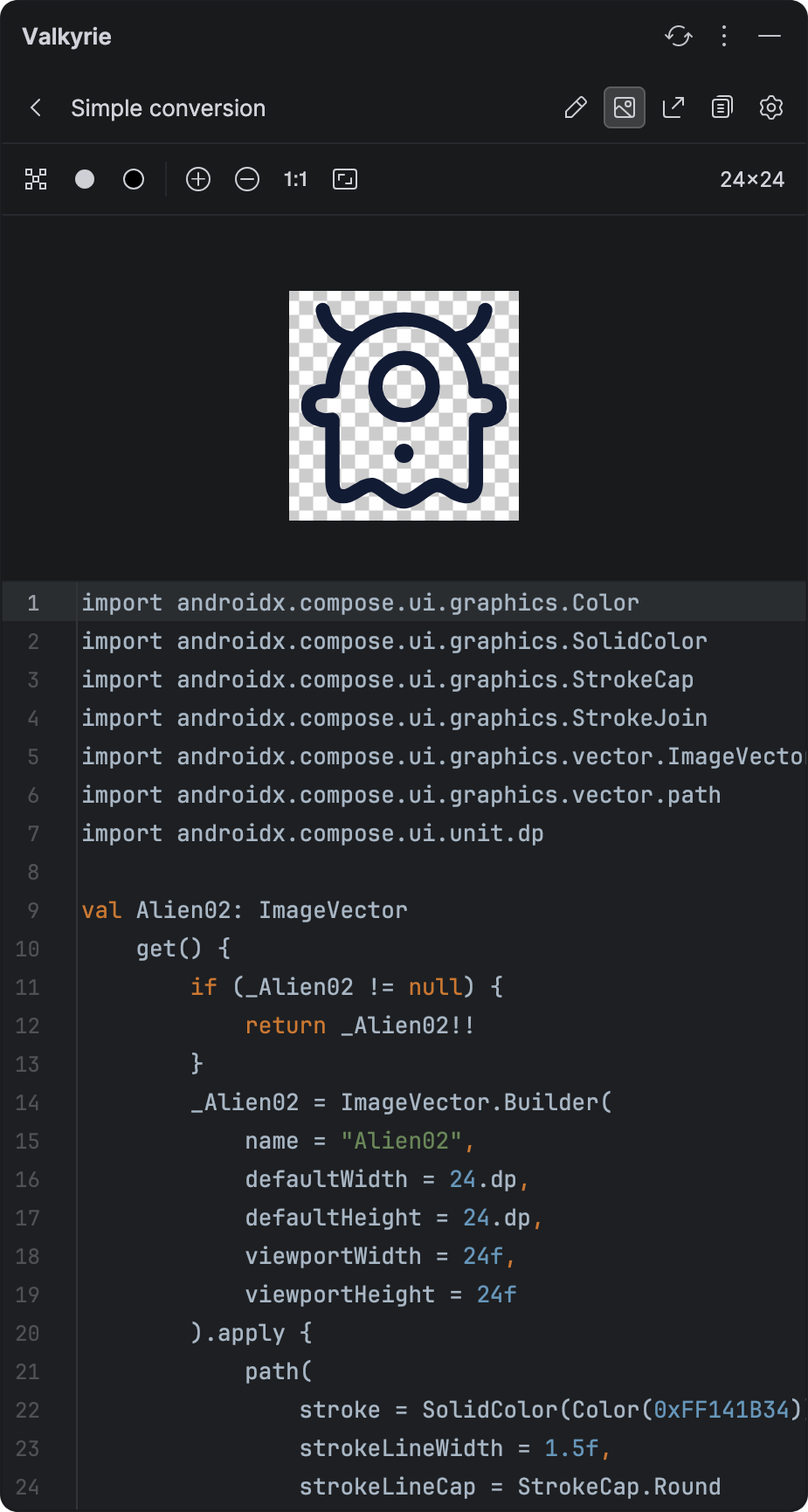
Demo:
https://github.com/user-attachments/assets/2a2367ee-3158-4200-b764-cbb1bc0508d8
Facilitates creating an organized icon pack with extension properties for your pack object, previewing the list of
icons, and batch importing them to your specified directory.
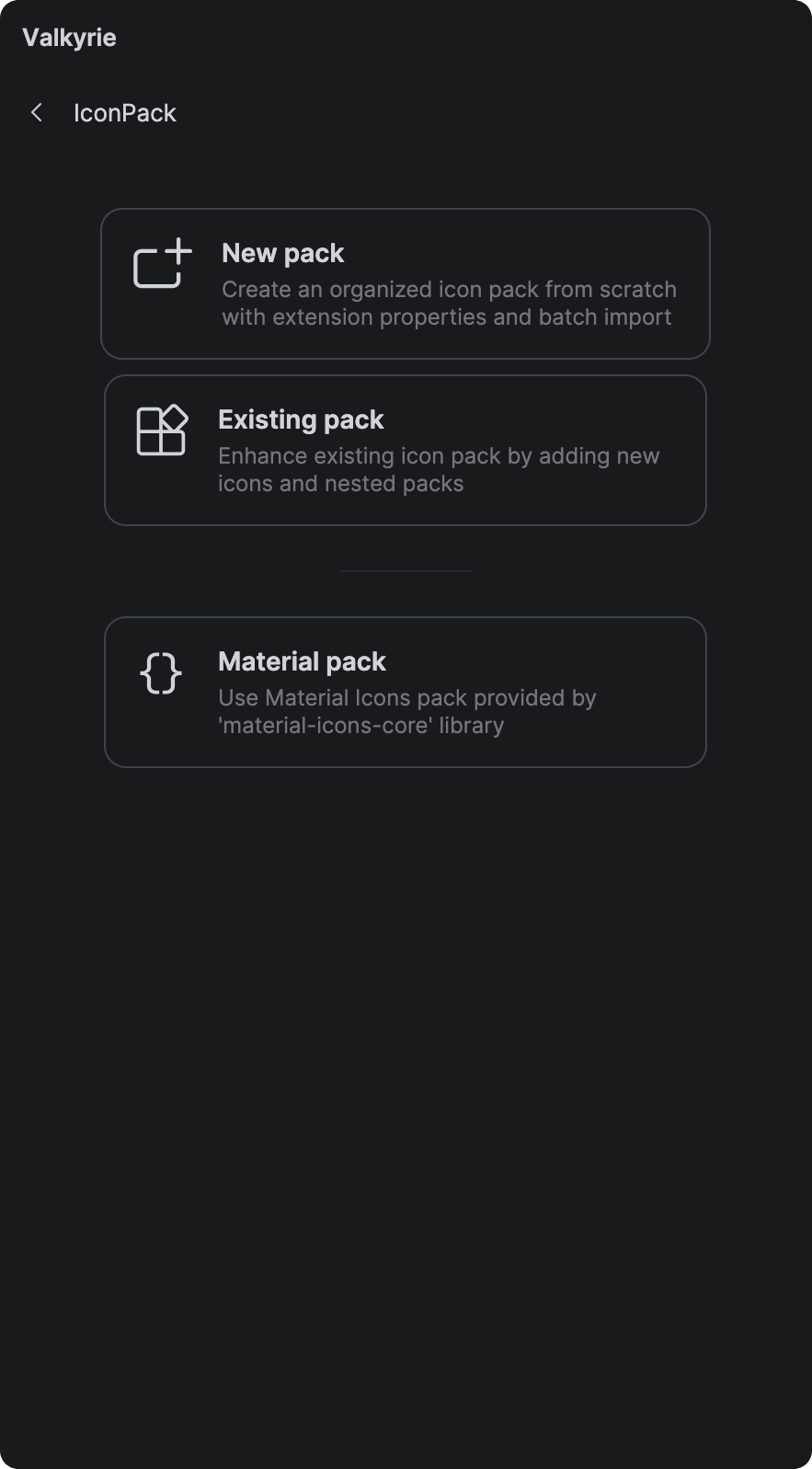
Create a brand new icon pack for your project from scratch. This mode guides you through the complete setup process, allowing you to configure:
AppIcons, MyIcons)Outlined, Filled, Сolored)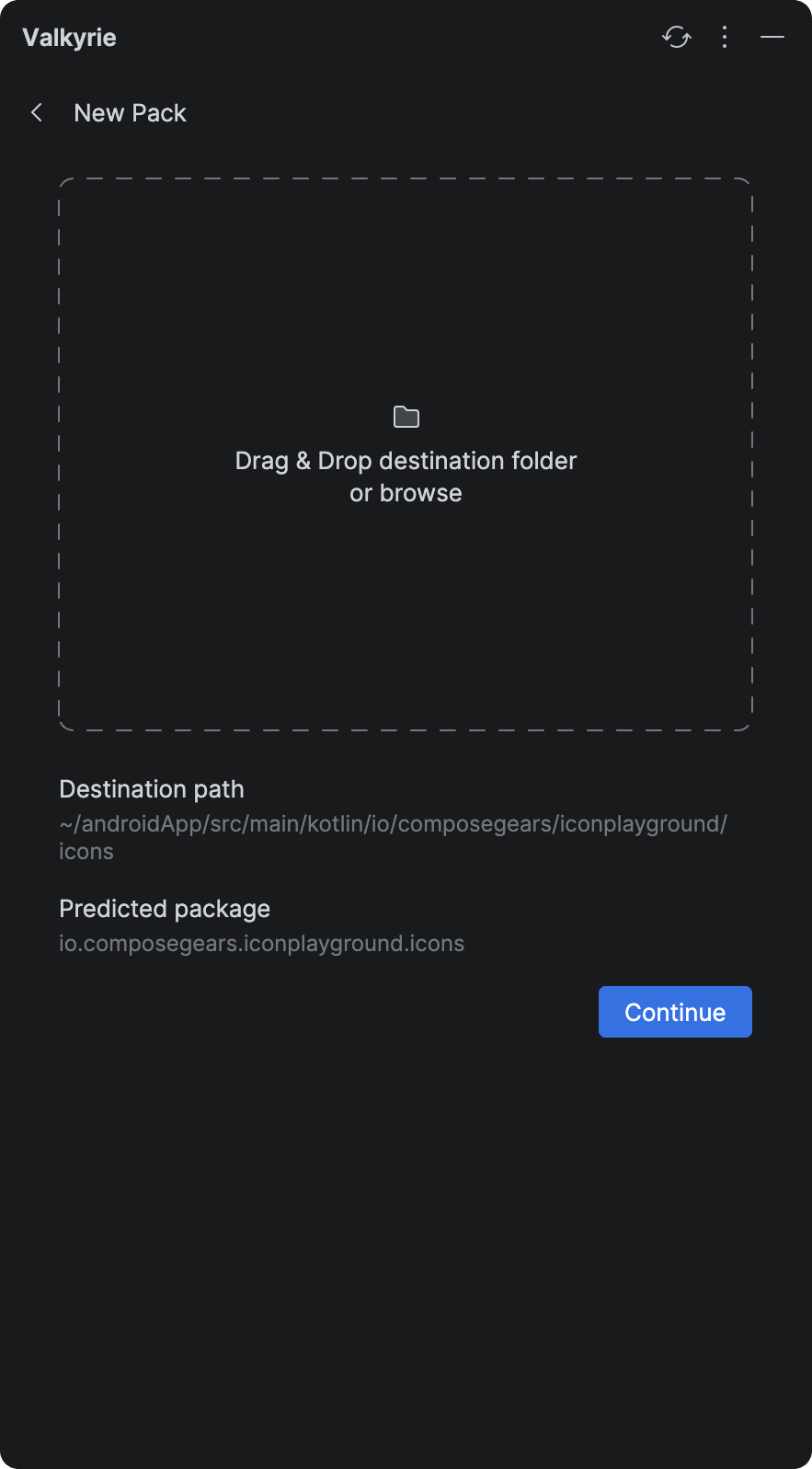
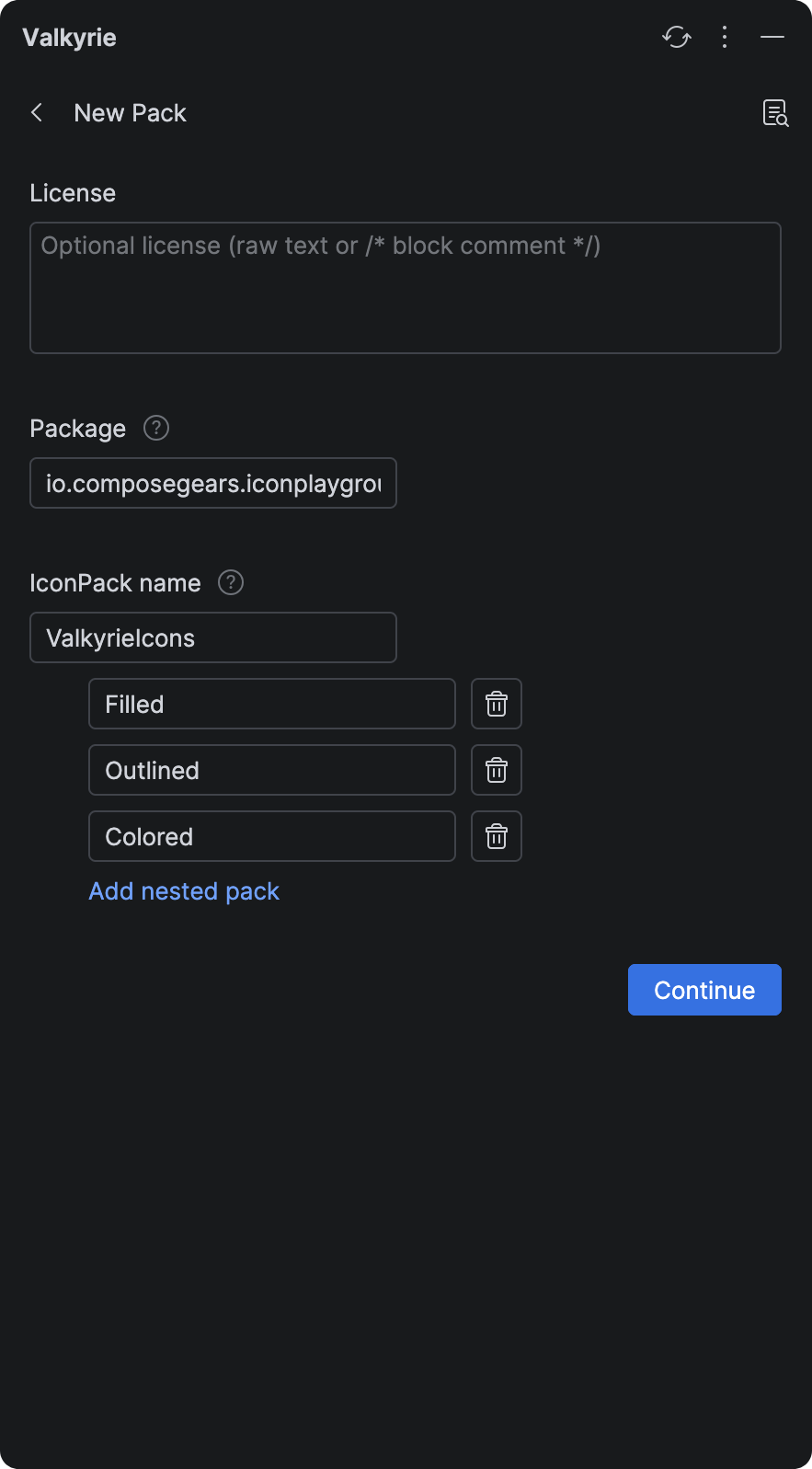
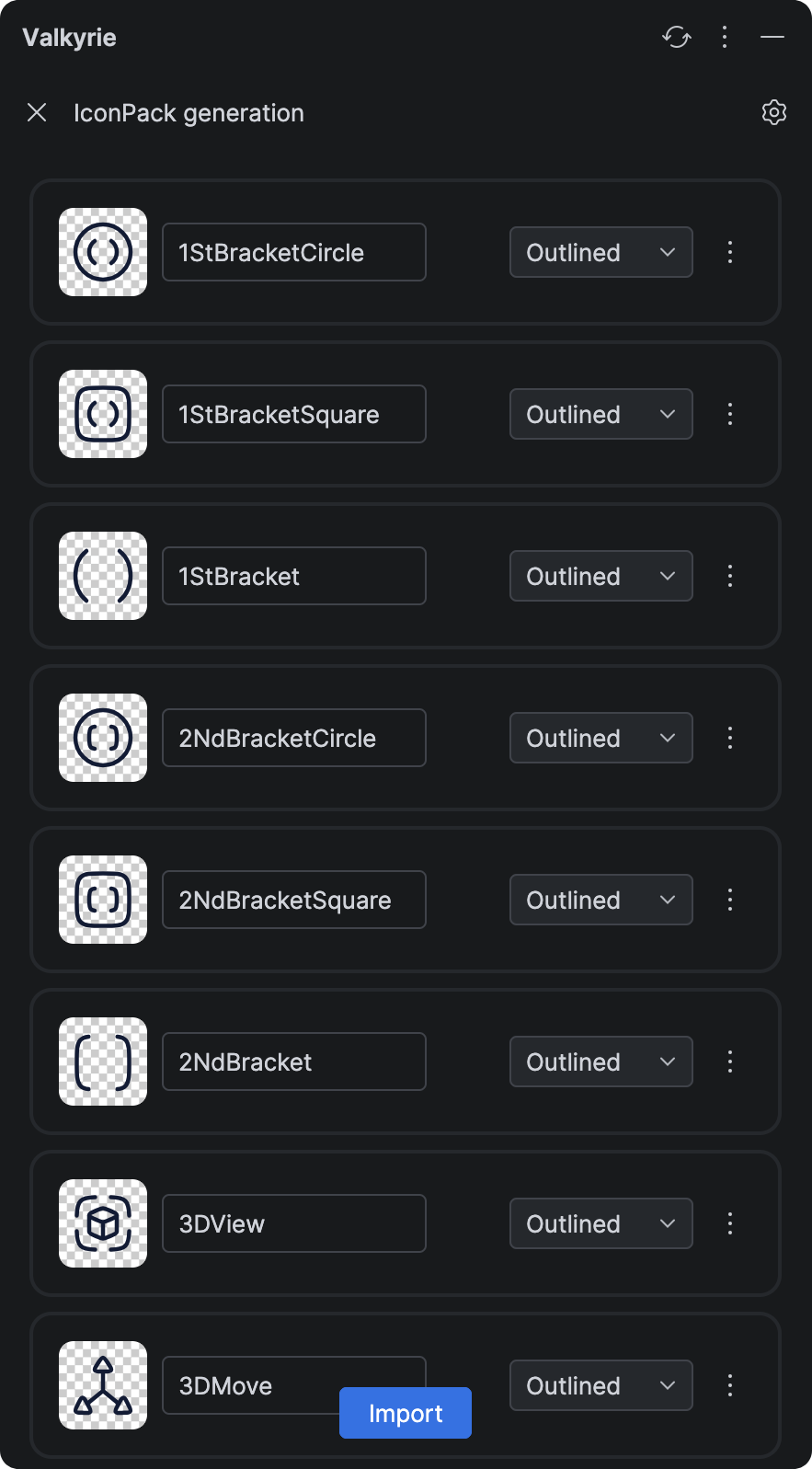
Demo:
https://github.com/user-attachments/assets/d5044e24-972b-4185-88bb-0e8cf3084b96
Load and extend an existing project icon pack. The plugin automatically detects package, icon pack object, and nested packs. It is allowed to add additional nested packs and continue importing icons into the existing structure.
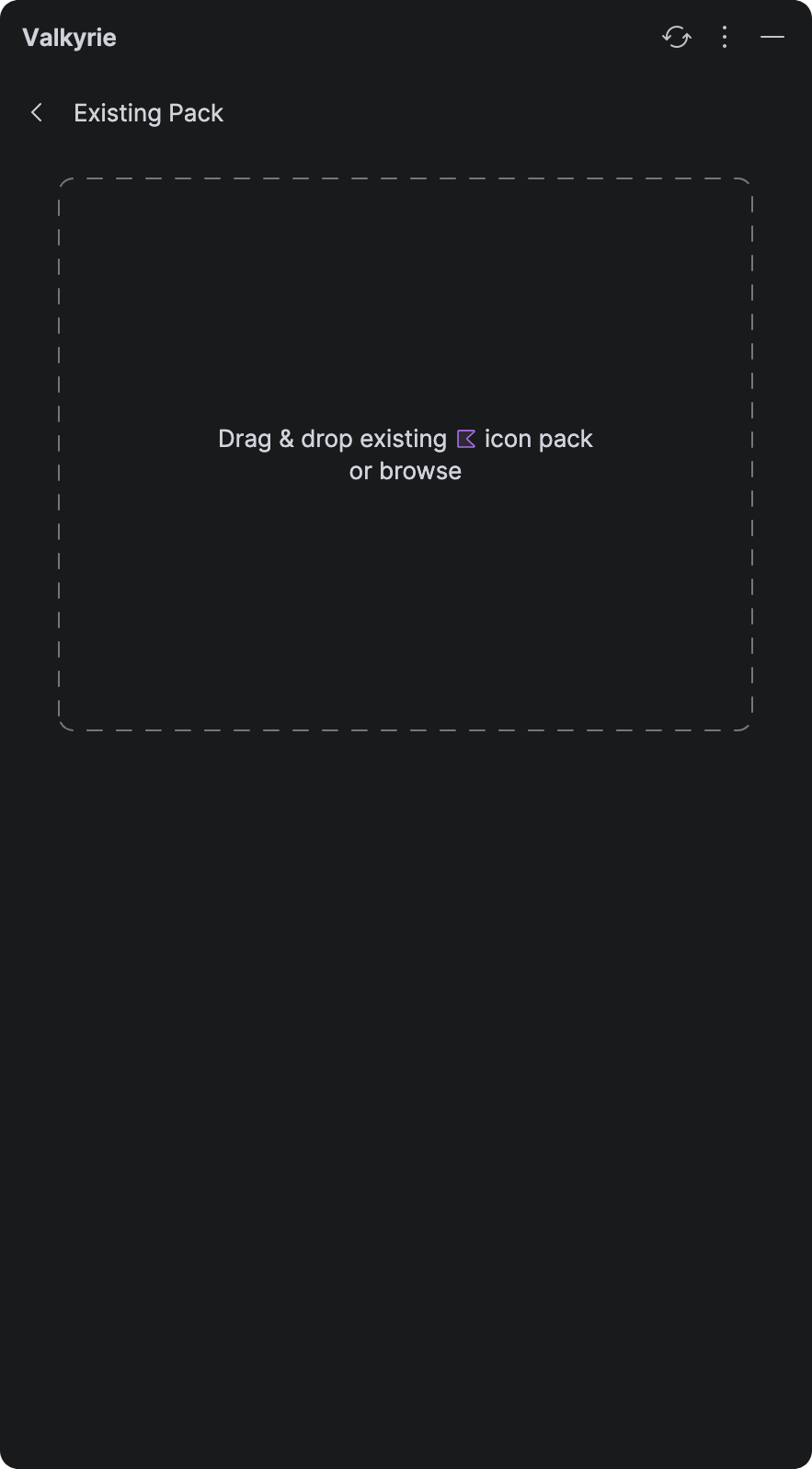
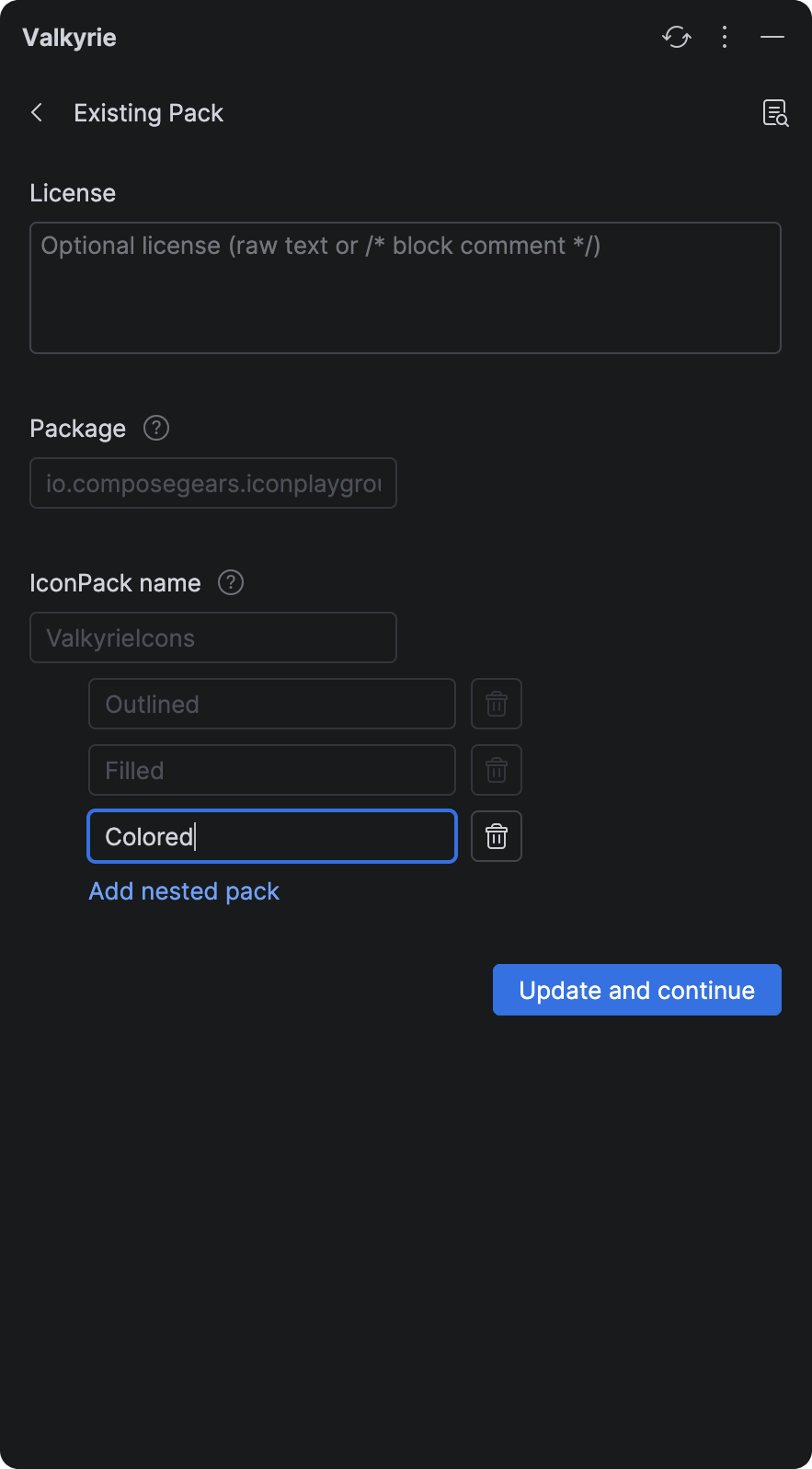
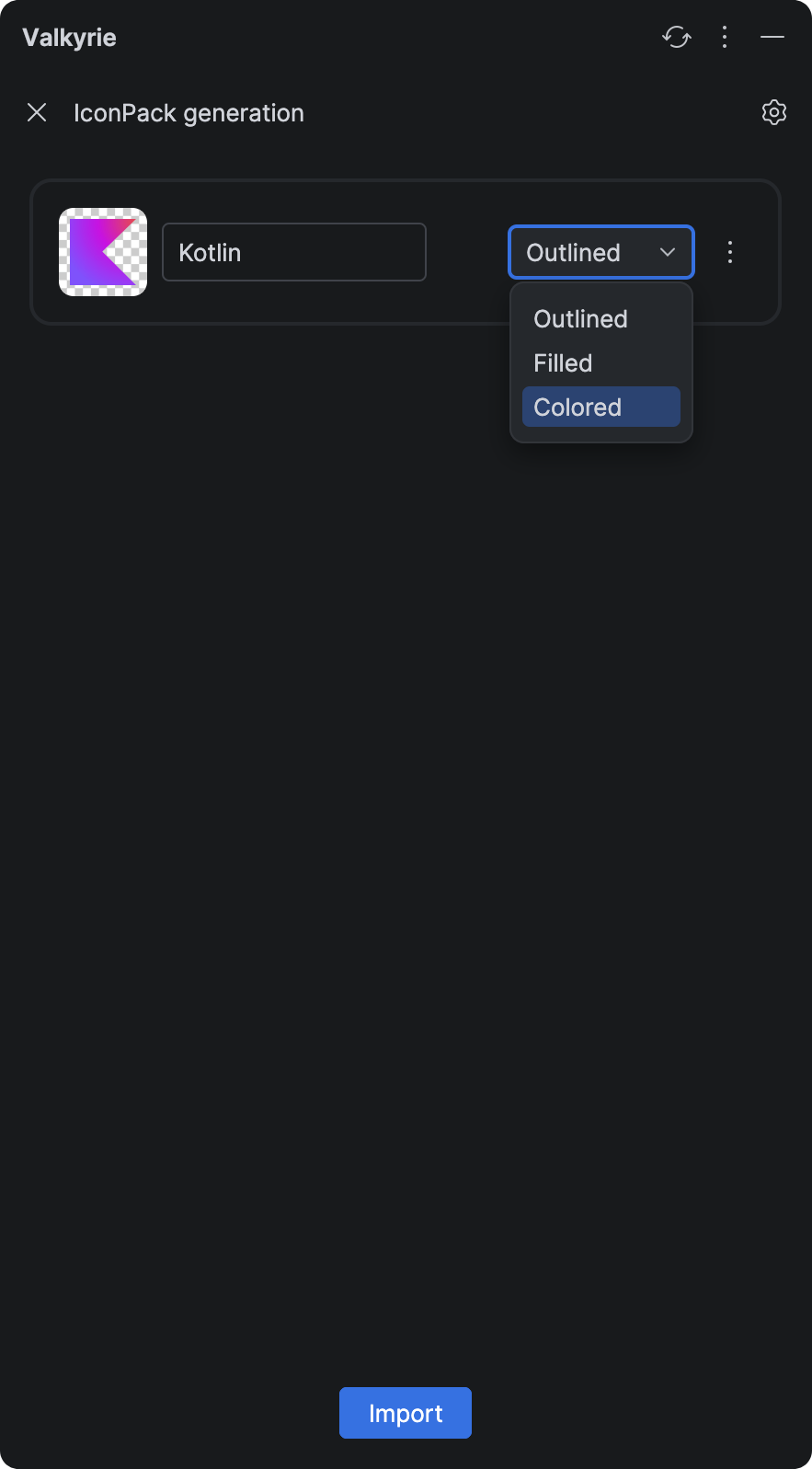
Demo:
https://github.com/user-attachments/assets/dad6c9b2-63c4-44f1-a642-395e32277513
Extend the existing Material Icons pack provided by the material-icons-core library with your custom icons. This mode
allows you to seamlessly add your own icons to the Material Icons structure, maintaining consistency with the existing
naming conventions and package organization.
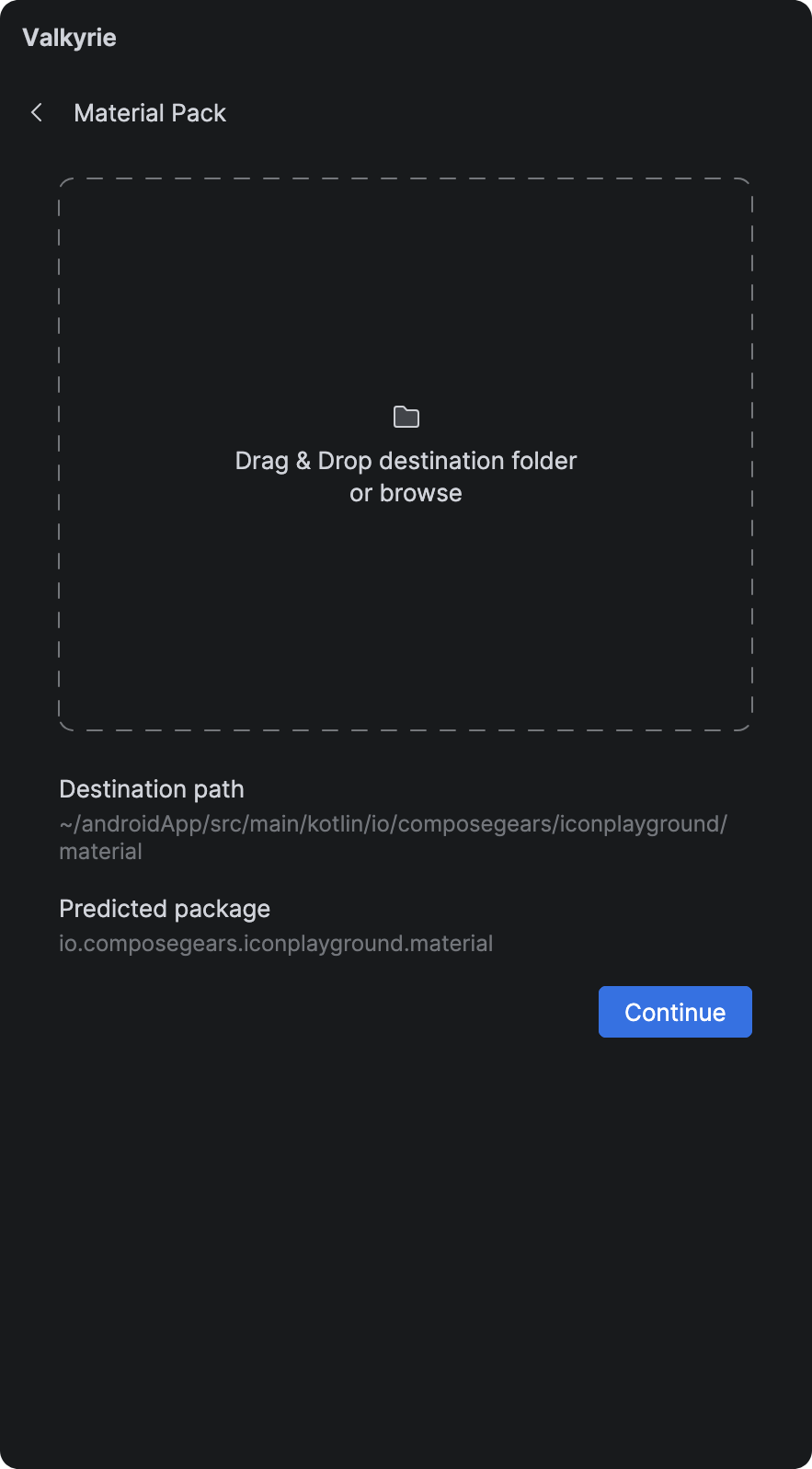
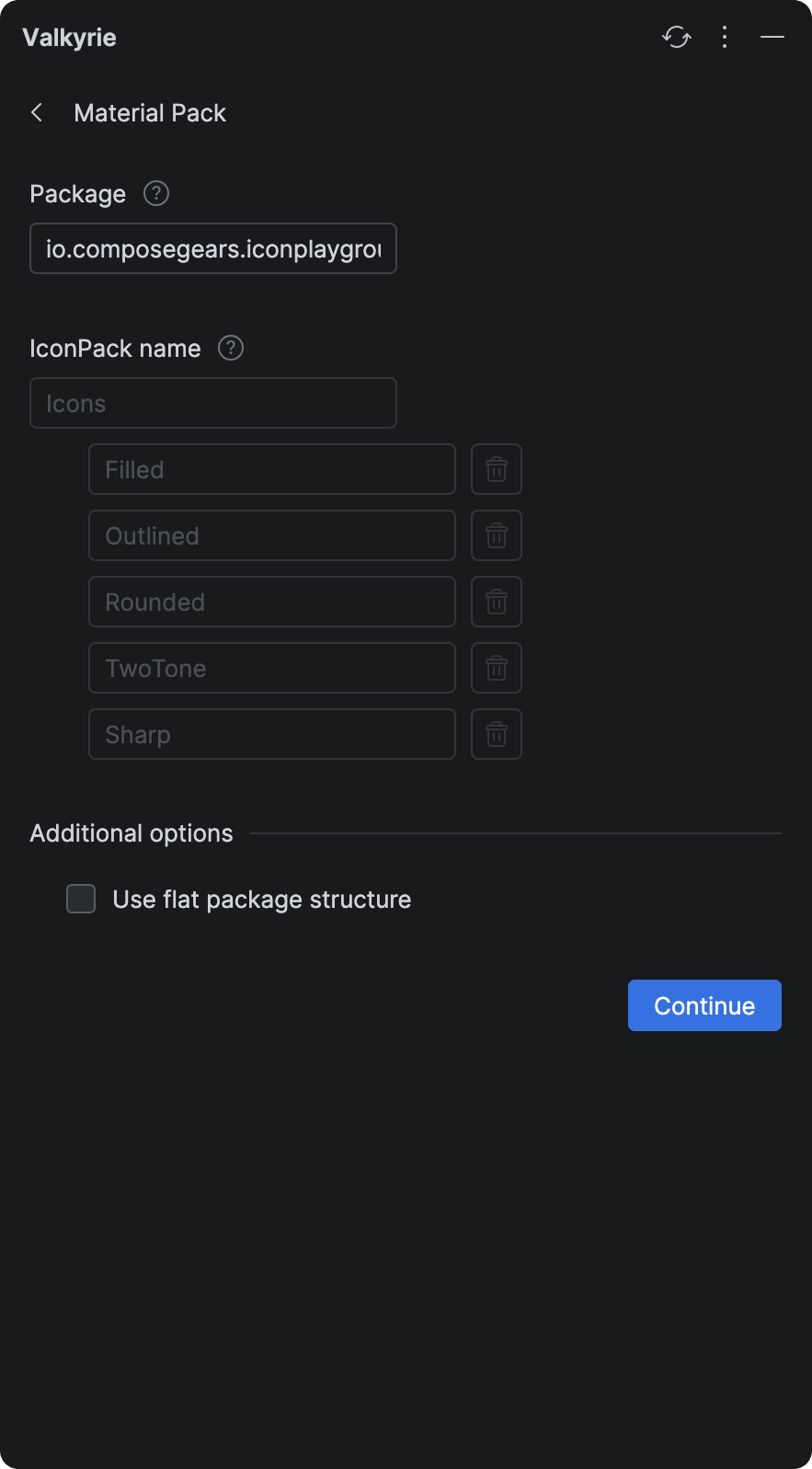
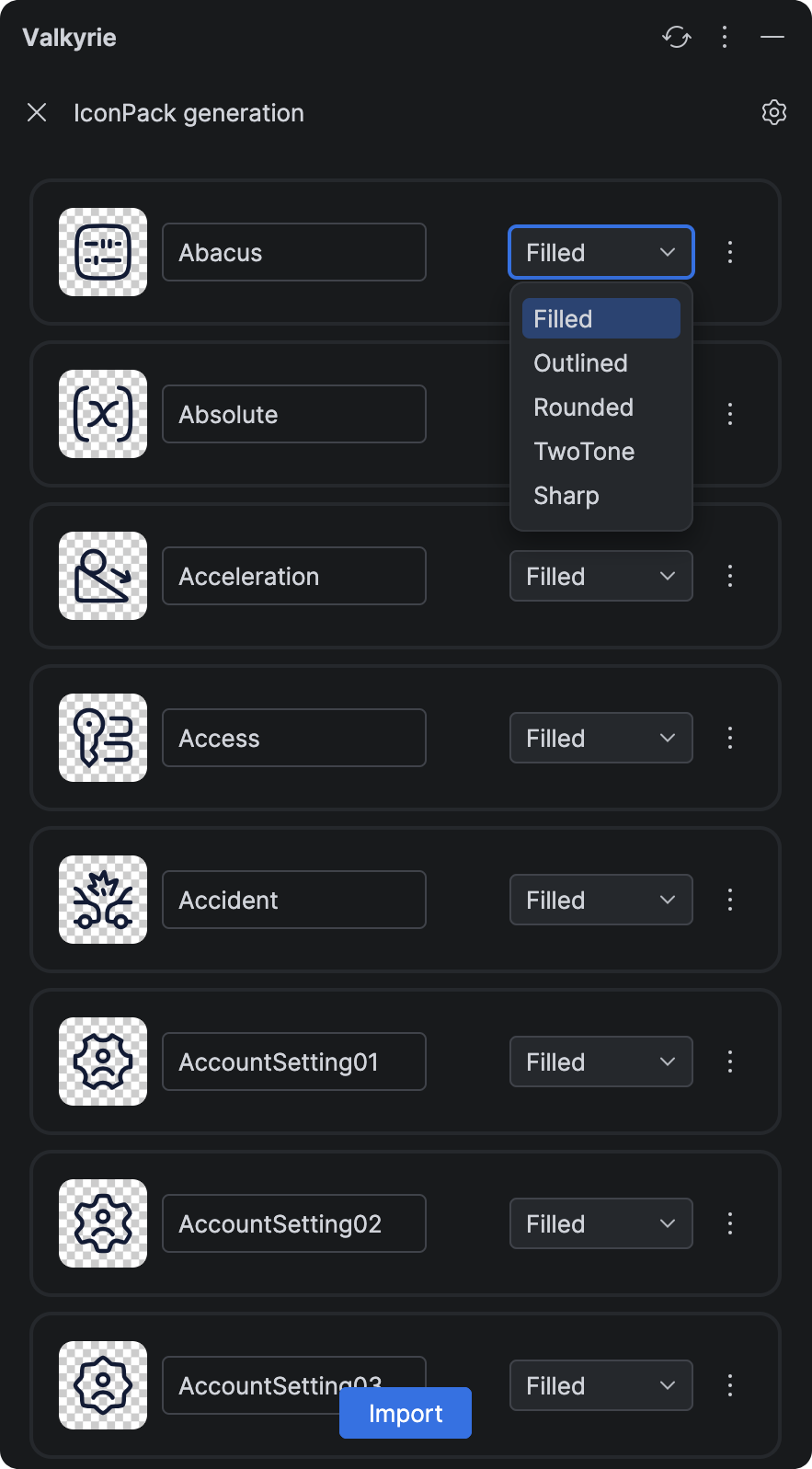
Demo:
https://github.com/user-attachments/assets/9751c0f9-1971-4f00-a2b2-9d475e090bf4
Directly search, browse, and download icons from popular online icon libraries and convert them to ImageVector in one click — no manual SVG/XML download required.
Supported icon providers:
Features:
Demo:
https://github.com/user-attachments/assets/86df2f2b-7a4e-4caf-91e8-c2290b347770
Convert SVG files to Android XML vector drawable format directly inside the plugin. This tool is useful when you need to use icons in Android Views or want to maintain compatibility with the traditional Android resource system.
Demo:
https://github.com/user-attachments/assets/f75c9a64-05d6-48fb-bdb2-4df11a67ff78
Backward conversion tool that converts existing Kotlin ImageVector code back to Android XML vector drawable format.
This is particularly useful when you need to share icons with projects that don't use Compose yet, migrate icons to a
legacy codebase, or generate XML resources from programmatically created ImageVectors.
Demo:
https://github.com/user-attachments/assets/88601612-8a5a-44b6-9e0b-23d075c9d843
[!NOTE]
Important limitation: The previewer works by parsing the Kotlin PSI tree, so it cannot resolve variables computed in Compose Runtime. For such cases, use the
@Previewannotation. For example, this icon won't preview becauseMyCustomTheme.colorPrimaryis only known at runtime:
val Icon: ImageVector by lazy {
    ImageVector.Builder().apply {
        path(fill = SolidColor(MyCustomTheme.colorPrimary)) // ❌ MyCustomTheme.colorPrimary not resolvable during preview
    }.build()
}
Plugin-exclusive feature: preview ImageVectors directly in the editor (similar to SVG or XML previews). Works with any
ImageVector format (backing or lazy property, legacy Google Material icons) without requiring @Preview
annotations.
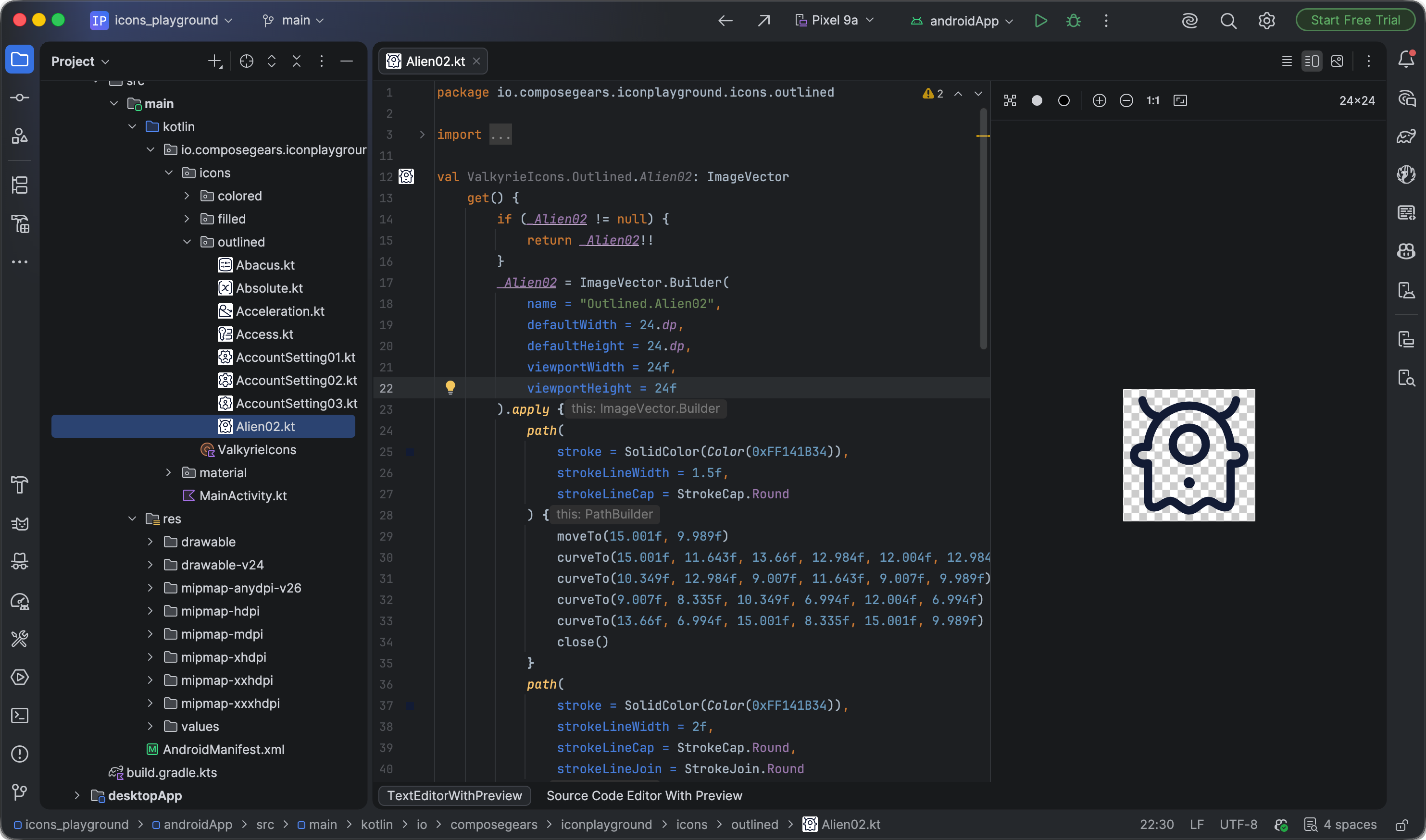
Available actions:
Demo:
https://github.com/user-attachments/assets/3f5f37d1-9add-4bb2-b971-b0d8392a5700
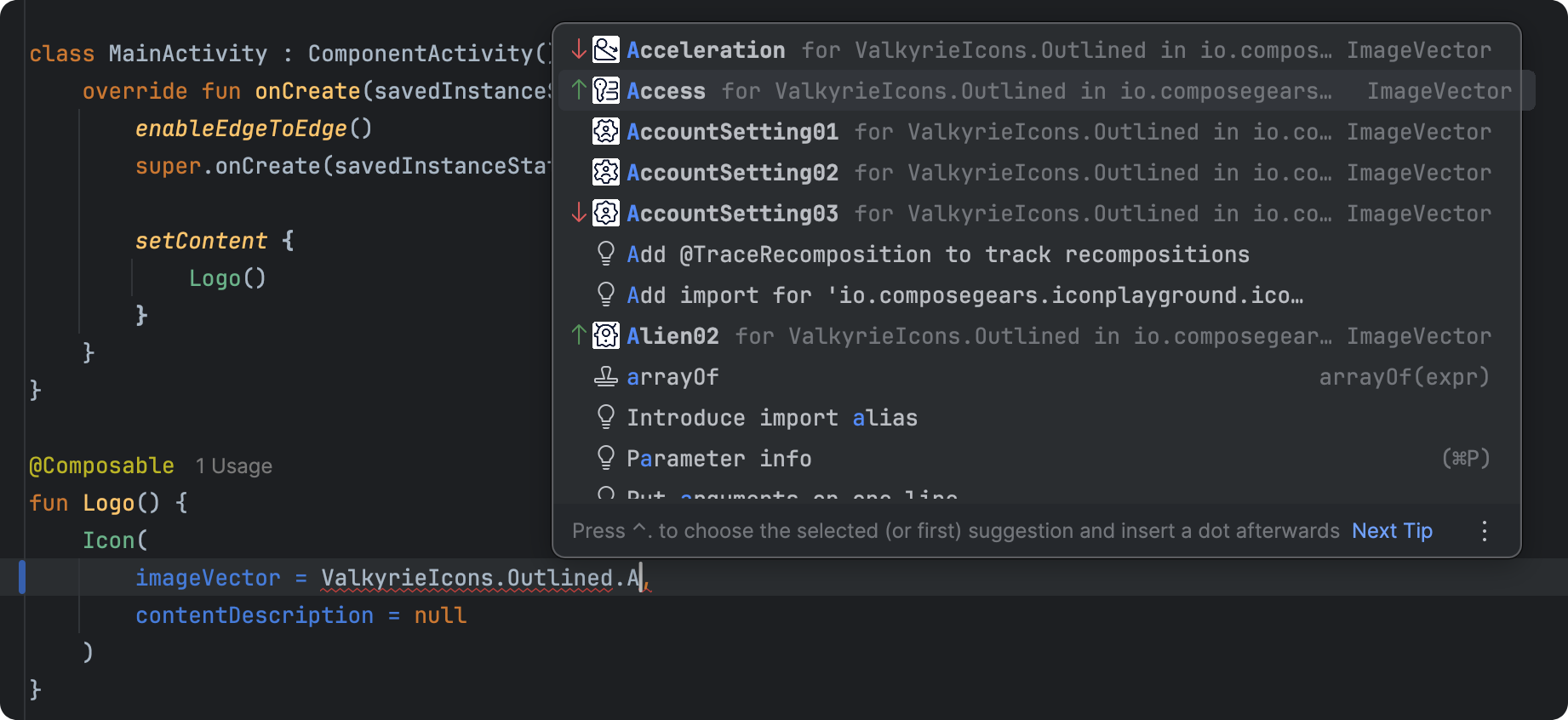
Preview icons directly in the IDE autocomplete popup - see what each ImageVector looks like before selecting it.
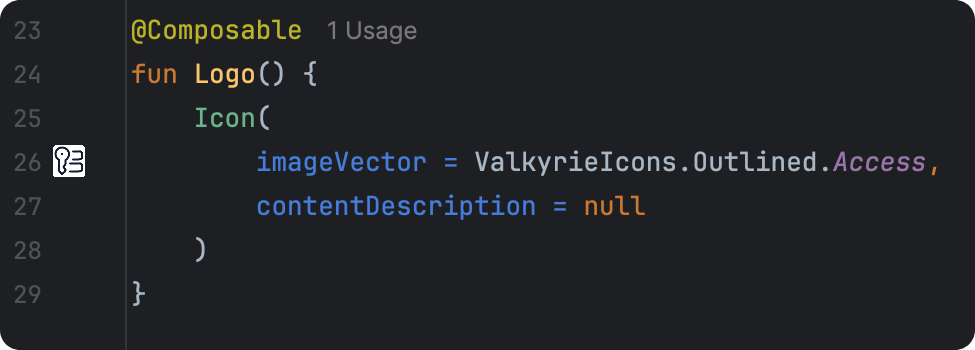
Icon previews appear in the editor gutter. Click to open the file with embedded previewer.
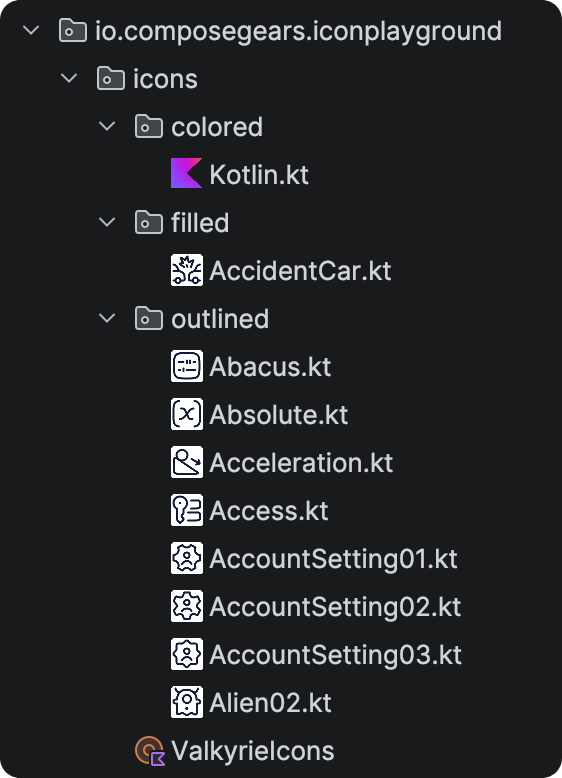
Icon previews in the project file tree.
| Plugin version | Min IntelliJ IDEA / Android Studio |
|---|---|
| 0.1.0 - 0.14.0 | IntelliJ IDEA 2024.1, Android Studio Koala |
| 0.15.0 | IntelliJ IDEA 2024.2, Android Studio Ladybug |
| 1.0.0 | IntelliJ IDEA 2025.3, Android Studio Panda 1 |
| 1.5.0 | IntelliJ IDEA 2025.3.3, Android Studio Panda 3 |
| 1.7.0 | IntelliJ IDEA 2026.2 |

Find plugin inside IDE:
Settings > Plugins > Marketplace > Search for "Valkyrie" > Install Plugin
Manually: Download the latest release or build your self and install it manually using Settings -> Plugins -> ⚙️ -> Install plugin from disk...
Precondition: IntelliJ IDEA with installed Plugin DevKit
Run ./gradlew buildPlugin to build plugin locally. Artifact will be available in
tools/idea-plugin/build/distributions/
folder
or run plugin in IDE using: ./gradlew runIde
CLI tools can be easily integrated into scripts and automated workflows, allowing you to convert icons from specific source with predefined settings.
brew install ComposeGears/repo/valkyrie
Download latest CLI tool from releases.
Unzip the downloaded archive and run the CLI tool from bin folder in the terminal
./valkyrie
You should see this message
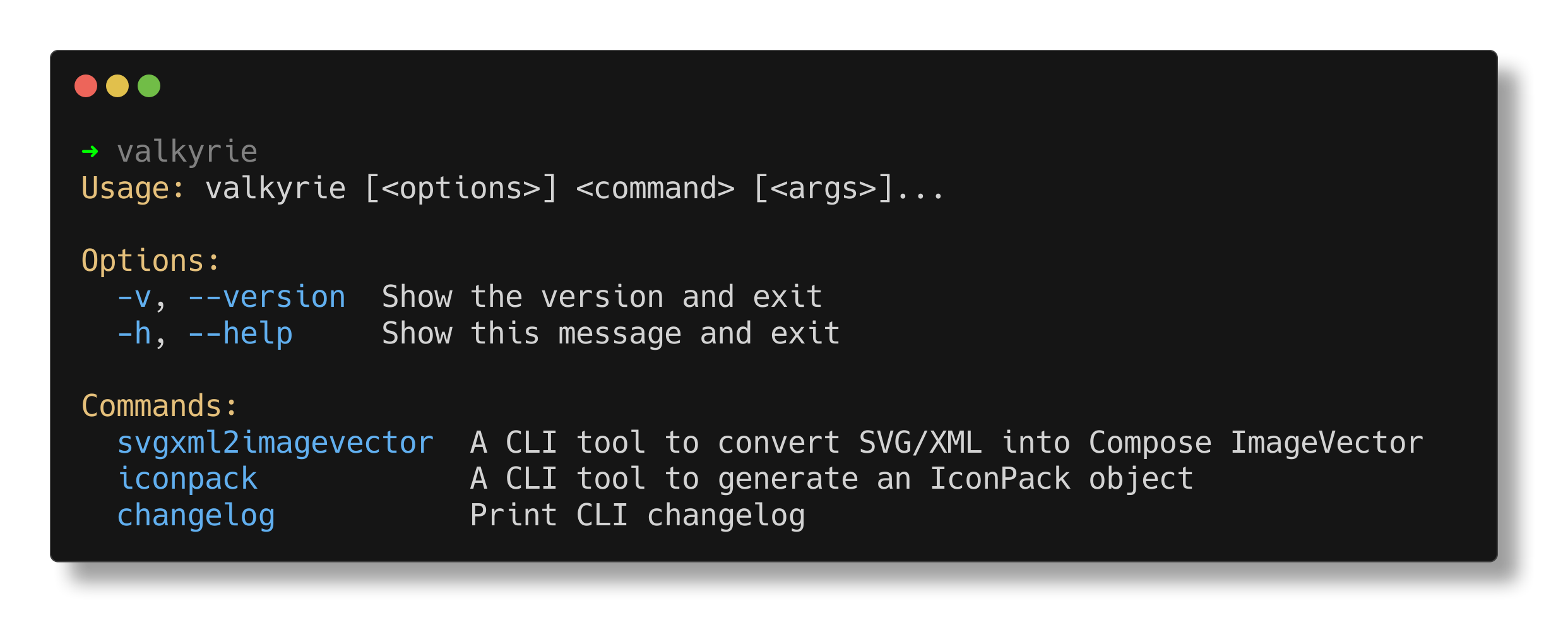
A simple example of how to get the latest version of the CLI tool. It can be executed on CI/CD with predefined parameters.
#!/bin/bash

VERSION="cli-1.0.0"
TARGET_DIR="valkyrie-cli"
ASSET_NAME="tmp.zip"

LATEST_CLI_RELEASE_URL=$(curl --silent "https://api.github.com/repos/ComposeGears/Valkyrie/releases/tags/$VERSION" \
  | jq -r '.assets[] | select(.name | startswith("valkyrie-cli")) | .browser_download_url')

curl -L -o "$ASSET_NAME" "$LATEST_CLI_RELEASE_URL"
mkdir -p "$TARGET_DIR"
unzip -o "$ASSET_NAME" -d "$TARGET_DIR"

rm "$ASSET_NAME"

cd "$TARGET_DIR/bin" || exit
./valkyrie --version
The repo ships a valkyrie-svg-xml-to-imagevector agent skill that teaches AI coding agents
(Claude Code, Cursor, ZCode, etc.) to convert icons for you: just ask the agent to convert an SVG/XML
icon or a folder of icons into Compose ImageVector, and it will pick the right CLI command and flags.
The skill covers:
svgxml2imagevector (conversion) and iconpack (pack object generation);valkyrie --version against the latest release and
updates it via brew or a direct download when it is outdated.Install it with:
npx skills add ComposeGears/Valkyrie
The skill source lives in skills/valkyrie-svg-xml-to-imagevector/SKILL.md.
iconpack commandA part of the CLI tool that allows you to create an icon pack with nested packs.
Usage:
./valkyrie iconpack [<options>]
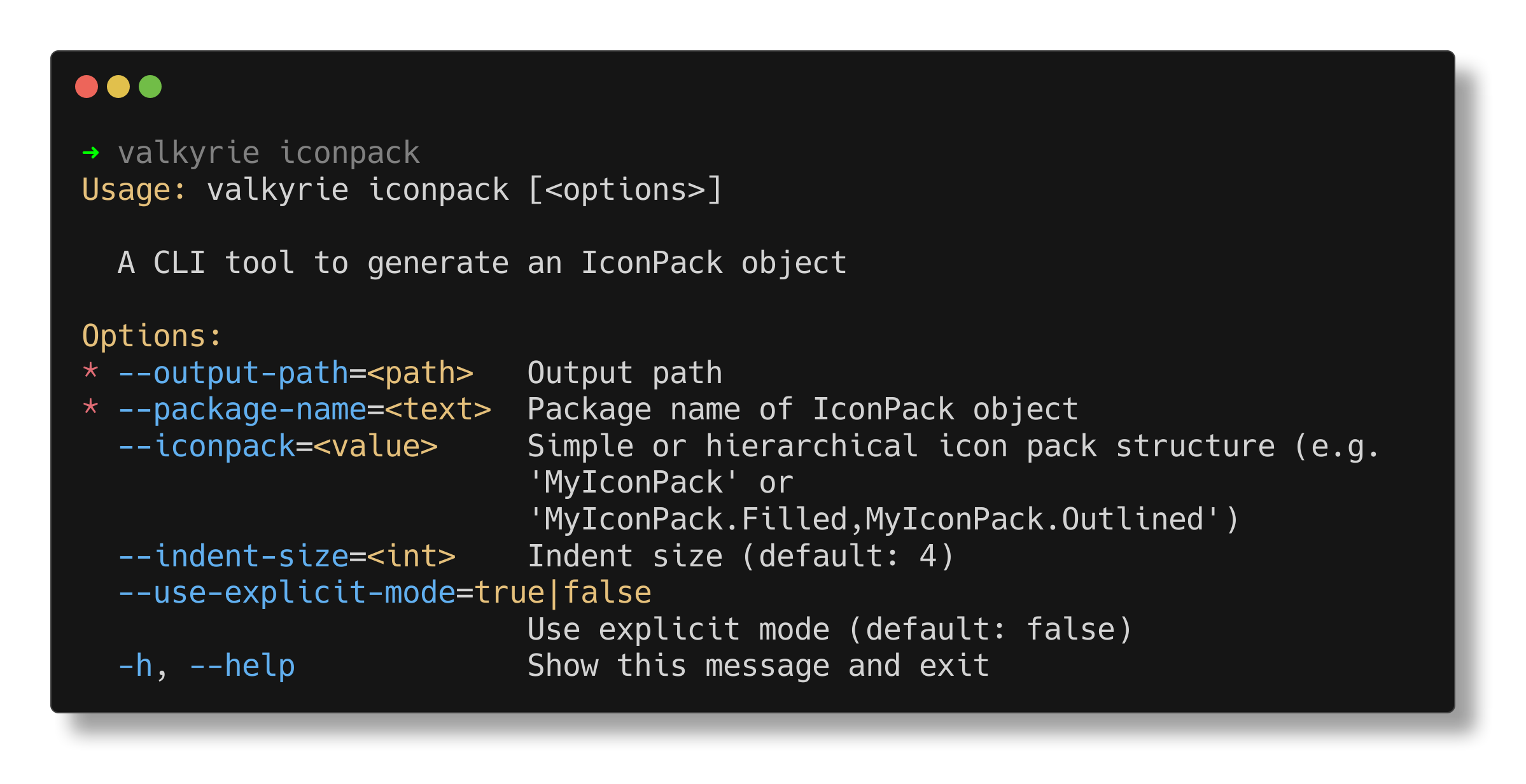
Demo:
https://github.com/user-attachments/assets/dc56f3e6-6831-4230-a8cc-a0c486d4c288
svgxml2imagevector commandA part of the CLI tool that allows you to convert SVG/XML files to ImageVector.
Usage:
./valkyrie svgxml2imagevector [<options>]
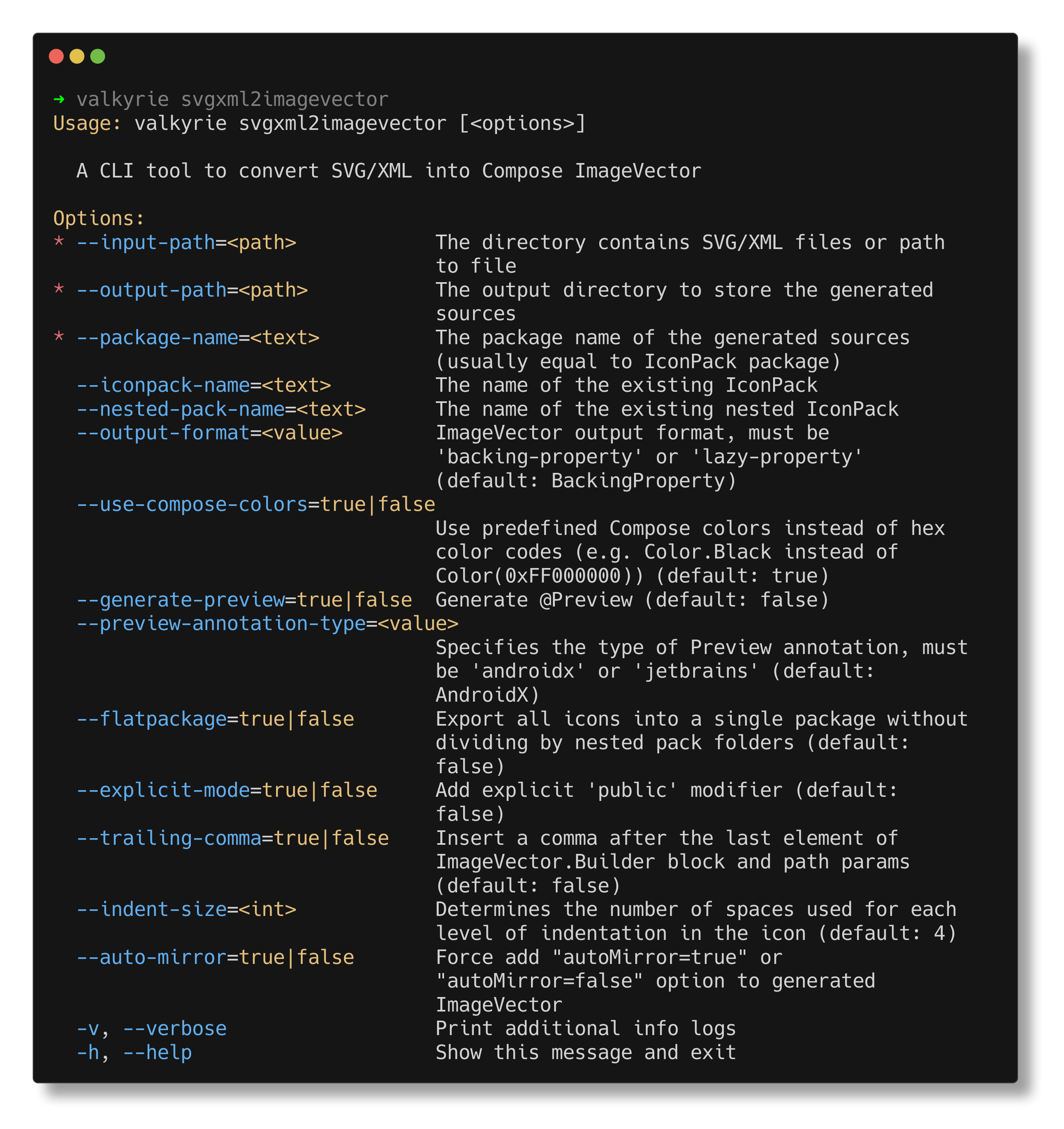
Key options:
| Option | Default | Description |
|---|---|---|
--input-path |
(required) | Directory with SVG/XML files or path to a single file |
--output-path |
(required) | Output directory for generated sources |
--package-name |
(required) | Package name of the generated sources |
--iconpack-name |
"" |
Name of the existing IconPack |
--nested-pack-name |
"" |
Name of the existing nested IconPack |
--output-format |
backing-property |
backing-property or lazy-property |
--use-compose-colors |
true |
Use predefined Compose colors instead of hex codes |
--generate-preview |
false |
Generate @Preview function |
--flatpackage |
false |
Import all icons into a single package |
--explicit-mode |
false |
Add explicit public modifier |
--trailing-comma |
false |
Insert trailing comma in path params |
--use-path-data-string |
false |
Generate addPath with pathData strings instead of builder calls |
--suppress-unused-receiver |
false |
Add @Suppress("UnusedReceiverParameter") to extension properties |
--indent-size |
4 |
Spaces per indentation level |
--auto-mirror |
(not set) | Force autoMirror=true or autoMirror=false on all icons |
-v, --verbose |
false |
Print additional info logs |
Demo:
https://github.com/user-attachments/assets/1e1d07bd-080f-4d39-8683-c1c30ef905e8
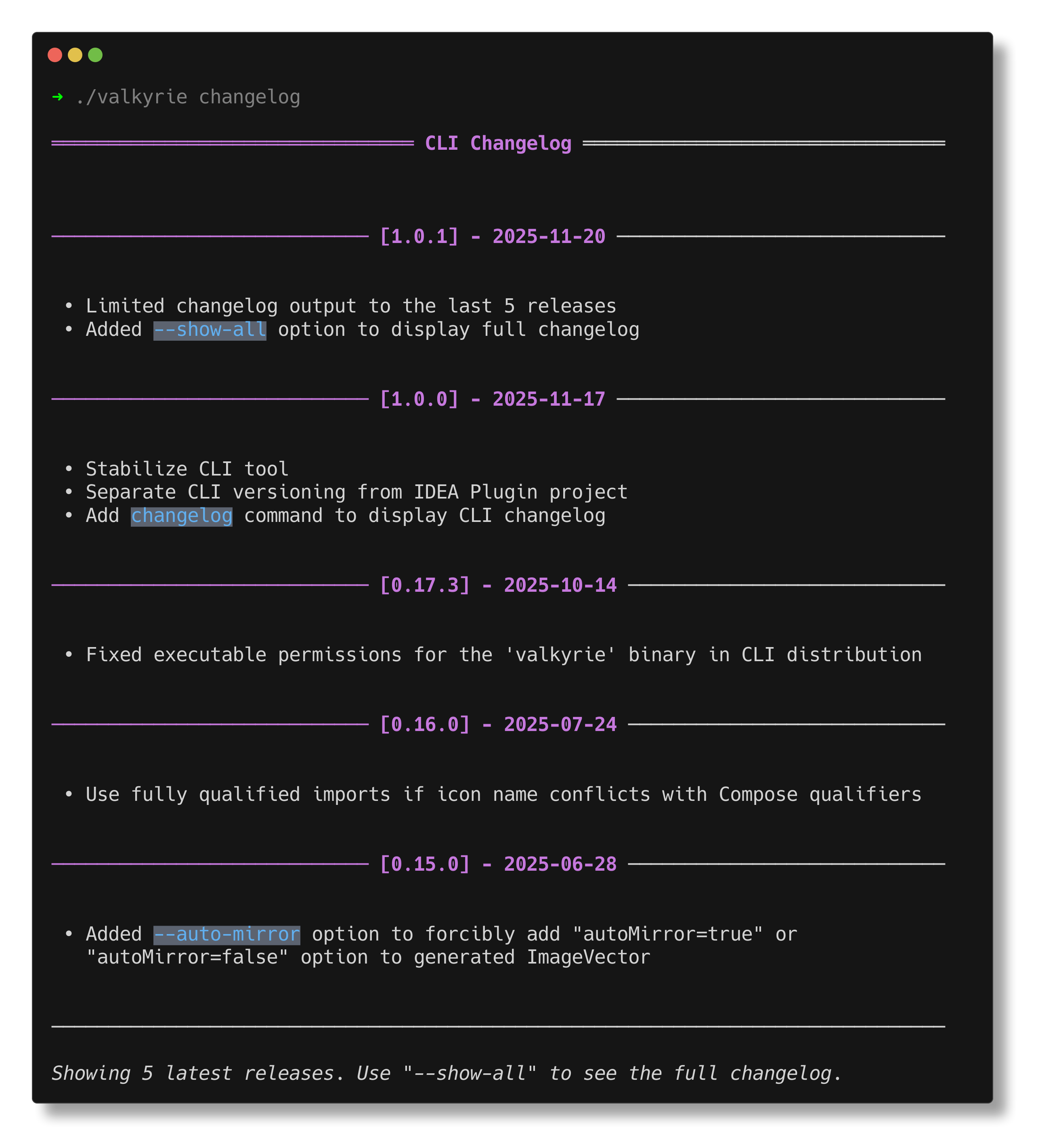
changelog commandAdditional command to display embedded CLI changelog
Usage:
./valkyrie changelog
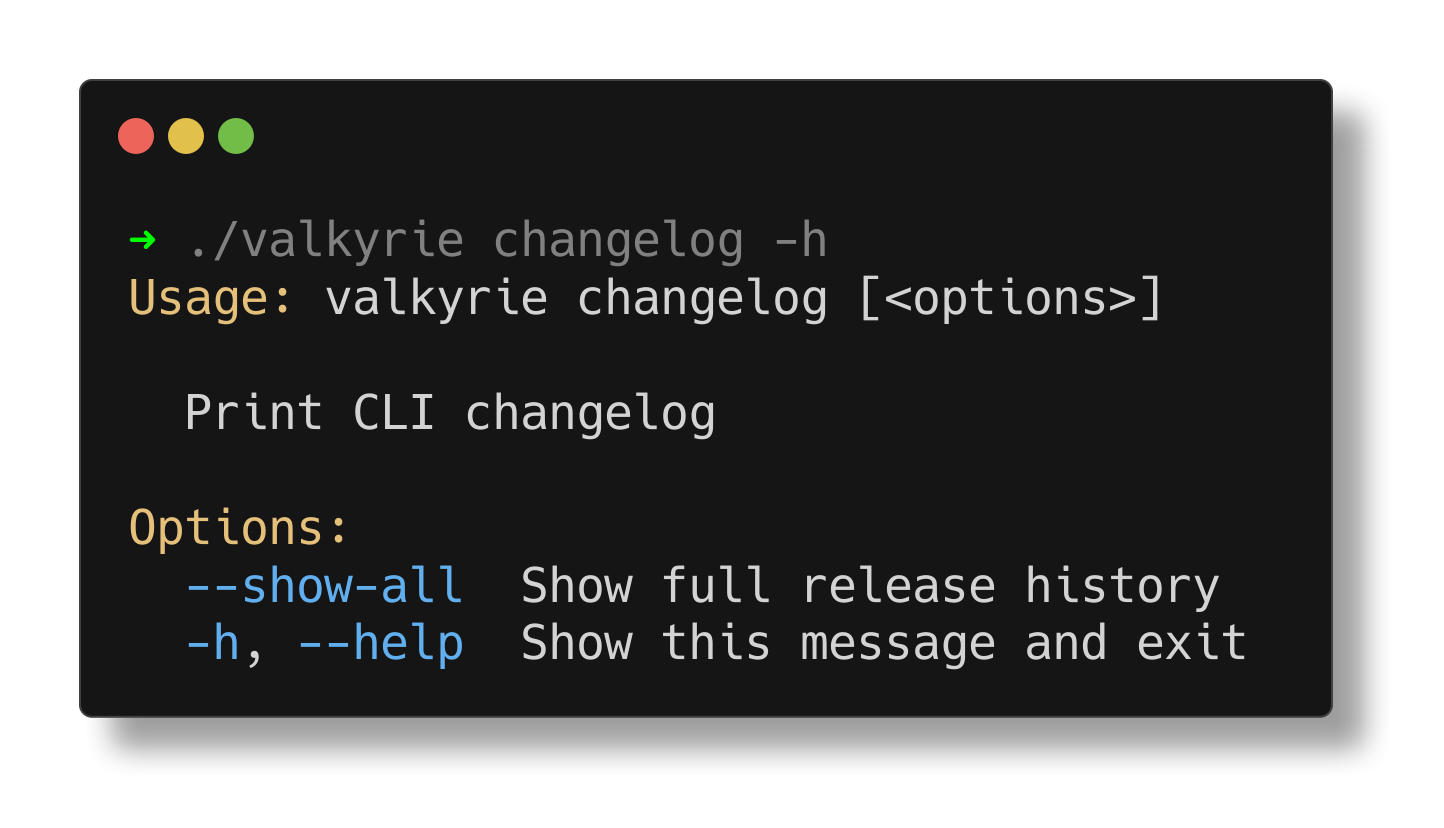
Output example:
Run ./gradlew buildCLI to build minified version of CLI tool. Artifact will be available in
tools/cli/build/distributions/valkyrie-cli-*.**.*-SNAPSHOT.zip.
The Gradle plugin automates the conversion of SVG/XML files to Compose ImageVector format during the build process. It's ideal for projects that need to version control icon sources and generate type-safe Kotlin code automatically.
| Valkyrie plugin version | Min AGP | Min Gradle |
|---|---|---|
| 0.4.0 | 9.0.0 | 9.0.0 |
| 0.5.0 | 9.2.0 | 9.4.1 |
| 0.6.0 | 9.4.0 | 9.6.0 |
Define in your libs.versions.toml:
[plugins]
valkyrie = "io.github.composegears.valkyrie:latest-version"
Add the plugin to your build.gradle.kts:
plugins {
    alias(libs.plugins.valkyrie)
}
Full gradle plugin API specification (see practical examples below):
valkyrie {
    // Required: Package name for generated icons
    // Defaults to Android 'namespace' if Android Gradle Plugin is applied
    packageName = "com.example.app.icons"

    // Optional: Custom output directory (default: build/generated/sources/valkyrie)
    outputDirectory = layout.buildDirectory.dir("generated/valkyrie")

    // Optional: Resource directory name containing icon files (default: "valkyrieResources")
    // Icons will be discovered in src/{sourceSet}/{resourceDirectoryName}/
    // Example: src/commonMain/valkyrieResources/, src/androidMain/valkyrieResources/
    resourceDirectoryName = "valkyrieResources"

    // Optional: Generate during IDE sync for better developer experience (default: false)
    generateAtSync = false

    // Optional: Force all generated ImageVectors to have a specific autoMirror value (default: not specified)
    // When set to true, all icons will have autoMirror = true
    // When set to false, all icons will have autoMirror = false
    // When not specified, the autoMirror value from the original icon file will be preserved
    // This can be overridden at the icon pack or nested pack level
    autoMirror = false

    // Optional: Code style configuration for generated code
    codeStyle {
        // Add explicit `public` modifier to generated declarations (default: false)
        useExplicitMode = false

        // Number of spaces used for each level of indentation in generated code (default: 4)
        indentSize = 4
    }

    // Optional: ImageVector generation configuration
    imageVector {
        // Output format for generated ImageVectors (default: BackingProperty)
        outputFormat = OutputFormat.BackingProperty // or OutputFormat.LazyProperty

        // Use predefined Compose colors instead of hex color codes (e.g. Color.Black instead of Color(0xFF000000)) (default: true)
        useComposeColors = true

        // Generate `@Preview` function for ImageVector (default: false)
        generatePreview = false

        // Insert a trailing comma after the last element of ImageVector.Builder block and path params (default: false)
        addTrailingComma = false

        // Generate addPath with pathData strings instead of path builder calls (default: false)
        // Less optimal due to pre-rendering parsing, but may be preferred for readability
        usePathDataString = false

        // Add `@Suppress("UnusedReceiverParameter")` annotation to generated ImageVector extension properties (default: false)
        // Suppresses the Kotlin warning when the receiver parameter (e.g. `ValkyrieIcons`) is not used inside the property getter body
        suppressUnusedReceiverWarning = false
    }

    // Optional icon pack object configuration
    iconPack {
        // Required: Name of the root icon pack object
        name = "ValkyrieIcons"

        // Required: Target source set for generated icon pack object
        targetSourceSet = "commonMain"

        // Optional: Generate flat package structure without subfolders (default: false)
        useFlatPackage = false

        // Optional: Force all ImageVectors in this icon pack to have a specific autoMirror value (default: not specified)
        // When set, overrides the root level autoMirror setting
        // This can be overridden at the nested pack level
        autoMirror = true

        // Optional: Nested icon packs configuration
        nested {
            // Required: Name of the nested icon pack object
            name = "Outlined"

            // Required: The source folder path containing icons for this nested pack, relative to the `resourceDirectoryName`.
            sourceFolder = "outlined"

            // Optional: Force all ImageVectors in this nested pack to have a specific autoMirror value (default: not specified)
            // When set, overrides the icon pack level and root level autoMirror settings
            autoMirror = false
        }
        // You can add more nested packs if necessary
    }
}
Place your icon files in the resources directory:
src/
└── commonMain/
    └── valkyrieResources/
        ├── add.svg
        ├── delete.svg
        └── ic_home.xml
The plugin automatically discovers icons from src/{sourceSet}/valkyrieResources/ in all source sets.
Run the Gradle task to generate ImageVector sources:
./gradlew generateValkyrieImageVector
Simply convert SVG/XML files to ImageVector in the specified package. For this example, we will use a multiplatform project structure.
plugins {
    kotlin("multiplatform")
    alias(libs.plugins.valkyrie)
}

valkyrie {
    packageName = "com.example.app.icons"
}

// other code
Place icons in the valkyrieResources directory:
src/
└── commonMain/
    └── valkyrieResources/
        ├── ic_brush.xml
        ├── ic_compose_color.xml
        ├── ic_linear_gradient.svg
        ├── ic_several_path.xml
        └── ic_transparent_fill_color.xml
Run the Gradle task:
./gradlew generateValkyrieImageVector
Observe generated code in build directory:
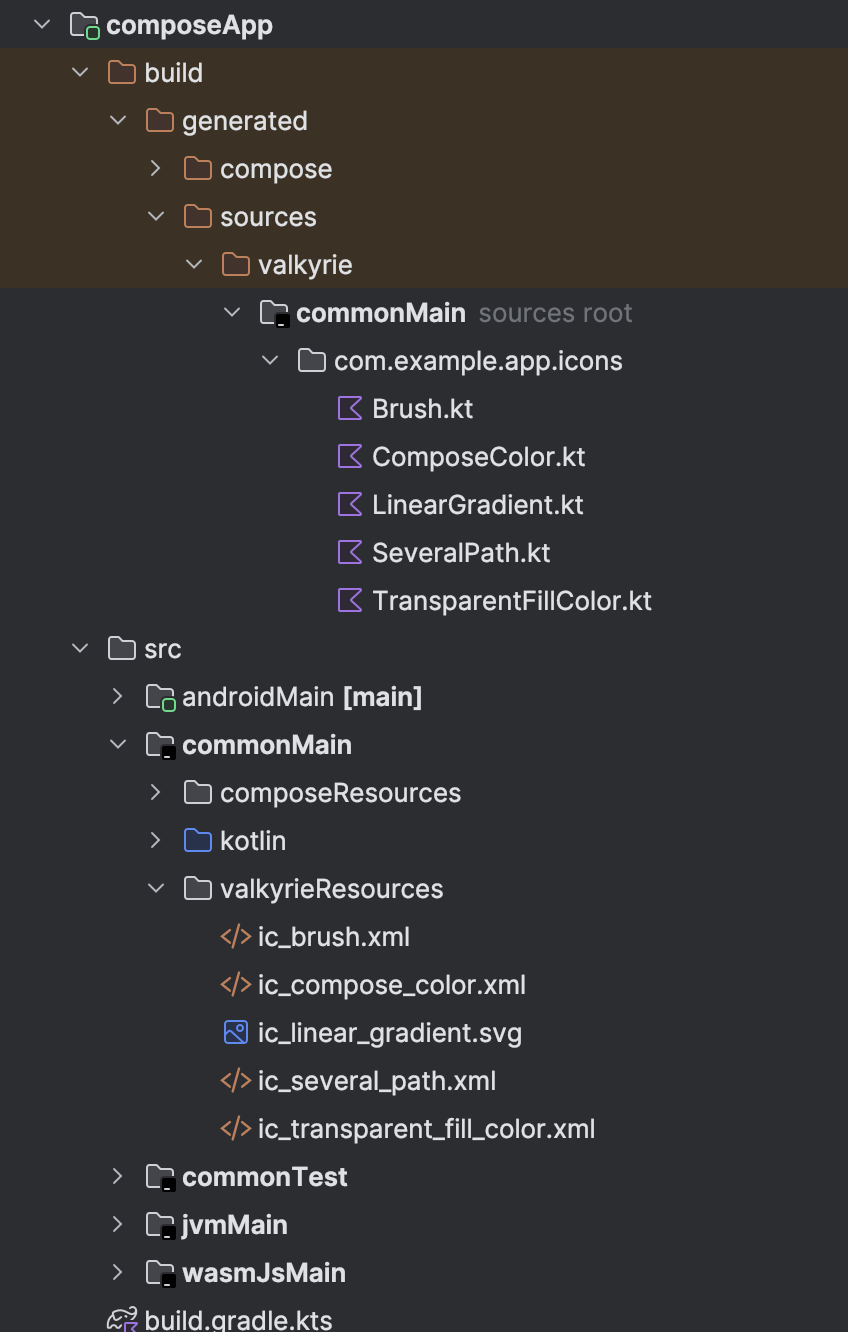
Use icon from your Compose code:
@Composable
fun Demo() {
    Image(
        imageVector = ComposeColor,
        contentDescription = "Color"
    )
}
For better organization and type-safe access to your icons, you can create an icon pack. For this example, we will use a multiplatform project structure.
plugins {
    kotlin("multiplatform")
    alias(libs.plugins.valkyrie)
}

valkyrie {
    packageName = "com.example.app.icons"

    iconPack {
        name = "ValkyrieIcons"
        targetSourceSet = "commonMain" // icon pack object will be generated in commonMain source set
    }
}
Place icons in the valkyrieResources directory:
src/
└── commonMain/
    └── valkyrieResources/
        ├── ic_brush.xml
        ├── ic_compose_color.xml
        ├── ic_linear_gradient.svg
        ├── ic_several_path.xml
        └── ic_transparent_fill_color.xml
Run the Gradle task:
./gradlew generateValkyrieImageVector
Observe generated code in build directory with icon pack object and icons:
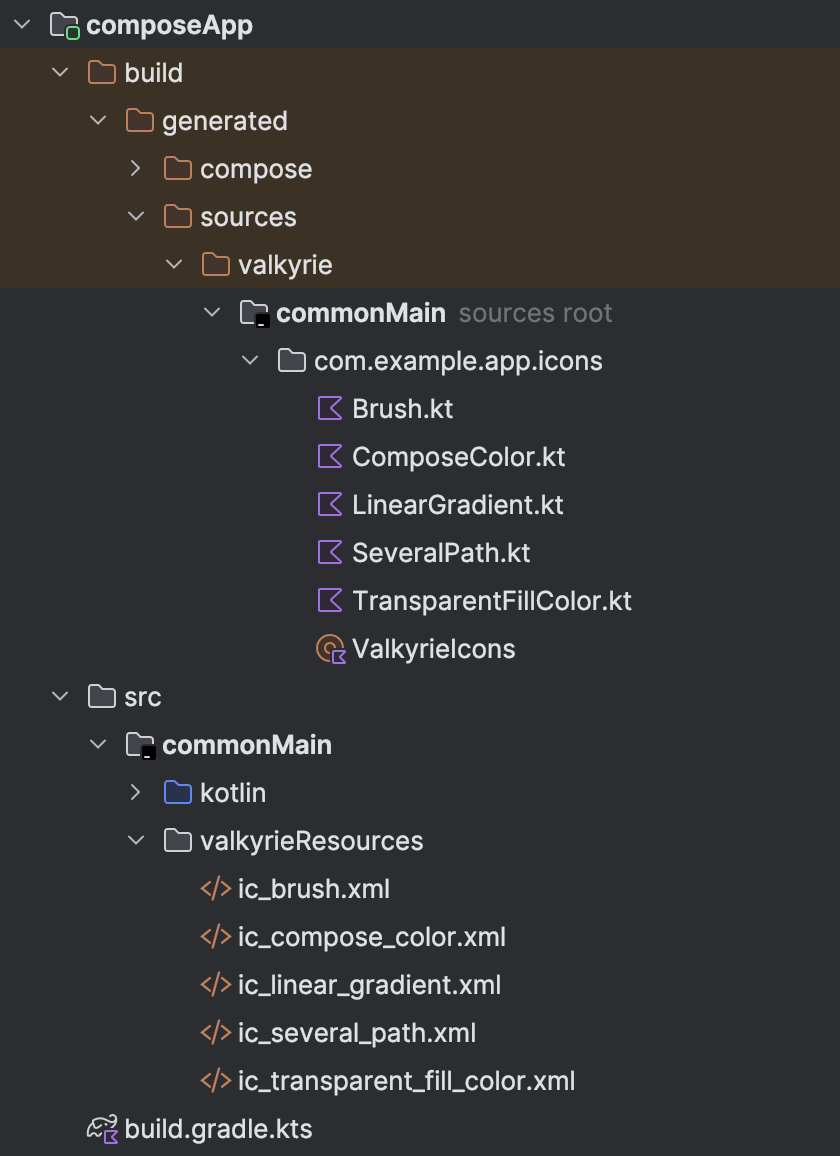
Use icon from your Compose code:
@Composable
fun Demo() {
    Image(
        imageVector = ValkyrieIcons.LinearGradient,
        contentDescription = null
    )
}
For larger projects with multiple icon sets, you can organize icons into a structured icon pack with nested packs. This approach provides better organization and type-safe access to your icons.
For this example, we will use a multiplatform project structure.
plugins {
    kotlin("multiplatform")
    alias(libs.plugins.valkyrie)
}

valkyrie {
    packageName = "com.example.app.icons"

    iconPack {
        name = "ValkyrieIcons"
        targetSourceSet = "commonMain"

        nested {
            name = "Outlined"
            sourceFolder = "outlined"
        }

        nested {
            name = "Filled"
            sourceFolder = "filled"
        }
    }
}
Organize your icons in nested folders:
src/
└── commonMain/
    └── valkyrieResources/
        ├── outlined/
        │   ├── add.svg
        │   ├── delete.svg
        │   └── settings.svg
        └── filled/
            ├── home.svg
            ├── user.svg
            └── search.svg
Run the Gradle task:
./gradlew generateValkyrieImageVector
Observe generated code in build directory with icon pack object and icons:
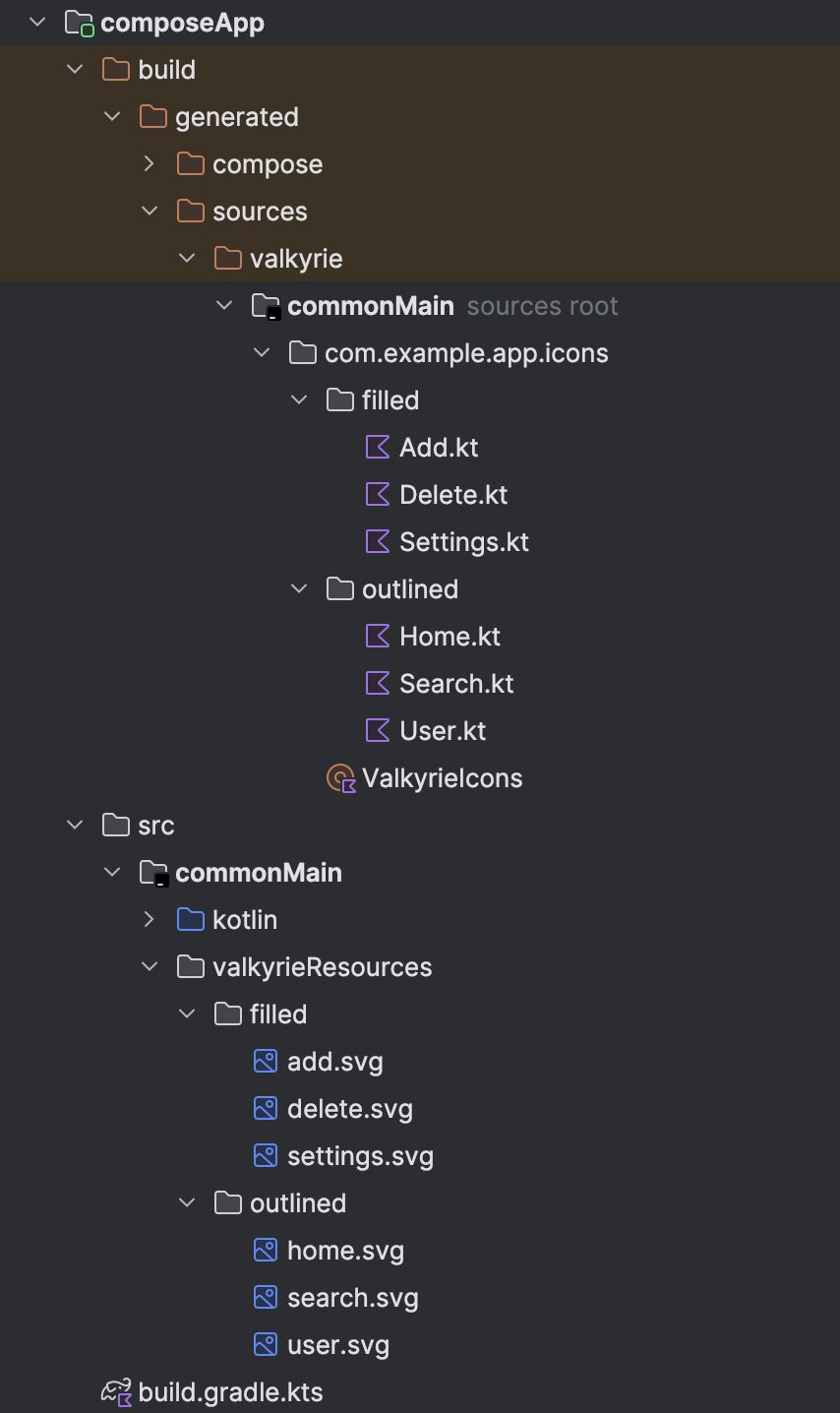
Use icons from your Compose code:
@Composable
fun Demo() {
    Image(
        imageVector = ValkyrieIcons.Outlined.Add,
        contentDescription = "Add"
    )

    Image(
        imageVector = ValkyrieIcons.Filled.Home,
        contentDescription = "Home"
    )
}
To keep generated icons in your source folder (e.g. for version control), you can create custom Gradle tasks to sync the generated files after the generation task.
val copyTask = tasks.register<Copy>("copyValkyrieIcons") {
    dependsOn(tasks.named("generateValkyrieImageVector"))

    from(layout.buildDirectory.dir("generated/sources/valkyrie"))
    into(layout.projectDirectory.dir("src"))
}

val cleanTask = tasks.register<Delete>("cleanValkyrieGenerated") {
    delete(layout.buildDirectory.dir("generated/sources/valkyrie"))
}

tasks.register("updateValkyrieIcons") {
    dependsOn(copyTask)
    finalizedBy(cleanTask)
}
The autoMirror parameter controls whether icons should automatically flip horizontally when used in right-to-left
(RTL) layouts. This is particularly useful for directional icons like arrows, chevrons, or navigation elements.
Configuration hierarchy:
The plugin supports a three-level hierarchy for autoMirror configuration:
For example, to force enable RTL support for icons in the Navigation nested pack:
valkyrie {
    packageName = "com.example.app.icons"

    iconPack {
        name = "ValkyrieIcons"
        targetSourceSet = "commonMain"

        nested {
            name = "Navigation"
            sourceFolder = "navigation"

            autoMirror = true
        }

        nested {
            name = "Logos"
            sourceFolder = "logos"
        }
    }
}
In this example:
Navigation nested pack will have autoMirror = trueLogos nested pack (and any other nested pack without an explicit autoMirror setting) will preserve
the original autoMirror value from the source icon file| Backing property | Lazy property |
|
|
Source SVG icon:
<svg xmlns="http://www.w3.org/2000/svg" height="24px" viewBox="0 0 24 24" width="24px" fill="#e8eaed">
    <path d="M0 0h24v24H0V0z" fill="none"/>
    <path d="M19 13h-6v6h-2v-6H5v-2h6V5h2v6h6v2z"/>
</svg>
ImageVector output:
| Valkyrie | composables.com |
|
|
CLI options --iconpack-name and --nested-packs removed in favour of --iconpack
Single pack
❌ ./valkyrie --iconpack-name=ValkyrieIcons
✅ ./valkyrie --iconpack=ValkyrieIcons
Nested packs
❌ ./valkyrie --iconpack-name=ValkyrieIcons --nested-packs=Colored,Filled
✅ ./valkyrie --iconpack=ValkyrieIcons.Colored,ValkyrieIcons.Filled

Thank you for your contributions and support! ❤️
Developed by ComposeGears 2024

Licensed under the Apache License, Version 2.0 (the "License");
you may not use this file except in compliance with the License.
You may obtain a copy of the License at

   http://www.apache.org/licenses/LICENSE-2.0

Unless required by applicable law or agreed to in writing, software
distributed under the License is distributed on an "AS IS" BASIS,
WITHOUT WARRANTIES OR CONDITIONS OF ANY KIND, either express or implied.
See the License for the specific language governing permissions and
limitations under the License.
ComposeGears/Valkyrie is a public repo on GitHub by ComposeGears. SVG/XML to Compose ImageVector: IntelliJ IDEA / Android Studio plugin + build-in previewer without compilation, CLI tool, Gradle plugin.
It declares the Apache-2.0 license on GitHub.
Its maker has not tagged a system, so it is unknown here. Its README says what it needs.
Open "Take it" on its page: Take My Repo writes an install plan for your machine and hands it to your AI agent (Claude Code, Codex or Cursor), which asks you before each step. Take My Repo has not tested it on any machine.
Its last change on GitHub was on 2026-11-21. Take My Repo does not judge from that whether it is maintained.
Nobody has reviewed it on Take My Repo yet, which says nothing about its quality.
IntelliJ IDEA, PyCharm, RubyMine, PhpStorm, AppCode, AndroidStudio, Goland, Rider, & WebStorm plugin for quantifying your coding.
基于无障碍,高级选择器,订阅规则的自定义屏幕点击安卓应用 | An Android APP with custom screen tapping based on Accessibility, Advanced Selectors, and Subscription Rules
The agent harness performance optimization system. Skills, instincts, memory, security, and research-first development for Claude Code, Codex, Opencode, Cursor and beyond.
Reverse engineer anything with agents, from app behavior down to native binaries.
集找番、追番、看番的一站式弹幕追番平台,云收藏同步 (Bangumi),离线缓存,BitTorrent,弹幕云过滤。100% Kotlin/Compose Multiplatform
Makes your AI agent think like the laziest senior dev in the room. The best code is the code you never wrote.
A lightweight Kotlin/Compose application architecture. UI retains state and delegates actions to Task interfaces; Solutions implement Tasks and stay strictly internal. No ViewModels, clear layer boundaries, scales from a single module to full multi-module modularization.