
super-hermes
Skills that teach Hermes Agent to write its own analytical prompts
- 520
- PowerShell
- MIT
- 4 mo ago
The Complete Claude Code CLI Guide - Live & Auto-Updated Every 2 Days
Repo Cranot/claude-code-guide, read from GitHub 3 d ago. Cranot has not joined Take My Repo.
Cranot/claude-code-guide is a public repo on GitHub by Cranot. The Complete Claude Code CLI Guide - Live & Auto-Updated Every 2 Days. It declares no license on GitHub. Public does not mean open source: without a license, nobody is granted the right to reuse it. It is written mainly in Shell, has 2,862 stars and last changed on 2026-07-27. Nobody has reviewed it on Take My Repo yet, which says nothing about its quality. Read from GitHub on 2026-11-19.
In the maintainer's words. Shown from GitHub; Take My Repo does not keep a copy.
Quick Links: Get Started · Commands · MCP Setup · Settings · SDK · Changelog
🔄 Live Guide: Auto-updated every 2 days from official docs, GitHub releases, and Anthropic changelog. See update-log.md.
🤖 For AI Agents: Optimized for both humans and AI.
[OFFICIAL]= from code.claude.com.[COMMUNITY]= observed patterns.[EXPERIMENTAL]= unverified.
Claude Code is an agentic AI coding assistant that lives in your terminal. It understands your codebase, edits files directly, runs commands, and helps you code faster through natural language conversation.
Key Capabilities:
Installation:
# Quick Install (macOS, Linux, WSL)
curl -fsSL https://claude.ai/install.sh | bash

# Windows PowerShell
irm https://claude.ai/install.ps1 | iex

# Windows CMD
curl -fsSL https://claude.ai/install.cmd -o install.cmd && install.cmd && del install.cmd

# Alternative: Homebrew (macOS/Linux)
brew install --cask claude-code

# Alternative: WinGet (Windows)
winget install Anthropic.ClaudeCode

# Alternative: NPM (⚠️ Deprecated - use native install instead)
npm install -g @anthropic-ai/claude-code

claude --version  # Verify installation
Official Documentation: https://code.claude.com/docs/en/overview
# Starting Claude Code
claude                    # Start interactive session
claude -p "task"          # Print mode (non-interactive)
claude --continue         # Continue last session
claude --resume <id>      # Resume specific session

# Session Management
/help                     # Show available commands
/exit                     # End session
/compact                  # Reduce context size
/compact [instructions]  # Compact conversation with optional focus instructions

# Background Tasks
/bashes                   # List background processes
/kill <id>               # Stop background process

# Discovery
/commands                 # List skills and commands
/hooks                   # Show configured hooks
/skills                  # List available Skills (NEW)
/plugin                  # Manage plugins
Source: CLI Reference
# Output Control
claude -p, --print "task"          # Print mode: non-interactive, prints result and exits
claude --output-format json         # Output format: text, json, or stream-json
claude --input-format text          # Input format: text or stream-json
claude --verbose                    # Enable verbose logging (full turn-by-turn output)

# Session Management
claude --continue                   # Continue from last session
claude --resume <session-id>        # Resume specific session by ID or name
claude --from-pr <pr>               # Resume session linked to GitHub PR number or URL [NEW]
claude --fork-session               # Create new session ID instead of reusing original
claude --session-id <uuid>          # Use specific session ID (must be valid UUID)

# Remote Sessions (claude.ai subscribers)
claude --remote "task"              # Create web session on claude.ai
claude --teleport                   # Resume web session in local terminal
claude --remote-control             # Bridge this session to claude.ai/code (mobile/web)
claude --channels                   # Allow MCP servers to push messages in (research preview) [NEW]

# Background Sessions & Agent View [NEW]
claude agents                       # Open the agent view: every session, running/blocked/done
claude agents --json                # List live sessions as JSON (add --all for completed)
claude agents --cwd <path>          # Scope the session list to a directory
claude --bg "task"                  # Start the session in the background
claude --bg --exec '<command>'      # Run a shell command as an attachable background session
claude --bg --name <label>          # Name the background session
claude attach <id>                  # Attach to a background session
claude logs <id>                    # Show a background session's output
claude stop <id> / claude rm <id>   # Stop or remove a background session
claude respawn <id>                 # Restart a stopped background session
claude daemon status                # Inspect the background-session daemon

# Debugging & Logging
claude --debug                      # Enable debug mode (with optional category filtering)
claude --debug "api,mcp"            # Debug specific categories
claude --debug "!statsig,!file"     # Exclude categories with !

# Model & Agent Configuration
claude --model <name>               # Specify model (sonnet, opus, haiku, or full name)
claude --fallback-model <name>      # Fallback model when overloaded (interactive too, v2.1.166)
claude --effort high                # Set reasoning effort (low/medium/high/xhigh/max/ultracode) [NEW]
claude --agent <name>               # Specify custom agent (overrides settings)
claude --agents '<json>'            # Define custom subagents dynamically via JSON
claude --forward-subagent-text      # Include subagent text/thinking in stream-json output [NEW]

# System Prompt Customization
claude --system-prompt "prompt"     # Replace entire default system prompt
claude --system-prompt-file <path>  # Replace with file contents (print mode only)
claude --append-system-prompt "..."  # Append to default system prompt
claude --append-system-prompt-file <path>  # Append file contents (print mode only)

# Tool & Permission Management
claude --tools "Bash,Read,Edit"     # Restrict built-in tools (use "" to disable all)
claude --allowedTools "Bash(git:*)" # Tools that execute without prompting
claude --disallowedTools "Edit"     # Tools removed from context
claude --permission-mode plan       # Begin in specified permission mode
claude --permission-mode manual     # "default" mode renamed to "manual" in v2.1.200 [NEW]
claude --dangerously-skip-permissions  # Skip all permission prompts ⚠️
claude --allow-dangerously-skip-permissions  # Enable bypass option without activating [NEW]
claude --permission-prompt-tool <mcp-tool>  # MCP tool for permission prompts (non-interactive) [NEW]

# Budget & Execution Limits (print mode)
claude --max-budget-usd 5.00        # Maximum dollar amount for API calls
claude --max-turns 3                # Limit number of agentic turns
claude --json-schema '<schema>'     # Get validated JSON output matching schema (print mode) [NEW]

# Directory & Configuration
claude --add-dir ../apps ../lib     # Add additional working directories
claude --plugin-dir ./my-plugins    # Load plugins from a directory or .zip (repeat for more)
claude --plugin-url <url>           # Fetch a plugin .zip archive from a URL for this session [NEW]
claude --worktree, -w <name>        # Run the session in an isolated git worktree
claude --settings ./settings.json   # Path to settings JSON file
claude --setting-sources user,project  # Comma-separated list of setting sources [NEW]
claude --mcp-config ./mcp.json      # Load MCP servers from JSON file
claude --strict-mcp-config          # Only use MCP servers from --mcp-config

# IDE & Browser Integration
claude --ide                        # Auto-connect to IDE on startup
claude --chrome                     # Enable Chrome browser integration
claude --no-chrome                  # Disable Chrome browser integration

# Agent Teams [NEW]
claude --teammate-mode in-process   # Teammates display in main terminal
claude --teammate-mode tmux         # Each teammate in own pane (requires tmux/iTerm2)
claude --teammate-mode auto         # Auto-detect (default)

# Setup & Maintenance
claude --init                       # Run Setup hooks and start interactive mode
claude --init-only                  # Run Setup hooks and exit (no interactive session)
claude --maintenance                # Run Setup hooks with maintenance trigger and exit

# Troubleshooting & Accessibility [NEW]
claude --safe-mode                  # Start with CLAUDE.md, plugins, skills, hooks, MCP disabled
claude --bare                       # Minimal scripted -p runs (no hooks/LSP/plugin sync)
claude --ax-screen-reader           # Opt-in plain-text rendering for screen readers
claude doctor                       # Full setup checkup that can diagnose and fix issues

# Other Options
claude -n, --name <name>            # Set a display name for the session at startup [NEW]
claude --disable-slash-commands     # Disable all skills and slash commands
claude --no-session-persistence     # Disable session persistence (print mode)
claude --betas interleaved-thinking # Beta headers for API requests
claude --include-partial-messages   # Include partial streaming events (with stream-json) [NEW]
claude --exclude-dynamic-system-prompt-sections  # Better cross-user prompt caching (print) [NEW]

# Subcommands
claude auth login|status|logout     # Manage authentication (--console for API billing)
claude mcp login|logout <name>      # Authenticate an MCP server without opening /mcp
claude plugin init|list|details|prune|tag   # Plugin authoring and maintenance
claude project purge [path]         # Delete all Claude Code state for a project [NEW]
claude auto-mode reset              # Restore the default auto-mode configuration [NEW]
Common Flag Combinations:
# One-off task with JSON output
claude --print "analyze this code" --output-format json

# Debug MCP and API issues
claude --debug "api,mcp"

# Resume session with specific model
claude --resume auth-refactor --model opus

# Non-interactive with budget limit (CI/CD)
claude -p --max-budget-usd 5.00 --output-format json "run tests"

# Custom subagents for specialized work
claude --agents '{"reviewer":{"description":"Code reviewer","prompt":"Review for bugs"}}'

# Remote session for claude.ai subscribers
claude --remote "fix the login bug"
Source: CLI Reference
| Tool | Purpose | Permission Required |
|---|---|---|
| Read | Read files, images, PDFs | No |
| Write | Create new files | Yes |
| Edit | Modify existing files | Yes |
| Bash | Execute shell commands | Yes |
| Grep | Search content with regex | No |
| Glob | Find files by pattern | No |
| TodoWrite | Task management | No |
| Task | Launch sub-agents | No |
| WebFetch | Fetch web content | Yes |
| WebSearch | Search the web | Yes |
| NotebookEdit | Edit Jupyter notebooks | Yes |
| NotebookRead | Read Jupyter notebooks | No |
Source: Settings Reference
Claude Code operates through a conversational interface in your terminal:
# You describe what you want
$ claude
> "Add user authentication to the API"

# Claude Code:
1. Analyzes your codebase structure
2. Plans the implementation
3. Requests permission for file edits (first time)
4. Writes code directly to your files
5. Can run tests and verify changes
6. Creates git commits if requested
Key Principles:
Source: Overview
Claude Code uses an incremental permission system for safety:
# Permission Rules — three buckets, each an ARRAY of "Tool(specifier)" strings
"allow"  # Permit without asking
"ask"    # Prompt before each use
"deny"   # Block completely

# Permission Modes — the starting behavior, set with permissions.defaultMode
"default"            # Prompt on first use of each tool (alias: "manual")
"acceptEdits"        # Auto-accept file edits and common filesystem commands
"plan"               # Explore read-only; no source edits
"auto"               # Auto-approve with background safety checks
"dontAsk"            # Auto-deny anything not pre-approved
"bypassPermissions"  # Skip prompts entirely (isolated environments only)

# NOTE: rule buckets and modes are different things. There is no "ask" MODE.
# To prompt before acting, stay in "default" mode and add ask RULES:
#   { "defaultMode": "default", "ask": ["Bash", "Edit"] }

# Permission Priority [NEW v2.1.27]
# Content-level rules override tool-level rules
# Example: allow: ["Bash"], ask: ["Bash(rm *)"]
#   -> Bash is generally allowed, but "rm *" commands require confirmation

# Tools Requiring Permission
- Bash (command execution)
- Write/Edit/NotebookEdit (file modifications)
- WebFetch/WebSearch (network access)
- Skill (skills and custom commands)

# Tools Not Requiring Permission (Safe Operations)
- Read/NotebookRead (reading files)
- Grep/Glob (searching)
- TodoWrite (task tracking)
- Task (sub-agents)
Configuring Permissions:
Create .claude/settings.json in your project or ~/.claude/settings.json globally:
{
  "permissions": {
    "defaultMode": "default",
    "allow": [
      "Bash(git status)",
      "Bash(git diff)",
      "Bash(git log *)",
      "Bash(npm test)",
      "Bash(npm run *)",
      "Read",
      "Edit"
    ],
    "deny": [
      "Read(*.env)",
      "Read(.env.*)",
      "Edit(*.env)",
      "Edit(.env.*)",
      "Edit(.git/**)"
    ],
    "additionalDirectories": [
      "/path/to/other/project"
    ]
  }
}
Rule syntax gotchas:
allow / ask / deny are arrays of "Tool(specifier)" strings, never objects keyed by tool name. An object such as "deny": { "Write": ["*.env"] } is silently ignored."Read" allows all reads.Edit(path), not Write(path). File permission checks match only Edit(path) and Read(path) rules; Write(path), NotebookEdit(path), and Glob(path) rules are accepted but never matched, and warn at startup (v2.1.210+). Edit rules cover all file-editing tools.* matters: Bash(npm run *) matches npm run build but not npm runfoo, while Bash(npm run*) matches both.Read and Edit specifiers use gitignore syntax; a bare filename matches at any depth, so Read(.env) and Read(**/.env) are equivalent.Read(...) and Edit(...) — denying edits alone still lets Claude read the file.Source: Permissions, Settings
A CLAUDE.md file in your project root provides persistent context across sessions:
# Project: My Application

## Critical Context (Read First)
- Language: TypeScript + Node.js
- Framework: Express + React
- Database: PostgreSQL with Prisma ORM
- Testing: Jest + React Testing Library

## Commands That Work
npm run dev          # Start dev server (port 3000)
npm test             # Run all tests
npm run lint         # ESLint check
npm run typecheck    # TypeScript validation
npm run db:migrate   # Run Prisma migrations

## Important Patterns
- All API routes in /src/routes - RESTful structure
- Database queries use Prisma Client
- Auth uses JWT tokens (implementation in /src/auth)
- Frontend components in /src/components
- API responses: {success: boolean, data: any, error?: string}

## Gotchas & What NOT to Do
- DON'T modify /generated folder (auto-generated by Prisma)
- DON'T commit .env files (use .env.example instead)
- ALWAYS run npm run db:migrate after pulling schema changes
- DON'T use `any` type in TypeScript - use proper typing

## File Structure
/src
  /routes       # Express API routes
  /services     # Business logic
  /models       # Type definitions
  /middleware   # Express middleware
  /utils        # Shared utilities
  /auth         # Authentication logic

## Recent Learnings
- [2026-01-15] Payment webhook needs raw body parser for Stripe
- [2026-01-10] Redis pool: {maxRetriesPerRequest: 3}
Why CLAUDE.md Helps:
Note: While CLAUDE.md is not an official feature, it's a widely-adopted community pattern. Claude Code will automatically read it if present at project root.
Purpose: Read and analyze files
# Examples
Read file_path="/src/app.ts"
Read file_path="/docs/screenshot.png"  # Can read images!
Read file_path="/docs/guide.pdf"       # Can read PDFs!
Read file_path="/docs/guide.pdf" pages="1-5"  # Read specific PDF pages [NEW v2.1.30]
Capabilities:
cat -n format)PDF Parameters [NEW v2.1.30]:
pages: Optional page range (e.g., "1-5", "1,3,5") to read specific pagesSpecial Features:
Purpose: Create new files
Write file_path="/src/newFile.ts"
      content="export const config = {...}"
Behavior:
Best Practice: Use Edit tool for modifying existing files, Write tool only for new files.
Purpose: Modify existing files with precise string replacement
Edit file_path="/src/app.ts"
     old_string="const port = 3000"
     new_string="const port = process.env.PORT || 3000"
Important:
old_string is not unique in file (use larger context or replace_all)replace_all=true to replace all occurrences (useful for renaming)Common Pattern:
# 1. Read file to see exact content
Read file_path="/src/app.ts"

# 2. Edit with exact string match
Edit file_path="/src/app.ts"
     old_string="function login() {
  return 'TODO';
}"
     new_string="function login() {
  return authenticateUser();
}"
Purpose: Execute shell commands
Bash command="npm test"
Bash command="git status"
Bash command="find . -name '*.test.ts'"
Features:
run_in_background=true)Security:
Common Git Patterns:
# Check status
Bash command="git status"

# View changes
Bash command="git diff"

# Create commit
Bash command='git add . && git commit -m "feat: add authentication"'

# View history
Bash command="git log --oneline -10"
Purpose: Search file contents with regex patterns
# Find functions
Grep pattern="function.*auth" path="src/" output_mode="content"

# Find TODOs with context
Grep pattern="TODO" output_mode="content" -C=3

# Count occurrences
Grep pattern="import.*from" output_mode="count"

# Case insensitive
Grep pattern="error" -i=true output_mode="files_with_matches"
Parameters:
pattern: Regex pattern (ripgrep syntax)path: Directory or file to search (default: current directory)output_mode:"files_with_matches" (default) - Just file paths"content" - Show matching lines"count" - Show match counts per file-A, -B, -C: Context lines (after, before, both)-i: Case insensitive-n: Show line numberstype: Filter by file type (e.g., "js", "py", "rust")glob: Filter by glob pattern (e.g., "*.test.ts")Fast and Powerful: Uses ripgrep under the hood, much faster than bash grep on large codebases.
Purpose: Find files by pattern
# Find test files
Glob pattern="**/*.test.ts"

# Find specific extensions
Glob pattern="src/**/*.{ts,tsx}"

# Find config files
Glob pattern="**/config.{json,yaml,yml}"
Features:
** for recursive, {} for alternatives)Purpose: Manage task lists during work
TodoWrite todos=[
  {
    "content": "Add authentication endpoint",
    "status": "in_progress",
    "activeForm": "Adding authentication endpoint"
  },
  {
    "content": "Write integration tests",
    "status": "pending",
    "activeForm": "Writing integration tests"
  },
  {
    "content": "Update API documentation",
    "status": "pending",
    "activeForm": "Updating API documentation"
  }
]
Task States:
"pending" - Not started yet"in_progress" - Currently working on (should be only ONE at a time)"completed" - Finished successfullyDependency Tracking [NEW]: v2.1.16 introduced task dependency tracking, allowing tasks to define prerequisites that must complete before they start. This enables complex multi-step workflows with proper sequencing.
Best Practices:
in_progress at a timecontent (what to do) and activeForm (what you're doing)When to Use:
Purpose: Launch specialized AI agents for specific tasks
# Explore codebase
Task subagent_type="Explore"
     prompt="Find all API endpoints and their authentication requirements"

# General purpose agent for complex tasks
Task subagent_type="general-purpose"
     prompt="Research best practices for rate limiting APIs and implement a solution"
Available Sub-Agent Types:
"general-purpose" - Complex multi-step tasks, research, implementation"Explore" - Fast codebase exploration (Glob, Grep, Read, Bash)When to Use:
Purpose: Fetch and analyze web page content
WebFetch url="https://docs.example.com/api"
         prompt="Extract all endpoint documentation"
Features:
Purpose: Search the web for current information
WebSearch query="React 19 new features 2024"
Use Cases:
Source: CLI Reference, Settings
Purpose: Get code intelligence features like go-to-definition, find references, and hover documentation.
LSP operation="goToDefinition"
    filePath="src/utils/auth.ts"
    line=42
    character=15
Available Operations:
| Operation | Description |
|---|---|
goToDefinition |
Find where a symbol is defined |
findReferences |
Find all references to a symbol |
hover |
Get documentation and type info for a symbol |
documentSymbol |
Get all symbols in a document (functions, classes, variables) |
workspaceSymbol |
Search for symbols across the entire workspace |
goToImplementation |
Find implementations of an interface or abstract method |
prepareCallHierarchy |
Get call hierarchy item at a position |
incomingCalls |
Find all functions/methods that call the function at a position |
outgoingCalls |
Find all functions/methods called by the function at a position |
Parameters:
operation (required): The LSP operation to performfilePath (required): Absolute or relative path to the fileline (required): Line number (1-based, as shown in editors)character (required): Character offset (1-based, as shown in editors)Use Cases:
# Find where a function is defined
> "Go to the definition of getUserById"

# Find all usages of a function
> "Find all references to the authenticate function"

# Get documentation for a symbol
> "What does the validateToken function do?"

# Explore code structure
> "List all symbols in the auth.ts file"
Note: LSP servers must be configured for the file type. If no server is available for a language, an error will be returned.
Source: CLI Reference
Claude Code maintains conversation context with smart management:
/compact                   # Reduce context by removing old information
/compact "keep auth work"  # Compact with focus instructions (keeps specified context)
Use /compact when:
Use /compact with instructions when:
/compact "keep the authentication implementation context"Preserved:
Cleared:
Claude Code may automatically compact when:
Source: Settings
Claude Code can work with multiple directories simultaneously:
# Add another directory to current session
/add-dir /path/to/other/project

# Work across multiple projects
> "Update the User type in backend and propagate to frontend"
# Claude can now access both directories
Use Cases:
Configuration:
You can also pre-configure additional directories in .claude/settings.json:
{
  "permissions": {
    "additionalDirectories": [
      "/path/to/frontend",
      "/path/to/backend",
      "/path/to/shared-libs"
    ]
  }
}
Customize what information appears in your status line:
# Configure status line
/statusline

# Options typically include:
# - Current model
# - Token usage
# - Session duration
# - Active tools
# - Background processes
Benefits:
Source: CLI Reference
# 1. Navigate to your project
cd /path/to/your/project

# 2. Start Claude Code
claude

# 3. Ask Claude to understand your project
> "Read the codebase and explain the project structure"

# Claude will:
- Look for README, package.json, or similar entry points
- Read relevant files (asks permission first time)
- Analyze the code structure
- Provide a summary

# 4. Request an analysis
> "Review the authentication system for security issues"

# Claude will:
- Find authentication-related files
- Analyze the implementation
- Identify potential vulnerabilities
- Suggest improvements

# 5. Make changes
> "Add rate limiting to the login endpoint"

# Claude will:
- Plan the implementation
- Show you what changes will be made
- Request permission to edit files
- Implement the changes
- Can run tests to verify

# 6. Create a commit
> "Create a git commit for these changes"

# Claude will:
- Run git status to see changes
- Review git diff
- Create a descriptive commit message
- Commit the changes
This provides context that persists across all sessions:
# Ask Claude to help create it
> "Create a CLAUDE.md file documenting this project's structure, commands, and conventions"

# Or create manually with:
- Languages and frameworks used
- Important commands (dev, test, build, lint)
- Project structure overview
- Coding conventions
- Known gotchas or issues
Create .claude/settings.json in your project:
{
  "permissions": {
    "defaultMode": "default",
    "allow": [
      "Bash(npm test)",
      "Bash(npm run *)",
      "Bash(git status)",
      "Bash(git diff)",
      "Bash(git log *)",
      "Read",
      "Grep",
      "Glob"
    ],
    "deny": [
      "Read(*.env)",
      "Read(.env.*)",
      "Edit(*.env)",
      "Edit(.env.*)",
      "Edit(.git/**)"
    ]
  }
}
This configuration:
> "Run the tests"
# Should execute without permission prompt (if configured)

> "What commands are available?"
# Claude will read package.json and list scripts

> "What's in CLAUDE.md?"
# Claude will read and summarize your project context
Source: Quickstart, Settings
Claude Code supports extended thinking for complex reasoning tasks. Opus 4.5 has thinking mode enabled by default.
Activation Methods:
# Toggle with keyboard shortcut
Alt+T (or Option+T on macOS)  # Toggle thinking on/off

# Or use natural language
> "think about this problem"
> "think harder about the architecture"
> "ultrathink about this security issue"

# Tab key (sticky toggle)
Press Tab to toggle thinking mode on/off for subsequent prompts
Thinking Levels:
| Trigger | Thinking Budget | Use Case |
|---|---|---|
think |
Standard | General reasoning, code analysis |
think harder |
Extended | Complex problems, multiple approaches |
ultrathink |
Maximum | Critical decisions, deep architecture analysis |
Best Practices:
think harder for debugging complex issuesultrathink for architectural decisions or security reviewsCtrl+O transcript modeSource: Thinking Mode
Models added to Claude Code since v2.1.39, newest first. Switch with /model or --model.
| Model | Added | Notes |
|---|---|---|
Claude Opus 5 (claude-opus-5) |
v2.1.219 (Jul 24, 2026) | Default Opus model. 1M context. Fast mode at $10/$50 per MTok |
| Claude Sonnet 5 | v2.1.197 (Jun 30, 2026) | Default model in Claude Code. Native 1M-token context. Promotional pricing of $2/$10 per MTok through August 31 |
| Claude Fable 5 | v2.1.170 (Jun 9, 2026) | Mythos-class model made safe for general use. Includes 1M context by default (no [1m] suffix needed) |
| Claude Opus 4.8 | v2.1.154 (May 28, 2026) | Defaults to high effort; /effort xhigh for the hardest tasks. Default Opus on Bedrock, Vertex, and Claude Platform on AWS since v2.1.207 |
| Claude Opus 4.7 | v2.1.111 (Apr 16, 2026) | Introduced the xhigh effort level. Native 1M context window |
| Claude Sonnet 4.6 | v2.1.45 (Feb 17, 2026) | Gained 1M context in v2.1.49 |
Removed / migrated:
Effort levels: /effort (added v2.1.76) accepts low, medium, high, xhigh, max, and ultracode, plus auto to reset to the model default. xhigh arrived in v2.1.111 and ultracode in v2.1.160; ultracode is a Claude Code setting rather than a model level — it sends xhigh and additionally orchestrates dynamic workflows, and it is session-only. max is also session-only unless set through CLAUDE_CODE_EFFORT_LEVEL, and the persisted effortLevel setting accepts only low, medium, high, and xhigh. Defaults have shifted several times — high for API-key/Bedrock/Vertex/Foundry/Team/Enterprise since v2.1.94, high for Pro/Max on Opus 4.6 and Sonnet 4.6 since v2.1.117, and high by default on Opus 4.8. Skills, slash commands, and agents can set effort: in frontmatter, and hooks receive effort.level / $CLAUDE_EFFORT.
Organization controls: admins can set an org default model (shown as "Org default" in /model, v2.1.196), restrict models with availableModels, and harden it with the enforceAvailableModels managed setting (v2.1.175).
Fast mode is a high-speed configuration that makes responses 2.5x faster at a higher cost per token. Available since v2.1.36.
Model support has moved. Fast mode launched on Opus 4.6, switched to Opus 4.7 by default in v2.1.142, added Opus 4.8 at a much lower premium in v2.1.154 (2x the standard rate for 2.5x the speed), and as of v2.1.219
/fastapplies to Opus 5 and Opus 4.8 — Opus 4.7 was removed from fast mode. Opus 5 fast mode is $10/$50 per MTok.CLAUDE_CODE_OPUS_4_6_FAST_MODE_OVERRIDEwas deprecated in v2.1.154 and removed in v2.1.160. The pricing table below is the original Opus 4.6 launch pricing and is kept for historical reference.
Toggle Fast Mode:
# Toggle with built-in command
/fast          # Toggle on/off

# Or set in settings
"fastMode": true   # In user settings file
Visual Indicators:
↯ icon appears next to prompt when fast mode is activePricing (per MTok) — original Opus 4.6 launch pricing:
| Mode | Input (<200K) | Output | Input (>200K) | Output |
|---|---|---|---|---|
| Standard Opus 4.6 | $15 | $75 | $15 | $75 |
| Fast Mode | $30 | $150 | $60 | $225 |
Note: the Opus 4.6 fast-mode discount ran until February 16, 2026. Fast mode on Opus 4.8 is 2x the standard rate (v2.1.154), and Opus 5 fast mode is $10/$50 per MTok (v2.1.219).
Requirements:
/usage-credits, formerly /extra-usage)When to Use:
Fast Mode vs Effort Level:
| Setting | Effect |
|---|---|
| Fast mode | Same quality, lower latency, higher cost |
| Lower effort level | Faster responses, potentially lower quality |
You can combine both for maximum speed on straightforward tasks.
Rate Limits:
Source: Fast Mode
Plan Mode provides structured planning with model selection for complex tasks.
# Enter plan mode
/plan

# Or Claude may suggest plan mode for complex tasks
> "Implement a complete authentication system"
# Claude: "This is a complex task. Would you like me to create a plan first?"
Plan Mode Features:
/clearPlan Mode Workflow:
Source: Plan Mode
Run commands and agents in the background while continuing to work.
Keyboard Shortcut:
Ctrl+B # Background current command or agent (unified shortcut)
Background Commands:
# Start command in background
> "Run the dev server in background"
> "Start tests in watch mode in background"

# Or prefix with &
> "& npm run dev"

# View background tasks
/tasks
/bashes

# Kill a background task
/kill <task-id>
Background Agents:
# Launch agent in background
> "Have an Explore agent analyze the codebase architecture in background"

# Agents run asynchronously and notify you when complete
# You receive wake-up messages when background agents finish
Features:
Source: Background Tasks
Claude Code now automatically records and recalls memories as it works (v2.1.32+).
How It Works:
Memory Scopes for Agents:
---
name: my-agent
memory: project  # Options: user, project, local
---
| Scope | Storage | Shared |
|---|---|---|
user |
~/.claude/ |
All your projects |
project |
.claude/ |
Team via git |
local |
.claude/*.local.* |
No (gitignored) |
Disable Auto-Memory:
export CLAUDE_CODE_DISABLE_AUTO_MEMORY=1
Navigation & Editing:
| Shortcut | Action |
|---|---|
Ctrl+R |
Search command history |
Ctrl+O |
View transcript (shows thinking blocks) |
Ctrl+G |
Edit prompt in system text editor |
Ctrl+Y |
Readline-style paste (yank) |
Alt+Y |
Yank-pop (cycle through kill ring) |
Ctrl+B |
Background current command/agent |
Ctrl+Z |
Suspend/Undo |
Model & Mode Switching:
| Shortcut | Action |
|---|---|
Alt+P (Win/Linux) / Option+P (macOS) |
Switch models while typing |
Alt+T (Win/Linux) / Option+T (macOS) |
Toggle thinking mode |
Tab |
Toggle thinking (sticky) / Accept suggestions |
Shift+Tab |
Auto-accept edits (plan mode) / Switch modes (Windows) |
Input & Submission:
| Shortcut | Action |
|---|---|
Enter |
Submit prompt / Accept suggestion immediately |
Shift+Enter |
New line (works in iTerm2, WezTerm, Ghostty, Kitty) |
Tab |
Edit/accept prompt suggestion |
Ctrl+T |
Toggle syntax highlighting in /theme |
Image & File Handling:
| Shortcut | Action |
|---|---|
Cmd+V (macOS) / Alt+V (Windows) |
Paste image from clipboard |
Cmd+N / Ctrl+N |
New conversation (VSCode) |
Vim Bindings (if enabled):
| Shortcut | Action |
|---|---|
; and , |
Repeat last motion |
y |
Yank operator |
p / P |
Paste |
Alt+B / Alt+F |
Word navigation |
Login & Authentication:
| Shortcut | Action |
|---|---|
c |
Copy OAuth URL during login |
Bash Mode Autocomplete [NEW v2.1.14]:
| Shortcut | Action |
|---|---|
! + Tab |
History-based autocomplete - complete partial commands from history |
Claude Code suggests prompts based on context (enabled by default).
# Claude suggests contextual prompts
> _  # Cursor blinking
# Suggestion appears: "Review the changes we made"

# Tab to edit the suggestion
Tab → Edit the suggestion text

# Enter to submit immediately
Enter → Submit the suggestion as-is
Configuration:
# Toggle in /config
/config
# Search for "prompt suggestions"
# Toggle enable/disable
Core Configuration:
| Variable | Description |
|---|---|
ANTHROPIC_API_KEY |
Your API key |
CLAUDE_CODE_SHELL |
Override shell detection |
CLAUDE_CODE_TMPDIR |
Custom temp directory |
CLAUDE_CODE_DISABLE_BACKGROUND_TASKS |
Disable background task system |
CLAUDE_CODE_ENABLE_TASKS |
Set to false to use legacy task system [NEW v2.1.19] |
CLAUDE_CODE_SAFE_MODE |
Start with all customizations disabled (same as --safe-mode) [NEW v2.1.169] |
CLAUDE_CODE_SESSION_ID |
Session ID exported to the Bash tool and stdio MCP servers [NEW v2.1.132] |
CLAUDE_CODE_DISABLE_BUNDLED_SKILLS |
Hide bundled skills, workflows, and built-in slash commands [NEW v2.1.169] |
CLAUDE_CODE_PROCESS_WRAPPER |
Run every Claude Code self-spawn through a wrapper executable [NEW v2.1.208] |
CLAUDE_CODE_DISABLE_CRON |
Immediately stop scheduled cron jobs mid-session [NEW v2.1.72] |
Display & UI:
| Variable | Description |
|---|---|
CLAUDE_CODE_HIDE_ACCOUNT_INFO |
Hide account info in UI |
CLAUDE_CODE_HIDE_CWD |
Hide the working directory in the startup logo [NEW v2.1.119] |
CLAUDE_AX_SCREEN_READER |
Set to 1 for screen reader mode (same as --ax-screen-reader) [NEW v2.1.208] |
CLAUDE_CODE_NO_FLICKER |
Set to 1 for flicker-free alt-screen rendering [NEW v2.1.89] |
CLAUDE_CODE_DISABLE_ALTERNATE_SCREEN |
Set to 1 to keep the conversation in native scrollback [NEW v2.1.132] |
CLAUDE_CODE_FORCE_SYNC_OUTPUT |
Force synchronized output where auto-detection misses it [NEW v2.1.129] |
CLAUDE_CODE_DISABLE_MOUSE |
Disable mouse handling in fullscreen mode |
CLAUDE_CODE_DISABLE_MOUSE_CLICKS |
Disable click/drag/hover but keep wheel scroll [NEW v2.1.195] |
CLAUDE_CODE_DISABLE_TERMINAL_TITLE |
Don't set the terminal title |
Bash & Commands:
| Variable | Description |
|---|---|
BASH_DEFAULT_TIMEOUT_MS |
Default bash command timeout |
BASH_MAX_TIMEOUT_MS |
Maximum allowed timeout |
CLAUDE_BASH_NO_LOGIN |
Don't use login shell |
CLAUDE_BASH_MAINTAIN_PROJECT_WORKING_DIR |
Keep working directory |
CLAUDE_CODE_SHELL_PREFIX |
Prefix for shell commands |
Model Configuration:
| Variable | Description |
|---|---|
ANTHROPIC_DEFAULT_SONNET_MODEL |
Override default Sonnet model |
ANTHROPIC_DEFAULT_OPUS_MODEL |
Override default Opus model |
ANTHROPIC_DEFAULT_HAIKU_MODEL |
Override default Haiku model |
ANTHROPIC_DEFAULT_{OPUS,SONNET,HAIKU}_MODEL_SUPPORTS |
Override effort/thinking capability detection for pinned 3P models [NEW v2.1.84] |
ANTHROPIC_DEFAULT_{...}_MODEL_NAME / _DESCRIPTION |
Customize the /model picker label for pinned models [NEW v2.1.84] |
ANTHROPIC_CUSTOM_MODEL_OPTION |
Add a custom entry to the /model picker [NEW v2.1.78] |
ANTHROPIC_BEDROCK_SERVICE_TIER |
Bedrock service tier: default, flex, or priority [NEW v2.1.122] |
ANTHROPIC_WORKSPACE_ID |
Scope a federated token to a specific workspace [NEW v2.1.141] |
CLAUDE_CODE_USE_MANTLE |
Set to 1 for Amazon Bedrock powered by Mantle [NEW v2.1.94] |
CLAUDE_CODE_DISABLE_1M_CONTEXT |
Disable 1M context window support [NEW v2.1.50] |
CLAUDE_CODE_ENABLE_AUTO_MODE |
Opt into auto mode on Bedrock/Vertex/Foundry [NEW v2.1.158] |
CLAUDE_CODE_EFFORT_LEVEL |
Override the reasoning effort level |
ANTHROPIC_LOG |
Enable debug logging |
MCP Configuration:
| Variable | Description |
|---|---|
MCP_TIMEOUT |
MCP connection timeout |
MCP_TOOL_TIMEOUT |
Individual tool timeout |
MCP_CONNECTION_NONBLOCKING |
true skips the MCP connection wait in -p mode [NEW v2.1.89] |
CLAUDE_CODE_MCP_TOOL_IDLE_TIMEOUT |
Abort remote MCP tool calls that hang (default 5 min) [NEW v2.1.187] |
CLAUDE_CODE_MCP_AUTO_BACKGROUND_MS |
Threshold before long MCP calls move to the background [NEW v2.1.212] |
CLAUDE_CODE_MCP_SERVER_NAME / _URL |
Passed to MCP headersHelper scripts [NEW v2.1.85] |
ENABLE_CLAUDEAI_MCP_SERVERS |
false opts out of claude.ai MCP servers [NEW v2.1.63] |
File & Context:
| Variable | Description |
|---|---|
CLAUDE_CODE_FILE_READ_MAX_OUTPUT_TOKENS |
Max tokens for file reads |
CLAUDE_CODE_ADDITIONAL_DIRECTORIES_CLAUDE_MD |
Set to 1 to load CLAUDE.md from --add-dir directories [NEW] |
CLAUDE_PROJECT_DIR |
Override project directory |
CLAUDE_PLUGIN_ROOT |
Plugin root substitution |
CLAUDE_CONFIG_DIR |
Custom config directory |
XDG_CONFIG_HOME |
XDG config base path |
Network & Proxy:
| Variable | Description |
|---|---|
NODE_EXTRA_CA_CERTS |
Custom CA certificates |
NO_PROXY |
Proxy bypass list |
CLAUDE_CODE_PROXY_RESOLVES_HOSTS |
Proxy DNS resolution |
Auto-Update & Plugins:
| Variable | Description |
|---|---|
DISABLE_AUTOUPDATER |
Disable auto-updates |
FORCE_AUTOUPDATE_PLUGINS |
Force plugin updates |
CLAUDE_CODE_EXIT_AFTER_STOP_DELAY |
Exit delay after stop |
Monitoring & Telemetry:
| Variable | Description |
|---|---|
CLAUDE_CODE_ENABLE_TELEMETRY |
Enable OpenTelemetry collection (1) |
OTEL_METRICS_EXPORTER |
OTel metrics exporter (e.g., otlp) |
DISABLE_TELEMETRY |
Opt out of Statsig telemetry (1) |
DISABLE_ERROR_REPORTING |
Opt out of Sentry error reporting (1) |
DISABLE_COST_WARNINGS |
Disable cost warning messages (1) |
Advanced:
| Variable | Description |
|---|---|
CLAUDE_CODE_DISABLE_EXPERIMENTAL_BETAS |
Disable anthropic-beta headers (workaround for gateway users) |
CLAUDE_CODE_EXPERIMENTAL_AGENT_TEAMS |
Enable agent teams feature (1) [NEW] |
CLAUDE_CODE_DISABLE_AUTO_MEMORY |
Disable automatic memory recording (1) [NEW] |
CLAUDE_CODE_DISABLE_BACKGROUND_TASKS |
Disable background task system (1) |
DISABLE_INTERLEAVED_THINKING |
Disable interleaved thinking |
USE_BUILTIN_RIPGREP |
Use built-in ripgrep |
CLOUD_ML_REGION |
Cloud ML region for Vertex |
AWS_BEARER_TOKEN_BEDROCK |
AWS bearer token |
MAX_THINKING_TOKENS |
Extended thinking budget (default: 31,999) |
MAX_MCP_OUTPUT_TOKENS |
Max MCP tool response tokens (default: 25,000) |
CLAUDE_CODE_MAX_OUTPUT_TOKENS |
Max output tokens (default: 32,000, max: 64,000) |
CLAUDE_CODE_DISABLE_NONESSENTIAL_TRAFFIC |
Disable autoupdate, bug reporting, telemetry |
Subagents & Background Sessions: [NEW]
| Variable | Description |
|---|---|
CLAUDE_CODE_MAX_CONCURRENT_SUBAGENTS |
Cap on subagents running at once (default 20) [v2.1.217] |
CLAUDE_CODE_MAX_SUBAGENTS_PER_SESSION |
Cap on subagent spawns per session (default 200) [v2.1.212] |
CLAUDE_CODE_MAX_SUBAGENT_SPAWN_DEPTH |
Nested subagent depth (default 3 since v2.1.219; 1 disables nesting) |
CLAUDE_CODE_MAX_WEB_SEARCHES_PER_SESSION |
Cap on WebSearch calls per session (default 200) [v2.1.212] |
CLAUDE_CODE_SUBAGENT_MODEL |
Model used for subagents |
CLAUDE_CODE_FORK_SUBAGENT |
Set to 1 to enable forked subagents on external builds [v2.1.117] |
CLAUDE_CODE_FORWARD_SUBAGENT_TEXT |
Include subagent text/thinking in stream-json output [v2.1.211] |
CLAUDE_CODE_DISABLE_BG_SHELL_PRESSURE_REAP |
Disable memory-pressure reaping of idle background shells [v2.1.193] |
Retries, Caching & Timeouts: [NEW]
| Variable | Description |
|---|---|
CLAUDE_CODE_MAX_RETRIES |
Retry count (capped at 15 since v2.1.186) |
CLAUDE_CODE_RETRY_WATCHDOG |
Raises the transient-error retry count to 300 for unattended sessions [v2.1.199] |
CLAUDE_ENABLE_STREAM_WATCHDOG |
0 disables the 5-minute stream idle watchdog [v2.1.196] |
CLAUDE_STREAM_IDLE_TIMEOUT_MS |
Streaming idle watchdog threshold (default 90 s) [v2.1.84] |
ENABLE_PROMPT_CACHING_1H |
Opt into 1-hour prompt cache TTL [v2.1.108] |
FORCE_PROMPT_CACHING_5M |
Force 5-minute prompt cache TTL [v2.1.108] |
CLAUDE_CODE_STOP_HOOK_BLOCK_CAP |
Consecutive Stop-hook blocks before the turn ends (default 8) [v2.1.143] |
CLAUDE_CODE_SESSIONEND_HOOKS_TIMEOUT_MS |
SessionEnd hook timeout on exit [v2.1.74] |
Security & Enterprise: [NEW]
| Variable | Description |
|---|---|
CLAUDE_CODE_SUBPROCESS_ENV_SCRUB |
Strip Anthropic and cloud credentials from subprocess environments [v2.1.83] |
CLAUDE_CODE_SCRIPT_CAPS |
Limit per-session script invocations [v2.1.98] |
CLAUDE_CODE_CERT_STORE |
bundled uses only bundled CAs instead of the OS trust store [v2.1.101] |
CLAUDE_CLIENT_PRESENCE_FILE |
Marker file that suppresses mobile push while you're at the machine [v2.1.181] |
DISABLE_UPDATES |
Block all update paths including manual claude update [v2.1.118] |
Windows & Shell: [NEW]
| Variable | Description |
|---|---|
CLAUDE_CODE_USE_POWERSHELL_TOOL |
Opt in/out of the PowerShell tool [v2.1.111] |
CLAUDE_CODE_POWERSHELL_RESPECT_EXECUTION_POLICY |
Don't pass -ExecutionPolicy Bypass [v2.1.143] |
CLAUDE_CODE_GIT_BASH_PATH |
Path to Git Bash on Windows |
CLAUDE_CODE_PERFORCE_MODE |
Fail on read-only files with a p4 edit hint instead of overwriting [v2.1.98] |
Telemetry (additions): [NEW]
| Variable | Description |
|---|---|
OTEL_LOG_ASSISTANT_RESPONSES |
1 un-redacts claude_code.assistant_response content; 0 keeps prompts-only [v2.1.193] |
OTEL_LOG_TOOL_DETAILS |
Include tool parameters and custom command names in events [v2.1.85] |
OTEL_LOG_RAW_API_BODIES |
Emit full API request/response bodies as OTel log events [v2.1.111] |
CLAUDE_CODE_OTEL_CONTENT_MAX_LENGTH |
Truncation limit on OTel content attributes (default 60 KB) [v2.1.214] |
OTEL_METRICS_INCLUDE_ENTRYPOINT |
Add the session entrypoint as a metric attribute [v2.1.152] |
Recent settings additions (configure in /config or settings.json):
{
  // Response language
  "language": "en",  // Claude's response language

  // Git integration
  "attribution": true,  // Add model name to commit bylines
  "respectGitignore": true,  // Respect .gitignore in searches

  // UI preferences
  "showTurnDuration": true,  // Show turn duration messages
  "fileSuggestion": "custom-cmd",  // Custom @ file search command
  "spinnerVerbs": ["analyzing", "thinking", "processing"],  // Custom spinner verbs
  "prefersReducedMotion": false,  // Reduce UI animations for accessibility [NEW v2.1.30]

  // Session behavior
  "companyAnnouncements": true,  // Show startup announcements

  // Plan mode
  "plansDirectory": ".claude/plans"  // Custom directory for plan files
}
Settings Added Since v2.1.39 [NEW] [OFFICIAL]
| Setting | Description |
|---|---|
tui |
Renderer mode; /tui fullscreen switches in-session [v2.1.110] |
autoScrollEnabled |
Disable conversation auto-scroll in fullscreen mode [v2.1.110] |
showThinkingSummaries |
true restores thinking summaries in interactive sessions [v2.1.89] |
axScreenReader |
Opt-in plain-text rendering for screen readers [v2.1.208] |
wheelScrollAccelerationEnabled |
Disable mouse-wheel scroll acceleration in fullscreen [v2.1.174] |
emojiCompletionEnabled |
Toggle :shortcode: emoji autocomplete in the prompt [v2.1.217] |
vimInsertModeRemaps |
Map two-key insert-mode sequences like jj to Escape [v2.1.208] |
footerLinksRegexes |
Regex-matched link badges in the footer row [v2.1.176] |
prUrlTemplate |
Point the footer PR badge at a custom code-review URL [v2.1.119] |
refreshInterval |
Re-run the status line command every N seconds [v2.1.97] |
spinnerTipsOverride |
Custom spinner tips (tips, excludeDefault) [v2.1.45] |
feedbackSurveyRate |
Enterprise session-quality survey sample rate [v2.1.76] |
respondToBashCommands |
false keeps ! bash output context-only [v2.1.186] |
showClearContextOnPlanAccept |
Restore the "clear context" option on plan accept [v2.1.81] |
disableBundledSkills |
Hide bundled skills, workflows, and built-in slash commands [v2.1.169] |
disableSkillShellExecution |
Disable inline shell execution in skills and commands [v2.1.91] |
skillOverrides |
off, user-invocable-only, or name-only per skill [v2.1.129] |
autoMemoryDirectory |
Custom directory for auto-memory storage [v2.1.74] |
includeGitInstructions |
Remove built-in commit/PR instructions from the system prompt [v2.1.69] |
attribution.sessionUrl |
Omit the claude.ai session link from commits and PRs [v2.1.183] |
fallbackModel |
Up to three fallback models tried in order [v2.1.166] |
modelOverrides |
Map /model entries to custom provider model IDs (e.g. Bedrock ARNs) [v2.1.73] |
disableAutoMode |
Turn auto mode off [v2.1.207] |
autoMode.classifyAllShell |
Route all shell commands through the auto-mode classifier [v2.1.193] |
autoMode.hard_deny |
Classifier rules that block unconditionally [v2.1.136] |
autoMode.allow / soft_deny / environment |
Custom rules; include "$defaults" to keep built-ins [v2.1.118] |
worktree.baseRef |
fresh (branch from origin/<default>) or head [v2.1.133] |
worktree.sparsePaths |
Sparse-checkout paths for --worktree in monorepos [v2.1.76] |
worktree.bgIsolation |
"none" lets background sessions edit the working copy directly [v2.1.143] |
workflowSizeGuideline |
Advisory size guideline for dynamic workflows [v2.1.219] |
sandbox.credentials |
Block sandboxed commands from reading credential files/secrets [v2.1.187] |
sandbox.filesystem.disabled |
Skip filesystem isolation, keep network egress control [v2.1.216] |
sandbox.filesystem.allowRead |
Re-allow reads inside a denyRead region [v2.1.77] |
sandbox.network.deniedDomains |
Block domains a broader allowedDomains wildcard would permit [v2.1.113] |
sandbox.network.strictAllowlist |
Deny non-allowlisted hosts without prompting [v2.1.219] |
sandbox.failIfUnavailable |
Exit with an error instead of running unsandboxed [v2.1.83] |
sandbox.allowAppleEvents |
Let sandboxed commands send Apple Events on macOS [v2.1.181] |
sandbox.enableWeakerNetworkIsolation |
macOS TLS verification through a MITM proxy [v2.1.69] |
sandbox.bwrapPath / sandbox.socatPath |
Custom bubblewrap/socat locations on Linux and WSL [v2.1.133] |
disableDeepLinkRegistration |
Prevent claude-cli:// protocol handler registration [v2.1.83] |
Managed (admin) settings added since v2.1.39: enforceAvailableModels, requiredMinimumVersion / requiredMaximumVersion, forceRemoteSettingsRefresh, parentSettingsBehavior, pluginSuggestionMarketplaces, allowedChannelPlugins, allowAllClaudeAiMcps, pluginTrustMessage, wslInheritsWindowsSettings, plus the managed-settings.d/ drop-in directory.
Skills Variable Substitution: [NEW]
# In skill files, use ${CLAUDE_SESSION_ID} for session-specific operations
Session ID: ${CLAUDE_SESSION_ID}
Project Rules:
# New: .claude/rules/ directory for project-specific rules
.claude/rules/
├── coding-style.md      # Coding conventions
├── testing.md           # Testing requirements
└── security.md          # Security guidelines
Wildcard Permissions:
{
  "permissions": {
    "allow": [
      "Bash(npm *)",
      "Bash(git *)",
      "mcp__myserver__*"
    ]
  }
}
Bash(npm *) and Bash(git *) are wildcard command patterns; mcp__myserver__* allows every tool from the myserver MCP server.
Skills are unified capabilities that extend Claude Code — both auto-activated by Claude and manually invoked via /skill-name.
Note: Custom slash commands (
.claude/commands/files) have been merged into skills as of v2.1.3. Your existing command files keep working unchanged. Skills are recommended for new work because they support additional features like supporting files, invocation control, and subagent execution. See Migration: Commands to Skills.
Claude Code skills follow the Agent Skills open standard, which works across multiple AI tools. Claude Code extends the standard with additional features like invocation control, subagent execution, and dynamic context injection.
Skills are instructions packaged as SKILL.md files that extend what Claude Code can do. Claude loads them when relevant to your request, or you invoke them directly:
# Claude auto-activates a skill based on your request
You: "Review this code for security issues"
Claude: [Loads security-reviewer skill automatically]

# Or you invoke a skill directly
You: /security-reviewer src/auth.ts
Claude: [Loads and executes the security-reviewer skill]
Two types of skill content:
/skill-name.Where you store a skill determines who can use it:
| Location | Path | Applies To |
|---|---|---|
| Enterprise | Managed settings | All users in organization |
| Personal | ~/.claude/skills/<skill-name>/SKILL.md |
All your projects |
| Project | .claude/skills/<skill-name>/SKILL.md |
This project only |
| Plugin | <plugin>/skills/<skill-name>/SKILL.md |
Where plugin is enabled |
When skills share the same name, higher-priority locations win: Enterprise > Personal > Project. Plugin skills use a plugin-name:skill-name namespace, so they cannot conflict.
Legacy compatibility: Files in .claude/commands/ still work and support the same frontmatter. If a skill and a command share the same name, the skill takes precedence.
Automatic nested directory discovery: When you work with files in subdirectories, Claude Code discovers skills from nested .claude/skills/ directories. For example, editing a file in packages/frontend/ also loads skills from packages/frontend/.claude/skills/. This supports monorepo setups where packages have their own skills.
Live change detection: Skills from directories added via --add-dir are loaded automatically and picked up by live change detection — edit them during a session without restarting.
Each skill is a directory with SKILL.md as the entrypoint:
my-skill/
├── SKILL.md           # Main instructions (required)
├── template.md        # Template for Claude to fill in (optional)
├── examples/
│   └── sample.md      # Example output (optional)
└── scripts/
    └── validate.sh    # Script Claude can execute (optional)
Reference supporting files from your SKILL.md so Claude knows what each file contains:
## Additional resources
- For complete API details, see [reference.md](reference.md)
- For usage examples, see [examples.md](examples.md)
Tip: Keep
SKILL.mdunder 500 lines. Move detailed reference material to separate files.
Step 1: Create the skill directory:
# Personal skill (available in all projects)
mkdir -p ~/.claude/skills/explain-code

# Project skill (shared with team via git)
mkdir -p .claude/skills/explain-code
Step 2: Write SKILL.md with frontmatter and instructions:
---
name: explain-code
description: Explains code with visual diagrams and analogies. Use when explaining how code works, teaching about a codebase, or when the user asks "how does this work?"
---

When explaining code, always include:

1. **Start with an analogy**: Compare the code to something from everyday life
2. **Draw a diagram**: Use ASCII art to show the flow, structure, or relationships
3. **Walk through the code**: Explain step-by-step what happens
4. **Highlight a gotcha**: What's a common mistake or misconception?

Keep explanations conversational. For complex concepts, use multiple analogies.
Step 3: Test the skill:
# Let Claude invoke it automatically
> "How does this code work?"

# Or invoke it directly
> /explain-code src/auth/login.ts
Configure skill behavior with YAML frontmatter between --- markers at the top of SKILL.md. All fields are optional; only description is recommended.
| Field | Required | Description |
|---|---|---|
name |
No | Display name. If omitted, uses directory name. Lowercase letters, numbers, hyphens (max 64 chars). |
description |
Recommended | What the skill does and when to use it. Claude uses this to decide when to load it. |
argument-hint |
No | Hint shown during autocomplete (e.g., [issue-number] or [filename] [format]). |
disable-model-invocation |
No | true → only user can invoke via /name. Default: false. |
user-invocable |
No | false → hidden from / menu, only Claude can invoke. Default: true. |
allowed-tools |
No | Tools Claude can use without asking permission when skill is active. |
model |
No | Model to use when skill is active. |
context |
No | Set to fork to run in a forked subagent context. |
agent |
No | Which subagent type to use when context: fork is set. |
hooks |
No | Hooks scoped to this skill's lifecycle. See Hooks. |
By default, both you and Claude can invoke any skill. Two frontmatter fields restrict this:
disable-model-invocation: true — Only you can invoke. Use for workflows with side effects (e.g., /deploy, /commit).user-invocable: false — Only Claude can invoke. Use for background knowledge that isn't actionable as a command.# User-only skill (Claude won't auto-trigger)
---
name: deploy
description: Deploy the application to production
disable-model-invocation: true
---
# Model-only skill (hidden from / menu)
---
name: legacy-system-context
description: Background knowledge about the legacy system
user-invocable: false
---
Invocation and context-loading behavior:
| Frontmatter | You Can Invoke | Claude Can Invoke | When Loaded into Context |
|---|---|---|---|
| (default) | Yes | Yes | Description always in context; full skill loads when invoked |
disable-model-invocation: true |
Yes | No | Description not in context; full skill loads when you invoke |
user-invocable: false |
No | Yes | Description always in context; full skill loads when invoked |
Restricting Claude's access via /permissions:
# Allow only specific skills
Skill(commit)
Skill(review-pr *)

# Deny specific skills
Skill(deploy *)

# Disable all skills
Skill    # Add to deny rules
Permission syntax: Skill(name) for exact match, Skill(name *) for prefix match with any arguments.
Skills accept arguments via placeholder substitutions:
| Variable | Description |
|---|---|
$ARGUMENTS |
All arguments passed when invoking the skill |
$ARGUMENTS[N] |
Specific argument by 0-based index (e.g., $ARGUMENTS[0]) |
$N |
Shorthand for $ARGUMENTS[N] (e.g., $0, $1) |
${CLAUDE_SESSION_ID} |
Current session ID (useful for logging) |
Example:
---
name: fix-issue
description: Fix a GitHub issue
disable-model-invocation: true
---

Fix GitHub issue $ARGUMENTS following our coding standards.

1. Read the issue description
2. Implement the fix
3. Write tests
4. Create a commit
/fix-issue 123
# Claude receives: "Fix GitHub issue 123 following our coding standards..."
Indexed arguments:
---
name: compare-files
description: Compare two files
---

# Compare: $ARGUMENTS[0] vs $ARGUMENTS[1]
# Shorthand: $0 vs $1

Compare $0 and $1 for differences.
/compare-files "src/v1/api.ts" "src/v2/api.ts"
# $0 = "src/v1/api.ts", $1 = "src/v2/api.ts"
If $ARGUMENTS is not present in the skill content, arguments are appended as ARGUMENTS: <value>.
The !`command` syntax runs shell commands before the skill content is sent to Claude. The output replaces the placeholder:
---
name: pr-summary
description: Summarize changes in a pull request
context: fork
agent: Explore
allowed-tools: Bash(gh *)
---

## Pull request context
- PR diff: !`gh pr diff`
- PR comments: !`gh pr view --comments`
- Changed files: !`gh pr diff --name-only`

## Your task
Summarize this pull request...
Each !`command` executes immediately (before Claude sees anything). Claude only sees the final result with actual data.
Add context: fork to run a skill in isolation. The skill content becomes the prompt that drives the subagent (no access to conversation history):
---
name: deep-research
description: Research a topic thoroughly
context: fork
agent: Explore
---

Research $ARGUMENTS thoroughly:

1. Find relevant files using Glob and Grep
2. Read and analyze the code
3. Summarize findings with specific file references
The agent field specifies which subagent to use. Options: built-in agents (Explore, Plan, general-purpose) or custom subagents from .claude/agents/. Default: general-purpose.
Warning:
context: forkonly makes sense for skills with explicit instructions. Guidelines without a task will return without meaningful output.
To enable extended thinking in a skill, include the word ultrathink anywhere in your skill content:
---
name: architecture-review
description: Deep architectural analysis
---

Use ultrathink to analyze the architecture deeply.

Review the overall structure, identify patterns, and suggest improvements.
Example: Code Review Skill
.claude/skills/code-reviewer/SKILL.md:
---
name: code-reviewer
description: Reviews code for security vulnerabilities, bugs, performance issues, and style problems. Use when user asks to review, audit, or check code quality.
allowed-tools: [Read, Grep, Glob]
---

# Code Review Skill

## When to Activate
Use this skill when the user asks to:
- Review code for issues
- Audit security or find vulnerabilities
- Check code quality or best practices

## Review Process

### 1. Scope Detection
- Use Glob to identify files to review
- Prioritize recently modified files
- Focus on user-specified areas if mentioned

### 2. Analysis Layers
- **Security**: SQL injection, XSS, auth issues, exposed secrets
- **Bugs**: Logic errors, null checks, error handling
- **Performance**: N+1 queries, unnecessary loops, memory leaks
- **Style**: Naming conventions, code organization, readability

### 3. Reporting
Provide structured feedback organized by severity:
- **Critical/High**: Security issues
- **Medium**: Performance issues
- **Low**: Style and best practices

Each issue: file path, description, and fix suggestion.
Example: Test Generator Skill
.claude/skills/test-generator/SKILL.md:
---
name: test-generator
description: Generates comprehensive unit and integration tests. Use when user asks to write tests, add test coverage, or create test cases.
allowed-tools: [Read, Write, Grep, Glob, Bash]
---

# Test Generator Skill

## When to Activate
Use this skill when user requests:
- "Write tests for..."
- "Add test coverage"
- "Generate test cases"

## Test Generation Process

### 1. Analyze Target Code
- Read the file/function to test
- Identify inputs, outputs, side effects
- Check existing test patterns

### 2. Generate Comprehensive Tests
Cover all scenarios:
- Happy path (expected usage)
- Error cases (invalid inputs)
- Edge cases (empty, null, boundary values)
- Side effects (database, API calls)

### 3. Follow Project Patterns
- Check CLAUDE.md for testing conventions
- Match existing test file structure
- Use project's test framework
Example: Security Review Skill
.claude/skills/security-review/SKILL.md:
---
name: security-review
description: Comprehensive security audit of codebase. Use when asked to review security, audit vulnerabilities, or check for exploits.
allowed-tools: [Read, Grep, Glob]
disable-model-invocation: true
---

# Security Review: $ARGUMENTS

Perform a thorough security audit focusing on: $ARGUMENTS

## Review Checklist

### 1. Authentication & Authorization
- Check for weak password policies
- Verify JWT token validation
- Review session management
- Check for broken access control

### 2. Input Validation
- SQL injection vulnerabilities
- XSS (Cross-Site Scripting) risks
- Command injection possibilities
- Path traversal vulnerabilities

### 3. Data Protection
- Sensitive data exposure
- Encryption at rest and in transit
- API keys and secrets in code
- Database credential security

### 4. Dependencies
- Known vulnerabilities in packages
- Outdated dependencies
- License compliance issues

### 5. Configuration
- Security headers (CSP, HSTS, etc.)
- CORS configuration
- Error messages leaking information
- Debug mode in production

**Output Format** - Provide a detailed report with sections:
- Critical Issues (Fix Immediately)
- High Priority
- Medium Priority
- Low Priority / Recommendations
- Security Strengths
- Action Plan (prioritized list of fixes)
Usage:
/security-review "authentication and API endpoints"
Example: API Documentation Generator Skill
.claude/skills/api-docs/SKILL.md:
---
name: api-docs
description: Generate comprehensive API documentation from code. Use when asked to document APIs, create API docs, or generate OpenAPI specs.
allowed-tools: [Read, Write, Grep, Glob]
disable-model-invocation: true
---

# Generate API Documentation

Analyze the codebase and create comprehensive API documentation for: $ARGUMENTS

## Process

### 1. Discovery
- Find all API routes/endpoints
- Identify request/response types
- Note authentication requirements
- Document query parameters

### 2. Documentation
For each endpoint, document:
- Method and path
- Description
- Authentication requirements
- Request body/parameters
- Response codes and bodies
- Example requests

### 3. Output
- Create `/docs/API.md` with full documentation
- Create `/openapi.yaml` with OpenAPI spec if applicable
Usage:
/api-docs "all endpoints"
/api-docs "authentication routes"
Reference files with @ prefix for quick file inclusion:
# Reference single file
/review-code @src/auth.ts

# Reference multiple files
/review-code @src/auth.ts @src/api.ts @tests/auth.test.ts

# Works in regular prompts too
> "Review @src/services/payment.ts for security issues"

# Reference files with skill arguments
/analyze-file @src/components/UserProfile.tsx
How @ References Work:
@filename automatically expands to include file contentUse Cases:
# Code review with context
> "Compare @src/api/v1.ts and @src/api/v2.ts and list differences"

# Refactoring across files
> "Make @src/models/User.ts consistent with @src/types/user.d.ts"

# Bug investigation
> "This error occurs in @src/services/auth.ts, check @logs/error.log for clues"

# Test generation
> "Generate tests for @src/utils/validator.ts"
Best Practices:
MCP servers can expose prompts that become invocable skills automatically:
{
  "prompts": [
    {
      "name": "search-docs",
      "description": "Search internal documentation",
      "arguments": [{"name": "query", "description": "Search query"}]
    }
  ]
}
This becomes available as /search-docs in Claude Code.
# Add MCP server
claude mcp add github -- gh-mcp

# MCP prompts become skills:
/github-pr-review      # Review current PR
/github-issues         # List open issues
/github-create-pr      # Create PR from current branch
The description field is critical — it helps Claude decide when to activate:
Good:
description: "Generates API documentation from code comments. Use when user asks to document APIs, create API docs, update endpoint documentation, or generate OpenAPI specs."
Bad:
description: "Documentation generator" # Too vague
Include terms users would naturally say:
# For security review skill
description: "Reviews code for security. Use when asked to: review security, audit code, find vulnerabilities, check for exploits, analyze risks."

# For performance optimization skill
description: "Optimizes code performance. Use when asked to: improve performance, optimize speed, reduce memory usage, make faster, profile code."
# Analysis only (can't modify code)
allowed-tools: [Read, Grep, Glob]

# Can create/modify code
allowed-tools: [Read, Write, Edit, Bash]

# Research and implementation
allowed-tools: [Read, Write, Edit, WebFetch, WebSearch]
Good (focused):
sql-optimizer — Optimizes SQL queries onlyapi-docs-generator — Generates API documentationsecurity-scanner — Finds security issuesBad (too broad):
database-everything — Too vaguecode-helper — What kind of help?Structure your SKILL.md:
Skill descriptions are loaded into context so Claude knows what's available. If you have many skills, they may exceed the character budget (2% of context window, fallback 16,000 characters). Run /context to check for warnings about excluded skills.
Override the limit with the SLASH_COMMAND_TOOL_CHAR_BUDGET environment variable.
Skill not triggering:
/skill-name to confirm it worksSkill triggers too often:
disable-model-invocation: true for manual-only invocationClaude doesn't see all skills:
/context to check for a warning about excluded skillsSLASH_COMMAND_TOOL_CHAR_BUDGET to a higher valueCustom slash commands (.claude/commands/ files)
Cranot/claude-code-guide is a public repo on GitHub by Cranot. The Complete Claude Code CLI Guide - Live & Auto-Updated Every 2 Days.
It declares no license on GitHub. Public does not mean open source: without a license, nobody is granted the right to reuse it.
Its maker has not tagged a system, so it is unknown here. Its README says what it needs.
Open "Take it" on its page: Take My Repo writes an install plan for your machine and hands it to your AI agent (Claude Code, Codex or Cursor), which asks you before each step. Take My Repo has not tested it on any machine.
Its last change on GitHub was on 2026-07-27. Take My Repo does not judge from that whether it is maintained.
Nobody has reviewed it on Take My Repo yet, which says nothing about its quality.
Skills that teach Hermes Agent to write its own analytical prompts
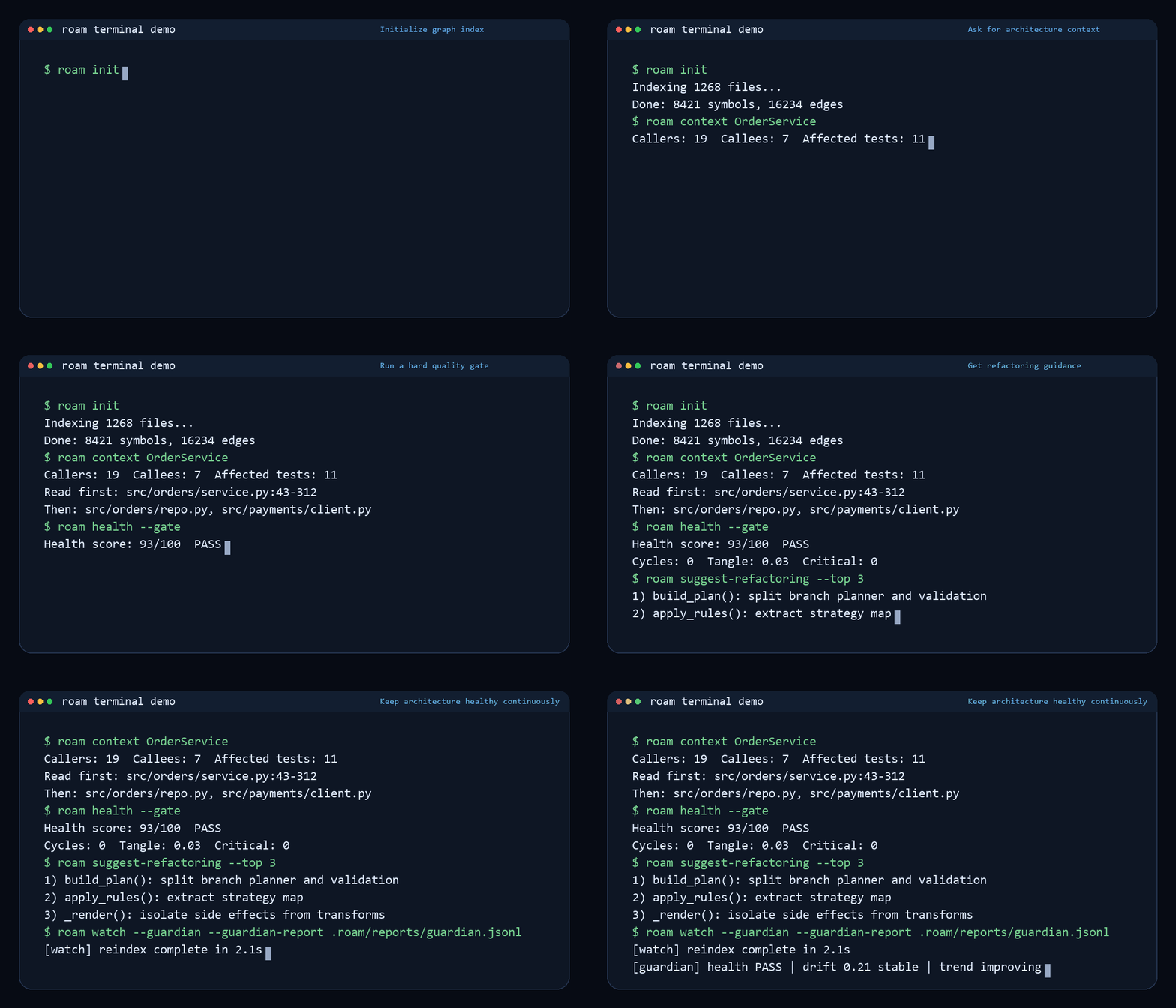
Local codebase intelligence CLI + MCP server for AI coding agents: SQLite code graph, 28 languages, 288 commands, 259 MCP tools, change-safety gates, audit evidence, zero API keys.
ChatBot Injection and Exploit Examples: A Curated List of Prompt Engineer Commands - ChatGPT
Turn any question into multi-agent exploration. Recursive Claude agents that spawn sub-agents.
Cognitive prisms for structural analysis — any domain, any model. 1000+ experiments, 58 prisms, 27 scan modes. The cheapest model + right prism beats the most expensive without one. Cross-architecture validated: Claude + Gemini converge on the same structural laws.
High-performance C++ hash table using grouped SIMD metadata scanning. Beats SOTA at scale.
