
ComfyCV
Computer Vision tools for ComfyUI
- 4
- MIT
- 4 mo ago
Repo CreativeInquiry/ComfyCV, read from GitHub 1 min ago. CreativeInquiry has not joined Take My Repo.
In short
CreativeInquiry/ComfyCV is a public repo on GitHub by CreativeInquiry. Computer Vision tools for ComfyUI. It declares the MIT license on GitHub. It is written mainly in JavaScript, has 4 stars and last changed on 2026-07-16. Nobody has reviewed it on Take My Repo yet, which says nothing about its quality. Read from GitHub on 2026-11-23.
EasyVision & ComfyCV
A Modular AI Toolkit for Computational Perception in the Arts
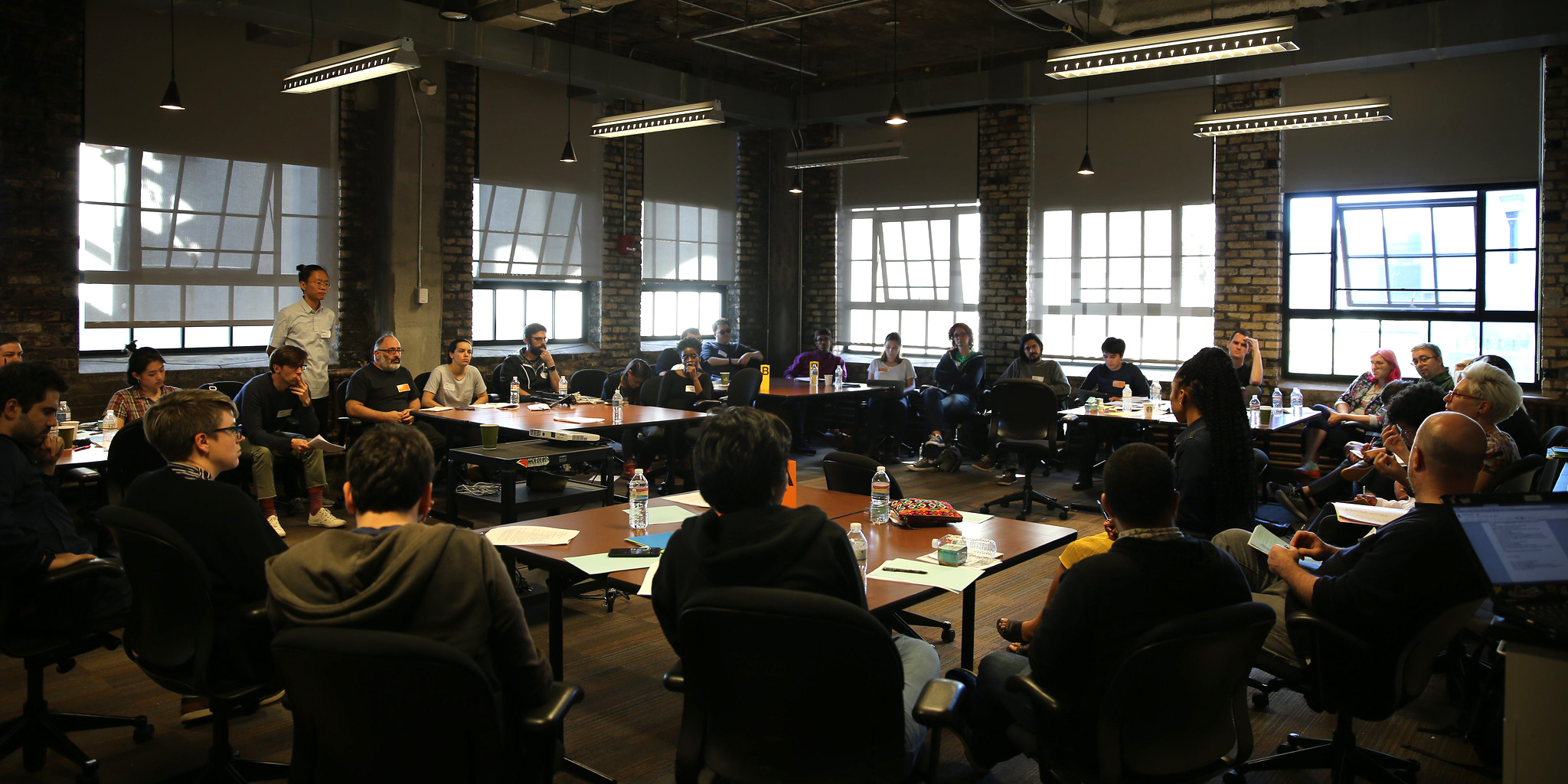
This repository collects a suite of open-source pedagogical tools for computer vision and computational perception, developed by Prof. Golan Levin and student research assistants Claire Vlases and Lorie Chen. The project was created during the Summer 2026 CFA GenAI Toolmaking for the Arts Residency at Carnegie Mellon University, supported by the College of Fine Arts and the Frank-Ratchye STUDIO for Creative Inquiry.
Rather than treating AI primarily as a system for image generation, EasyVision and ComfyCV use contemporary computer vision models as instruments for observation, measurement, and analysis. The toolkit is intended for artists, designers, educators, and students who wish to build their own workflows for computational perception using open, modifiable software. For more information, see About EasyVision & ComfyCV.
Contents
- Overview
- EasyVision Software Tools
An end-to-end toolkit for annotation, training, detection, tracking, and export. - ComfyCV: ComfyUI Workflows for Computer Vision
Curated workflows for state-of-the-art computer vision models and techniques..
Overview
EasyVision and ComfyCV provide an end-to-end workflow for building custom computer vision systems without requiring extensive machine-learning infrastructure. Together, the tools support a complete pipeline:
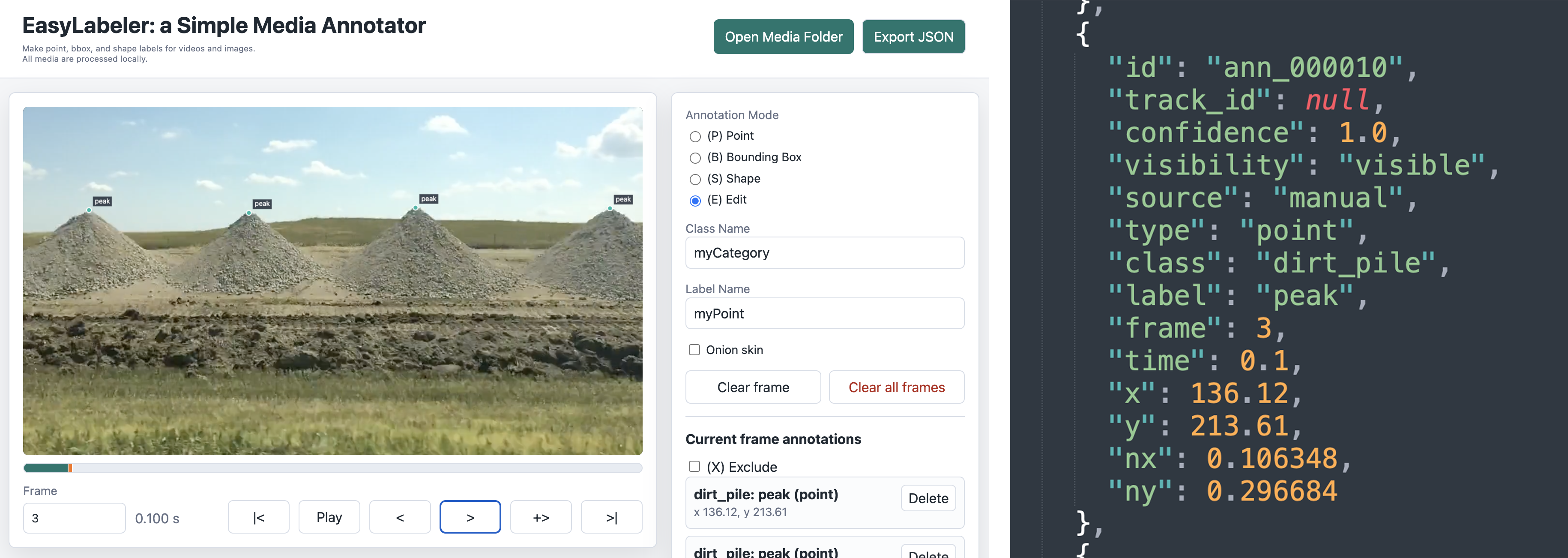
- EasyLabeler — annotate images and video with points, boxes, and polygons.
- EasyTrain — train custom YOLO detectors from EasyLabeler annotations.
- EasyDetect — detect objects using custom YOLO models or foundation models such as LocateAnything and Segment Anything.
- EasyTrack — convert detections into a unified
TRACKSrepresentation, enrich them with temporal tracking, and export the results for creative software.
Alongside this pipeline, ComfyCV provides a curated collection of documented ComfyUI workflows demonstrating state-of-the-art computer vision techniques including open-vocabulary detection, segmentation, contour extraction, pose estimation, monocular depth estimation, semantic saliency, concept activation heatmaps, and image similarity analysis.
A central design goal is interoperability. Rather than presenting isolated demonstrations of individual AI models, the toolkit emphasizes reusable workflows, common data formats, and modular components that students can inspect, modify, and recombine into systems of their own design.
Educational Context
This project was developed to support Experimental Capture, an interdisciplinary studio course at Carnegie Mellon University in which students create systems for sensing and representing phenomena beyond ordinary human perception. A recurring assignment in the course, Typology Machine, asks students to build computational systems that collect, regularize, analyze, and compare observations in order to investigate a research question.
The toolkit treats AI as a framework for computational perception, not simply image generation. Students use these tools to build workflows that detect, segment, track, measure, classify, and visualize the world, turning contemporary computer vision research into practical instruments for artistic inquiry. By packaging research-grade models into approachable, well-documented ComfyUI workflows, EasyVision and ComfyCV substantially reduce the software engineering overhead traditionally required to use these techniques in the classroom.
For more information, please see About EasyVision & ComfyCV.
Use / Installation Requirements
Most projects in this repository assume familiarity with a small collection of open-source tools:
- ComfyUI. Workflows are primarily developed and tested for the RunComfy.com cloud platform, though many can be adapted to local ComfyUI installations.
- Python 3.10+. Several utilities are local command-line
applications. A dedicated Python virtual environment (
venv) is strongly recommended. - ffmpeg. Many workflows assume the ability to batch-process, resize, crop, or transcode image and video media.
- Terminal. Basic familiarity with the macOS (or Linux) command line is helpful for installation, model management, and troubleshooting.
Where additional dependencies, custom nodes, or model downloads are required, detailed installation instructions are provided in the documentation for each individual tool.
EasyVision Software Tools
EasyVision is a collection of interoperable software tools for computational perception. Together, they support the complete lifecycle of a custom computer vision project: annotating media, training detectors, detecting and tracking phenomena, and exporting structured observations for visualization, creative coding, animation, and further analysis.
Unlike many computer vision libraries, EasyVision is designed for artists, designers, and educators. It combines lightweight browser applications, local Python utilities, and ComfyUI workflows into a coherent pipeline, allowing students to construct custom vision systems without needing to build machine learning infrastructure from scratch.
The principal components are:
- EasyLabeler — a browser-based tool for annotating images and video with points, bounding boxes, and polygons.
- EasyTrain — a local Python utility that trains custom YOLO detectors from EasyLabeler annotations.
- EasyDetect (in development) — a family of ComfyUI workflows for detecting phenomena using custom-trained YOLO models together with foundation models such as LocateAnything and Segment Anything.
- EasyTrack (in development) — a collection of ComfyUI workflows and custom nodes that transform detections into a unified
TRACKSrepresentation, optionally enrich them with dense temporal tracking, and export the results for downstream creative tools such as p5.js, Blender, Maya, and After Effects.
EasyLabeler
EasyLabeler is a browser-based utility for annotating videos or image collections with points, bounding boxes, and closed polygonal shapes. It works entirely locally; uses plain HTML, CSS, and JavaScript; and produces JSON annotation files.
Datasets annotated with EasyLabeler can be used to train custom detectors with EasyTrain (see below). EasyLabeler and EasyTrain can be useful when the thing you wish to detect is not easy to describe in words.
EasyTrain (YOLO)
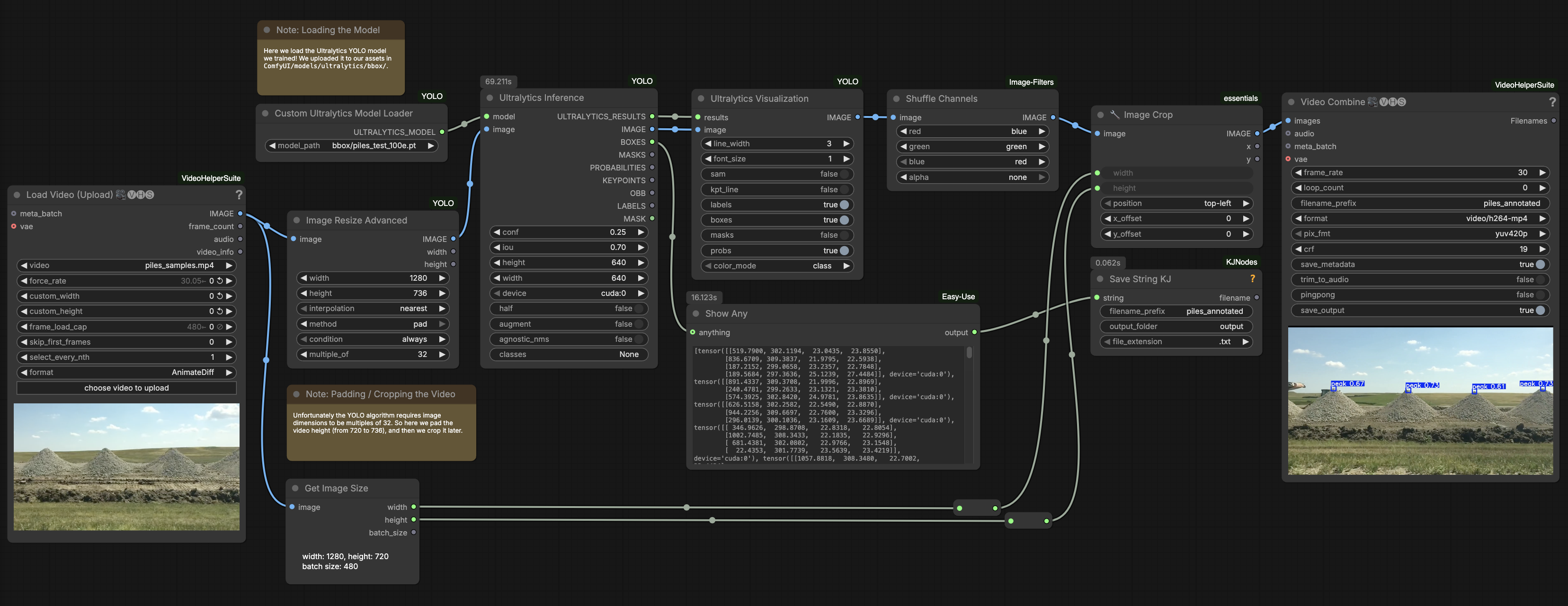
easytrain-yolo is a command-line tool for custom-training an Ultralytics YOLO computer vision model, in order to recognize and locate objects in images and video. In order to train the detector, EasyTrain consumes annotations created with EasyLabeler (see above). EasyTrain includes a ComfyUI workflow that demonstrates the end-to-end use of the comfyui-ultralytics-yolo node with a custom-trained model.

EasyTrack Viewer
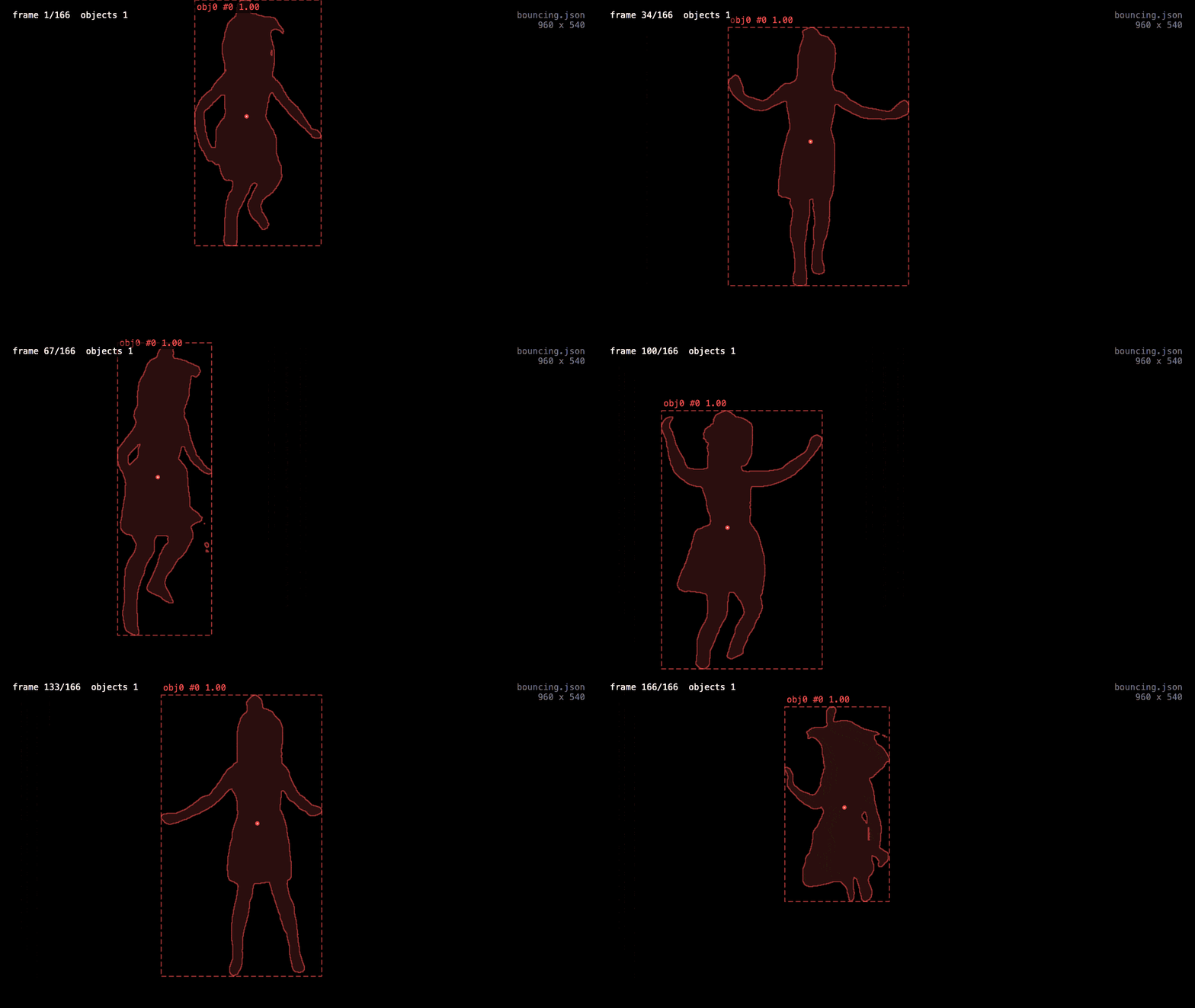
EasyTrack Viewer is a browser-based tool for previewing the JSON files produced by other EasyTracking apps (such as Segment Anything to Contours, below). Additionally, it can convert these JSON data into numerous other formats, such as CSV, SVG, GIF, and specialized animation formats for use with AfterEffects, Blender, and Maya.
ComfyCV: ComfyUI Workflows for Computer Vision
In addition to the EasyVision suite of tools and workflows, we also provide a collection of self-contained ComfyUI workflows for contemporary computer vision.
Although ComfyUI is best known as a platform for generative AI, we use it here as a computer vision workbench: a modular environment for assembling workflows that detect, segment, track, measure, and analyze visual phenomena. Rather than generating images, these workflows transform images and video into new forms of information—bounding boxes, masks, contours, poses, depth maps, motion tracks, heatmaps, and other computational representations that can be visualized, measured, or incorporated into downstream creative tools.
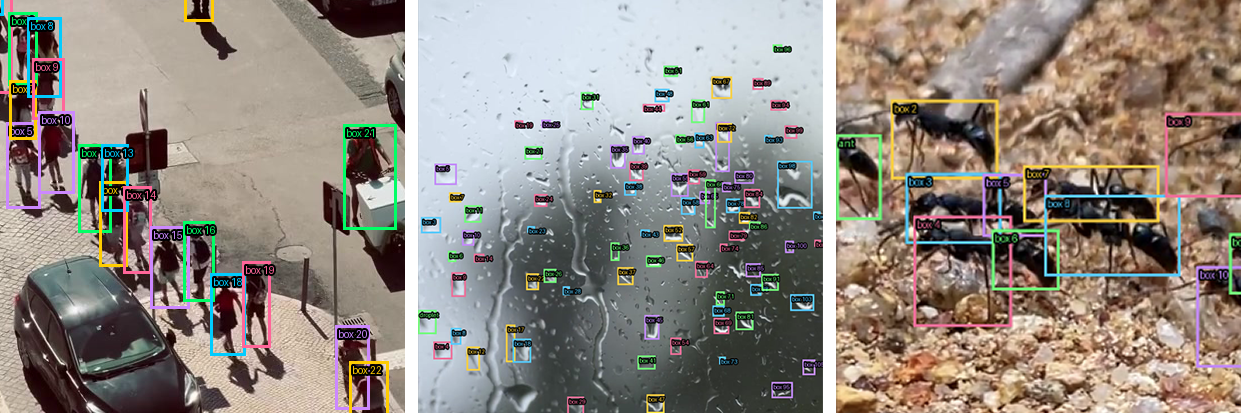
Locate Anything
A ComfyUI workflow for nVidia's powerful LocateAnything model, which uses text prompts to perform precise object localization, dense detection, and point-based localization across a wide range of domains.

Segment Anything
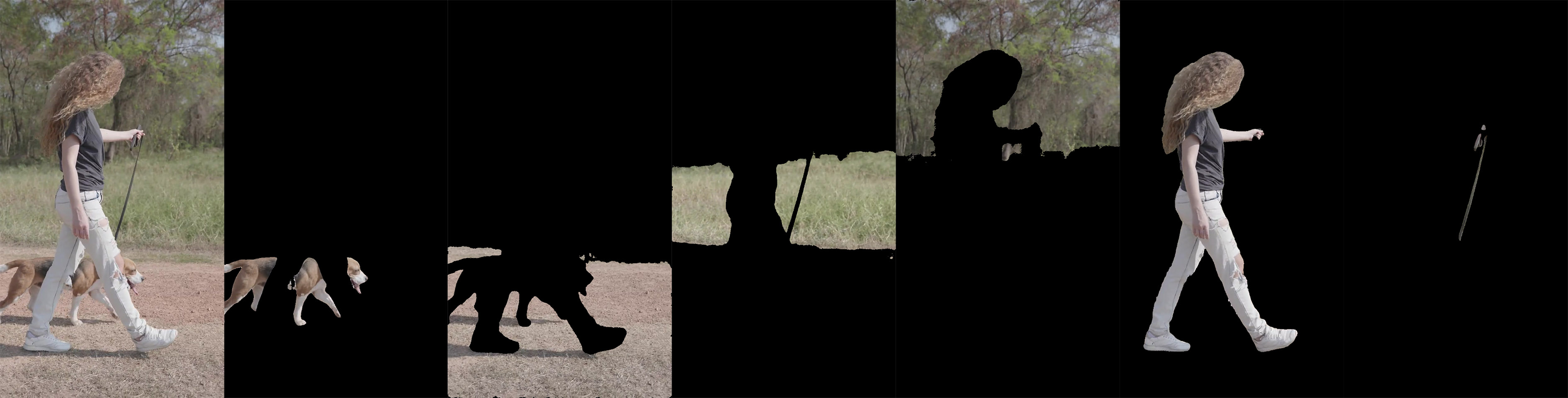
This set of ComfyUI workflows demonstrates Meta's Segment Anything 3.1 model, which produces accurate pixel-level masks for objects specified by natural language text prompts, points, and/or bounding boxes. Workflows are provided for images, video, and image batches.

Segment Anything to Contours
This ComfyUI workflow extends Segment Anything with custom nodes that allow you to export sequences of vector-based contours of tracked objects. These sequences may than be viewed and transcoded using EasyTrack Viewer (see above).


Vision Suite for Humans & Quadrupeds
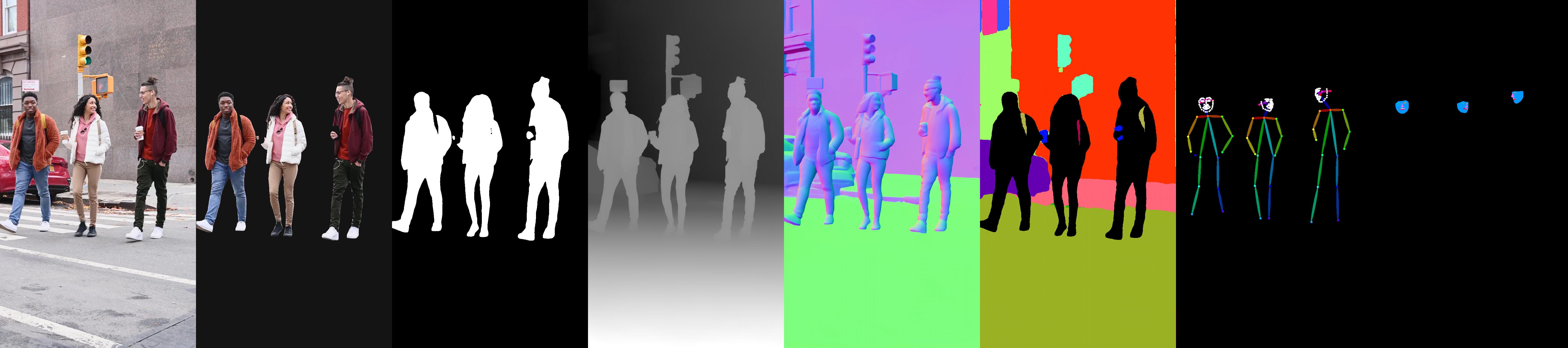
A ComfyUI workflow that demonstrates the use of a variety of analyses of media containing people, including (among others): segmentation of the body from the background; monocular depth estimation; scene segmentation; normal map estimation; and pose estimation of the body, face, and hands.

A related ComfyUI workflow computes similar analyses of media featuring quadruped animals:

DAAM Concept Activation Heatmaps
This set of ComfyUI workflows provide heatmaps that show which parts of an image correspond to specific words in a prompt, as measured by activations in a Stable Diffusion model. This can be even be used for adjectives like "angry" and "bald".


DINOv3 Image Similarity Heatmaps
This ComfyUI workflow provides heatmaps that show which parts of an image are similar to a provided query point.


Questions
What is ComfyCV?
CreativeInquiry/ComfyCV is a public repo on GitHub by CreativeInquiry. Computer Vision tools for ComfyUI.
Is ComfyCV open source?
It declares the MIT license on GitHub.
Does ComfyCV run on macOS, Windows or Linux?
Its maker tagged it for macOS and Linux. That is declared by the maker; Take My Repo has not tested it.
How do I install ComfyCV?
Open "Take it" on its page: Take My Repo writes an install plan for your machine and hands it to your AI agent (Claude Code, Codex or Cursor), which asks you before each step. Take My Repo has not tested it on any machine.
Is ComfyCV still maintained?
Its last change on GitHub was on 2026-07-16. GitHub counts 0 open issues and pull requests. Take My Repo does not judge from that whether it is maintained.
What do people who ran ComfyCV say?
Nobody has reviewed it on Take My Repo yet, which says nothing about its quality.