redis
For developers, who are building real-time data-driven applications, Redis is the preferred, fastest, and most feature-rich cache, data structure server, and document and vector query engine.
- 78k
- C
- 1 d ago

A new DNS proxy designed for simplicity, security and extensibility with WebAssembly plugins.
Repo DNSCrypt/EtchDNS, read from GitHub 1 h ago. DNSCrypt has not joined Take My Repo.
DNSCrypt/EtchDNS is a public repo on GitHub by DNSCrypt. A new DNS proxy designed for simplicity, security and extensibility with WebAssembly plugins. It declares the MIT license on GitHub. It is written mainly in Rust, has 100 stars and last changed on 2026-11-01. Nobody has reviewed it on Take My Repo yet, which says nothing about its quality. Read from GitHub on 2026-11-25.
For developers, who are building real-time data-driven applications, Redis is the preferred, fastest, and most feature-rich cache, data structure server, and document and vector query engine.
Free domain registration and practical DNS learning resources for everyone.
A caching DNS proxy with advanced security features
You'll find the full documentation on the EtchDNS website.
Key Features • Quickstart • Installation • Configuration • Use Cases • Advanced Features • Performance Tuning • Security • Development • License
EtchDNS is a caching DNS proxy.
It sits between your clients and upstream DNS servers to make DNS more secure and reliable. It caches responses, spreads queries across servers, and protects your DNS traffic.
Where is this useful?
etchdns.toml configuration file.etchdns -c /path/to/etchdns.toml
Caching: Uses the SIEVE algorithm to make the best use of memory
Query aggregation: Combines duplicate queries that are still waiting for a response, so upstream servers do less work
Load balancing: Spreads queries across servers using your choice of strategy:
EDNS-Client-Subnet: Improves CDN and location-based DNS responses
Protocols:
Planned protocols for better security and privacy:
Domain filtering: Allow or block domains with allowed/NX zones
IP validation: Blocks suspicious IP ranges, checks client ports, and prevents address spoofing
Rate limiting: Gives you fine-grained control for each protocol:
Transaction ID masking: Protects against cache poisoning attacks
Privilege dropping: Runs with minimal system access after startup, with settings for:
Request validation: Checks DNS packets thoroughly
Plugins: Write custom plugins in any language that compiles to WebAssembly, including:
Custom filters: Write filtering rules that go beyond static blocklists
Response changes: Change DNS responses based on your own business rules
Stateful processing: Keep state across DNS queries to enforce complex policies
# Secondary DNS server mode
authoritative_dns = true

# Keep answering for a week if the primary server goes down
serve_stale_grace_time = 604800
This makes EtchDNS a secondary authoritative DNS server for your zones. It handles client requests, takes load off your primary servers, and keeps service running while protecting against common attacks.
You can use it with any DNS provider. No zone transfers needed.
# Cache mode
authoritative_dns = false
Point your devices at EtchDNS as their DNS resolver. It caches responses and spreads queries across multiple upstream servers to improve performance, reliability, and security. You can run it as a cache for your local network or as a public DNS service.
# Domain blocklist configuration
nx_zones_file = "nx_zones.txt"

# IP address validation and filtering
enable_strict_ip_validation = true
block_private_ips = true
block_loopback_ips = true
blocked_ip_ranges = ["203.0.113.0/24", "198.51.100.0/24"]
min_client_port = 1024
This puts a protective layer in front of your network.
Add domains to nx_zones.txt to return NXDOMAIN responses for them, blocking:
You can also use IP validation to block connections from suspicious or problematic IP ranges.
EtchDNS can sit between a DNSCrypt server proxy, such as encrypted-dns-server, and your resolver to reduce load and improve reliability.
# WebAssembly hooks
hooks_wasm_file = "hooks.wasm"
hooks_wasm_wasi = false  # Set to true if your plugin needs WASI support
These settings let you use WebAssembly for custom DNS processing:
Download the latest release from the releases page.
cargo build --release
You'll find the executable at target/release/etchdns.
EtchDNS builds without WebAssembly hooks by default to keep the binary smaller.
To enable them, use the hooks feature flag:
cargo build --release --features hooks
This adds a WebAssembly runtime and makes the binary significantly larger. Only enable it if you plan to use WebAssembly extensions.
You control all of EtchDNS's behavior through a TOML configuration file.
The included etchdns.toml has a complete, documented example.
Here's what you can configure:
Basic server settings:
Upstream DNS servers: Servers to forward queries to
Load balancing: Strategy and probe interval
Rate limiting: Settings for each protocol
Caching: Cache size and TTL settings
Domain filtering: Allowed and blocked zones
IP validation: Filtering and security options for client source IP addresses
EDNS-client-subnet: Whether it's enabled and which prefix lengths to use
Security: Settings for dropping privileges
Put the domains you want to allow in a text file:
# Company domains
example.com
example.org

# Third-party services
github.com
google.com
Put the domains that should return NXDOMAIN in a text file:
# Advertising domains
ads.example.com
analytics.example.com

# Known malicious domains
malware.example.net
EtchDNS supports EDNS-client-subnet (ECS), as defined in RFC 7871. When enabled, ECS shares client IP information with upstream servers to improve CDN and location-based DNS responses.
# EDNS-Client-Subnet configuration
enable_ecs = true
ecs_prefix_v4 = 24  # Send first 24 bits of IPv4 address (hide last 8 bits)
ecs_prefix_v6 = 56  # Send first 56 bits of IPv6 address (hide last 72 bits)
These settings enable ECS, so upstream queries include client IP information and DNS providers can tailor responses to the client's location. The prefix lengths set how much of the client's IP address you share with upstream servers. That's the tradeoff between performance and privacy.
# Control API setup
control_listen_addresses = ["127.0.0.1:8080"]
control_path = "/control"
These settings enable the HTTP API for remote management. You can use these endpoints:
GET /control/status: Get full server status, including:
GET /control/cache: Get cache status, including:
DELETE /control/cache: Clear the entire cache
DELETE /control/cache/zone/<example.com>: Clear all entries for a specific zone
DELETE /control/cache/name/<example.com>: Clear a specific entry by name
Note: WebAssembly extensions work, but they're still under active development. Expect API changes and more features in future releases.
You can write your own DNS processing logic as a WebAssembly module. Any language that compiles to WebAssembly works, including:
Important: You must build EtchDNS with the
hooksfeature flag to use WebAssembly extensions:cargo build --release --features hooksThis adds the Extism WebAssembly runtime and makes the binary significantly larger.
The current implementation supports this hook:
hook_client_query_received: Called when a client query is received, before checking the cache
Hooks receive query information as structured JSON. You can process that data in any language that compiles to WebAssembly.
You'll find an example WebAssembly plugin in webassembly-plugins.
It shows how to write a simple plugin that changes how DNS queries are processed.
Set the path to your compiled WASM file in the configuration:
# WebAssembly hooks
hooks_wasm_file = "hooks.wasm"
hooks_wasm_wasi = false  # Set to true if your plugin needs WASI support
See the WebAssembly Extension Guide in Development for details on building your own extensions.
To get the best performance, start with these settings:
Cache size: Increase cache_size to match the memory you have available
Client limits: Adjust these for your environment:
max_udp_clientsmax_tcp_clientsLoad balancing: Choose:
fastest for the highest performancep2 for a good balanceServe stale: Enable serve_stale_grace_time to improve reliability
Rate limiting: Set limits that prevent DoS while letting legitimate traffic through
In-flight queries: Adjust max_inflight_queries to make query aggregation more efficient
TTL settings: Adjust the TTL settings to get the most out of the cache
Probe interval: Set probe_interval to balance load balancer accuracy against network overhead
You can use these features to protect both clients and upstream servers:
DNSCrypt/EtchDNS is a public repo on GitHub by DNSCrypt. A new DNS proxy designed for simplicity, security and extensibility with WebAssembly plugins.
It declares the MIT license on GitHub.
Its maker has not tagged a system, so it is unknown here. Its README says what it needs.
Open "Take it" on its page: Take My Repo writes an install plan for your machine and hands it to your AI agent (Claude Code, Codex or Cursor), which asks you before each step. Take My Repo has not tested it on any machine.
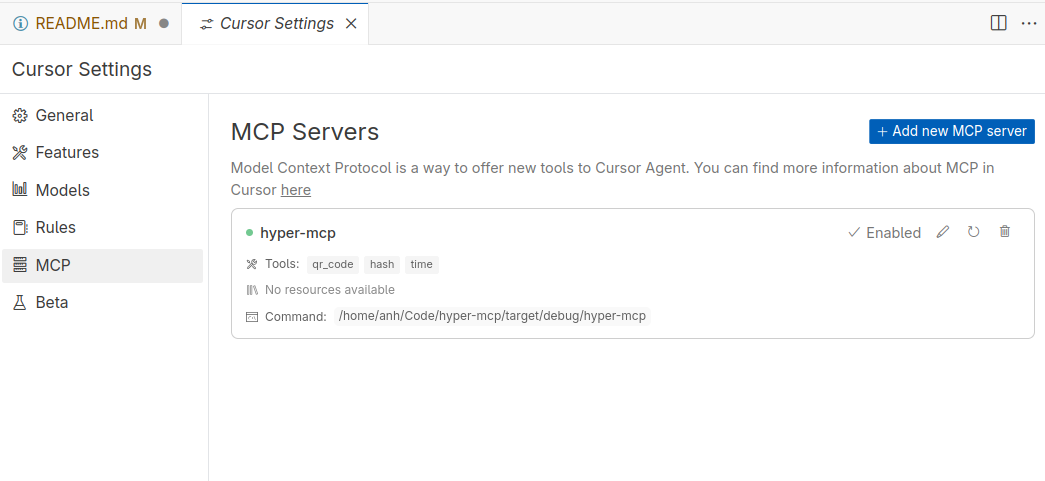
📦️ A fast, secure MCP server that extends its capabilities through WebAssembly plugins.
Reverse engineer anything with agents, from app behavior down to native binaries.
A list of Free Software network services and web applications which can be hosted on your own servers
🤖 Powerful asynchronous state management, server-state utilities and data fetching for the web. TS/JS, React Query, Solid Query, Svelte Query and Vue Query.
Its last change on GitHub was on 2026-11-01. Take My Repo does not judge from that whether it is maintained.
Nobody has reviewed it on Take My Repo yet, which says nothing about its quality.
Take My Repo cannot say: it does not audit code and has not run EtchDNS. What is known comes from GitHub. It declares the MIT license on GitHub. Its last change was on 2026-11-01. It has 100 stars, which measure popularity, not safety. Nobody has reviewed it on Take My Repo yet, which says nothing about its quality. Read the source before you run it. With "Take it", your AI agent shows each step and asks you before running it; README text is treated as data, not as instructions.