
atom-plugin
Deepcode plugin for IDE "Atom"
- 0
- MIT
- 5 y ago
Repo DeepCodeAI/atom-plugin, read from GitHub 1 min ago. DeepCodeAI has not joined Take My Repo.
In short
DeepCodeAI/atom-plugin is a public repo on GitHub by DeepCodeAI. Deepcode plugin for IDE "Atom". It declares the MIT license on GitHub. It is written mainly in JavaScript, has 0 stars and last changed on 2022-02-09. Nobody has reviewed it on Take My Repo yet, which says nothing about its quality. Read from GitHub on 2026-11-18.
DeepCode package for Atom
The Atom package provided by DeepCode.ai finds bugs and critical vulnerabilities in your code. We support Java, C/C++, Python, JavaScript and TypeScript.
Table of Contents
- DeepCode package - what is it?
- Installation
- Video on how to install the package
- Tips on project onboarding
- How to use it?
- PROTIP: DeepCode analysis on Save
- Video on how to use the package
- How to ignore suggestions
- .dcignore file
- Rescan
- View results online
- Configuration
- Feedback and contact
DeepCode package
Through the package you can quickly start using DeepCode's code review and analysis within your development workflow. The package will automatically alert you about critical vulnerabilities you need to solve in your code the moment when you hit Save in your IDE. With DeepCode's superior code review you save time finding and fixing bugs before they go to production.
DeepCode's AI Engine finds bugs
DeepCode uses symbolic AI to process hundreds of millions of commits in open source software projects and learns how to find serious coding issues. Because the platform determines the intent of the code — and not only the syntax mistakes — DeepCode identifies 10x more critical bugs and security vulnerabilities than other tools.
Our AI provides explanation behind found bugs
In order to show detailed explanation why something was flagged as bug we introduced a new AI technique called Ontology. With Ontology, we’ve integrated the capability to present logical conclusions within the DeepCode engine.
Supported languages
Java, C/C++, JavaScript, Python and TypeScript are currently supported.
Installation
Installing the package is rather straightforward. You could use apm (Atom's package manager) - open the terminal and run apm install deepcode. Below we show how to install it through the Preferences.
Video on how to install the package
-
Open Atom's Preferences and then Install. Search for the
deepcodepackage. Here is a video how to do this:
Tips on project onboarding
-
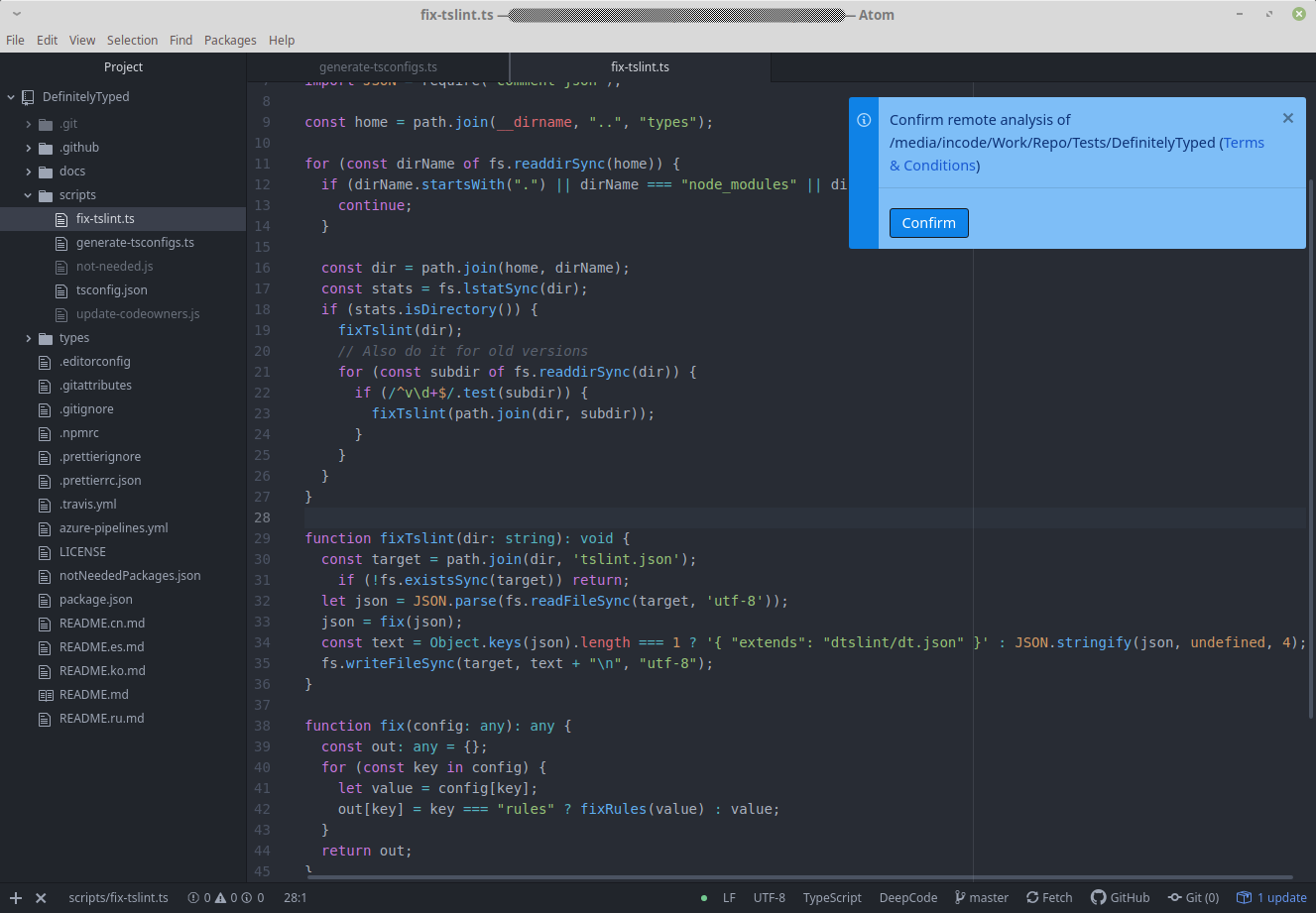
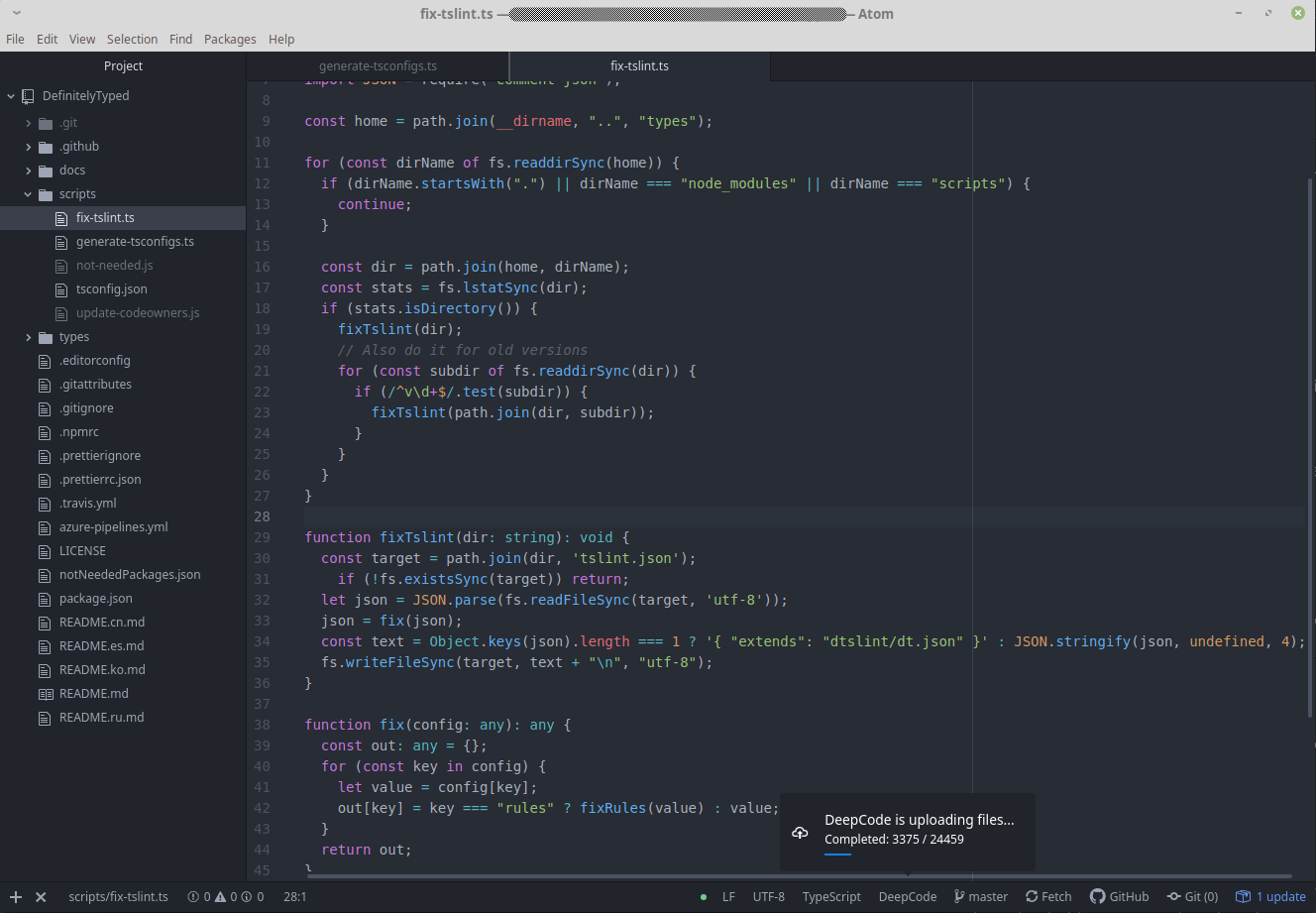
we are serious when it comes to your code. We upload and analyse your code only after you giving us the consent to do so. Your code is protected and used only for the purpose of informing you about issues in code:
-
once the confirmation is in place we start uploading the files:


How to use it?
PROTIP - DeepCode analysis on Save
- DeepCode's package runs automatically when you hit Save (or the keyboard shortcut).
- If you don't like to save while working we strongly recommend to install the autosave package.
Video on how to use the package
-
Here is a video on how to use the package. In short - don't forget to save and you would be in good hands:
How to ignore suggestions
There are two key steps here:
-
Ignore particular alert directly by using
Ignore for lineorIgnore for file: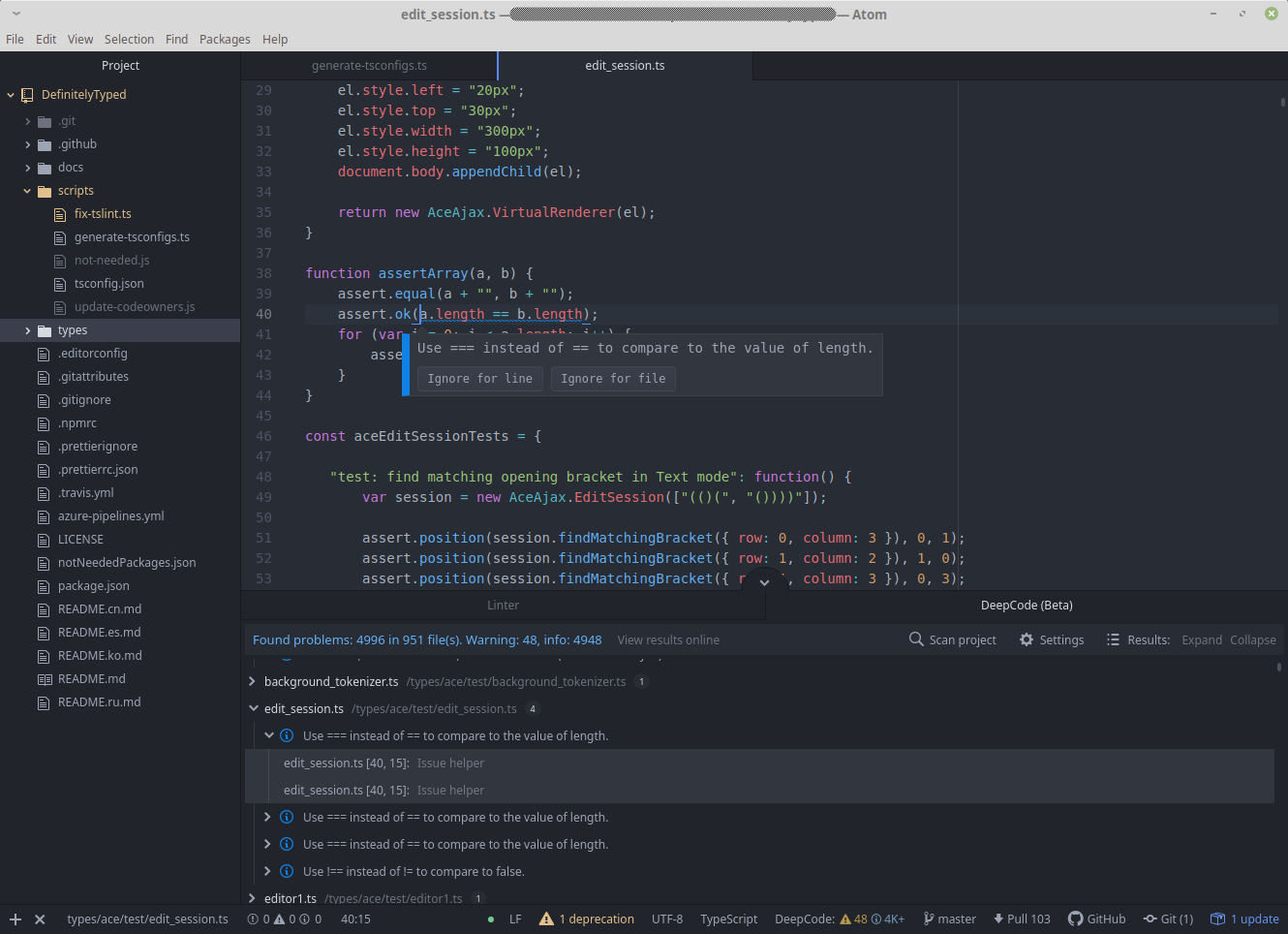
-
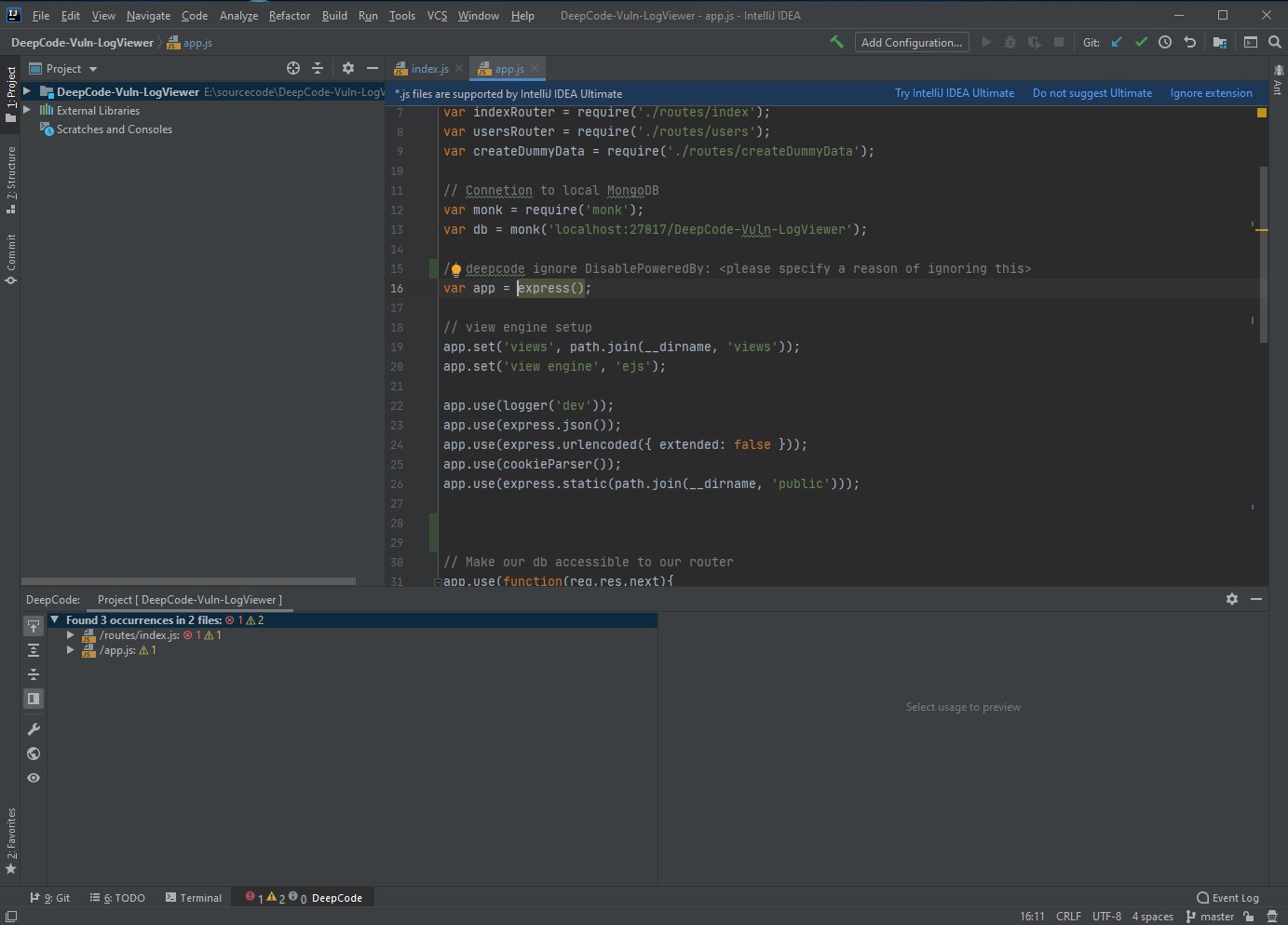
Deepcode will create a comment, that will inform our analysis engine to ignore it. Don't forget to specify a description why you think it needs to be ignored. Your feedback will improve our engine over time:

.dcignore file
-
If you want to ignore certain files/folders (like node_modules for example), create a .dcignore file. You can create it in any folder on any level starting from the directory where your project resides. You may create multiple
.dcignorefiles depending on your use case. This file supports glob syntax with "*" and "**" to specify file masks and sub-folders:.node_modules mocked_for_tests **/models/*_molecule.js
Rescan
-
If you need to restart the analysis or if it fails for any reason, you can easily analyse the project again by clicking
Scan project: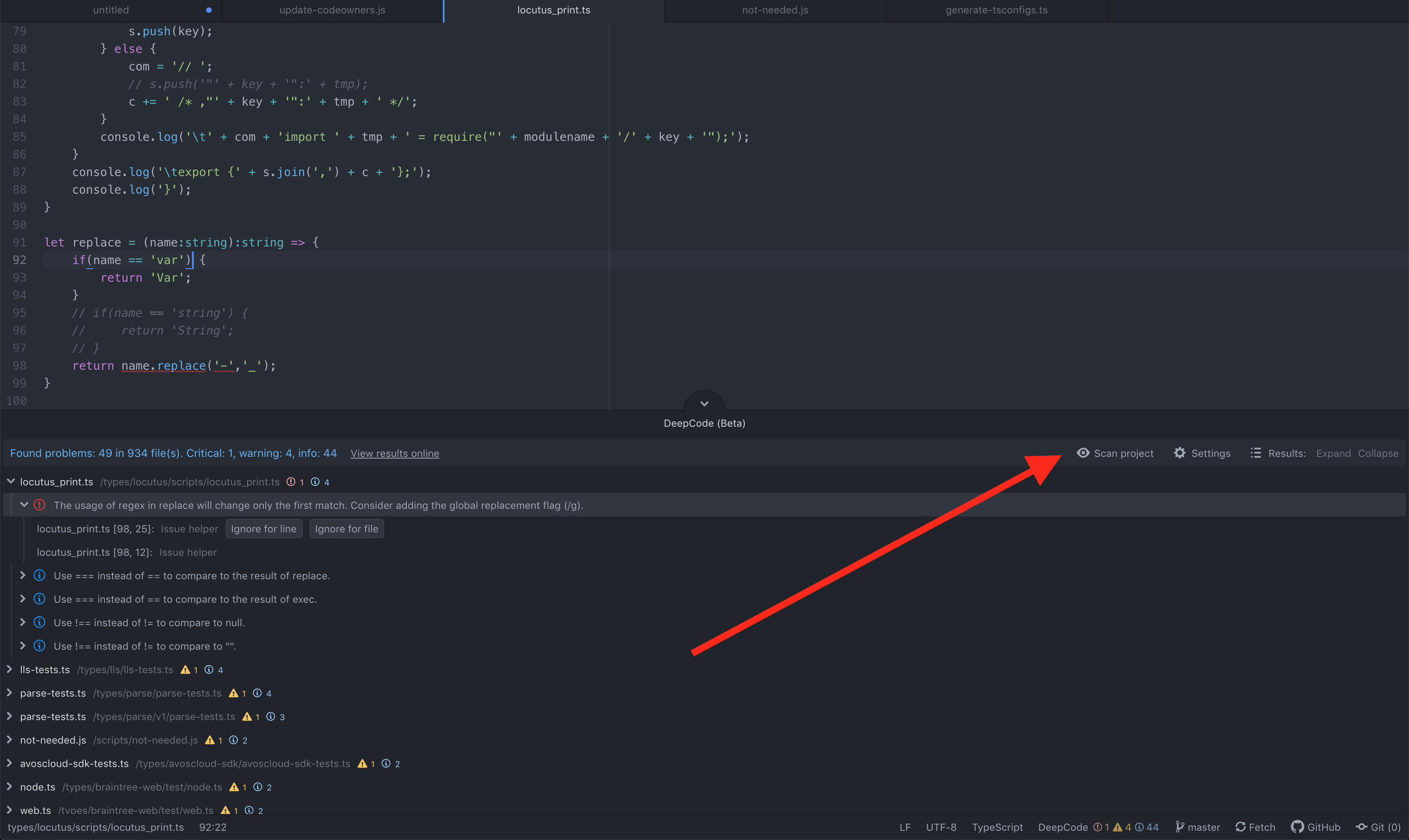

View results online
-
If you need to view the results online or you want to see example fixes, you could go to the analysis by clicking
View results online: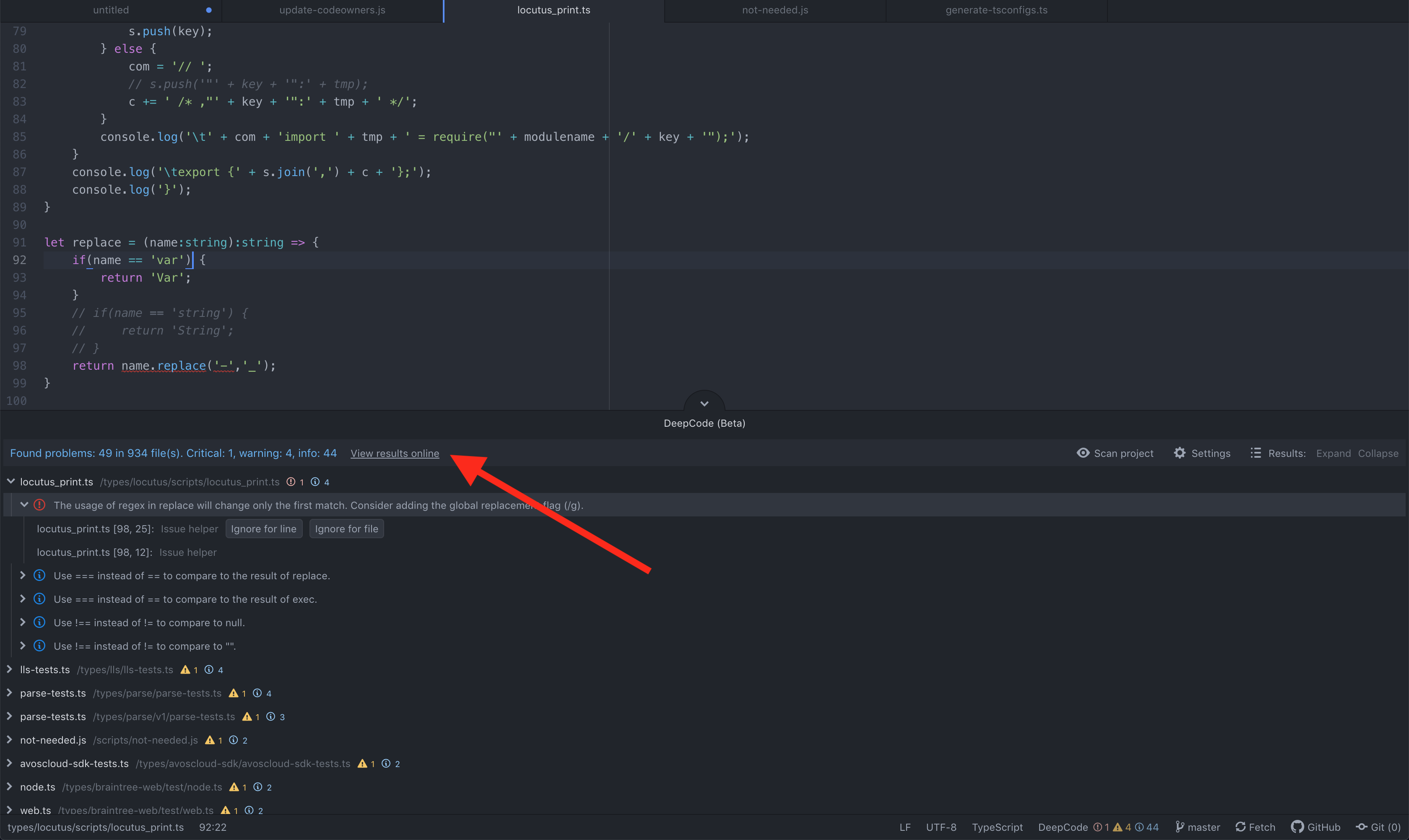

Configuration
-
If you need to update the url to the DeepCode server in a self-managed environment or restart the login process, you could do so by clicking on
Settings: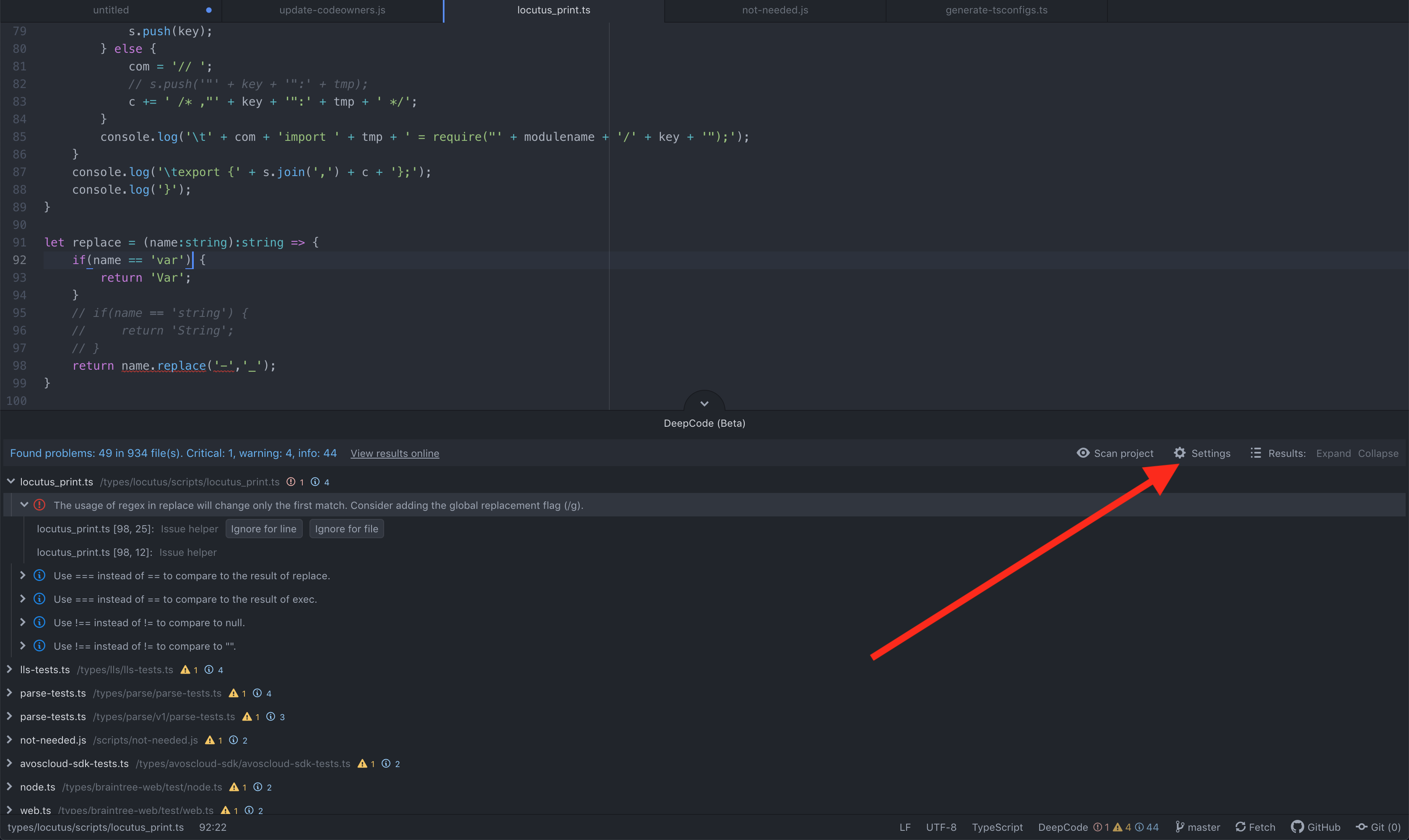

Feedback and contact
- In case you need to contact us or provide feedback, we would love to hear from you - here is how to get in touch with us.
- If you need to update this file, you can do so by editing this README.md.
Questions
What is atom-plugin?
DeepCodeAI/atom-plugin is a public repo on GitHub by DeepCodeAI. Deepcode plugin for IDE "Atom".
Is atom-plugin open source?
It declares the MIT license on GitHub.
Does atom-plugin run on macOS, Windows or Linux?
Its maker has not tagged a system, so it is unknown here. Its README says what it needs.
How do I install atom-plugin?
Open "Take it" on its page: Take My Repo writes an install plan for your machine and hands it to your AI agent (Claude Code, Codex or Cursor), which asks you before each step. Take My Repo has not tested it on any machine.
Is atom-plugin still maintained?
Its last change on GitHub was on 2022-02-09. Take My Repo does not judge from that whether it is maintained.
What do people who ran atom-plugin say?
Nobody has reviewed it on Take My Repo yet, which says nothing about its quality.