
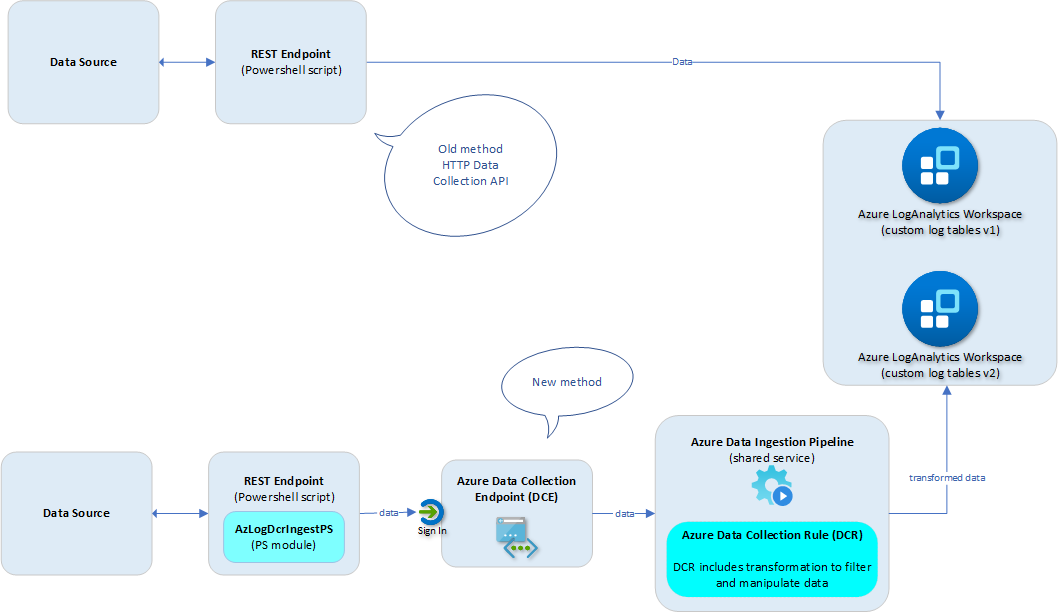
AzLogDcrIngestPS
AzLogDcrIngestPS - Unleashing the power of Log Ingestion API with Azure LogAnalytics custom table v2, Azure Data Collection Rules and Azure Data Ingestion Pipeline
- 36
- PowerShell
- MIT
- 3 mo ago
Self-hosted logging platform with real-time streaming, full-text search, and OTLP-compatible ingestion. Deploy in minutes, own your data.
Repo Divkix/Logwell, read from GitHub 2 d ago. Divkix has not joined Take My Repo.
Divkix/Logwell is a public repo on GitHub by Divkix. Self-hosted logging platform with real-time streaming, full-text search, and OTLP-compatible ingestion. Deploy in minutes, own your data. It declares the MIT license on GitHub. It is written mainly in TypeScript, has 44 stars and last changed on 2026-10-21. It is archived: its maker no longer maintains it. Nobody has reviewed it on Take My Repo yet, which says nothing about its quality. Read from GitHub on 2026-11-24.
AzLogDcrIngestPS - Unleashing the power of Log Ingestion API with Azure LogAnalytics custom table v2, Azure Data Collection Rules and Azure Data Ingestion Pipeline

Logwell is a self-hosted logging platform with real-time streaming, full-text search, and OTLP-compatible ingestion. Deploy in minutes, own your data.
Alpha Software — Expect breaking changes. Not recommended for production workloads.
Features • Quick Start • Usage • Deploy • Contributing • License
Logwell is a lightweight, self-hosted log aggregation platform for developers who want structured logging without the complexity of ELK or the costs of cloud services.
Use Logwell when you need:
Logwell is NOT for:
Real-time log streaming demo
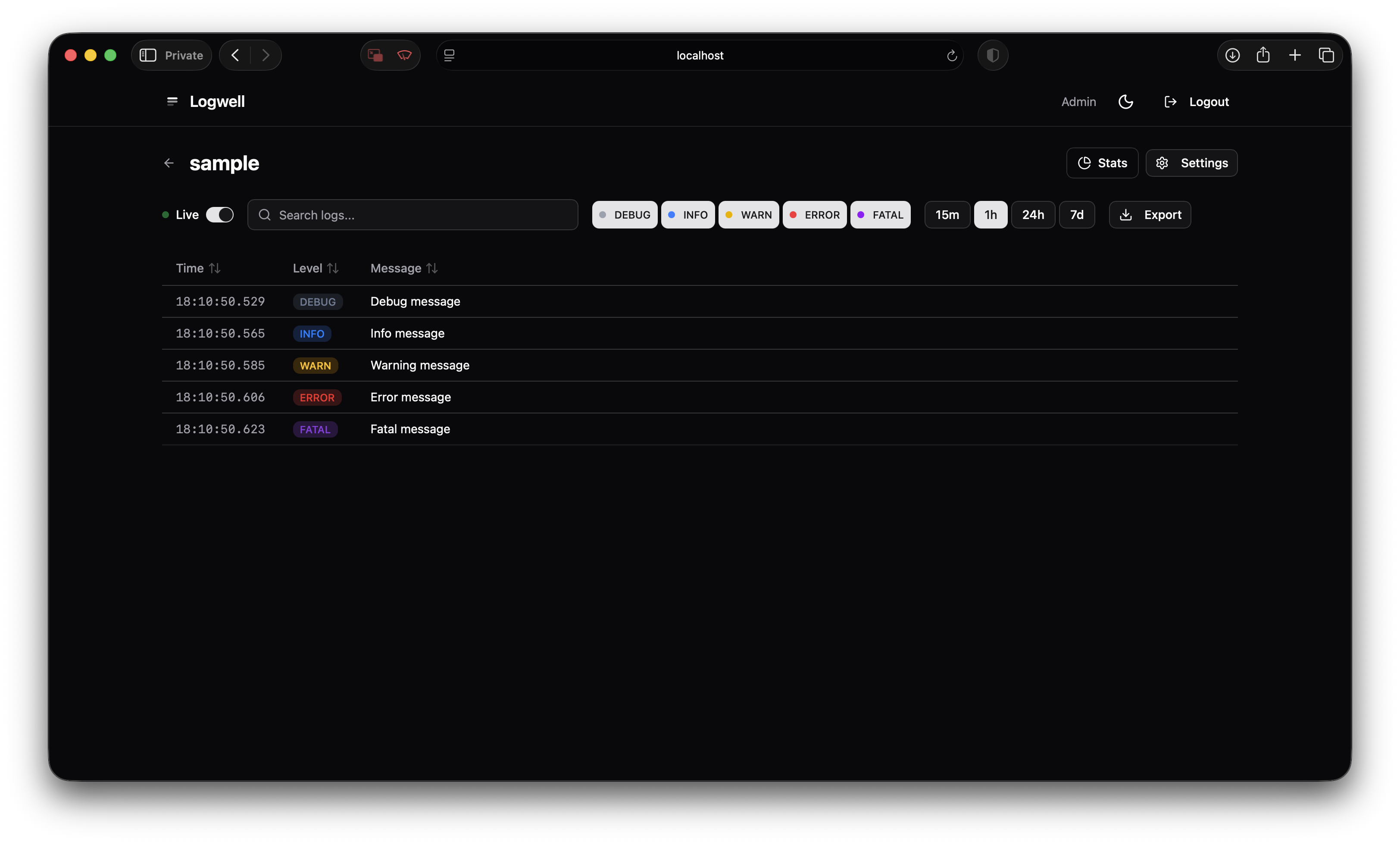
Real-time log viewer with level filtering |
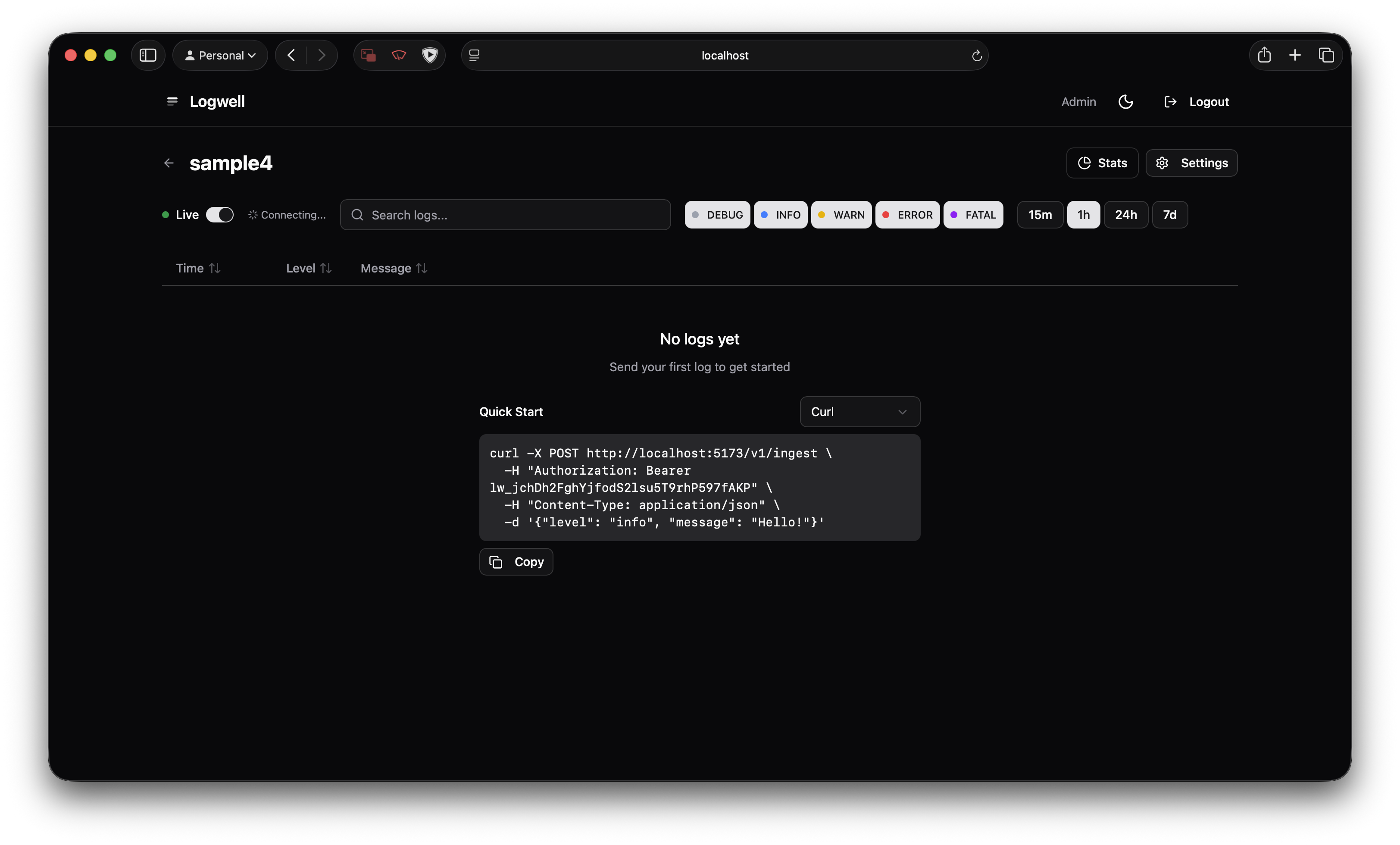
Quick Start with pre-filled API key |
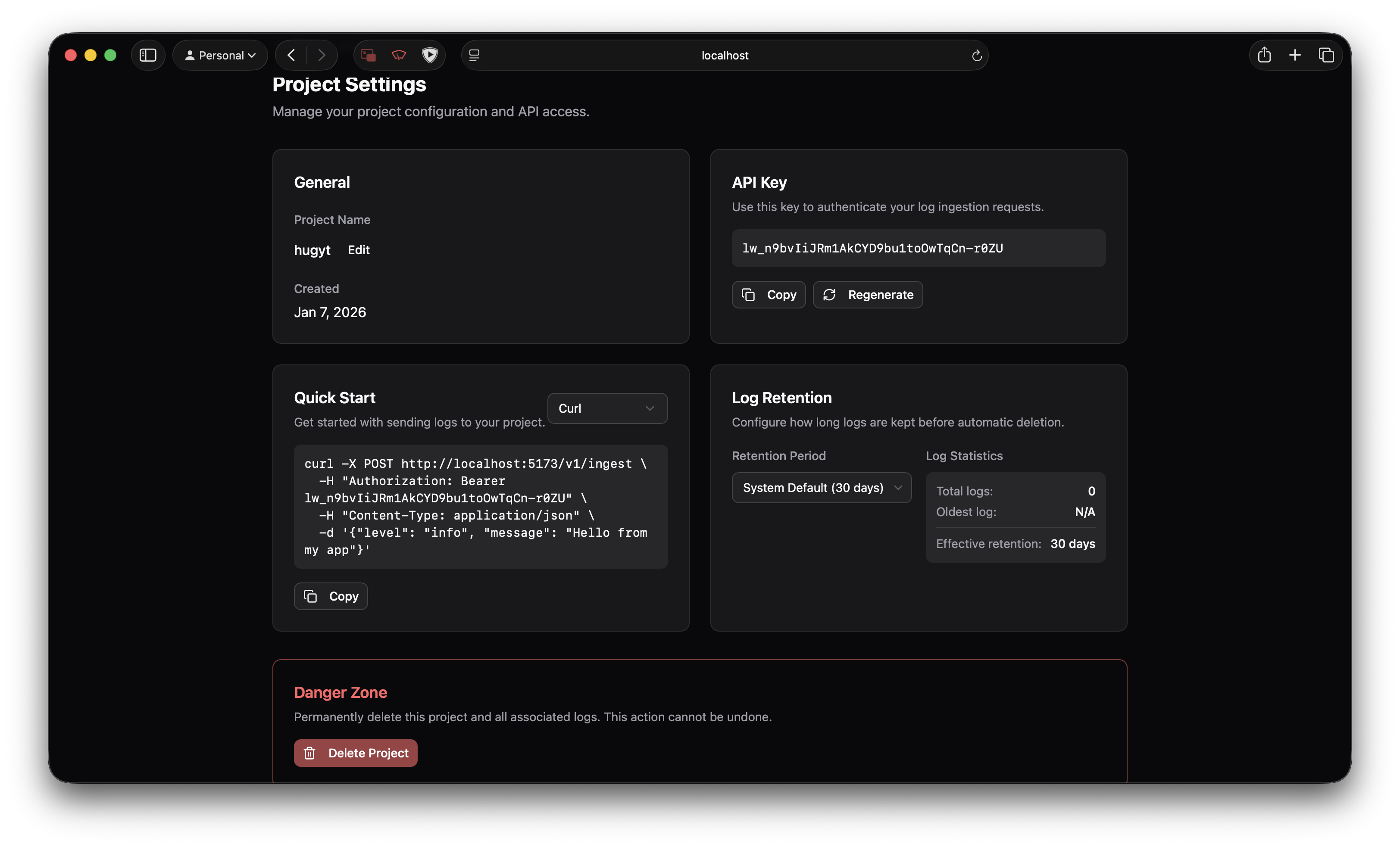
API key management and code snippets |
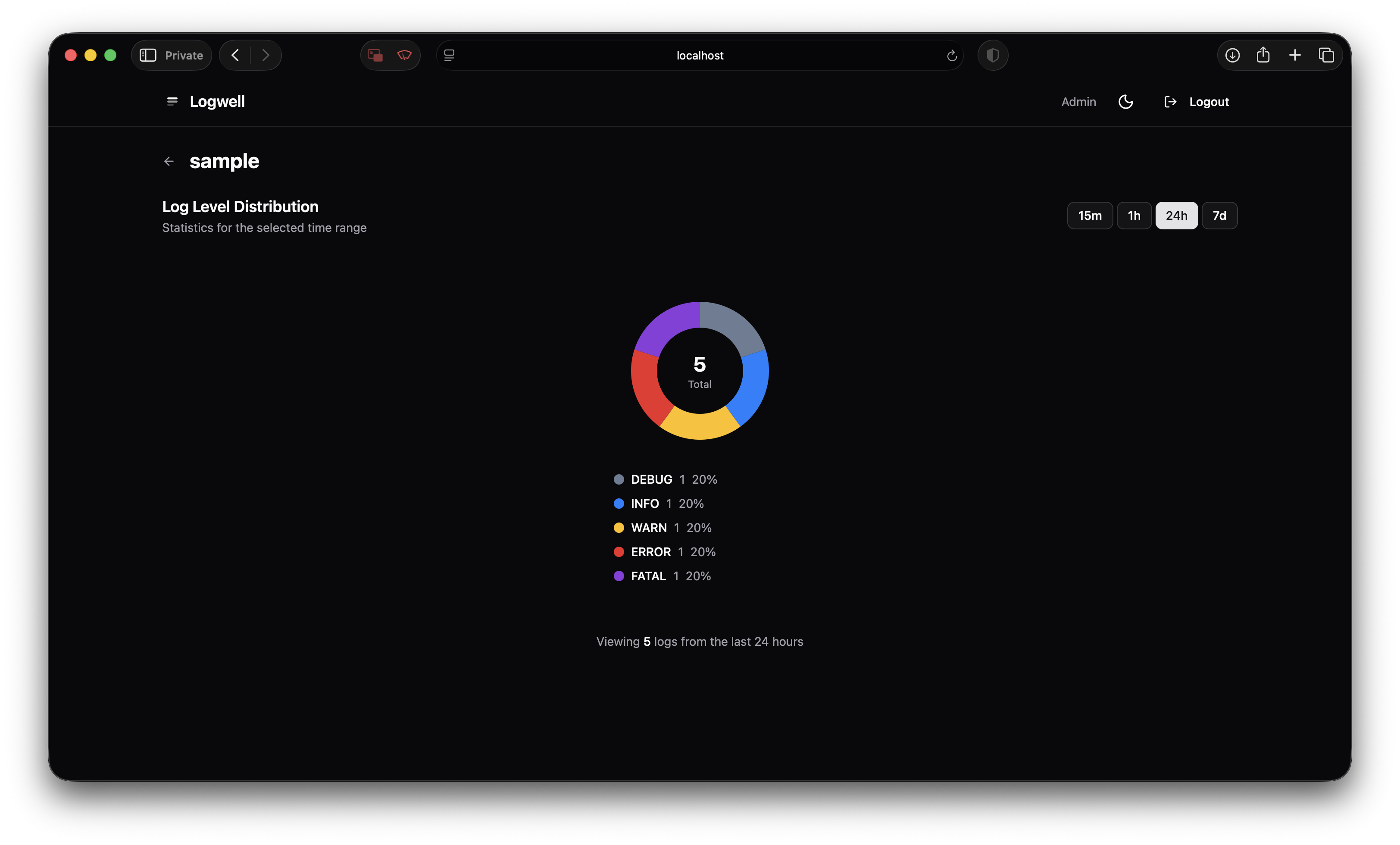
Log level distribution analytics |
| vs | Logwell advantage |
|---|---|
| Loki/Grafana | Built-in UI, no LogQL to learn, just PostgreSQL |
| ELK | Lightweight PostgreSQL backend, not Elasticsearch |
| Datadog/etc | Self-hosted, no per-GB pricing, own your data |
| Layer | Technology |
|---|---|
| Framework | SvelteKit |
| Database | PostgreSQL |
| ORM | Drizzle |
| Auth | better-auth |
| UI | shadcn-svelte + Tailwind CSS v4 |
| Real-time | Server-Sent Events |
| Runtime | Node.js |
packageManager pins the exact version)# Clone the repository
git clone https://github.com/divkix/logwell.git
cd logwell
# Install dependencies
pnpm install
# Set up environment
cp .env.example .env
# Edit .env with your values (see Environment Variables below)
# Start PostgreSQL
docker compose up -d
# Run database migrations
pnpm run db:migrate
# Create admin user
pnpm run db:seed
# Start development server
pnpm run dev
Open http://localhost:5173 and sign in with:
admin (or your ADMIN_USERNAME from .env)ADMIN_PASSWORD from .envNote: Development runs on port 5173 (Vite). Production builds run on port 3000.
The app and TypeScript SDK are one pnpm workspace with a shared root pnpm-lock.yaml. From the repository root:
pnpm install                     # both JS projects
pnpm up -r                       # update both within declared ranges
pnpm --filter logwell-app up     # app only
pnpm --filter logwell up         # TypeScript SDK only
To update pnpm itself, run pnpm self-update here and update the pinned version and release-asset checksums in Dockerfile.
Vite+/Vite/Vitest share versions in the root workspace catalog. Upgrade them together from the workspace root with the current global vp migrate --full --no-interactive (not one package at a time). Python (sdks/python/uv.lock) and Go (sdks/go/go.mod) remain separate ecosystems; update them with uv lock --upgrade and go get -u ./... from their respective SDK directories.
Create a .env file with the following:
# Database connection
DATABASE_URL="postgres://root:mysecretpassword@localhost:5432/local"

# Authentication secret (minimum 32 characters): openssl rand -base64 32
# Published placeholder values (e.g. the old example secret) are rejected at startup.
BETTER_AUTH_SECRET=""

# Admin user password (minimum 8 characters)
ADMIN_PASSWORD="your-admin-password"

# Admin username (optional, defaults to "admin")
# ADMIN_USERNAME="admin"

# Public URL the browser uses (required: CSRF checks and sign-in/out compare against it).
# Production without it logs a startup warning; an https ORIGIN also turns on HSTS.
ORIGIN="https://your-domain.com"

# NODE_ENV: only "development" and "test" relax validation. Unset, "production",
# "staging" and any other value get production rules (strict secret, Secure cookies).

# Log retention (optional, defaults shown)
# LOG_RETENTION_DAYS="30"        # 0 = never auto-delete
# LOG_CLEANUP_INTERVAL_MS="3600000"  # Cleanup job interval (1 hour); also purges deleted projects
# LOG_CLEANUP_BATCH_PAUSE_MS="100"   # Pause between retention/purge delete batches (0-60000)
# INCIDENT_AUTO_RESOLVE_MINUTES="30" # Incident resolves after N quiet minutes

# Rate limiting (optional, defaults shown)
# RATE_LIMIT_INGEST_RPM="600"    # Max ingest requests per minute per API key
# RATE_LIMIT_INGEST_IP_RPM="60000" # Max pre-auth /v1 requests per minute per client IP
# RATE_LIMIT_LOGIN_RPM="10"      # Max login attempts per minute per IP (IPv6 grouped by /64)
# RATE_LIMIT_LOGIN_ACCOUNT_RPM="30" # Max FAILED logins per minute per account, from any address

# Database timeouts (optional, defaults shown; whole ms, 0 = server default, max 3600000)
# DB_STATEMENT_TIMEOUT_MS="30000"            # Longer queries are cancelled -> 503 query_timeout
# DB_IDLE_IN_TRANSACTION_TIMEOUT_MS="60000"

# Live streams and ingest (optional, defaults shown)
# SSE_MAX_CONNECTIONS="200"          # Open live streams per process; over the cap -> 429
# INGEST_MAX_FUTURE_SKEW_MS="300000" # Timestamps further ahead are clamped to receive time
An invalid database timeout fails startup; other invalid numbers fall back to the default with a warning. .env.example documents every variable.
The two database timeouts are sent as connection startup parameters: behind PgBouncer in
transaction mode, add ignore_startup_parameters = statement_timeout,idle_in_transaction_session_timeout
(and set the timeouts on the role or database instead), or connections fail.
Generate a secure secret:
openssl rand -base64 32
lw_...)Logwell provides two ingestion APIs:
| API | Endpoint | Best For |
|---|---|---|
| Simple API | POST /v1/ingest |
Quick integration, any HTTP client |
| OTLP API | POST /v1/logs |
OpenTelemetry SDKs, rich metadata |
The simple API accepts flat JSON with minimal boilerplate:
curl -X POST http://localhost:5173/v1/ingest \
  -H "Authorization: Bearer lw_YOUR_API_KEY" \
  -H "Content-Type: application/json" \
  -d '{"level": "info", "message": "User signed in"}'
Batch multiple logs:
curl -X POST http://localhost:5173/v1/ingest \
  -H "Authorization: Bearer lw_YOUR_API_KEY" \
  -H "Content-Type: application/json" \
  -d '[
    {"level": "info", "message": "Request started"},
    {"level": "error", "message": "Database timeout", "metadata": {"query": "SELECT..."}}
  ]'
Available fields:
| Field | Required | Type | Description |
|---|---|---|---|
level |
Yes | debug | info | warn | error | fatal |
Log severity |
message |
Yes | string | Log message |
timestamp |
No | ISO8601 string | Defaults to current time |
service |
No | string | Service name for filtering |
metadata |
No | object | Additional structured data |
Limits (both APIs): a batch holds at most 100 logs. JSON nested deeper than 256 levels
rejects the whole request (400 validation_error). A message (or OTLP string body) longer than
98,304 characters is stored truncated with a … [truncated, N characters] marker. A record
whose structured fields (metadata, attributes, resource, scope, non-string body) serialize to
more than 65,536 characters is rejected on its own: the response is still 200 with
accepted, rejected and errors[]. Timestamps more than INGEST_MAX_FUTURE_SKEW_MS (5
minutes) ahead of the server clock, or before year 1, are replaced with the receive time.
await fetch("http://localhost:5173/v1/ingest", {
  method: "POST",
  headers: {
    Authorization: "Bearer lw_YOUR_API_KEY",
    "Content-Type": "application/json",
  },
  body: JSON.stringify({ level: "info", message: "Hello from Node.js" }),
});
import requests

requests.post('http://localhost:5173/v1/ingest',
    headers={'Authorization': 'Bearer lw_YOUR_API_KEY'},
    json={'level': 'info', 'message': 'Hello from Python'})
body := []byte(`{"level": "info", "message": "Hello from Go"}`)
req, _ := http.NewRequest("POST", "http://localhost:5173/v1/ingest", bytes.NewBuffer(body))
req.Header.Set("Authorization", "Bearer lw_YOUR_API_KEY")
req.Header.Set("Content-Type", "application/json")
http.DefaultClient.Do(req)
For Node.js, browsers, and edge runtimes (Cloudflare Workers, etc.):
npm install logwell
import { Logwell } from "logwell";

const logger = new Logwell({
  apiKey: "lw_YOUR_API_KEY",
  endpoint: "http://localhost:5173",
});

// Log at different levels
logger.info("User signed in", { userId: "123" });
logger.error("Database failed", { host: "db.local" });

// Flush before shutdown
await logger.shutdown();
Features: Zero dependencies, automatic batching, retry with backoff, TypeScript-first, opt-in source location capture.
Deno users: Install from JSR with
deno add jsr:@divkix/logwelland import from@divkix/logwell
For Python applications with automatic batching and retries:
pip install logwell
import asyncio
from logwell import Logwell

client = Logwell({
    'api_key': 'lw_YOUR_API_KEY',
    'endpoint': 'http://localhost:5173',
    'service': 'my-app',
})

# Log at different levels
client.info('User signed in', {'user_id': '123'})
client.error('Database failed', {'host': 'db.local'})

# Flush before shutdown
asyncio.run(client.shutdown())
Features: Async batching, automatic retries with backoff, child loggers, typed errors, source location capture.
For Go applications with zero external dependencies:
go get github.com/Divkix/Logwell/sdks/go
Divkix/Logwell is a public repo on GitHub by Divkix. Self-hosted logging platform with real-time streaming, full-text search, and OTLP-compatible ingestion. Deploy in minutes, own your data.
It declares the MIT license on GitHub.
Its maker has not tagged a system, so it is unknown here. Its README says what it needs.
Open "Take it" on its page: Take My Repo writes an install plan for your machine and hands it to your AI agent (Claude Code, Codex or Cursor), which asks you before each step. Take My Repo has not tested it on any machine.
Fast C++ logging library.
VictoriaMetrics: fast, cost-effective monitoring solution and time series database
The Postgres development platform. Supabase gives you a dedicated Postgres database to build your web, mobile, and AI applications.
A list of Free Software network services and web applications which can be hosted on your own servers
ClientInspectorV2 - Unleashing the power of Azure LogAnalytics, Azure Data Collection Rules, Log Ingestion API by doing client inventory with lots of great information
No. It is archived on GitHub: its maker no longer maintains it.
Nobody has reviewed it on Take My Repo yet, which says nothing about its quality.
Take My Repo cannot say: it does not audit code and has not run Logwell. What is known comes from GitHub. It declares the MIT license on GitHub. It is archived: its maker no longer maintains it. It has 44 stars, which measure popularity, not safety. Nobody has reviewed it on Take My Repo yet, which says nothing about its quality. Read the source before you run it. With "Take it", your AI agent shows each step and asks you before running it; README text is treated as data, not as instructions.



