
StreamLight
Moonlight fork, a complete new UI experience with a lot of new features and a deeper host integration.
- 186
- GPL-3.0
- 5 h ago
Repo FoggyBytes/StreamLight, read from GitHub 50 min ago. FoggyBytes has not joined Take My Repo.
In short
FoggyBytes/StreamLight is a public repo on GitHub by FoggyBytes. Moonlight fork, a complete new UI experience with a lot of new features and a deeper host integration. It declares the GPL-3.0 license on GitHub. It is written mainly in C++, has 186 stars and last changed on 2026-11-24. Nobody has reviewed it on Take My Repo yet, which says nothing about its quality. Read from GitHub on 2026-11-24.
Similar repos
Sunshine
Self-hosted game stream host for Moonlight.

 StreamLight

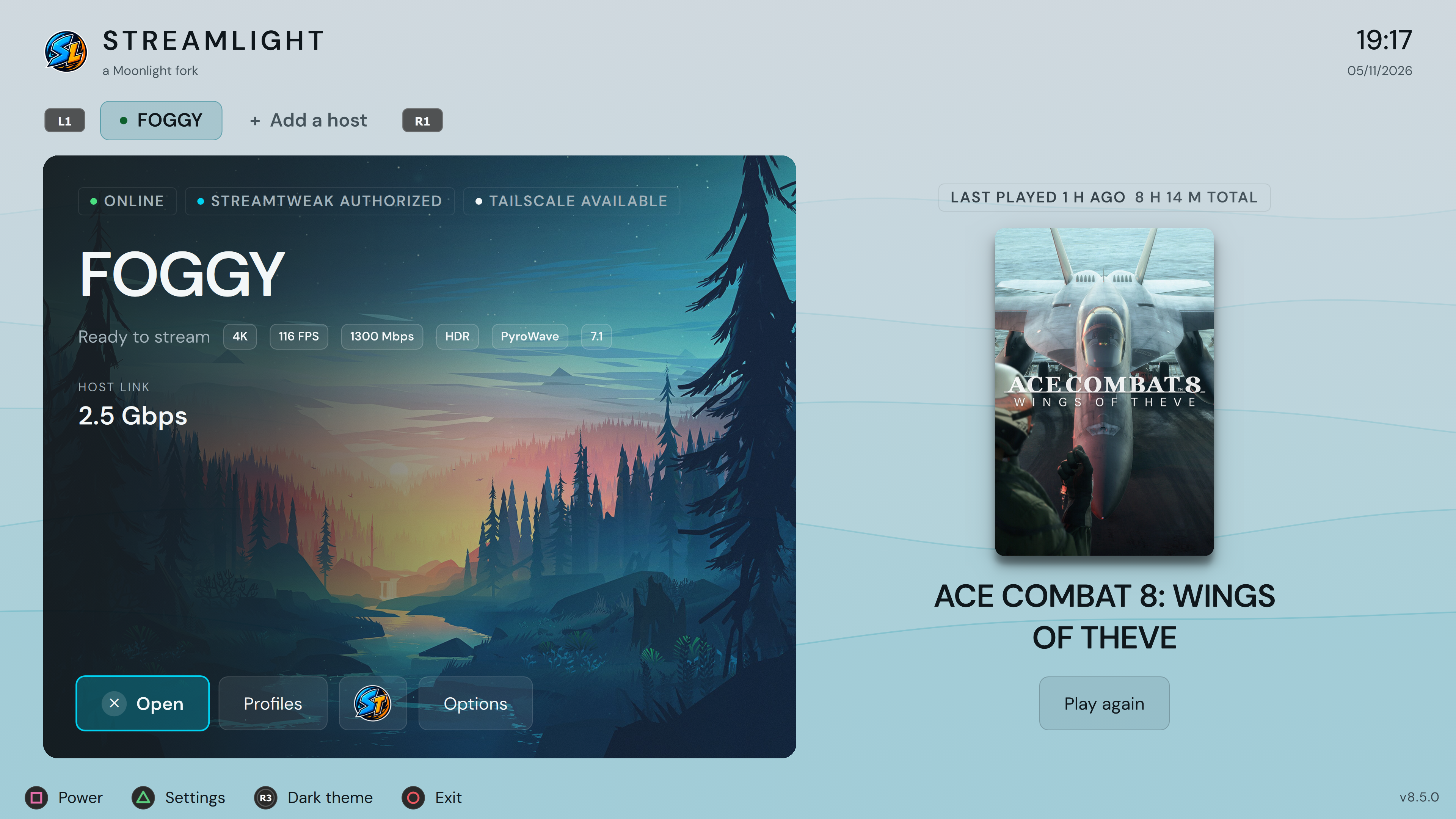
StreamLight is the client half of the FoggyBytes streaming duo: a fork of Moonlight with a gamepad-first interface and native integration with its host-side companion, StreamTweak.
The streaming engine is upstream Moonlight's — FFmpeg, D3D11VA, DXVA2, libplacebo, moonlight-common-c — with Nonary's VRR pacing added in 6.0.0 and his PyroWave codec in 6.4.0. What is new sits around it: the interface, and everything the two apps can do together over a local TCP bridge — host link matching, host metrics in the overlay, the store each game comes from, session quality reports, remote power-off and Windows Update, Tailscale, and signing a woken host in with its PIN from the sofa.
✅ Compatibility
Windows 10 and 11. Works as an ordinary Moonlight-compatible client against any Sunshine / Apollo / Vibeshine / Vibepollo host, and unlocks its paired feature set when StreamTweak is running on the host.
🔐 The bridge is authenticated. Every command StreamLight sends is signed with its existing Moonlight identity certificate; the host approves each client once, via a 4-digit PIN shown on both screens. Streaming never depends on it — without approval you stream normally and simply lose the paired features. Each host card shows its state as a badge (AUTHORIZED / PENDING / DENIED).
⚠️ Windows SmartScreen and Smart App Control. StreamLight is not code-signed yet.
- SmartScreen may warn you when you run the installer: choose More info → Run anyway.
- Smart App Control, on the Windows 11 PCs where it is turned on, may block StreamLight outright, and it offers no per-app exception. The only way to run it there is to turn Smart App Control off (Windows Security → App & browser control → Smart App Control settings).
Keeping Smart App Control on is a perfectly reasonable choice. Code signing is being looked into, and this note will be updated if that changes. The full source is in this repository.
🛡️ Security and privacy. No analytics, no telemetry, nothing sent to FoggyBytes. How StreamLight is protected and how to report a vulnerability is in SECURITY.md; every connection it makes is listed in PRIVACY.md.
⚠️ Not affiliated with or endorsed by the Moonlight project. StreamLight is an independent fork. For upstream Moonlight support, use the official client.
🔥 Features
Everything below is in the current release, whichever version first introduced it.
🕹️ Gamepad-first, keyboard-equal
- Every action is reachable from the pad: D-pad across host tabs, library, settings tabs and dialogs, with a clickable prompt bar along the bottom
- Prompts follow the device in your hands — touch the keyboard and each glyph becomes the key to press; pick the pad back up and they return to that controller's own icons (Xbox / PlayStation / Nintendo / Steam, auto-detected or forced; Steam (6.5.1+)). Settings → Interface can pin them to the controller or to the keyboard (6.3.0+), for Steam Input and the Steam Deck, where one pad also sends clicks and keys — and on the controller a trackpad mapped to the mouse points without taking the focus away from the pad (6.4.1+)
- Rebindable shortcuts — every in-stream keyboard hotkey and all four controller combos, in Settings → Shortcuts. Defaults are LB + RB + A quit (closes the game on the host), + Y pause (leaves it running, to resume), + X performance overlay, + B stream settings, chosen to stay clear of Steam's overlay
- On-screen keyboard (8.0.0+) — every field that needs typing (profile and host names, a host's address, the accent colour, a custom frame rate or resolution) opens a keyboard at the bottom of the screen when you reach it with a controller; the right stick moves it out of the way
- Navigation sounds (7.0.0+) — soft sounds for move, confirm and back from the controller and the keyboard, and (7.0.3+) from mouse clicks, never a hover; volume and switch in Settings → Interface
- Controller charge (8.7.0+) — the controllers connected without a cable appear in the top-right corner, beside the time, with their maker's logo over a four-step gauge — amber when one is about to run out, green with a bolt while it charges. Xbox (adapter or Bluetooth), DualSense and DualShock 4, Switch Pro and Joy-Con, Valve's newer controllers; the charge of the original Steam Controller and of the Switch 2 controllers cannot be read yet, as the SDL library does not provide it
- DualSense haptics (7.0.0+) — the fine vibration games play through the DualSense's actuators reaches the controller in your hands, over USB or Bluetooth, from a Vibeshine or Vibepollo 2.0.1+ host with its DualSense USB audio and haptics component
🏠 Home and the host page
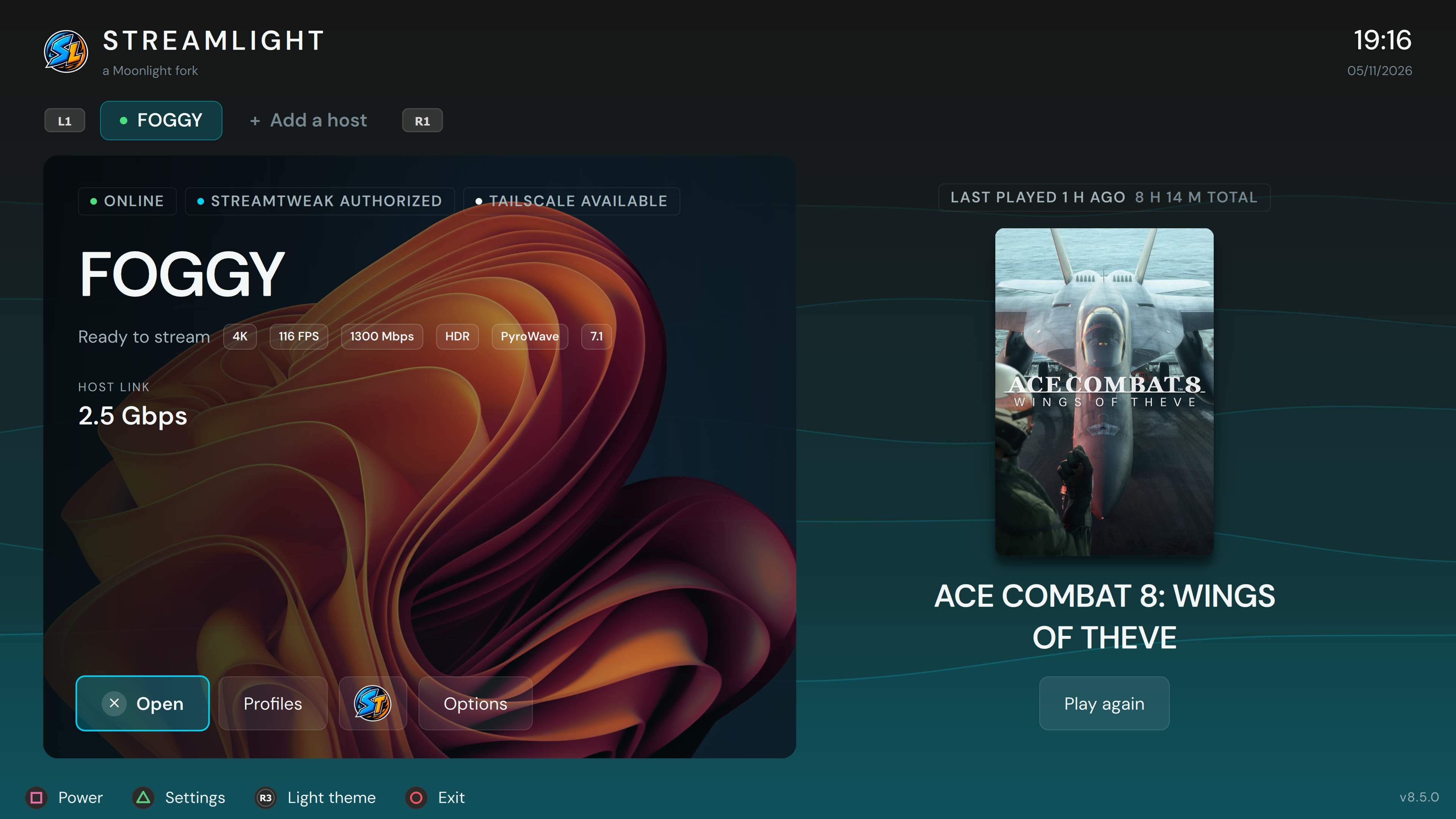
- Home is your hosts as tabs under the wordmark. The selected one's card takes the left of the screen — name, state, addresses, stream settings and actions at once — and its game stands beside it. LB / RB move between hosts, LT / RT between that host's profiles — as on the host page (7.0.0+)
- Moving background (6.0.0+) — waves in your accent colour rise over the lower three quarters of Home, Settings and the PIN pad, twice as fast while a host is streaming. Still with Reduce animations, paused behind dialogs
- Opening animation (6.0.0+) — the waves rise, the icon fades in and a band of light writes STREAMLIGHT before Home appears; any button skips it, and Settings → Interface turns it off
- Start at sign-in (8.2.0+) — StreamLight opens when you sign in to Windows and asks where to go: A for StreamLight, B for the Windows desktop, StreamLight by itself after 10 seconds. No host is contacted before you choose. Switched on in Settings → Interface
- The TV follows this PC (8.4.0+) — with an LG webOS TV, Settings → TV pairs it once and then the TV comes on and switches to this PC's input when the PC starts, and goes off when it shuts down; a restart or sleep leaves it on. A small StreamLight service does it from boot, so the TV is on at the Windows sign-in screen too. A TV showing another input or app is left alone, and a soundbar on HDMI goes off with it. LG webOS TVs only
- The host page puts the library down the left at full height and the game in the spotlight beside it — cover, name, store, and the right verb (Resume if it is already running, Play if not)
- Grid of covers (8.1.0+) — the left stick click or V turns the host page's list into a wall of covers, keeping the selected game; in the grid the bottom bar carries Play, Per-game settings and Stop, and the covers mark the game streaming now, the last one played and the pinned ones. Settings → Interface picks the layout, the cover size and whether titles show
- Library search (8.4.0+) — a magnifier before ALL on the host page (LB from ALL, / or Ctrl+F, a click) searches the library in both layouts as you type, ignoring case, accents and punctuation; with a controller A opens the on-screen keyboard, and B goes back to the tab you came from with the game found selected
- All, Games and Apps (5.9.0+, All 6.1.0+) — LB / RB switch the host page between everything you can launch, the games, and everything else: Desktop, Virtual Display, Steam Big Picture and the host's controls, which open with Open and never count hours. The page reopens on the tab you last chose on that host (6.3.0+), All the first time; LT / RT move the host's profile
- Move between Games and Apps (6.1.0+) — the right stick click or M moves the selected entry to the other tab, remembered per host. The host's own controls stay on Apps
- Remote Input and Remote Monitor (5.9.0+) — the host controls of Vibeshine and Vibepollo 2.0 open beside a running game, and their results and confirmation requests appear as messages and Yes/No questions rather than errors
- Last played (5.7.0+) — the game you last streamed on that host fills the right of its card, with how long ago you left it and the hours you have played it in total. Play again starts it without opening the library, and the same game sits first on the host page under Last played
- Play time (5.7.0+) — how long you have streamed each game, beside the store on every row. Filed under the game's name, so it survives a reinstall, and resettable from the per-game panel
- Pinned games (6.0.0+) — Start on the pad (Menu / Options / +) or P pins the selected game: pinned games sit under their own heading right after Last played, alphabetically, marked with a pin on the row. Kept per host and by name, so a pin survives a reinstall
- Resume from Home (6.0.0+) — while a host is streaming, its card shows the game in progress, marked Streaming now, with Resume in place of Play again
- Wake through a second network card (8.1.0+) — the Wake-on-LAN tile in a host's Options takes the MAC address of another card of the same PC; Wake sends the magic packet to both
- Per-host backgrounds — (7.0.0+: a small popup that previews on the card) a picture of your own, and (6.0.0+) how much of the moving background shows through the card, from 70% to 100%. Without a picture the card wears your accent colour, in a gradient
- Your accent colour (7.0.0+: a palette of 24, previewed live) — or any hex code. Status colours never follow it: online stays green, a pending link change amber, Shutdown red
- Light or dark (7.0.0+) — Dark, Light, System or Auto (sunrise and sunset, or two set hours), switched from Home with the right stick click, and an interface scale of 90%, 100% or 110%
- Time, date and battery in the top right of every screen, in the clock and date format you read
🎬 In-stream
- Performance overlay, built line by line — thirteen lines to choose from, switched on and off on the overlay itself in Settings, plus corner, size and transparency. Minimal / Default / Full remain as starting points. (8.3.0+) A card in sections or a bar at the top centre with its own presets, in the app's fonts and accent, sized to the screen; a figure turns red when it signals a problem
- Stream Settings panel — change resolution, frame rate, bitrate, HDR and frame pacing while streaming, applied with a brief reconnect and host-agnostic. (8.3.0+) A row of tiles at the bottom centre, clear of the performance overlay. (8.4.0+) A sixth tile turns controller mouse control (hold Start) on or off, at once and without the reconnect
- Custom resolutions and frame rates — any width and height, and any rate, not just the presets, from Settings or the in-stream panel
- Your display's own values are offered too (5.5.0+) — the resolution and refresh rate this machine reports appear in the pickers, so a 165 Hz or 16:10 screen needs nothing typed in. Marked with a dot in Settings and with the words this display in the in-stream panel, which offers the same list
- Frame pacing — Off or On, evening frames out with the same software pacer Moonlight uses
- Fractional V-Sync (5.6.0+) — shows each frame for a whole number of refreshes instead of once per refresh, so 60 FPS on a 120 Hz screen becomes one frame every two. Needs V-Sync and frame pacing, and a screen running at an exact multiple of the frame rate: at 60 FPS that is 120 / 180 / 240 Hz, and a 144 Hz screen wants 72 FPS. Off by default
- VRR (6.0.0+, experimental) — on a variable-refresh display each frame is shown as soon as it is ready, with three timing profiles (Low latency, Balanced, Smooth) and Reduce judder. Built on Nonary's VRR work for Moonlight; needs V-Sync, runs borderless, and switches Fractional V-Sync off while it is on
- PyroWave (6.4.0+) — a fifth video codec for wired networks: every frame is coded on its own, so decoding takes well under a millisecond and a lost packet blurs part of one picture instead of breaking the next ones. Needs hundreds of Mbps and a Vibeshine or Vibepollo 2.0 host; other hosts stream H.264
- PyroWave Test (7.0.0+)
Questions
What is StreamLight?
FoggyBytes/StreamLight is a public repo on GitHub by FoggyBytes. Moonlight fork, a complete new UI experience with a lot of new features and a deeper host integration.
Is StreamLight open source?
It declares the GPL-3.0 license on GitHub.
Does StreamLight run on macOS, Windows or Linux?
Its maker tagged it for Windows. That is declared by the maker; Take My Repo has not tested it.
How do I install StreamLight?
Open "Take it" on its page: Take My Repo writes an install plan for your machine and hands it to your AI agent (Claude Code, Codex or Cursor), which asks you before each step. Take My Repo has not tested it on any machine.


