GDevelop-examples
Repository of examples and templates for GDevelop - the open-source, no-code game engine
- 190
- 1 d ago
Repo GDevelopApp/GDevelop-examples, read from GitHub 1 min ago. GDevelopApp has not joined Take My Repo.
In short
GDevelopApp/GDevelop-examples is a public repo on GitHub by GDevelopApp. Repository of examples and templates for GDevelop - the open-source, no-code game engine. It declares no license on GitHub. Public does not mean open source: without a license, nobody is granted the right to reuse it. It is written mainly in JavaScript, has 190 stars and last changed on 2026-11-23. Nobody has reviewed it on Take My Repo yet, which says nothing about its quality. Read from GitHub on 2026-11-24.
Similar repos
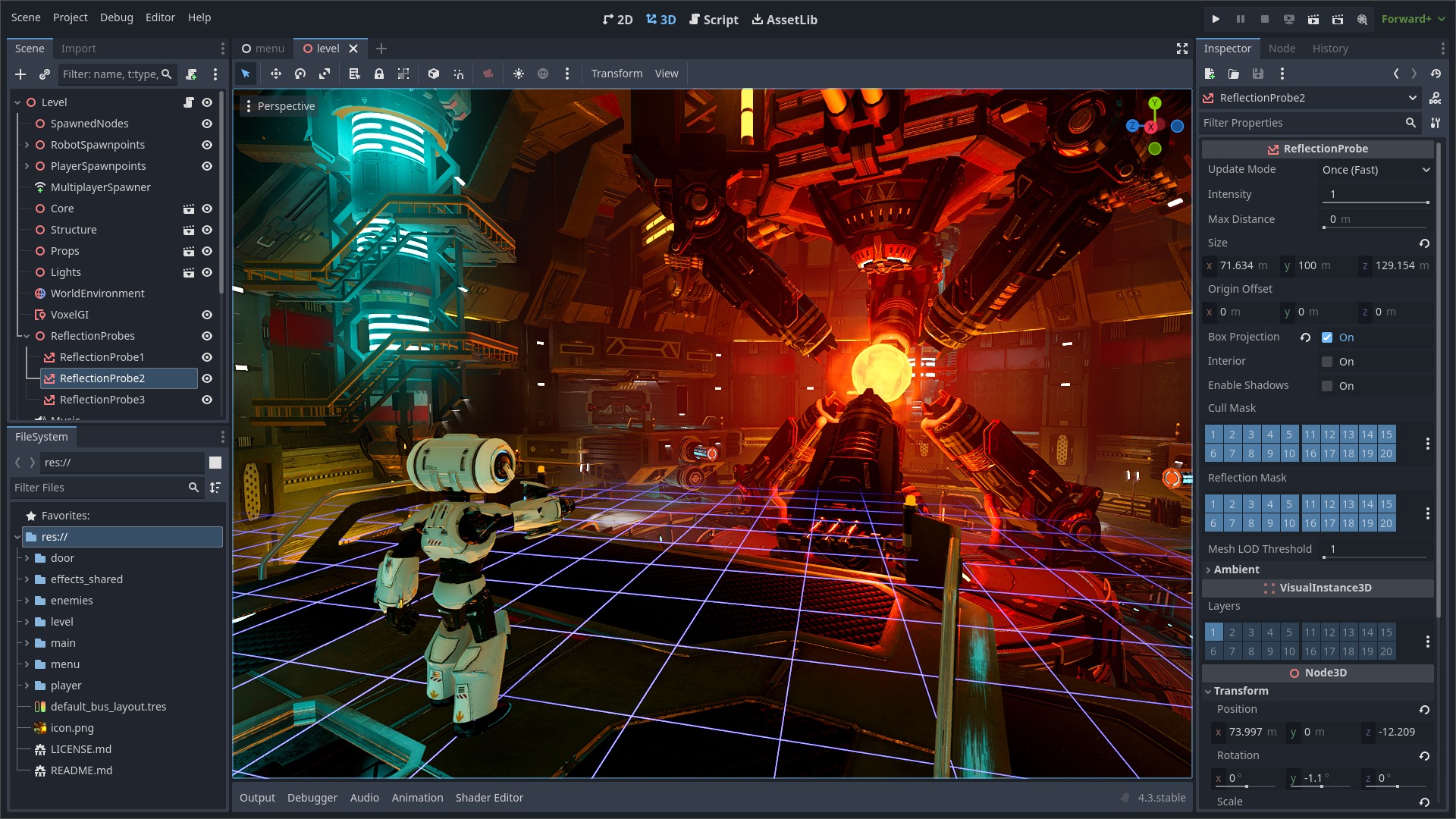

GDevelop is a full-featured, no-code, open-source game development software. You can build 2D, 3D and multiplayer games for mobile (iOS, Android), desktop and the web. GDevelop is fast and easy to use: the game logic is built up using an intuitive and powerful event-based system and reusable behaviors.
GDevelop Examples
This repository hosts the open-source, free example projects for GDevelop.
Getting started
| ❔ I want to... | 🚀 What to do |
|---|---|
| 🎮 Use GDevelop to make games | Go to GDevelop homepage to download the app! |
| Try an example | Examples can be searched and downloaded directly from GDevelop. |
| Contribute to GDevelop itself | Visit GDevelop GitHub repository. |
| Create/improve an example | Read below. |
Submit your example
If you've created an example with GDevelop, you can submit it to be shared with the rest of the community.
- Create your game with GDevelop.
- Make sure to follow the requirements and best practices on this page.
Note that for now, we're trying to keep a fairly high quality bar for examples, so you might be asked to adapt your game according to reviewer feedbacks. Don't feel bad about this! This is normal process and here to help making examples as good as possible for new users. If we take too much time to review your example, you can send a ping on the issue. ⏰
- Create a
preview.png(case sensitive) 16:9 image that will let users see what the game looks like. You can also add athumbnail.png(case sensitive) with a 16:9 ratio (the game logo/banner) shown in the examples list of the game engine or asquare-icon.png(the game icon). All of these images should be located at the root folder of the game. (If the game will be used in quick customization, then add athumbnail-quick-customization.png(case sensitive) with a 16:9 ratio to be shown on the get started page of GDevelop.) - Create a new
README.mdfile and write a short description of the game. - Export your game and all its resources to a zip file (you can save it in a new folder and zip this folder).
- Submit it! You can either submit it here, attaching the zip file.
If you know how to create Pull Requests, you can also clone this repository and add your example in the examples folder, and then open a PR. Examples are deployed automatically when pushed to the main branch:
Developers
To add a game to the homepage the game have to be listed in the scripts/generate-database.js file.
Theme slots
A theme replaces the placeholder art of a 3D starter with a coherent set of
assets, so a game created by the AI looks like the setting the user asked for.
Themes and starters never refer to each other: both point at slots, roles
such as character.player or env.ground.
theme-slots.json, at the root, is the list of slots. It is the vocabulary shared by every starter and every theme.examples/<starter>/theme-slots.jsonsays which objects of that starter play which slot:
{
  "version": 1,
  "objects": {
    "scene:Game Scene/Player": "character.player",
    "scene:Game Scene/Ground": "env.ground",
    "scene:Game Scene/Crate": { "top": "env.ground", "front": "env.wall" },
    "object:TankConfiguration::CombinedTank/TankBase": "vehicle.tank.base"
  },
  "effects": {
    "effect:Game Scene//SkyBox": "sky.day"
  },
  "ignoredObjects": ["scene:Game Scene/Camera"]
}
An object is referred to as scene:<scene>/<object>, global/<object>, or
object:<Extension>::<CustomObject>/<child> for the children of a custom
object. A 3D model maps to one model slot. A 3D cube maps either to one texture
slot for all its faces, or to one slot per face. A skybox effect, referred to
as effect:<scene>/<layer>/<effect>, maps to one skybox slot: the theme's
skybox replaces its six faces.
A custom object, like the 3D terrain, maps some of its properties. An image property maps to a texture slot, a 3D model property (like the model of scattered models) to a model slot, a color property to a color slot, and the texture of a terrain layer to a material slot, a texture with its normal map, along with the property that takes the normal map:
"scene:Game Scene/Terrain": {
  "Layer1Texture": { "slot": "terrain.ground", "normalMap": "Layer1NormalMap" },
  "Layer2Texture": { "slot": "terrain.road", "normalMap": "Layer2NormalMap" }
},
"scene:Game Scene/Grass": {
  "BaseColor": "terrain.grass.base",
  "TipColor": "terrain.grass.tip"
},
"scene:Game Scene/PineForest": {
  "Model": "nature.tree"
}
A theme whose material has no normal map empties the normal map property: the
bumps of the starter's texture would not match the theme's. A theme model keeps
the other properties of the object, like the density of the scattered copies.
Custom objects don't have to be mapped, except those drawing a 3D model (like
scattered models), which are mapped or listed in ignoredObjects like 3D
models. The children of a custom object that are 3D models or cubes are mapped
too (list the placeholders of the terrain and the grass in ignoredObjects).
When you add a 3D starter, add its theme-slots.json. The build refuses to
publish a 3D starter without one, or one where a 3D model or cube is neither
mapped nor listed in ignoredObjects, and it names the object:
Starter "starting-3d-sailing": the Scene3D::Model3DObject "scene:Game Scene/Boat"
is neither mapped to a slot nor listed in ignoredObjects in theme-slots.json.
- Reuse an existing slot whenever the object plays an existing role. A new
starter's hero is
character.player. Every theme then covers it already. - Add a slot to the root
theme-slots.jsononly for a genuinely new role. Every theme is missing it until someone fills it in the assets repository: those objects keep their placeholder art in the meantime, which is not an error. Give it adescriptionsaying what its objects do in the starters and what fits it: the authors of themes choose its asset from it (the gun of the FPS starters must shoot, a crop must grow from the soil). - Map an object only to a slot whose description fits what it does. A seed
planted in a plot is not a small rock: every theme would show a rock (or a
bone, or a wheel) instead. List it in
ignoredObjectsif no slot fits. - List in
ignoredObjectswhat is not meant to be seen as art: the camera anchor cube, an invisible collision helper, the faceless player of a first person game.
Renaming or removing an object makes the build fail the same way on the entry that no longer matches: fix or delete the line it names. HUD sprites, fonts and sounds are not part of this.
Themed starters
The build uses these mappings to write, next to each 3D starter, a copy of it re-skinned with each theme published by the assets repository:
examples/starting-3d-tank/starting-3d-tank.json                # the starter
examples/starting-3d-tank/starting-3d-tank.theme-pirate.json   # its pirate copy
When the AI picks a theme, GDevelop opens the copy instead of the starter, so
the game shows the themed assets from the first frame. The copies live in the
starter's folder because a starter refers to its images, sounds and fonts by a
relative path. They are not examples of their own and are never listed:
themedStarters.json, in the database, says which themes exist and which
starters each one covers. It is also what the AI prompts read, so a theme is
only offered once its copies are there.
A theme only re-skins what it has an asset for. Anything else keeps the starter's placeholder art.
A theme model takes the place of the placeholder as drawn in the starter, at
the size its slot means. Each model slot of the root theme-slots.json says
it with fit:
height: the model is as tall as the placeholder (characters, trees, grass), so a player is never a giant or a dwarf next to the level. The character slots also have ascaleof 1.08: a person is much thinner than the capsule standing for it, and looks smaller at the same height;length: the model is as long as the placeholder (vehicles), so a truck fills the lane of a car;volume: the model takes the volume of the placeholder (projectiles, rocks), for objects whose shape varies a lot: a ball in the place of a missile, a boulder in the place of a flat rock;contain: the model is as large as it fits in the room of the object (props, buildings...), so it never overlaps what stands next to it. Models don't all face the same direction: a prop is fit whichever way it faces.
This uses the real dimensions of the theme model, published with the themes,
and the size of the placeholder model (its .glb) as drawn in its object. The
same goes for an instance given its own size, and for the copies of scattered
models (their "Height of a copy" changes for a model not sized by its height).
The room of an object is its size (width, height and depth). A model keeping its proportions is drawn as large as it fits in it, and its object takes that size in the game, so the room can be larger than the placeholder on an axis it does not fill, without changing the starter. Give the room a theme model may need: the market of the RTS is flat, but a house can stand where it is, so its object is as deep as it is wide; the gun of the FPS is thin, but a blaster is not.
Slots are split by shape when objects of one role differ too much: a
prop.obstacle (a cone) and a prop.barrier (a long barrier), a
building.house and a building.tower. Their descriptions say the shape a
theme should give them.
A model of another shape than its placeholder (a squarish house on a long lot) ends up much smaller, and the build reports it, along with a vehicle much broader than its placeholder (and the themes giving no real dimensions, whose models are sized by the volume of the placeholder object):
⚠️ starting-expanded-3d-grand-theft-auto: scene:Game Scene/Building_K
(building.house, sized by contain) is drawn at a size far from its placeholder
with 26 themes: battle-royale (60% of the largest dimension of the placeholder), ...
It is not an error, but it says what is to fix: a placeholder with too little
room, a slot grouping objects of too different shapes, or a theme model of the
wrong shape. A theme can also give a model a scale (0.5 to 2, see the assets
repository) to draw it larger or smaller on purpose: that is not reported.
The copies are rebuilt on every deploy of this repository, and every night by
the nightly-rebuild workflow of the CircleCI configuration, which is how they
catch up with a theme or an asset published by the assets repository. A new
theme is therefore available the day after it is merged there (or right away,
by pushing to main here or rerunning the last main pipeline in CircleCI).
Trying a theme before merging
Any branch but main is built with --staging and deployed next to the live
examples, under staging/examples and staging/examples-database, like the
assets repository does. A staging build uses the themes of the staging
assets, so a theme pushed on a branch of the assets repository can be tried end
to end without merging anything:
- push the theme on a branch of the assets repository (deployed to staging);
- push (or rerun the pipeline of) a branch here, so the starters re-skinned with it are built and deployed to staging;
- push a branch of the AI prompts, whose dev prompts list the staging themes;
- in a development build of GDevelop, turn on "Show staging assets" in the asset store, then create a game with the AI.
Staging holds the result of the last branch that was pushed, whoever pushed it.
2D starters
A 2D starter can have a theme-slots.json too. It is optional, and maps only
the art of the game: the interface (buttons, joysticks, texts) is left out.
{
  "version": 1,
  "requireAllSlots": true,
  "objects": {
    "scene:Game Scene/Player": { "slot": "2d.side.player", "anchor": "bottom" },
    "scene:Game Scene/Coins": "2d.side.coin",
    "scene:Game Scene/Platform_Ground": "2d.side.ground",
    "scene:Game Scene/Ground_Tilemap": {
      "slot": "2d.overhead.tilemap",
      "tiles": { "0": "ground", "1": "ground.detail1", "3": "area" }
    }
  }
}
- A sprite maps to a sprite slot. The theme art is drawn where the
placeholder was (same origin, center and points, so events and instances are
untouched), covering the same area and never enlarged.
"anchor": "bottom"makes it stand on the bottom of the placeholder instead of being centered on it, and"fit": "width"or"height"makes it take that dimension of the placeholder. - A tiled sprite or a panel sprite maps to a texture slot.
- A tile map maps to a tile map slot, with the role each of its tiles plays: the theme gives its own atlas and the tile playing each role.
- A sprite whose animations need precise art of the theme names the
animations of the theme each one can be played by, the first found being
used:
"animations": { "Walk0": ["Walk Right", "Right"] }. - A sprite showing different things in its animations (the icons of an
inventory) maps each animation to its own slot instead of
slot:"animationSlots": { "Rock": "2d.rpg.resource.rock", "Log": "2d.rpg.resource.log" }. "tileSize"(64 by default, next to"version") is the size of the tiles of the starter. Pixel art, drawn for smaller tiles, is scaled by a whole number so its tiles become these.- Keep
requireAllSlots: a theme then re-skins the starter only if it fills every slot it maps, as 2D theme art next to placeholder art looks broken.
Questions
What is GDevelop-examples?
GDevelopApp/GDevelop-examples is a public repo on GitHub by GDevelopApp. Repository of examples and templates for GDevelop - the open-source, no-code game engine.
Is GDevelop-examples open source?
It declares no license on GitHub. Public does not mean open source: without a license, nobody is granted the right to reuse it.
Does GDevelop-examples run on macOS, Windows or Linux?
Its maker has not tagged a system, so it is unknown here. Its README says what it needs.