FrameShift
Offline media processing utility powered by FFmpeg, local AI, and fast right-click workflows.
- 105
- GPL-3.0
- 6 d ago
Repo Gaurox/FrameShift, read from GitHub 7 h ago. Gaurox has not joined Take My Repo.
In short
Gaurox/FrameShift is a public repo on GitHub by Gaurox. Offline media processing utility powered by FFmpeg, local AI, and fast right-click workflows. It declares the GPL-3.0 license on GitHub. It is written mainly in C#, has 105 stars and last changed on 2026-11-18. Nobody has reviewed it on Take My Repo yet, which says nothing about its quality. Read from GitHub on 2026-11-23.
AI models this project points to
FrameShift
🌐 English | 简体中文 | Español | Português (Brasil) | Русский | Français | 日本語 | Bahasa Indonesia
1.24.0 adds Balance volume, primarily designed for watching videos without constantly adjusting the volume between quiet dialogue and loud scenes. It also adds French, Japanese and Indonesian, bringing the app, installer and Explorer menus to eight languages, and simplifies translation contributions through CSV files. The language chosen during an upgrade now applies to application windows even when an older preference was saved. See the release notes and qualification.
1.24.0 is available with the owner-accepted installer. 1.23.0 introduced Find Loop inside Cut Video and fixes for hidden actions in the classic Explorer video menu.
Special thanks to zhazhayu01 for the simplified Chinese translation, Chinese README, and narrow-window layout fix for the search field and action buttons. This release adapts their original contribution into the multilingual application, installer and documentation.
Free, open-source FFmpeg GUI for Windows — local media utility with Explorer right-click integration and local AI.
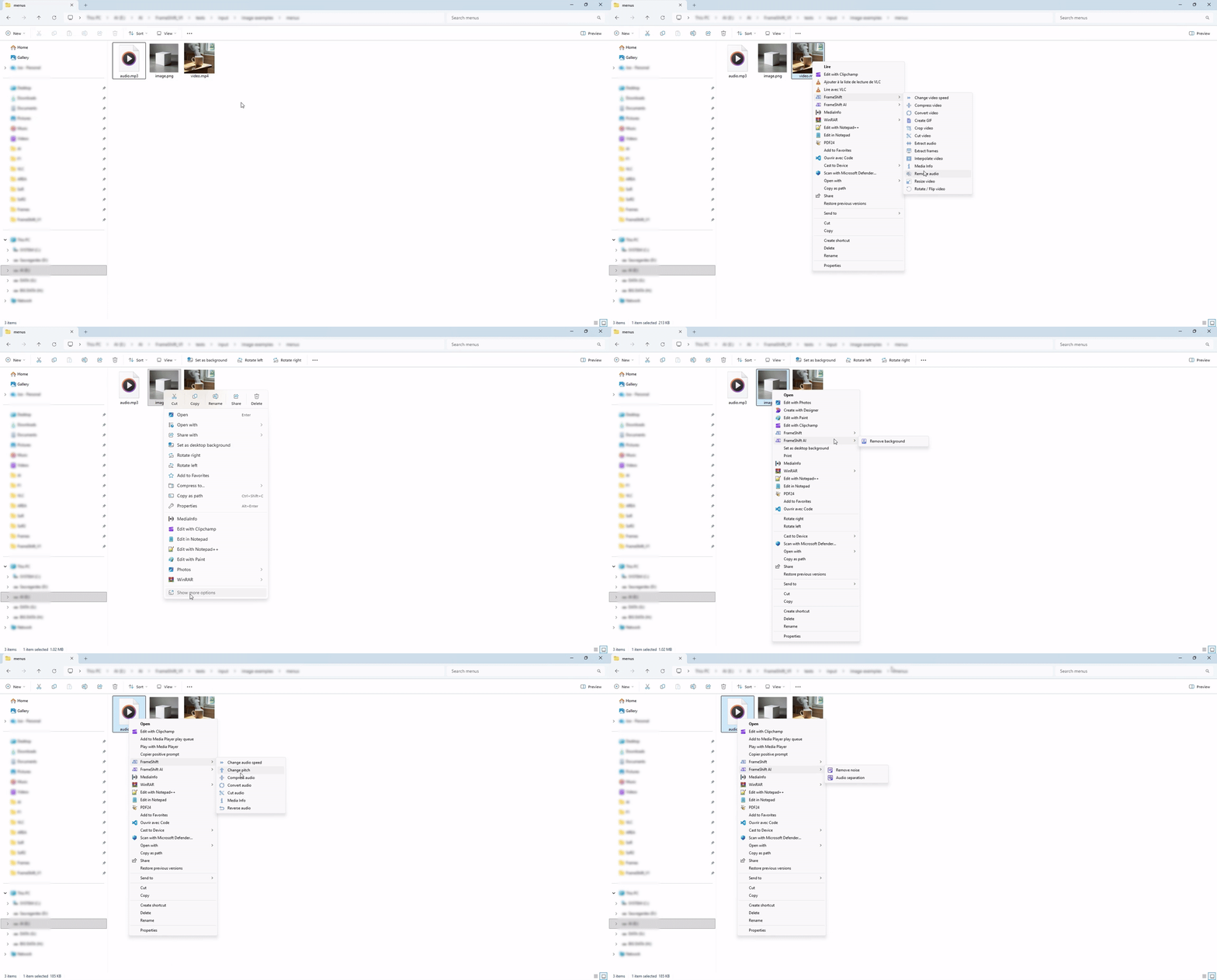
Table of Contents
- Download
- Overview
- Why FrameShift
- Quick Workflow
- Balance volume
- Languages and Translations
- Actions
- Technology
- ImageSharp Licence — Maintainers and AI Agents
- Documentation
Download
→ Download latest release (.exe installer)
Published version: 1.24.0 · Windows 10 / 11 · self-contained · no extra install required.
The installer includes all eight languages and the features described below.
Versioning uses 1.<feature release>.<patch>: feature releases start at .0; small fixes increment
the final number (1.14.1, 1.14.2, etc.).
Overview
FrameShift is a desktop utility for fast video, audio, image, and AI-assisted media tasks on Windows.
Its main goal is simple: let you launch useful actions directly from Explorer context menus, make the right adjustments quickly, and save the result next to the source file with safe unique naming.
Fixed in 1.21.1 — Remove Noise and window cleanup. Denoise no longer leaves the audio/video settings window stuck on "Closing...". Required models are checked before Preview, and download cancellation and repeated close requests in Cut Video/Crop Image now finish correctly. See the release notes.
New in 1.21.0 — Extract Text. Extract text from images and PDFs with local PP-OCRv6 Small or Tiny. Save UTF-8 text, structured JSON or a searchable PDF with its original appearance. PDF options include page ranges, native-text reuse, rendering quality and text layout. Reading order follows detected columns; oversized PDF pages automatically use a safe rendering resolution and report the adjustment. Models download on demand from the FrameShift Hugging Face repository with pinned revisions and SHA-256 checks: approximately 31.7 MB for Small or 6.7 MB for Tiny, including dictionaries and Apache-2.0 notices. Subsequent processing runs offline. See the feature guide and release notes.
New in 1.20.1 — security and reliability fixes. Hardened the installer, updated bundled image-processing and .NET components, and protected media outputs during filename collisions, cancellation and failure. See the release notes and the qualification report.
New in 1.20.0 — refreshed Windows interface. Action dialogs and editors share consistent headers, spacing and buttons, adapt to the available screen space, and keep their main commands accessible. This release also brings improved keyboard navigation, readable queue/error details, and PerMonitorV2 DPI handling. Build evidence and the accepted qualification scope are recorded in the release report.
Join Videos, introduced in 1.19.0. Arrange multiple clips on a lightweight visual timeline, then join them as one track. FrameShift uses direct concat only for a strict compatible stream signature; otherwise SDR clips normalize automatically to H.264/AAC MP4 with ratio-preserving padding and generated silence where needed. HDR mixing/normalization is refused in this first version.
Alongside the Explorer right-click menu, FrameShift opens a simple drop-driven window: drag in as many files as you want and it shows only the actions that fit them, grouped by type. Each action runs on the whole selection in one pass, so large batches are no longer limited by Explorer's multi-file context-menu cap.
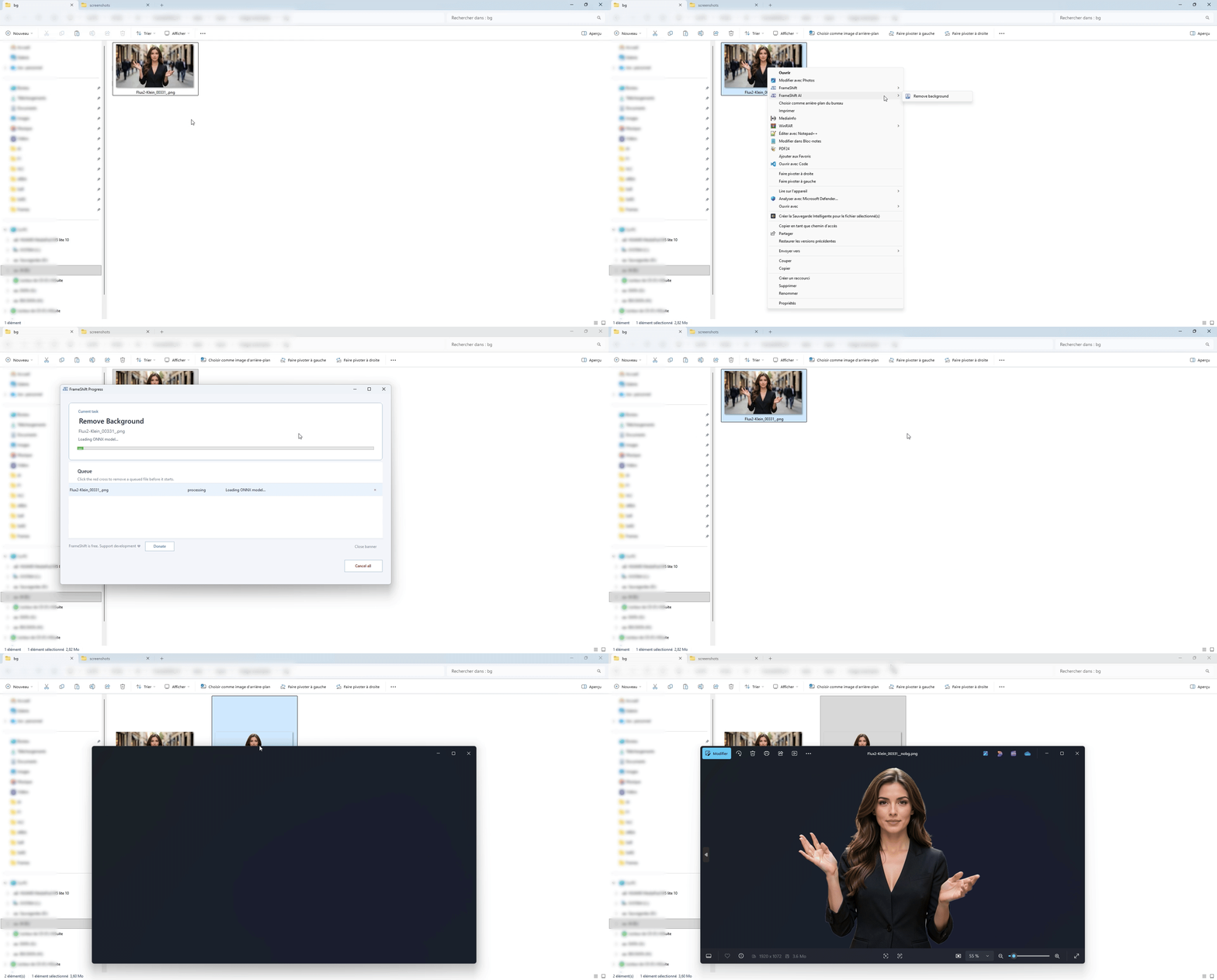
Remove backgrounds, remove objects from images, upscale images and videos, remove noise, and separate audio locally with focused AI workflows launched directly from Explorer. RIFE interpolation is also available as a dedicated local AI workflow for smoother motion on supported video clips.
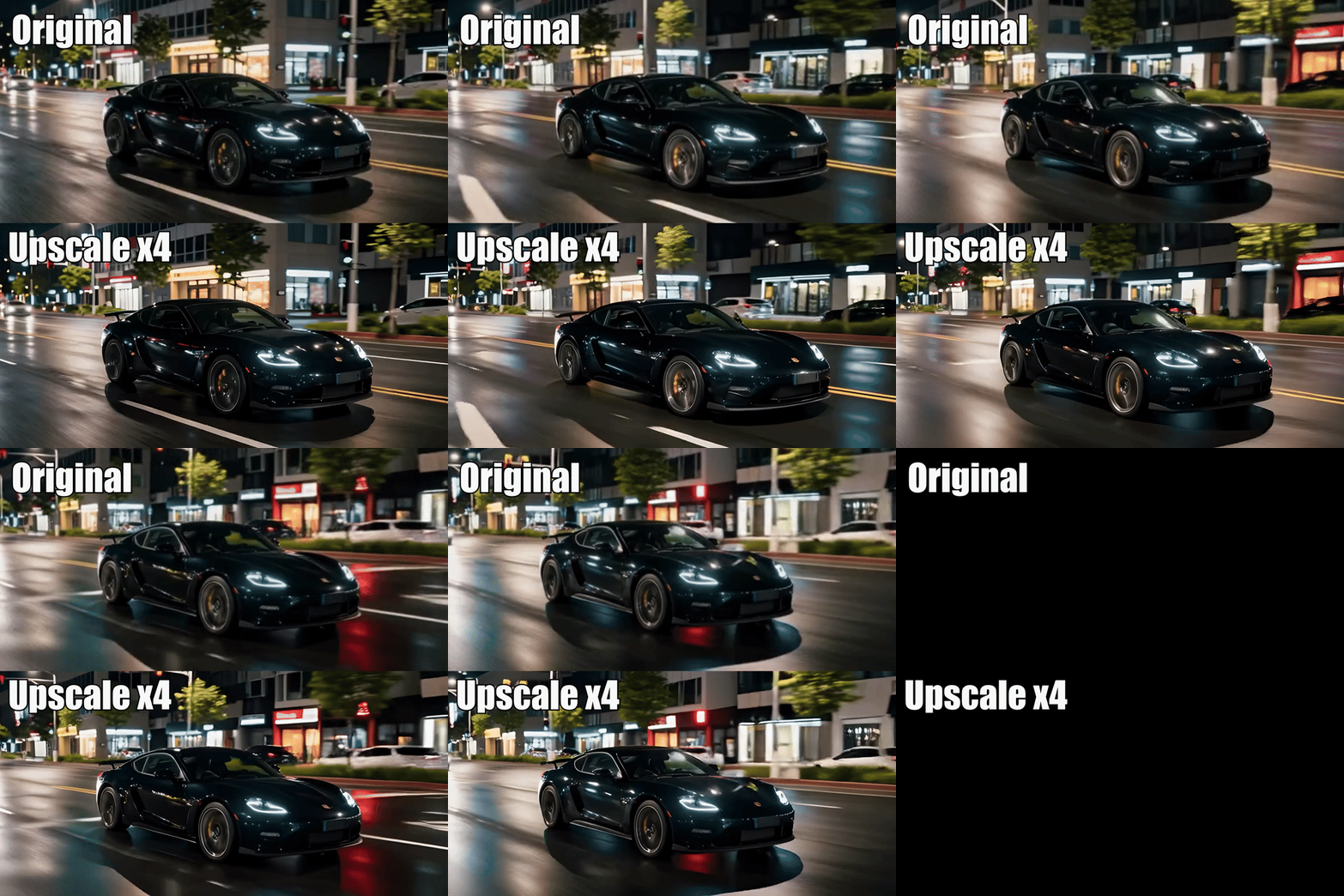
Upscale videos locally with Real-ESRGAN General v3, AnimeVideo v3, or x4plus Quality. FrameShift keeps the source frame rate and audio, supports ×2 / ×3 / ×4 and custom sizes, and uses DirectML with CPU and encoder fallbacks. Image and video upscale models remain isolated in their own verified folders.
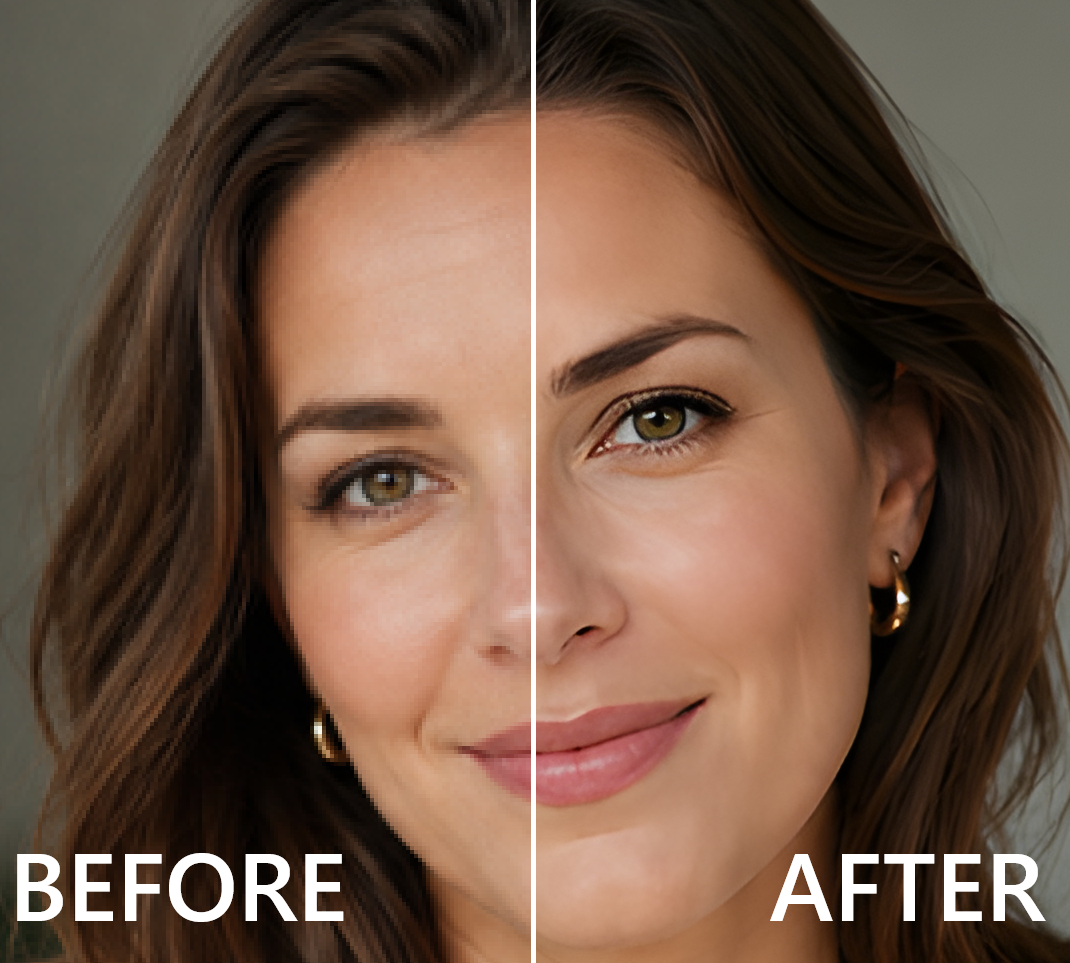
Upscale images with a local AI model picked from a simple dropdown: Real-ESRGAN x4plus for general photos, screenshots and AI images, Real-ESRGAN Anime 6B for illustrations and line art, and Swin2SR for restoration-grade quality. Choose ×2, ×3, ×4 or a custom target size (aspect-locked). It runs on the GPU via DirectML with CPU fallback, tiles large images automatically, and saves the result next to the source.
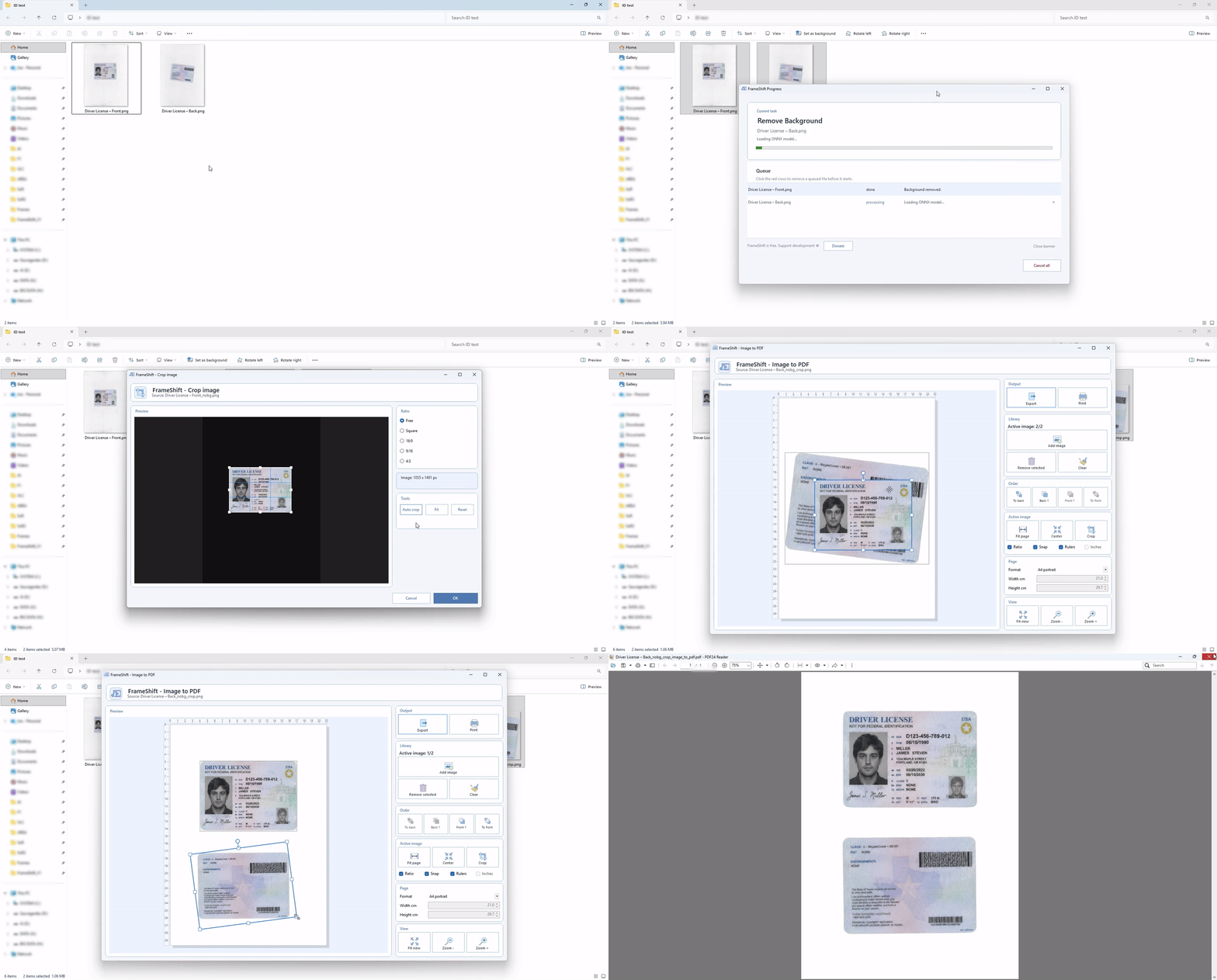
Build image-based PDF documents with a visual layout workflow designed for quick adjustments.
Crop images and videos with a dedicated visual editor that now supports automatic border detection, mouse-wheel zoom, and drag navigation for tighter framing with less manual work.
Why FrameShift
- Right-click driven workflow for everyday media tasks
- Offline processing with local tools only
- No overwrite behavior, outputs stay next to source files
- FFmpeg and FFprobe at the core
- Focused WinForms interface built for speed and clarity
- Clean cancellation and practical batch-friendly flows
Quick Workflow
- Right-click a file in Explorer.
- Choose a FrameShift action from the context menu.
- Adjust only the settings you need.
- Start processing and get a clean output beside the original file.
Balance volume
Balance volume is primarily designed for watching films and other videos: it reduces differences between quiet dialogue and loud action or music, helping you avoid constantly reaching for the volume control. It also works on standalone audio files and processes the whole mix, including every audio track.
- Light: gentle balancing that preserves more dynamics.
- Moderate (default): balanced everyday listening.
- Strong / Night mode: stronger balancing for listening at low volume.
Select the action in the main window or the audio/video Explorer menu. Processing runs locally in one FFmpeg pass; only audio is re-encoded and video is copied without re-encoding. Channel layouts, subtitles, chapters and metadata are retained. The result is saved next to the original with a unique name. See the feature guide for formats and CLI options.
Languages and Translations
The 1.24.0 application, subtitle worker, installer and Explorer captions support:
| Language | Code | README |
|---|---|---|
| English | en |
English |
| 简体中文 | zh-CN |
简体中文 |
| Español | es |
Español |
| Português (Brasil) | pt-BR |
Português (Brasil) |
| Русский | ru |
Русский |
| Français | fr |
Français |
| 日本語 | ja |
日本語 |
| Bahasa Indonesia | id |
Bahasa Indonesia |
The language selected during installation, upgrade or reinstall is applied to application windows on the next launch, once per Windows user. This also replaces an older saved language while preserving other preferences. Afterwards, Settings → Application language lets you choose another language for the next launch and updates installed Explorer menus. Windows may request administrator authorization; machine-wide menu changes apply to all accounts.
Translation contributors can work in a spreadsheet without C#, Git or .NET: a maintainer supplies a UTF-8 CSV containing the English source, context and target text. Edit Translation only, keep variables and reference columns intact, and return the file. Maintainers have offline export, validation, preview/import with backups and change-review tools. Start with the contributor guide or the maintenance workflow.
Actions
Video Actions
| Action | Short Description | Screenshot |
|---|---|---|
| Convert Video | Convert video files to common formats with a fast, focused workflow. | 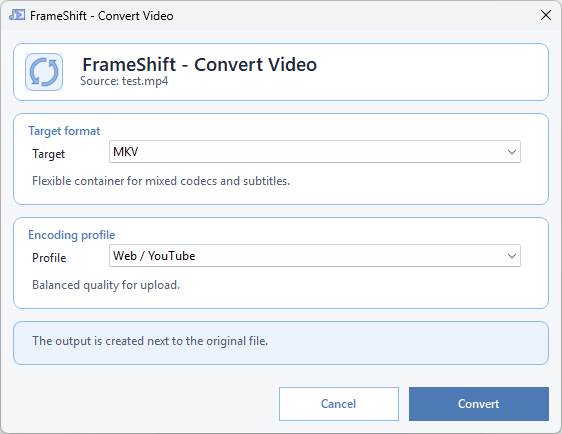 |
| Remove Audio | Create a silent video version without changing the basic workflow. | |
| Extract All Frames | Export every video frame as an image sequence. Explorer also offers commands for the first frame, last frame and keyframes. | 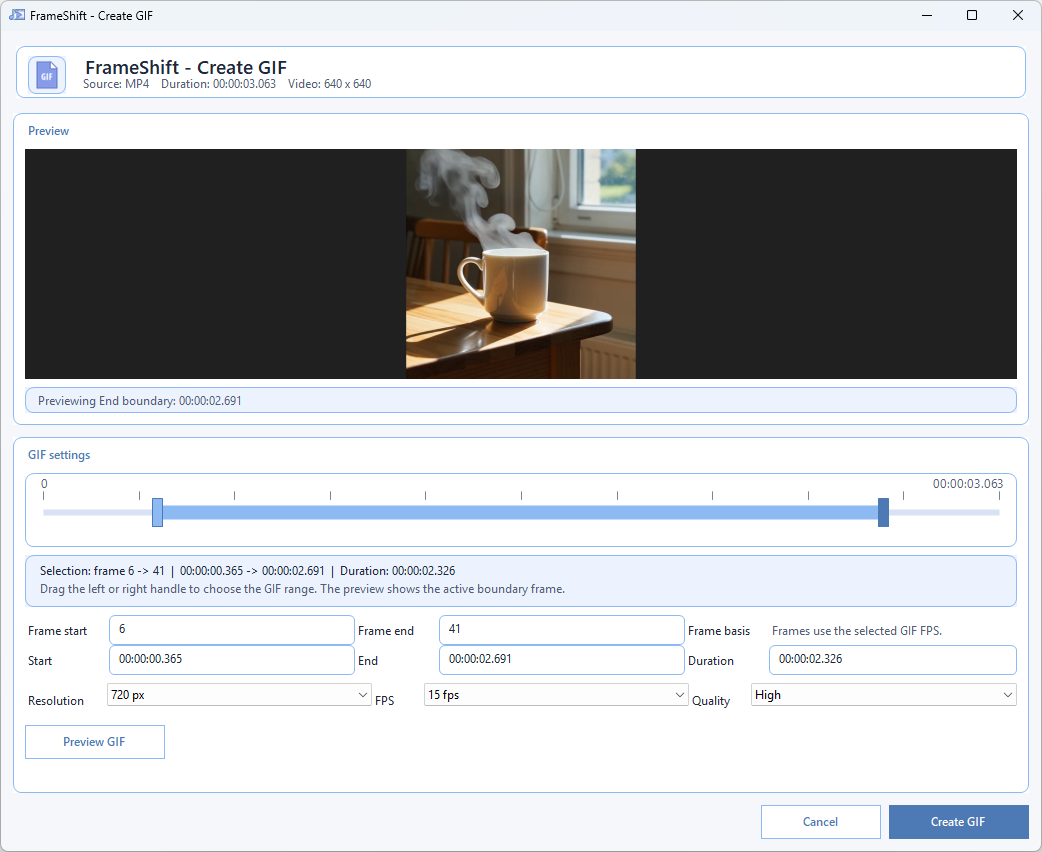 |
| Create GIF | Turn a video segment into a GIF with preview-oriented controls. | |
| Join Videos | Arrange multiple clips on a visual timeline and join them into one track — direct concat when stream signatures match, automatic SDR H.264/AAC normalization otherwise. | 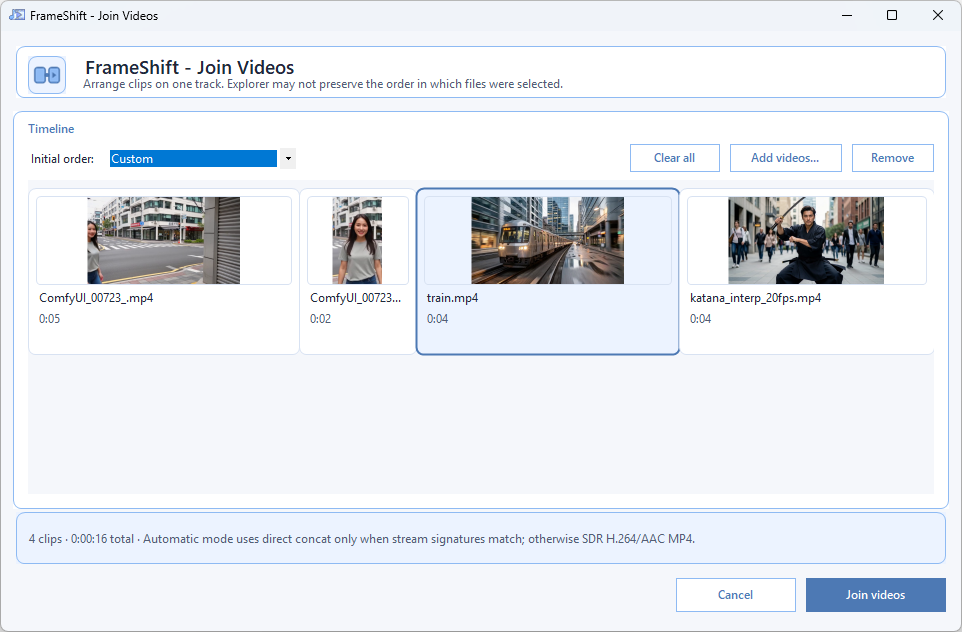 |
| Add Subtitles to Video | Add a selectable subtitle track or burn subtitles into the video with a visual editor. | 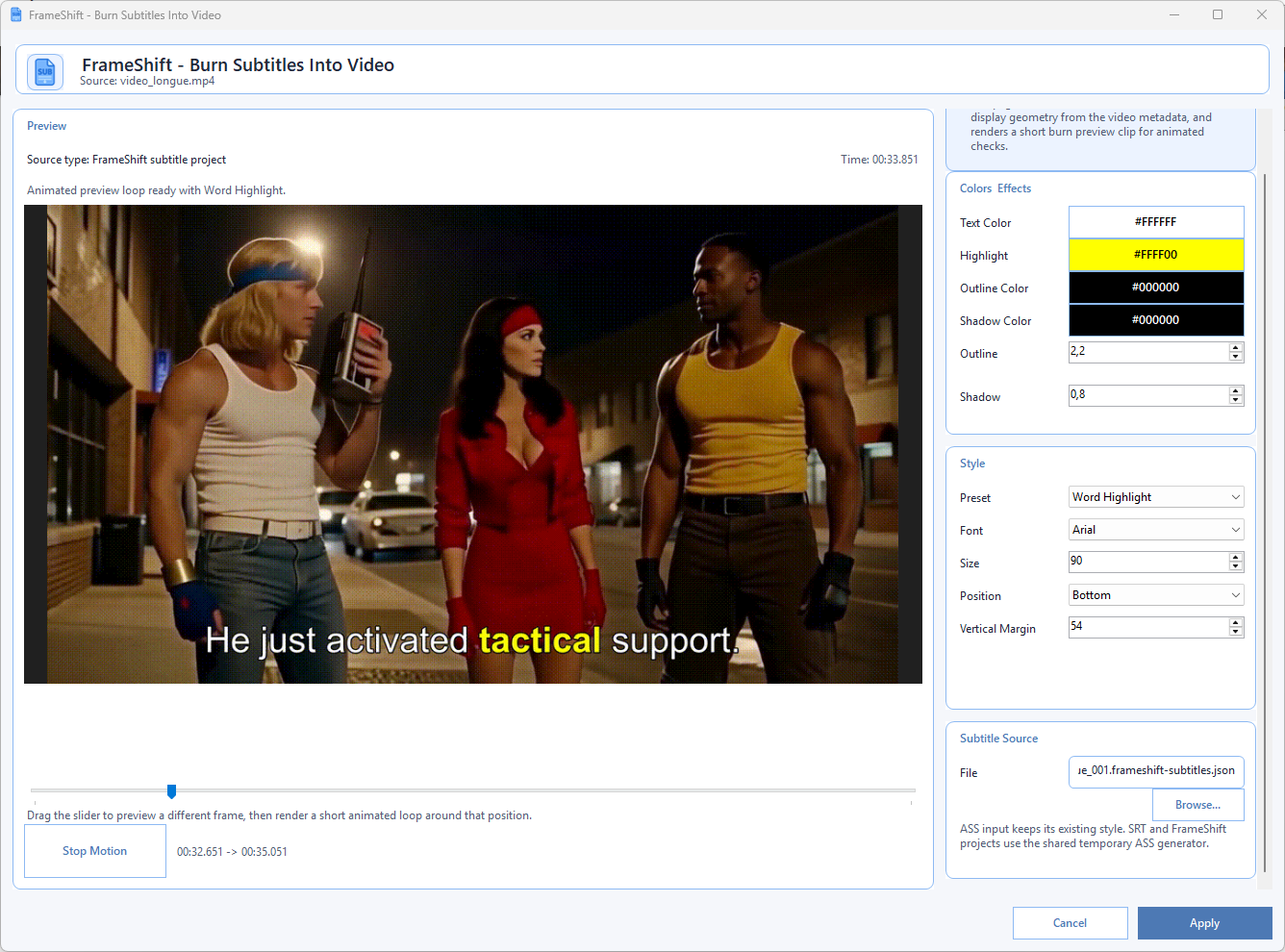 |
| Extract Audio | Pull the audio track from a video into a standalone file. | 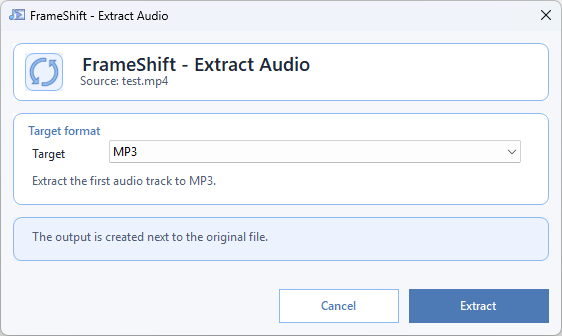 |
| Cut Video / Find Loop | Trim a video, find natural loops, preview the junction or create forward/backward loops. | 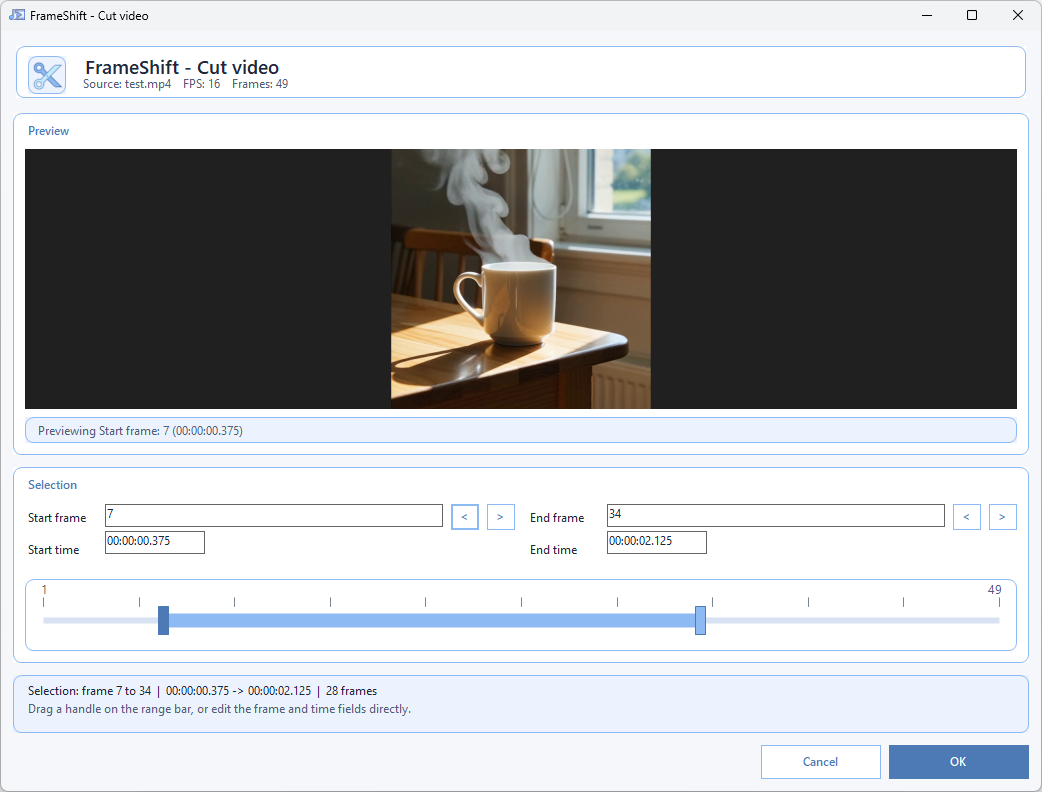 |
| Crop Video | Remove unwanted borders or focus on a specific video area with visual controls, frame-based auto crop, zoom, and drag navigation. | 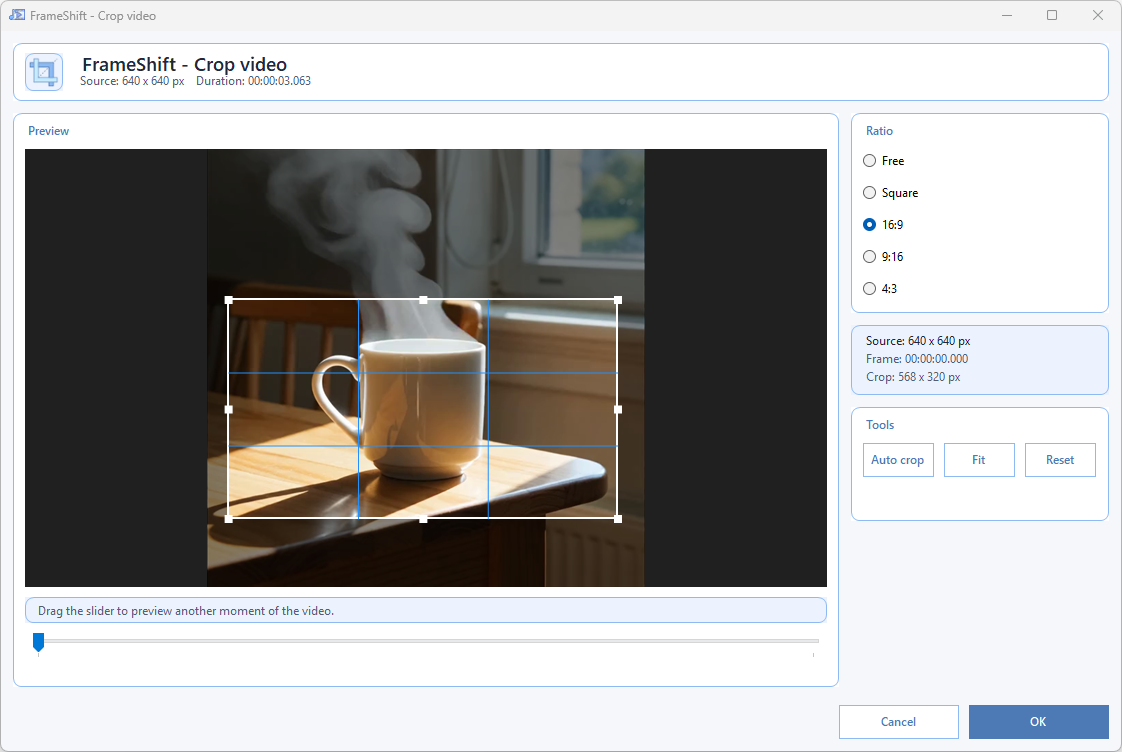 |
| Rotate / Flip Video | Fix orientation issues or mirror video content quickly. | 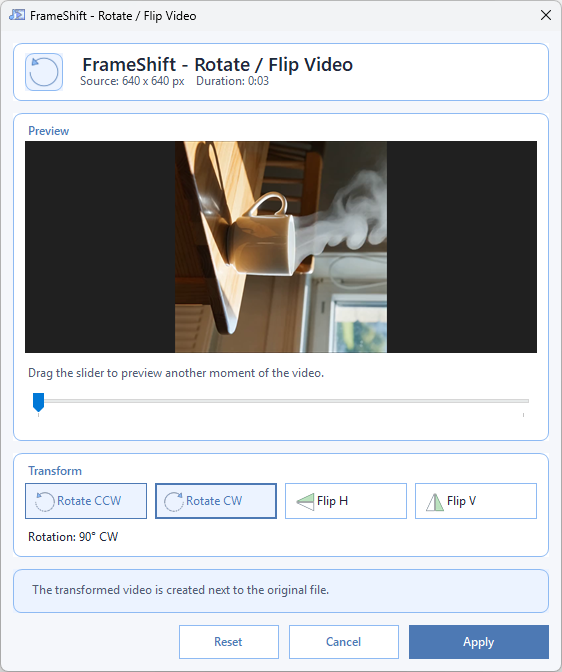 |
| Resize Video | Change video dimensions for sharing, compatibility, or lighter exports. | 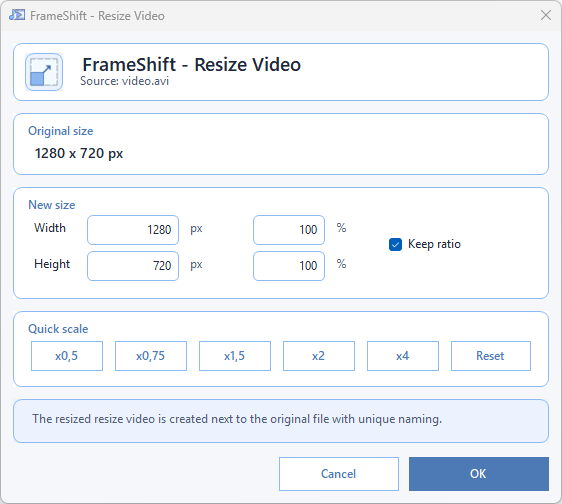 |
| Compress Video | Reduce file size with practical quality-oriented presets. | 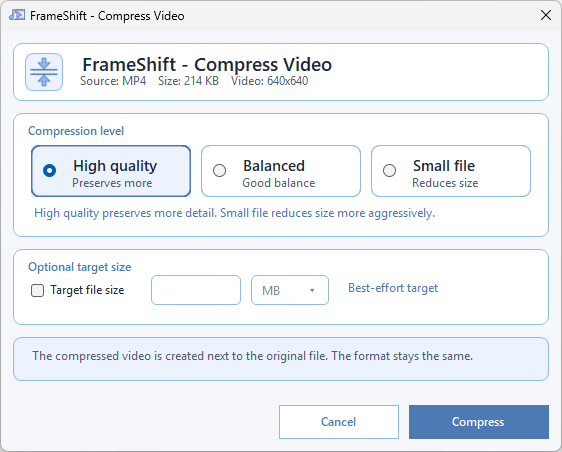 |
| Balance volume | Reduce quiet/loud differences while watching videos, with three intensities and no video re-encoding. | |
| Change Video Speed | Speed up or slow down a video with a simple adjustment flow. | 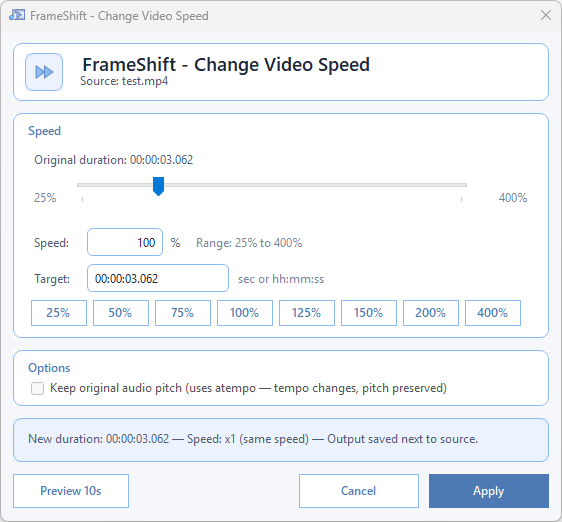 |
| Interpolate Video | Generate smoother motion and higher frame-rate playback. | 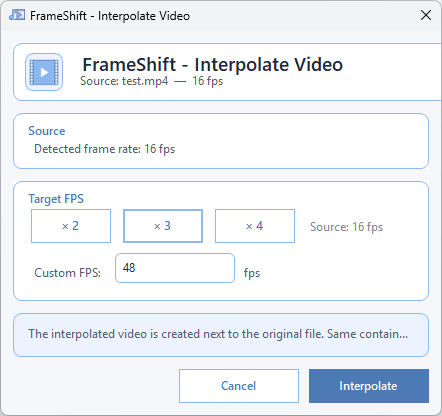 |
| Remove Noise (Video) | Remove background noise from a video's audio track without re-encoding the video. | 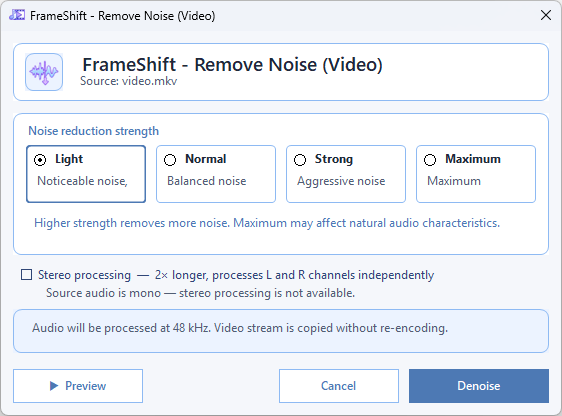 |
| Media Info | Inspect technical media details directly from the FrameShift workflow. | 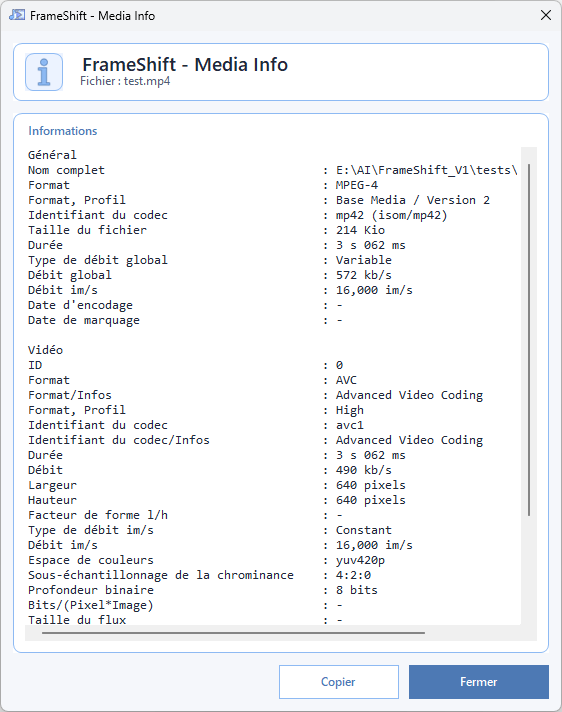 |
Audio Actions
| Action | Short Description | Screenshot |
|---|---|---|
| Convert Audio | Convert audio files to other formats with a clean minimal flow. | 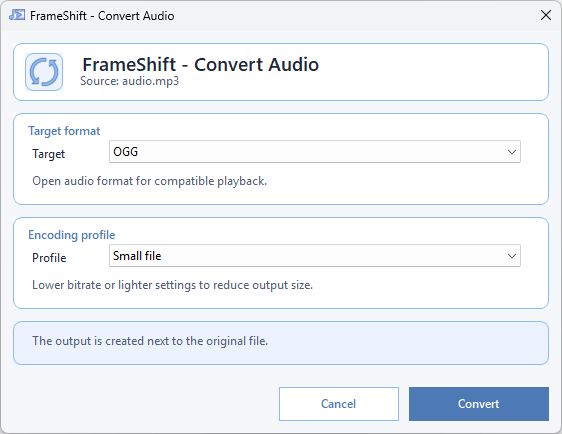 |
| Cut Audio | Trim audio precisely without leaving the right-click workflow. | 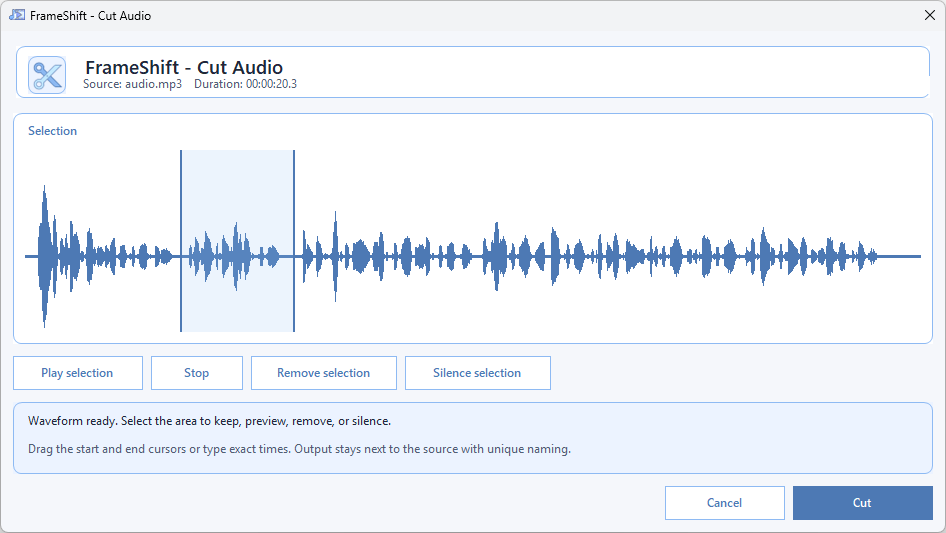 |
| Reverse Audio | Reverse an audio file for sound design or quick experiments. | |
| Compress Audio | Reduce audio size for easier sharing and storage. | 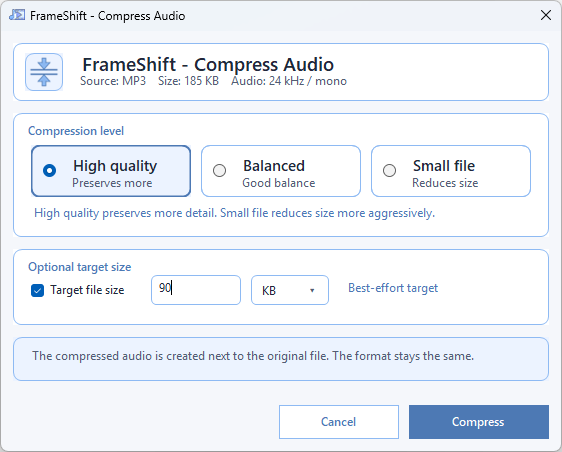 |
| Balance volume | Apply the same whole-mix balancing to standalone audio files. | |
| Change Pitch | Shift audio pitch with a straightforward adjustment interface. | 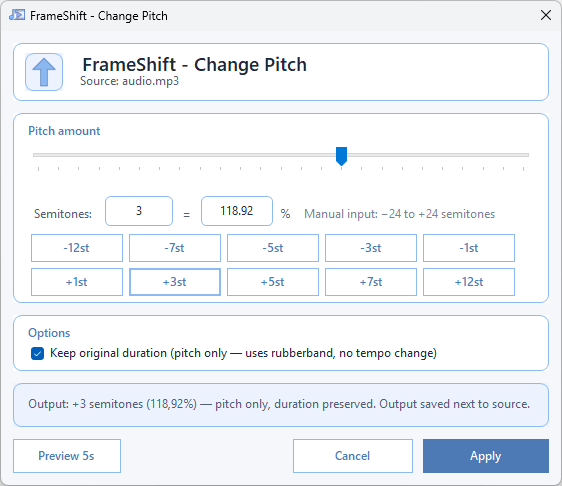 |
| Change Audio Speed | Speed up or slow down audio while keeping the workflow simple. | 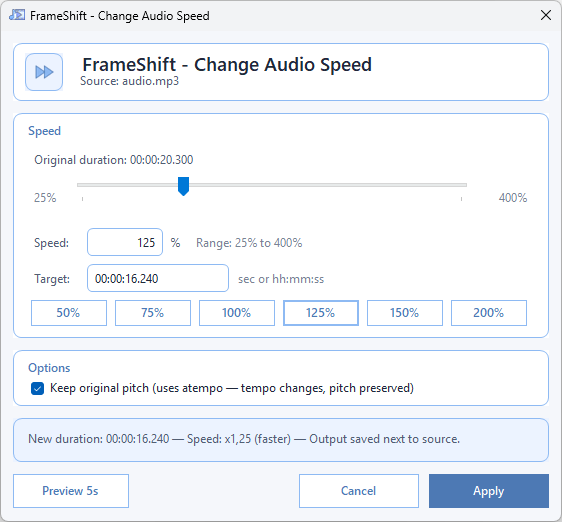 |
| Remove Noise (Audio) | Reduce background noise in audio with the local DeepFilterNet3 workflow. | 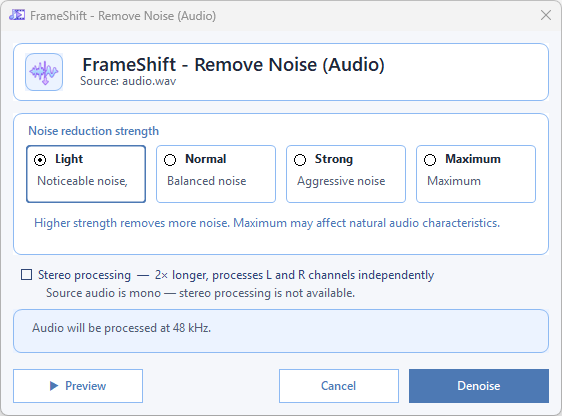 |
Image Actions
| Action | Short Description | Screenshot |
|---|---|---|
| Convert Image | Convert images between practical everyday formats. | 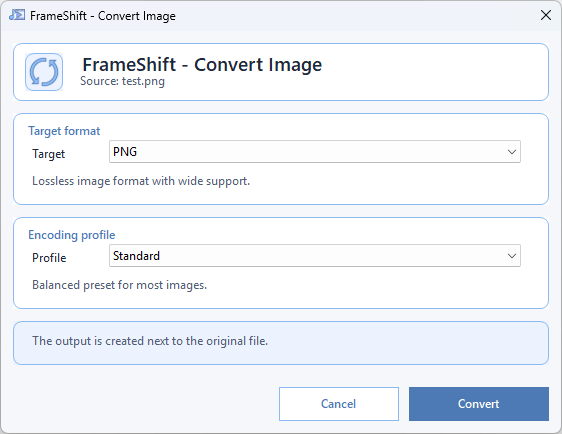 |
| Compress Image | Reduce image size while keeping the process quick and readable. | 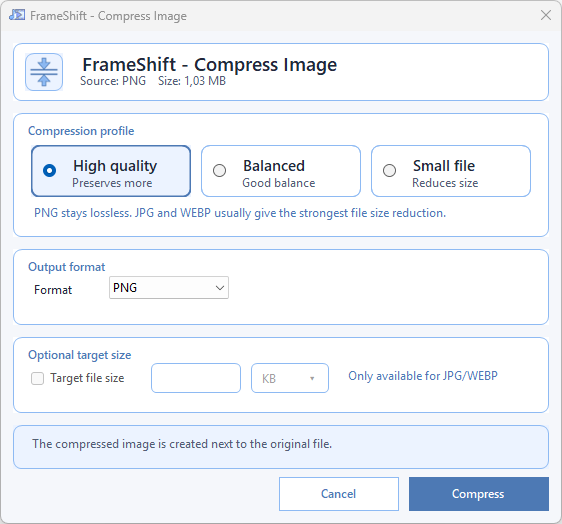 |
| Convert to Icon | Build .ico files from images with multi-size export support. |
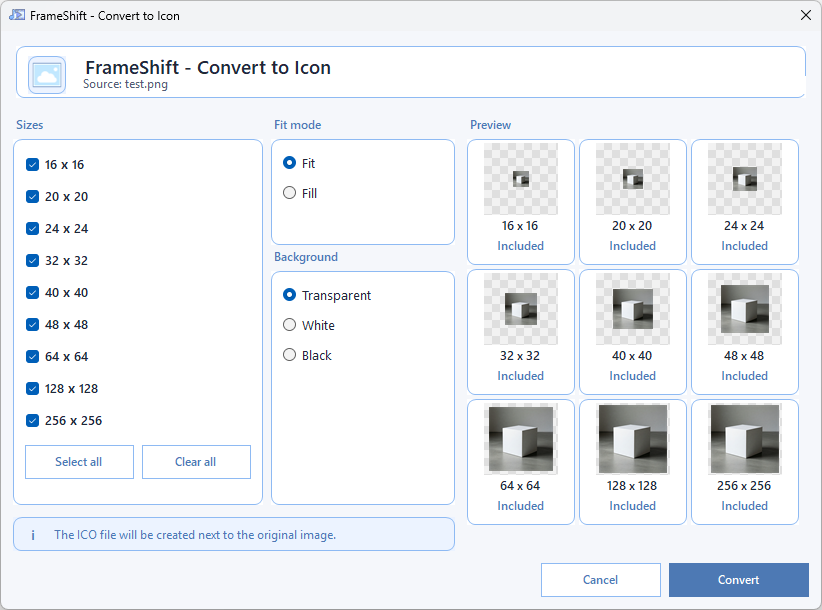 |
| Crop Image | Crop images visually with direct manipulation controls, auto crop, mouse-wheel zoom, and drag navigation. | 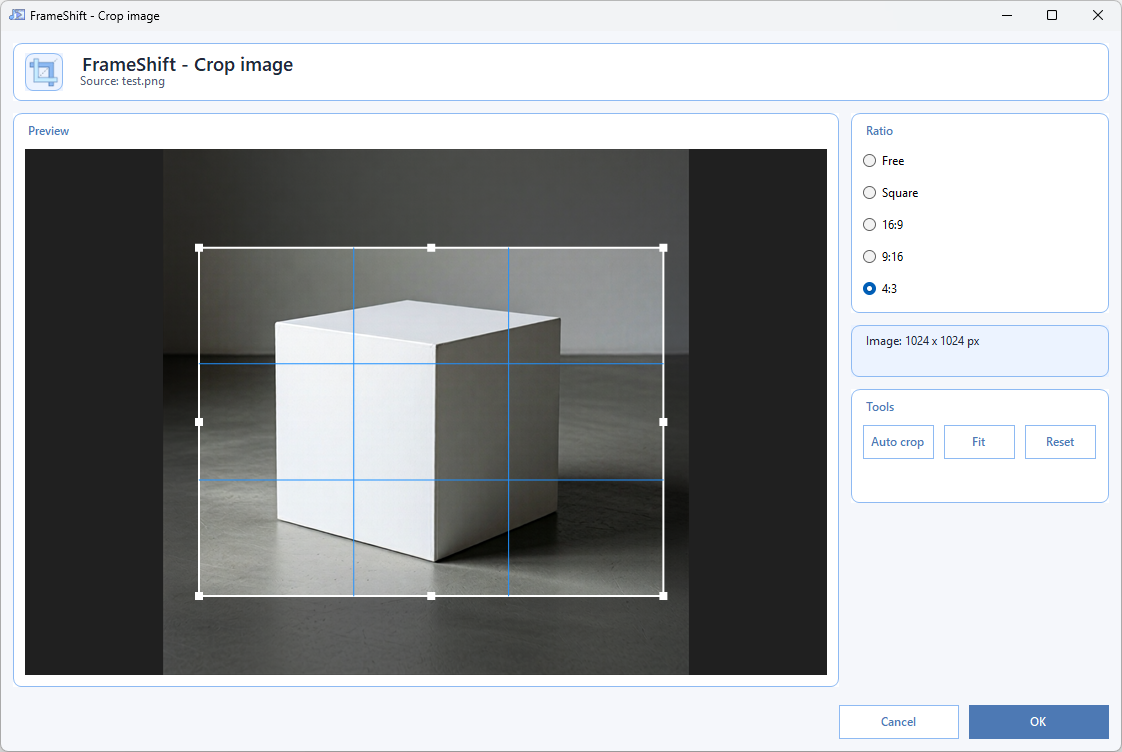 |
| Resize Image | Resize images for web, sharing, or asset preparation. | 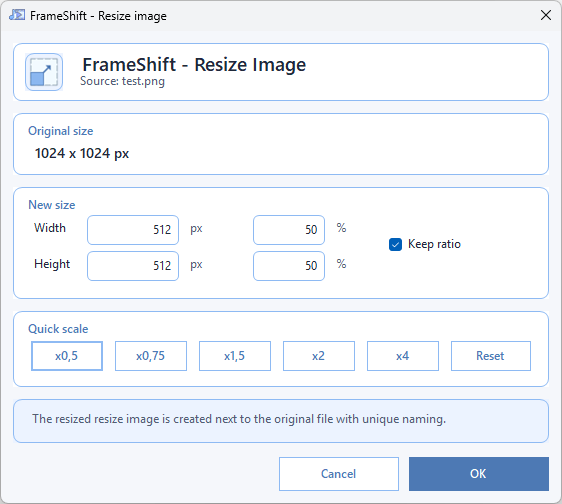 |
| Rotate / Flip Image | Correct image orientation or mirror an image in a few clicks. | 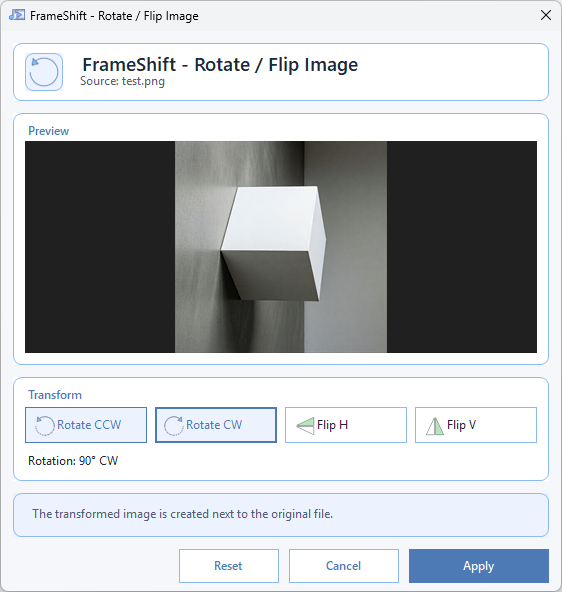 |
| Image to PDF | Assemble one or more images into a PDF document. | 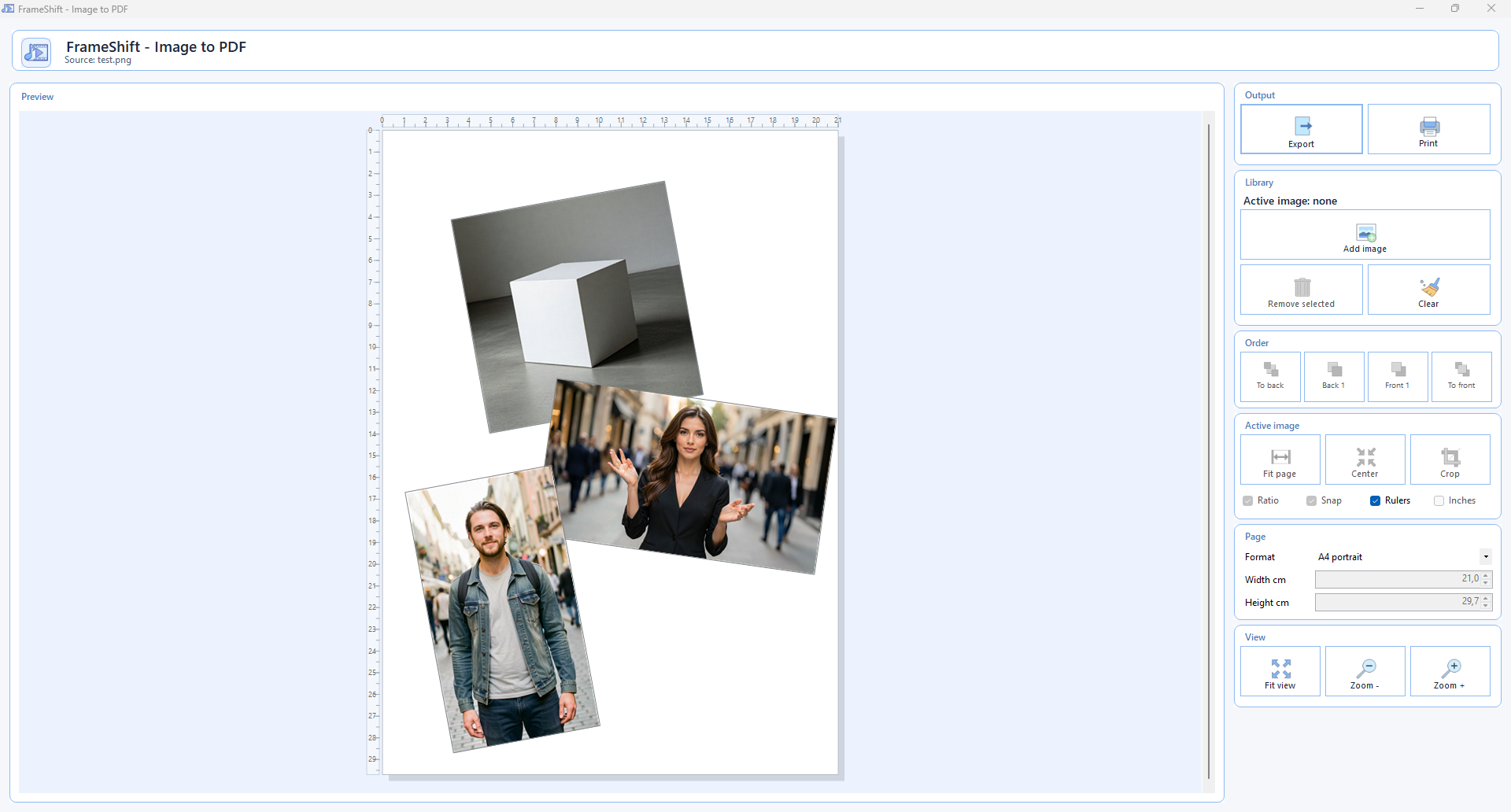 |
AI Actions
| Action | Short Description | Screenshot |
|---|---|---|
| Extract Text | Extract text from PNG, JPEG, WebP, BMP and PDF with PP-OCRv6 Small or Tiny. Export TXT, JSON or a searchable PDF. Supports PDF page ranges, native text reuse, paragraph grouping, recognition rotation and CPU/DirectML. Models download on demand; subsequent processing is offline. | 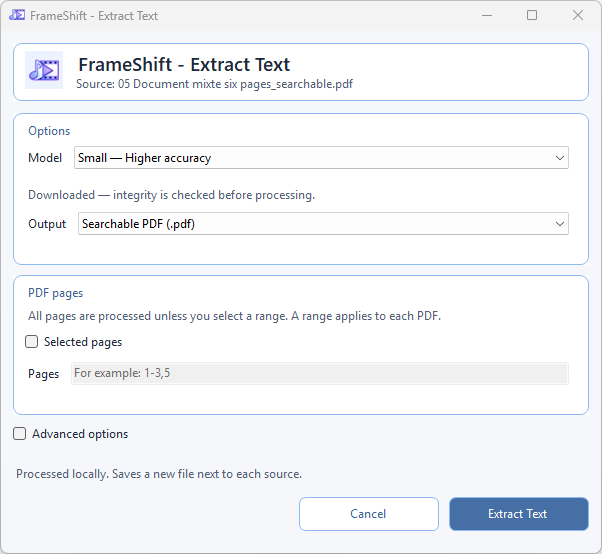 |
| Remove Background | Remove the background from an image with local AI modes: Fast, High Resolution Matting (CPU), High Resolution General (CPU), plus two optional user-supplied BRIA RMBG-2.0 modes (Balanced / High Quality). The BRIA models are never bundled, downloaded or redistributed by FrameShift — you obtain them manually from BRIA's official page (non-commercial / CC BY-NC 4.0) and place them in the model folder. Re-launches while the progress window is already open are appended directly to the visible queue, including repeated runs on the same source file. | |
| Remove Noise (Audio) | Strip background noise from audio files with strength control, stereo mode, and live preview. | |
| Remove Noise (Video) | Denoise a video's audio track without re-encoding the video stream. | |
| Audio Separation | Split audio into vocals, drums, bass, other, and instrumental with the local AI workflow. | 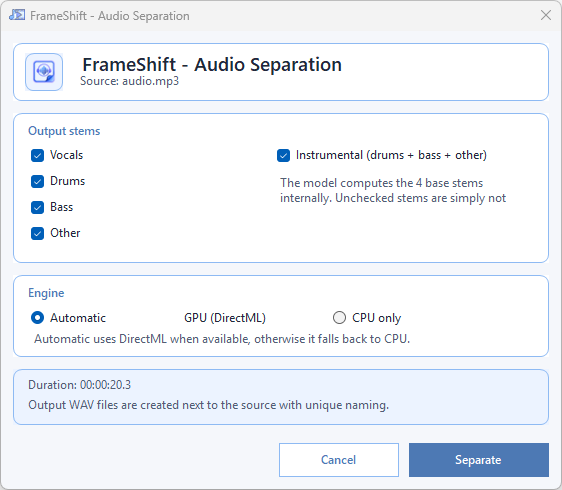 |
| Interpolate Video (RIFE) | Generate smoother motion with the local RIFE workflow, model preflight, and adjacent unique outputs. | 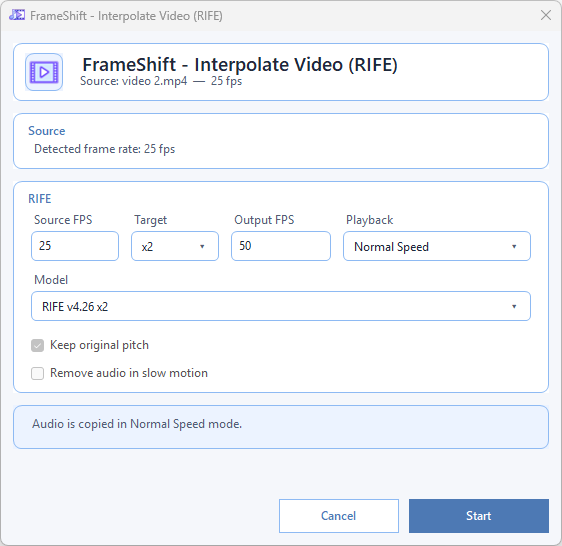 |
| Remove Object (Image) | Paint a mask over any object and let the local inpainting AI reconstruct the background. Two models available: LaMa FP32 (Quality) and LaMa 2025 (Fast). | 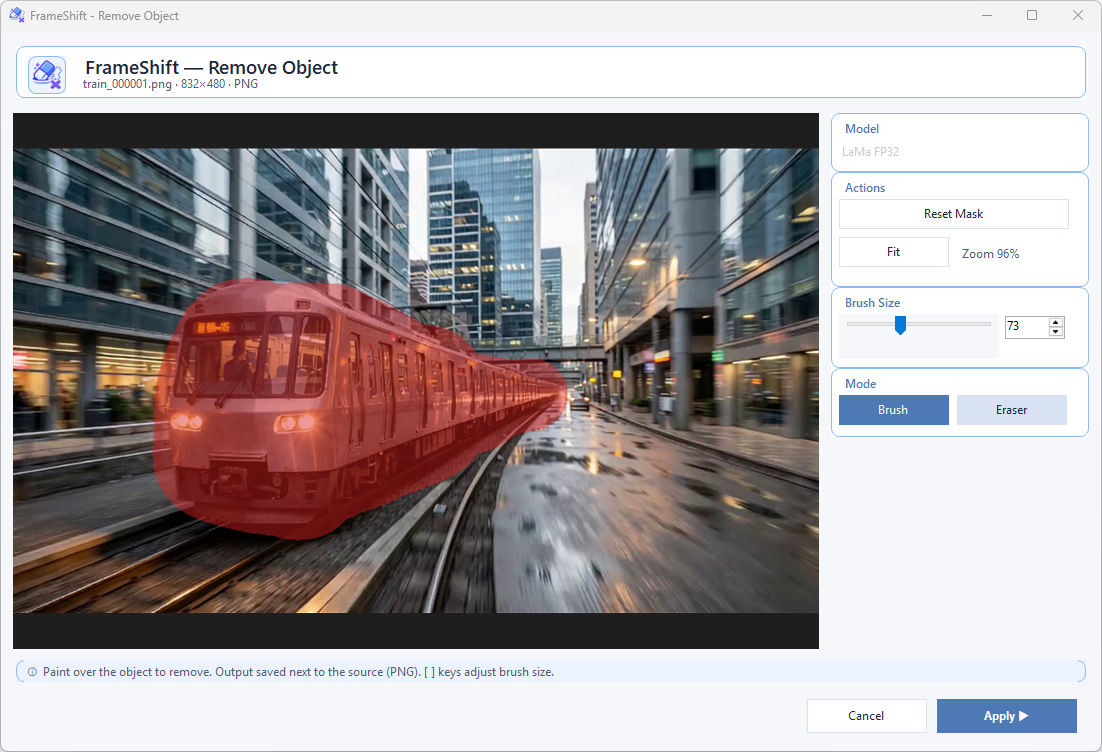 |
| Upscale Image | Enlarge an image with a local AI model, chosen from a dropdown picker: Real-ESRGAN x4plus (general, default), Real-ESRGAN Anime 6B (anime / illustration), and Swin2SR (restoration / quality). Pick ×2 / ×3 / ×4 or a custom target size (aspect-locked width/height). Runs on GPU via DirectML with CPU fallback, automatic invisible tiling for large images, and the result saved as a new PNG next to the source. Models are downloaded on demand and integrity-checked. | |
| Upscale Video | Enlarge a video ×2 / ×3 / ×4 (or to an aspect-locked target size) with Real-ESRGAN General v3, AnimeVideo v3, or x4plus Quality. Uses DirectML with CPU fallback and shared adaptive tiling; the default path now runs through a faster in-memory FFmpeg rawvideo pipeline, with the previous BMP workflow kept as fallback. For AnimeVideo v3, FrameShift now auto-selects dedicated x2/x3 execution variants internally instead of always running the x4 path then resizing on CPU. FPS and audio are preserved, encoding fallbacks stay safe, and batch progress/cancellation/adjacent unique output remain unchanged. Image and video models use separate hosted/local folders, each with dedicated documentation and licences; downloads are SHA256-verified. |
|
| Create Subtitle File | Transcribe audio or video to an adjacent .srt file using local Whisper AI. Three models available: Whisper Base (fast), Whisper Small (recommended, default), and Whisper Large-v3 Turbo (highest accuracy). Runs on GPU via DirectML with automatic CPU fallback. The Whisper engine runs in an isolated worker process to avoid ONNX Runtime conflicts with other AI actions. |
Built For
- Fast everyday media conversions
- Creator and editor utility workflows
- Clean Windows Explorer integration
- Offline processing environments
- Users who want practical tools instead of heavy software
Technology
- C#
- .NET 8 LTS
- WinForms
- FFmpeg
- FFprobe
- Optional local AI components with ONNX Runtime DirectML
ImageSharp Licence — Maintainers and AI Agents
Renewal reminder: the current Six Labors Community licence expires on 2028-01-01, according to its issuance email. Plan renewal in December 2027.
FrameShift uses ImageSharp 4 for image processing. A valid private sixlabors.lic file is required for Release builds. Community keys expire and require periodic renewal; do not assume automatic renewal. See Six Labors' confirmation and licence setup instructions.
Before preparing any release, maintainers and AI agents must:
- Check that the available licence is still valid. If it is expired or approaching expiry, ask the project owner to renew it through Six Labors.
- Supply the private file through
SixLaborsLicenseFile(for example, a process environment variable), or use a protected build secret as documented by Six Labors. Never commit the licence or its contents, print the key in logs, or include it in the installer. - Run the official release command,
build_installer.ps1, with the licence configured. Do not bypass licence validation or downgrade to a vulnerable ImageSharp version to build a release. - After renewal, update the expiry date and renewal reminder in this section from the new issuance email.
The licence is checked during compilation. Installed FrameShift versions keep working after the key expires, and end users do not need their own key.
Project Structure
src/FrameShift/
installer/
docs/
tests/
Documentation
- Balance volume — Intensities, Formats and CLI
- Release Notes 1.24.0
- Published 1.24.0 Announcement
- Release Qualification 1.24.0
- Translation Contributor Guide
- Translation Maintenance
- Extract Text — OCR, PDF Options and Model Downloads
- Release Notes 1.23.0
- Release Qualification 1.23.0
- Release Notes 1.22.0
- Release Qualification 1.22.0
- Release Notes 1.21.1
- Release Qualification 1.21.1
- Release Notes 1.21.0
- Release Qualification 1.21.0
- Documentation Index
- Project Overview
- Project Rules
- Architecture Freeze
- Migration Plan
- Changelog
- Release Notes 1.18.1
- Release Notes 1.20.0
- Release Notes 1.20.1
- Installed Release Tests
- Release Notes 1.19.0
- Release Checklist and Versioning
- Dark / Light Theme Implementation
- Shared UI Contract
- UI Visual Standard
- Developing a New Window
- Code File Index
- UI/DPI Development Plan
- UI Phase D1 — Manual Tests
- UI Phase D2 — Manual Tests
- UI Phase D3 — Manual Tests
- UI Phase E — Manual Editor Tests
- RIFE Interpolation Notes
- Upscale Video Implementation
- Third-Party Model Licences
FAQ
Is FrameShift free?
Yes. Completely free, no subscription, no trial period.
Is it open source?
Yes. GNU GPL v3.0. Source code is available in this repository.
Does it send my files anywhere?
No. All processing happens locally on your machine. No upload, no cloud, no telemetry.
Does it require FFmpeg to be installed separately?
No. FFmpeg and FFprobe are bundled — nothing to install manually.
Does it work without an internet connection?
Yes. FrameShift is fully offline. An internet connection is only used the first time you download an optional AI model.
What Windows versions are supported?
Windows 10 and Windows 11 (x64).
Is it a replacement for HandBrake or Shutter Encoder?
It is an alternative for quick, everyday media tasks from the Windows right-click menu. HandBrake and Shutter Encoder are more complete converters; FrameShift is faster to reach (no app to open) and adds local AI features like background removal, upscaling, stem separation and denoising.
Notes
- FrameShift is distributed under the GNU GPL v3.0. See LICENSE.
- Third-party components and optional AI model notices are listed in THIRD_PARTY_NOTICES.md.
references/is reference-only.- Active runtime resources must stay inside the real FrameShift project tree.
- The only official release command is:
.\build_installer.ps1
It validates the release inputs and version entry, restores locked dependencies, runs mandatory Release tests, clears only publish\FrameShift-win-x64\, publishes the self-contained win-x64 payload, validates its required files, then compiles Inno Setup. Any required failure returns a non-zero exit code. build_all.ps1, build_publish.ps1, and build_publish.bat are compatibility wrappers to this command.
Related / Keywords
FFmpeg GUI · FFmpeg frontend · FFmpeg interface · free video converter Windows · batch media converter · Windows right-click media tools · HandBrake alternative · Shutter Encoder alternative · Format Factory alternative · local AI media tools · remove background offline Windows · RIFE GUI · RIFE interpolation Windows · Demucs GUI · audio stem splitter free · DeepFilterNet GUI · noise removal audio Windows · image upscaler Windows · Real-ESRGAN GUI · LaMa inpainting Windows · offline AI tools Windows · privacy-friendly media converter
Questions
What is FrameShift?
Gaurox/FrameShift is a public repo on GitHub by Gaurox. Offline media processing utility powered by FFmpeg, local AI, and fast right-click workflows.
Is FrameShift open source?
It declares the GPL-3.0 license on GitHub.
Does FrameShift run on macOS, Windows or Linux?
Its maker tagged it for Windows. That is declared by the maker; Take My Repo has not tested it.
How do I install FrameShift?
Open "Take it" on its page: Take My Repo writes an install plan for your machine and hands it to your AI agent (Claude Code, Codex or Cursor), which asks you before each step. Take My Repo has not tested it on any machine.
Is FrameShift still maintained?
Its last change on GitHub was on 2026-11-18. Take My Repo does not judge from that whether it is maintained.
What do people who ran FrameShift say?
Nobody has reviewed it on Take My Repo yet, which says nothing about its quality.