
AI-Course-Generator
基于讯飞星辰 Agent 开源平台构建的 AI 教育工具,帮助教师快速生成课程大纲和教学内容。
- 36
- MIT
- 13 mo ago
Repo GitHubDaily/AI-Course-Generator, read from GitHub 7 h ago. GitHubDaily has not joined Take My Repo.
In short
GitHubDaily/AI-Course-Generator is a public repo on GitHub by GitHubDaily. 基于讯飞星辰 Agent 开源平台构建的 AI 教育工具,帮助教师快速生成课程大纲和教学内容。. It declares the MIT license on GitHub. It is written mainly in TypeScript, has 36 stars and last changed on 2025-11-01. Nobody has reviewed it on Take My Repo yet, which says nothing about its quality. Read from GitHub on 2026-11-24.
AI Course Generator
English | 简体中文
An AI-powered educational tool built on the iFLYTEK Astron Agent open-source platform, designed to help teachers quickly generate clear course outlines and high-quality teaching content from textbook materials.
Introduction
This tool leverages the iFLYTEK Astron Agent open-source platform to:
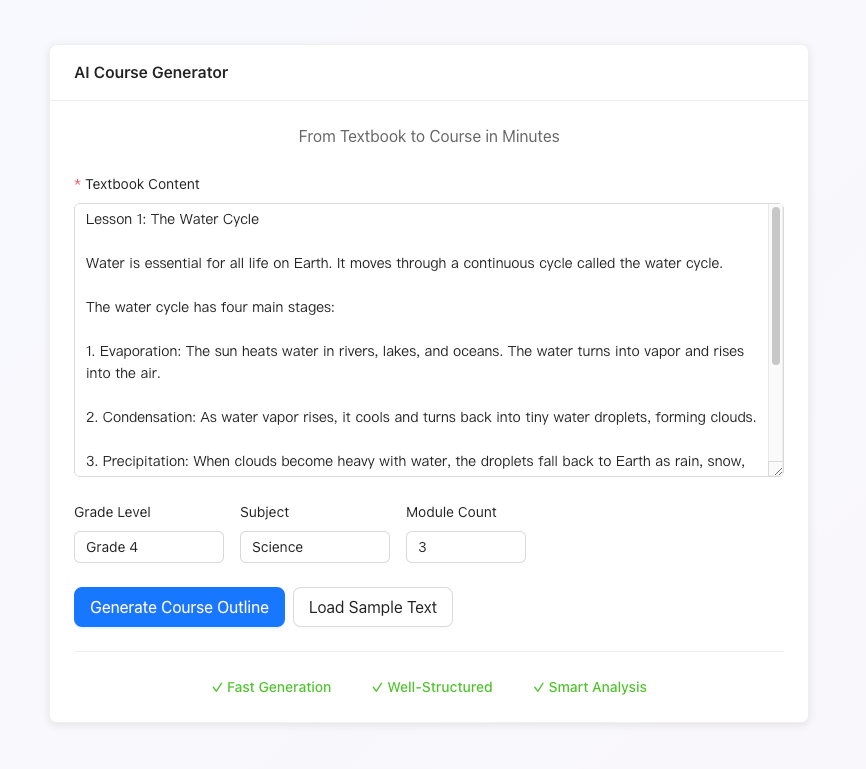
- 📚 Accept textbook content input
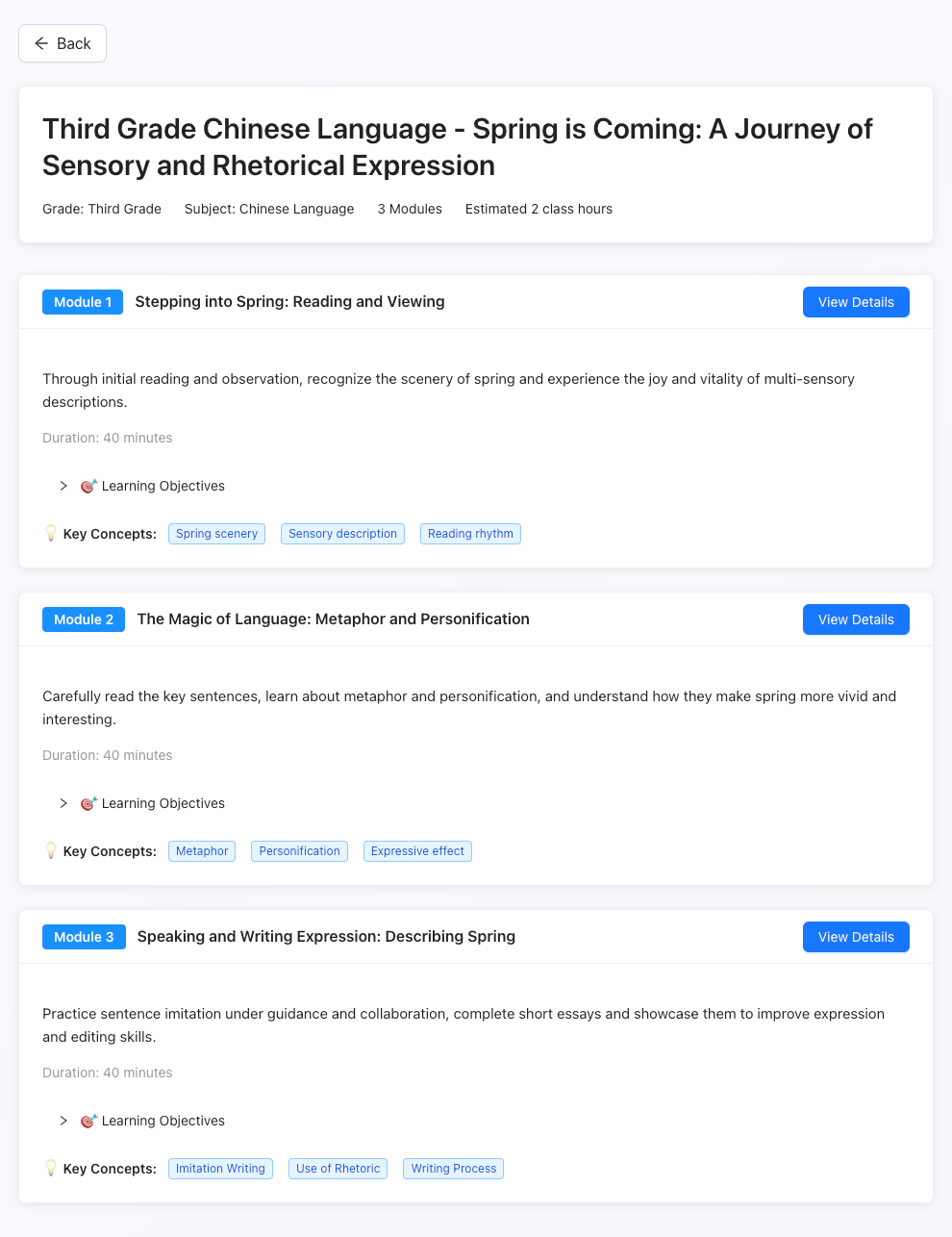
- 🎯 Automatically generate structured course outlines
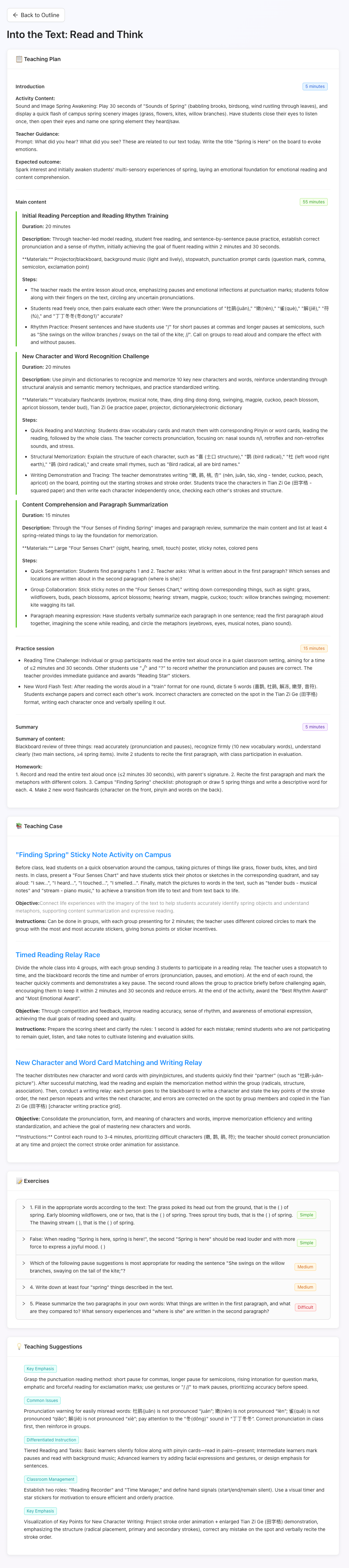
- 📝 Create detailed teaching plans, examples, and exercises for each module
- 💡 Provide teaching suggestions for educators
Demo
Home - Input Textbook Content
Course Outline Display
Module Details
Technology Stack
Backend
- Framework: FastAPI (Python 3.10+)
- HTTP Client: httpx (async)
- Data Validation: Pydantic
- AI Platform: iFLYTEK Astron Agent Open Platform
Frontend
- Framework: React 18 + TypeScript
- Build Tool: Vite
- UI Library: Ant Design 5
- HTTP Client: Axios
- Internationalization: i18next + react-i18next
Quick Start
Prerequisites
Before you begin, make sure you have:
- ✅ Python 3.10 or higher installed
- ✅ Node.js 16 or higher installed
- ✅ Successfully deployed iFLYTEK Astron Agent development platform locally
- ✅ Created and published workflows in the iFLYTEK Astron Agent platform
1. Clone the Repository
git clone https://github.com/GitHubDaily/AI-Course-Generator.git
cd ai-course-generator
2. Configure Backend
cd backend

# Install dependencies
pip install -r requirements.txt

# Configure environment variables
cp .env.example .env
# Edit the .env file and fill in your iFLYTEK Astron API credentials and workflow IDs

# Start the backend service
uvicorn main:app --reload
The backend will start at http://localhost:8000.
3. Configure Frontend
cd frontend

# Install dependencies
npm install

# Configure environment variables (optional, defaults to localhost:8000)
cp .env.example .env.local

# Start development server
npm run dev
The frontend will start at http://localhost:5173.
4. Access the Application
Open your browser and navigate to http://localhost:5173 to start using the application!
User Guide
Generate Course Outline
- Paste or type textbook content in the input box on the home page
- (Optional) Fill in grade level, subject, and desired number of modules
- Click the "Generate Course Outline" button
- Wait for AI processing and view the generated outline
View Module Details
- On the outline page, click the "View Details" button for any module
- The system will generate detailed teaching content for that module
- Review teaching plans, examples, exercises, and teaching suggestions
Switch Language
Click the language switcher button in the top-right corner to toggle between Chinese and English interface.
Project Structure
ai-course-generator/
├── backend/                 # Backend service
│   ├── main.py             # FastAPI main application
│   ├── config.py           # Configuration management
│   ├── models.py           # Data models
│   ├── workflow_client.py  # Workflow client
│   ├── requirements.txt    # Python dependencies
│   ├── .env               # Environment variables
│   └── README.md          # Backend documentation
├── frontend/               # Frontend application
│   ├── src/
│   │   ├── components/    # React components
│   │   ├── services/      # API services
│   │   ├── types/         # Type definitions
│   │   ├── i18n/          # Internationalization config
│   │   ├── App.tsx        # Main application
│   │   └── main.tsx       # Entry file
│   ├── package.json       # Frontend dependencies
│   └── README.md          # Frontend documentation
├── docs/                   # Project documentation
└── README.md              # This file
API Documentation
After starting the backend, access the API documentation at:
- Swagger UI: http://localhost:8000/docs
- ReDoc: http://localhost:8000/redoc
Environment Variables
Backend (.env)
# Application information from local Astron Agent platform
Astron_API_KEY=your_api_key
Astron_API_SECRET=your_api_secret

# Workflow IDs
WORKFLOW_1_ID=your_workflow_1_id  # Course outline generation
WORKFLOW_2_ID=your_workflow_2_id  # Module details generation

# Server configuration
BACKEND_PORT=8000
CORS_ORIGINS=http://localhost:3000,http://localhost:5173
Frontend (.env.local)
VITE_API_BASE_URL=http://localhost:8000
Development Progress
- Backend framework
- Workflow client wrapper
- Data model definition
- API endpoint implementation
- Frontend project setup
- UI component development
- API integration
- Internationalization (Chinese/English)
- Testing and optimization
- Deployment documentation
Important Notes
- API Credentials: Valid iFLYTEK Astron API credentials are required
- Workflows: Workflows must be created and configured in the local iFLYTEK Astron Agent platform beforehand
- Timeout Settings: API call timeout is set to 120 seconds
- Text Length: Recommended maximum textbook content length per request is 10,000 characters
FAQ
1. Backend Fails to Start
- Check if Python version is >= 3.10
- Verify environment variables in .env file are correctly configured
- Review terminal error messages
2. Frontend Cannot Connect to Backend
- Confirm backend service is running
- Check if API address in .env.local is correct
- Review browser console network requests
3. Generation Fails
- Verify iFLYTEK Astron API credentials are valid
- Confirm workflow IDs are correct
- Check backend logs for detailed errors
Contributing
Issues and Pull Requests are welcome!
License
MIT License
Contact
For questions, please submit an Issue or contact the development team.
Development Documentation: Check the docs/ directory for more details
Quick Start Checklist: docs/Quick Start Checklist - Claude.md
Product Requirements Document: docs/RPD.md
Questions
What is AI-Course-Generator?
GitHubDaily/AI-Course-Generator is a public repo on GitHub by GitHubDaily. 基于讯飞星辰 Agent 开源平台构建的 AI 教育工具,帮助教师快速生成课程大纲和教学内容。.
Is AI-Course-Generator open source?
It declares the MIT license on GitHub.
Does AI-Course-Generator run on macOS, Windows or Linux?
Its maker has not tagged a system, so it is unknown here. Its README says what it needs.
How do I install AI-Course-Generator?
Open "Take it" on its page: Take My Repo writes an install plan for your machine and hands it to your AI agent (Claude Code, Codex or Cursor), which asks you before each step. Take My Repo has not tested it on any machine.