
Neonify
Procedural Neon Art Tool - turn images, videos, audio and 3D meshes into glowing neon art with pure math. No AI, no models. GUI + CLI, Windows & Linux.
- 0
- MIT
- 7 wk ago
Repo HAKORADev/Neonify, read from GitHub 2 d ago. HAKORADev has not joined Take My Repo.
In short
HAKORADev/Neonify is a public repo on GitHub by HAKORADev. Procedural Neon Art Tool - turn images, videos, audio and 3D meshes into glowing neon art with pure math. No AI, no models. GUI + CLI, Windows & Linux. It declares the MIT license on GitHub. It is written mainly in C++, has 0 stars and last changed on 2026-10-05. Nobody has reviewed it on Take My Repo yet, which says nothing about its quality. Read from GitHub on 2026-11-22.
Neonify
Neonify turns images, videos, audio and 3D meshes into neon art. It runs locally on your machine, no accounts, no uploads.
Images: edges become glowing tubes, PNG transparency follows the source art, and the original can sit under the effect three ways — wiped to black, kept with neon only on the edges, or kept under the full global glow. Videos: the same treatment per frame, with an option to run the audio through it too. Audio: seven profiles (fire, ice, robotic, ghost, void, echo, slash) that each react to the Glow setting, plus an intensity level — normal, high (the chain runs twice), extreme (four times). 3D: OBJ / PLY / STL rendered as neon wireframes, still or as a 360° turntable video, plus image-to-relief remeshing with OBJ export.
On first run the binary probes the machine once — graphics device, opencl, cuda through the nvidia driver, a real cpu/gpu benchmark, the video encoders ffmpeg can actually drive here, and a real hardware-decode pass — and writes neonify.ini next to the binary. Every value in that file carries two comment lines (what it is, what ranges are valid) and a checker repairs corrupt or extra entries back to defaults without touching the rest. Delete the file and the next run detects everything fresh.
Download
Get a package from the releases, extract, run:
neonify.exe— opens the GUI (Windows)cli.bat— interactive CLI (Windows)./neonify— GUI (Linux),./neonify cli— interactive CLI
ffmpeg is needed for video and audio only. Install it once: winget install FFmpeg on Windows, sudo apt install ffmpeg on Linux.
The Python source under src/python still runs from source if you have the
dependencies, but it is frozen — the native build is the product and the only
thing the releases ship.
The GUI
Left: input files, each with Preview and Delete. Right: results, each with Preview and Compare. Center: the preview — zoomable image viewer, video player, audio waveform player, and a 10-second 360° orbit render for 3D inputs. Bottom: settings for the files you queued, on 0–100 scales. Compare shows the result next to its original — shared zoom and pan for images, synced seek and speed for videos, position sync for audio with waveforms.
CLI
neonify image photo.png --palette ice
neonify video clip.mp4 --neon-audio --profile ghost
neonify audio track.mp3 --profile fire
neonify mesh model.obj --turntable 240
neonify batch ./photos
neonify profiles
Without a command, neonify opens the GUI. neonify cli opens the interactive CLI.
Options
| Option | Default | Description |
|---|---|---|
--palette |
electric |
electric, synthwave, toxic, ice, fire, ghost, spectrum (rainbow edges) |
--glow |
1.0 |
glow intensity 0.1–3.0 |
--threshold |
0.12 |
edge sensitivity 0.02–0.5 |
--env |
1.0 |
ambient detail 0–2 |
-o, --output |
auto | output path |
--next-to-input |
off | save next to the input file instead of results/ |
--keep-inside |
off | keep the original, neon only on the edges (images/videos) |
--global-glow |
off | keep the original under the full global glow field |
--profile |
slash |
audio profile (audio mode, or video with --neon-audio) |
--intensity <level> |
normal |
audio profile strength: normal, high (x2), extreme (x4) — non-default levels show in the output name (echo_x4) |
--neon-audio |
off | neonify the audio with the video |
--no-spatial |
off | disable spatial glow (stereo pan) |
--advanced-audio |
— | JSON overrides for profile parameters |
--turntable <n> |
0 |
3d turntable frames (0 = still) |
--azimuth / --elevation |
30 / 20 |
3d view angles |
--depth |
0.85 |
relief depth 0.1–3.0 |
--export-mesh |
off | relief runs also write the remeshed OBJ |
--json-progress |
off | progress as JSON lines (for the GUI) |
Showcase
Real runs of the release binary — every result below came out of the same package the releases ship, nothing mocked. Sources and outputs live in showcase/.
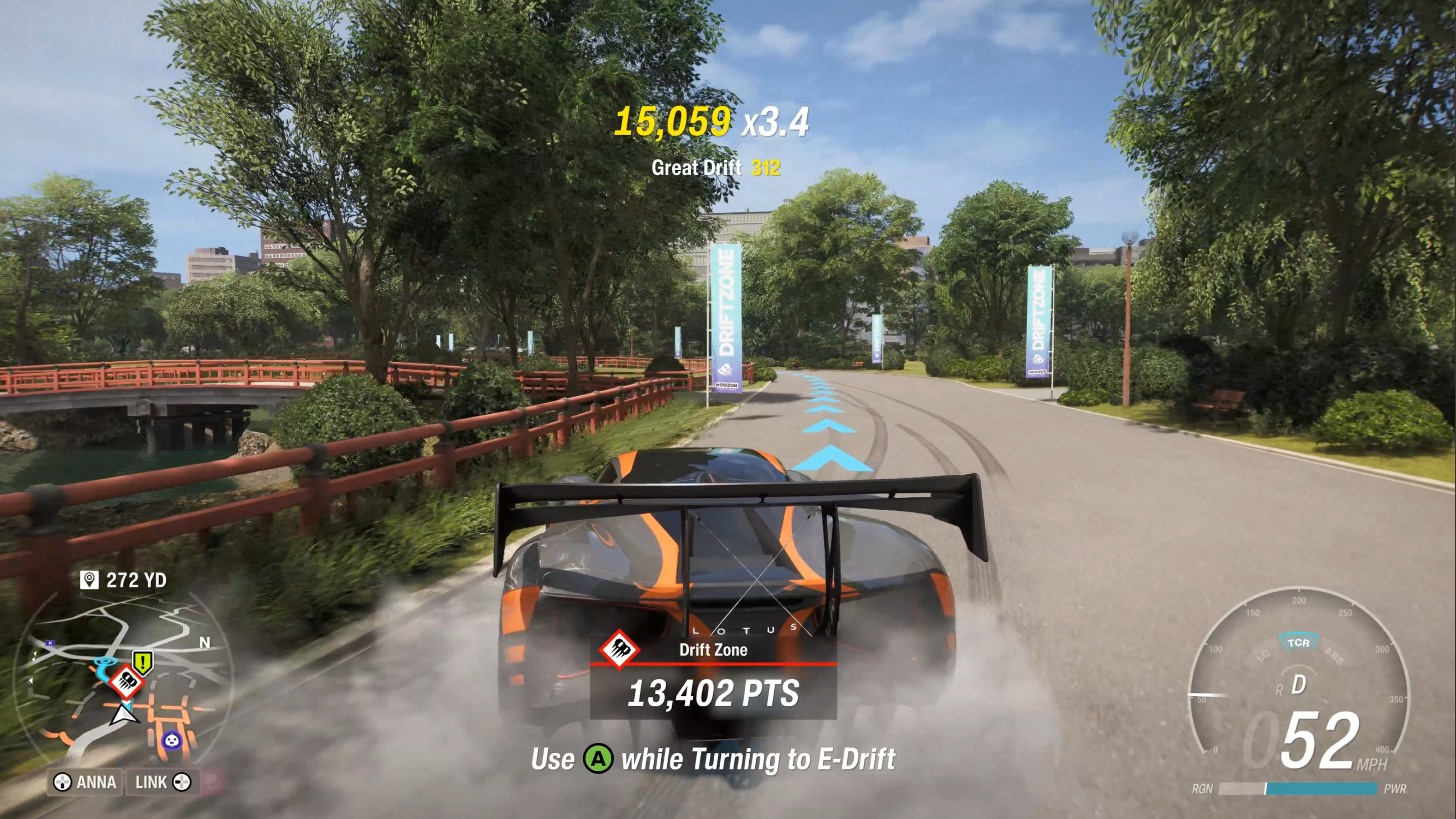
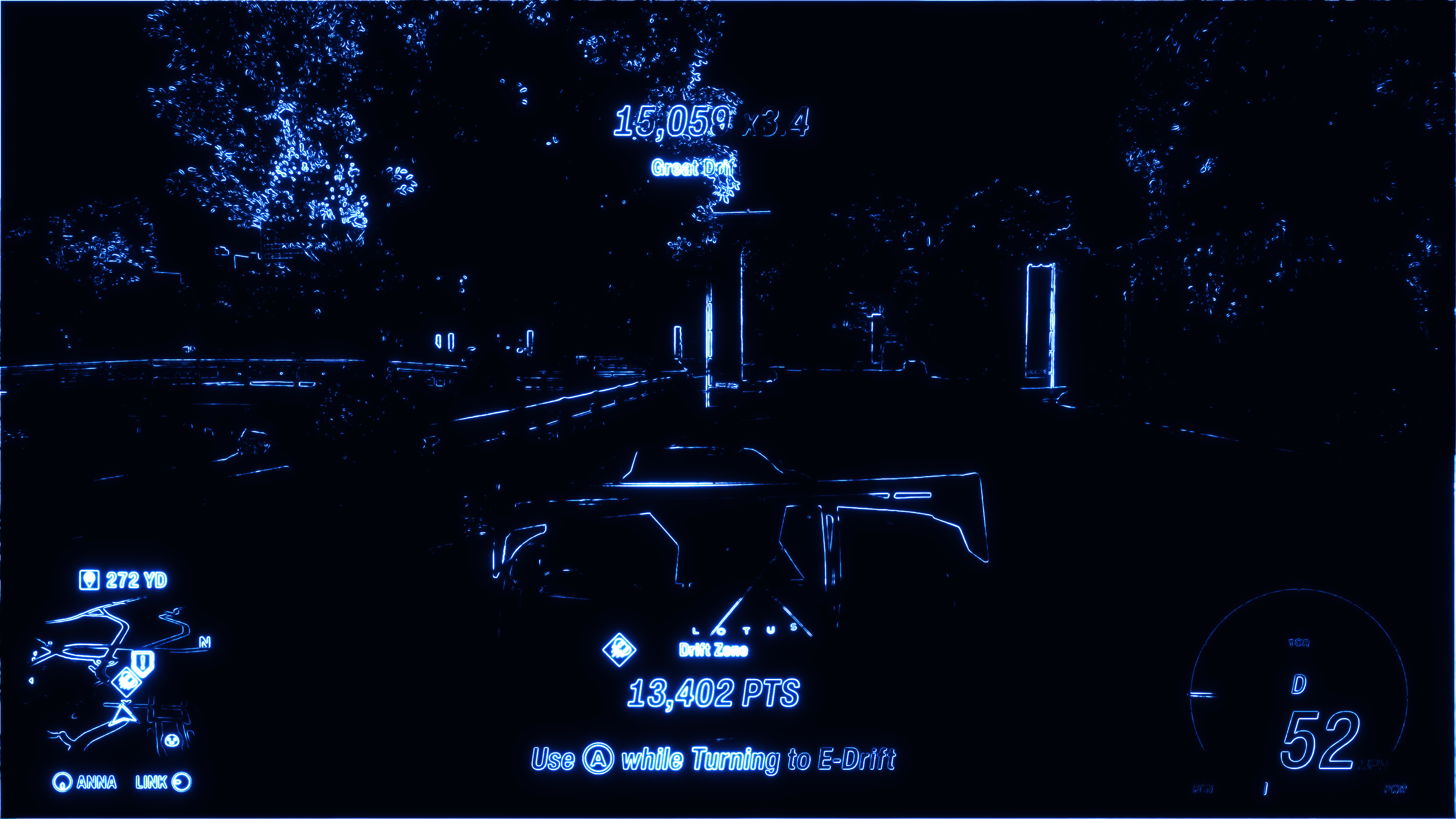
Image — Forza Horizon 6 in-game frame through electric: original (left), neonified (right)
| file | run | |
|---|---|---|
| video | video-original.mp4 → video-neonify-electric-spatial-robotic.mp4 | 20s of Forza Horizon 6 gameplay (stereo engine audio, no voiceover) through electric with spatial glow, the audio through robotic |
| audio | audio-original.mp3 → audio-neonify-echo-x4.wav | a vocals-carrying NoCopyrightSounds track through echo at the new extreme intensity (the chain runs four times — the name carries the level) |
| 3d | mesh-original-orb.obj → mesh-neonify-electric-turntable.mp4 · mesh-neonify-fire-still.png | a generated orb — geodesic core, two rings, twelve icosahedral spikes, six pods — as a 48-frame electric 360° turntable and a fire still |
Outputs
Default outputs land in results/, named name_neonify_effect_timestamp — photo_neonify_ice_261003152708.png, track_neonify_fire_261003153228.wav, clip_neonify_synthwave_261003154510.mp4. The interactive CLI also offers a custom output path as a third location. Nothing ever overwrites.
Requirements
Any recent desktop CPU. A GPU runs the neon math when the first-run probe proves it is actually faster here (an nvidia card with cuda — the gt 1030 included — reaches it through opencl, and its nvdec decoder can take ffmpeg's decode work even where no hardware encoder exists), and ffmpeg can get hardware encoding when the machine has it — the ini records what was really detected. ffmpeg for video and audio. Windows 10+ or Linux.
License
MIT — see LICENSE.
Questions
What is Neonify?
HAKORADev/Neonify is a public repo on GitHub by HAKORADev. Procedural Neon Art Tool - turn images, videos, audio and 3D meshes into glowing neon art with pure math. No AI, no models. GUI + CLI, Windows & Linux.
Is Neonify open source?
It declares the MIT license on GitHub.
Does Neonify run on macOS, Windows or Linux?
Its maker has not tagged a system, so it is unknown here. Its README says what it needs.
How do I install Neonify?
Open "Take it" on its page: Take My Repo writes an install plan for your machine and hands it to your AI agent (Claude Code, Codex or Cursor), which asks you before each step. Take My Repo has not tested it on any machine.