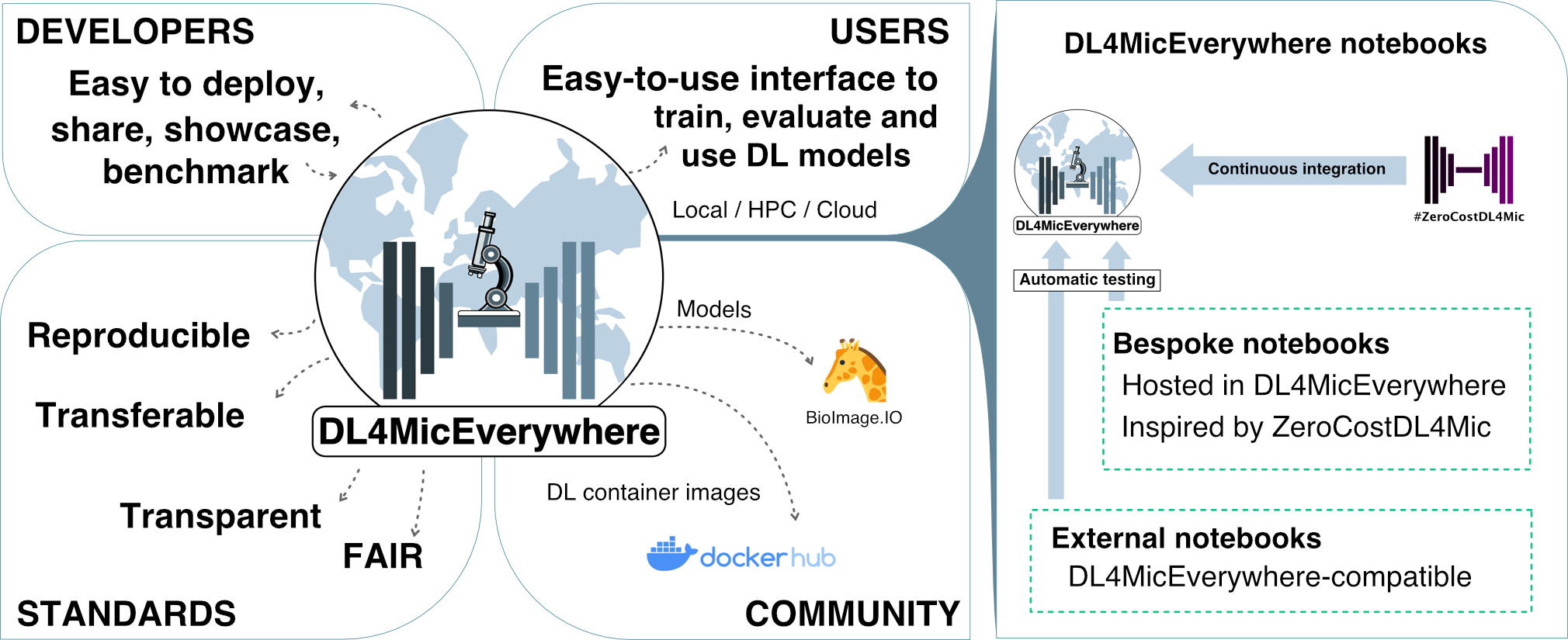
ZeroCostDL4Mic
ZeroCostDL4Mic: A Google Colab based no-cost toolbox to explore Deep-Learning in Microscopy
- 660
- Jupyter Notebook
- MIT
- 10 d ago
The maintainer has not written a description at the source.
Repo HenriquesLab/VLab4Mic, read from GitHub 1 min ago. HenriquesLab has not joined Take My Repo.
HenriquesLab/VLab4Mic is a public repo on GitHub by HenriquesLab. It declares the MIT license on GitHub. It is written mainly in Python, has 3 stars and last changed on 2026-11-22. Nobody has reviewed it on Take My Repo yet, which says nothing about its quality. Read from GitHub on 2026-11-22.
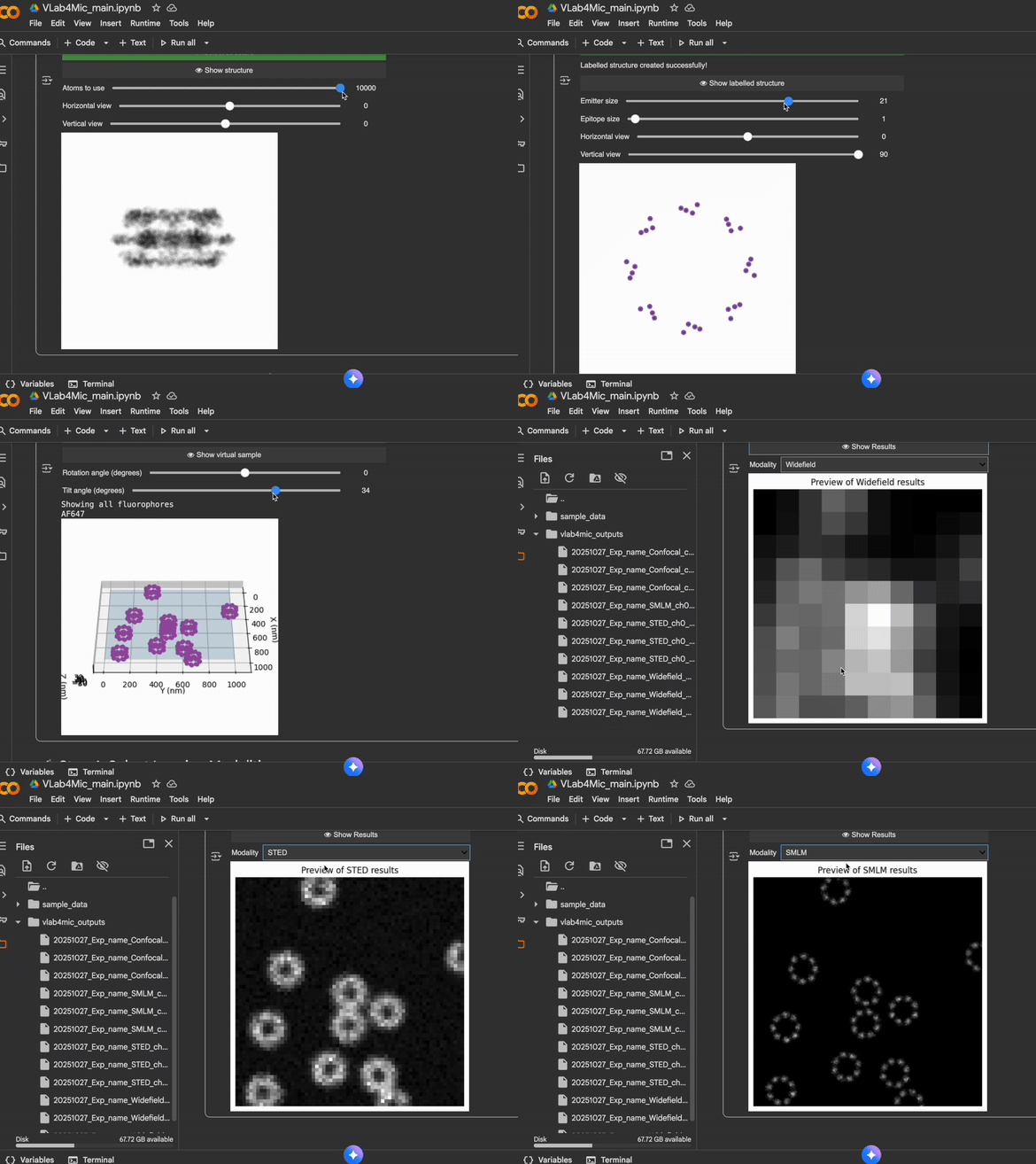
A friendly toolkit to help researchers simulate fluorescence microscopy images, no coding required.

VLab4Mic lets you explore, test, and validate imaging experiments before stepping into the microscope room.
Whether you are new to Python or an experienced bioimage researcher, VLab4Mic provides a safe sandbox to:
This README is written to be friendly for beginners while maintaining the technical depth experienced users expect.

| Option | Skills Needed | Best For |
|---|---|---|
| 1. Google Colab | None | Beginners, teaching, quick experiments |
| 2. LabConstrictor Desktop App | None | One-click install, no Python required |
| 3. Local Jupyter Notebooks | Basic installation | Smooth widget-based use |
| 4. Python Scripts | Comfortable with code | Full flexibility & automation |
The easiest way to start.
✔ No installation
✔ No configuration
✔ Works in browser
✔ Always up to date
| Category | Description | Notebook | Colab |
|---|---|---|---|
| Main Interface | Create virtual samples & simulate imaging | Notebook | Open in Colab |
| Parameter Sweeps | Configure & run simulation sweeps | Notebook | Open in Colab |
| Tutorial | Video |
|---|---|
| Tutorial 1 | |
| Tutorial 2 | |
| Tutorial 3 |
.ipynb fileThe easiest way to run VLab4Mic locally — no Python, no conda, no terminal.
✔ One-click installer (Windows & macOS)
✔ No Python or environment setup
✔ Notebooks bundled and ready to run
✔ Automatic version checks
Follow the installation instructions at:
https://github.com/HenriquesLab/LabConstrictor-VLab4Mic/blob/main/.tools/docs/download_executable.md
Powered by LabConstrictor — a CI/CD-based pipeline that packages Jupyter notebooks into installable desktop applications (Hidalgo-Cenalmor et al., 2026).
We recommend using Python's built-in venv. Conda or a similar environment
manager can also be used if you prefer.
Run the following command to create a local .venv environment:
python3 -m venv .venv
Then activate it:
source .venv/bin/activatepip install vlab4mic "vlab4micjupyter[local]"Installation time depends on your hardware and internet connection, but should take around 3 minutes.
VLab4Mic downloads required PDB/CIF structure files on first use and stores them
in your user folder at ~/.vlab4mic/structures. To use a different location,
set VLAB4MIC_STRUCTURE_DIR before running VLab4Mic.
jupyter lab
From:
https://github.com/HenriquesLab/VLab4Mic/tree/main/notebooks
Example script:
from vlab4mic.experiments import image_vsample
import matplotlib.pyplot as plt

modalities = ["Widefield", "Confocal", "STED"]

images, noiseless, experiment = image_vsample(
    structure="7R5K",
    probe_template="Antibody",
    probe_target_type="Sequence",
    probe_target_value="ELAVGSL",
    multimodal=modalities,
    number_of_particles=10,
    run_simulation=True,
)

fig, axs = plt.subplots(1, len(modalities))
for i, mod in enumerate(modalities):
    axs[i].imshow(images[mod][0], cmap="magma")
    axs[i].set_title(mod)
plt.show()
For more examples see /examples.
When running example scripts, total runtime depends on your hardware and internet connection, but should take around 5 minutes.
Jupyter won't open → Environment not activated.
ImportError → Install VLab4Mic inside the active environment.
Colab won't load → Upload notebook manually.
If issues persist, open an issue!
Contributions welcome!
See: https://github.com/HenriquesLab/VLab4Mic/blob/main/CONTRIBUTING.md
If you use VLab4Mic in your research, please cite:
@article{martinez_2026_vlab4mic,
  title={VLab4Mic: prediction of structural resolvability in super-resolution microscopy},
  author={Mart{\'i}nez, Dami{\'a}n and Saraiva, Bruno M. and Shakespeare, Tayla and
          Bates, Mark and Owen, Dylan M. and Leterrier, Christophe and
          Del Rosario, Mario and Henriques, Ricardo},
  year={2026},
  journal={bioRxiv},
  doi={10.64898/2026.06.02.729521},
  url={https://www.biorxiv.org/content/10.64898/2026.06.02.729521v1}
}
HenriquesLab/VLab4Mic is a public repo on GitHub by HenriquesLab. Its maker has not written a description.
It declares the MIT license on GitHub.
Its maker tagged it for macOS and Windows. That is declared by the maker; Take My Repo has not tested it.
Open "Take it" on its page: Take My Repo writes an install plan for your machine and hands it to your AI agent (Claude Code, Codex or Cursor), which asks you before each step. Take My Repo has not tested it on any machine.
Its last change on GitHub was on 2026-11-22. GitHub counts 3 open issues and pull requests. Take My Repo does not judge from that whether it is maintained.
Nobody has reviewed it on Take My Repo yet, which says nothing about its quality.
ZeroCostDL4Mic: A Google Colab based no-cost toolbox to explore Deep-Learning in Microscopy
Nanoscopy library for Python (NanoPyx, the successor to NanoJ) - focused on light microscopy and super-resolution imaging
Bringing the ZeroCostDL4Mic experience running everywhere via easy-to-install docker images
Rxiv-Maker is a GitHub-native framework that converts markdown into a publication-ready PDF. It automates scientific preprint generation with a focus on reproducibility and version control