
utter
Local AI-powered voice input for macOS menu bar
- 1
- MIT
- 3 wk ago
Repo IchenDEV/utter, read from GitHub 8 h ago. IchenDEV has not joined Take My Repo.
In short
IchenDEV/utter is a public repo on GitHub by IchenDEV. Local AI-powered voice input for macOS menu bar. It declares the MIT license on GitHub. It is written mainly in Swift, has 1 stars and last changed on 2026-11-04. Nobody has reviewed it on Take My Repo yet, which says nothing about its quality. Read from GitHub on 2026-11-23.
Overview
Utter is a macOS menu bar app for AI-powered voice input and dictation. It supports both fully local on-device inference and remote LLM APIs. Press a hotkey to start recording, release to transcribe, and the result is typed directly into whatever app you're using.
Three output modes are available:
- Verbatim — raw transcription, lowest latency
- Smart Format — transcription cleaned up by an LLM (contextual filler removal, grammar fixes, structured formatting)
- Voice Command — speak a command and get an AI-generated response based on screen context
Demo Videos
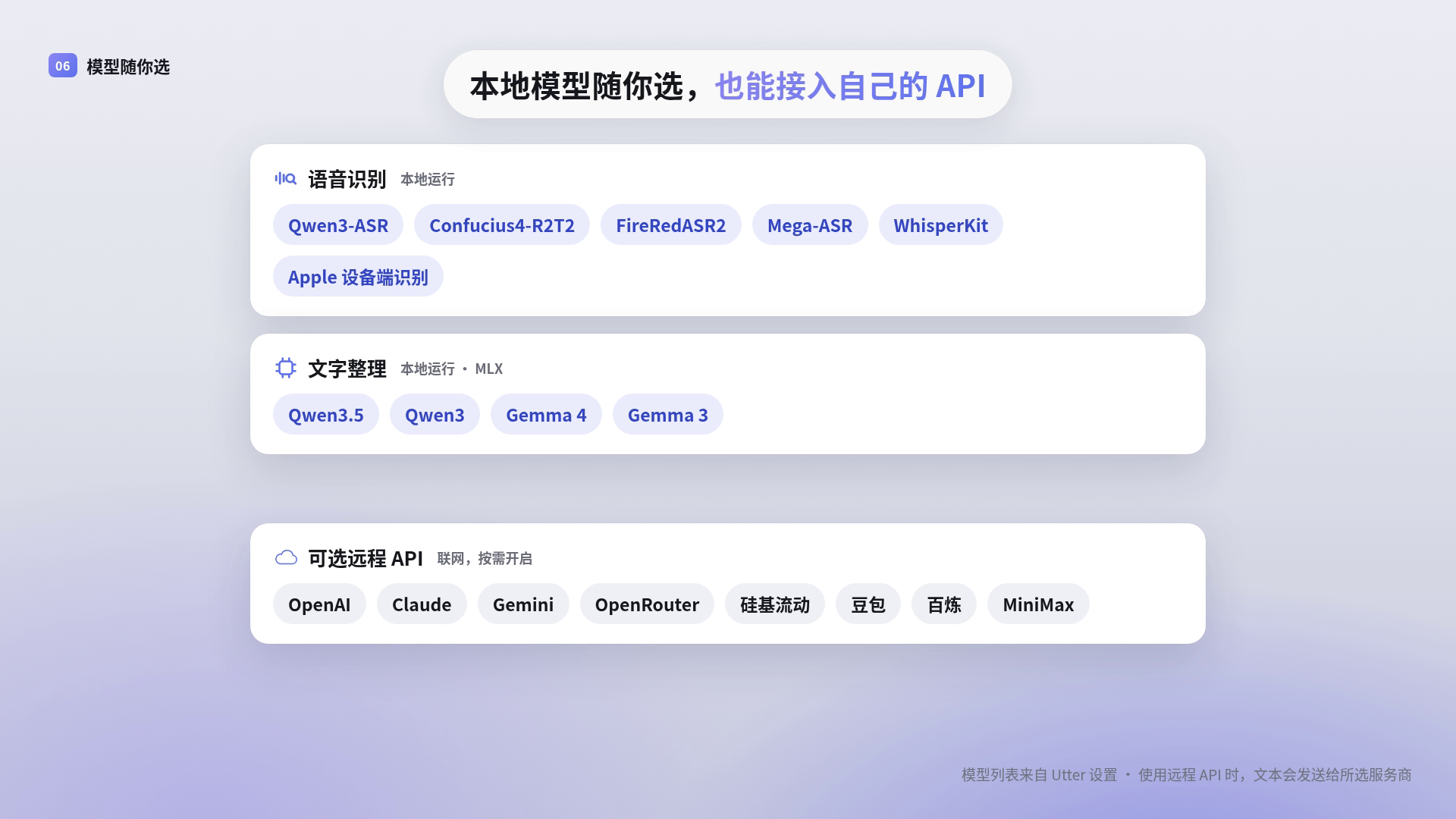
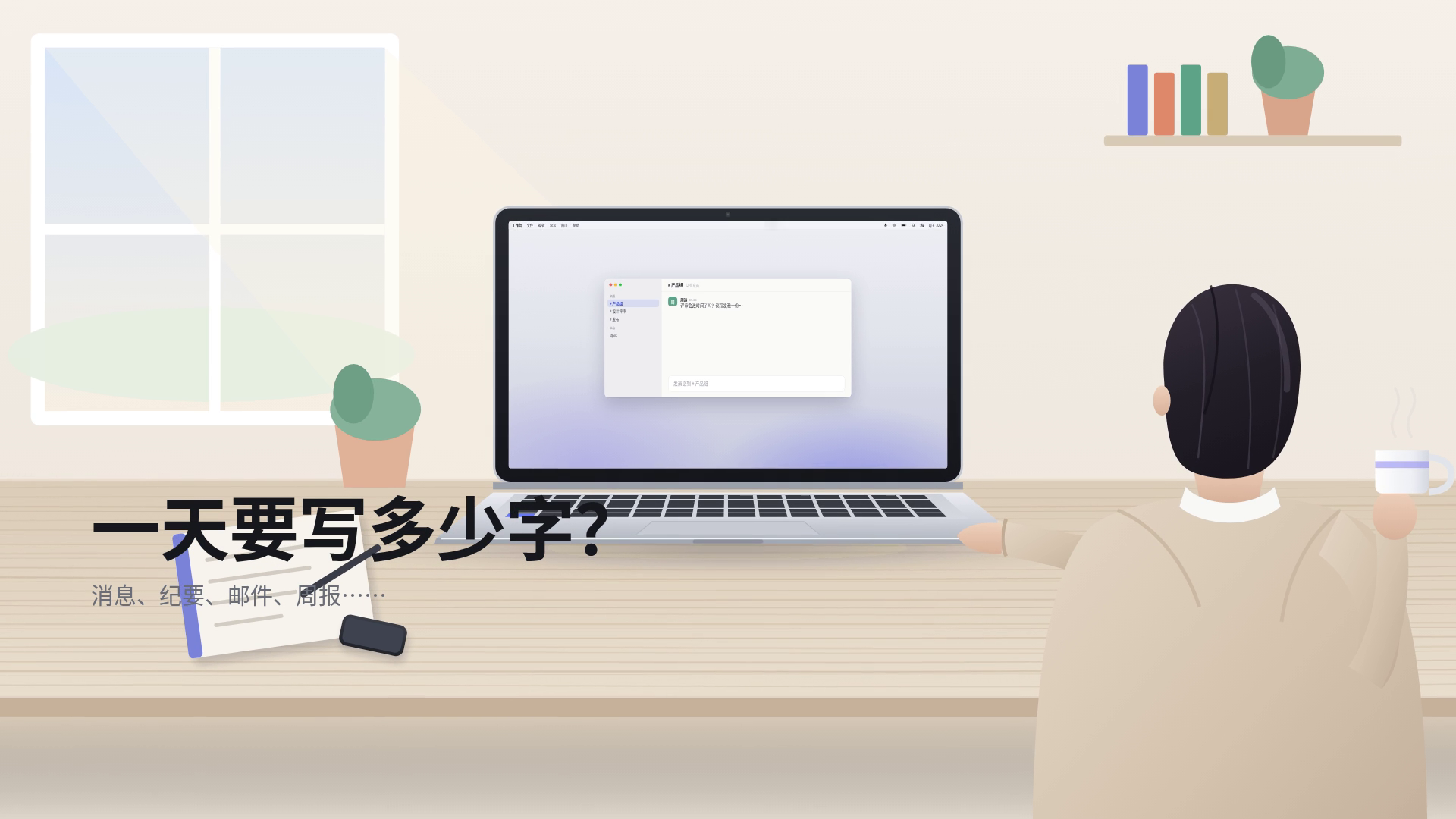
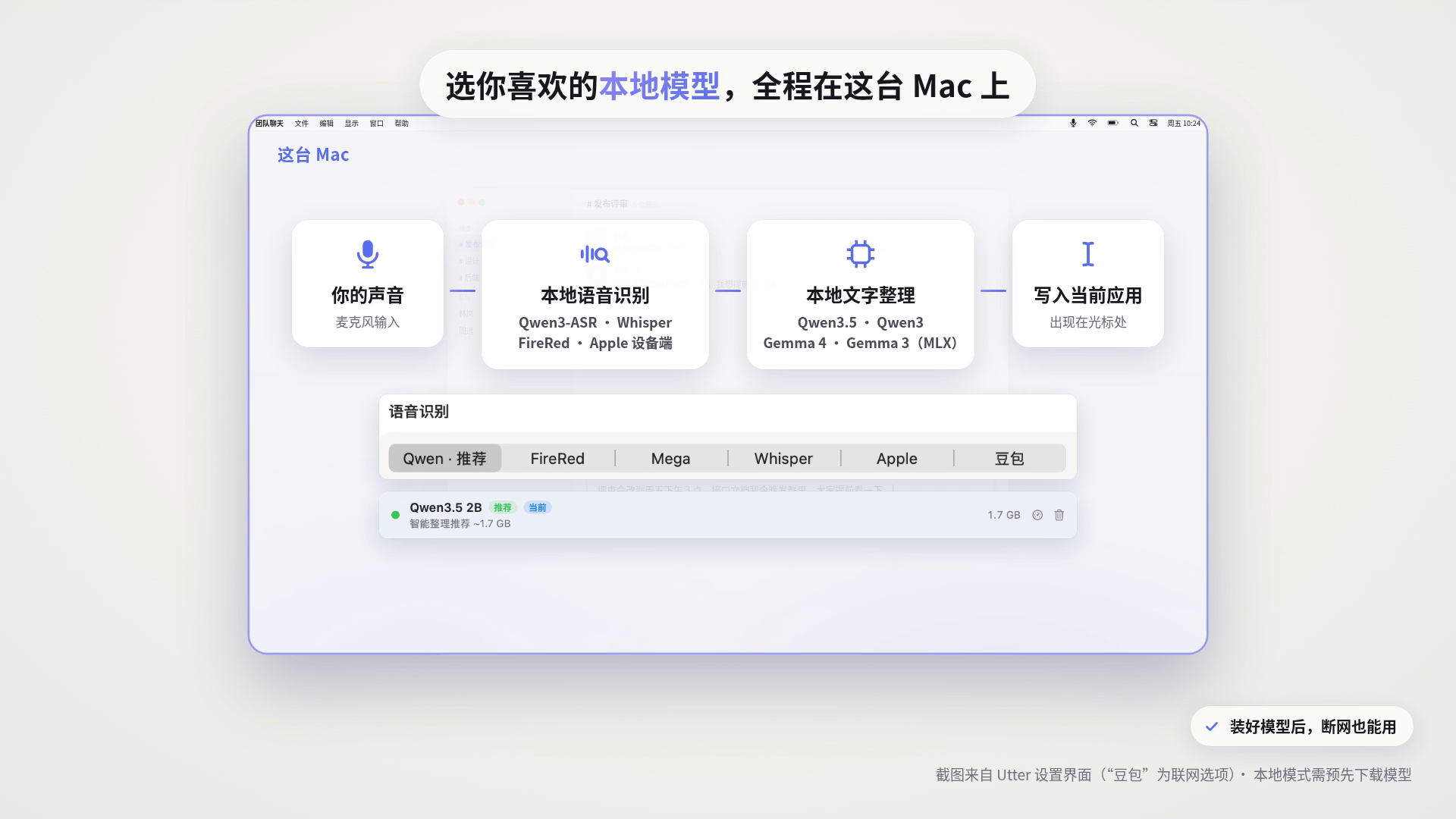
Watch on the website or download the MP4s: Feature tour (0:51) · A day at the office (0:58) · Local voice input (0:28). All three have Mandarin voice-over. The UI is an animated reconstruction of the real app, and the sample texts are illustrative.
Features
| Feature | Description |
|---|---|
| Multiple Speech Engines | Local Qwen3-ASR, Confucius4-R2T2, FireRedASR2, Mega-ASR, WhisperKit, or on-device Apple Speech; Doubao ASR as a remote option |
| Smart Text Processing | Local MLX models (Qwen3.5 / Qwen3 / Gemma) or a remote LLM infers spoken intent — contextual cleanup, "scratch that" restarts, self-correction handling, spoken punctuation, technical terms, numbers/ranges/units, and structured formatting |
| LLM-Owned Spoken Formatting | Spoken casing, no-space dictation, identifiers, file paths, shortcuts, emoji, Markdown tasks, dates/times, quantities, units, formulas, fractions, and digit sequences are handled by the Smart Format / Voice Command prompts instead of local hardcoded rewrite rules |
| Voice Edit Commands | In Voice Command mode, an LLM classifies safe structured actions for replacing, undoing, proofreading, titling, summarizing, drafting replies, making meeting notes, extracting key points/decisions/questions/risks/deadlines/owners/action items, rewriting tone, expanding, making tables/lists, or deleting the previous Utter insertion or selected text |
| Verbatim & Preview Boundary | Verbatim mode, streaming HUD, integration partials, and instant-insert drafts keep ASR text close to raw output with only dictionary, whitespace, duplicate, and non-speech-artifact cleanup |
| Remote LLM Support | OpenAI, Claude (Anthropic format), Gemini, OpenRouter, SiliconFlow, Doubao, Bailian, MiniMax (CN & Global) |
| Global Hotkey | Configurable key (Fn/Ctrl/Shift/Option) with long-press, double-tap, or single-tap activation |
| Translation Dictation | Use a dedicated hotkey chord to speak in one language and insert an English, Chinese, Japanese, Korean, Spanish, French, or German translation |
| Screen Context OCR | Captures on-screen text via ScreenCaptureKit + Vision to help the LLM correct homophones |
| Voice Command Mode | Screen-aware voice assistant — summarize, reply, translate based on what's on screen |
| Input Memory | Recent input history injected as LLM context for better continuity |
| Industry Vocabulary | Choose Medical, Legal, Finance & Accounting, or Software Technology terms for Apple Speech / Whisper biasing and output normalization; personal terms take priority |
| Edit Rules | Personal text replacement rules applied on every output |
| Language Style Presets | Casual / Professional / Custom prompt |
| Input History & Stats | Full history with raw vs. processed comparison, word count stats, configurable retention |
| Bilingual UI | Chinese and English interface, independent of recognition language |
| Sound Feedback | Audio cues on recording start and stop |
| Guided Onboarding | Step-by-step setup: permissions, model download, and first use |
System Requirements
- OS: macOS 26 (Tahoe) or later
- Chip: Apple Silicon (M1 / M2 / M3 / M4)
- Disk: ~0.7 GB minimum (Apple Speech + Qwen3.5 0.8B); ~1.8 GB for the default setup (Apple Speech + Qwen3.5 2B); larger speech and text models need several GB more
Installation
Download
Grab the latest .dmg from Releases, open it, and drag Utter.app to Applications.
"Cannot verify the developer" on first launch? The app is not notarized by Apple. Before first run, execute in Terminal:
xattr -cr /Applications/Utter.appOr go to System Settings → Privacy & Security and click "Open Anyway".
Build from Source
# Build .app bundle + .dmg installer
bash scripts/build-app.sh

# Or for development
swift build
swift run OpenType

# Build, sign, and launch the development .app bundle
bash scripts/build-and-run.sh --verify

# Or open in Xcode
open Package.swift
Material changes follow the artifact-driven workflow in
docs/sdlc/README.md. Before opening a pull request, run:
bash scripts/sdlc-checks.sh
bash scripts/ci-basic-checks.sh
swift test
The public app is Utter.app. The Swift package product remains OpenType so existing source integrations and upgrade paths continue to work.
First Run
- Launch Utter — it appears as a waveform icon in the menu bar
- The onboarding wizard guides you through permissions and model setup
- Grant Microphone and Accessibility permissions (required)
- Wait for the default text model (Qwen3.5 2B, ~1.7 GB) to download — one time only
- Hold Fn to start dictating, release to stop and insert text
Permissions
| Permission | Purpose | Required |
|---|---|---|
| Microphone | Audio capture | Yes |
| Accessibility | Global hotkey, text insertion (clipboard + simulated ⌘V), and reading the focused field for context | Yes |
| Speech Recognition | Apple on-device ASR engine | Only if using Apple Speech |
| Screen Recording | OCR for screen context and Voice Command mode | Optional |
| Input Monitoring | Only if you turn on Settings → Remote → Remap remote buttons: to see which button of the Xiaomi remote was pressed. Utter listens to that remote only. It is requested when you turn that setting on, never before | Optional |
| Network | Model downloads; remote LLM API calls; daily update checks | First run / remote LLM mode |
Updates
Utter checks for updates once a day; you can also check manually from Settings → About or the menu bar row ("Check for Updates…"). Automatic checks are on by default and can be turned off in the same place.
A check fetches the release feed from GitHub over HTTPS and may follow GitHub CDN redirects. GitHub receives your IP address and Sparkle's User-Agent with the app and Sparkle versions. The check sends no audio, text, history, system profile, or persistent identifier. Sparkle verifies the feed's Ed25519 signature before showing an update. After you choose Install Update, it downloads the DMG and verifies it before extraction and installation.
The first release that carries the updater has to be installed manually once. After that, updates apply in place and keep your permissions, settings and history.
Xiaomi Remote Voice Key
The Xiaomi remote's voice key also sends F5, which macOS treats as the Dictation key and answers by typing stray text such as "I". While Settings → Remote → Keep the voice key from opening Dictation is on (the default), Utter turns off that one key on that remote only (Xiaomi RC003, vendor 0x2717, product 0x32B8). Other keys and other keyboards are untouched, no extra permission is needed, and the key comes back when you turn the setting off or quit Utter. The remote's own wireless-mic feature does not need to be on.
If something looks wrong:
- Turn the setting off, or run
defaults write com.opentype.voiceinput remoteKeyRemapEnabled -bool falseand relaunch Utter. - If Utter crashed and the voice key stays dead, reconnect the remote in System Settings → Bluetooth, or clear it by hand:
hidutil property --matching '{"VendorID":10007,"ProductID":12984}' --set '{"UserKeyMapping":[]}'. - Without Utter, the workaround is System Settings → Keyboard → Dictation off.
Xiaomi Remote Button Mapping
With Settings → Remote → Remap remote buttons on (off by default), each of the Xiaomi RC003's eleven keys (up, down, left, right, OK, back, home, menu, TV, volume up, volume down) can do something else on a press, a double press or a long press: a keyboard shortcut, a media key, Show Desktop, the app switcher, or opening an app. The voice key is not remappable. The setting needs Keep the voice key from opening Dictation above to be on.
- Permission. Utter needs Input Monitoring to see which button was pressed. macOS asks once, when you turn the setting on; nothing is requested before that. Utter matches only that remote's device, so other keyboards are not listened to, and no key data leaves the Mac. If it still does not work after you allow it, restart Utter.
- Safety rule. Utter turns a key off at the device level only while it can see that key's presses. Without the permission, or without the remote, every key keeps its normal job.
- Limits. A mapped key triggers once per press and does not repeat while held. Keyboard shortcuts and system actions are not sent while a password field has the keyboard. Show Desktop follows your macOS shortcut. Volume buttons may still change the system volume while Utter handles them.
If something looks wrong:
- Turn the setting off, or run
defaults write com.opentype.voiceinput remoteButtonMappingEnabled -bool falseand relaunch Utter. - If Utter crashed and remote keys stay dead, reconnect the remote in System Settings → Bluetooth, or clear it by hand:
hidutil property --matching '{"VendorID":10007,"ProductID":12984}' --set '{"UserKeyMapping":[]}'(this also clears the voice-key entry; relaunch Utter to set it again). - To withdraw the permission: System Settings → Privacy & Security → Input Monitoring → turn Utter off, or run
tccutil reset ListenEvent com.opentype.voiceinput.
Troubleshooting
Dictated text does not appear in a browser or Electron app
In Chromium-based apps (Electron apps such as Cursor, Chromium browsers such as Dia) macOS accepts a direct Accessibility write into a web page field and reports success, yet nothing appears. For those fields Utter pastes instead, so Settings → General → Allow clipboard paste must be on; the previous clipboard contents are restored after a confirmed paste. With it off, those fields receive no insertion and Utter offers an explicit copy.
If Utter cannot confirm that the paste landed, the HUD says the insertion could not be confirmed and offers to copy the text. Utter never inserts it a second time on its own, so paste it yourself with ⌘V.
Fields that do not expose Chromium's accessibility node (for example Safari and Firefox) are not covered and keep using the direct write.
To return to the previous behavior without a new build, run defaults write com.opentype.voiceinput deliveryWebEditorPasteDisabled -bool true; undo it with defaults delete com.opentype.voiceinput deliveryWebEditorPasteDisabled. It applies to the next dictation; restart Utter if it does not.
Utter will not reopen after an update
If the menu bar icon disappears during an update and opening Utter again does nothing, the previous copy never finished quitting and is still running, so the installer is waiting for it. Force-quit it once: in Activity Monitor select Utter and choose Force Quit, or run pkill -9 -x Utter in Terminal. The update then installs and Utter relaunches; if it does not, open Utter again.
From 0.0.60 on, a quit that does not finish within 5 seconds ends on its own, and the system log (subsystem com.opentype.voiceinput, message starting Shutdown exceeded) names the part that held it up. Updating from an older version can still need the one force-quit above.
Local Models
Everything below runs on your Mac. Download a model once and dictation keeps working with the network off.
| Stage | Models | Notes |
|---|
Questions
What is utter?
IchenDEV/utter is a public repo on GitHub by IchenDEV. Local AI-powered voice input for macOS menu bar.
Is utter open source?
It declares the MIT license on GitHub.
Does utter run on macOS, Windows or Linux?
Its maker has not tagged a system, so it is unknown here. Its README says what it needs.
How do I install utter?
Open "Take it" on its page: Take My Repo writes an install plan for your machine and hands it to your AI agent (Claude Code, Codex or Cursor), which asks you before each step. Take My Repo has not tested it on any machine.
Is utter still maintained?
Its last change on GitHub was on 2026-11-04. Take My Repo does not judge from that whether it is maintained.