ECC
The agent harness performance optimization system. Skills, instincts, memory, security, and research-first development for Claude Code, Codex, Opencode, Cursor and beyond.
- 309k
- JavaScript
- MIT
- 17 h ago
A small native macOS home for API keys, URLs, and environment variables. Keychain storage, dotenv editing, and CLI/MCP access for AI agents.
Repo Jamailar/KeyPocket, read from GitHub 8 h ago. Jamailar has not joined Take My Repo.
Jamailar/KeyPocket is a public repo on GitHub by Jamailar. A small native macOS home for API keys, URLs, and environment variables. Keychain storage, dotenv editing, and CLI/MCP access for AI agents. It declares the MIT license on GitHub. It is written mainly in Swift, has 1 stars and last changed on 2026-10-08. Nobody has reviewed it on Take My Repo yet, which says nothing about its quality. Read from GitHub on 2026-11-23.
The agent harness performance optimization system. Skills, instincts, memory, security, and research-first development for Claude Code, Codex, Opencode, Cursor and beyond.
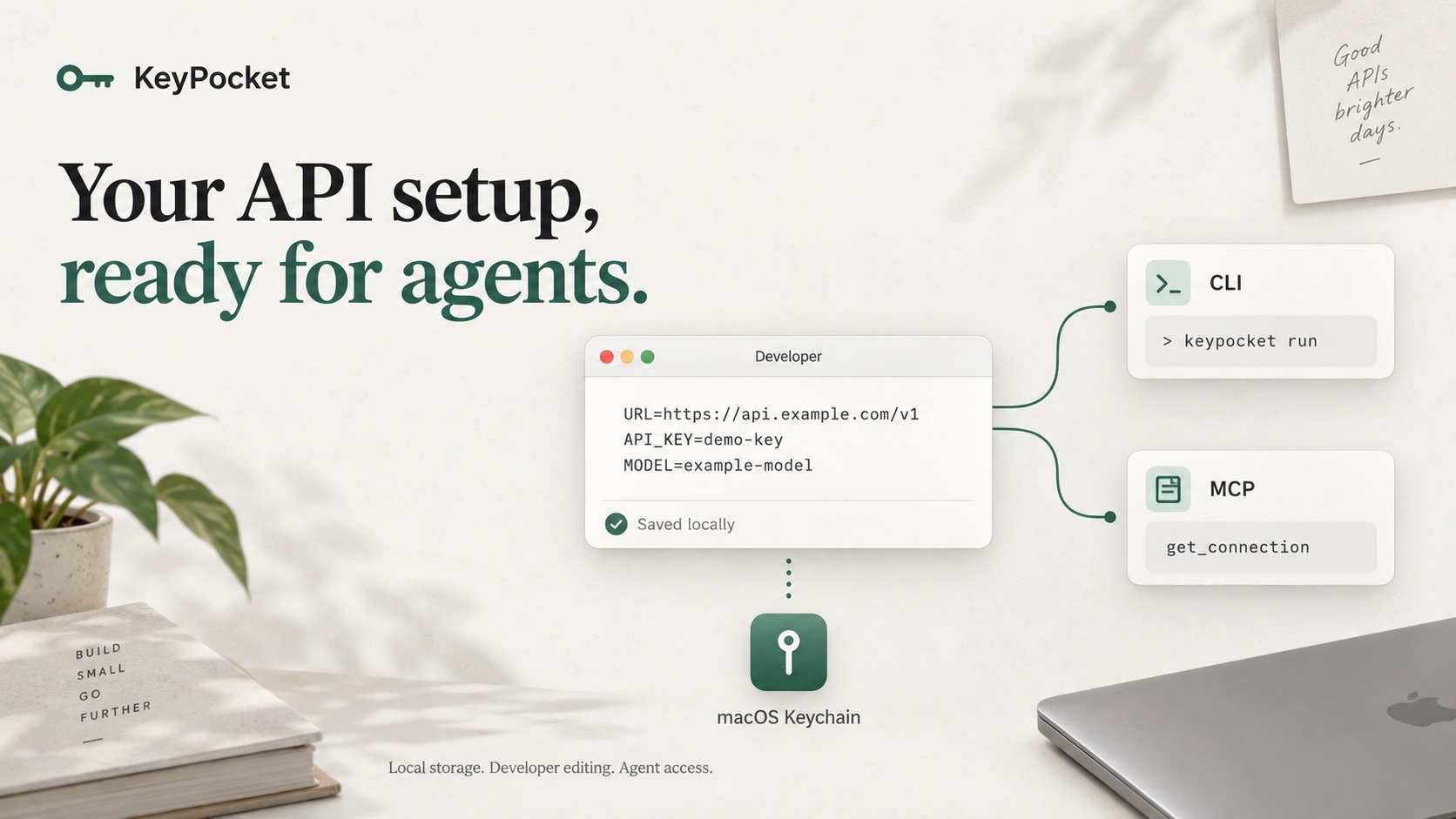
A small native macOS app for API URLs, API keys, and environment variables — built for desktop AI agents.
简体中文 · MIT License · macOS 14+ · Apple Silicon
Store service configurations in macOS Keychain, edit them in a form or as dotenv text, and access them through a CLI or a local stdio MCP server. No account, subscription, or background HTTP service. Current version: 0.3.0. The application UI is currently in Chinese.
KEY=VALUE text in Developer mode; import existing .env files.Requires an Apple Silicon Mac with macOS 14+ and Xcode Command Line Tools, including Swift and the macOS SDK. The build script currently targets arm64 only. There are no third-party dependencies or Xcode project files. This repository provides a source build, not a notarized installer.
# Only if Command Line Tools are not installed; finish the system installer first
xcode-select --install

git clone https://github.com/Jamailar/KeyPocket.git
cd KeyPocket
bash build.sh

# Quit an existing installation before replacing it
mkdir -p "$HOME/Applications"
ditto .build/KeyPocket.app "$HOME/Applications/KeyPocket.app"
open "$HOME/Applications/KeyPocket.app"
The build produces an ad-hoc signed .build/KeyPocket.app. Keychain may request access approval after rebuilding or upgrading.
Optional CLI shortcut (does not overwrite an existing entry):
mkdir -p "$HOME/.local/bin"
ln -s "$HOME/Applications/KeyPocket.app/Contents/MacOS/KeyPocket" "$HOME/.local/bin/keypocket"
export PATH="$HOME/.local/bin:$PATH"
Add the PATH line to your shell configuration if you want it to persist. Otherwise, use the executable's full absolute path in the examples below.
Choose 添加服务 (Add service), enter a name, and fill in the URL and API key. Use Developer to paste a document instead:
URL=https://api.example.com/v1
API_KEY=your-key
MODEL=example-model
The creation dialog parses the document when you click 保存 (Save). In the main window, Developer mode autosaves after about 850 ms of inactivity and attempts to save when you leave the view. Invalid input leaves the last saved configuration intact. Unsaved drafts survive view changes only within the current application session.
A Developer document replaces the entire variable list: removing a line removes the variable. Same-name variables retain their IDs and notes. Comments, order, and formatting are stored with the document; editing through the form regenerates text when necessary. The separate .env import dialog previews a merge and skips existing names unless overwrite is selected.
The parser supports blank lines, comments, export NAME=value, empty values, single and double quotes, and common double-quoted escapes. Names must match [A-Za-z_][A-Za-z0-9_]*. It rejects duplicates, NUL characters, unmatched quotes, and quoted values spanning physical lines. It never executes shell commands or expands $VAR / ${VAR}. Empty documents are rejected.
URL and key roles are inferred only when there is a unique candidate, including URL, API_URL, API_BASE_URL, API_KEY, KEY, and TOKEN. All original names and values remain available in environment.
# Metadata only: names, descriptions, sanitized URLs, and variable names
keypocket list

# Complete JSON, including real secrets; prefer IDs returned by list
keypocket get 'service-name-or-id'

# Inject configuration without printing secrets
keypocket run 'service-name-or-id' -- python3 script.py

# Generate MCP JSON or instructions for a terminal-capable agent
keypocket mcp-config
keypocket agent-instructions
get returns id, name, description, api_url, api_key, and environment. list removes URL user information, query strings, and fragments; it does not return other variable values. Names, notes, and URL paths are still metadata and should not contain secrets.
run inherits the parent environment and overrides matching names with the selected configuration. It uses execvp, preserving standard I/O, signals, and exit status. The calling shell and global environment are unchanged. Use an explicit sh -c when you need shell syntax such as pipes.
KeyPocket exposes a local stdio MCP server. Clients start the process themselves; the GUI does not need to stay open. It does not listen on a network port.
{
  "mcpServers": {
    "keypocket": {
      "command": "/Users/YOUR_USERNAME/Applications/KeyPocket.app/Contents/MacOS/KeyPocket",
      "args": ["mcp"]
    }
  }
}
Replace YOUR_USERNAME with your actual username. JSON command values do not expand ~ or $HOME. Use 接入 Agent → MCP in the app or keypocket mcp-config to obtain the actual executable path.
| Tool | Behavior |
|---|---|
list_connections |
List metadata without API keys or other variable values |
get_connection |
Read one service by connection ID or exact name, including its real secrets |
Each tool call reads the latest Keychain data. The server provides no write, command execution, or proxy tools. It implements newline-delimited JSON-RPC and negotiates MCP versions 2024-11-05, 2025-03-26, and 2025-06-18. Clients supporting only remote HTTP MCP cannot connect directly.
For installed Codex and Claude Code clients:
codex mcp add keypocket -- "$HOME/Applications/KeyPocket.app/Contents/MacOS/KeyPocket" mcp
claude mcp add --scope user --transport stdio keypocket -- "$HOME/Applications/KeyPocket.app/Contents/MacOS/KeyPocket" mcp
Reload MCP or restart the client after registering. Other local stdio clients can use the JSON configuration above. If access fails, verify the absolute executable path, run list, and open the GUI to handle any macOS Keychain prompt.
local.jam.keypocket.vault.v1, account vault. Data format 2 also reads format 1. These identifiers are retained for compatibility.get and get_connection return real credentials into the caller's output or tool context. Only connect trusted clients; use run when the task only needs to launch a program.See SECURITY.md for private vulnerability reporting. Never post real credentials in issues, pull requests, screenshots, or logs.
bash build.sh
.build/KeyPocket.app/Contents/MacOS/KeyPocket --self-test
open -n .build/KeyPocket.app --args --preview
Self-tests use separate temporary Keychain items and clean them up. They cover dotenv parsing, invalid input, data compatibility, URL/key roles, preservation of extra variables, metadata redaction, Keychain operations, child environment injection, exit status, MCP initialization and tools, fresh reads, and a real stdio subprocess.
Preview mode uses fake in-memory data and never reads or writes the real vault; it may still use normal UI preferences.
Store.swift owns storage, parsing, and models; App.swift, ConnectionViews.swift, and DeveloperView.swift implement the UI; AgentAPI.swift implements JSON and MCP; Main.swift provides entry points and process launching; AgentTests.swift covers the agent contract. build.sh and icon.swift build and sign the app.
Contributions are welcome; see CONTRIBUTING.md.
MIT © 2026 Jamailar. Use, modify, and distribute, including commercially, under the license terms. Provided without warranty.
Jamailar/KeyPocket is a public repo on GitHub by Jamailar. A small native macOS home for API keys, URLs, and environment variables. Keychain storage, dotenv editing, and CLI/MCP access for AI agents.
It declares the MIT license on GitHub.
Its maker tagged it for macOS. That is declared by the maker; Take My Repo has not tested it.
Open "Take it" on its page: Take My Repo writes an install plan for your machine and hands it to your AI agent (Claude Code, Codex or Cursor), which asks you before each step. Take My Repo has not tested it on any machine.
OpenRouter for agent tools. Join community here: https://discord.gg/6mQYYfFMAn
Infisical is the open-source platform for securing secrets, certificates, access, and AI Agents.
A vault for securely storing and accessing AWS credentials in development environments
Reverse engineer anything with agents, from app behavior down to native binaries.
Its last change on GitHub was on 2026-10-08. Take My Repo does not judge from that whether it is maintained.
Nobody has reviewed it on Take My Repo yet, which says nothing about its quality.
Take My Repo cannot say: it does not audit code and has not run KeyPocket. What is known comes from GitHub. It declares the MIT license on GitHub. Its last change was on 2026-10-08. It has 1 stars, which measure popularity, not safety. Nobody has reviewed it on Take My Repo yet, which says nothing about its quality. Read the source before you run it. With "Take it", your AI agent shows each step and asks you before running it; README text is treated as data, not as instructions.