Rocket.Chat
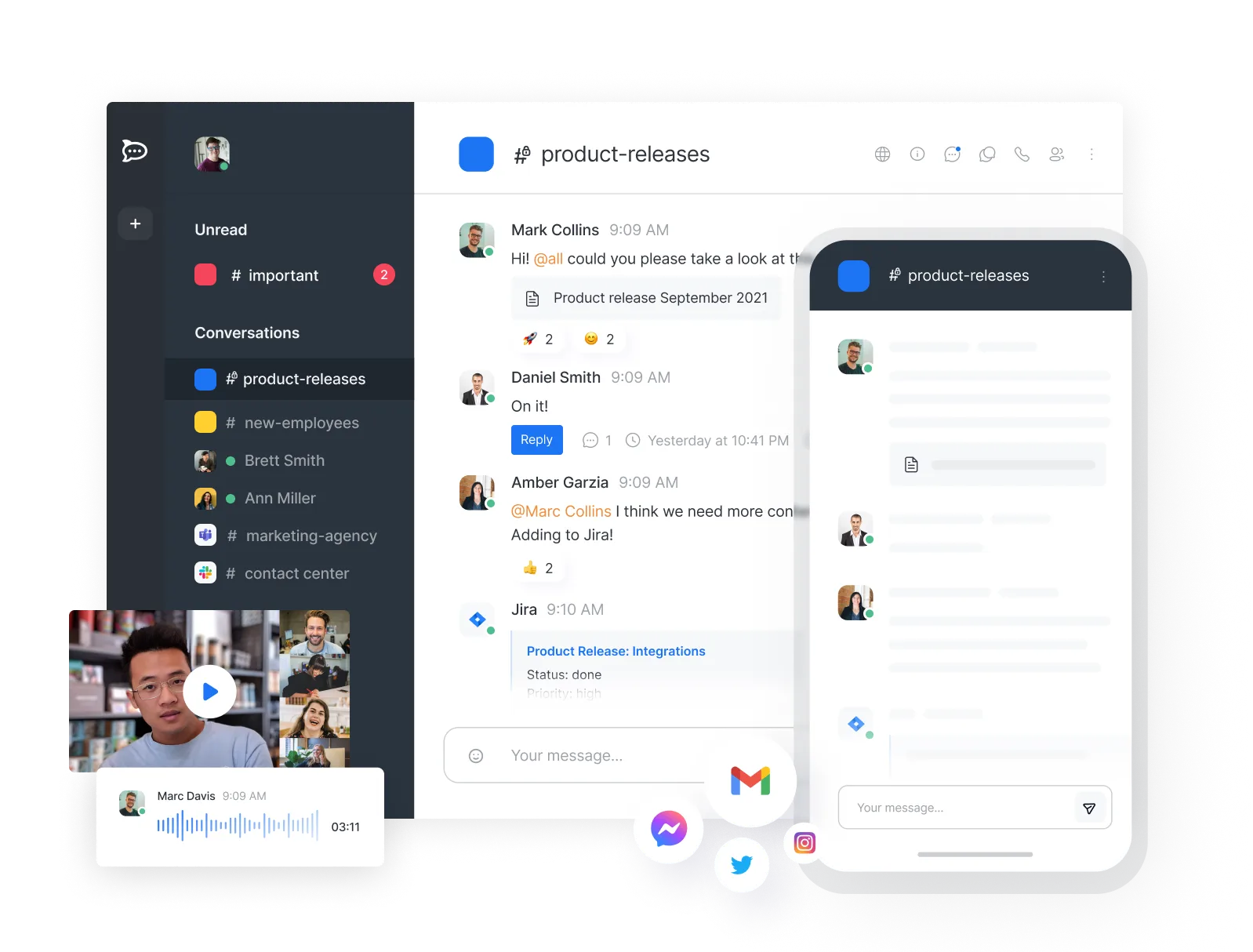
Interoperable by design. Governed by you. Open-source, secure platform for messaging, voice, video and governed AI, built for defense and government.
- 47k
- TypeScript
- 2 d ago
A realtime chat code based on C# client with Node.js Server, supports multi-chatroom; private individual chats | 基于C#客户端以及Node.js服务端的聊天室,支持多人聊天室以及私人聊天
Repo JasonXuDeveloper/Realtime-Socket-Chat, read from GitHub 14 h ago. JasonXuDeveloper has not joined Take My Repo.
JasonXuDeveloper/Realtime-Socket-Chat is a public repo on GitHub by JasonXuDeveloper. A realtime chat code based on C# client with Node.js Server, supports multi-chatroom; private individual chats | 基于C#客户端以及Node.js服务端的聊天室,支持多人聊天室以及私人聊天. It declares the MIT license on GitHub. It is written mainly in C#, has 10 stars and last changed on 2020-05-14. Nobody has reviewed it on Take My Repo yet, which says nothing about its quality. Read from GitHub on 2026-11-19.
JasonXuDeveloper/Realtime-Socket-Chat is a public repo on GitHub by JasonXuDeveloper. A realtime chat code based on C# client with Node.js Server, supports multi-chatroom; private individual chats | 基于C#客户端以及Node.js服务端的聊天室,支持多人聊天室以及私人聊天.
It declares the MIT license on GitHub.
Its maker has not tagged a system, so it is unknown here. Its README says what it needs.
Open "Take it" on its page: Take My Repo writes an install plan for your machine and hands it to your AI agent (Claude Code, Codex or Cursor), which asks you before each step. Take My Repo has not tested it on any machine.
Its last change on GitHub was on 2020-05-14. Take My Repo does not judge from that whether it is maintained.
Interoperable by design. Governed by you. Open-source, secure platform for messaging, voice, video and governed AI, built for defense and government.
Nobody has reviewed it on Take My Repo yet, which says nothing about its quality.
😎 ♻️ A tiny React hook for rendering large datasets like a breeze.
Reverse engineer anything with agents, from app behavior down to native binaries.
🔥 Proxy is a high performance HTTP(S) proxies, SOCKS5 proxies,WEBSOCKET, TCP, UDP proxy server implemented by golang. Now, it supports chain-style proxies,nat forwarding in different lan,TCP/UDP port forwarding, SSH forwarding.Proxy是golang实现的高性能http,https,websocket,tcp,socks5代理服务器,支持内网穿透,链式代理,通讯加密,智能HTTP,SOCKS5代理,黑白名单,限速,限流量,限连接数,跨平台,KCP支持,认证API。
The agent harness performance optimization system. Skills, instincts, memory, security, and research-first development for Claude Code, Codex, Opencode, Cursor and beyond.
The solution that allows unity games to update in runtime. 使Unity开发的游戏支持热更新的解决方案。
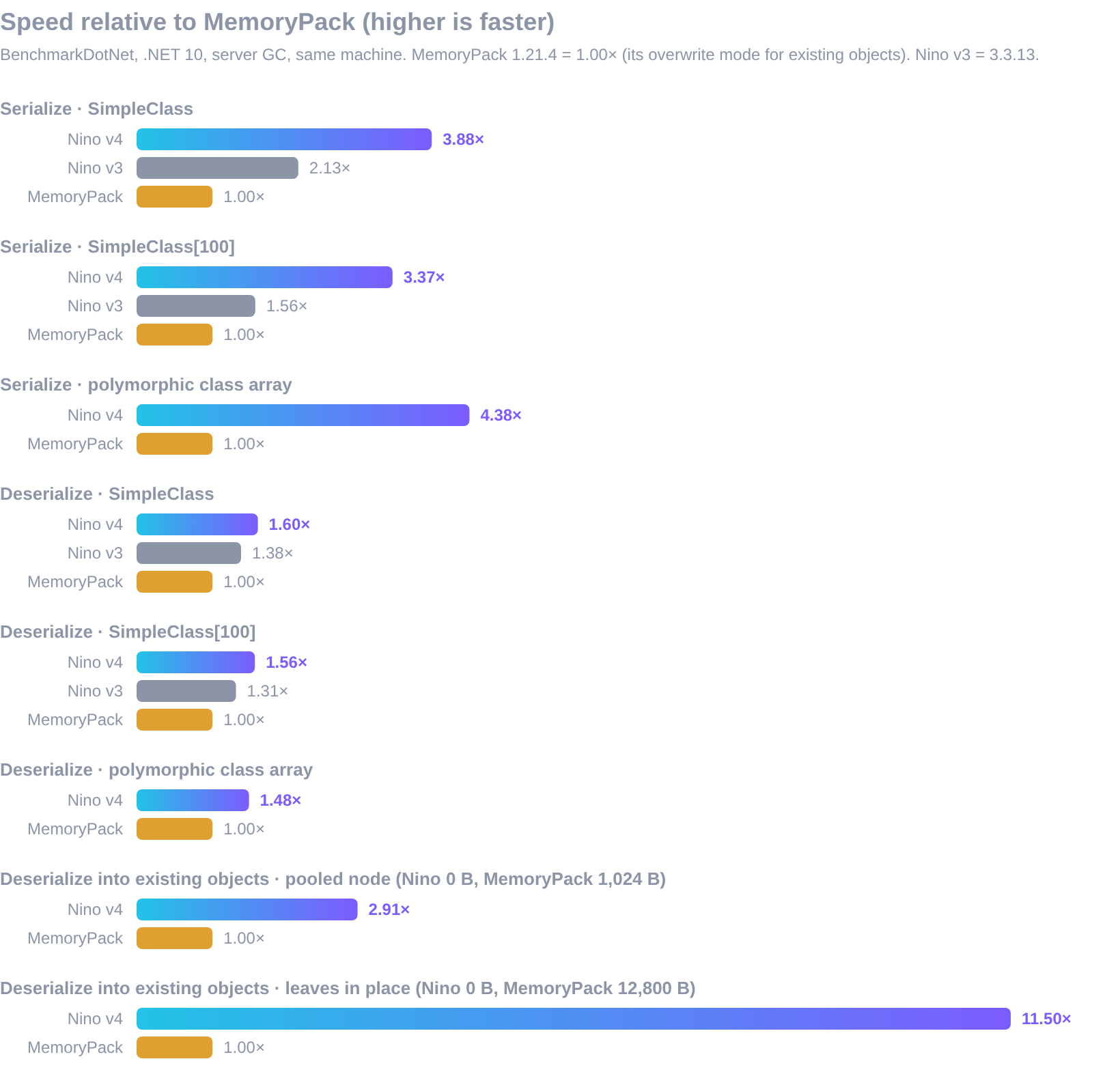
The fastest binary serializer for C#. Source-generated, zero-allocation, thread-safe and safe on untrusted input: .NET, Native AOT, Unity, Godot and HybridCLR, with Go, Rust and TypeScript writing and reading the same bytes.
High-performance, allocation-free archetype ECS for C# and .NET 10: game servers, Godot 4 games, simulations and real-time backends. Source-generated [ForEach] jobs with auto-vectorized SIMD loops, safe parallelism, change tracking, indexes, saves, Native AOT. 100k entities across 9 systems: 1.72 ms, 0 B per tick.
A Unity Plugin which enhances productivity for developers who are using Redis.