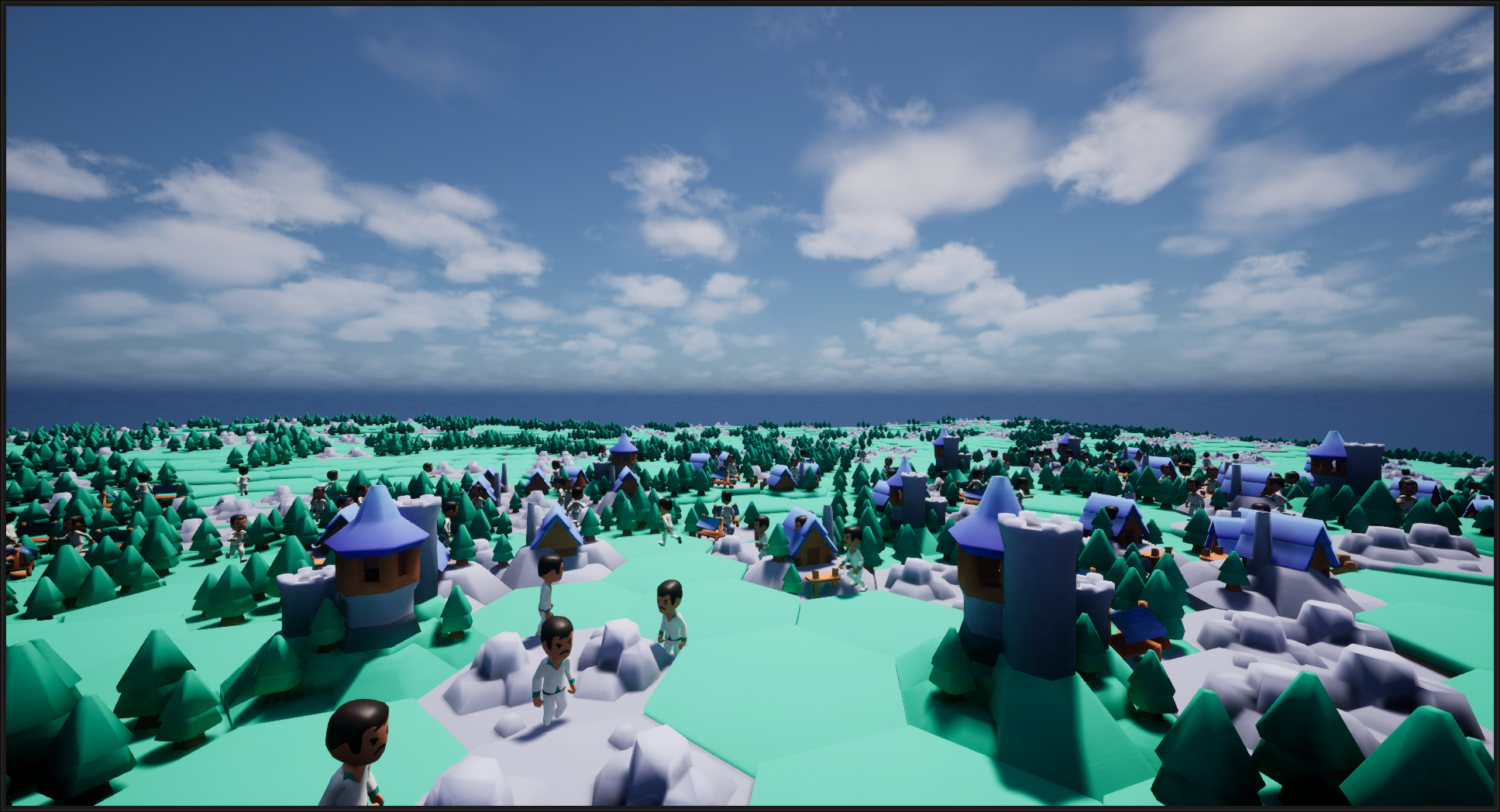
UEInteractSystem

UEInteractSystem
The maintainer has not written a description at the source.
- 1
- 3 wk ago
Repo Ji-Rath/UEInteractSystem, read from GitHub 1 min ago. Ji-Rath has not joined Take My Repo.
In short
Ji-Rath/UEInteractSystem is a public repo on GitHub by Ji-Rath. It declares no license on GitHub. Public does not mean open source: without a license, nobody is granted the right to reuse it. It is written mainly in C++, has 1 stars and last changed on 2026-10-28. Nobody has reviewed it on Take My Repo yet, which says nothing about its quality. Read from GitHub on 2026-11-19.
In the maintainer's words. Shown from GitHub; Take My Repo does not keep a copy.
InteractSystem
Version: 1.0.0
Category: Gameplay Framework
Author: JiRath
License: MIT
Overview
InteractSystem is a comprehensive user interaction orchestration plugin for Unreal Engine that provides end-to-end interaction management across web, mobile, and API touchpoints. The system handles event routing, session management, cross-plugin interaction triggering, and third-party service integration.
Core Purpose
InteractSystem serves as the central interaction hub for the modular plugin ecosystem, enabling seamless communication between players, game objects, and external services through a unified component-based architecture.
Key Capabilities
| Capability | Description |
|---|---|
| Interaction Management | Component-based system for defining interactable objects and player interaction logic |
| Inventory System | Full-featured inventory with stacking, item attributes, and network replication |
| Equipment System | Item equipping, unequipping, and usage with visual feedback |
| Physics Interaction | Grab, push, and throw physics objects with configurable parameters |
| Trigger System | Chain interactions between multiple interactable objects |
| Toggleable Interface | On/off state management for interactive objects |
| Session Management | Player interaction state tracking and session persistence |
Common Use Cases
- Item Collection: Players pick up items that are added to their inventory
- Door Interaction: Doors that can be opened/closed and trigger other events
- Physics Puzzles: Grabbing and moving objects to solve environmental puzzles
- Item Usage: Using equipped items on interactable objects (e.g., keys on doors)
- Chain Reactions: Triggering multiple objects in sequence (e.g., pressure plates opening doors)
Role in Plugin Ecosystem
InteractSystem is a standalone plugin that provides core interaction functionality. It can be extended to integrate with other plugins in the ecosystem through custom implementation.
Installation
Supported Runtime Environments
| Environment | Minimum Version | Recommended Version |
|---|---|---|
| Unreal Engine | 5.0 | 5.3+ |
| Windows | 10 | 11 |
Step-by-Step Setup
-
Copy Plugin Files
Copy the InteractSystem folder to YourProject/Plugins/ -
Regenerate Project Files
# Windows YourProject.uproject - GenerateProjectFiles.bat -
Build the Project
# Using Unreal Build Tool RunUAT.bat BuildCookRun -project=YourProject.uproject -noP4 -platform=Win64 -clientconfig=Development -serverconfig=Development -
Enable Plugin in Editor
- Open Project Settings → Plugins
- Enable "InteractionSystem"
- Restart the editor
Dependencies
| Module | Version Constraint | Required |
|---|---|---|
| Core | >= 5.0 | Yes |
| CoreUObject | >= 5.0 | Yes |
| Engine | >= 5.0 | Yes |
| InputCore | >= 5.0 | Yes |
| DeveloperSettings | >= 5.0 | Yes |
| NetCore | >= 5.0 | Yes |
| GameplayTags | >= 5.0 | Yes |
| Slate | >= 5.0 | No (Editor only) |
| SlateCore | >= 5.0 | No (Editor only) |
Configuration
Configurable Parameters
| Parameter | Data Type | Default Value | Valid Range | Environment Variable | Security Notes |
|---|---|---|---|---|---|
InteractDistance |
float | 500.0 | 10.0 - 10000.0 cm | INTERACT_DISTANCE |
None |
bAutoEquip |
bool | true | true / false | INTERACT_AUTO_EQUIP |
None |
GrabWeightThreshold |
float | 25.0 | 0.1 - 1000.0 kg | INTERACT_GRAB_WEIGHT |
None |
PushImpulse |
float | 100000.0 | 100.0 - 1000000.0 | INTERACT_PUSH_IMPULSE |
None |
MaxInventorySlots |
int32 | 50 | 1 - 1000 | INTERACT_MAX_SLOTS |
None |
bEnablePhysicsGrab |
bool | true | true / false | INTERACT_PHYSICS_GRAB |
None |
TriggerDelay |
float | 0.0 | 0.0 - 60.0 seconds | INTERACT_TRIGGER_DELAY |
None |
Configuration File Example
[/Script/InteractionSystem.InteractableComponent]
InteractDistance=500.0
bAutoEquip=true

[/Script/InteractionSystem.InventoryComponent]
MaxInventorySlots=50
Security Considerations
- Network Replication: All inventory and interaction state changes are server-authoritative
- Input Validation: Item data is validated before being added to inventory
- Memory Safety: Uses Unreal's garbage collection for all UObject references
Usage
Basic Interaction Setup
// C++ - Adding interaction to an actor
#include "Interaction/InteractableComponent.h"

// In your actor class header
UPROPERTY(VisibleAnywhere, BlueprintReadOnly, Category = "Interaction")
UInteractableComponent* InteractableComponent;

// In your actor constructor
InteractableComponent = CreateDefaultSubobject<UInteractableComponent>(TEXT("Interactable"));
// Blueprint - Event-driven interaction
// 1. Add InteractableComponent to your actor
// 2. Bind to OnInteract event
// 3. Implement custom logic in the event graph
Inventory Management
// C++ - Adding items to inventory
void AMyActor::AddItemToInventory(UItemInformation* ItemInfo, int32 Quantity)
{
    FItemData NewItem;
    NewItem.ItemInformation = ItemInfo;
    NewItem.Count = Quantity;

    FItemHandle Handle;
    if (InventoryComponent->AddToInventory(NewItem, Handle))
    {
        UE_LOG(LogTemp, Log, "Item added successfully");
    }
}

// C++ - Checking inventory contents
void AMyActor::PrintInventory()
{
    TArray<FInventoryContents> Items;
    InventoryComponent->GetInventory(Items);

    for (const FInventoryContents& Item : Items)
    {
        UE_LOG(LogTemp, Log, "Item: %s, Count: %d",
            *Item.GetItemInformation()->DisplayName.ToString(),
            Item.ItemData.Get<FItemData>().Count);
    }
}
Public API Reference
UInteractorComponent
| Method | Signature | Description |
|---|---|---|
Interact() |
void Interact() |
Initiates interaction with the currently hovered interactable |
FinishInteract() |
void FinishInteract() |
Completes a continuous interaction |
GetHoveredPrimitive() |
UPrimitiveComponent* GetHoveredPrimitive() const |
Returns the currently hovered primitive component |
InteractWith() |
void InteractWith(UPrimitiveComponent* Component) |
Interacts with a specific component |
UInteractableComponent
| Method | Signature | Description |
|---|---|---|
Interact() |
void Interact(const AActor* Interactor, USceneComponent* Component) |
Called when an interactor interacts with this component |
FinishInteract() |
void FinishInteract(const AActor* Interactor, USceneComponent* Component) |
Called to finish a continuous interaction |
IsPlayerInteractable() |
bool IsPlayerInteractable() const |
Checks if the object can be interacted with |
GetInteractType() |
EInteractType GetInteractType() const |
Returns the interaction type (SingleUse/Continuous) |
UInventoryComponent
| Method | Signature | Description |
|---|---|---|
AddToInventory() |
bool AddToInventory(const FItemData& Item, FItemHandle& OutItemHandle) |
Adds an item to the inventory |
RemoveFromInventory() |
void RemoveFromInventory(const FItemHandle& ItemHandle) |
Removes an item by handle |
RemoveItemFromInventory() |
void RemoveItemFromInventory(const FItemData& Item) |
Removes a specific item type |
GetInventory() |
void GetInventory(TArray<FInventoryContents>& OutInventory) const |
Gets a copy of the inventory array |
CanAddToInventory() |
bool CanAddToInventory(const FItemData& Item) const |
Checks if an item can be added |
EmptyInventory() |
void EmptyInventory() |
Removes all items from inventory |
GenerateUniqueHandle() |
FItemHandle GenerateUniqueHandle() |
Creates a new unique item handle |
UEquipComponent
| Method | Signature | Description |
|---|---|---|
EquipItem() |
void EquipItem(const FItemHandle& Item) |
Equips the specified item |
UnequipItem() |
void UnequipItem() |
Unequips the currently equipped item |
ToggleEquippedItem() |
void ToggleEquippedItem(const FItemHandle& Item) |
Toggles item equipment state |
UseItem() |
void UseItem() |
Uses the currently equipped item |
GetEquippedItem() |
FItemHandle GetEquippedItem() const |
Returns the currently equipped item handle |
HasItemEquipped() |
bool HasItemEquipped() const |
Checks if an item is equipped |
UTriggerComponent
| Method | Signature | Description |
|---|---|---|
TriggerActors() |
void TriggerActors(AActor* Instigator, UPrimitiveComponent* Component) |
Triggers all configured interactables |
UPhysicsGrabComponent
| Method | Signature | Description |
|---|---|---|
GrabComponent() |
void GrabComponent(UStaticMeshComponent* GrabMesh, FHitResult Hit) |
Grabs a physics object |
ReleaseComponent() |
void ReleaseComponent() |
Releases the grabbed object |
PushComponent() |
void PushComponent(UStaticMeshComponent* GrabMesh) |
Pushes a physics object |
PhysicsInteract() |
void PhysicsInteract() |
Initiates physics-based interaction |
Events and Delegates
| Event | Signature | Description |
|---|---|---|
OnUpdateHover |
FUpdateHover |
Called when the hovered primitive changes |
OnInteract |
FInteract |
Called when an interaction occurs |
OnFinishInteract |
FFinishInteract |
Called when an interaction finishes |
OnInventoryChange |
FInventoryChange |
Called when inventory contents change |
OnItemAdd |
FItemAdd |
Called when an item is added |
OnItemRemove |
FItemRemove |
Called when an item is removed |
OnUpdateEquipState |
FUpdateEquipState |
Called when equipment state changes |
OnPushObject |
FPushObject |
Called when push state changes |
Troubleshooting
Common Error Codes
| Code | Message | Resolution |
|---|---|---|
EIS-1001 |
"Interaction failed: No interactable in range" | Ensure the interactable is within InteractDistance and bIsPlayerInteractable is true |
EIS-1002 |
"Inventory full: Cannot add item" | Increase MaxInventorySlots or remove existing items |
EIS-1003 |
"Item not found in inventory" | Verify the item handle is valid and the item exists |
EIS-1004 |
"Physics grab failed: Object too heavy" | Reduce GrabWeightThreshold or use a lighter object |
EIS-1005 |
"Network error: Server rejected interaction" | Check server authority and network permissions |
EIS-2001 |
"Item data validation failed" | Ensure UItemInformation asset is valid and properly configured |
EIS-2002 |
"Equip failed: No item equipped" | Equip an item before attempting to use it |
For agent-specific guidance, see AGENTS.md. Last updated: 2026-05-21
Questions
What is UEInteractSystem?
Ji-Rath/UEInteractSystem is a public repo on GitHub by Ji-Rath. Its maker has not written a description.
Is UEInteractSystem open source?
It declares no license on GitHub. Public does not mean open source: without a license, nobody is granted the right to reuse it.
Does UEInteractSystem run on macOS, Windows or Linux?
Its maker has not tagged a system, so it is unknown here. Its README says what it needs.
How do I install UEInteractSystem?
Open "Take it" on its page: Take My Repo writes an install plan for your machine and hands it to your AI agent (Claude Code, Codex or Cursor), which asks you before each step. Take My Repo has not tested it on any machine.
Is UEInteractSystem still maintained?
Its last change on GitHub was on 2026-10-28. Take My Repo does not judge from that whether it is maintained.
What do people who ran UEInteractSystem say?
Nobody has reviewed it on Take My Repo yet, which says nothing about its quality.