

ECC
The agent harness performance optimization system. Skills, instincts, memory, security, and research-first development for Claude Code, Codex, Opencode, Cursor and beyond.
- 310k
- JavaScript
- MIT
- 2 d ago
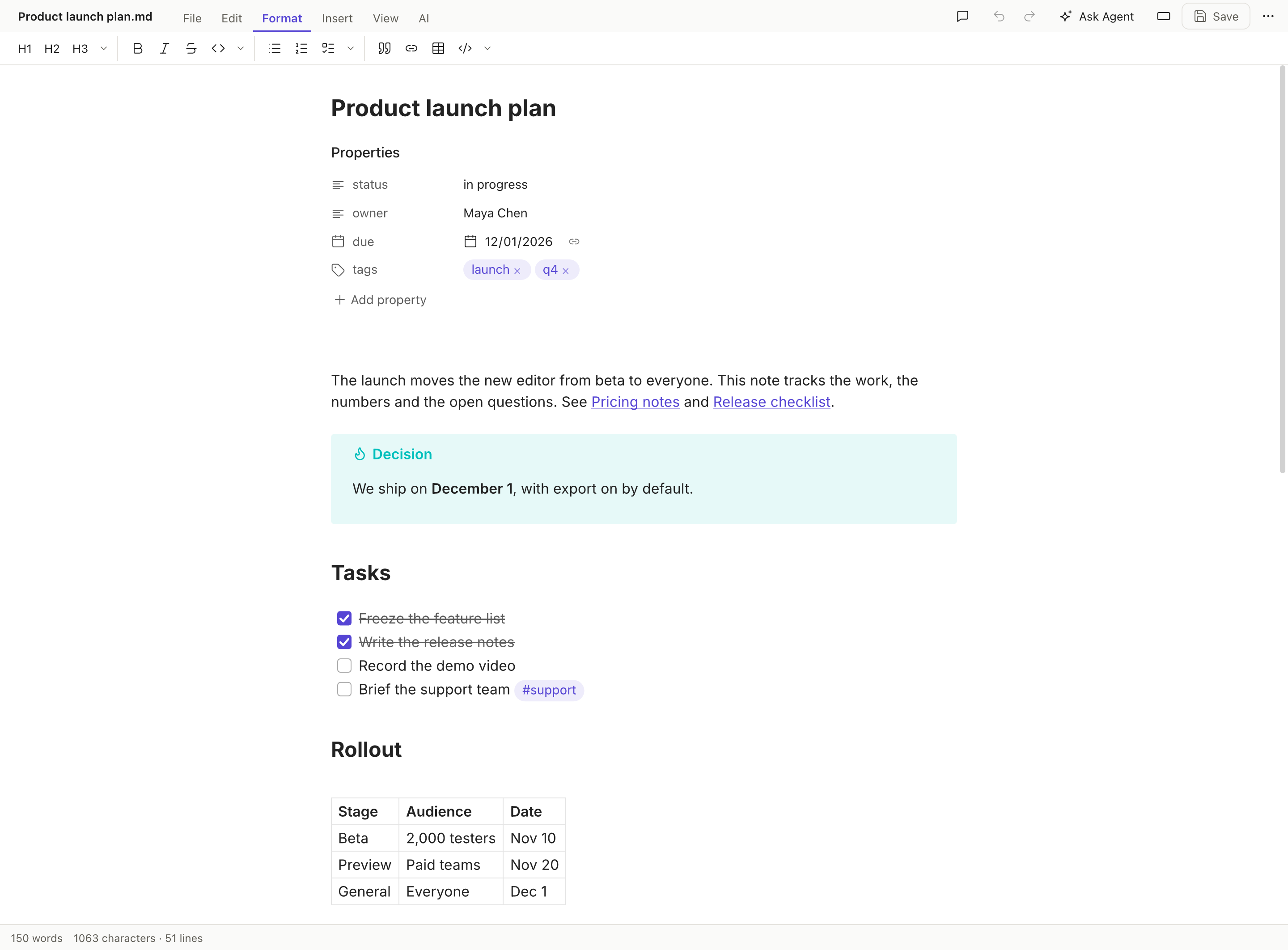
Kition Note: a Markdown editor that never rewrites your file, for people and AI agents
Repo KitionAI/kition-note, read from GitHub 1 d ago. KitionAI has not joined Take My Repo.
KitionAI/kition-note is a public repo on GitHub by KitionAI. Kition Note: a Markdown editor that never rewrites your file, for people and AI agents. It declares the Apache-2.0 license on GitHub. It is written mainly in Rust, has 0 stars and last changed on 2026-11-23. Nobody has reviewed it on Take My Repo yet, which says nothing about its quality. Read from GitHub on 2026-11-24.
The agent harness performance optimization system. Skills, instincts, memory, security, and research-first development for Claude Code, Codex, Opencode, Cursor and beyond.
A Markdown editor you can drop into your app, that people and AI agents edit together, without ever rewriting your file.
Live preview · Tables · Comments · Math and Mermaid · HTML and PDF export · MCP tools for agents
Use it in Kition · Embed it · Give it to your agent · Showcase · Developer docs · KHP
Most rich editors turn your Markdown into their own document and write a new file back: tables
get re-padded, line endings change, front matter moves, and every save is a noisy diff. Note
doesn't. A note is its .md file, byte for byte: Note changes only the characters an edit is
about, and leaves everything else alone.
That is what lets a person and an AI agent work on the same note. The same Rust engine draws the editor in the browser and serves agents headless, so both see one file, and a write that rests on something the other has since changed is refused instead of silently lost.
diff finds one line changed..md files that any other tool still reads.
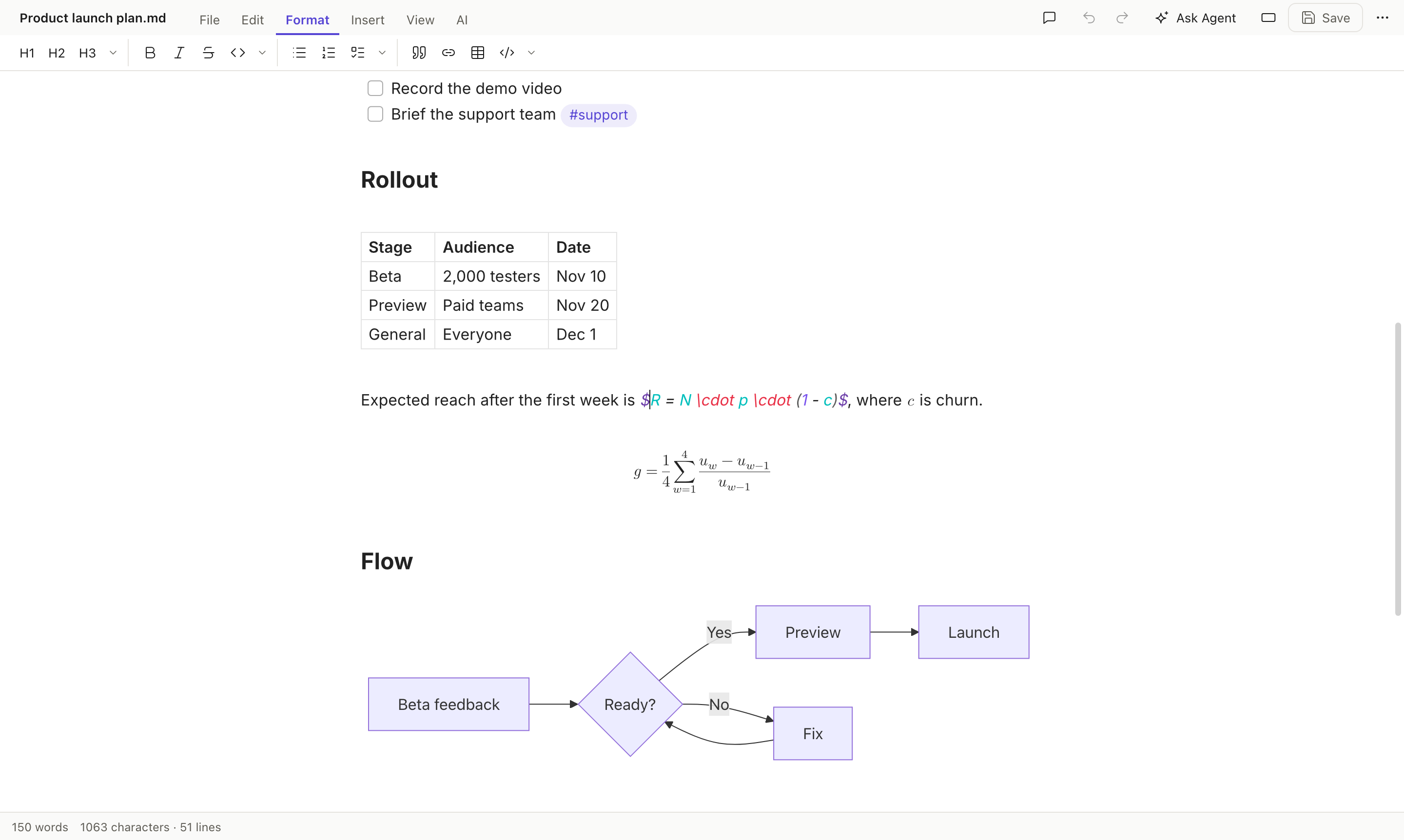
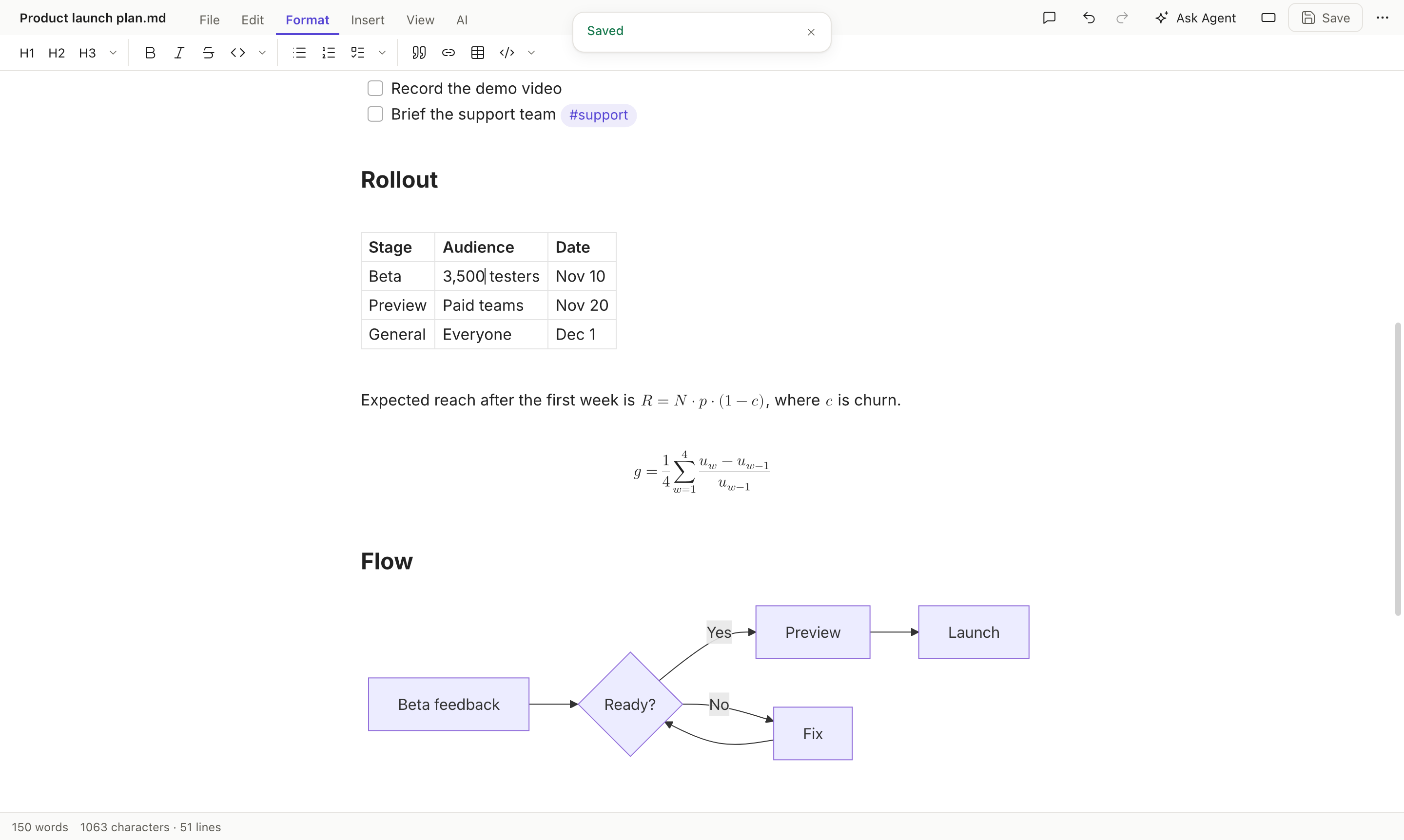
Live preview editing. Read the note as it looks; the Markdown appears only where the caret is. Math is typeset, Mermaid diagrams are drawn, callouts and tasks look like themselves. |
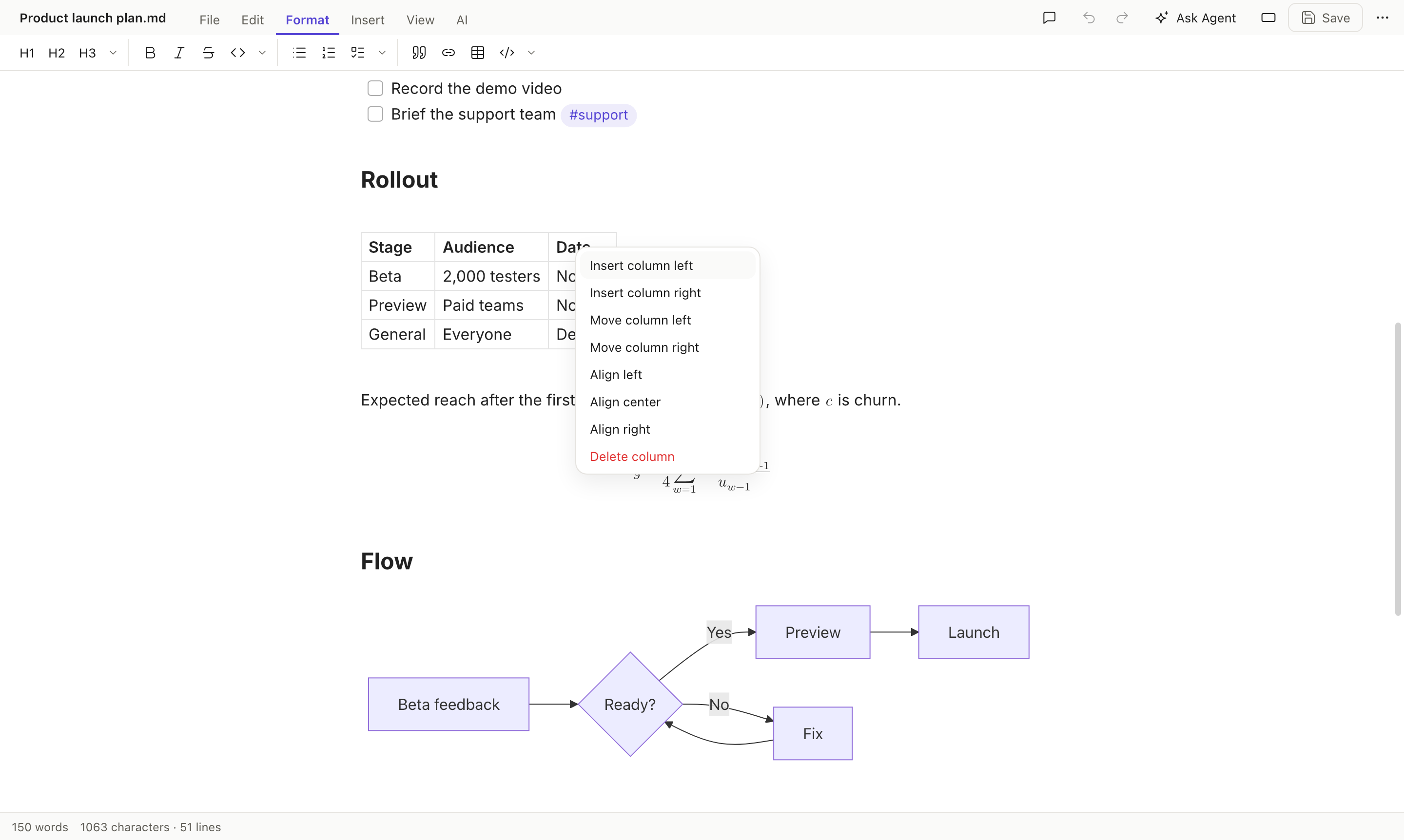
Tables you can work with. Type in a cell, then insert, move, align or delete rows and columns from the table itself. Each action changes only the lines it is about. |
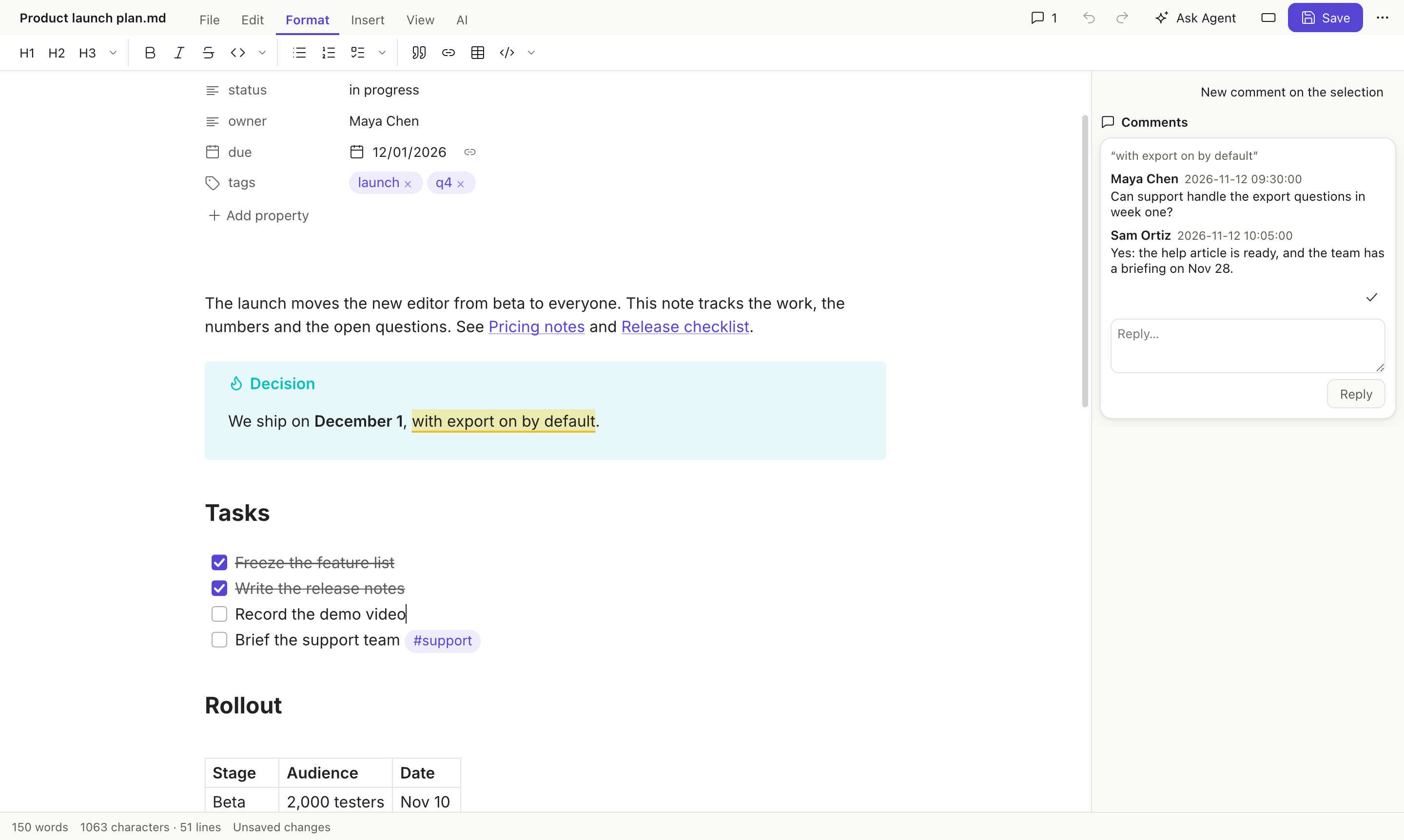
Comments beside the file. Threads anchor to the text they discuss and follow it as the note changes. They live beside the note, never inside the |
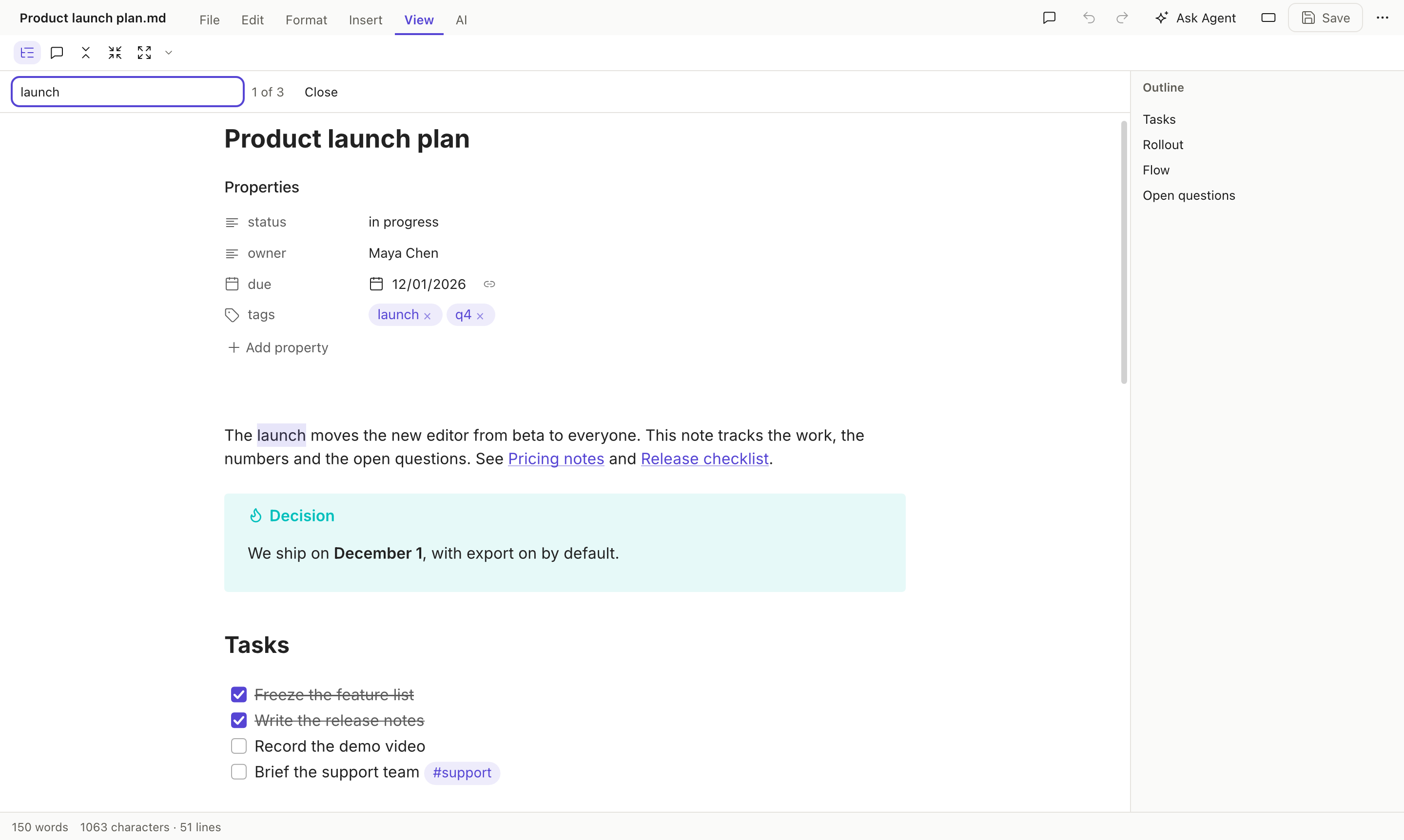
Find and outline. Find and replace with a match count, an outline of the headings to jump around, and folding for long notes. |
 |
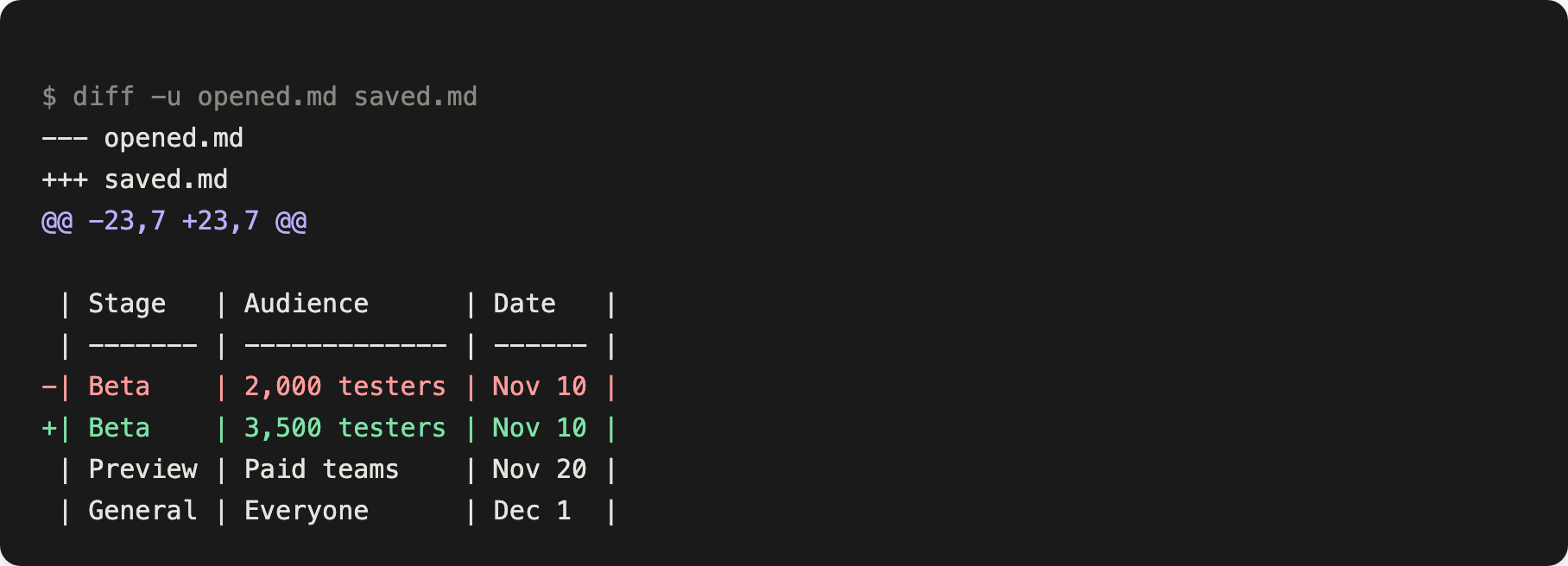 |
A note is the text of its file, not a document rebuilt from a parse. Above, one cell typed in the
editor and saved: diff finds one line changed, with the table's padding kept. Reformatting a
whole table or list is always a separate, explicit command.
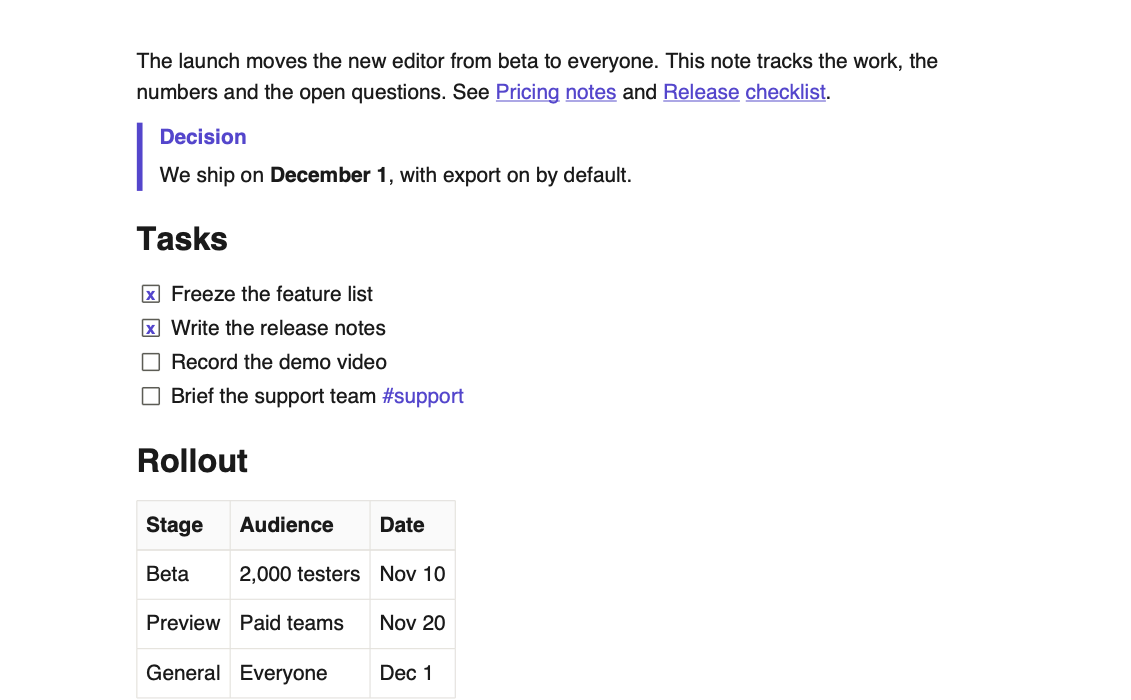
Export a note as a standalone HTML page, as a PDF on Letter or A4 pages, or as a picture (PNG, JPEG, WebP, GIF, AVIF or SVG) through the host. Before a PDF is written, the dialog counts the pages and says what they cannot draw. In a PDF today, display math and Mermaid diagrams appear as their source.
 |
 |
 |
 |
Every sample is built with Note's own commands. See all of them.
| Format | Extensions | MIME type | Role |
|---|---|---|---|
| markdown | .md, .markdown | text/markdown |
edit |
.md or .markdown file; Kition shows this editor, and its agent edits
the same file.@kition/embed, below.kition-note executable as MCP tools, below.Note's editor is a static package you host yourself, mounted into your page with the Kition
SDK's @kition/embed. You keep the files and the
users; the editor reads and writes through the functions you give it.
kition-note-<version>.tgz from the
latest release and serve its
note-ui/ folder as static files on its own origin, with the headers in the
embed reference.npm install @kition/embed
import { KitionEmbed } from '@kition/embed'

const editor = await KitionEmbed.mount(document.getElementById('note')!, {
  kit: { id: 'kit.note', url: 'https://kits.example.com/note-ui/' }, // the package you host
  file: { id: 'plan-2026', name: 'Plan.md' },
  storage: {
    read: async (id) => api.read(id),                    // { bytes, version }
    write: async (id, bytes, { expectedVersion }) =>     // refuse a stale version
      api.write(id, bytes, expectedVersion),             // { version }
  },
  identity,          // optional: who is editing, and edit / comment / view per file
})
Every save carries the version it read, so an edit made elsewhere is never written over. Add
co-editing, comments, link handling, theming, and an agent working inside the open editor with
its changes shown for review: the embed guide
covers each, and examples/embed-app
is a complete page with a file list.
The engine also runs headless, and kition, the Kition SDK's command line, serves it as MCP tools
(note_inspect, note_run, note_check, ...) on a folder of notes, for any MCP client. Nothing
is compiled: you need neither Rust nor the Kition app. Install kition, then connect your agent
in the folder:
npm install -g @kition/cli        # Node.js 20 or later; gives the kition command
kition agent add claude           # or codex, cursor: registers kition's MCP server
Without installing it:
claude mcp add kition -- npx -y @kition/cli mcp --workspace "$PWD". Without Node.js, install
kition with curl -fsSL https://github.com/KitionAI/kition-sdk/releases/latest/download/install.sh | sh
(Windows: irm https://github.com/KitionAI/kition-sdk/releases/latest/download/install.ps1 | iex)
and run the same kition agent add.
kition holds no kit. The first time the agent opens a .md file, through the kit_inspect
tool the server offers until Note is installed, kition downloads Note's headless executable
into ~/.kition/kits and the note tools appear. kition kit install note downloads it ahead of
time, and kition kit upgrade moves it to the newest version. Claude Desktop, Cursor, Codex and
the other commands are in the SDK's
agent guide
and kition guide. To run
a build of your own (working on the kit itself), see
docs/development.md.
A real session on the sample note, abridged:
> note_inspect {"path":"launch.md","preview":false}
Opened `launch.md`: 816 × 1651
  headings 4, tasks 2/4 done, tables 1, words 150, revision oku0

> note_run {"path":"launch.md","basis":"oku0","steps":[
    {"command":"table.setCell","params":{"table":0,"row":1,"column":1,"text":"3,500 testers"}},
    {"command":"task.toggle","params":{"line":19}}]}
Ran 2 commands on `launch.md` (saved): 816 × 1651 Changes: objects 5 changed.

# Meanwhile the person moves the preview to Nov 18 in their own editor.

> note_run {"path":"launch.md","basis":"oku1","steps":[
    {"command":"table.setCell","params":{"table":0,"row":2,"column":2,"text":"Nov 22"}}]}
ERROR conflict: Others (outside) changed what this write acts on since your basis [...]
Nothing was run.

> note_run {"path":"launch.md","basis":"oku1","steps":[
    {"command":"property.set","params":{"key":"status","value":"ready"}}]}
Ran 1 commands on `launch.md` (saved): 816 × 1651 Changes: objects 2 changed.
Others changed 3 object(s) since your basis (by outside): see `others`.
Every write names the revision it read (basis). A write that rests on something another writer
has since changed is refused, and nothing is lost; a write about something else goes through.
The agent's guide is agent/guide.md.
Version 0.1.5 (kit.json, changes in CHANGELOG.md); KHP 1.0, conformance level basic.
The feature catalogue (features.yaml) lists every feature with its status and the cases that
prove it; known gaps are in docs/gaps.md.
Note is the first kit published from Kition, together with the Kition SDK it is built on.
Build and test instructions are in docs/development.md. Read CONTRIBUTING.md
KitionAI/kition-note is a public repo on GitHub by KitionAI. Kition Note: a Markdown editor that never rewrites your file, for people and AI agents.
It declares the Apache-2.0 license on GitHub.
Its maker has not tagged a system, so it is unknown here. Its README says what it needs.
Open "Take it" on its page: Take My Repo writes an install plan for your machine and hands it to your AI agent (Claude Code, Codex or Cursor), which asks you before each step. Take My Repo has not tested it on any machine.
Knowledge infrastructure to make your agents smarter. Search, scrape and access 550+ data providers through one API.
Reverse engineer anything with agents, from app behavior down to native binaries.
Its last change on GitHub was on 2026-11-23. Take My Repo does not judge from that whether it is maintained.
Nobody has reviewed it on Take My Repo yet, which says nothing about its quality.
Take My Repo cannot say: it does not audit code and has not run kition-note. What is known comes from GitHub. It declares the Apache-2.0 license on GitHub. Its last change was on 2026-11-23. It has 0 stars, which measure popularity, not safety. Nobody has reviewed it on Take My Repo yet, which says nothing about its quality. Read the source before you run it. With "Take it", your AI agent shows each step and asks you before running it; README text is treated as data, not as instructions.


