ECC
The agent harness performance optimization system. Skills, instincts, memory, security, and research-first development for Claude Code, Codex, Opencode, Cursor and beyond.
- 308k
- JavaScript
- MIT
- 2 d ago
The knowledge harness for AI‑native finance — MCP server for LLMQuant Data.
Repo LLMQuant/data-mcp, read from GitHub 1 min ago. LLMQuant has not joined Take My Repo.
LLMQuant/data-mcp is a public repo on GitHub by LLMQuant. The knowledge harness for AI‑native finance — MCP server for LLMQuant Data. It declares the MIT license on GitHub. It is written mainly in TypeScript, has 89 stars and last changed on 2026-08-27. Nobody has reviewed it on Take My Repo yet, which says nothing about its quality. Read from GitHub on 2026-11-21.

The knowledge harness for AI‑native finance.
Website · Docs · 中文
Important
New: Company News and Polymarket prediction markets are live. Browse company updates, discover market events, and track implied probabilities from one MCP server.
Context engineering meets financial data — structured for agent context, not human browsing.
This is an MCP server for LLMQuant Data. It connects any AI agent to financial data — wiki articles, research papers, crypto & equity prices, prediction markets, macro indicators, SEC filings, and more — through the Model Context Protocol.
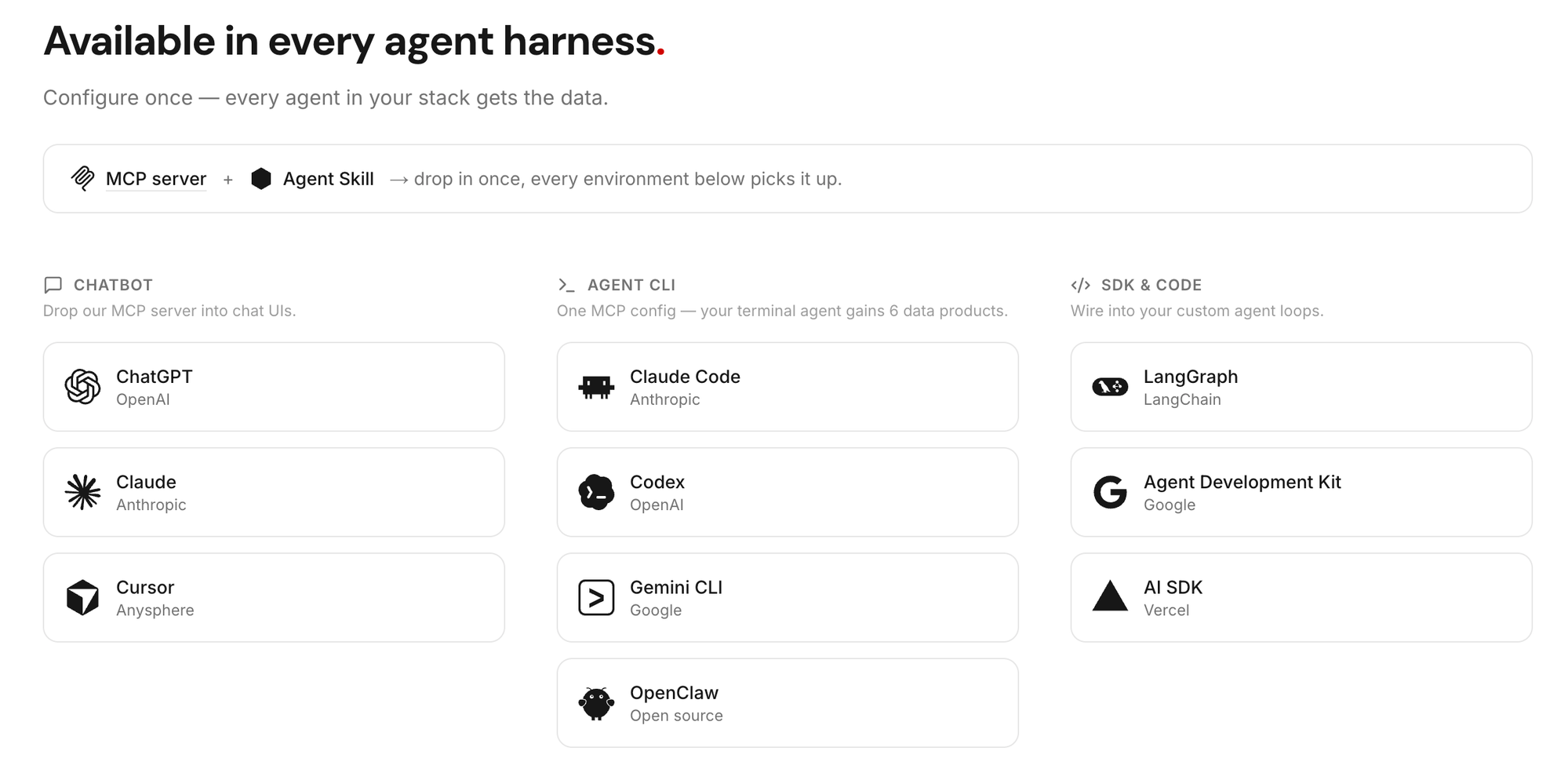
Configure once — every agent in your stack gets the data.

Tip
LLMQuant Skills is live. It combines these tools into ready‑made financial workflows for equity research, macro analysis, and more. Install the catalog or enable first-party Skills in the Agent Playground.
Note
The credit model is in beta — amounts below may change. Sign up at llmquantdata.com for free credits, no credit card required.
| Tool | Description | Credit |
|---|---|---|
wiki_search |
Semantic search over 50,000+ quant wiki entries | 1 |
wiki_read |
Read a wiki article by ID | 0 |
paper_search |
Semantic search over 1,200+ research papers | 1 |
paper_read |
Read paper sections (intro, methods, conclusion, …) | 0 |
crypto_historical_klines |
Crypto OHLCV candlestick data | 1 |
crypto_snapshot |
Current crypto price + 24h stats | 0 |
polymarket_event_browse |
List or exact-filter finance-scoped Prediction Markets events by keyword, status, tag, asset, volume, and liquidity filters | 1 |
polymarket_event_search |
Semantic search over finance-scoped Prediction Markets events | 2 |
polymarket_event_read |
Read one Prediction Markets event card with child market previews | 0 |
polymarket_market_read |
Read one Prediction Markets market card with outcomes and outcome token ids | 0 |
polymarket_price_history |
Hourly or daily implied-probability history for one outcome token | 0 |
equity_historical_prices |
US equity daily OHLCV + dividend/split data | 0 |
equity_intraday_prices |
US equity 1h regular-session OHLCV bars | 1 |
macro_indicator_search |
Browse 50+ curated macro indicators | 0 |
macro_indicator_history |
Historical observations for a macro indicator | 1 |
macro_indicator_snapshot |
Latest value for a macro indicator | 0 |
sec_filing_browse |
Browse SEC 10-K / 10-Q / 8-K filing metadata (each row carries sectionKeys = available section codes) |
0 |
sec_filing_read |
Read section text from a SEC filing; pass items to fetch a batch in one call, omit for all (8-K requires accession_number — browse first) |
1 |
sec_13f_list_manager_holdings |
List an institutional manager's 13F holdings (covered manager set × at least the last 4 quarters) | 1 |
sec_13f_list_ticker_holders |
List institutional holders of a ticker (covered manager set × at least the last 4 quarters) | 1 |
sec_13f_list_top_managers |
List the top N smart money managers ranked by 13F reportable value (latest quarter, up to 1000) | 0 |
etf_lookup |
ETF fund identity + SEC mapping + top holdings summary (currently supported ETFs) | 0 |
etf_holdings |
ETF latest available SEC N-PORT regulatory holdings (currently supported ETFs) | 1* |
news_browse |
Browse recent company news by ticker, event, topic, or date | 2 |
personal_holdings |
Read the holdings you saved in your LLMQuant Dashboard → Profile (your own account only) | 0 |
personal_profile |
Read the financial profile you saved in your LLMQuant Dashboard → Profile (your own account only) | 0 |
* An unsupported ETF ticker returns 200 with an explicit coverage notice and 0 credits — you are only charged the 1 credit when holdings are actually returned.
Prediction Markets tools follow an event-first flow: use polymarket_event_search first for natural-language discovery, use polymarket_event_browse only for list/exact-filter requests, then read a selected event, read a market, and request price history for an outcome token.
More data products (company fundamentals, earnings transcripts, etc.) are on the roadmap.
Four ways to access each data product:

Launch the MCP Inspector to explore tools interactively in your browser:
export LLMQUANT_API_KEY=your_api_key
npx @modelcontextprotocol/inspector npx -y @llmquant/data-mcp
Note
To persist the key, add export LLMQUANT_API_KEY=your_api_key to your ~/.zshrc or ~/.bashrc.

Tip
You'll need an API key — sign up free at llmquantdata.com.
The fastest way: drop this prompt into Claude Code, Cursor, Codex CLI, Gemini CLI, or any MCP-enabled agent. The agent will read this README and run the right setup for its runtime.
Install the LLMQuant data-mcp server in this environment by following https://github.com/LLMQuant/data-mcp
Tip
Make sure LLMQUANT_API_KEY is exported in the shell where the agent runs. Get a key at llmquantdata.com.
Prefer to set it up by hand? See Client Setup below.
claude mcp add llmquant-data \
  -e LLMQUANT_API_KEY=your_api_key \
  -- npx -y @llmquant/data-mcp
Add to .cursor/mcp.json (project) or ~/.cursor/mcp.json (global):
{
  "mcpServers": {
    "llmquant-data": {
      "command": "npx",
      "args": ["-y", "@llmquant/data-mcp"],
      "env": {
        "LLMQUANT_API_KEY": "your_api_key"
      }
    }
  }
}codex mcp add llmquant-data \ --env LLMQUANT_API_KEY=your_api_key \ -- npx -y @llmquant/data-mcp
gemini mcp add -s user \
  -e LLMQUANT_API_KEY=your_api_key \
  llmquant-data \
  npx -y @llmquant/data-mcp
Any client supporting stdio transport can use this JSON config:
{
  "mcpServers": {
    "llmquant-data": {
      "command": "npx",
      "args": ["-y", "@llmquant/data-mcp"],
      "env": {
        "LLMQUANT_API_KEY": "your_api_key"
      }
    }
  }
}
Note
We're working on integration guides for more clients. If your agent framework isn't listed, open an issue and we'll add it.
@llmquant/data-mcp keeps local stdio as the default setup path. Signed-in LLMQuant users can also generate a hosted Remote MCP connector URL from the dashboard. Hosted connectors are useful when your MCP client supports remote connectors and you do not want to run a local Node.js process.
In the LLMQuant dashboard, open Connect and generate a Remote MCP URL.
https://mcp.llmquantdata.com/u/lqd_mcp_.../mcp
Paste the full URL into Claude's custom connector flow. The hosted URL is separate from your local LLMQUANT_API_KEY and can be revoked from the dashboard.
Important
Treat the hosted connector URL like a password. Anyone with the URL can use the connector until you revoke it.
| Variable | Required | Default | Description |
|---|---|---|---|
LLMQUANT_API_KEY |
Yes for stdio | — | User API key for local stdio mode |
LLMQUANT_BASE_URL |
No | https://api.llmquantdata.com |
API base URL |
LLMQUANT_API_TIMEOUT_MS |
No | 15000 |
Request timeout in ms (max 120000) |
Have a feature request? Open an issue or email us at contact@llmquant.com.
data-mcp tools into end-to-end research workflows (equity research, macro briefings, smart-money digests).This repository is a read-only mirror. We do not accept pull requests.
Found a bug or have a feature request? Please open an issue — we actively triage and respond.
LLMQuant/data-mcp is a public repo on GitHub by LLMQuant. The knowledge harness for AI‑native finance — MCP server for LLMQuant Data.
It declares the MIT license on GitHub.
Its maker has not tagged a system, so it is unknown here. Its README says what it needs.
Open "Take it" on its page: Take My Repo writes an install plan for your machine and hands it to your AI agent (Claude Code, Codex or Cursor), which asks you before each step. Take My Repo has not tested it on any machine.
Its last change on GitHub was on 2026-08-27. Take My Repo does not judge from that whether it is maintained.
Nobody has reviewed it on Take My Repo yet, which says nothing about its quality.
The agent harness performance optimization system. Skills, instincts, memory, security, and research-first development for Claude Code, Codex, Opencode, Cursor and beyond.
A curated list of insanely awesome libraries, packages and resources for Quants (Quantitative Finance)
A unified trading API with more than 100 crypto exchanges and prediction markets in JavaScript / TypeScript / Python / C# / PHP / Go / Java / Rust
Reverse engineer anything with agents, from app behavior down to native binaries.
AKShare is an elegant and simple financial data interface library for Python, built for human beings! 开源财经数据接口库
We are committed to the open-sourcing quantitative knowledge, aiming to bridge the information gap between the domestic and international quantitative finance industries. 我们致力于量化知识的开源与汉化,打破国内外量化金融行业信息差。
QuantMind is an open source agent-native knowledge extraction and retrieval framework for quantitative finance.
Curated list of LLM-driven trading agents, MCP servers, and agent skills for market research, strategy, and execution.
Reusable Skills for LLMQuant Agent, Claude Code, Claude.ai, Cursor, Hermes Agent, OpenClaw and Codex, grounded in LLMQuant Data