
ResearchCompass
ResearchCompass - AI knowledge base & knowledge graph agent platform (Yuxi)
- 0
- MIT
- 4 wk ago
Repo LPK3215/ResearchCompass, read from GitHub 21 min ago. LPK3215 has not joined Take My Repo.
In short
LPK3215/ResearchCompass is a public repo on GitHub by LPK3215. ResearchCompass - AI knowledge base & knowledge graph agent platform (Yuxi). It declares the MIT license on GitHub. It is written mainly in Python, has 0 stars and last changed on 2026-10-23. Nobody has reviewed it on Take My Repo yet, which says nothing about its quality. Read from GitHub on 2026-11-24.
ResearchCompass
ResearchCompass is an evidence-traceable research workspace for literature review, evidence synthesis, and project execution.
It turns papers into a searchable, auditable private library, then connects evidence search, paper reading, evidence-bound synthesis, research projects, and report export into one traceable pipeline. Built on the open-source Yuxi agent framework, it adds academic section chunking, citation graphs, evidence validation, and reproducible evaluation.
Repository: LPK3215/ResearchCompass · Docs: lpk3215.github.io/ResearchCompass
Features · Visualization · Quick Start · Tech Stack · Docs · FAQ · Product Site
Visualization
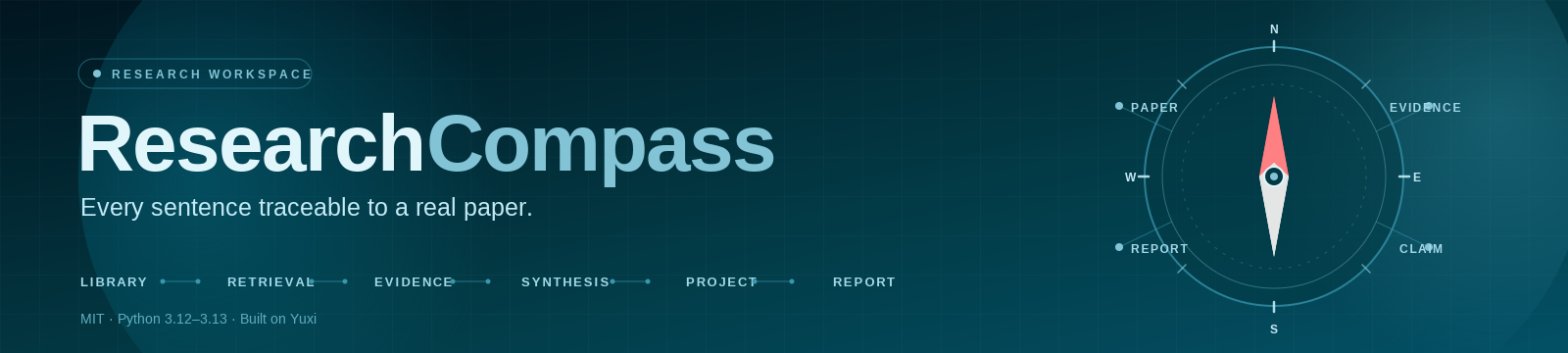
The banner above is generated by scripts/visualization/generate_banner.mjs; the SVG text is English and both READMEs reference the same file. The diagrams below are built from repository-backed sources and open in a browser with live motion and dark/light themes. They retain their original zh-CN labels from the architecture pass; the banner and SVG assets are English.
- Project overview dashboard — a single-page visual tour of the architecture, evidence pipeline, evaluation, API and quality gates.
| View | Link |
|---|---|
| Core architecture | core-architecture.html |
| Full architecture panorama | architecture-panorama.html |
| Core workflow | workflow-panorama.html |
| Request sequence | sequence-panorama.html |
| Data flow | dataflow-panorama.html |
What it does
| You want to… | What you actually get | Where |
|---|---|---|
| Build a private literature library | Papers chunked by academic sections (Abstract / Method / Experiments…), with page numbers and character ranges | Knowledge → Knowledge base |
| Find traceable evidence | Paper + section + original passage + four retrieval scores, openable at the exact PDF location | Research Compass → Smart search |
| Write an evidence-bound review | Topic synthesis, key claims, contradictions, limitations, gaps — plus an explicit "unsupported claims" list | Research Compass → Evidence synthesis |
| Understand a single paper | One-pass structured extraction, or a four-stage multi-agent breakdown (innovations / methodology / gaps) | Paper library → Paper analysis |
| Run a real research project | Milestones, tasks, asset links, risks, deterministic progress and exportable reports | Research Compass → Research projects |
| See the research landscape | Citation graph with two-hop relations, publication trends, opportunity scores with reasons | Research Compass → Graph / Trends / Opportunities |
| Use the AI research assistant | A conversational assistant that carries the active knowledge base, project and selected object into each run, calls permission-checked domain tools, and asks for approval before sensitive changes | Research Compass right panel / Research assistant page |
| Prove it works | RAG evaluation, retrieval ablations, single-vs-multi-agent blind review, anonymous SUS studies | Knowledge base detail / Research Compass → Analysis comparison, User studies |
Under the hood, the open-source Yuxi base provides the multi-tenant knowledge base, LangGraph agent runtime, sandbox, middleware, MCP/Skills/SubAgents and model-provider configuration. ResearchCompass adds academic section chunking, citation graphs, evidence-constrained synthesis, project execution and reproducible evaluation on top of that base.
End-to-end workflow
Build library → Upload PDFs → Read papers → Search evidence → Synthesis (validate → generate → export)
        ↓                                      ↓
   Trends / opportunities                 Research project (milestones / tasks / assets)
                                               ↓
                                       Export report → manuscript sections
                                               ↓
                                  Evaluation / ablation / blind review / user study
- From topic to draft explains every step, its output and how to tell it worked.
- Capabilities overview is the short "what can it do" tour.
Quick start (30 minutes)
- Create a Milvus knowledge base, upload 5–10 papers you already know, and choose the Academic Paper chunking strategy.
- Open Smart search, ask a question whose answer you know, and check that the returned evidence matches the original PDF.
- Generate a small Evidence synthesis. If evidence validation fails, use Ingest and verify and regenerate.
- Create a Research project, collect the search and synthesis results, and export a Markdown report.
Project structure
ResearchCompass/
├── backend/                  FastAPI API, LangGraph agents, research services, tests
│   ├── server/               HTTP entrypoints and routers
│   ├── package/yuxi/         Agent runtime, knowledge base, storage and research services
│   ├── scripts/              Smoke acceptance, corpus import and maintenance scripts
│   └── test/                 Unit / integration / e2e tests
├── web/                      Vue 3 + Vite frontend
├── docs/                     VitePress docs, Pages entry and interactive overview
│   ├── index.html            GitHub Pages entry (redirects to project_overview/)
│   ├── .nojekyll             Disable Jekyll for classic Pages
│   ├── assets/               Brand assets (banner.svg)
│   ├── archify/              Interactive architecture, workflow, sequence and data-flow HTML
│   └── project_overview/     Static project overview dashboard
├── docker/                   Dockerfiles, nginx and sandbox provisioner
├── scripts/                  Init, release, smoke and evaluation scripts
│   └── visualization/        Visualization generators (banner)
├── docker-compose.yml        Development stack
├── docker-compose.prod.yml   Production stack
├── ARCHITECTURE.md           Code map and architecture invariants
├── CONTRIBUTING.md           Contribution entry point
├── FAQ.md                    Common questions and fixes
└── SECURITY.md               Security policy
Tech stack
| Layer | Technologies |
|---|---|
| Frontend | Vue 3 · Vite · Pinia · ECharts · G6 · PDF.js |
| Backend | FastAPI · LangGraph · ARQ |
| Retrieval and graph | Milvus · BM25 · Cross-Encoder · Neo4j |
| Storage | PostgreSQL · Redis · MinIO |
| Document parsing | MinerU · PaddleX · RapidOCR |
| Deployment | Docker Compose |
| Documentation and visuals | VitePress · SVG · Archify HTML |
Runtime requirements: Python 3.12–3.13 (backend/pyproject.toml), Node.js with pnpm 10.11.0 (web/package.json), and Docker Compose for the full stack.
Documentation map
| I want to know | Read this |
|---|---|
| What the system can actually do | Capabilities overview |
| How to go from a topic to a paper draft | From topic to draft |
| Functional rules (projects, retrieval, synthesis, evaluation) | ResearchCompass |
| Install and run | Quick start · Production deployment |
| Local development, worker and troubleshooting | Local dev environment · FAQ |
| Model and API key configuration | Model configuration · API key integration |
| Knowledge base, graph and evaluation | Knowledge base and graph · Knowledge base evaluation |
| Agents, tools, MCP and Skills | Agent development |
| What changed and why | Changelog · Planning and decisions |
| Code boundaries and runtime paths | ARCHITECTURE.md |
| How to contribute | CONTRIBUTING.md · Contributing guide |
| How to report a vulnerability | SECURITY.md |
Process documents (proposal, decision log, implementation tracker, acceptance records) live under
docs/project/and are excluded from the published documentation site.
Install and run
Prerequisites
- Docker Engine and Docker Compose.
- At least one OpenAI-compatible chat model and one embedding model. The full stack also ships a local
local-embeddingprovider. - Python 3.12–3.13 and pnpm 10.11.0 only if you run the backend or frontend outside Docker.
Development
git clone --branch v0.11.15 --depth 1 https://github.com/LPK3215/ResearchCompass.git
cd ResearchCompass

# Linux / macOS
./scripts/init.sh

# Windows PowerShell
.\scripts\init.ps1

docker compose up -d --build
- Web: http://localhost:5173
- API health: http://localhost:5051/api/system/health
- API docs: http://localhost:5051/docs
The full stack starts PostgreSQL, Redis, MinIO, Milvus, Neo4j, the API, the worker and the web app. MinerU and PaddleX are in the all profile and can be started when needed.
Lite mode
If you do not need knowledge bases, graphs or research dependencies:
make up-lite
Lite mode starts the core services only, defaults to /agent, and hides the ResearchCompass, knowledge-base and graph entries. Run make up to return to the full stack.
Production deployment
Questions
What is ResearchCompass?
LPK3215/ResearchCompass is a public repo on GitHub by LPK3215. ResearchCompass - AI knowledge base & knowledge graph agent platform (Yuxi).
Is ResearchCompass open source?
It declares the MIT license on GitHub.
Does ResearchCompass run on macOS, Windows or Linux?
Its maker has not tagged a system, so it is unknown here. Its README says what it needs.
How do I install ResearchCompass?
Open "Take it" on its page: Take My Repo writes an install plan for your machine and hands it to your AI agent (Claude Code, Codex or Cursor), which asks you before each step. Take My Repo has not tested it on any machine.