ProseFlow
Your Universal AI Text Processor, Powered by Local and Cloud LLMs.
Official Website
ProseFlow is a cross-platform desktop application that integrates powerful AI text processing into your daily workflow.
With a simple hotkey, you can access a menu of customizable AI actions to proofread, summarize, generate, or transform
text in any application—be it your code editor, browser, or word processor.
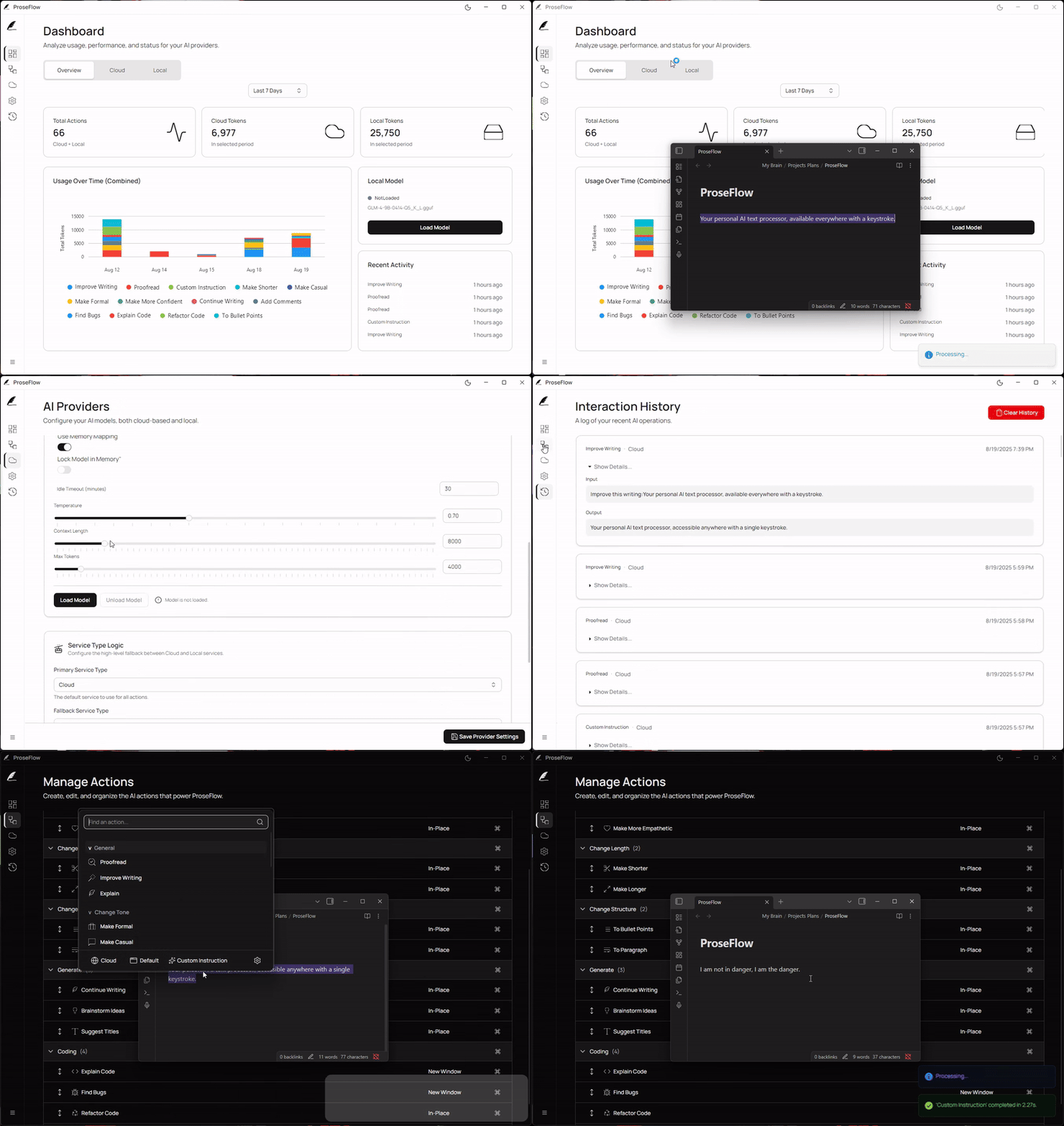
Its unique hybrid engine allows you to seamlessly switch between the world's best cloud-based LLMs and private, offline-capable models running directly on your own hardware.

This project stands in solidarity with the people of Palestine and condemns the ongoing violence and ethnic cleansing by Israel. We believe developers have a responsibility to be aware of such injustices.
Screenshots
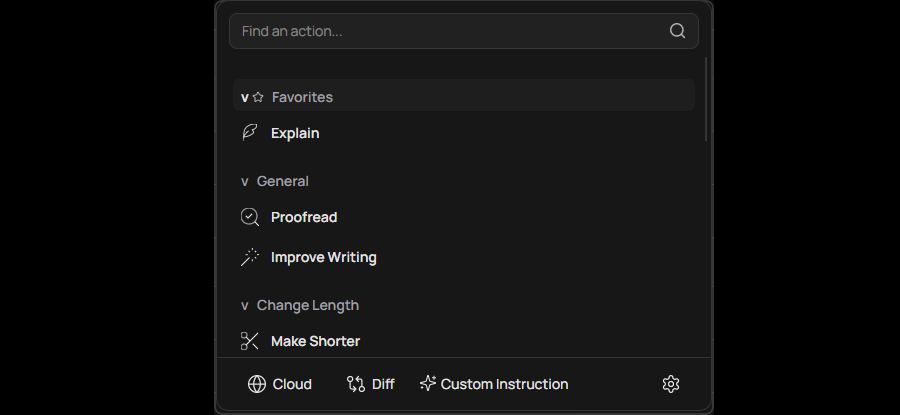
| Floating Action Menu |
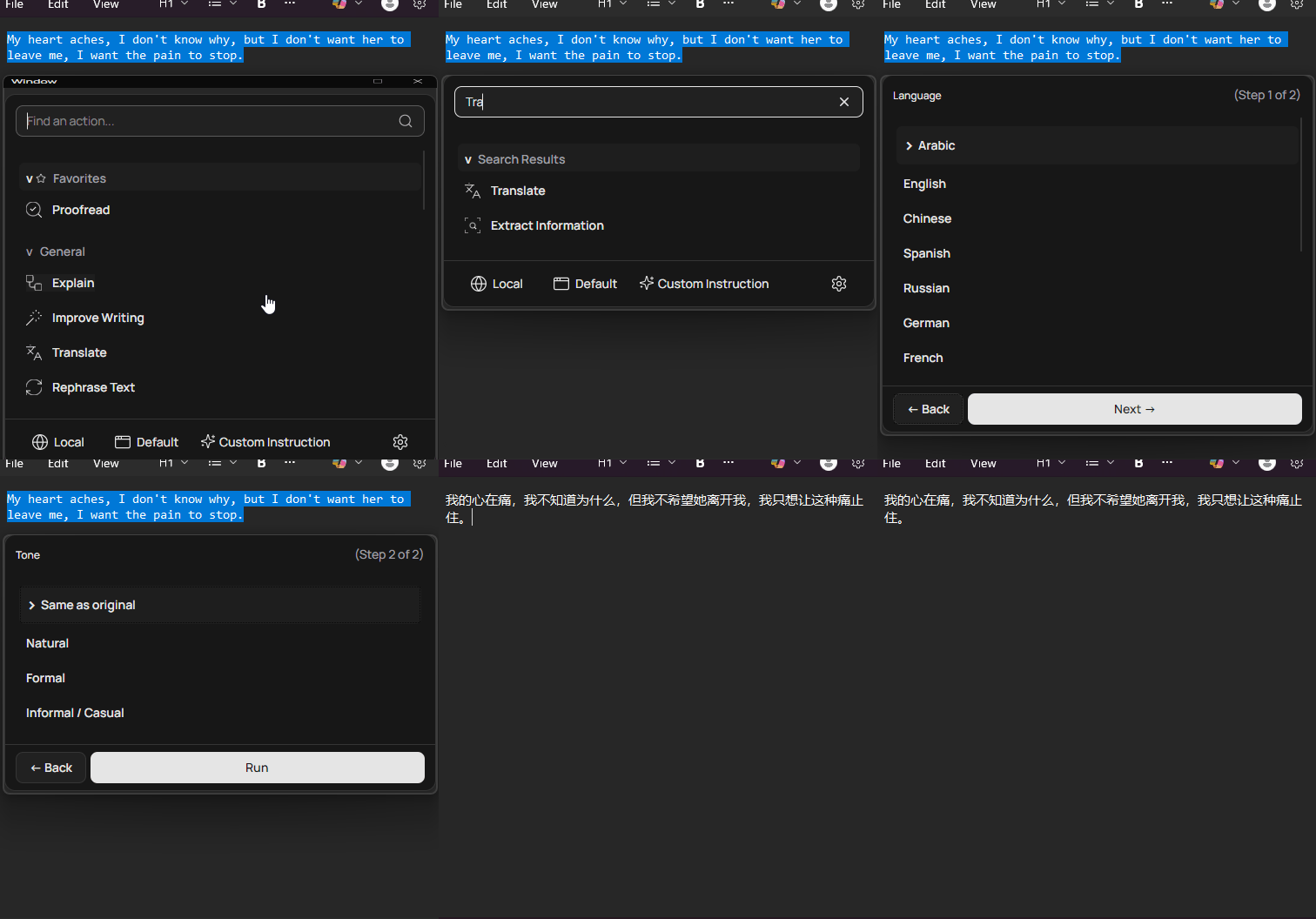
Templated Action Menu |
 |
 |
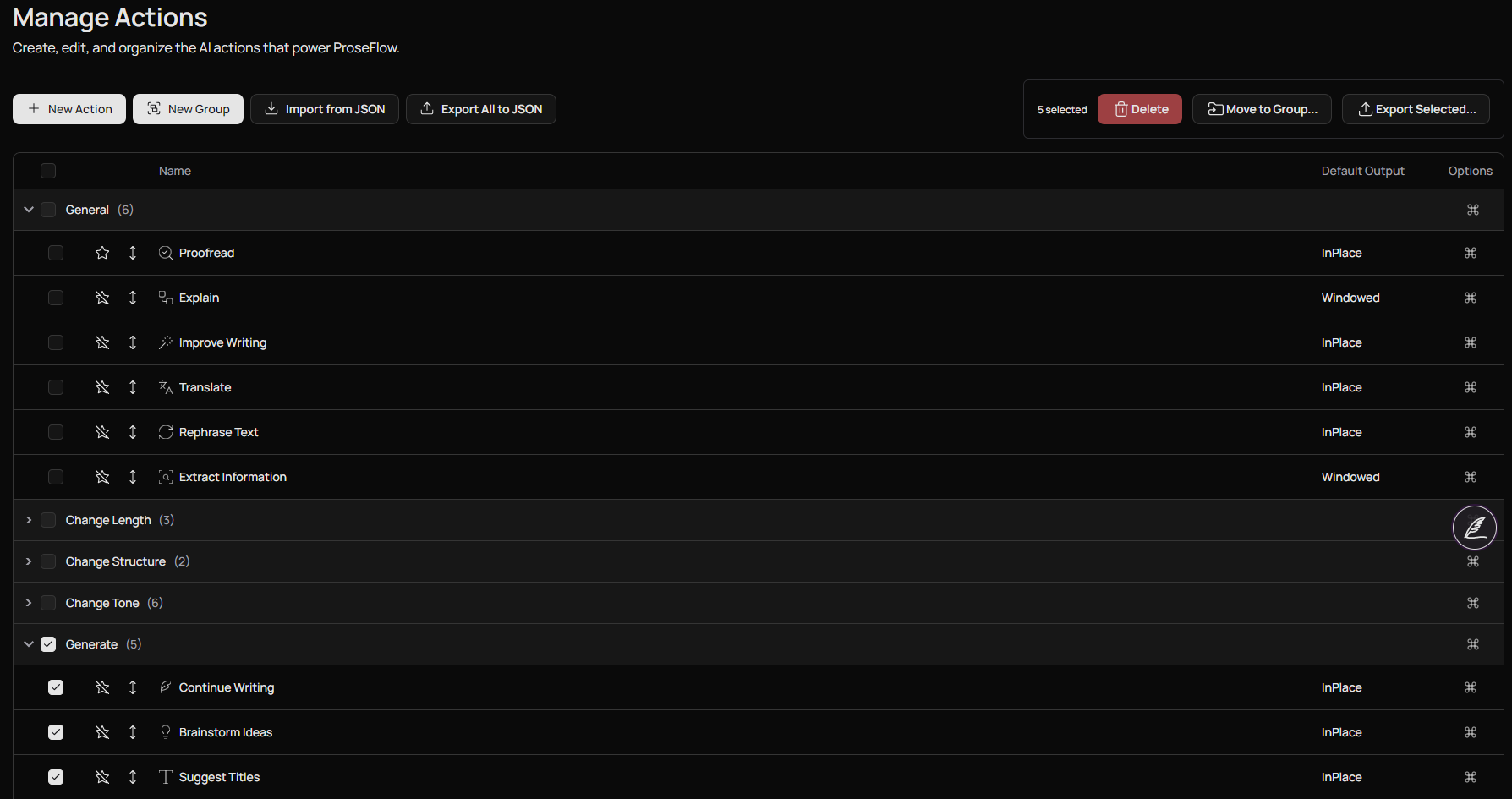
| Action Management |
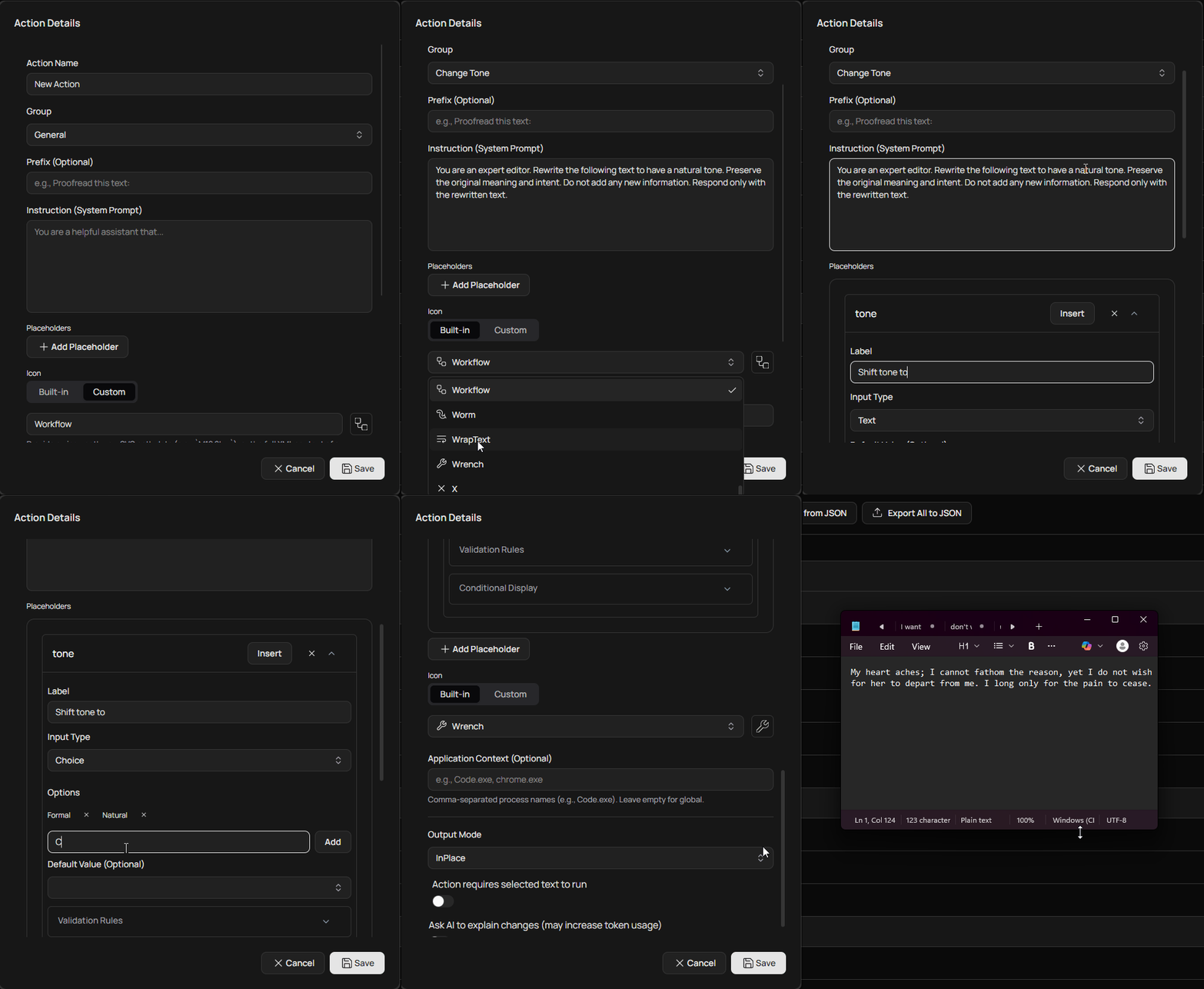
Advanced Action Editor |
 |
 |
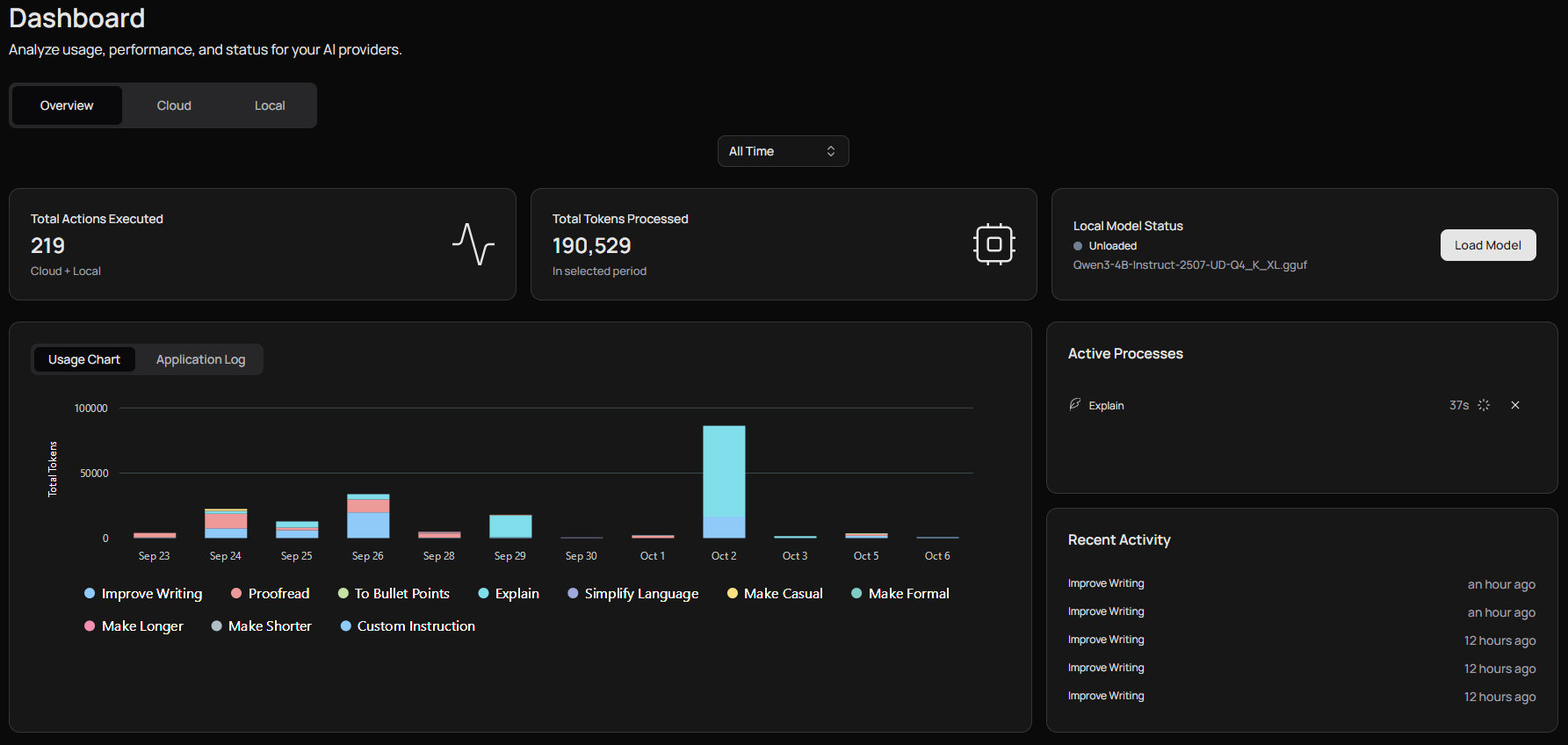
| Comprehensive Dashboard |
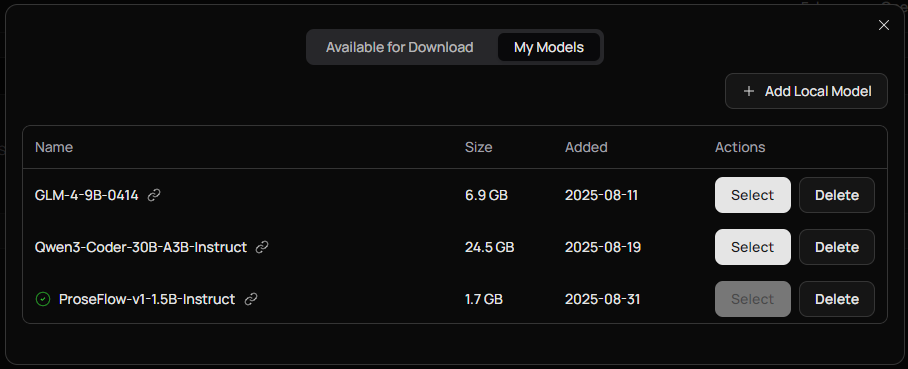
Local Model Library |
 |
 |
| Floating Orb & Arc Menu |
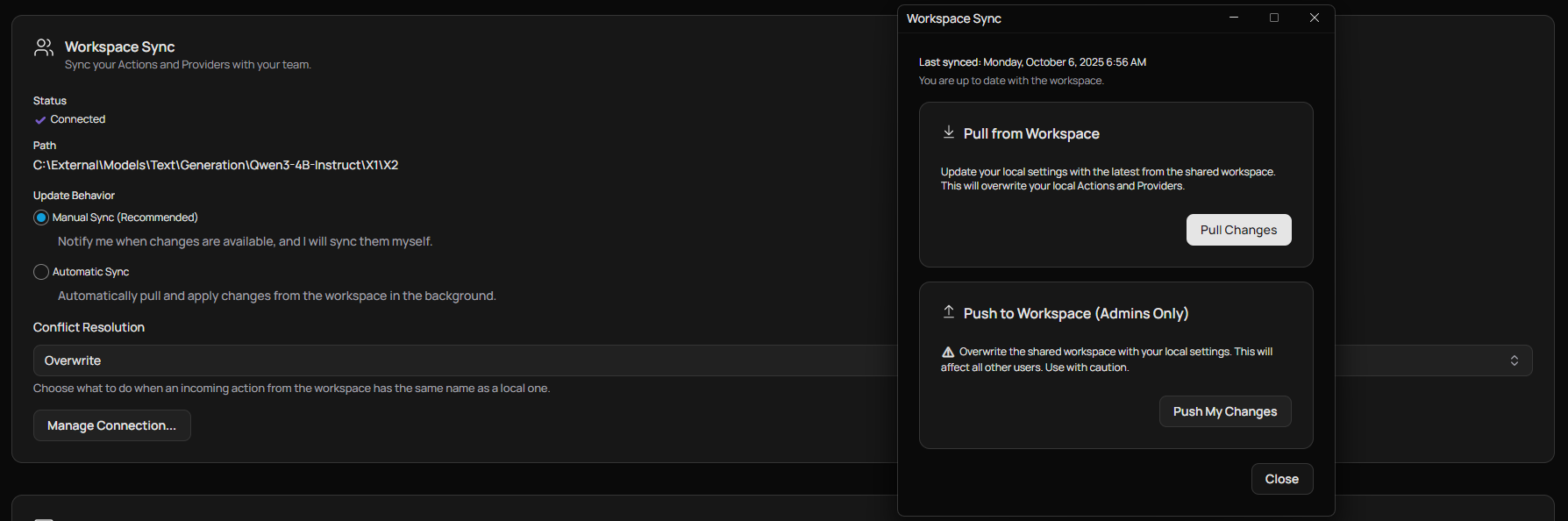
Workspace Sync Management |
 |
 |
✨ Features
ProseFlow is packed with features designed for power, privacy, and productivity.
🚀 Core Workflow & UI
- Global Hotkey Activation: Access ProseFlow from any application with a customizable system-wide hotkey.
- Generation Mode: Create content from scratch. When no text is selected, the menu adapts to show generation-focused actions.
- Floating Action Orb: A persistent on-screen button providing visual feedback on background tasks and a new way to trigger actions.
- Radial Arc Menu: Drag and drop text onto the orb to instantly bring up a context-aware radial menu of your favorite actions.
- Floating Action Menu: An elegant, searchable menu of your AI actions appears right where you need it.
- Smart Paste: Assign a dedicated hotkey to your most frequent action for one-press text transformation.
- Flexible Output Modes: Choose to have results instantly replace your text, open in an interactive window for review, or view as a side-by-side diff.
- Iterative Refinement: Conversationally refine AI output in the result window until it's perfect.
- Context-Aware Actions: Configure actions to only appear when you're in specific applications.
🛠️ Customization & Management
- Templated Actions: Create dynamic, multi-step actions with placeholders (e.g.,
Write an email to [Recipient]). The menu will prompt you for input at runtime.
- Advanced Placeholders: Supports multiple input types (Text, Choice, Boolean, File Picker), validation rules, conditional logic, and smart defaults (
{clipboard}, {date}).
- Powerful Action Editor: A completely redesigned editor for building and managing complex templated actions.
- Bulk Action Management: Select multiple actions to delete, move, or export them all at once.
- Duplicate & Reorder Actions: Easily clone existing actions or move them up/down within their group.
- Action Groups: Organize your actions into logical groups with a drag-and-drop interface.
- Action Favorites: Mark your most-used actions as favorites for prioritized access.
- Import & Export: Share your action sets with others or back up your configuration to a JSON file.
- Action Presets: Get started quickly by importing curated sets of actions for common tasks like writing, coding, and more.
🤝 Workspace & Collaboration
- Workspace Sync: Share your actions and provider configurations across devices or with your team by syncing to a shared folder (e.g., on a network drive or cloud service).
- Password-Protected Encryption: Sensitive data like API keys are encrypted with a workspace password, ensuring only authorized users can access them.
- Automatic & Manual Sync: Choose to sync automatically in the background or get notified of changes to sync manually.
- Conflict Resolution: Intelligently handle cases where imported actions conflict with existing ones.
🧠 Hybrid AI Engine
- Run 100% Locally & Offline: Use GGUF-compatible models on your own hardware for maximum privacy and offline access.
- Official Fine-Tuned Models: Download our custom-built models, which are specifically optimized for ProseFlow's tasks to provide the best possible local experience. Learn More
- Connect to Cloud APIs: Integrates with OpenAI, Groq, Anthropic, Google, and any OpenAI-compatible endpoint.
- Intelligent Fallback Chain: Configure multiple cloud providers. If one fails, ProseFlow automatically tries the next.
- Secure Credential Storage: API keys are always encrypted and stored securely on your local machine.
- Advanced Local Model Control: Fine-tune performance with specific GPU selection, thread count, and advanced memory options.
📊 Dashboard & Analytics
- Usage Dashboard: Visualize your token usage over time for both cloud and local models.
- Live Task Monitoring: An "Active Processes" widget shows all ongoing AI tasks and allows you to cancel them.
- Live Application Log: A real-time log console in the dashboard for advanced diagnostics and troubleshooting.
- Performance Monitoring: Track provider latency and tokens/second to optimize your setup.
- Live Hardware Monitor: See real-time CPU, GPU, RAM, and VRAM usage when running local models.
- Interaction History: Review a detailed log of all your past AI operations, and even save custom instructions as new actions.
💻 Platform Integration
- Cross-Platform: Native support for Windows, macOS, and Linux.
- System Tray Control: Runs quietly in the background with a tray icon for quick access to key functions.
- Launch at Login: Configure ProseFlow to start automatically with your system, optionally minimized to the tray.
- Guided Onboarding: A smooth setup process for new users to get configured in minutes.
🚀 Getting Started
The easiest way to get started is by downloading the latest version from our official website.
The website will automatically suggest the best download for your operating system (Windows, macOS, or Linux).
- Download the Installer: Click the main download button on the website for your detected OS, or choose a specific
version from the options below it.
- Install & Run: Install the application like any other.
- Onboarding: The first time you run ProseFlow, a guided setup window will help you configure your first AI
provider and set your global hotkey. You'll be ready in minutes!
For advanced users who need access to all builds, portable versions, or detailed release notes, you can visit
the GitHub Releases page.
macOS Installation & Permissions
Due to Apple's security policies, you will need to perform a few extra steps to run ProseFlow on macOS:
Open the App for the First Time:
- After downloading, move
ProseFlow.app to your Applications folder.
- Right-click the app and select "Open".
- You will see a warning that the developer is unidentified. This is expected. Click "Open" again to confirm. You only need to do this once.
Grant Required Permissions:
ProseFlow needs two critical permissions to function. When prompted, you must grant them.
- Go to System Settings > Privacy & Security.
- Find Accessibility in the list. Click it, and then enable the toggle for ProseFlow.
- Find Input Monitoring in the list. Click it, and then enable the toggle for ProseFlow.
If ProseFlow is not in the list, click the + button and add it from your Applications folder.
📖 How to Use
ProseFlow offers multiple ways to process text, designed to be fast and intuitive:
- Transforming Selected Text:
- Select Text: Highlight any text in any application.
- Press Hotkey: Press your configured Action Menu hotkey (default is
Ctrl+J).
- Choose an Action: The floating menu will appear. Use your mouse or arrow keys to select an action and press
Enter.
- Generating New Content:
- Press Hotkey: With no text selected, press your Action Menu hotkey.
- Choose an Action: Select a generation action (e.g., "Write an Email").
- Fill the Form: Complete the steps in the menu.
- Drag-and-Drop Method:
- Drag Text: Select and drag text from any application.
- Drop on Orb: Drop the text onto the Floating Action Orb.
- Choose an Action: The radial Arc Menu will appear around the orb. Click an action to process the text.
- Results:
- Depending on the action's configuration, your text will be replaced instantly, or a result window (standard, or a side-by-side diff) will appear for review.
🧠 Official Local Models
To provide the best possible out-of-the-box experience, we have fine-tuned and released official models specifically for ProseFlow. These models are optimized to understand the application's unique instruction format and excel at a wide range of tasks.
Both models are available for one-click download directly within ProseFlow from the Model Library (Providers -> Manage Models...).
| Model |
Best For |
VRAM (Approx.) |