
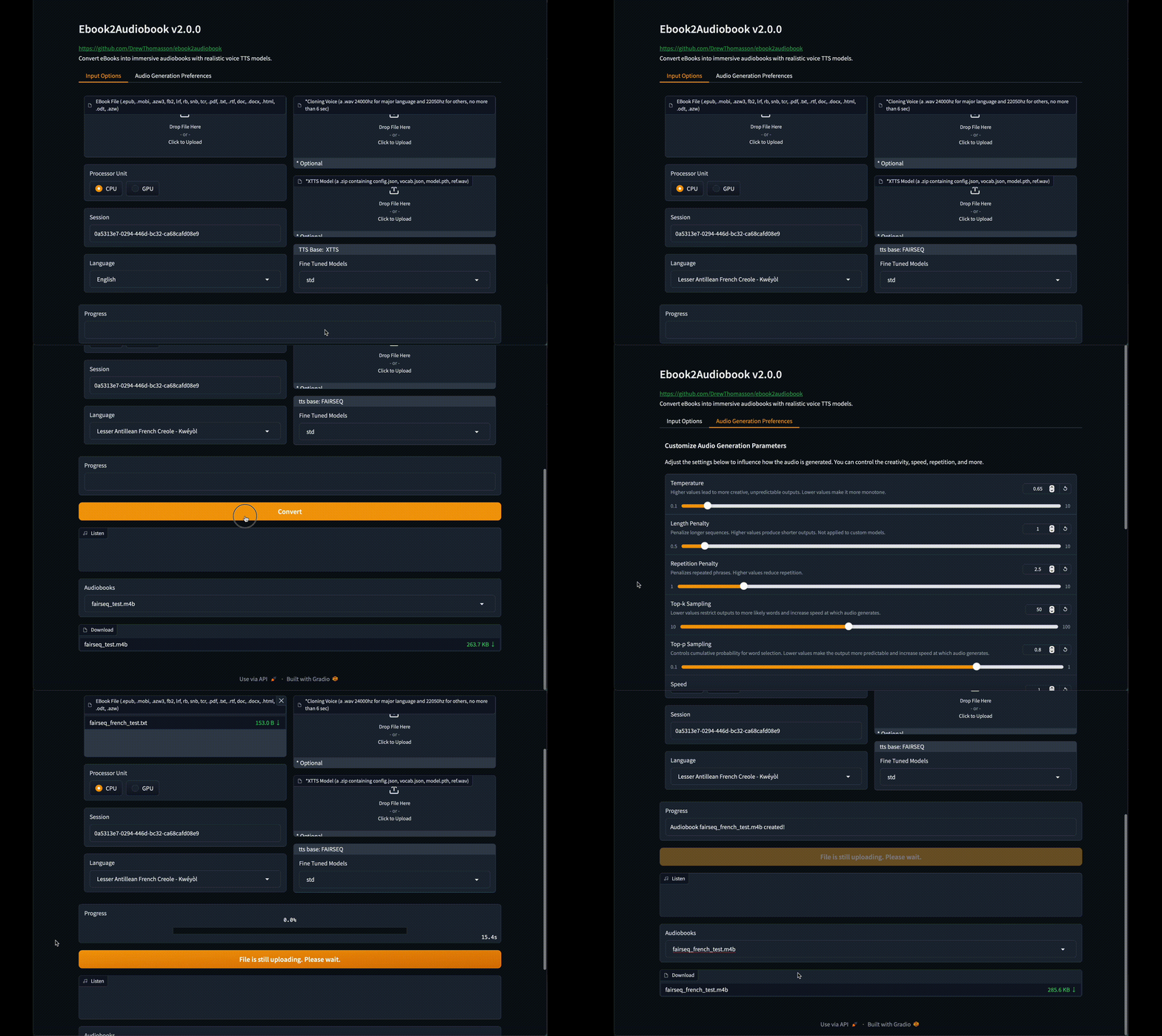
ebook2audiobook
Generate audiobooks from e-books, 50+ TTS engines with voice cloning and 1696 languages!
- 21k
- Python
- Apache-2.0
- 2 h ago
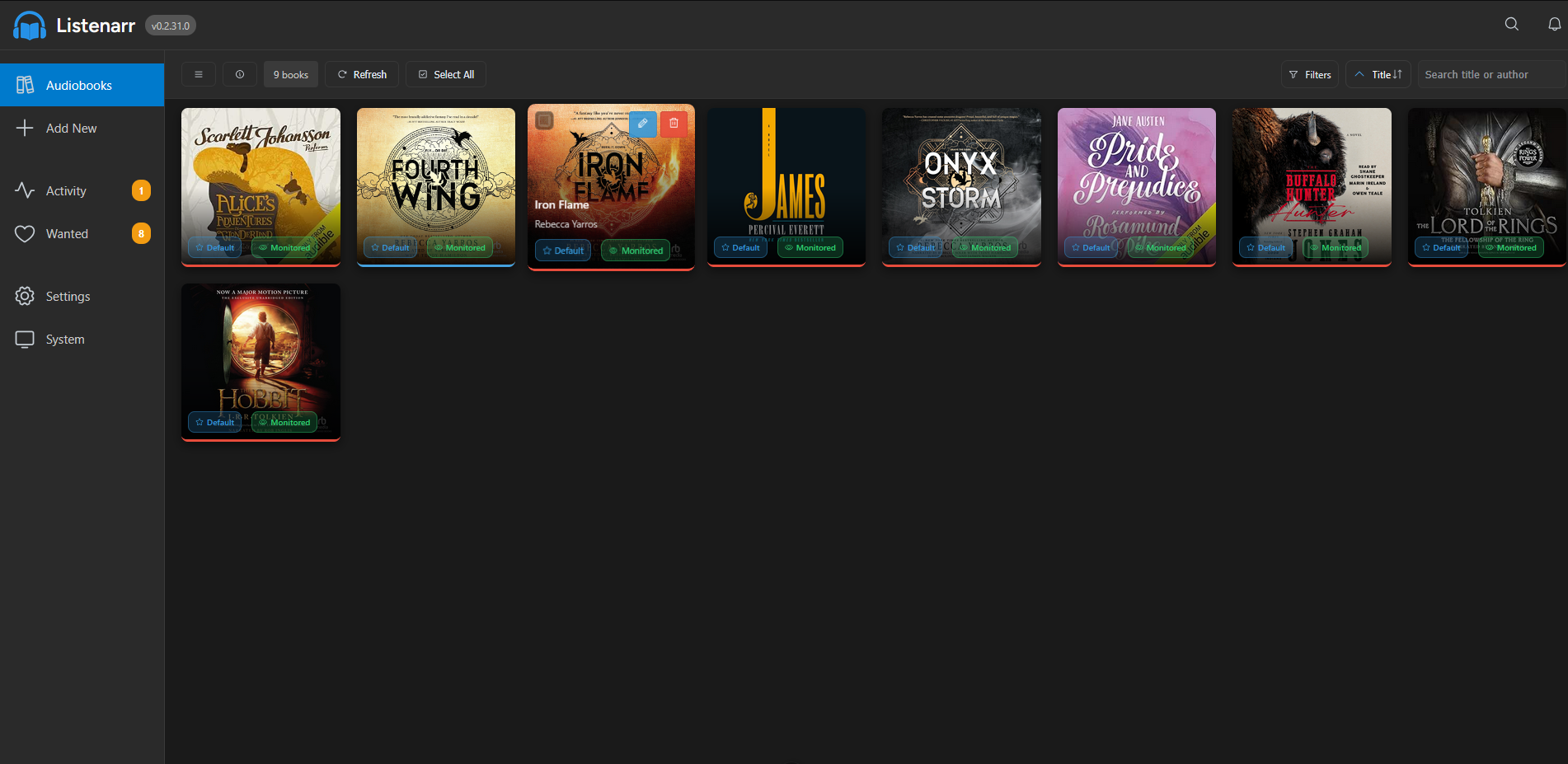
Listenarr automates audiobook collection management similar to Sonarr or Radarr, but for audiobooks. It can search, download, and organize your library automatically using metadata from Audible and other sources.
Repo Listenarrs/Listenarr, read from GitHub 1 min ago. Listenarrs has not joined Take My Repo.
Listenarrs/Listenarr is a public repo on GitHub by Listenarrs. Listenarr automates audiobook collection management similar to Sonarr or Radarr, but for audiobooks. It can search, download, and organize your library automatically using metadata from Audible and other sources. It declares no license on GitHub. Public does not mean open source: without a license, nobody is granted the right to reuse it. It is written mainly in C#, has 944 stars and last changed on 2026-11-21. Nobody has reviewed it on Take My Repo yet, which says nothing about its quality. Read from GitHub on 2026-11-24.
Generate audiobooks from e-books, 50+ TTS engines with voice cloning and 1696 languages!

Automated Audiobook Collection Management
Listenarr is a fast, feature-rich, cross-platform audiobook management server. Built with a focus on being a complete solution for all your audiobook downloading needs. Set up your own server and get ready to streamline your audiobook listening!
To see what's coming up, check out our Roadmap! If you have a suggestion or feature request, please submit them in Discussions
Warning
Listenarr is being actively developed and should be considered beta software. There may be security exploits despite best efforts. Expose this software to the internet at your own risk. The platform may be subject to changes as it is being built out. You may experience data loss and need to restart. The Listenarr team strives to avoid any data loss, but please maintain backups of important data.
This app is coded with AI assistance. I started this because my wife (an avid audiobook listener) was reading through multiple series quickly and I wanted an automated way for her to request, download, and listen to new audiobooks. I am a front-end developer and I don't know C#, so I took this as an opportunity to learn and started this project.
Note
This is just a fun a side project that solved a need for me; it is not my main priority. I will choose my work, family, and mental health before this project.
Join our community on Discord for help, announcements, and discussion: https://discord.gg/CwZ2Sqp9NF
The easiest way to get started is to use Docker (recommended for production), pre-built executables, or npm scripts:
Container images: GHCR is the preferred registry for Listenarr. Use
ghcr.io/listenarrs/listenarr:<tag>for the latest builds. A Docker Hub mirror (docker.io/therobbiedavis/listenarr:<tag>) is still published for backwards compatibility.
docker run -d \
  --name listenarr \
  -p 4545:4545 \
  ## OPTIONAL: Set container runtime user/group and file creation mask
  -e PUID=1000 \
  -e PGID=1000 \
  -e UMASK=022 \
  ## OPTIONAL: Used by Discord Bot
  -e LISTENARR_PUBLIC_URL=https://your-domain.com \
  -v listenarr_data:/app/config \
  -v /path/to/audiobooks:/audiobooks #optional \
  -v /path/to/downloadclient-downloads:/downloads #optional \
  ghcr.io/listenarrs/listenarr:canary
PUID and PGID control the user/group the container runs as. GID is also accepted as an alias for PGID for compatibility with other container stacks. UMASK controls default file permissions for newly created files and folders, and legacy UMASK_SET is also accepted as a compatibility alias. If PGID is omitted, it defaults to the same value as PUID. If neither UMASK nor UMASK_SET is provided, it defaults to 022.
Service will be available at:
Available Tags (GHCR + Docker Hub mirror):
latest / stablecanary - Latest canary build (pre-release)canary-X.Y.Z - Specific canary versionbeta - Latest beta build (pre-release)beta-X.Y.Z - Specific beta versionX.Y.Z - Specific release versionDocker Compose (Recommended):
version: '3.8'
services:
  listenarr:
    image: ghcr.io/listenarrs/listenarr:canary
    ports:
      - "4545:4545"
    environment:
      - PUID=1000
      - PGID=1000
      - UMASK=022
      - LISTENARR_PUBLIC_URL=https://your-domain.com ## OPTIONAL: Used by Discord Bot
    volumes:
      - listenarr_data:/app/config
      - /path/to/audiobooks:/audiobooks #optional
      - /path/to/downloadclient-downloads:/downloads #optional
    restart: unless-stopped

# For Docker Hub, replace the image with docker.io/therobbiedavis/listenarr:canary

volumes:
  listenarr_data:
Download the latest release from GitHub Releases and extract the archive for your platform.
cd .\listenarr-win-x64
.\Listenarr.Api.execd ./listenarr-linux-x64
chmod +x Listenarr.Api
./Listenarr.Apicd ./listenarr-osx-x64 # or osx-arm64 for Apple Silicon chmod +x Listenarr.Api ./Listenarr.Api
Prerequisites:
LISTENARR_PUBLIC_URL=https://your-domain.comService will be available at:
Note:
--urls "http://localhost:5656"LISTENARR_PUBLIC_URL to your actual domainFor custom deployments or when you need to build from source:
Prerequisites:
LISTENARR_PUBLIC_URL environment variable to your production domainOption 1: Use Self-Contained Executables (Recommended)
# Build self-contained executable for your platform
dotnet publish listenarr.api/Listenarr.Api.csproj -c Release -r win-x64 --self-contained
cd ./bin/Release/net10.0/win-x64/publish
./Listenarr.Api.exe
Option 2: Framework-Dependent Deployment
# Requires .NET Runtime installed on target system
dotnet publish listenarr.api/Listenarr.Api.csproj -c Release
cd ./bin/Release/net10.0/publish
dotnet Listenarr.Api.dll
IIS Deployment (Windows):
Service will be available at:
If you prefer to run the services separately:
Prerequisites:
Install dependencies:
npm run install:all # Install frontend dependenciesStart development servers:
npm run dev          # Start both API and Web (recommended)
# OR run separately:
npm run dev:api      # Start only backend API
npm run dev:web      # Start only frontend web
Services will be available at:
Listenarr includes a small reference Discord bot (in tools/discord-bot) that registers a slash command and forwards requests to the running Listenarr API. The bot is optional — the preferred integration is configuring the Discord settings from the Listenarr UI so the server manages the registration for you. Use the steps below for local development or to run the bot separately.
Prerequisites:
Quick start (development):
https://discord.com/oauth2/authorize?client_id=<APP_ID>&scope=bot%20applications.commands&permissions=27648
The permissions=27648 value requests the View Channels, Send Messages, Manage Messages, and Embed Links permissions which is the bare minimum permissions needed for the bot to function.
When the Listenarr server has the bot token and application ID saved, the server will register the slash command and manage the bot. The tools/discord-bot helper is provided for local development or troubleshooting.
Run the bot standalone (development):
cd tools/discord-bot
npm install
# Point the helper at your running Listenarr instance (defaults to http://localhost:4545)
LISTENARR_URL=http://localhost:4545 npm start
Windows (PowerShell):
cd tools\discord-bot
npm install
$env:LISTENARR_URL = 'http://localhost:4545'
npm start
Notes and troubleshooting:
fetch-cookie + tough-cookie if installed — install them to avoid occasional CSRF errors:npm install fetch-cookie tough-cookie
To make the helper easier to run, it will automatically persist the Listenarr base URL when first started interactively. Order of precedence:
LISTENARR_URL environment variable (explicit)tools/discord-bot/.env file with LISTENARR_URL= (created automatically on first run).env)http://localhost:4545This means you can run the helper once and enter your public domain (for example https://listenarr.example.com) when prompted. The URL is saved to tools/discord-bot/.env so you don't need to export environment variables on subsequent runs.
Listenarr uses GitHub Actions for automated building and deployment:
canary pushes): Builds self-contained executables (Linux x64, Windows x64), creates a GitHub prerelease tagged v{VERSION}-canary, and publishes container images tagged canary / canary-X.Y.Z to GHCR & Docker Hub.Listenarrs/Listenarr is a public repo on GitHub by Listenarrs. Listenarr automates audiobook collection management similar to Sonarr or Radarr, but for audiobooks. It can search, download, and organize your library automatically using metadata from Audible and other sources.
It declares no license on GitHub. Public does not mean open source: without a license, nobody is granted the right to reuse it.
Self-hosted audiobook and podcast server
Fair-code workflow automation platform with native AI capabilities. Combine visual building with custom code, self-host or cloud, 400+ integrations.
CKAN is an open-source DMS (data management system) for powering data hubs and data portals. CKAN makes it easy to publish, share and use data. It powers catalog.data.gov, open.canada.ca/data, data.humdata.org among many other sites.
π RuView turns commodity WiFi signals into real-time spatial intelligence, vital sign monitoring, and presence detection — all without a single pixel of video.
Its maker tagged it for macOS, Windows and Linux, or as Docker or cross-platform. That is declared by the maker; Take My Repo has not tested it.
Open "Take it" on its page: Take My Repo writes an install plan for your machine and hands it to your AI agent (Claude Code, Codex or Cursor), which asks you before each step. Take My Repo has not tested it on any machine.
Its last change on GitHub was on 2026-11-21. GitHub counts 303 open issues and pull requests. Take My Repo does not judge from that whether it is maintained.
Nobody has reviewed it on Take My Repo yet, which says nothing about its quality.
Take My Repo cannot say: it does not audit code and has not run Listenarr. What is known comes from GitHub. It declares no license on GitHub. Public does not mean open source: without a license, nobody is granted the right to reuse it. Its last change was on 2026-11-21. It has 944 stars, which measure popularity, not safety. Nobody has reviewed it on Take My Repo yet, which says nothing about its quality. Read the source before you run it. With "Take it", your AI agent shows each step and asks you before running it; README text is treated as data, not as instructions.


