globus-debug-control
WordPress debug dashboard: filter PHP error types, toggle WP_DEBUG from the admin, read debug.log, inspect cron, transients, autoloaded options, outgoing HTTP calls, and constants.
- 22
- MIT
- 4 d ago
Repo MADEVAL/globus-debug-control, read from GitHub 18 h ago. MADEVAL has not joined Take My Repo.
In short
MADEVAL/globus-debug-control is a public repo on GitHub by MADEVAL. WordPress debug dashboard: filter PHP error types, toggle WP_DEBUG from the admin, read debug.log, inspect cron, transients, autoloaded options, outgoing HTTP calls, and constants. It declares the MIT license on GitHub. It is written mainly in PHP, has 22 stars and last changed on 2026-11-18. Nobody has reviewed it on Take My Repo yet, which says nothing about its quality. Read from GitHub on 2026-11-22.
GLOBUS Debug Control
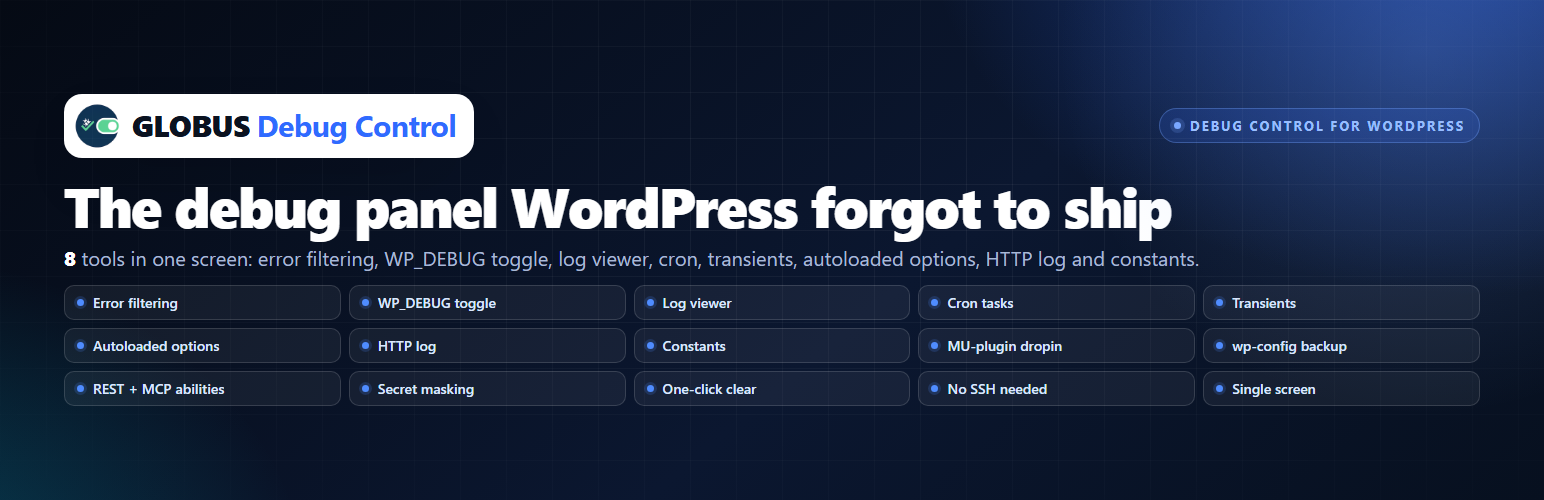
The debug panel WordPress forgot to ship. Eight tools in one admin screen: error
filtering, a WP_DEBUG switch, a log reader, cron, transients, autoloaded options,
the HTTP API log and runtime constants - no SSH, no FTP, no wp-config.php editing.
Stop wading through hundreds of irrelevant notices. Turn WP_DEBUG on, silence the
noise you did not write, read the log, find the slow query and the broken cron hook,
then switch debug off again. All from Settings - GLOBUS Debug Control.
Install from WordPress.org · Support forum · Report a security issue
Screenshots
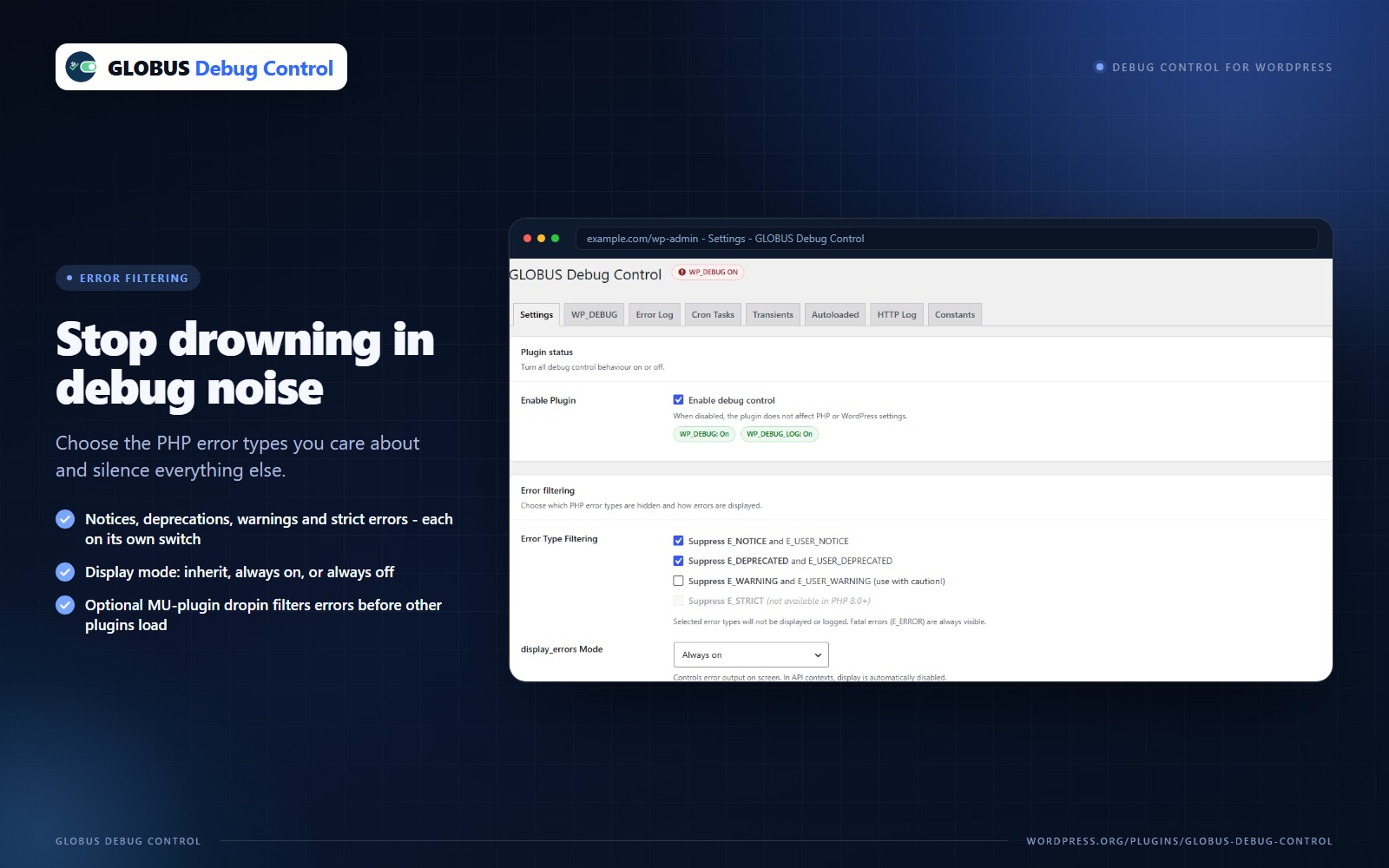
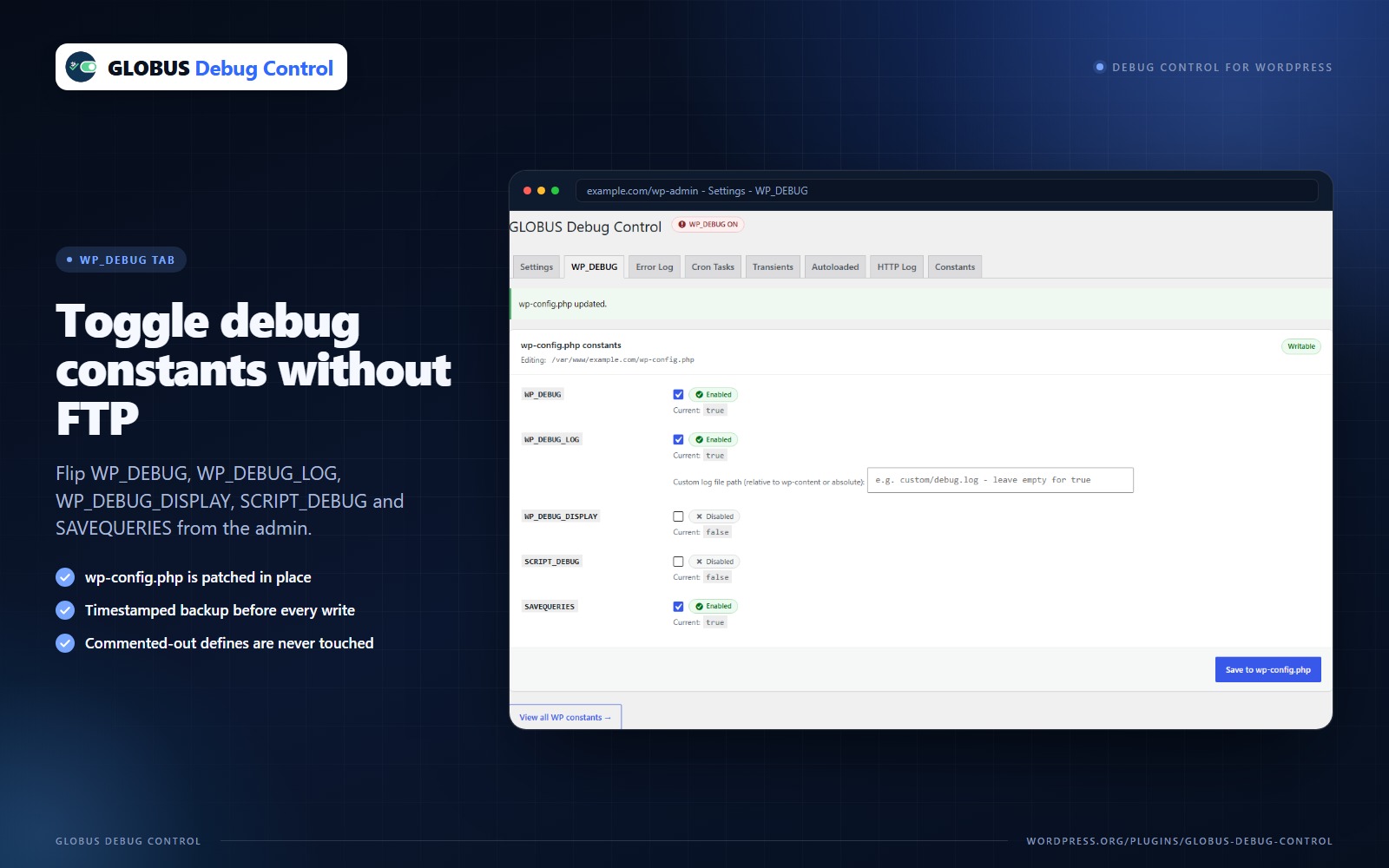
| Debug control | WP_DEBUG without editing files |
|---|---|
 |
 |
| Read the error log | Cron events and orphaned hooks |
|---|---|
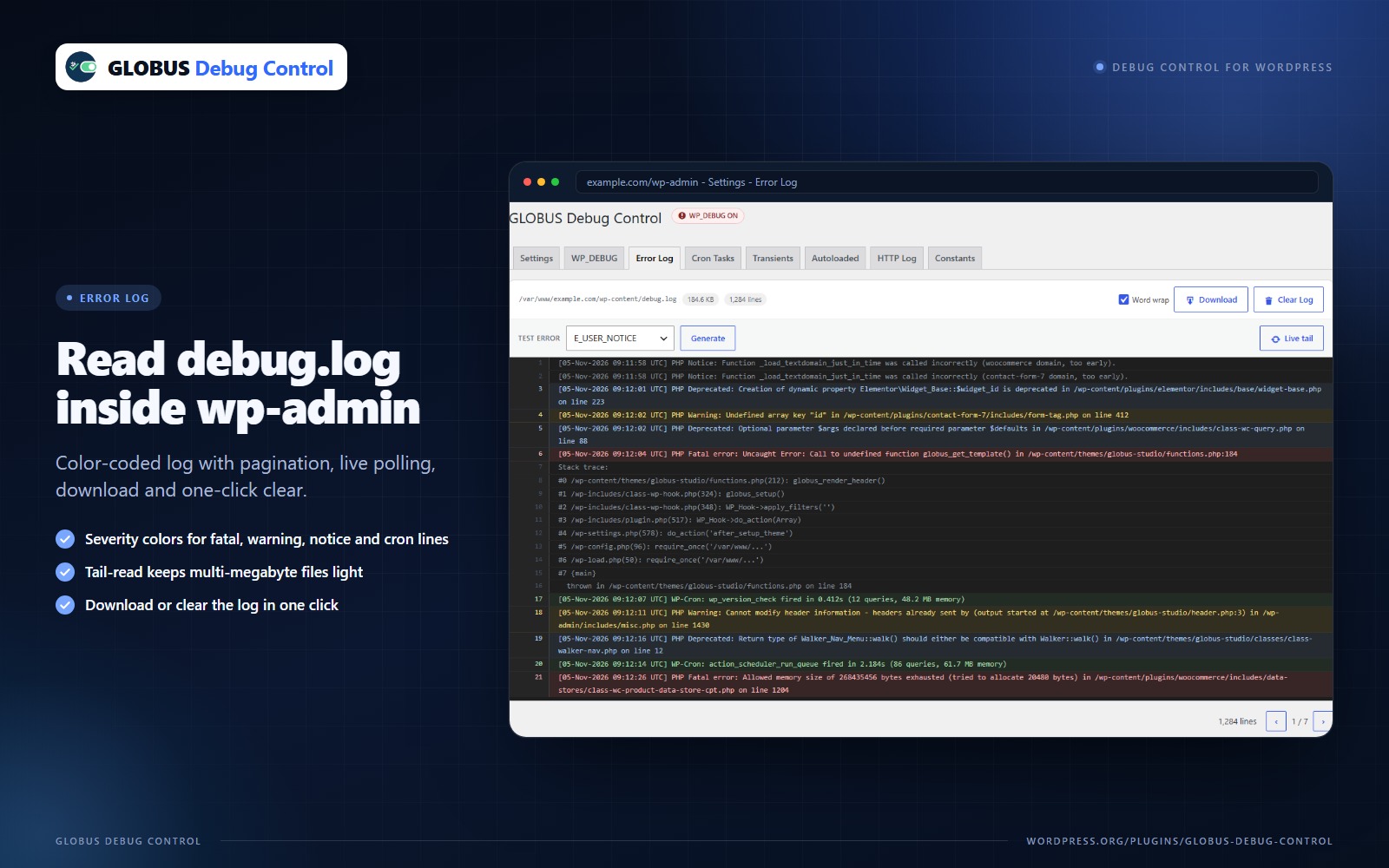 |
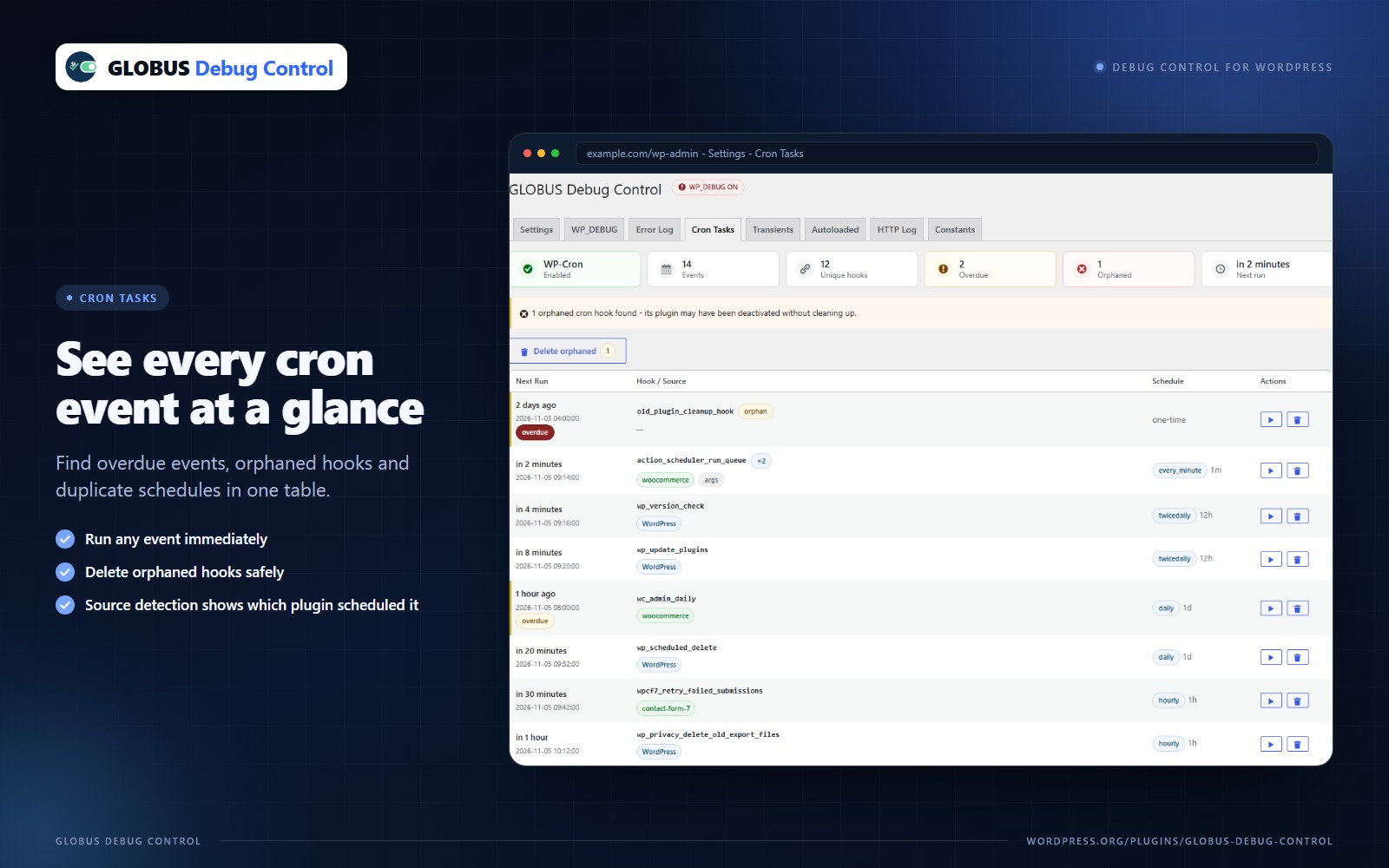 |
| Transients and expired rows | Autoloaded option bloat |
|---|---|
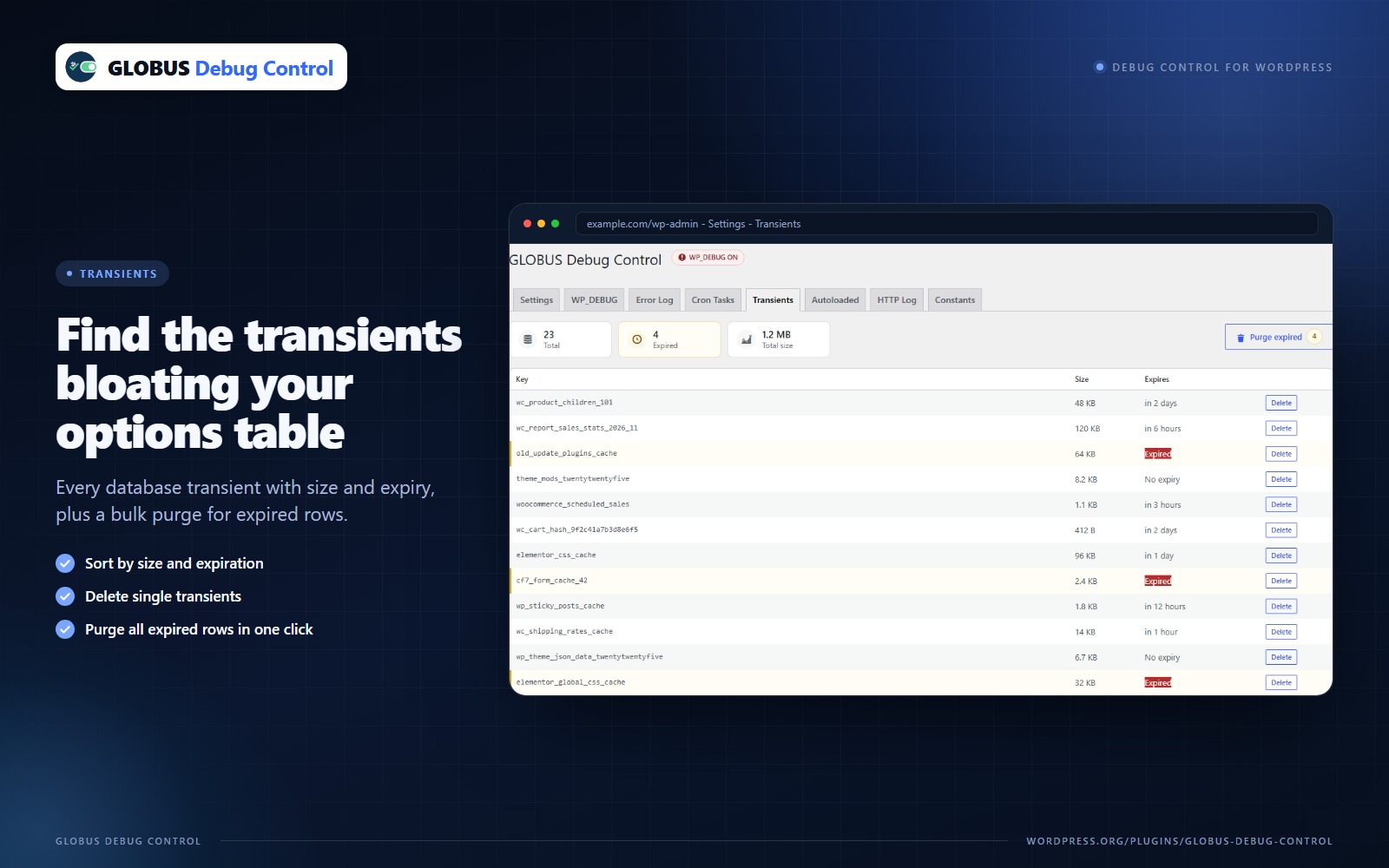 |
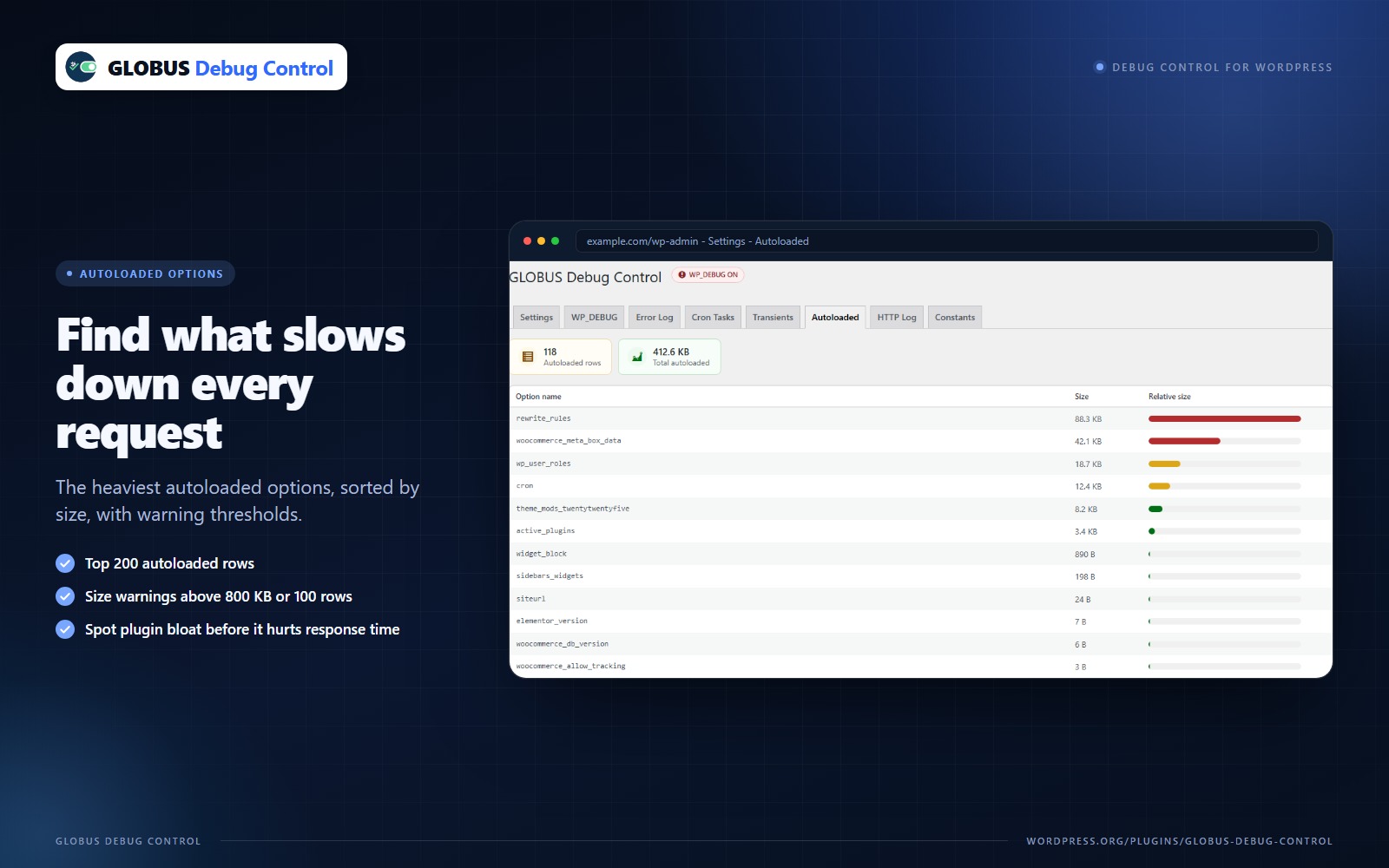 |
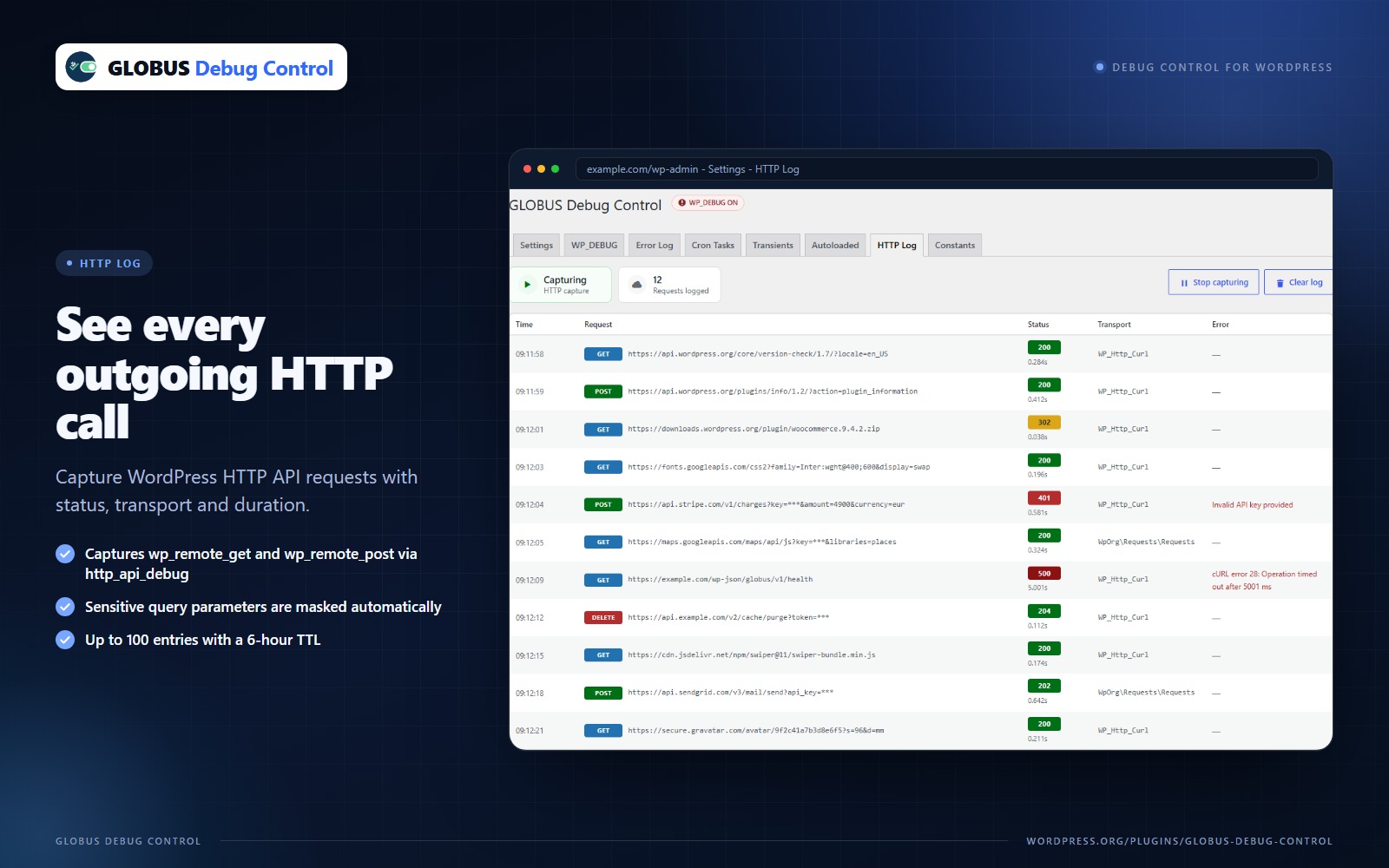
| Outgoing HTTP calls | Runtime constants, secrets masked |
|---|---|
 |
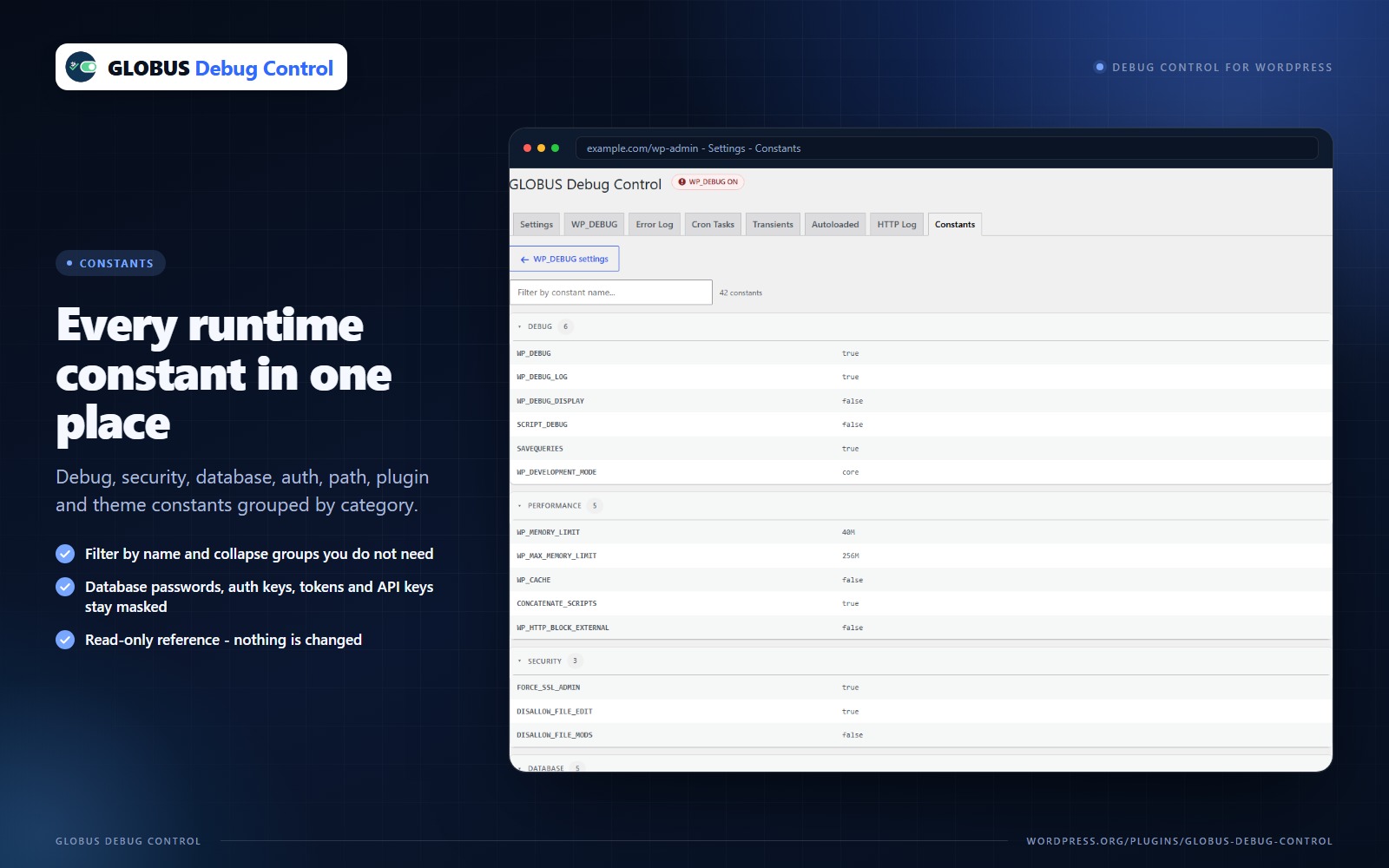 |
Why this plugin exists
A broken WordPress site usually fails in one of five places, and core gives you a text file and a constant for all of them:
- A wall of notices and deprecations hides the one fatal error that matters.
- Turning
WP_DEBUGon means editingwp-config.php- and remembering to undo it. debug.logis a 200 MB file you have to download and grep.- A cron event that never fires stays invisible until someone notices stale data.
- Autoloaded options and stuck transients quietly slow every single request.
GLOBUS Debug Control puts each of those on one screen, with the guard rails that production sites need.
Everything in one screen
| Tab | What you get |
|---|---|
| Settings | Suppress notices, deprecations, warnings and strict errors independently. Display mode: inherit, always on, always off. Custom log path and rotation limit. Optional MU-plugin dropin. |
| WP_DEBUG | Toggle WP_DEBUG, WP_DEBUG_LOG, WP_DEBUG_DISPLAY, SCRIPT_DEBUG and SAVEQUERIES. wp-config.php is patched in place with a timestamped backup; commented-out defines are never touched. |
| Error Log | Color-coded debug.log with line numbers, pagination, live polling, download and one-click clear. Files over 2 MB are read from the tail. |
| Cron Tasks | All scheduled events with next run, recurrence and arguments. Overdue and orphaned hooks are highlighted; run an event now or delete an orphan. |
| Transients | Every database transient with size and expiry. Delete single rows or purge all expired entries at once. Object-cache-only transients are labelled as such. |
| Autoloaded | The 200 heaviest autoloaded options, sorted by size, with warnings above 800 KB or 100 rows. |
| HTTP Log | Outgoing wp_remote_* requests via http_api_debug: method, status, transport class and duration. Sensitive query parameters are masked before an entry is stored. |
| Constants | All WordPress-related runtime constants grouped by category. Database passwords, auth keys and salts are masked automatically. |
Production-safe by default
- Errors never leak into JSON. Display is forced off in AJAX, REST API, WP-Cron, WP-CLI and XML-RPC contexts, whatever the screen setting says.
- Secrets stay secret. HTTP query parameters and constant values are masked before they reach the admin table.
- Your config is backed up. Every
wp-config.phpwrite creates a timestamped copy first and leaves commented-out defines alone. - No autoload bloat. Plugin options are stored with autoload disabled.
- Optional early interception. The MU-plugin dropin applies your filter before any regular plugin loads, and updates itself after a plugin update.
- No telemetry, no accounts, no external calls. MIT licensed, GPL-compatible.
MCP and REST abilities
On WordPress 6.9+ the plugin exposes its controls as Abilities API tools for MCP and
REST clients (all require manage_options):
| Ability | Purpose |
|---|---|
gdc/get-schema |
Option schema with types, defaults and allowed values; wp-config constants |
gdc/get-options |
All plugin options plus effective runtime state |
gdc/update-options |
Patch any option by key; sanitised and applied immediately |
gdc/reset-options |
Restore defaults (confirm=true) |
gdc/get-log |
Tail of the error log with severity levels and an optional filter |
gdc/clear-log |
Truncate the log file (confirm=true) |
gdc/get-wp-config |
Current debug constants from wp-config.php |
gdc/update-wp-config |
Write debug constants into wp-config.php (confirm=true) |
Requirements
- WordPress 5.2 or higher
- PHP 7.4 or higher
Installation
- In the WordPress admin open Plugins - Add New, search for "GLOBUS Debug Control", then click Install and Activate.
- Or install from the WordPress.org plugin page.
- Open Settings - GLOBUS Debug Control and pick your error types.
With WP-CLI:
wp plugin install globus-debug-control --activate
A sensible production setup: suppress all error types, disable error display, enable
logging to a file, and keep the php-error body class removal active.
FAQ
Does it require WP_DEBUG? No. Display and logging settings work independently,
and the WP_DEBUG tab lets you toggle the constants from the admin.
Will it hide errors in REST or AJAX responses? Yes - errors are always suppressed in non-HTML contexts so JSON stays valid.
Is it safe to leave installed on a live site? Yes. The diagnostic tabs are read-only, and the production setup above is the recommended one.
Does it write to my files? Only when you ask: saving the WP_DEBUG tab patches
wp-config.php after making a backup, and the optional dropin writes one file to
wp-content/mu-plugins/. Nothing else touches the filesystem.
Do translations ship in the ZIP? No. The plugin uses WordPress language packs;
translation drafts for Russian, Ukrainian, German, French and Spanish live in
docs/translations and are submitted through
translate.wordpress.org.
Development
This repository contains both the deployable plugin and its development tooling.
globus-debug-control/     deployable plugin (this is what ships)
  globus-debug-control.php  main entry, singleton Globus_Debug_Control
  include/                  one file per feature (traits and standalone classes)
  assets/                   admin CSS and JS
  languages/                translation template
tests/                    PHPUnit tests
tools/mcp-smoke-test.mjs  read-only MCP smoke test
tools/screenshots/        Playwright renderer for screenshots, banners and the OG card
docs/screenshots/         generated WordPress.org screenshots
docs/wordpress-org/       icons and banners for the WordPress.org listing
composer install          # install dev dependencies
composer test             # run PHPUnit
composer cs               # lint with PHPCS (WordPress standard)
composer cs-fix           # auto-fix with PHPCBF
composer pot              # regenerate languages/globus-debug-control.pot (WP-CLI)
Run composer cs and composer test before committing. For the live WordPress,
MCP, Redis/Memcached, multisite and release procedures, see
docs/TESTING.md.
Media
The listing images are generated from the real admin markup, not drawn by hand:
cd tools/screenshots
npm install
npm run marketing         # capture the tabs, compose docs/screenshots/screenshot-N.jpg
npm run brand             # banners and the Open Graph card
Slide copy lives in tools/screenshots/marketing/slides.json;
banner copy lives in tools/screenshots/marketing/render-brand.mjs. See
tools/screenshots/README.md for details.
Deployment
Pushing to main triggers .github/workflows/DEPLOY.yml:
globus-debug-control/is rsynced to production. Root-level development files (composer.json,tests/,tools/) are not shipped.- When
RELEASE_MODEandPUBLISH_WPORGare set to"true"in the workflowenv, the same run publishes to WordPress.org. It checks thatVersion:in the plugin header matchesStable tag:inreadme.txt, stages a clean copy ofglobus-debug-control/, commits it to SVNtrunk, copiestrunktotags/<version>, and syncsdocs/screenshots/screenshot-*.jpg, the banners and the icons to SVNassets.
Release checklist:
- Bump
Version:inglobus-debug-control/globus-debug-control.php,Stable tag:inglobus-debug-control/readme.txt, and add a changelog entry. - Set
RELEASE_MODE: "true"andPUBLISH_WPORG: "true". - Commit and push to
main. - Set both flags back to
"false"and push again.
Set WPORG_DRY_RUN: "true" to run the SVN steps without committing.
Required repository secrets:
| Secret | Purpose |
|---|---|
GSS |
SSH private key for the production server |
SSH_PASSWORD |
SSH password for the same server |
SSH_PORT, SSH_USER, SSH_HOST, SSH_PATH |
rsync target on the production server |
SVN_USERNAME, SVN_PASSWORD |
WordPress.org account used by the SVN deploy |
License
MIT. See LICENSE.
Links
Questions
What is globus-debug-control?
MADEVAL/globus-debug-control is a public repo on GitHub by MADEVAL. WordPress debug dashboard: filter PHP error types, toggle WP_DEBUG from the admin, read debug.log, inspect cron, transients, autoloaded options, outgoing HTTP calls, and constants.
Is globus-debug-control open source?
It declares the MIT license on GitHub.
Does globus-debug-control run on macOS, Windows or Linux?
Its maker has not tagged a system, so it is unknown here. Its README says what it needs.
How do I install globus-debug-control?
Open "Take it" on its page: Take My Repo writes an install plan for your machine and hands it to your AI agent (Claude Code, Codex or Cursor), which asks you before each step. Take My Repo has not tested it on any machine.
Is globus-debug-control still maintained?
Its last change on GitHub was on 2026-11-18. Take My Repo does not judge from that whether it is maintained.