
compiler-explorer
Run compilers interactively from your web browser and interact with the assembly
- 19k
- TypeScript
- BSD-2-Clause
- 3 d ago
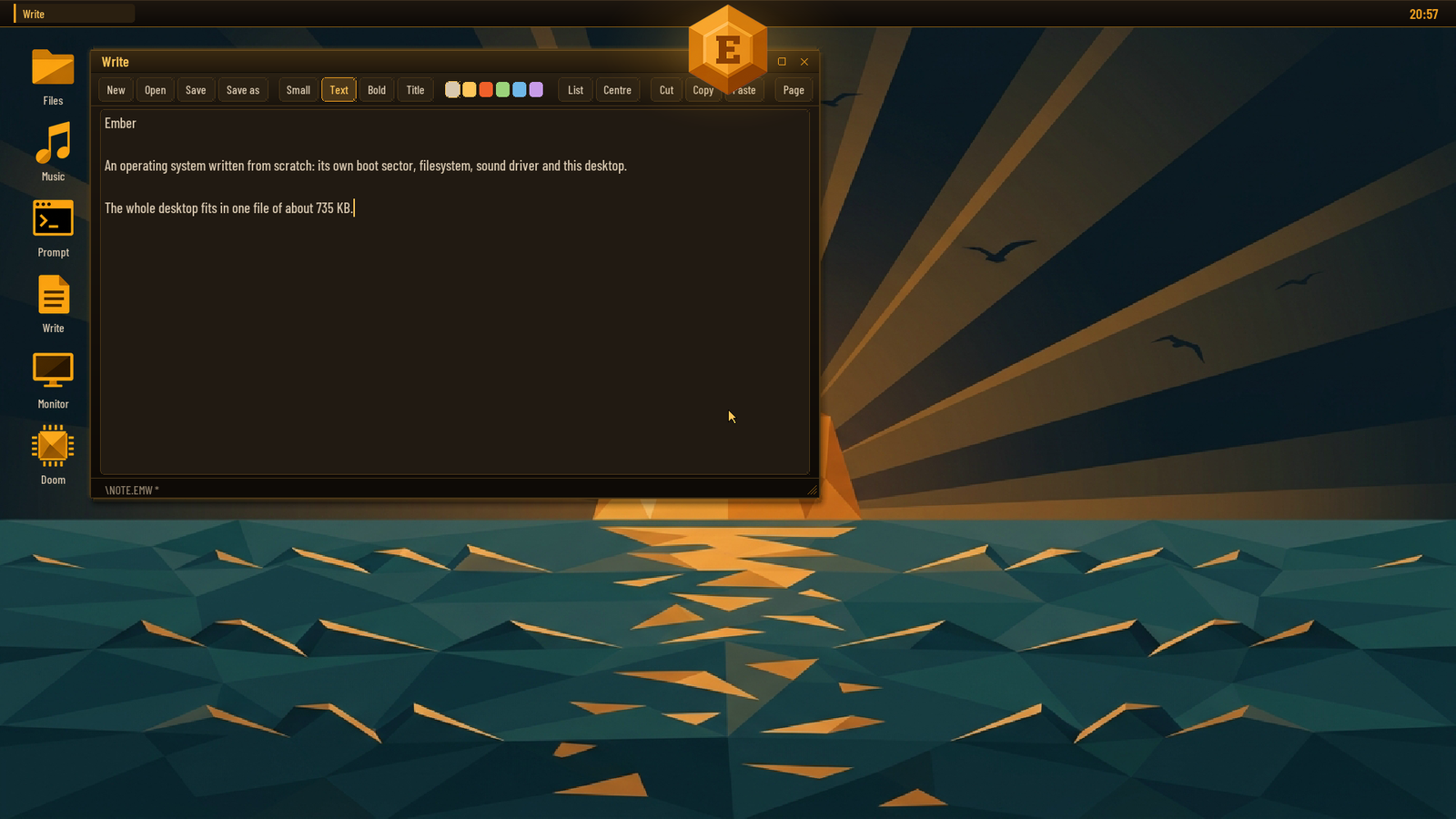
An operating system written from scratch: boot sector, FAT filesystem, DOS-compatible interrupts, sound, a 32-bit runtime and a graphical desktop
Repo Made-In-Basement/ember, read from GitHub 34 min ago. Made-In-Basement has not joined Take My Repo.
Made-In-Basement/ember is a public repo on GitHub by Made-In-Basement. An operating system written from scratch: boot sector, FAT filesystem, DOS-compatible interrupts, sound, a 32-bit runtime and a graphical desktop. It declares no license on GitHub. Public does not mean open source: without a license, nobody is granted the right to reuse it. It is written mainly in Assembly, has 176 stars and last changed on 2026-09-23. Nobody has reviewed it on Take My Repo yet, which says nothing about its quality. Read from GitHub on 2026-11-25.
Run compilers interactively from your web browser and interact with the assembly
An operating system written from scratch: its own boot sector, FAT filesystem, DOS-compatible interrupts, sound driver, 32-bit runtime and graphical desktop. It boots from a USB stick on a real laptop, runs real DOS programs (with Sound Blaster sound, on a machine that has no Sound Blaster), and gives you a desktop with a music player, a word processor, a paint program, touch input and 3D graphics. Nothing is borrowed from Linux, Windows or FreeDOS.
The code was written by Claude (Anthropic) through Claude Code. Every feature was asked for, every design directed and every build booted and tested on real hardware by a person, who sent back what broke.
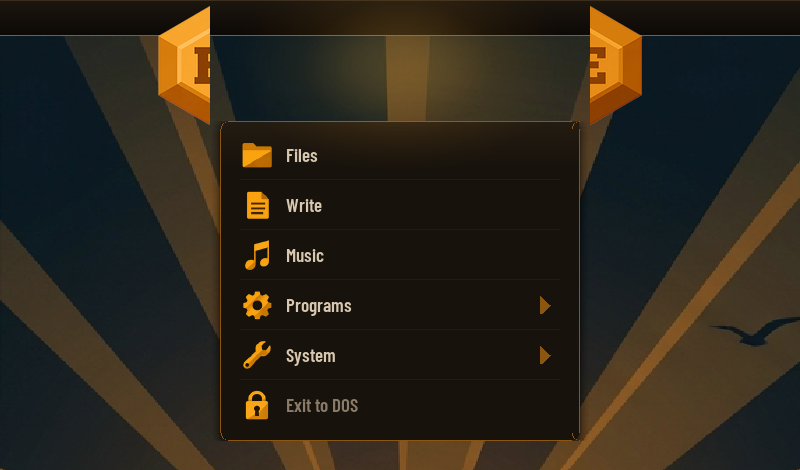
| Boot splash | The crystal, broken open |
|---|---|
 |
 |
Underneath is a 16-bit kernel in NASM assembly (src/, about 46 KB), a
DOS-compatible INT 21h, and a 32-bit runtime (nano/) that loads flat
protected-mode programs above 1 MB and lends them the BIOS. The whole
desktop, every application included, is one 32-bit program: EMBER.N32,
about 735 KB.
Everything is here: the assembly kernel, the C programs, a Python build script that assembles a bootable image, and a QEMU harness that types keys, drives the mouse, captures audio and takes screenshots.
ember2/)..COM and .EXE programs, batch files, XMS
extended memory, and a DPMI host that DOS/4GW games run under.LOAD SB); DOS/4GW games such as Doom and Hexen get
one from the DPMI host (LOAD DPMI). Digital sound and FM music both
come out of the laptop's HD Audio chip, the music from a software OPL3.EMBER): true colour, anti-aliased type, a
crystal for a start menu, and applications (see below).DOOM.EXE under DOS/4GW with Sound Blaster
sound, and NDOOM, id's source compiled for Ember with sound effects and
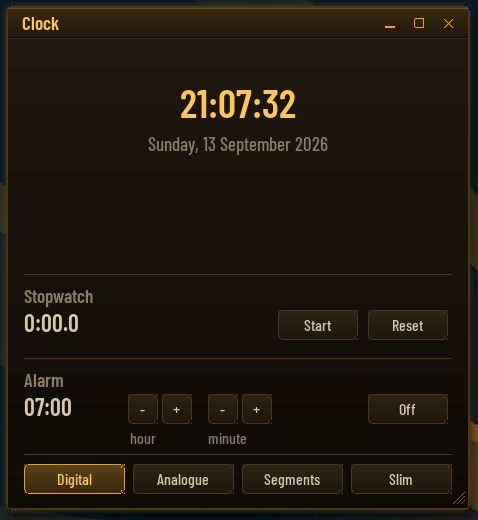
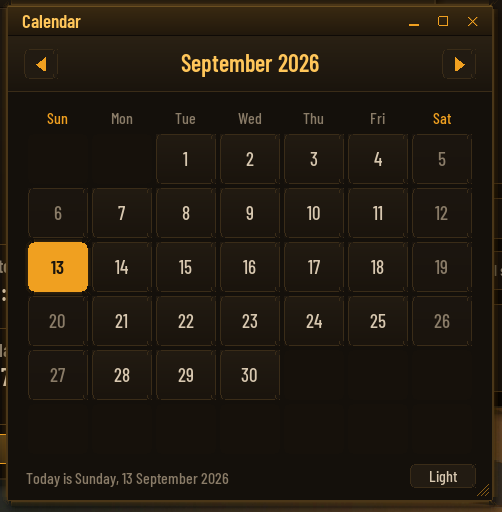
OPL music.EMBER)Type EMBER at the prompt. The desktop picks the largest true-colour mode
no bigger than 1920x1200 (or the panel's own mode, if the firmware offers
nothing else, drawn at half size and doubled when the panel is very large).
The start menu is an ember crystal at the top of the screen: click it and it
breaks in half, the pieces slide apart, and the menu falls out of the gap.
Exit to DOS returns to the prompt.
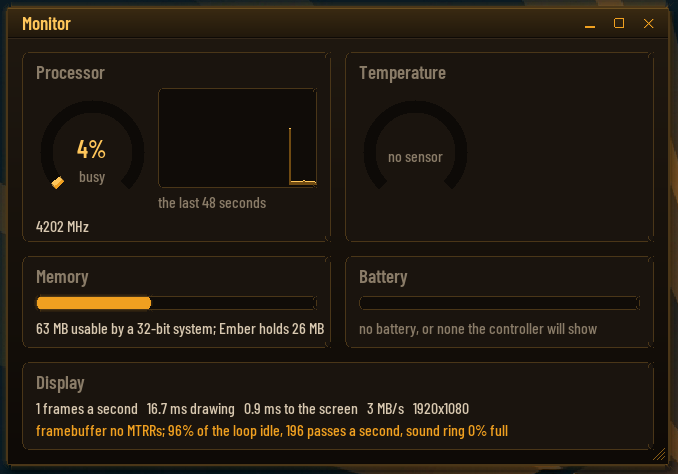
| Monitor | Clock |
|---|---|
 |
 |
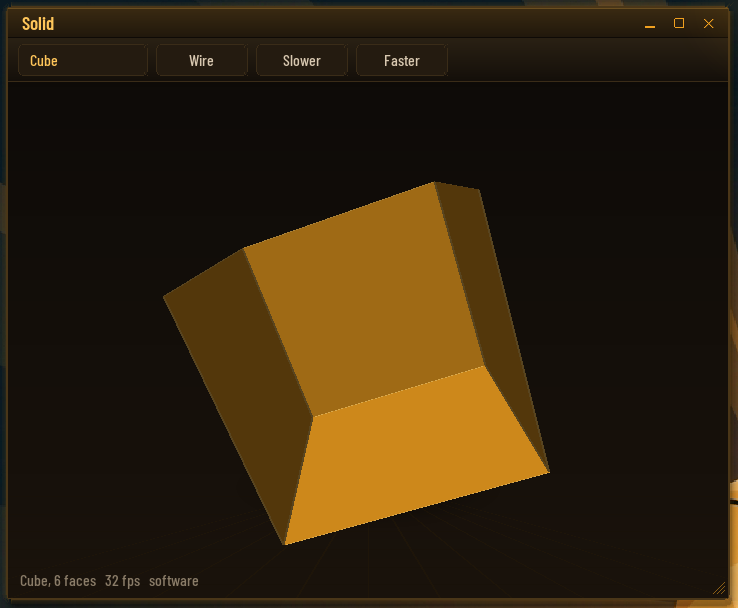
| Calendar | 3D |
 |
 |
EMBER.CFG.Hardware it talks to directly:
32-bit programs beside the desktop: FLY.N32 flies through a tunnel drawn
by the 3D engine, VOXEL.N32 is a block world, RENDER.N32 and GPU.N32
are the probes that found out how the chip works (docs/HARDWARE.md).
Kernel / DOS side
\DOCS\FILE.TXT, .., free-space accounting, and writing: files can be
created, extended and deleted, with every change to the allocation table
written through to both copies immediately. Volumes up to 2 GB (the FAT16
limit), with the cluster size chosen to suit.DIR, the file managers and the desktop. Names can be typed too, in
quotes when they contain spaces: TYPE "Release Notes.txt",
CD "My Documents". DOS programs are unaffected: they still see the 8.3
name (RELEAS~1.TXT), which is what they expect.DIR, CD, TYPE, COPY, DEL, REN, MKDIR,
RMDIR, ECHO, CLS, COLOR, TIME, DATE, MEM, VER, BEEP,
PLAY, SOUND, SPEAKER, SPLASH, LOAD, UNLOAD, TRACE, PAUSE,
REM, REBOOT, SHUTDOWN (APM power-off), WIN, plus batch files
(AUTOEXEC.BAT runs at boot). DIR pages and matches wildcards. Tab
completes file and directory names at the prompt: one match is filled in,
several are extended as far as they agree and then listed..COM and .EXE (MZ, with relocations)
loading, DOS-style memory blocks (MCBs) with allocate/resize/free, PSPs
with environment blocks and command tails, nested EXEC (a program can
run another and get its exit code), and the INT 21h calls programs use:
console I/O, files (open/read/seek/close, FindFirst/FindNext, attributes,
IOCTL), directories (make, remove, rename/move), date/time, vectors,
version. INT 21h runs on its own kernel stack, as DOS does.LOAD name reads NAME.MOD (from the current directory or the root)
into its slot there (or into conventional memory if the slot cannot be
had), calls its init, and keeps it; UNLOAD name takes it out again,
and LOAD alone lists what is loaded. A module is a flat binary with a
32-byte header naming its init, unload and event entries; the kernel tells
every module when the shell is back at its prompt and when a program
starts or ends, and hands each a table of services (printing, memory, the
log) to far-call. The format is in modules/ember.inc.XMS.MOD: extended memory for DOS programs, XMS 3.0 as HIMEM.SYS answers
it, with the pool taken from the upper half of extended memory so it
never meets the 32-bit programs loaded at 1 MB. AUTOEXEC.BAT loads it at
boot; hold Shift to boot without it. XMSTEST.COM checks it.DPMI.MOD: a DPMI 0.9 host for 32-bit clients: descriptors, extended and
DOS memory, real-mode calls and callbacks, exception handlers, hooked
hardware interrupts, all checked by DPMITEST.COM. DOS/4GW runs under it,
and it carries the Sound Blaster for DOS/4GW games. It is not loaded by
default: LOAD DPMI. docs/DPMI-STATUS.md is the story of getting there.FM. Tab switches panels, Enter
opens a directory or runs a program, F5 copies, F6 renames or moves, F7
makes a directory, F8 deletes, F3 views, F1 is help. Enter on an .MP3
or .WAV opens the music player. It is a plain .COM program
(programs/fm.asm), so it can run other programs and get them back.SPLASH picture.bin [music.wav] shows a full-screen
800x600 picture, plays a WAV under it, and holds it for a key or three
seconds. tools/mksplash.py image.jpg makes the file from any picture;
AUTOEXEC.BAT shows SPLASH.BIN with the chime at every boot.PLAYER (or PLAYER dir,
PLAYER file.mp3), 640x480, built from nano/player/ with the
public-domain minimp3 decoder.Sound
PLAY file.wav streams PCM WAV files (8/16-bit, mono/stereo, 8-48 kHz)
through the Intel HD Audio controller with a driver written for real mode
(PCI probe, unreal-mode MMIO, CORB/RIRB codec commands, DMA ring buffer);
PLAY C E G > C plays note strings.SOUND shows what was found and
SOUND DEBUG prints every command and response of the probe.SPEAKER ON arms
the processor's hardware I/O breakpoints on the timer and speaker ports,
so every note a program writes arrives as a debug trap and is played as a
square wave through HD Audio. Nothing runs periodically and the timer is
never read, so a game that uses it for its own timing is undisturbed.
SPEAKER OFF hands the clock interrupt and the debug registers back.
LOAD SB has since replaced it for real-mode games: its monitor catches
the speaker's ports the same way it catches the card's, before the
instruction rather than after, and leaves the debug registers free.
SPEAKER ON is still there for when the monitor is not loaded.docs/SOUND-BLASTER.md). The card answers at 220h,
IRQ 5, DMA 1, and BLASTER=A220 I5 D1 T3 is put in a program's
environment. Two hosts provide it:LOAD SB for real-mode games. SB.MOD runs DOS and the program in
virtual-8086 mode under a port permission map, so a read or write to the
card faults before it happens and the monitor answers as the card
would: the DSP handshake, the 8237 transfer controller, the card's own
interrupt, raised when a block has played. The speaker is handled the
same way while it is loaded.LOAD DPMI for DOS/4GW games (Doom, Hexen). A protected-mode client
needs IOPL 3, where the permission map is never consulted, so the host
watches the card's ports with the debug registers instead, reads the
game's buffer address back out of the real transfer controller, and
tells the game how far the card has got.nano/opl/opl3.c, a complete OPL3 in software (the
YMF262, eighteen voices, four-operator mode, percussion, in the
logarithmic domain the chip uses), mixed into the same stream as the
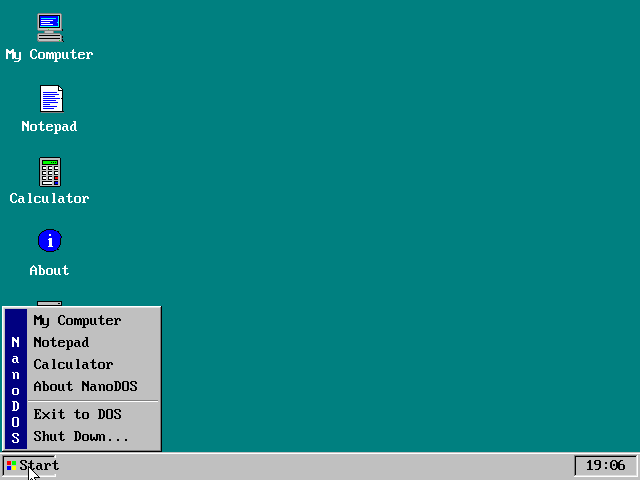
digital sound.The original graphical shell (WIN)
The first desktop, from before Ember was Ember, still ships inside the
kernel: VESA 800x600x256 by default (WIN 1024, WIN 640, WIN LOW), a
taskbar with a Start button, overlapping windows in a Windows 95 look, its
own PS/2 mouse driver and full keyboard control (Ctrl+Esc Start, Esc
close, Tab switch, F1 About), with a file browser, Notepad and a
calculator.
Made-In-Basement/ember is a public repo on GitHub by Made-In-Basement. An operating system written from scratch: boot sector, FAT filesystem, DOS-compatible interrupts, sound, a 32-bit runtime and a graphical desktop.
It declares no license on GitHub. Public does not mean open source: without a license, nobody is granted the right to reuse it.
Its maker has not tagged a system, so it is unknown here. Its README says what it needs.
Hackintosh long-term maintenance model EFI and installation tutorial
A FREE comprehensive reverse engineering tutorial covering x86, x64, 32-bit/64-bit ARM, 8-bit AVR and 32-bit RISC-V architectures.
Open "Take it" on its page: Take My Repo writes an install plan for your machine and hands it to your AI agent (Claude Code, Codex or Cursor), which asks you before each step. Take My Repo has not tested it on any machine.
Its last change on GitHub was on 2026-09-23. Take My Repo does not judge from that whether it is maintained.
Nobody has reviewed it on Take My Repo yet, which says nothing about its quality.
Take My Repo cannot say: it does not audit code and has not run ember. What is known comes from GitHub. It declares no license on GitHub. Public does not mean open source: without a license, nobody is granted the right to reuse it. Its last change was on 2026-09-23. It has 176 stars, which measure popularity, not safety. Nobody has reviewed it on Take My Repo yet, which says nothing about its quality. Read the source before you run it. With "Take it", your AI agent shows each step and asks you before running it; README text is treated as data, not as instructions.