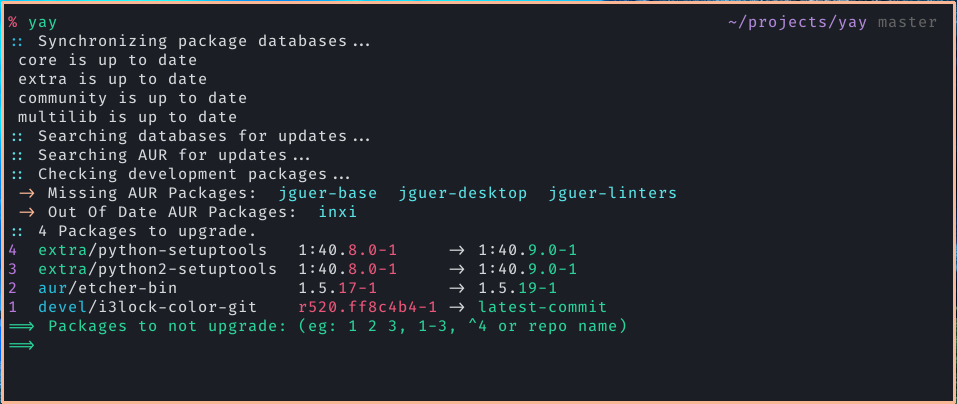
Features:
- Latest Node LTS & pnpm (node tag)
- aws-cli v2 from the distro repo (aws tag)
- git + Oh My Zsh! (dev tag)
- Theme: spaceship
- SPACESHIP_USER_SHOW=false
- SPACESHIP_DIR_TRUNC_REPO=false
- Plugins:
- These common packages are installed for all:
zip unzip jq sudo less zsh curl wget- alpine-only:
gcompat libstdc++
Use:
(new versions are auto-built on new pnpm releases for now, their release cycle is good anchor point for new images, as well as I like to micro-optimize my CI build time by using the exact pnpm version :D)
Available on Docker registry:
docker run -it --rm namesmt/linux-stuff:alpine-node-dev

# For CIs, you should pin the version:
docker run -it --rm namesmt/linux-stuff:alpine-node-dev_pnpm10.16.0

# (For older versions, check `namesmt/images-alpine` image)
Arch:
Available on Docker registry: (Arch builds mirror the Alpine ones on an archlinux:latest base — Node/pnpm via pacman+corepack, same zsh/oh-my-zsh dev setup, same distro aws-cli v2)
docker run -it --rm namesmt/linux-stuff:arch-node-dev

# For CIs, you should pin the version:
docker run -it --rm namesmt/linux-stuff:arch-node-dev_pnpm10.16.0

# (For older versions, check `namesmt/images-arch` image)
Available Scripts:
Alpine:
alpine-node-dev dev environment setup:
(Tips: Follow Yuka's instruction to install Alpine WSL2)
Run alpine-node-dev script: (fnm included to manage node version)
wget https://raw.githubusercontent.com/NamesMT/linux-stuff/main/alpine/alpine-node-dev.sh -O- | bash
Install fnm - Fast Node Manager, similar to nvm
wget https://raw.githubusercontent.com/NamesMT/linux-stuff/main/alpine/scripts/install-fnm.sh -O- | sh
Install Docker
wget https://raw.githubusercontent.com/NamesMT/linux-stuff/main/alpine/scripts/install-docker.sh -O- | sh
You can call sh ~/alpine.docker.service.sh to start the docker service,
And call sh ~/alpine.docker.service.sh stop to stop the docker service.
This package will help you in cases where an app requires glibc and gcompat doesn't work, like Miniconda, glibc bun.
wget https://raw.githubusercontent.com/NamesMT/linux-stuff/main/alpine/scripts/install-glibc.sh -O- | sh
Ubuntu:
ubuntu-node-dev dev environment setup:
Run ubuntu-node-dev script: (fnm included to manage node version)
wget https://raw.githubusercontent.com/NamesMT/linux-stuff/main/ubuntu/ubuntu-node-dev.sh -O- | bash
Arch:
arch-init Arch initialization script:
This script will help you do some initial setup for an Arch Linux installation, like: updating databases (key, packages), updating all packages, create a new user.
export NEW_USER=yourname && curl -fsSL https://raw.githubusercontent.com/NamesMT/linux-stuff/main/arch/arch-init.sh | bash
Note: please restart the WSL distro if you use WSL after running the init script, this is necessary to apply some WSL-specific setups
arch-node-dev dev environment setup:
Run arch-node-dev script: (fnm included to manage node version)
curl -fsSL https://raw.githubusercontent.com/NamesMT/linux-stuff/main/arch/arch-node-dev.sh | bash
Build:
export imageName=namesmt/linux-stuff
export imageTag= # node | node-dev | node-aws ...
docker build -f "${imageTag}.Dockerfile" -t "${imageName}:${imageTag}" "."
docker push "${imageName}:${imageTag}"
Alpine:
Automated by .github/workflows/build_image_alpine_pnpm.yml (multi-arch linux/amd64 + linux/arm64), triggered on pnpm* git tags and workflow_dispatch. Pushes namesmt/linux-stuff:alpine-* (and legacy namesmt/images-alpine:*).
Arch:
Automated by .github/workflows/build_image_arch_pnpm.yml (linux/amd64 only — Arch Linux officially ships x86_64, and archlinux:latest has no arm64 manifest), triggered on the same pnpm* git tags and workflow_dispatch. Pushes namesmt/linux-stuff:arch-* (and legacy namesmt/images-arch:*). Manual build (each stage builds on the previously-pushed image):
export imageName=namesmt/linux-stuff
export imageTag=arch-node     # arch-node | arch-node-dev | arch-node-aws | arch-node-aws-dev
docker build -f "arch/${imageTag}.Dockerfile" -t "${imageName}:${imageTag}" .
docker push "${imageName}:${imageTag}"
Roadmap
- Github Actions to automate build
Credits: