
cc-askpass
A Claude Code mod that lets Claude run commands that need sudo, instead of copying them into your own terminal. | 一個 Claude Code Mod,讓 Claude 直接執行需要 sudo 的指令,不用再把指令複製到自己的終端機執行。
- 16
- TypeScript
- MIT
- 9 d ago
Beta · A polkit authentication agent built on Quickshell — Material 3, keyboard-first, with a sudo askpass helper
Repo Neftedollar/quickask, read from GitHub 1 min ago. Neftedollar has not joined Take My Repo.
Neftedollar/quickask is a public repo on GitHub by Neftedollar. Beta · A polkit authentication agent built on Quickshell — Material 3, keyboard-first, with a sudo askpass helper. It declares the MIT license on GitHub. It is written mainly in QML, has 0 stars and last changed on 2026-07-31. Nobody has reviewed it on Take My Repo yet, which says nothing about its quality. Read from GitHub on 2026-11-22.
A polkit authentication agent built on Quickshell, styled after Material 3.

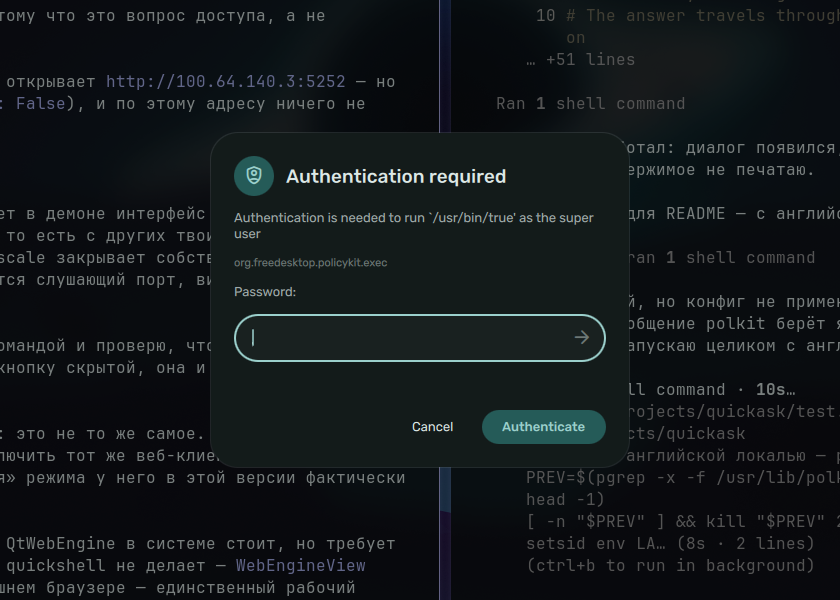
This is the dialog that appears when something needs privileges — installing a package, mounting a disk, changing the clock. GNOME and KDE each ship one; this is the same thing for anyone else.
It also answers sudo in a terminal, through SUDO_ASKPASS, using the same
dialog.
Beta. Verified by hand: registering with polkitd, a real pkexec prompt,
a wrong password followed by a correct one, cancellation, and the sudo
askpass path. Not verified: multi-identity actions, second factors against a
real PAM stack, or any desktop other than Hyprland.
Bugs welcome — especially "the dialog did not appear" ones, with
journalctl -b | grep polkit attached.
polkitquickshell — the git buildquickmaterial — the Material 3 token modulequickmotion — the motion modulewlr-layer-shellgit clone https://github.com/Neftedollar/quickask
cd quickask
sudo ./install.shOnly one polkit agent may be registered per session. Whatever your desktop starts holds that slot until it exits, and quickask will refuse to register while it does. Find it:
pgrep -af 'polkit.*agent'Common ones are /usr/lib/polkit-gnome/polkit-gnome-authentication-agent-1
and /usr/lib/polkit-kde-authentication-agent-1. Stop it, then start
quickask in its place. Under Hyprland:
# ~/.config/hypr/hyprland.conf
exec-once = quickask
and remove whatever exec-once launches the old agent. Nothing here
disables it for you: losing your only agent means graphical applications can
no longer ask for privileges, which is a bad surprise to arrange silently.
./test.sh does the swap temporarily for trying it out, and puts the
previous agent back when you stop it.
export SUDO_ASKPASS=/usr/bin/quickask-askpass
sudo -A pacman -Syu

export SSH_ASKPASS=/usr/bin/quickask-askpass
export SSH_ASKPASS_REQUIRE=prefer
Put the exports in your shell profile to make them permanent. sudo -A is
required: without it sudo reads the terminal as usual. For ssh,
SSH_ASKPASS_REQUIRE=prefer is what makes it use the dialog even when a
terminal is available.
ssh asks two different things through this one interface: a key passphrase,
and a yes/no question about an unknown host key. It gives no signal which —
SSH_ASKPASS_PROMPT is unset for host keys — so the prompt text is the only
clue, and a prompt containing (yes/no switches the dialog to two buttons.
Parsing text meant for humans is normally a mistake, and it is exactly what breaks on the first translated system. It is safe here for one specific reason: OpenSSH does not localise these prompts. They carry no gettext and are the same English everywhere. Detection stays conservative regardless, and anything unrecognised falls back to a text field — a wrong guess degrades to "type the answer yourself", which still works.
The answer travels through a named pipe in a private directory on tmpfs, and never through stdout — Quickshell writes its diagnostics there, so a password sent that way would end up in whatever is capturing the logs. Nothing touches disk.
~/.config/quickask/config.json, every key optional:
| Key | Default | Meaning |
|---|---|---|
locale |
"auto" |
a language code, or auto to follow the system |
schemePath |
~/.local/state/caelestia/scheme.json |
Material You colours |
fontFamily |
"Rubik" |
UI font |
iconFontFamily |
"Material Symbols Rounded" |
icon font |
backdrop |
0.45 |
how far the screen behind is dimmed, 0–1 |
showActionId |
false |
show the polkit action id under the message |
timeoutSeconds |
120 |
cancel an unanswered prompt after this |
Languages: en, ru, uk, de, fr, es, it, pt, pl, cs, nl,
tr, sv, zh, ja. Adding one is a single object in qml/Strings.qml.
Turning showActionId on is worth considering. The action id says precisely
what is being authorised, which is the only reliable way to tell a
legitimate prompt from a plausible-looking one.
Any Material You style scheme: {"mode": "dark", "colours": {...}}. Missing
keys fall back to a built-in neutral palette. The default path is the one
caelestia writes, so the prompt
matches that shell out of the box; quickask is not affiliated with it and
does not require it.
Sibling project. quickgreet is the login screen in the same style, on the same stack.
Why the screen dims. It says the prompt belongs to the session rather than to the window underneath it. Combined with exclusive keyboard focus, that is most of what makes an authentication dialog trustworthy.
PAM and polkit messages are never parsed. They are written for people and are translated by whoever wrote them, so the type of a message is used and its text is only ever displayed. Matching that text against a known English string is a bug that hides account lockouts on every non-English system.
MIT. See LICENSE.
Neftedollar/quickask is a public repo on GitHub by Neftedollar. Beta · A polkit authentication agent built on Quickshell — Material 3, keyboard-first, with a sudo askpass helper.
It declares the MIT license on GitHub.
Its maker tagged it for Linux. That is declared by the maker; Take My Repo has not tested it.
Open "Take it" on its page: Take My Repo writes an install plan for your machine and hands it to your AI agent (Claude Code, Codex or Cursor), which asks you before each step. Take My Repo has not tested it on any machine.
Its last change on GitHub was on 2026-07-31. GitHub counts 0 open issues and pull requests. Take My Repo does not judge from that whether it is maintained.
Nobody has reviewed it on Take My Repo yet, which says nothing about its quality.
A Claude Code mod that lets Claude run commands that need sudo, instead of copying them into your own terminal. | 一個 Claude Code Mod,讓 Claude 直接執行需要 sudo 的指令,不用再把指令複製到自己的終端機執行。
The Single Sign-On Multi-Factor portal for web apps. OpenID Certified™ and Post-Quantum Cryptography Ready.
Reverse engineer anything with agents, from app behavior down to native binaries.
A list of Free Software network services and web applications which can be hosted on your own servers
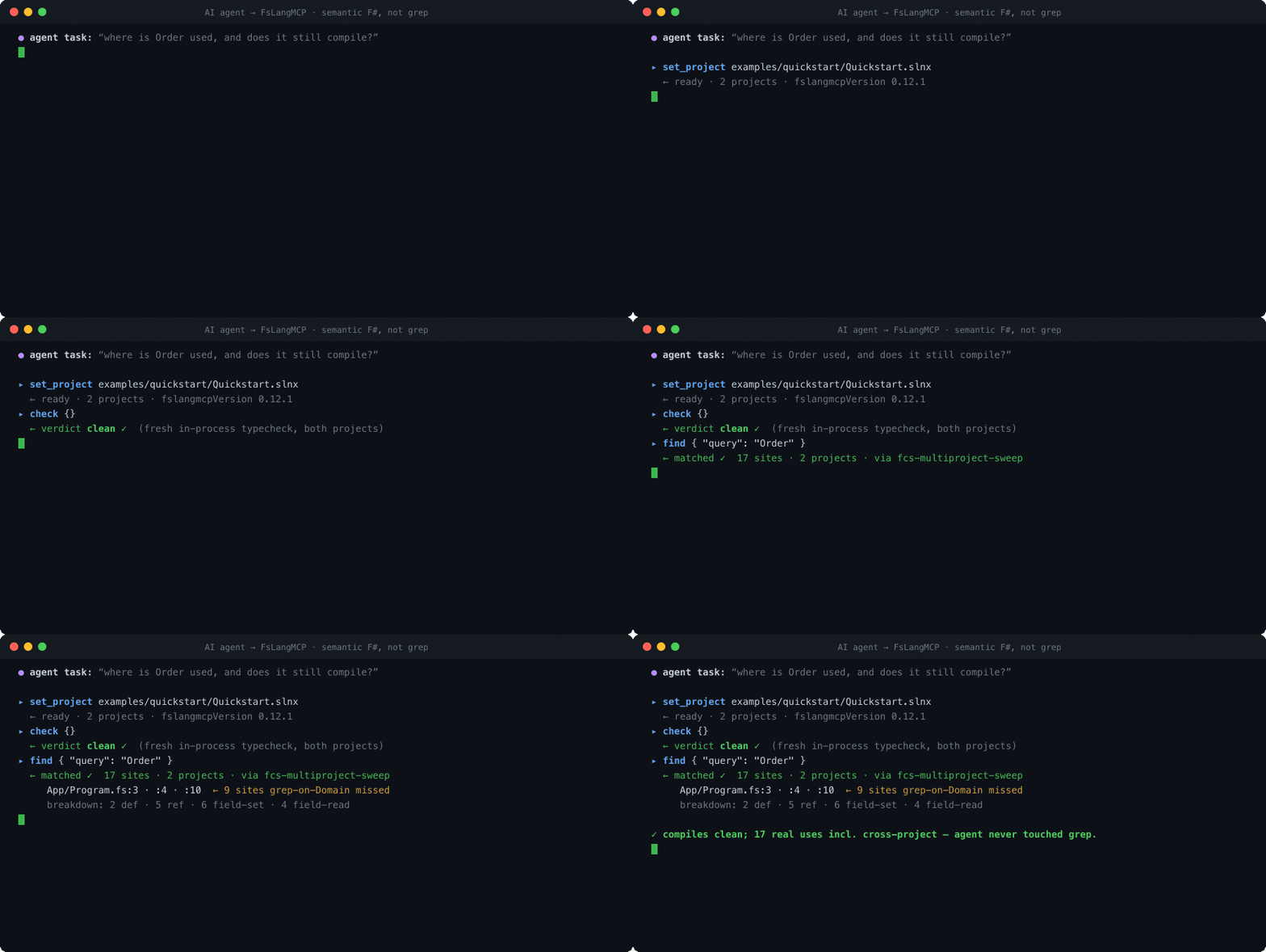
Semantic F# for AI coding agents (Claude Code · Cursor · Copilot · Codex) — an MCP server that gives LLMs real FCS/FSAC compiler intelligence (find, check, types, rename) instead of grepping F#.
Idiomatic F# for Microsoft Orleans — define grains with computation expressions, not boilerplate. Grains, streaming, event sourcing, transactions. Orleans 10.2.1 parity, 1700+ tests.
FsMcp is an idiomatic F# toolkit for building Model Context Protocol (MCP) servers and clients with type safety, computation expressions, and zero boilerplate.
Write once → compile to F#, TypeScript, Python, Java, C#. LLM-optimized syntax. Self-hosting.
Type-safe Cypher query builder for F#. Computation expressions for Neo4j and Apache AGE graph databases. Zero dependencies, parameterized by default.