
clash-verge-rev
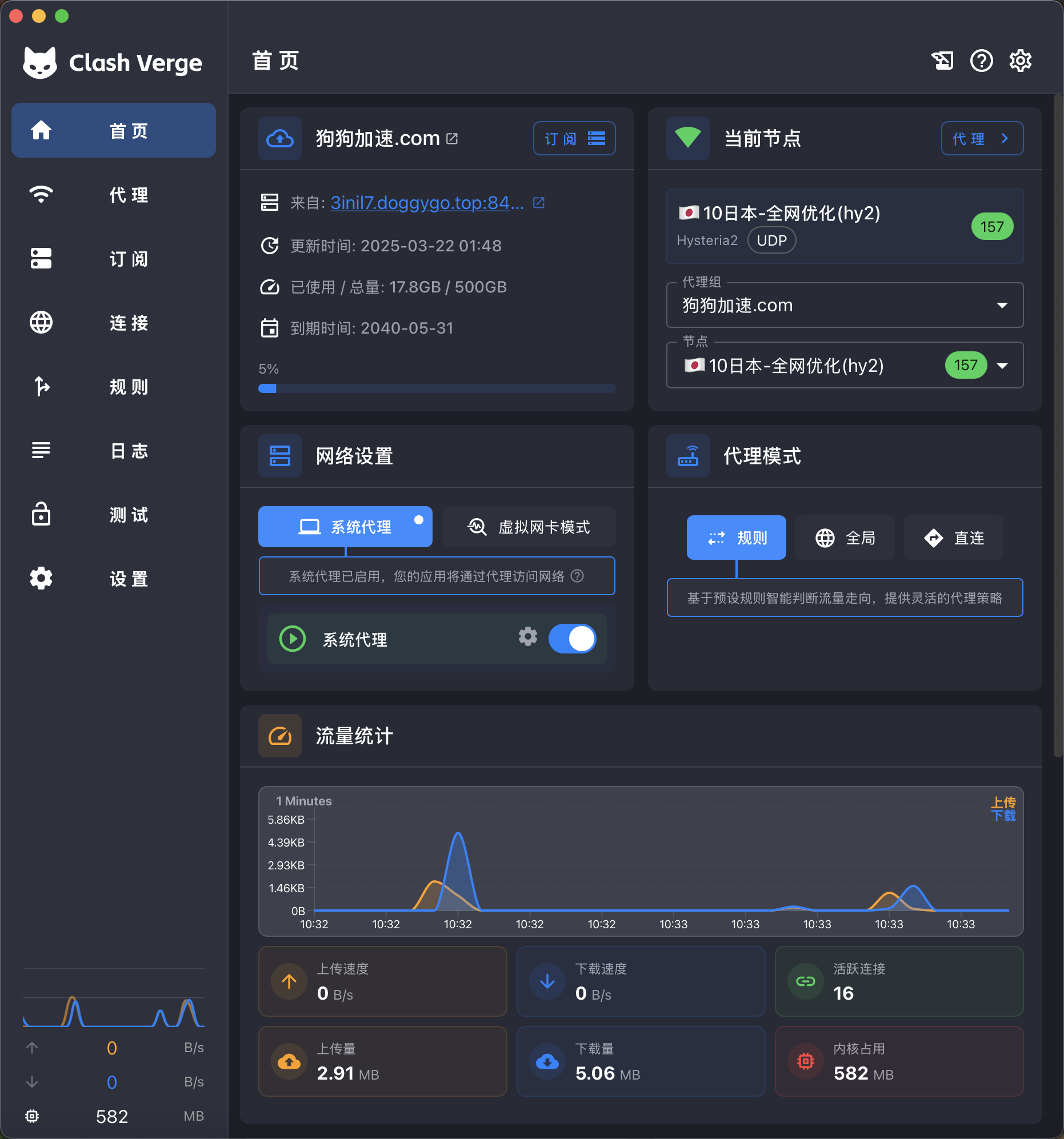
A modern GUI client based on Tauri, designed to run in Windows, macOS and Linux for tailored proxy experience
- 160k
- TypeScript
- GPL-3.0
- 2 d ago
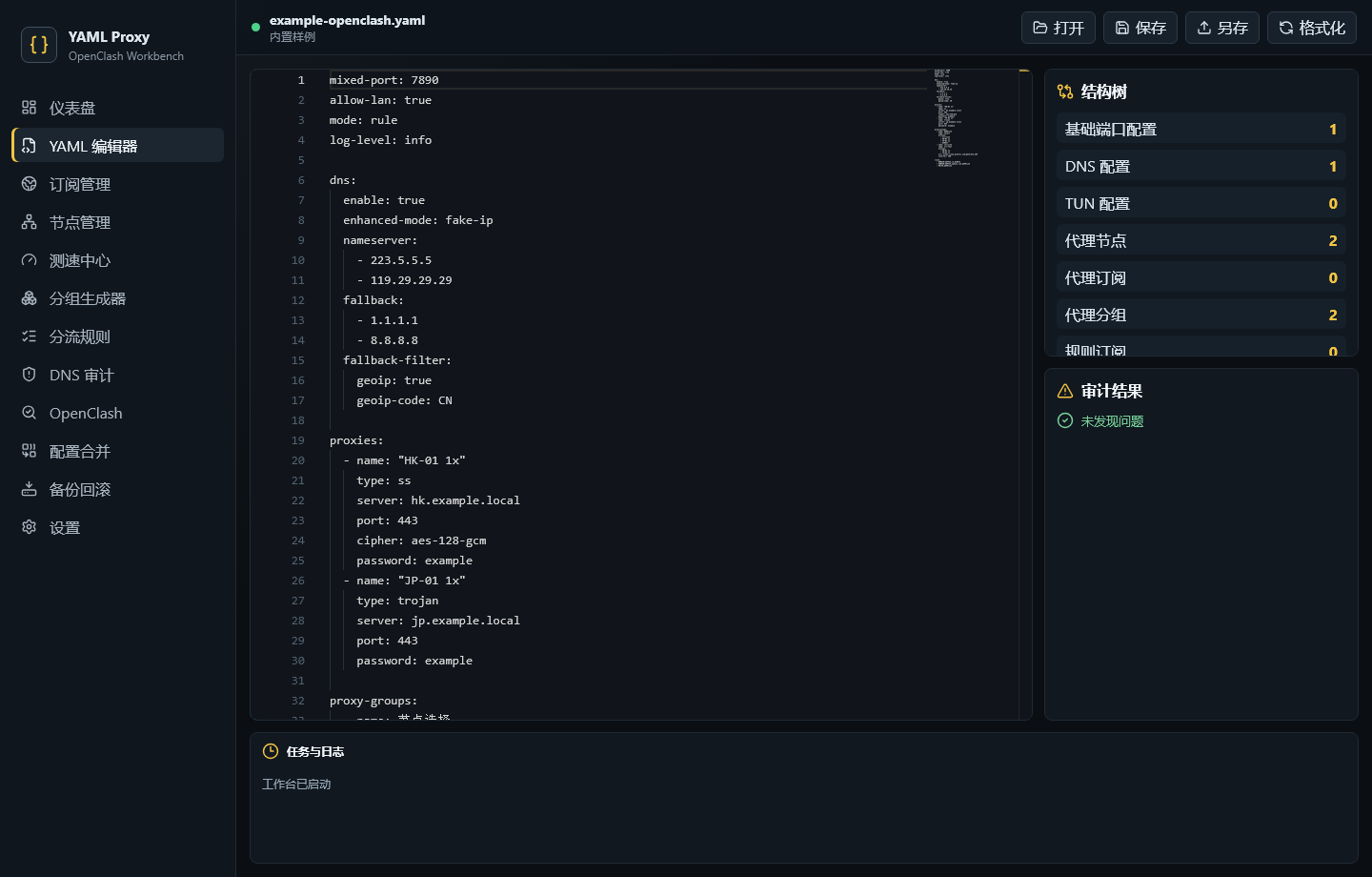
Tauri, React, and TypeScript desktop workbench for local Clash/OpenClash/Mihomo YAML editing, audit, and export.
Repo NextWeb4/yaml-proxy-editor, read from GitHub 10 h ago. NextWeb4 has not joined Take My Repo.
NextWeb4/yaml-proxy-editor is a public repo on GitHub by NextWeb4. Tauri, React, and TypeScript desktop workbench for local Clash/OpenClash/Mihomo YAML editing, audit, and export. It declares no license on GitHub. Public does not mean open source: without a license, nobody is granted the right to reuse it. It is written mainly in TypeScript, has 157 stars and last changed on 2026-07-30. Nobody has reviewed it on Take My Repo yet, which says nothing about its quality. Read from GitHub on 2026-11-25.
A modern GUI client based on Tauri, designed to run in Windows, macOS and Linux for tailored proxy experience
A local-first Windows desktop workbench for editing, auditing, importing, and exporting Clash, OpenClash, and Mihomo YAML configurations.

.yaml and .yml files locally.proxy-providers, batch-imports subscription entries, and refreshes nodes after an explicit user action.MATCH fallback ordering.localStorage under yaml-proxy-editor.language..yaml/.yml file, drop one into the workbench, or start from a Clash/Mihomo template.The tolerant analysis path can report useful partial structure from a damaged file, but it does not make that file safe to save. Strict validation remains the final write gate.
When a full URL is entered, only its normalized hostname is written to YAML. The path, query, username, and password are discarded and entering a site does not itself make a network request. New website rules default to the top of rules; normal priority inserts them before MATCH. An existing rule with the same type and hostname is updated instead of duplicated.

package-lock.json; no pnpm or Yarn configuration was found. The repository does not declare a minimum Node.js version.npm run tauri:dev and npm run tauri:build require Rust plus the Windows MSVC C++ linker environment.127.0.0.1:1420, so the development server is not exposed to the local network by default.The repository contains these version 0.2.0 Windows packages:
The project uses npm with package-lock.json, React 19, TypeScript, Vite, Vitest, Tauri 2, and Rust. A Tauri desktop build on Windows also requires a working Rust/MSVC toolchain.
npm install
npm run dev
npm run dev binds Vite to 127.0.0.1:1420. To run the desktop shell during development:
npm run tauri:dev
npm run test
npm run build
npm run tauri:build
cargo test --manifest-path src-tauri/Cargo.toml
npm run test runs the Vitest suite under tests/.npm run build performs the TypeScript project build and creates the Vite frontend bundle.npm run tauri:build runs the frontend build and produces the configured NSIS and MSI bundles.cargo test --manifest-path src-tauri/Cargo.toml exercises the native crate. Rust changes should also run cargo fmt --manifest-path src-tauri/Cargo.toml.Use npm run preview to inspect a completed frontend bundle on 127.0.0.1:1420. No JavaScript/TypeScript lint or format script is currently declared.
If the Tauri build reports a missing link.exe, run it from a terminal where the Visual Studio C++ build environment has been loaded.
| Path | Responsibility |
|---|---|
src/App.tsx |
Application shell, page state, and service composition |
src/components/editor/ |
Lazily loaded Monaco YAML editor |
src/services/audit/ |
DNS and configuration diagnostics |
src/services/backup/ |
Backup catalog, policy, and stable snapshots |
src/services/clash/ |
Clash configuration parsing and operations |
src/services/diff/ |
Structured diff previews |
src/services/editor/ |
Multi-document tab state |
src/services/groups/ |
Proxy-group generation |
src/services/merge/ |
YAML configuration merge and conflict handling |
src/services/yaml/ |
YAML parsing, formatting, validation, and templates |
src/services/subscription/ |
Subscription parsing, refresh, selection, and export |
src/services/nodes/ |
Node normalization, filtering, grouping, and export |
src/services/rules/ |
Rule parsing, editing, templates, and website rules |
src/services/speedtest/ |
Speed-test defaults, planning, and execution |
src/services/config/ |
Provider and DNS/fake-IP/TUN hardening changes |
src/services/openclash/ |
OpenClash compatibility checks and exports |
src/services/provider_check/ |
User-triggered remote provider checks |
src/services/desktop/ |
Browser/Tauri file and subscription bridges |
src-tauri/src/ |
Native file, backup, and subscription commands plus error handling |
tests/ |
Vitest regression suite and YAML fixtures |
The frontend reuses the established yaml, monaco-yaml, json-diff-ts, and lucide-react packages. Monaco is loaded only after the user enables the full editor so its large editor and worker chunks do not block the initial workbench.
More detail is available in docs/QUICKSTART.md, docs/ARCHITECTURE.md, docs/NETWORK_POLICY.md, docs/OFFLINE_SECURITY.md, docs/TESTING.md, and docs/BUILD.md.
The creator identity is a fixed project value shared by application, package, Rust, installer, test, and workflow metadata.
Development assistance is credited to Codex and Claude Code. .github/workflows/creator-identity-lock.yml checks the fixed creator details and both assistance names in README.md and AGENTS.md.
src-tauri/tauri.conf.json currently sets app.security.csp to null; remote content or new runtime origins should not be added without defining and testing an explicit content security policy.Keep parsing and mutation in the matching src/services/ domain, presentation in React components, and native file/network commands under src-tauri/src/. Preserve URL redaction, explicit network gestures, strict save validation, backup behavior, MATCH ordering, and Monaco lazy loading. Add a focused Vitest file for the changed service and run npm run test plus npm run build; Rust changes also require Cargo formatting and tests. Reuse the established yaml, monaco-yaml, and json-diff-ts libraries unless a replacement has a documented compatibility, license, security, and maintenance audit.
See LICENSE. It is a rights and provenance notice, not an open-source license: it grants no permission to use, copy, modify, deploy, or redistribute original project material. Third-party material remains subject to its own rights and terms.
Confirm the original authorization and applicable permissions before reuse or redistribution; the absence of a project license is not cured by the licenses of its dependencies.
NextWeb4/yaml-proxy-editor is a public repo on GitHub by NextWeb4. Tauri, React, and TypeScript desktop workbench for local Clash/OpenClash/Mihomo YAML editing, audit, and export.
It declares no license on GitHub. Public does not mean open source: without a license, nobody is granted the right to reuse it.
A cross-platform desktop All-in-One assistant for Claude Code, Codex, OpenCode,DeepSeek Harness and more. Only official website: ccswitch.io
VoiceStudio is the open-source, fully-local ElevenLabs alternative — voice cloning, voice design, video dubbing, dictation, transcription & audiobook creation in 646 languages.
Flutter makes it easy and fast to build beautiful apps for mobile and beyond
f.k.a. Awesome ChatGPT Prompts. Share, discover, and collect prompts from the community. Free and open source — self-host for your organization with complete privacy.
A multi-platform proxy client based on ClashMeta,simple and easy to use, open-source and ad-free.
Its maker tagged it for macOS, Windows and Linux, or as Docker or cross-platform. That is declared by the maker; Take My Repo has not tested it.
Open "Take it" on its page: Take My Repo writes an install plan for your machine and hands it to your AI agent (Claude Code, Codex or Cursor), which asks you before each step. Take My Repo has not tested it on any machine.
Its last change on GitHub was on 2026-07-30. GitHub counts 0 open issues and pull requests. Take My Repo does not judge from that whether it is maintained.
Nobody has reviewed it on Take My Repo yet, which says nothing about its quality.
Take My Repo cannot say: it does not audit code and has not run yaml-proxy-editor. What is known comes from GitHub. It declares no license on GitHub. Public does not mean open source: without a license, nobody is granted the right to reuse it. Its last change was on 2026-07-30. It has 157 stars, which measure popularity, not safety. Nobody has reviewed it on Take My Repo yet, which says nothing about its quality. Read the source before you run it. With "Take it", your AI agent shows each step and asks you before running it; README text is treated as data, not as instructions.