shellcandy
A comprehensive framework for creating stunning terminal interfaces in pure Bash
- 1
- MIT
- 2 mo ago
Repo NickCrew/shellcandy, read from GitHub 17 min ago. NickCrew has not joined Take My Repo.
In short
NickCrew/shellcandy is a public repo on GitHub by NickCrew. A comprehensive framework for creating stunning terminal interfaces in pure Bash. It declares the MIT license on GitHub. It is written mainly in Shell, has 1 stars and last changed on 2026-09-13. Nobody has reviewed it on Take My Repo yet, which says nothing about its quality. Read from GitHub on 2026-11-22.
🍭 ShellCandy
Beautiful Terminal UIs for Shell Scripts
A comprehensive framework for creating stunning terminal interfaces in pure Bash
Quick Start • Features • Installation • Examples • Documentation
🎯 What is ShellCandy?
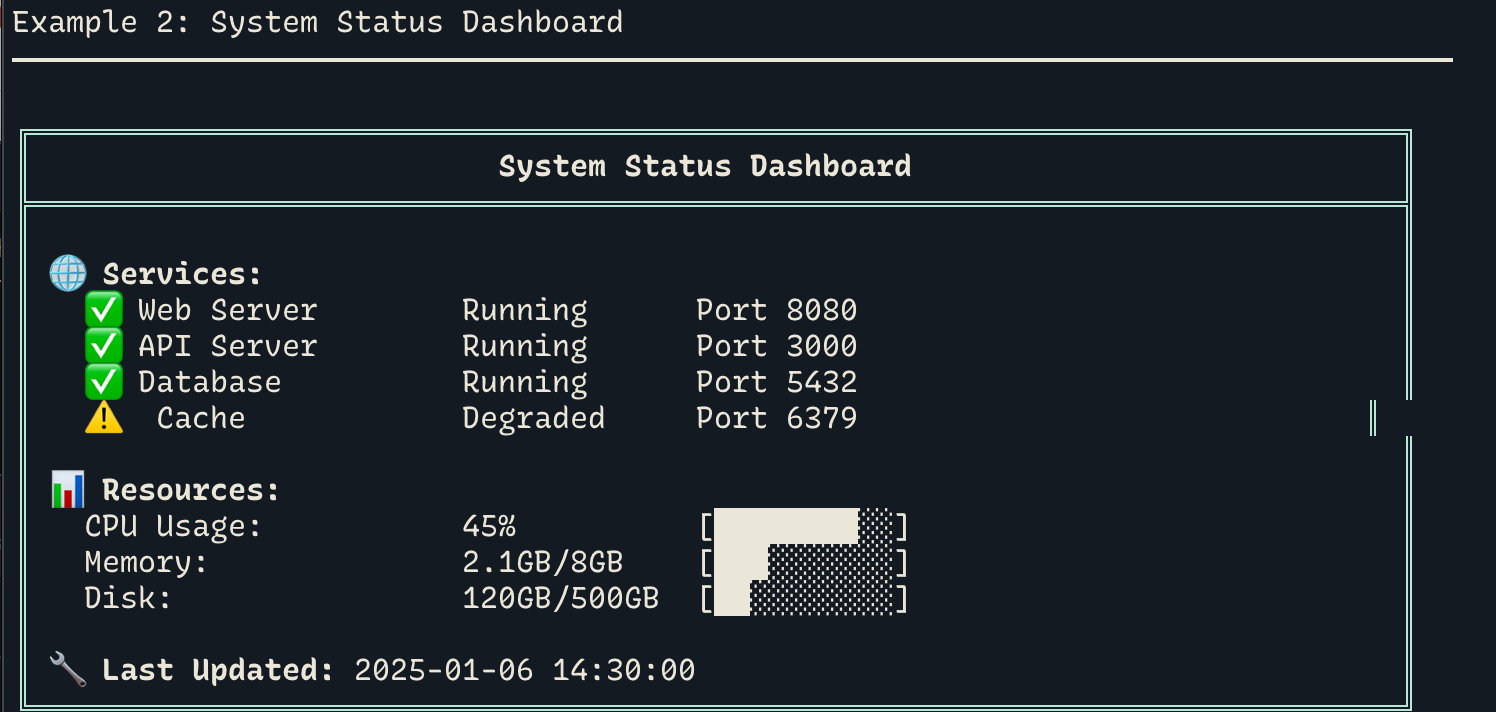
ShellCandy transforms ordinary shell scripts into beautiful, interactive terminal applications. With 9 powerful modules and 60+ functions, you can create professional UIs with:
✨ Interactive menus with keyboard navigation
📊 Data visualization with charts and sparklines
📋 Auto-sizing tables with perfect alignment
🎨 Rich colors (256-color, RGB, themes)
⚡ Progress indicators (bars, spinners, gauges)
📝 Interactive forms with validation
🎯 Zero dependencies - Pure Bash 4.0+
🚀 Quick Start
Install
curl -fsSL https://raw.githubusercontent.com/NickCrew/shellcandy/main/install.sh | bash
Your First Script
#!/usr/bin/env bash
source ~/.shellcandy/lib/shellcandy.sh

# Beautiful boxes
box_success "Welcome!" \
    "ShellCandy makes terminals beautiful" \
    "🎨 Colors  📊 Charts  🎯 Menus  ⚡ Progress"

# Data visualization
declare -a data=(45 52 68 73 81 76 84 92)
echo "Trend: $(sc_sparkline data) 📈"

# Progress bar
sc_progress_bar 75 100 "Processing"
✨ Features
9 Complete Modules
| Module | Description |
|---|---|
| colors | 256-color, RGB, themes, gradients |
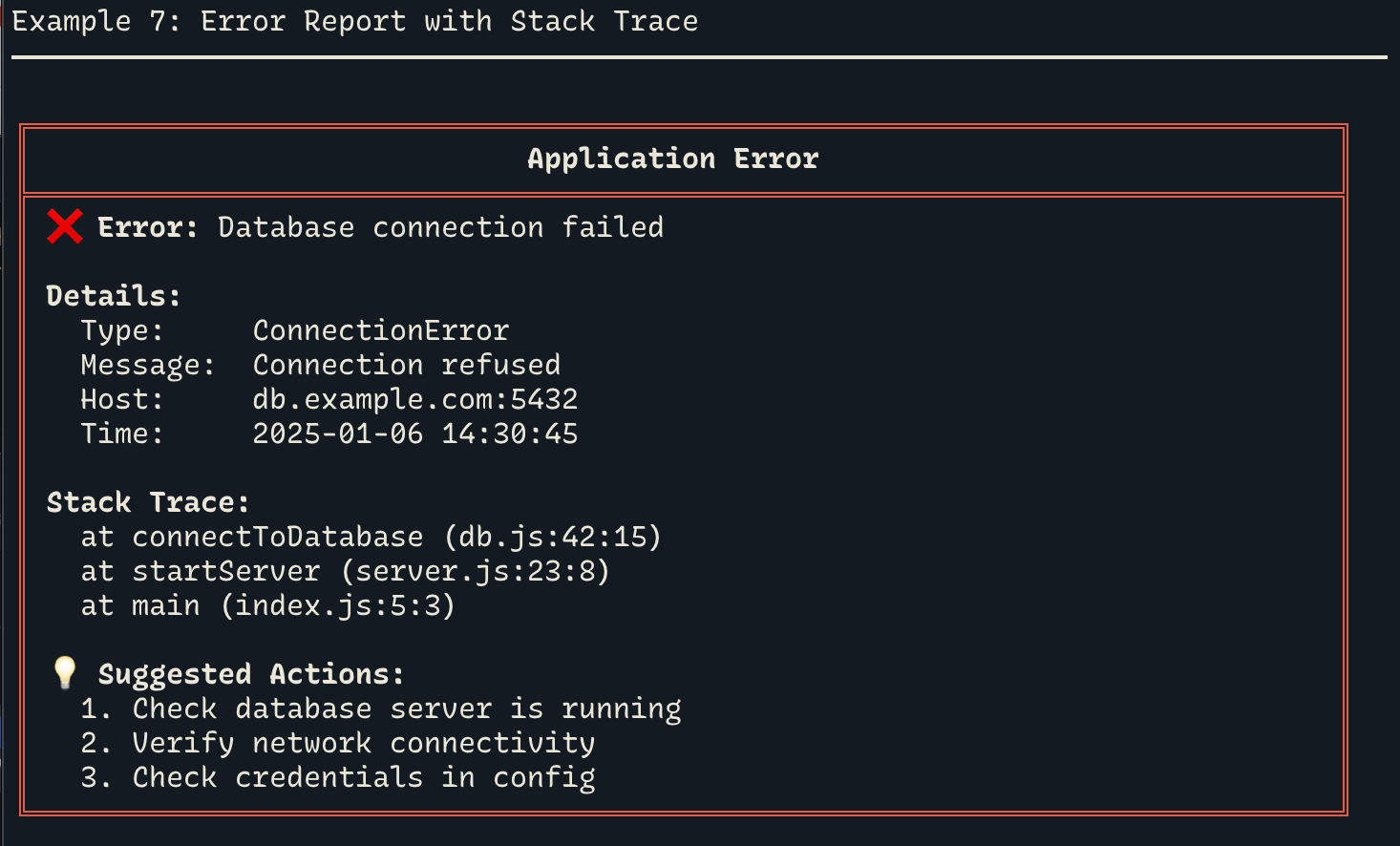
| logging | Multi-level logging with file output |
| progress | Spinners, bars, ETA calculations |
| icons | 50+ status symbols and emojis |
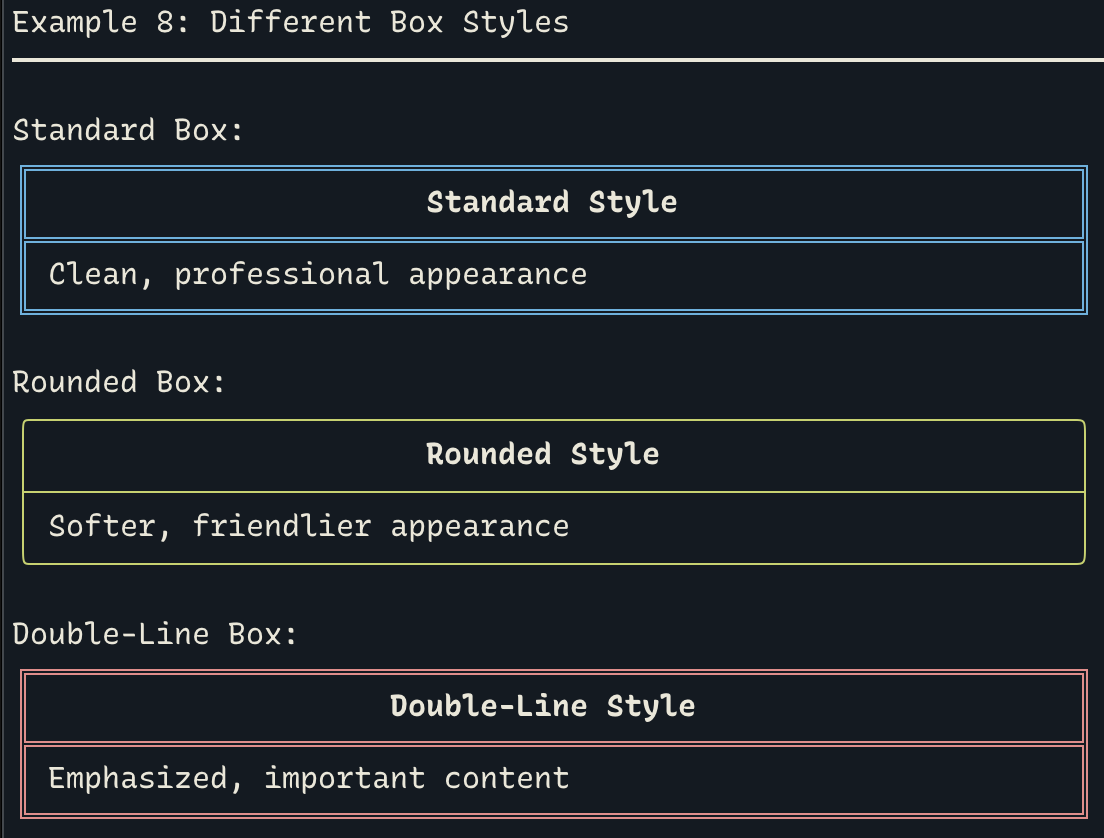
| boxes | Perfect alignment with ANSI/emoji support |
| tables | Auto-sizing, CSV import, formatting |
| prompts | Interactive forms with validation |
| menus | Keyboard navigation, nested menus |
| charts | Sparklines, bar charts, gauges, histograms |
📦 Installation
One-Line Install (Recommended)
curl -fsSL https://raw.githubusercontent.com/NickCrew/shellcandy/main/install.sh | bash
Manual Install
git clone https://github.com/NickCrew/shellcandy.git ~/.shellcandy
echo 'export SHELLCANDY_HOME="$HOME/.shellcandy"' >> ~/.bashrc
echo 'source $SHELLCANDY_HOME/lib/shellcandy.sh' >> ~/.bashrc
source ~/.bashrc
🎓 Examples
Interactive Menu
#!/usr/bin/env bash
source ~/.shellcandy/lib/shellcandy.sh

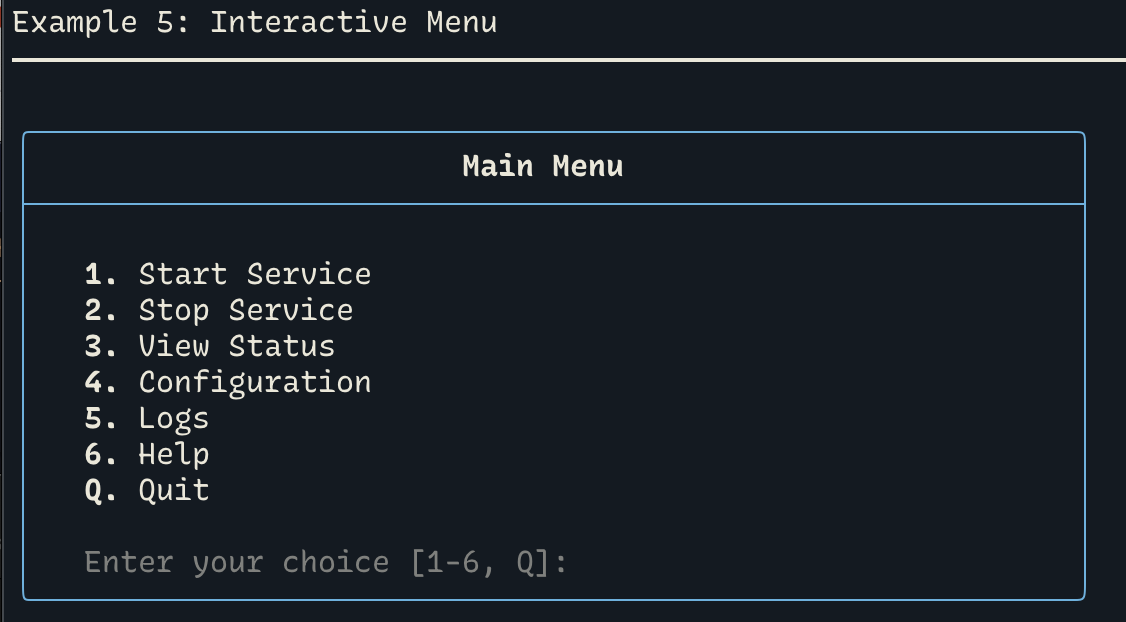
sc_menu_create "Main Menu"
sc_menu_add "Deploy" "deploy_app" "true" "d"
sc_menu_add "Status" "show_status" "true" "s"
sc_menu_add "Logs" "view_logs" "true" "l"
sc_menu_add "Exit" "exit" "true" "q"
sc_menu_show
Data Visualization
#!/usr/bin/env bash
source ~/.shellcandy/lib/shellcandy.sh

# System metrics
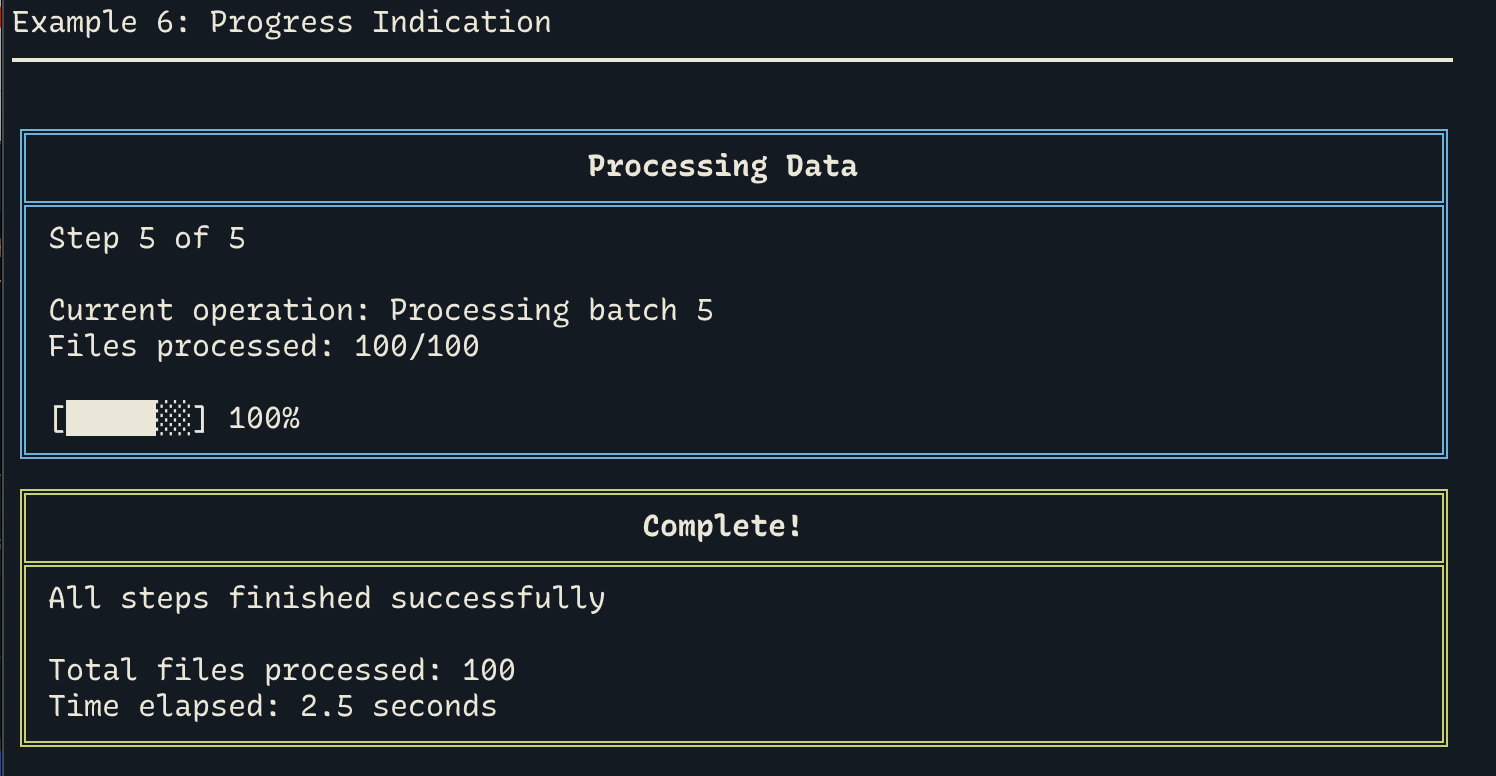
declare -a cpu=(30 35 42 45 50 48 52)
sc_gauge 52 100 "CPU Usage" 40
echo "Trend: $(sc_sparkline cpu)"

# Table
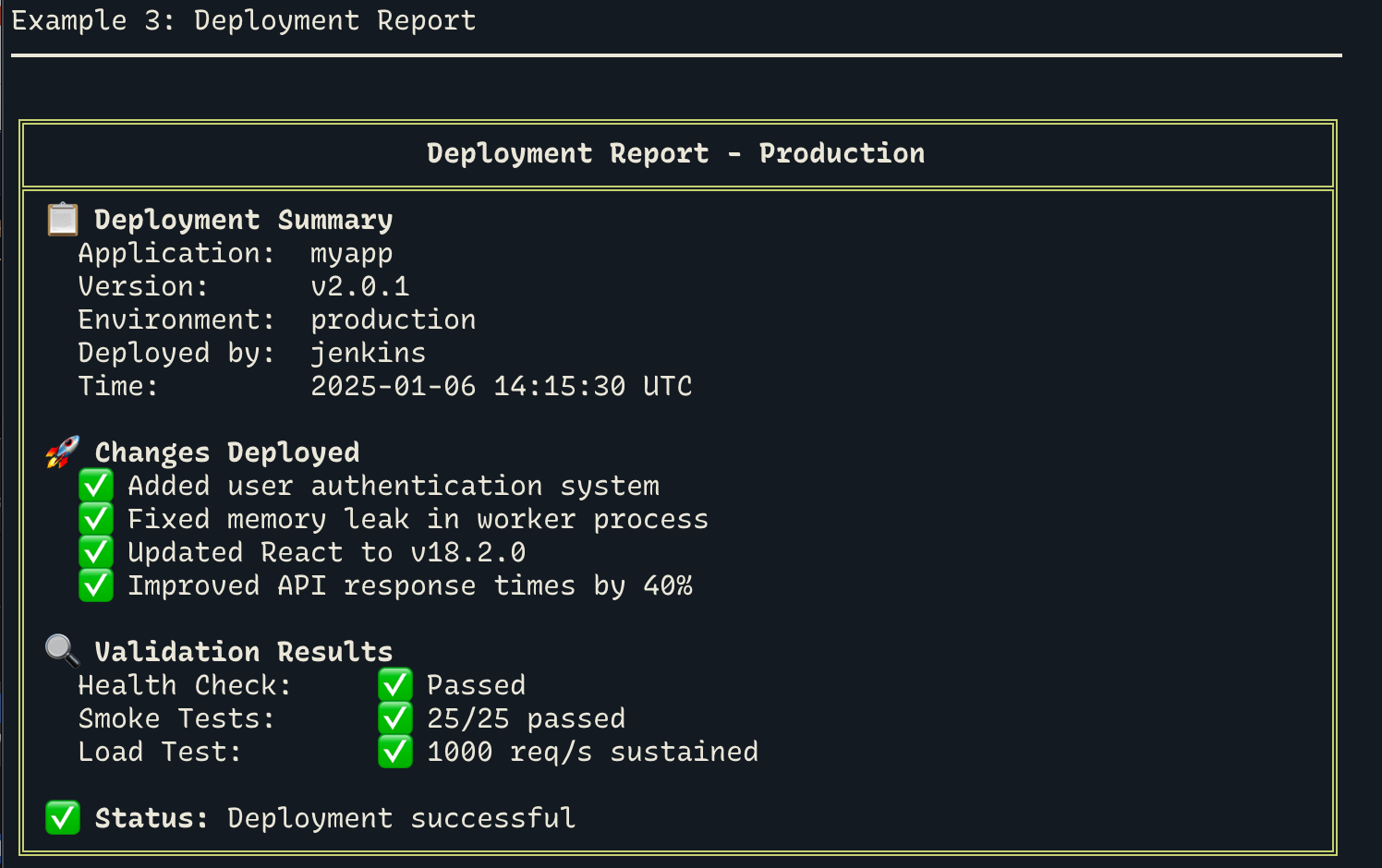
sc_table_create "rounded"
sc_table_header "Service" "Status" "CPU"
sc_table_row "Web" "✓ OK" "23%"
sc_table_row "DB" "✓ OK" "45%"
sc_table_render
Color Themes
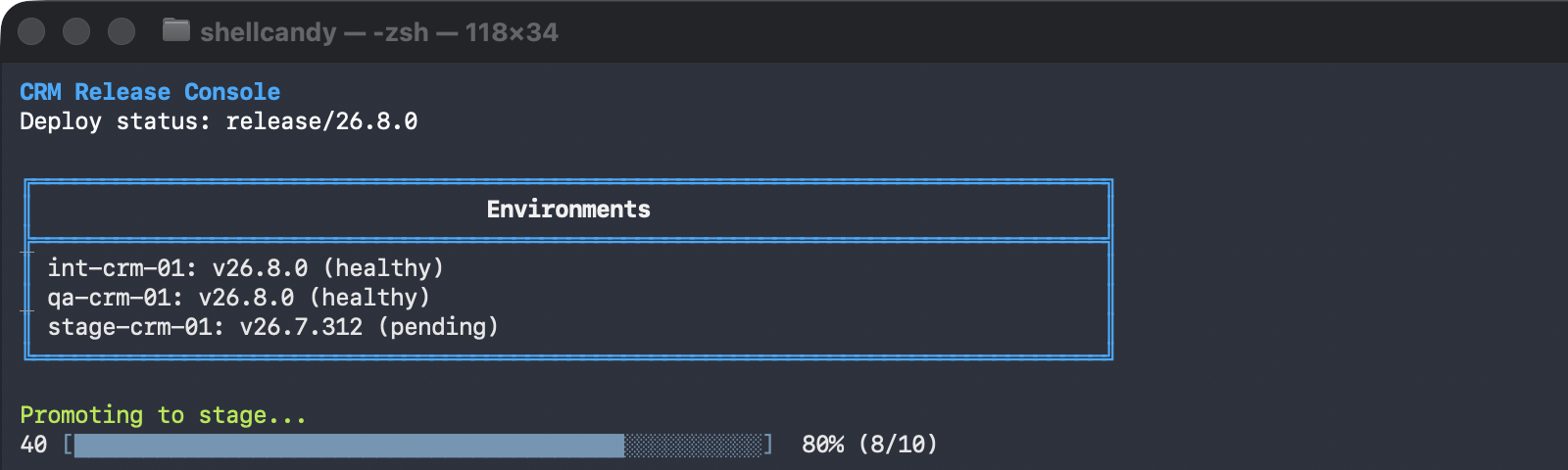
sc_theme_load ships default, dark, light, solarized, nord, dracula, and unafy (Unanet's design system). A theme only recolors what a script explicitly draws with $SC_THEME_BG/$SC_THEME_FG/$SC_THEME_PRIMARY/$SC_THEME_ACCENT; semantic widgets like box_success or bar-chart colors stay red/yellow/green by design.
#!/usr/bin/env bash
source ~/.shellcandy/lib/shellcandy.sh

sc_theme_load unafy

echo -e "${SC_THEME_PRIMARY}${SC_BOLD}CRM Release Console${SC_RESET}"
box "Environments" --color="$SC_THEME_PRIMARY" "int-crm-01: v26.8.0 (healthy)"
echo -e "${SC_THEME_ACCENT}Promoting to stage...${SC_RESET}"
📚 Documentation
- Complete Documentation - Full API reference
- Testing Guide - Validation and benchmarks
- Optimization Guide - Performance tips
- Changelog - Version history
⚡ Performance
ShellCandy is highly optimized:
| Metric | Performance | Status |
|---|---|---|
| Core functions | 40-70µs/call | ✅ |
| Box rendering | 2-4ms | ✅ |
| Table (10 rows) | 15-25ms | ✅ |
| Sparklines | 1-2ms | ✅ |
Run tests:
shellcandy-validate   # 68 tests
shellcandy-benchmark  # 13 benchmarks
🤝 Contributing
Contributions welcome! Please see CONTRIBUTING.md for guidelines.
- Fork the repository
- Create feature branch:
git checkout -b feature/amazing-feature - Make changes and test:
./lib/validate.sh - Commit:
git commit -m 'Add amazing feature' - Push:
git push origin feature/amazing-feature - Open a Pull Request
📊 Project Stats
- 9 modules with 60+ functions
- 10,100 lines of code
- 68 validation tests (100% passing)
- 13 performance benchmarks
- Zero dependencies
- Pure Bash 4.0+
📝 License
MIT License - See LICENSE for details
Copyright (c) 2025 Nicholas Crew Ferguson
🔗 Links
- Issues: https://github.com/NickCrew/shellcandy/issues
- Discussions: https://github.com/NickCrew/shellcandy/discussions
Made with 🍭 ShellCandy
Making terminals beautiful, one script at a time
⭐ Star us on GitHub if you find ShellCandy useful!
Questions
What is shellcandy?
NickCrew/shellcandy is a public repo on GitHub by NickCrew. A comprehensive framework for creating stunning terminal interfaces in pure Bash.
Is shellcandy open source?
It declares the MIT license on GitHub.
Does shellcandy run on macOS, Windows or Linux?
Its maker has not tagged a system, so it is unknown here. Its README says what it needs.
How do I install shellcandy?
Open "Take it" on its page: Take My Repo writes an install plan for your machine and hands it to your AI agent (Claude Code, Codex or Cursor), which asks you before each step. Take My Repo has not tested it on any machine.
Is shellcandy still maintained?
Its last change on GitHub was on 2026-09-13. Take My Repo does not judge from that whether it is maintained.
What do people who ran shellcandy say?
Nobody has reviewed it on Take My Repo yet, which says nothing about its quality.