reminders-menubar
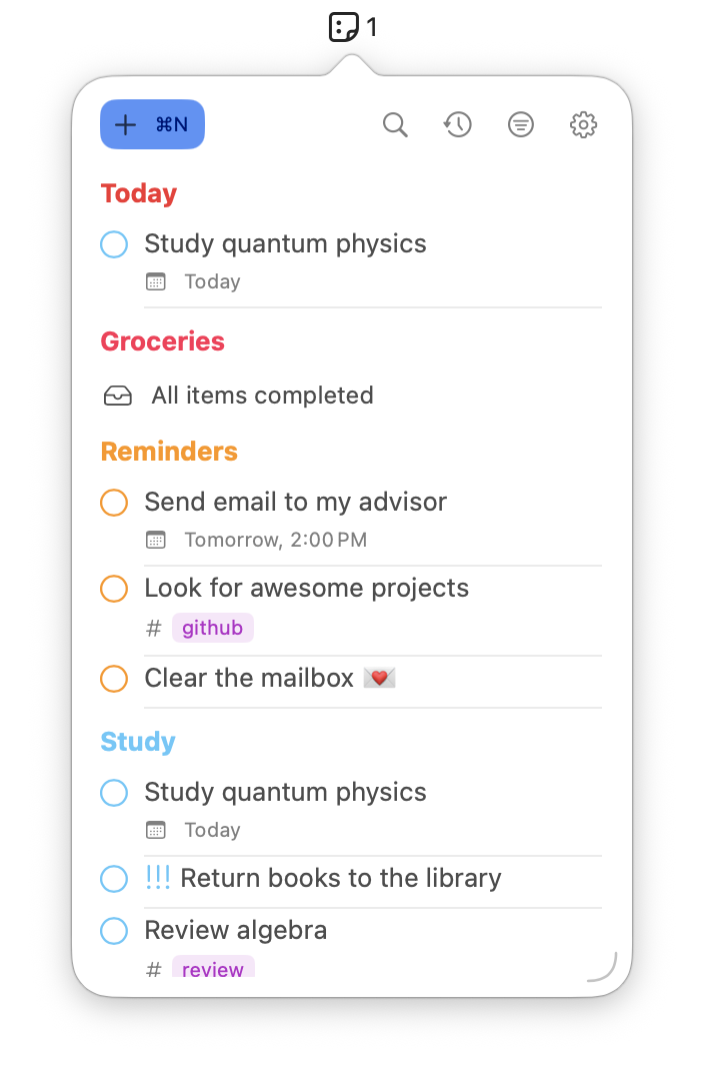
Simple macOS menu bar application to view and interact with reminders. Developed with SwiftUI and using Apple Reminders as a source.
- 4k
- Swift
- GPL-3.0
- 2 wk ago
🎯 AI 驱动的招聘邮件提醒工具,自动提取面试、测评、笔试等事件并同步到 Apple Reminders。Never miss an interview again.
Repo NissonCX/offercatcher, read from GitHub 12 h ago. NissonCX has not joined Take My Repo.
NissonCX/offercatcher is a public repo on GitHub by NissonCX. 🎯 AI 驱动的招聘邮件提醒工具,自动提取面试、测评、笔试等事件并同步到 Apple Reminders。Never miss an interview again. It declares the MIT license on GitHub. It is written mainly in Python, has 22 stars and last changed on 2026-04-18. Nobody has reviewed it on Take My Repo yet, which says nothing about its quality. Read from GitHub on 2026-11-24.
Simple macOS menu bar application to view and interact with reminders. Developed with SwiftUI and using Apple Reminders as a source.
Never miss an interview again.
Turn recruiting emails into native reminders with AI-powered parsing.
Features • Quick Start • Installation • Usage • Configuration
You're job hunting. Your inbox is flooded with recruiting emails—interview invites, online assessments, coding challenges, deadlines. The important ones get buried under "application received" receipts and spam.
You miss an interview. Or show up at the wrong time. Or forget that coding test deadline.
OfferCatcher automatically scans your emails, extracts recruiting events using AI, and syncs them into native reminders on your iPhone/Mac.
📧 Email arrives → 🤖 AI parses it → 🔔 Reminder created
No regex. No brittle pattern matching. Just intelligent extraction that works across all email formats and languages.
OfferCatcher is intentionally split into two layers:
scripts/apple_reminders_bridge.py prefers remindctl (Swift + EventKit) and only falls back to AppleScript when needed.This design avoids relying on a background Node process directly automating Reminders.app, which can be unreliable under macOS TCC / Automation permissions.
# Install
curl -sSL https://raw.githubusercontent.com/NissonCX/offercatcher/main/install.sh | bash

# Recommended native bridge
brew install steipete/tap/remindctl
remindctl authorize

# Configure
echo 'mail_account: "Gmail"' >> ~/.openclaw/offercatcher.yaml

# Scan
python3 ~/.openclaw/workspace/skills/offercatcher/scripts/recruiting_sync.py --scan-only
OpenClaw will automatically parse the results and create reminders.
remindctl recommended (brew install steipete/tap/remindctl)# Search for the skill
openclaw skills search offercatcher
# Install to your workspace
openclaw skills install offercatcher
curl -sSL https://raw.githubusercontent.com/NissonCX/offercatcher/main/install.sh | bash
Then authorize the native bridge once:
remindctl authorize
git clone https://github.com/NissonCX/offercatcher.git
cd offercatcher
python3 scripts/list_mail_sources.py
This shows all accounts configured in Apple Mail:
[
  {"account": "Gmail", "mailbox": "INBOX"},
  {"account": "iCloud", "mailbox": "INBOX"}
]
Create ~/.openclaw/offercatcher.yaml:
mail_account: "Gmail"    # Your Apple Mail account name
mailbox: "INBOX"         # Mailbox to scan
days: 2                  # Scan last N days
max_results: 60          # Max emails to process
python3 scripts/recruiting_sync.py --scan-only
Output (JSON for OpenClaw LLM to parse):
{
  "emails": [
    {
      "message_id": "12345",
      "subject": "Interview Invitation - Software Engineer",
      "sender": "recruiting@company.com",
      "received_at": "2026-04-01 10:00",
      "body": "Dear Candidate, Your interview is scheduled for..."
    }
  ]
}
OpenClaw automatically:
Or manually apply parsed events:
python3 scripts/recruiting_sync.py --apply-events /tmp/events.json
python3 scripts/manual_event.py \
  --title "Google Interview" \
  --due "2026-04-15 14:00" \
  --notes "Link: https://meet.google.com/xxx"
┌─────────────────┐     ┌─────────────────┐     ┌────────────────────────────┐
│   --scan-only   │ ──▶ │   OpenClaw LLM  │ ──▶ │  Native bridge writes      │
│   Scan emails   │     │   Parse events  │     │  remindctl / AppleScript   │
└─────────────────┘     └─────────────────┘     └────────────────────────────┘
| Regex | LLM |
|---|---|
| Breaks on new formats | Adapts to any format |
| Company-specific rules | Works for any company |
| Manual maintenance | Zero maintenance |
| Language-specific | Universal language support |
| Option | Default | Description |
|---|---|---|
--mail-account |
all | Apple Mail account name |
--mailbox |
INBOX | Mailbox folder to scan |
--days |
2 | Scan last N days |
--max-results |
60 | Max emails to process |
--dry-run |
false | Test without creating reminders |
--verbose |
false | Enable debug logging |
OFFERCATCHER_MAIL_ACCOUNT="Gmail"
OFFERCATCHER_DAYS=7
OFFERCATCHER_MAX_RESULTS=100
OFFERCATCHER_LOG_LEVEL=DEBUG
The --apply-events command accepts:
{
  "events": [
    {
      "id": "unique-id",
      "company": "Google",
      "event_type": "interview",
      "title": "Google SWE Interview",
      "timing": {"start": "2026-04-15 14:00", "end": "2026-04-15 15:00"},
      "role": "Software Engineer",
      "link": "https://meet.google.com/xxx"
    }
  ]
}
Event types: interview, ai_interview, written_exam, assessment, authorization, deadline
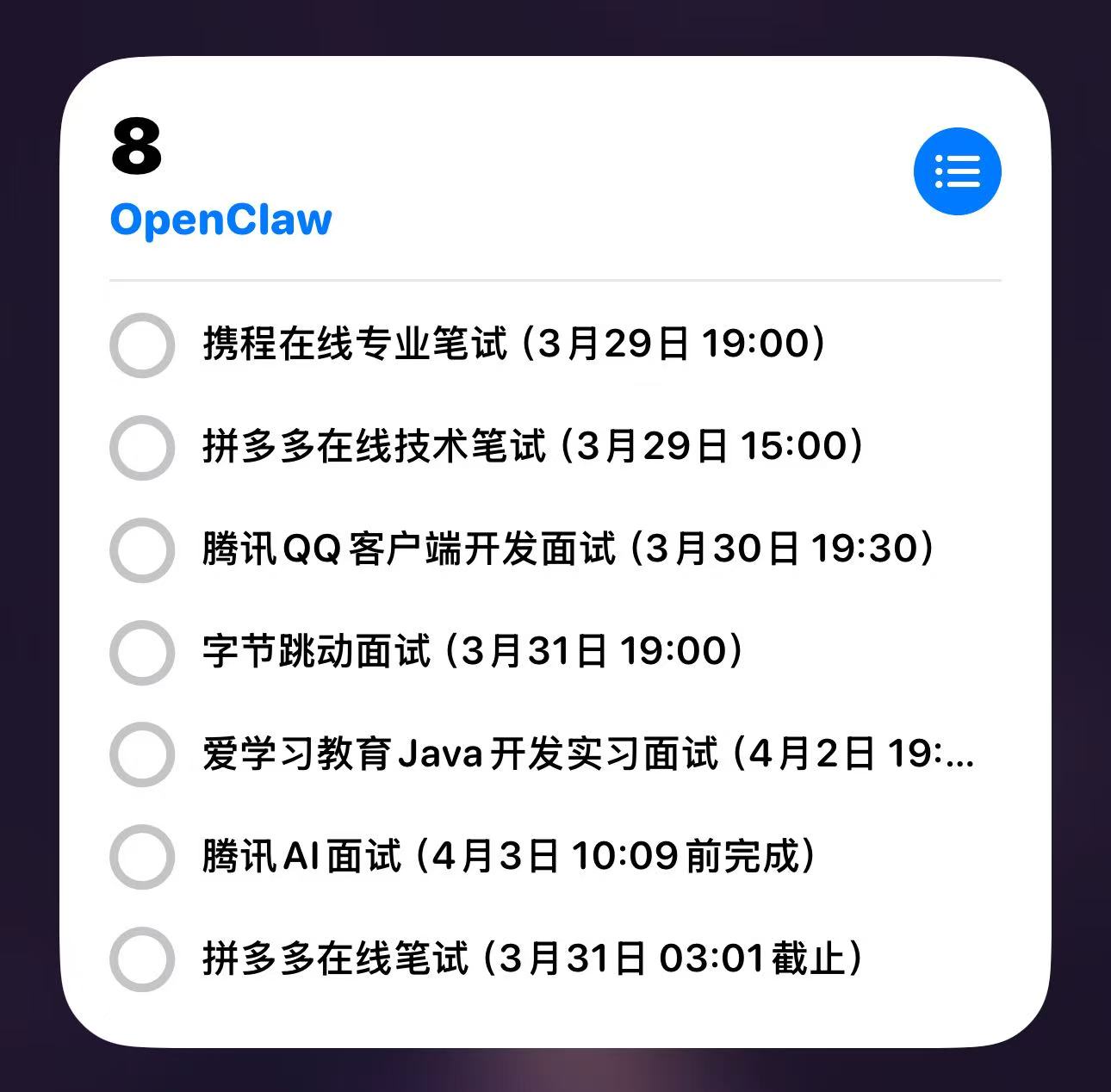
Reminder List |
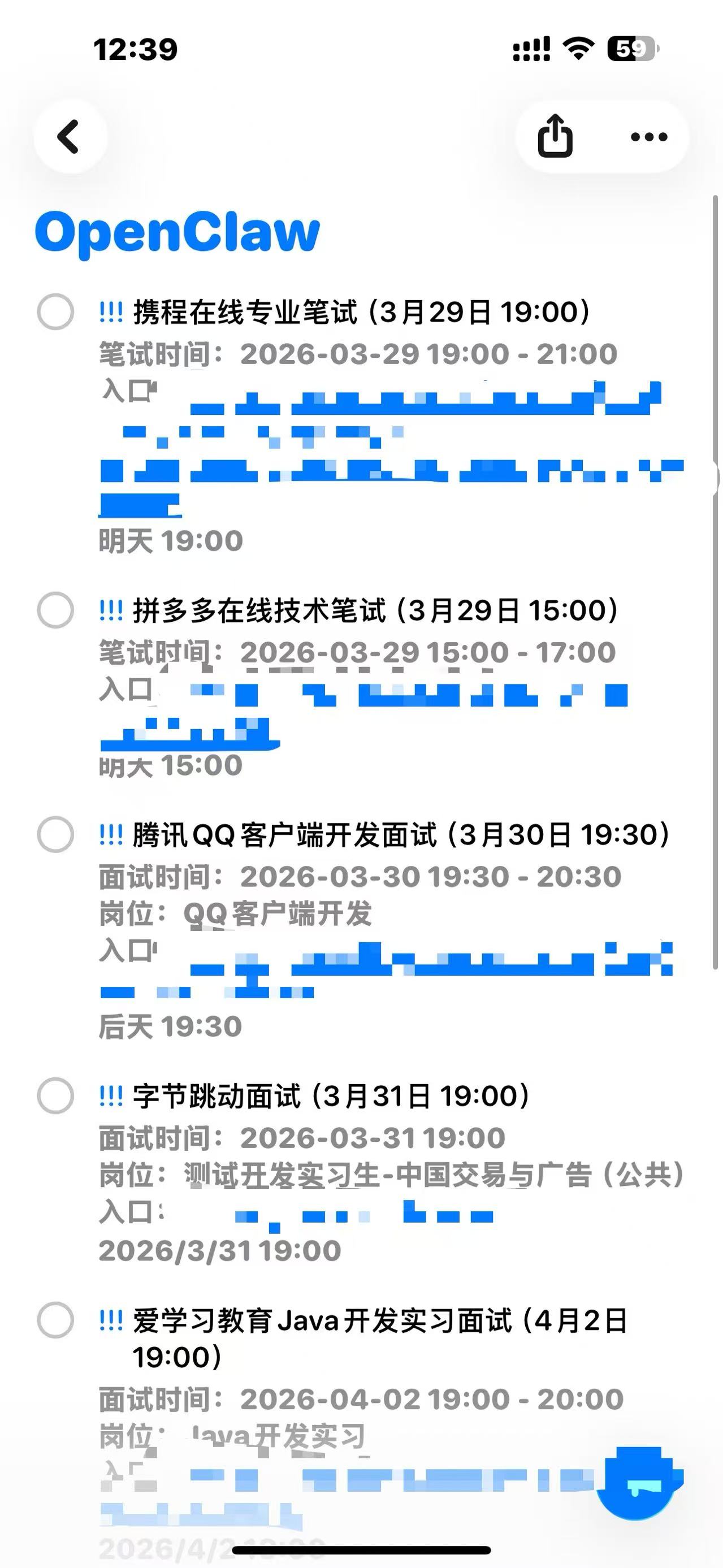
Reminder Detail |
offercatcher/
├── scripts/
│   ├── recruiting_sync.py      # Main script (scan/apply)
│   ├── apple_reminders_bridge.py # Apple Reminders bridge
│   ├── manual_event.py         # Manual event entry
│   └── list_mail_sources.py    # List Mail accounts
├── tests/                      # Unit tests
├── SKILL.md                    # OpenClaw skill definition
└── README.md                   # This file
Contributions are welcome! Please feel free to submit a Pull Request.
Made with ❤️ for job seekers everywhere
NissonCX/offercatcher is a public repo on GitHub by NissonCX. 🎯 AI 驱动的招聘邮件提醒工具,自动提取面试、测评、笔试等事件并同步到 Apple Reminders。Never miss an interview again.
It declares the MIT license on GitHub.
Its maker tagged it for macOS. That is declared by the maker; Take My Repo has not tested it.
Open "Take it" on its page: Take My Repo writes an install plan for your machine and hands it to your AI agent (Claude Code, Codex or Cursor), which asks you before each step. Take My Repo has not tested it on any machine.
Fair-code workflow automation platform with native AI capabilities. Combine visual building with custom code, self-host or cloud, 400+ integrations.
The world's best AI personal assistant for email. Open source app to help you reach inbox zero fast.
iCloud, set free: Apple Notes, Reminders, Calendar, Contacts, iCloud Drive and Photos as native apps on Windows, Linux and Android. Works offline. Open source, Rust.
Build Agentic workflows, RAG pipelines, with rich AI model and tool support on one collaborative workspace. Deploy on cloud, VPC, or self-hosted, so teams move from prototype to production without rebuilding the stack.
Its last change on GitHub was on 2026-04-18. Take My Repo does not judge from that whether it is maintained.
Nobody has reviewed it on Take My Repo yet, which says nothing about its quality.
Take My Repo cannot say: it does not audit code and has not run offercatcher. What is known comes from GitHub. It declares the MIT license on GitHub. Its last change was on 2026-04-18. It has 22 stars, which measure popularity, not safety. Nobody has reviewed it on Take My Repo yet, which says nothing about its quality. Read the source before you run it. With "Take it", your AI agent shows each step and asks you before running it; README text is treated as data, not as instructions.