dify
Build Agentic workflows, RAG pipelines, with rich AI model and tool support on one collaborative workspace. Deploy on cloud, VPC, or self-hosted, so teams move from prototype to production without rebuilding the stack.
- 162k
- Python
- 59 min ago
iphone+AI, open source apple intelligence, let agent take over your iPhone
Repo NoEdgeAI/iphoneclaw, read from GitHub 2 d ago. NoEdgeAI has not joined Take My Repo.
NoEdgeAI/iphoneclaw is a public repo on GitHub by NoEdgeAI. iphone+AI, open source apple intelligence, let agent take over your iPhone. It declares the Apache-2.0 license on GitHub. It is written mainly in Python, has 66 stars and last changed on 2026-02-09. Nobody has reviewed it on Take My Repo yet, which says nothing about its quality. Read from GitHub on 2026-11-23.
Build Agentic workflows, RAG pipelines, with rich AI model and tool support on one collaborative workspace. Deploy on cloud, VPC, or self-hosted, so teams move from prototype to production without rebuilding the stack.
The agent harness performance optimization system. Skills, instincts, memory, security, and research-first development for Claude Code, Codex, Opencode, Cursor and beyond.
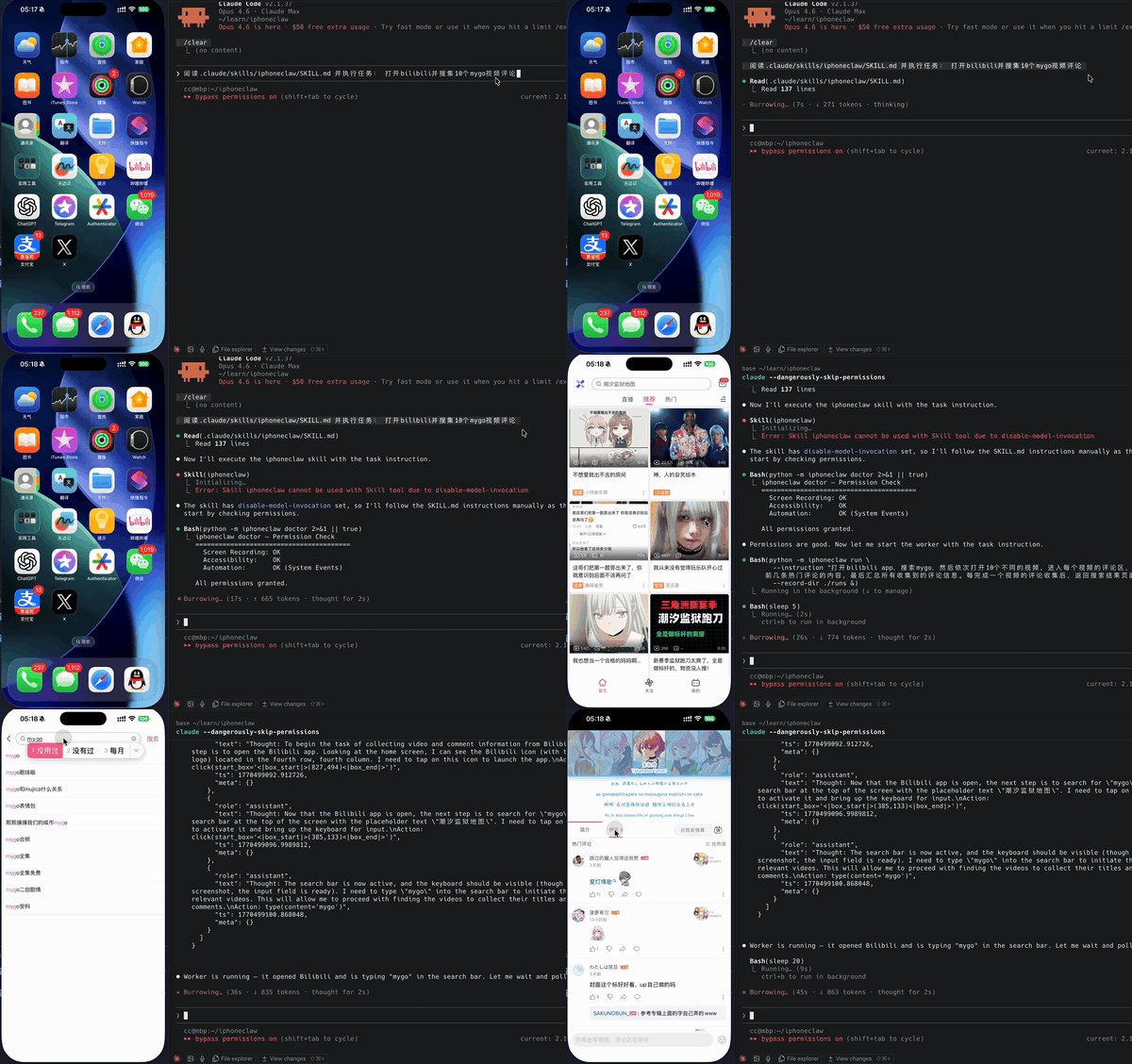
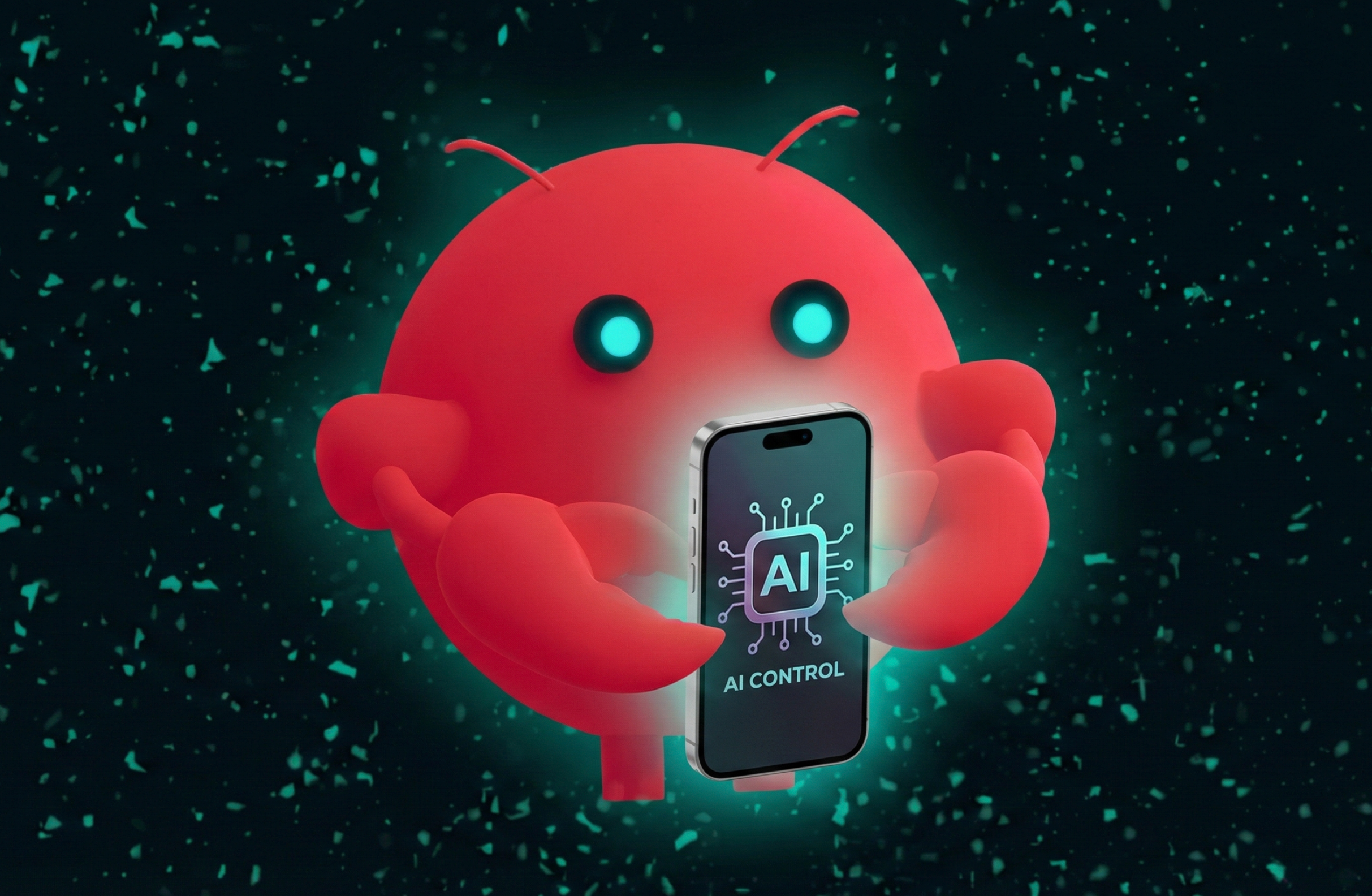
iPhone + AI. Open-source Apple Intelligence: let agents take over your iPhone.
Full demo video: assets/iphoneclaw.mp4
Official site: https://iphoneclaw.com
|
Real User Recording Capture real mouse/scroll/hotkey behavior into replayable scripts with script record-user.
|
One-Command Replay Re-run recorded flows with script run for fast iPhone automation delivery.
|
Deterministic Script Library Register reusable flows in action_scripts/registry.json and invoke with run_script(name=...).
|
|
Claude Code / Codex Skill Plug into Claude Code/Codex workflows and invoke deterministic actions via run_script(name=...).
|
L0 Memoization Speedup Skip repeated VLM calls on known screens and replay proven actions instantly. |
Automation Use Cases Practical repetitive tasks like red packet flows and Ant Forest energy collection style routines. |
macOS-only Python CLI worker that controls the iPhone Mirroring / iPhone镜像 window using a VLM (Vision Language Model) agent loop:
Thought: / Action:runs/It also exposes a local Supervisor API (text-only + SSE) so external agent frameworks can supervise the run:
poll the latest conversation (tail N rounds), subscribe to live events, and intervene with pause/resume/stop/inject.
This is designed to plug into orchestrators like Claude Code / Codex as a “boss agent” supervising a UI worker.
It can also improve over time: supervisors can record “lessons learned” in WORKER_DIARY.md, and consult it before starting new tasks.
Community diary repo (opt-in PRs): https://github.com/NoEdgeAI/awesome-iphoneclaw-diary
iphoneclaw now supports real user behavior recording and script replay for iPhone automation:
python -m iphoneclaw script record-user --app "iPhone Mirroring" --out action_scripts/recorded/my_live_flow.txtpython -m iphoneclaw script run --app "iPhone Mirroring" --file action_scripts/recorded/my_live_flow.txtaction_scripts/registry.json, then let agent run them via run_script(name=...).Typical use cases:
Notes:
git clone https://github.com/user/iphoneclaw.git
cd iphoneclaw

# pip
pip install -e .

# or uvall -e .
To include dev dependencies (pytest):
pip install -e ".[dev]"
# or
uv pip install -e ".[dev]"
Verify the installation and check macOS permissions:
iphoneclaw doctor
If Screen Recording or Accessibility shows MISSING, go to System Settings > Privacy & Security and grant permissions to your terminal app.
iphoneclaw works with any OpenAI-compatible vision model endpoint. Below are three recommended options.
UI-TARS is a GUI agent model by ByteDance, purpose-built for screen interaction. It outputs structured Thought: / Action: in the format iphoneclaw expects natively.
Available models on HuggingFace:
| Model | Size | Notes |
|---|---|---|
ByteDance-Seed/UI-TARS-1.5-7B |
~8B | Latest & recommended |
ByteDance-Seed/UI-TARS-7B-DPO |
7B | v1, DPO-tuned |
ByteDance-Seed/UI-TARS-72B-DPO |
72B | v1, best quality, needs 4x A100 |
ByteDance-Seed/UI-TARS-2B-SFT |
2B | Lightweight, 8 GB VRAM |
Deploy with vLLM:
pip install vllm

python -m vllm.entrypoints.openai.api_server \
  --served-model-name ui-tars \
  --model ByteDance-Seed/UI-TARS-1.5-7B \
  --limit-mm-per-prompt image=5 \
  -tp 1
For the 72B model use -tp 4 (4 GPUs with tensor parallelism).
Run iphoneclaw:
python -m iphoneclaw run \
  --instruction "Open Settings and enable Wi-Fi" \
  --base-url http://127.0.0.1:8000/v1 \
  --model ui-tars
Qwen2.5-VL by Alibaba has strong vision-agent capabilities out of the box, including screen understanding and UI interaction.
Available models on HuggingFace:
| Model | Size | Notes |
|---|---|---|
Qwen/Qwen2.5-VL-7B-Instruct |
~8B | Good balance |
Qwen/Qwen2.5-VL-32B-Instruct |
~33B | Strong |
Qwen/Qwen2.5-VL-72B-Instruct |
~73B | Best quality |
Qwen/Qwen2.5-VL-3B-Instruct |
~4B | Lightweight |
Deploy with vLLM:
pip install vllm

vllm serve Qwen/Qwen2.5-VL-7B-Instruct \
  --host 0.0.0.0 --port 8000 \
  --served-model-name qwen-vl \
  --limit-mm-per-prompt '{"image":2,"video":0}'
For the 72B model add --tensor-parallel-size 4.
Run iphoneclaw:
python -m iphoneclaw run \
  --instruction "Open Settings and enable Wi-Fi" \
  --base-url http://127.0.0.1:8000/v1 \
  --model qwen-vl
Volcengine Ark (火山引擎方舟) hosts Doubao vision models as a managed cloud API. No GPU required -- just an API key.
Available models:
| Model ID | Description |
|---|---|
doubao-1-5-ui-tars-250428 |
Vision model (recommended) |
Setup:
Run iphoneclaw:
export IPHONECLAW_MODEL_BASE_URL="https://ark.cn-beijing.volces.com/api/v3"
export IPHONECLAW_MODEL_API_KEY="your-ark-api-key"
export IPHONECLAW_MODEL_NAME="doubao-1-5-ui-tars-250428"

python -m iphoneclaw run \
  --instruction "Open Settings and enable Wi-Fi"
Or pass inline:
python -m iphoneclaw run \
  --instruction "Open Settings and enable Wi-Fi" \
  --base-url "https://ark.cn-beijing.volces.com/api/v3" \
  --api-key "$ARK_API_KEY" \
  --model "doubao-1-5-ui-tars-250428"
# 1. Check permissions
python -m iphoneclaw doctor

# 2. Launch iPhone Mirroring and verify window detection
python -m iphoneclaw launch

# 3. Take a test screenshot
python -m iphoneclaw screenshot --out /tmp/shot.jpg

# 4. Run the agent (pick one of the model options above)
python -m iphoneclaw run \
  --instruction "Open Settings and enable Wi-Fi" \
  --base-url http://127.0.0.1:8000/v1 \
  --model ui-tars
iphoneclaw doctor          Check macOS permissions
iphoneclaw launch          Launch target app, print window bounds
iphoneclaw bounds          Print window bounds (x y w h)
iphoneclaw screenshot      Capture target window to JPEG
iphoneclaw calibrate       Screenshot + coordinate mapping info
iphoneclaw ocr             Run Apple Vision OCR on current screen
iphoneclaw windows         List visible windows (debug)
iphoneclaw run             Run the agent loop + supervisor API
iphoneclaw serve           Start supervisor API only (no worker)
iphoneclaw ctl             Control a running worker via supervisor
iphoneclaw script          Action scripts (parse/run/record/record-user/export)
iphoneclaw supports local action scripts to reduce tokens and make common flows repeatable.
action_scripts/registry.json maps a short name to a .txt script fileiphoneclaw script ...run_script(name='open_app_spotlight', APP='bilibili').txt script and executes the concrete actionspython -m iphoneclaw script run --file action_scripts/common/open_app_spotlight.txt --var APP=bilibili
python -m iphoneclaw ocr --app "iPhone Mirroring" --min-confidence 0.2

# Explicit Chinese + English language set
python -m iphoneclaw ocr --app "iPhone Mirroring" --lang zh-Hans --lang zh-Hant --lang en-US

# Save debug artifacts (raw screenshot + overlay with OCR boxes + OCR JSON)
python -m iphoneclaw ocr --app "iPhone Mirroring" --min-confidence 0.2 --debug-draw --debug-dir ./ocr_debug
# Record real user behavior (mouse/scroll/hotkey) inside target window
# Stop by Ctrl-C, or pass --seconds N for timed recording
python -m iphoneclaw script record-user --app "iPhone Mirroring" --out action_scripts/recorded/my_live_flow.txt

# Record action lines from stdin (Ctrl-D to finish; this is not live mouse/keyboard capture)
python -m iphoneclaw script record --out action_scripts/recorded/my_flow.txt

# Export executed actions from a previous run (runs/<id>/events.jsonl)
python -m iphoneclaw script from-run --run-dir runs/<run_id> --out action_scripts/recorded/<run_id>.txt
record-user mapping highlights:
click(...)drag(...)right_single(...)scroll(...)hotkey(key='...') (cmd 1/cmd 2 become iphone_home()/iphone_app_switcher())Inside any .txt action script, you can include another script by short name or file path:
# by registry short name
include open_app_spotlight APP=bilibili

# by path
include action_scripts/common/open_app_spotlight.txt APP=bilibili
Equivalent explicit form also works:
run_script(name='open_app_spotlight', APP='bilibili')
run_script(path='action_scripts/common/open_app_spotlight.txt', APP='bilibili')
Add an entry to action_scripts/registry.json:
{
  "my_flow": "recorded/my_flow.txt"
}
Then the model can call:
Action: run_script(name='my_flow')
The worker exposes an HTTP API on 127.0.0.1:17334 for monitoring and control:
# View recent conversation context
python -m iphoneclaw ctl context --tail 5

# Pause / resume / stop
python -m iphoneclaw ctl pause
python -m iphoneclaw ctl resume
python -m iphoneclaw ctl stop

# Inject guidance into the agent's context
python -m iphoneclaw ctl inject --text "Only toggle Wi-Fi; do not change other settings." --resume

# Run a registered action script while the worker is paused
python -m iphoneclaw ctl run-script --name open_app_spotlight --var APP=bilibili

# OCR current iPhone screen with Apple Vision (text + boxes)
python -m iphoneclaw ctl ocr --min-confidence 0.2
python -m iphoneclaw ctl ocr --lang zh-Hans --lang zh-Hant --lang en-US
SSE event stream: GET /v1/agent/events
OCR API: GET /v1/agent/ocr
Optional query params: minConfidence (0..1), maxItems (>0), lang (repeatable), autoDetectLanguage (0/1)
If CGEvent/clipboard typing is unreliable, iphoneclaw can type via System Events AppleScript. By default it uses in-process NSAppleScript (permission attribution follows your terminal/python process).
NoEdgeAI/iphoneclaw is a public repo on GitHub by NoEdgeAI. iphone+AI, open source apple intelligence, let agent take over your iPhone.
It declares the Apache-2.0 license on GitHub.
Its maker has not tagged a system, so it is unknown here. Its README says what it needs.
Open "Take it" on its page: Take My Repo writes an install plan for your machine and hands it to your AI agent (Claude Code, Codex or Cursor), which asks you before each step. Take My Repo has not tested it on any machine.
This project is dedicated to collecting high-quality macOS software and organizing them systematically by different categories for easy search and use.
The awesome collection of OpenClaw skills. 5,400+ skills filtered and categorized from the official OpenClaw Skills Registry.🦞
Reverse engineer anything with agents, from app behavior down to native binaries.
Its last change on GitHub was on 2026-02-09. Take My Repo does not judge from that whether it is maintained.
Nobody has reviewed it on Take My Repo yet, which says nothing about its quality.
Take My Repo cannot say: it does not audit code and has not run iphoneclaw. What is known comes from GitHub. It declares the Apache-2.0 license on GitHub. Its last change was on 2026-02-09. It has 66 stars, which measure popularity, not safety. Nobody has reviewed it on Take My Repo yet, which says nothing about its quality. Read the source before you run it. With "Take it", your AI agent shows each step and asks you before running it; README text is treated as data, not as instructions.