
Auto-Coding
Autonomous multi-session AI coding
- 2
- AGPL-3.0
- 6 wk ago
Repo OBenner/Auto-Coding, read from GitHub 9 min ago. OBenner has not joined Take My Repo.
In short
OBenner/Auto-Coding is a public repo on GitHub by OBenner. Autonomous multi-session AI coding. It declares the AGPL-3.0 license on GitHub. It is written mainly in Python, has 2 stars and last changed on 2026-10-13. Nobody has reviewed it on Take My Repo yet, which says nothing about its quality. Read from GitHub on 2026-11-24.
Auto Code
Autonomous AI agents that plan, build, and test your software.
Describe what you want. Auto Code creates the spec, writes the code, runs QA, and hands you a clean branch to review.
What is Auto Code?
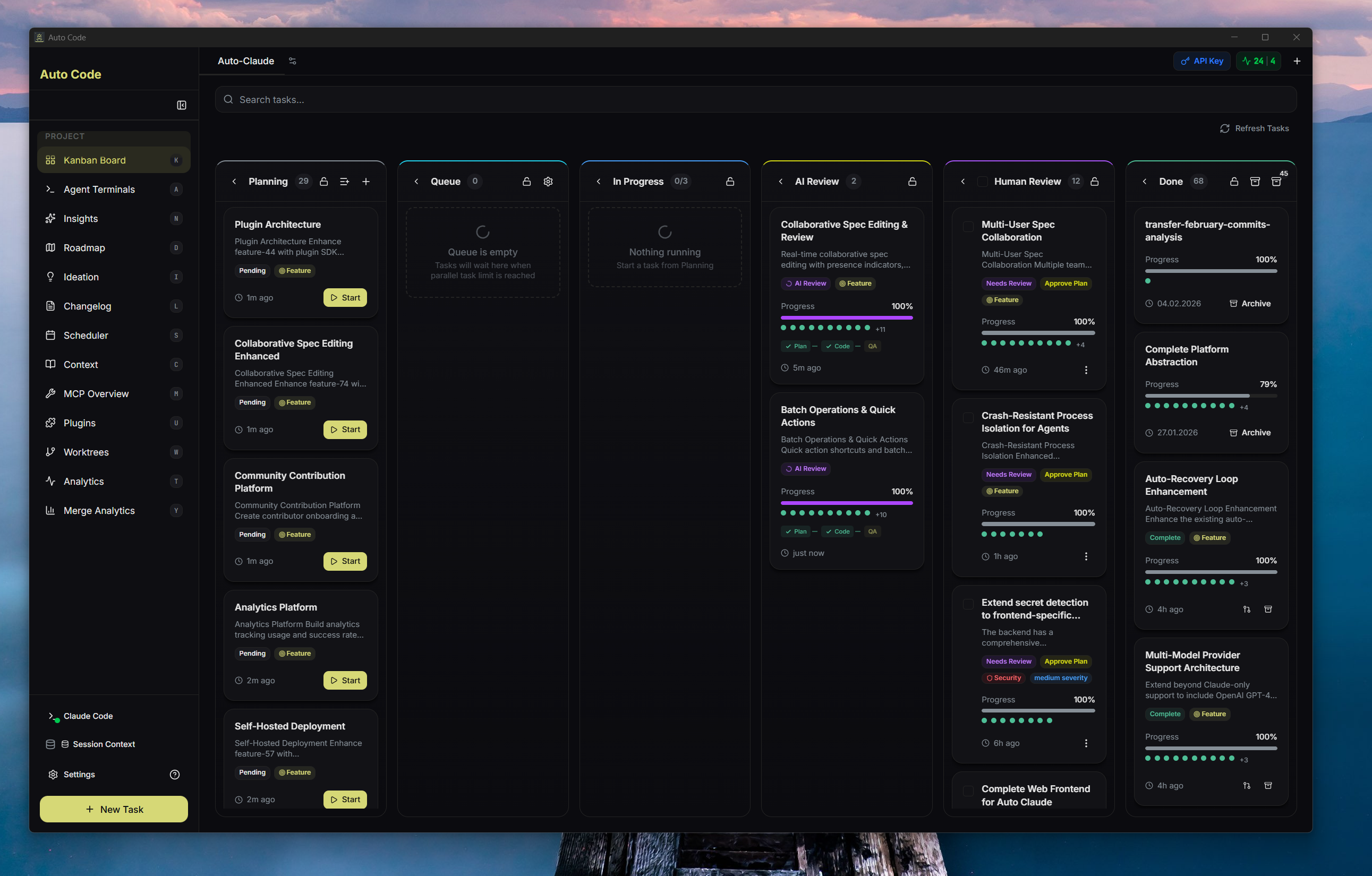
Auto Code is a multi-agent framework that turns a plain-language task description into working, tested code. You describe what you want, and a pipeline of specialized AI agents creates a specification, plans the implementation, writes the code, and validates it through automated QA -- all in isolated git worktrees so your main branch is never at risk. A built-in memory system means agents learn from previous sessions and get smarter over time.
Features
Multi-Agent PipelinePlanner, Coder, QA Reviewer, and QA Fixer agents work in sequence -- each with a focused role and clear handoff. Isolated WorkspacesEvery build runs in its own git worktree. Your main branch stays clean until you explicitly merge. Cross-Session MemoryGraphiti-powered knowledge graph stores patterns, gotchas, and discoveries so agents improve across builds. Self-Validating QAA dedicated QA loop catches issues before you ever look at the code, with optional E2E testing via Electron. |
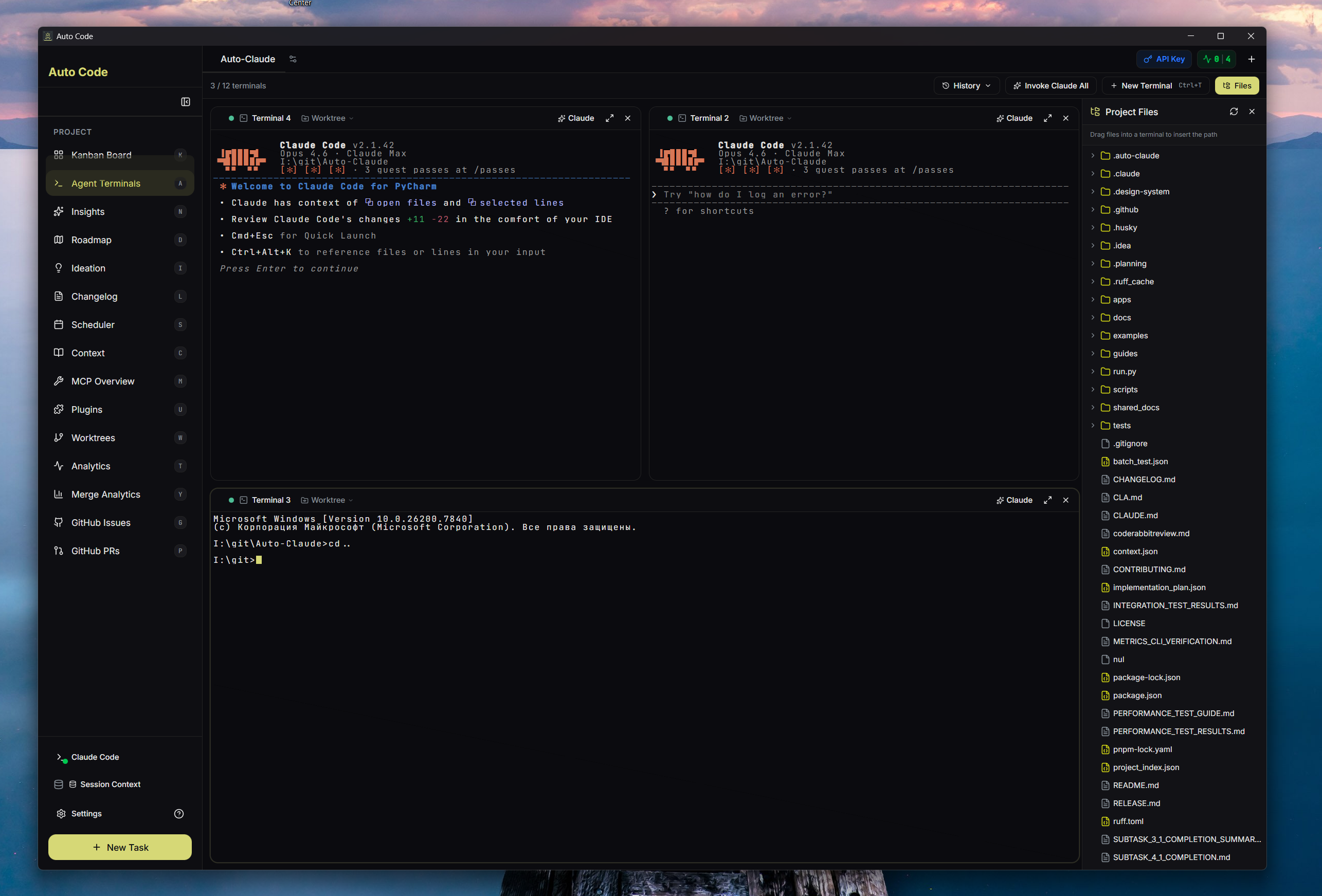
Parallel ExecutionRun up to 12 agent terminals simultaneously. The Coder agent can spawn subagents for parallel subtask work. GitHub, GitLab & Linear IntegrationImport issues, create PRs, and sync progress with your existing project management tools. Migration AssistantSafely migrate frameworks, libraries, and languages with incremental validation and rollback. See docs. Cross-PlatformNative desktop apps for Windows, macOS, and Linux. Cloud-hosted option also available. |
Screenshots
Kanban Board -- visual task management from planning through completion
Agent Terminals -- multiple AI-powered terminals with one-click task context
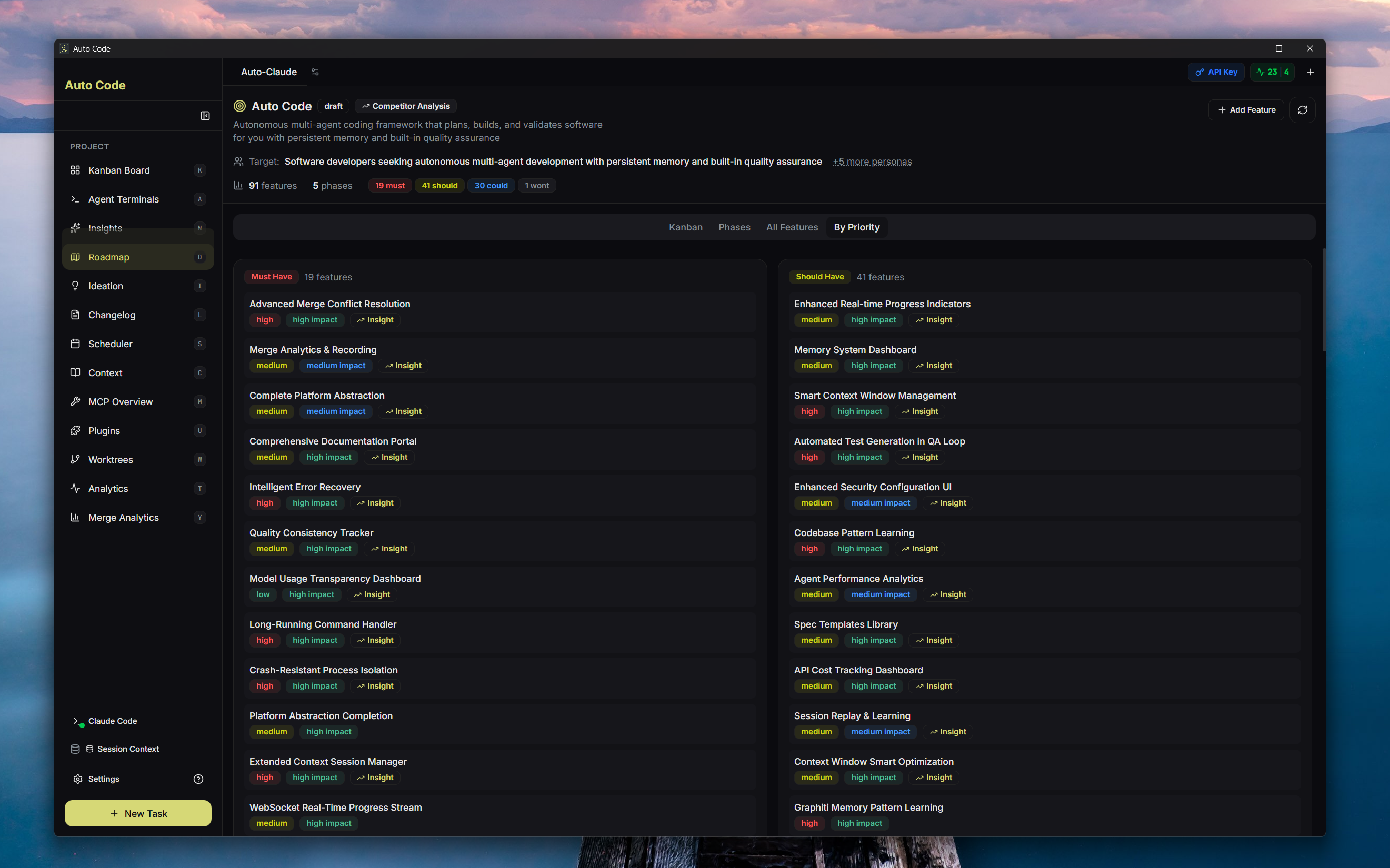
Roadmap -- AI-assisted feature planning with competitor analysis
Search & Navigation
Looking for something specific?
- Documentation Site - Public product docs, roadmap, architecture, and Markdown reader
- 📖 Documentation Portal - Comprehensive guide to all documentation
- 📖 Search Index - Comprehensive searchable index with keywords
- 🔍 Search Guide - Learn effective search strategies
- ✅ Verification Checklist - Documentation quality verification
Quick links:
- Quick Start Guide - Set up Auto Code and run your first task
- CLI Usage Guide - Terminal-only usage
- Troubleshooting Guide - Having issues?
Quick Start
Set up Auto Code and run your first task with the Quick Start Guide.
TL;DR: Download → Configure a runtime → Open Project → Create Task → Watch agents build → Review & merge
Download the latest release for your platform.
How It Works
 You describe a task
        |
        v
 +--------------+     +-----------+     +--------+     +-------------+     +-----------+
 | Spec Creation | --> |  Planner  | --> | Coder  | --> | QA Reviewer | --> | QA Fixer  |
 +--------------+     +-----------+     +--------+     +-------------+     +-----------+
                                                                                  |
                                                                                  v
                                                                        You review & merge
Spec Creation analyzes your request and produces a structured specification. The Planner breaks it into subtasks. The Coder implements each subtask (spawning subagents for parallel work when needed). The QA Reviewer validates against acceptance criteria, and the QA Fixer resolves any issues in a loop. You get a clean branch ready to merge.
Deployment Options
Desktop (recommended for individual developers) -- Download and run the native app. All processing happens locally.
Cloud-hosted (not ready) – Deploy to your infrastructure for centralized, multi-user access with OAuth, usage tracking, and Kubernetes support. See the Cloud Setup Guide.
CLI Usage
For headless operation, CI/CD integration, or terminal workflows:
cd apps/backend

python spec_runner.py --interactive       # Create a spec interactively
python spec_runner.py --task "Add auth"   # Create spec from description

python run.py --spec 001                  # Run autonomous build
python run.py --spec 001 --review         # Review changes
python run.py --spec 001 --merge          # Merge into your branch
See CLI Usage Guide for full documentation.
Security
Auto Code uses a three-layer security model:
- OS Sandbox -- bash commands run in isolation
- Filesystem restrictions -- operations limited to the project directory
- Dynamic command allowlist -- only approved commands based on detected project stack
All releases include SHA256 checksums. macOS builds are code-signed.
Community
- Issues -- report bugs or request features
- Discussions -- ask questions and share ideas
Contributing
Contributions are welcome. See CONTRIBUTING.md for setup instructions, code style, testing, and PR guidelines.
Credits
Auto Code was originally forked from AndyMik90/Auto-Code. Thank you to the original author for laying the foundation.
License
AGPL-3.0 -- Auto Code is free to use. If you modify and distribute it, or run it as a service, your changes must also be open source under AGPL-3.0.
Questions
What is Auto-Coding?
OBenner/Auto-Coding is a public repo on GitHub by OBenner. Autonomous multi-session AI coding.
Is Auto-Coding open source?
It declares the AGPL-3.0 license on GitHub.
Does Auto-Coding run on macOS, Windows or Linux?
Its maker tagged it for macOS, Windows and Linux, or as Docker or cross-platform. That is declared by the maker; Take My Repo has not tested it.
How do I install Auto-Coding?
Open "Take it" on its page: Take My Repo writes an install plan for your machine and hands it to your AI agent (Claude Code, Codex or Cursor), which asks you before each step. Take My Repo has not tested it on any machine.