strix
Open-source AI penetration testing tool to find and fix your app’s vulnerabilities.
- 77k
- Python
- Apache-2.0
- 10 h ago
AI-powered Docker security scanner that explains vulnerabilities in plain English. An OWASP Lab Project.
Repo OWASP/DockSec, read from GitHub 5 h ago. OWASP has not joined Take My Repo.
OWASP/DockSec is a public repo on GitHub by OWASP. AI-powered Docker security scanner that explains vulnerabilities in plain English. An OWASP Lab Project. It declares the MIT license on GitHub. It is written mainly in Python, has 514 stars and last changed on 2026-11-05. Nobody has reviewed it on Take My Repo yet, which says nothing about its quality. Read from GitHub on 2026-11-25.
Open-source AI penetration testing tool to find and fix your app’s vulnerabilities.
Shannon is an AI pentester for web applications and APIs. It analyzes your source code, identifies attack vectors, and executes real exploits to prove vulnerabilities before they reach production.
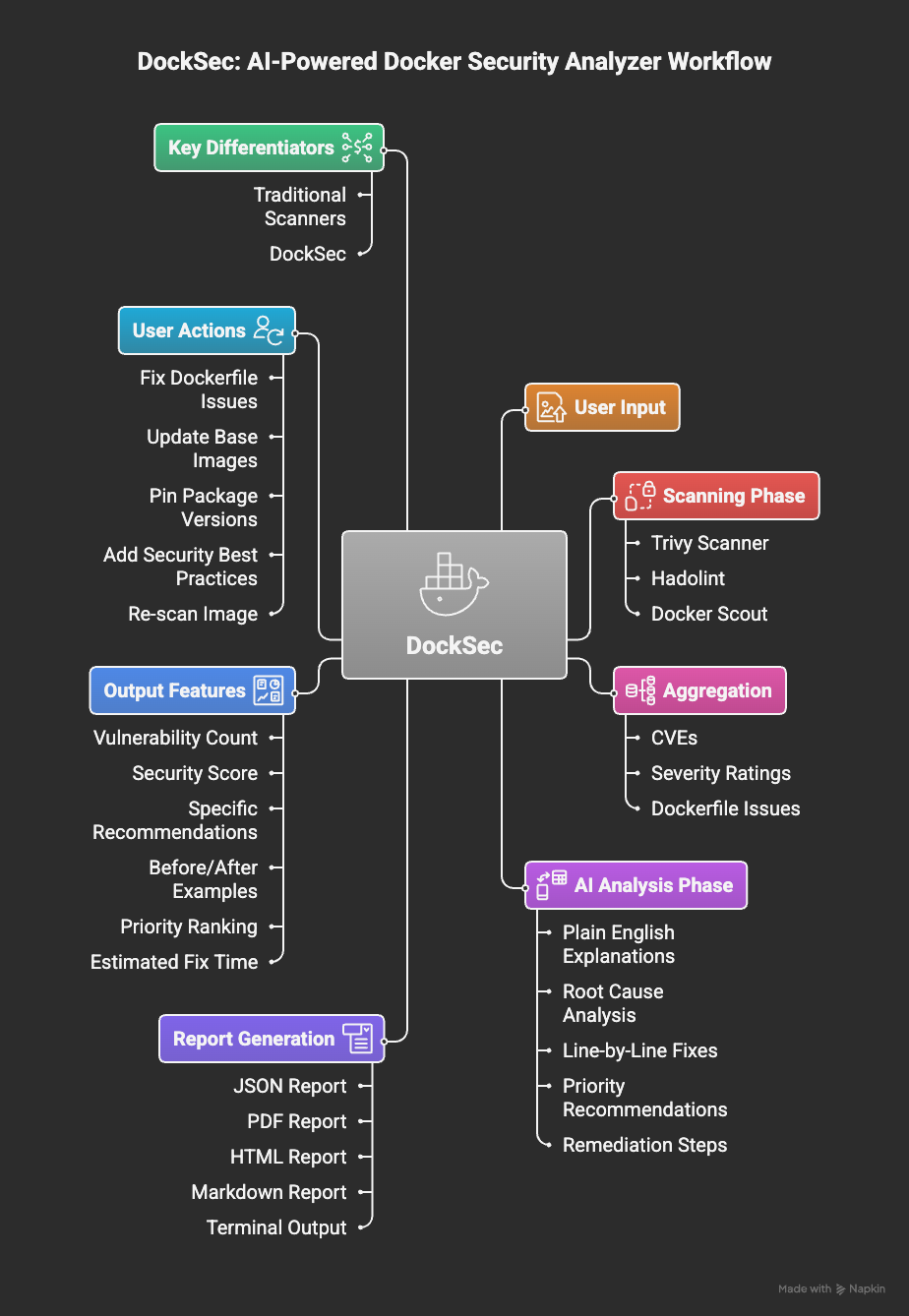
DockSec is an OWASP Lab Project that bridges the gap between complex security scan results and actionable developer fixes. It integrates industry-standard scanners (Trivy, Hadolint, Docker Scout) with AI to provide context-aware security analysis.
Instead of overwhelming you with a list of 200+ CVEs, DockSec:
DockSec workflow: from scanning to actionable insights
DockSec follows a five-stage pipeline:
DockSec orchestrates local scanners, so it needs:
| Requirement | Needed for | Install |
|---|---|---|
| Python 3.12+ | DockSec itself | python.org |
| Trivy | All scans (required) | brew install trivy or Trivy docs |
| Hadolint | Dockerfile linting | brew install hadolint or Hadolint docs |
| Docker | Image scans (-i) |
Docker docs |
Or let DockSec install Trivy and Hadolint for you:
python -m docksec.setup_external_tools
# Full install with AI analysis support (recommended)
pip install "docksec[ai]"

# Or the slim, scan-only core (no LLM dependencies, no API key needed)
pip install docksec
No API key needed for local scanning:
docksec Dockerfile --scan-only
Every scan ends with a result summary: a severity table, a 0-100 security score with a
rating, a "Quick take" action block, the generated reports (saved to
~/.docksec/results/ by default), and a suggested next command.
AI analysis explains findings and suggests fixes. Pick a provider, set its API key, and run:
# OpenAI (default provider)
export OPENAI_API_KEY="sk-..."
docksec Dockerfile

# Anthropic Claude
export ANTHROPIC_API_KEY="sk-ant-..."
docksec Dockerfile --ai-only --provider anthropic --model claude-sonnet-5

# Google Gemini
export GOOGLE_API_KEY="..."
docksec Dockerfile --ai-only --provider google

# Ollama (fully local, no API key, data never leaves your machine)
docksec Dockerfile --ai-only --provider ollama --model llama3.1
Each provider has a sensible default model (OpenAI: gpt-4o, Anthropic:
claude-haiku-4-5, Google: gemini-1.5-pro, Ollama: llama3.1), so --model is
optional. To avoid repeating flags, set environment variables (or put them in a .env
file in the directory you run from - DockSec loads it automatically):
export LLM_PROVIDER=anthropic
export LLM_MODEL=claude-sonnet-5
docksec Dockerfile
Before any content is sent to an AI provider, secret-looking values (passwords, tokens, API keys, private key blocks) are masked automatically. See Data flow and privacy.
The published image bundles pinned versions of Trivy and Hadolint, so there is nothing to install and nothing to configure:
docker run --rm -v "$PWD:/github/workspace" \
  -e INPUT_DOCKERFILE=Dockerfile \
  -e INPUT_SCAN_ONLY=true \
  ghcr.io/owasp/docksec:latest
Also published to Docker Hub as owasp/docksec:
docker run --rm -v "$PWD:/github/workspace" \
  -e INPUT_DOCKERFILE=Dockerfile \
  -e INPUT_SCAN_ONLY=true \
  owasp/docksec:latest
Published multi-arch (amd64 and arm64) on every release, to both registries
from the same build. Pin to a specific version (ghcr.io/owasp/docksec:2026.9.21,
owasp/docksec:2026.9.21) or a minor series (ghcr.io/owasp/docksec:2026.9)
rather than latest in CI. Every GHCR image carries a build provenance
attestation:
gh attestation verify oci://ghcr.io/owasp/docksec:latest --repo OWASP/DockSec
The image reads the same INPUT_* variables as the GitHub Action, so any Action
input works here: INPUT_IMAGE, INPUT_COMPOSE, INPUT_SEVERITY,
INPUT_FAIL_ON, INPUT_FORMAT, INPUT_SARIF, INPUT_OUTPUT_DIR. Write reports
somewhere on the mount to keep them after the container exits:
docker run --rm -v "$PWD:/github/workspace" \
  -e INPUT_COMPOSE=docker-compose.yml \
  -e INPUT_SCAN_ONLY=true \
  -e INPUT_FORMAT=json,html \
  -e INPUT_OUTPUT_DIR=/github/workspace/docksec-reports \
  ghcr.io/owasp/docksec:latest
- name: Run DockSec AI Scanner
  uses: OWASP/DockSec@v2026.9.21
  with:
    dockerfile: 'Dockerfile'
    openai_api_key: ${{ secrets.OPENAI_API_KEY }}
# Scan Dockerfile + Docker image (AI + scanners)
docksec Dockerfile -i myapp:latest

# Scan a Docker Compose file and all its services
docksec --compose docker-compose.yml

# Scan only a Docker image
docksec --image-only -i myapp:latest

# Fast local scan, no AI, no API key
docksec Dockerfile --scan-only

# Choose which severity levels the image scan reports (default: CRITICAL,HIGH)
docksec -i myapp:latest --image-only --severity CRITICAL,HIGH,MEDIUM

# Fail the build (exit 1) if any finding is HIGH or above
docksec -i myapp:latest --image-only --fail-on high

# Write only the report formats you want, to a directory of your choice
docksec Dockerfile --scan-only --format json,html --output-dir ./reports

# Write a Markdown report for posting directly into a pull request comment
docksec Dockerfile --scan-only --format markdown

# Print results as JSON to stdout for scripts and CI pipelines
docksec -i myapp:latest --image-only --json

# Write a SARIF report for GitHub Code Scanning
docksec Dockerfile --scan-only --sarif

# Write a CycloneDX SBOM of an image for supply-chain tooling
docksec --image-only -i myapp:latest --sbom

# Fully offline scan: local Trivy DB, no network, no AI
docksec --image-only -i myapp:latest --offline

# Save today's findings as a baseline, then only gate on new findings later
docksec -i myapp:latest --image-only --baseline .docksec-baseline.json --update-baseline
docksec -i myapp:latest --image-only --baseline .docksec-baseline.json --fail-on high

# Suppress triaged findings with an auditable ignore file
docksec -i myapp:latest --image-only --ignore-file .docksec-ignore.yml

# Force a fresh scan, bypassing the results cache
docksec -i myapp:latest --image-only --no-cache

# Install AI-assistant skill files (Claude Code, Cursor, Copilot, and more)
docksec install-skill

# Output control
docksec Dockerfile --scan-only --quiet                  # warnings, errors, summary only
docksec Dockerfile --scan-only --verbose                # INFO-level diagnostics on stderr
docksec Dockerfile --scan-only --verbose --log-file logs/docksec.log
docksec Dockerfile --scan-only --compact-output         # shorter per-finding output
docksec Dockerfile --no-color                           # also honors NO_COLOR

# Apply the mechanical Dockerfile fixes (keeps a .bak, re-scans, shows the delta)
docksec Dockerfile --scan-only --fix --dry-run          # print the diff, change nothing
docksec Dockerfile --scan-only --fix

# Rank findings by severity alone, with no EPSS lookup and no network call
docksec Dockerfile --scan-only --no-epss

# Treat a scan that could not complete as a failure, not a pass
docksec Dockerfile --scan-only --fail-on high --incomplete-policy fail
Commit a .docksec.yml at the root of your repository and the whole team - and
every CI job - scans under the same policy, instead of each developer passing
their own flags.
# yaml-language-server: $schema=https://owasp.org/DockSec/docksec-config-schema.json
severity: CRITICAL,HIGH
fail_on: HIGH
formats: [json, html]
output_dir: ./security-reports

rules:
  disabled:
    - compose-missing-healthcheck
Every setting is optional; anything you leave out falls back to the environment
variable and then to the built-in default. A full annotated example is in
examples/.docksec.yml.
Highest priority first:
CLI flag > environment variable > .docksec.yml > built-in default
So a committed severity: LOW is still overridden by --severity CRITICAL on
the command line, and by DOCKSEC_DEFAULT_SEVERITY in the environment.
DockSec looks for .docksec.yml (or .docksec.yaml) in the working directory
and then walks up to the repository root, so a service in a monorepo
subdirectory inherits the policy committed at the top level. The search stops at
the directory containing .git, so it never picks up a file from outside the
repository.
--config FILE uses a specific file instead of searching.--no-config ignores any config file, for reproducible CI runs.The config file in force is shown in the scan banner, so it is always clear which policy was applied.
| Setting | Equivalent flag | Notes |
|---|---|---|
severity |
--severity |
Severity levels for the image scan |
fail_on |
--fail-on |
CI gate threshold |
formats |
--format |
List form: [json, html] |
output_dir |
--output-dir |
Report destination |
provider |
--provider |
openai, anthropic, google, ollama |
model |
--model |
Model name for the provider |
offline |
--offline |
No network; skips AI and Docker Scout |
skip_ai_scoring |
--skip-ai-scoring |
Deprecated and ignored; scoring is always deterministic |
no_redact |
--no-redact |
Do not mask secrets before the AI call |
no_cache |
--no-cache |
Bypass the scan cache |
ignore_file |
--ignore-file |
Waiver file path |
baseline |
--baseline |
Baseline file path |
rules.disabled |
- | Rule IDs to switch off entirely |
An invalid config file - an unknown key, a bad severity - is a hard error that
exits 2 rather than a warning, so a broken policy file can never cause a scan
to run under rules the team did not commit.
The # yaml-language-server: comment on the first line gives completion and
inline validation in VS Code and JetBrains editors. The schema is published at
docs/docksec-config-schema.json and can be
regenerated with docksec --print-config-schema.
rules.disabled switches a check off entirely, everywhere - it is removed
before scoring, reports, --json, and the --fail-on gate. Use it for checks
that do not apply to your environment. For individual findings your team has
triaged and accepted, prefer the waiver file,
whose entries carry a reason and an expiry date and so stay auditable.
DockSec uses CI-friendly exit codes so builds and shells can react to results:
| Code | Meaning |
|---|
OWASP/DockSec is a public repo on GitHub by OWASP. AI-powered Docker security scanner that explains vulnerabilities in plain English. An OWASP Lab Project.
It declares the MIT license on GitHub.
Its maker tagged it for macOS, Windows and Linux, or as Docker or cross-platform. That is declared by the maker; Take My Repo has not tested it.
Open "Take it" on its page: Take My Repo writes an install plan for your machine and hands it to your AI agent (Claude Code, Codex or Cursor), which asks you before each step. Take My Repo has not tested it on any machine.
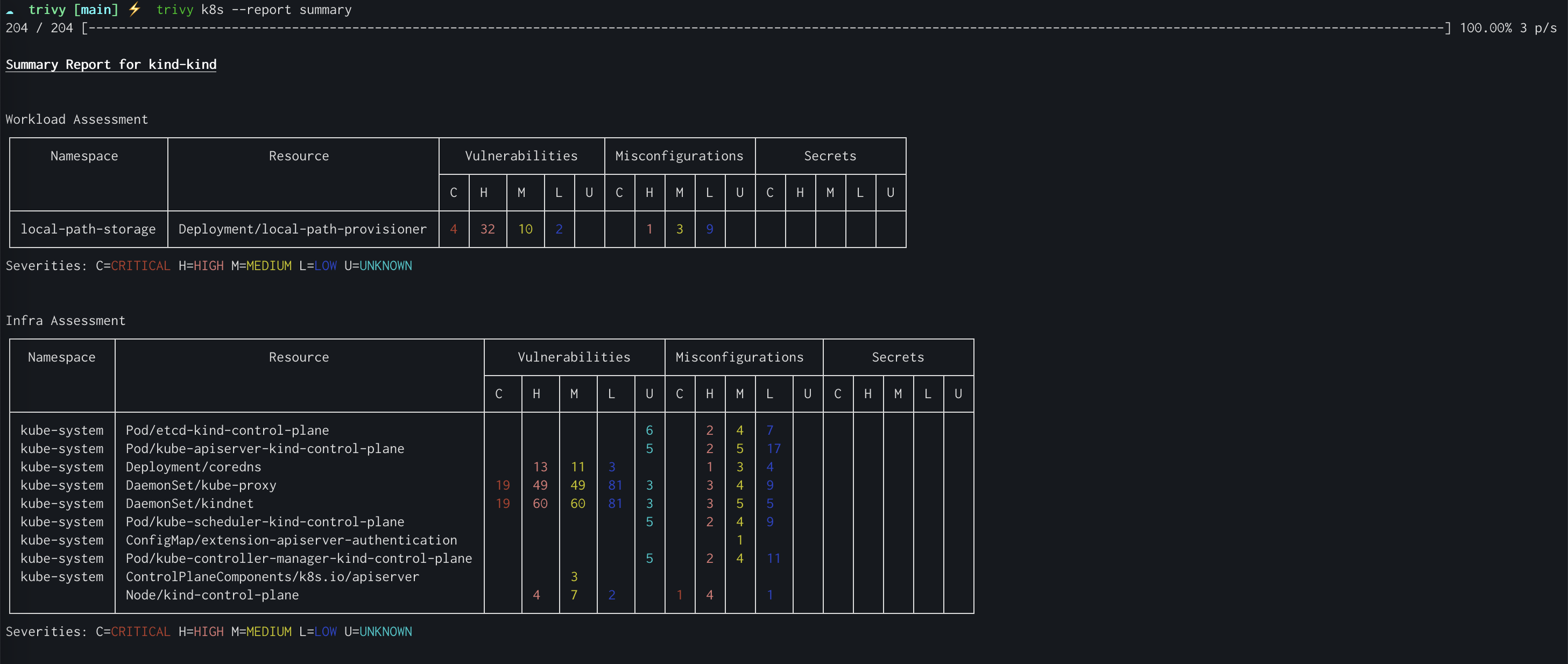
Find vulnerabilities, misconfigurations, secrets, SBOM in containers, Kubernetes, code repositories, clouds and more
This repository is maintained by Omar Santos (@santosomar) and includes thousands of resources related to ethical hacking, bug bounties, digital forensics and incident response (DFIR), AI security, vulnerability research, exploit development, reverse engineering, and more. 🔥 Also check: https://hackertraining.org
Its last change on GitHub was on 2026-11-05. GitHub counts 24 open issues and pull requests. Take My Repo does not judge from that whether it is maintained.
Nobody has reviewed it on Take My Repo yet, which says nothing about its quality.
Take My Repo cannot say: it does not audit code and has not run DockSec. What is known comes from GitHub. It declares the MIT license on GitHub. Its last change was on 2026-11-05. It has 514 stars, which measure popularity, not safety. Nobody has reviewed it on Take My Repo yet, which says nothing about its quality. Read the source before you run it. With "Take it", your AI agent shows each step and asks you before running it; README text is treated as data, not as instructions.