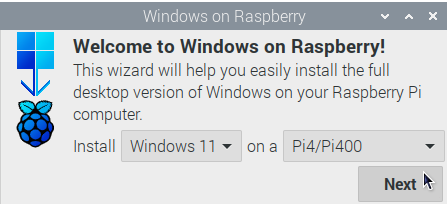
wor-flasher
Legal utility that runs on RPiOS to flash another SD card with Windows 10/11
- 726
- Shell
- 5 mo ago

Seamless transition between video cameras firmware
Repo OpenIPC/coupler, read from GitHub 4 h ago. OpenIPC has not joined Take My Repo.
OpenIPC/coupler is a public repo on GitHub by OpenIPC. Seamless transition between video cameras firmware. It declares the MIT license on GitHub. It has 122 stars and last changed on 2026-11-20. Nobody has reviewed it on Take My Repo yet, which says nothing about its quality. Read from GitHub on 2026-11-22.
Releases contain automatically generated firmware files for transition from stock to OpenIPC
WARNING! Coupler is a work-in-progress. If the firmware update fails, then it will be necessary to to carry out a tftp recovery process. You are strongly advised to carefully review the recovery process documentation and check for any relevant open issues, before proceeding.
It's highly recommended to upgrade to latest available stock firmware before transition.
You can use coupler if a coupler binary is available which matches the "System version" for your device.
For example a device running vendor firmware with the version "V5.00.R02.000059A8.10010.040400.0020000" has device ID "000059A8".
There are several ways to discover the vendor firmware version:
Select the firmware from the download list which exactly matches your device's ID.
Many firmwares in the list below are compatible with multiple different image sensor (CCD) types, and must be configured to expect a particular sensor type before images or video can be captured. You should ensure that you know the image sensor (CCD) make/model which your camera uses. This can be found using the methods listed above for determining the device ID, but is also often shown on the item description or model number (e.g. when the item is sold, or on the product packaging).
WARNING! Provides linux rootfs ! Manual Rollback only !
Use vendor-specific software (e.g. XiongMai DeviceManager), IPCam_DMS, or the camera's built-in web server (n.b. not all vendor firmwares support browser based updates) to install the OpenIPC coupler firmware binary.
After flashing and rebooting, the camera will request an IP from a DHCP server. It will listen for web based management (e.g. http://w.x.y.z/ where the w.x.y.z is replaced with the IP address is the one that your local DHCP server has assigned), and also on ssh. After the first boot with the new firmware you need to clean the overlay partition. Run this command in your terminal window: firstboot . The coupler firmware build may not be the latest, so you may want to upgrade the firmware further at this point.
If no image is available via the web interface, then the sensor may need to be manually configured. This can be checked via ssh with fw_printenv -n sensor, which may respond unknown. On HiSilicon SoCs, a list of known sensor types can be found in the /usr/bin/load_hisilicon script. Once you have a matching sensor type, it can be set with e.g. fw_setenv sensor imx291_i2c.
Check the main project docs and wiki for more info.
To rollback firmware to stock, you will have to connect UART console and do TFTP recovery
Our ExIPCam software can do that in semi-automatic mode.
ipctool printenv (review serverip and ipaddr)In the output of this command, we are looking for the value "serverip" (e.g. serverip=192.168.1.254), set the received IP address on the computer with TFTP and launch the TFTP server.
ipctoolThis is to download the latest version of ipctool from the repository
/tmp/ipctool setenv bootcmd "run up && re; setenv setargs setenv bootargs \${bootargs}; run setargs; sf probe 0; sf read 0x42000000 0x50000 0x200000; bootm 0x42000000"rebootipctoolThis is to download the latest version of ipctool from the repository
/tmp/ipctool setenv bootargs "mem=32M console=ttyAMA0,115200 root=/dev/mtdblock2 rootfstype=cramfs mtdparts=xm_sfc:256K(boot),1536K(kernel),1280K(romfs),4544K(user),256K(custom),320K(mtd)"/tmp/ipctool setenv bootcmd "run up;sf probe 0;sf read 80007fc0 40000 180000;bootm 80007fc0" rebootObtain stock firmware file and open it in an editor. First 8 bytes are NAME and next 8 bytes are SENSOR
For example: 16AV300 IMX415b
Get appropriate file for your model and flash it via web.
Get appropriate file for your model.
After a new camera appears on the network (with the description openipc-gk7205v2x0), immediately reboot it by power.
After rebooting (this must be done!), log in to the camera via SSH using the username root and the password 12345 and execute the following commands:
fw_setenv ethaddr e4:e6:6c:23:84:89

firstboot
The camera will set the original MAC address of the device, perform all necessary configurations, and reboot.
Zenointel (Hangzhou Zenointel) OEM cameras (e.g. SD-2N-4G / NC-IPTC2200_DL_4G-4,
Goke GK7205V510, 128 MiB SPI-NAND) run a Dahua-derived hunter userland and
speak Dahua DHIP (TCP 5000), not XiongMai DVRIP. The build here mirrors the
XiongMai approach — it repackages OpenIPC's kernel + rootfs into the vendor's
own Dahua "zzip" upgrade container and does not touch u-boot, so the stock
bootloader (and TFTP recovery) always survives.
VALIDATED on hardware — one upstream blocker for CI. The full flow was proven end-to-end on a GK7205V510 SD-2N-4G: the locally-built OpenIPC gk7205v500-family NAND (ultimate) artifact (gk7205v510 is SoC family gk7205v500), wrapped by this builder and pushed over DHIP with
python-dhip, booted OpenIPC keeping the stock u-boot. The stock XMediabootkboots the OpenIPC kernel+rootfs from the vendorkernel/rootpartitions, andhunteraccepts the partial (kernel+rootfs-only) package. The one remaining blocker is CI: the gk7205v500-family NAND-ultimate artifact is not published upstream yet (CI currently ships gk7205v500_lite NOR), so the fetch step here fails until it is. Build it locally in the meantime (make BOARD=gk7205v500_ultimate). Back up the full NAND and keep a UART console ready before attempting anything.
There is no XiongMai-style Device ID. The upgrade package is gated on Cpu
(SoC, GK7205V510), Vendor (the unit's OEM, e.g. Rostelecom) and a
Devices allow-list of [model, hardware-version] pairs. Match all three to
your unit. Read them over DHIP with python-dhip
(magicBox.getSystemInfo / getSoftwareVersion), or from the web UI's version page.
The package is a Dahua zzip (a ZIP with the first PK mangled to ZL); inspect
it with the zenointel project's tools/zzip.py verify. Push it over DHIP with
python-dhip (DahuaClient.upgrade_firmware(pkg, confirm=True) on port 5000),
mirroring how XiongMai uses python-dvr. Full recipe:
~/projects/cameras/zenointel/docs/openipc-transition.md.
Fully recoverable — u-boot is never touched. Interrupt the stock u-boot over UART
(console password zenotech) and TFTP the stock partitions back, or restore the
full NAND backup taken before flashing.
Transition firmware for Anjoy/Anjvision boards is available on the Anjoy release page.
Transition firmware for Huishi boards is available on the Huishi release page.
Rostelecom / Uniview cameras built on the "VideoComfort" (VC) stack — e.g. the Rostelecom IPC8232SWC-WE (Uniview C1L-2WN-G-RU, HiSilicon hi3516ev300 + SP2305 sensor) — can be moved to OpenIPC from an SD card, with no UART and no network. The stock U-Boot runs an on-board SD auto-updater on every power-on: it reads files named after each NAND partition from the first FAT partition of the card, writes each to flash, and reboots.
Transition files are on the
Rostelecom/Uniview release page
(generated by _rostelecom2oipc.py
from the OpenIPC hi3516ev300-nand build).
boot, tech, kernel, app.The updater only verifies a magic number and CRC (no signature), which is why the transition works. WARNING: Coupler is work-in-progress — if the update fails you will need a UART TFTP recovery.
OpenIPC offers two levels of support.
Please consider subscribing for paid commercial support if you intend to use our product for business. As a paid customer, you will get technical support and maintenance services directly from our skilled team. Your bug reports and feature requests will get prioritized attention and expedited solutions. It's a win-win strategy for both parties, that would contribute to the stability your business, and help core developers to work on the project full-time.
If you have any specific questions concerning our project, feel free to contact us.
If you like what we do, and willing to intensify the development, please consider participating.
You can improve existing code and send us patches. You can add new features missing from our code.
You can help us to write a better documentation, proofread and correct our websites.
You can just donate some money to cover the cost of development and long-term maintaining of what we believe is going to be the most stable, flexible, and open IP Network Camera Framework for users like yourself.
You can make a financial contribution to the project at Open Collective.
Thank you.

OpenIPC/coupler is a public repo on GitHub by OpenIPC. Seamless transition between video cameras firmware.
It declares the MIT license on GitHub.
Its maker tagged it for Windows and Linux. That is declared by the maker; Take My Repo has not tested it.
Open "Take it" on its page: Take My Repo writes an install plan for your machine and hands it to your AI agent (Claude Code, Codex or Cursor), which asks you before each step. Take My Repo has not tested it on any machine.
Its last change on GitHub was on 2026-11-20. GitHub counts 22 open issues and pull requests. Take My Repo does not judge from that whether it is maintained.
Nobody has reviewed it on Take My Repo yet, which says nothing about its quality.
Legal utility that runs on RPiOS to flash another SD card with Windows 10/11
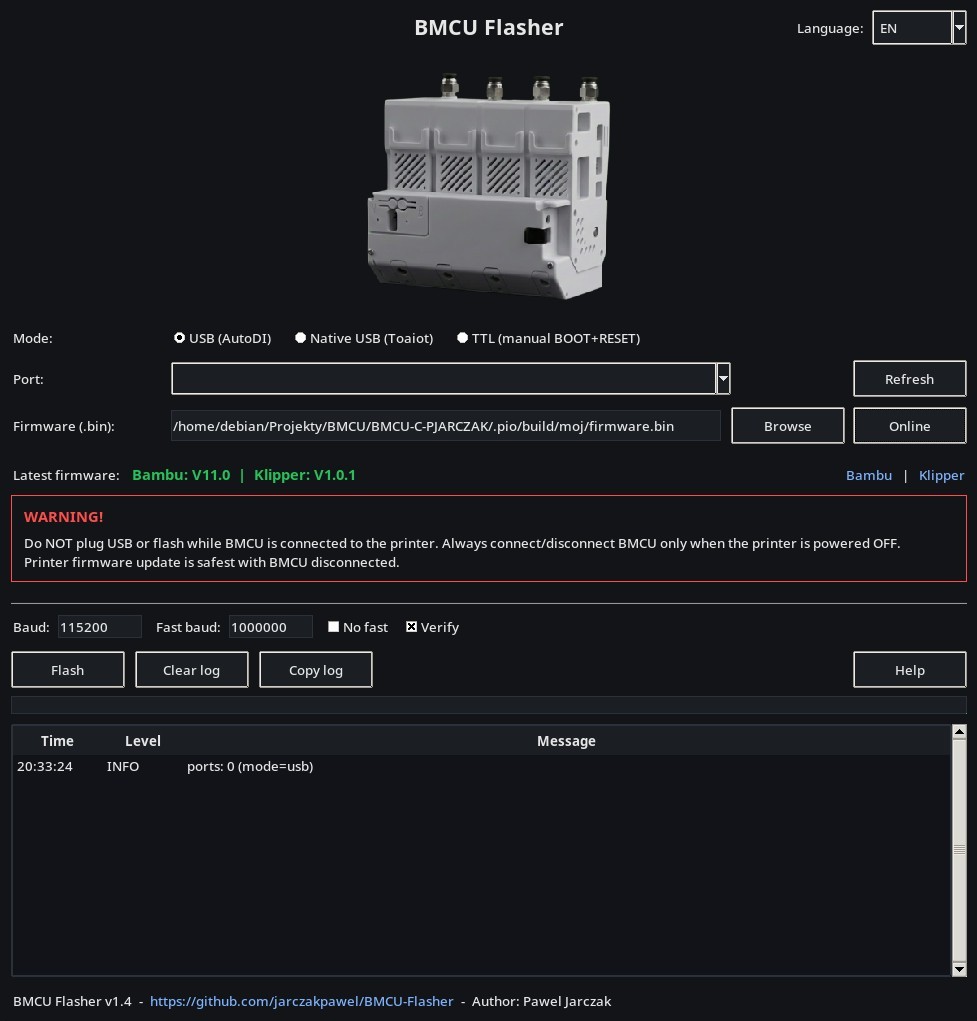
BMCU flasher ( USB / TTL ) for Linux / Windows / macOS / Android.
Flash ESP32 and ESP8266 firmware from your browser - no driver or app install needed. Free, open-source Web Serial flasher for .bin files.
PixelPilot is an Android app packaging multiple pieces together to decode an H264/H265 video feed broadcast by wfb-ng over the air.