From Sim-to-Real: Toward General Event-based Low-Light Frame Interpolation with Per-scene Optimization
Ziran Zhang1,2,
Yongrui Ma3,2,
Yueting Chen1,
Feng Zhang2,
Jinwei Gu3,
Tianfan Xue3,
Shi Guo2
1 Zhejiang University, 2 Shanghai AI Laboratory, 3 The Chinese University of Hong Kong
🌐 Project Page | 🎥 Video | 📄 Paper | 📊 Data | 🛠️ Weights | 🔖 PPT
🔔 Overview
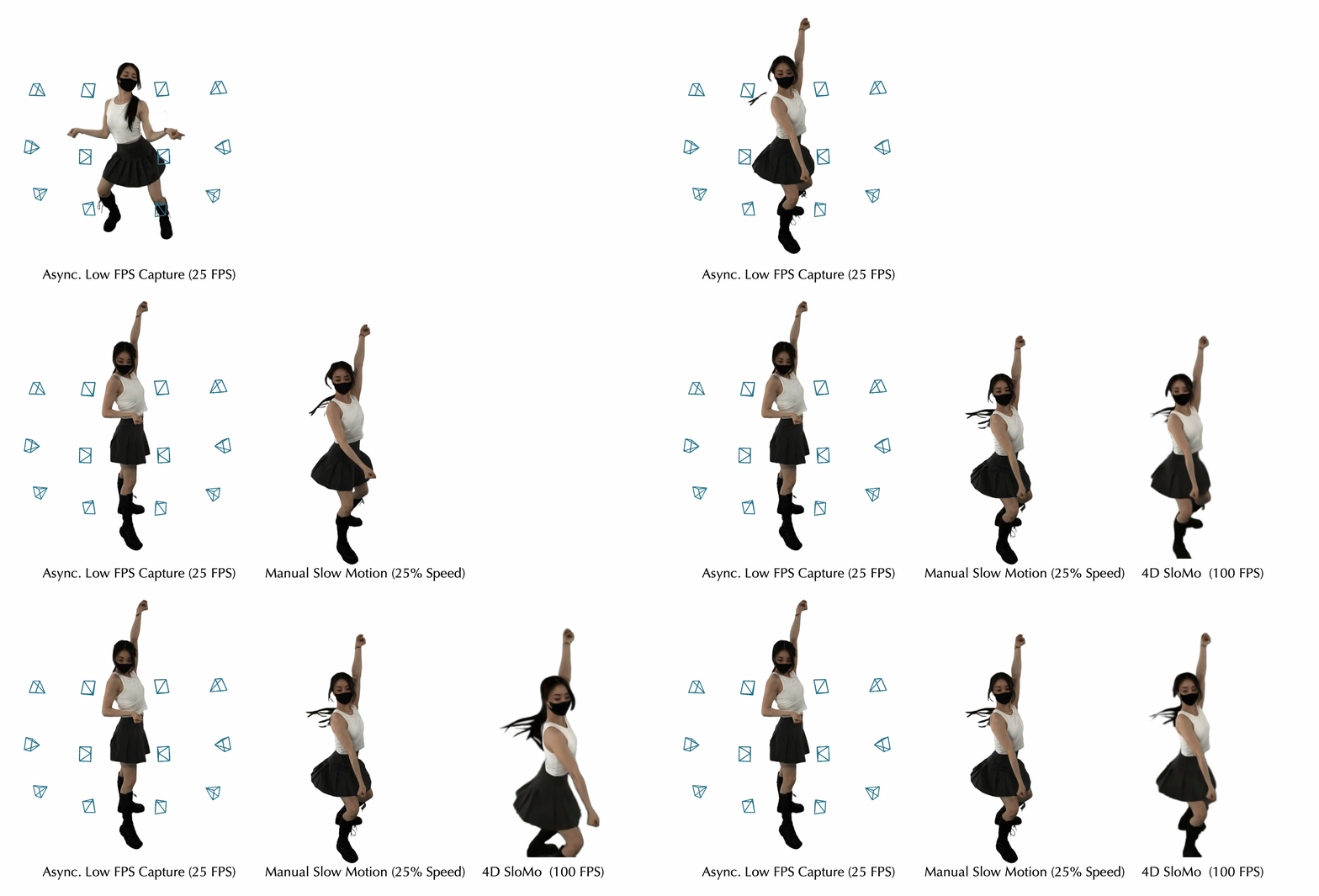
This repository hosts the implementation of "From Sim-to-Real: Toward General Event-based Low-Light Frame Interpolation with Per-scene Optimization" (SIGGRAPH Asia 2024). Our approach leverages event cameras and enhances Video Frame Interpolation (VFI) in low-light conditions via a per-scene optimization strategy. This method adapts the model to specific lighting and camera settings, solving issues like trailing artifacts and signal degradation common in low-light environments.
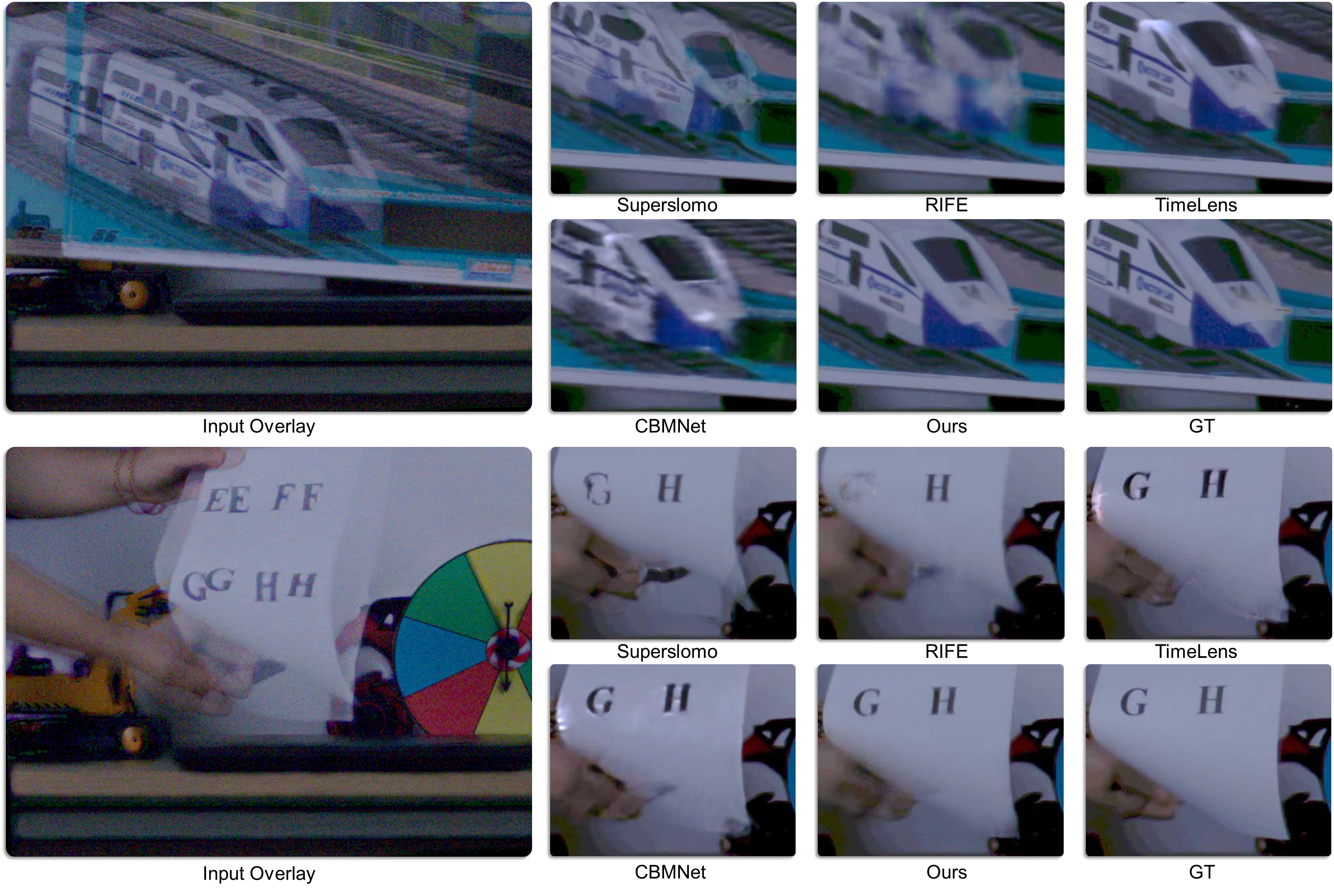
🔑 Key Features
- Per-Scene Optimization: Fine-tunes a pre-trained model for each scene, significantly improving interpolation results in varied lighting conditions.
- Low-Light Event Correction: Effectively mitigates event-based signal latency and noise under low-light conditions.
- EVFI-LL Dataset: Provides challenging RGB+Event sequences captured in low-light environments for benchmarking.
🚀 Quick Start: Per-Scene Optimization
Follow these steps to apply per-scene optimization with pre-trained models:
1. Clone the repository:
git clone https://github.com/OpenImagingLab/Sim2Real.git
cd Sim2Real/Sim2Real_code
2. Download and place the required weights:
- Main model weights: Place in
pretrained_weights/
- DISTS loss function weights: Place in
losses/DISTS/weights/
Download Weights Here
3. Install dependencies:
Ensure Python 3.9.19 is installed, then run:
pip install -r requirements.txt
4. Run per-scene optimization
To run the per-scene optimization, follow these steps:
Modify the paths in the configuration file:
Open the Sim2Real_code/params/Paths/RealCaptured.py file and update the paths to point to the actual location where you have downloaded your dataset. Modify the following lines:
RC.train.rgb = "/ailab/user/zhangziran/Dataset/Sim2Real_release"
RC.train.evs = "/ailab/user/zhangziran/Dataset/Sim2Real_release"
RC.test.rgb = "/ailab/user/zhangziran/Dataset/Sim2Real_release"
RC.test.evs = "/ailab/user/zhangziran/Dataset/Sim2Real_release"
Change them to the correct path on your system.
Run the optimization script:
After modifying the paths, execute the following command to start the per-scene optimization process:
bash perscene.sh
This will fine-tune the pre-trained model on specific scenes, performing frame interpolation optimized for each setting.
🛠️ Optional: Pretraining the Model
To pretrain the model from scratch using simulated data:
- Pretrain the model:
bash pretrain.sh
- After pretraining, proceed with per-scene optimization as described above.
📂 Directory Structure
dataset/: Utilities for dataset preparation and loading.losses/: Custom loss functions and weights for training.models/: Neural network models for Sim2Real frame interpolation tasks.params/: Configuration files for training and evaluation.tools/: Scripts for preprocessing and postprocessing.pretrained_weights/: Directory for storing pre-trained models.run_network.py: Main script for training and evaluation.pretrain.sh: Script for model pretraining.perscene.sh: Script for per-scene optimization.requirements.txt: Required Python dependencies.
📂 Simulated Data Preparation
This section outlines the steps for preparing the simulated data:
Frame Interpolation with RIFE
First, use RIFE to perform 8x frame interpolation on the GoPro dataset.
Converting RGB Frames to RAW Domain
Next, use inv_isp to convert the dense RGB frames to the RAW domain.
- Modify the
inv_isp.py script.
- Set the appropriate paths in the script.
- Run the script to process the data.
Generating Simulated Event Signals
Finally, use the v2e_idslpf simulator to generate the simulated event signals.
- Modify the
v2e_idslpf/config/GOPRO_config.py configuration file.
- Set the correct paths for the dataset and parameters.
- Run the simulator to generate the event data.
📊 EVFI-LL Dataset
The EVFI-LL dataset includes RGB+Event sequences captured under low-light conditions, offering a challenging benchmark for evaluating event-based VFI performance. Download and place the dataset in the dataset/ directory.
Download Dataset Here
How to Run a Demo Case
Download demo.zip from this link.
Extract demo.zip into the data folder.
Update the path in Sim2Real/params/Paths/RealCaptured.py to point to the /data folder.
In Sim2Real/Sim2Real_code/dataset/RC/dataset_dict.py, keep only "demo" in both dataset_dict and test_key.
Please modify the save path in Sim2Real/Sim2Real_code/params/RealCaptured.py, and update the number of test cases in perscene.sh by setting:
for idx in {0..0}
- Run the code.
📜 License Information
The code in this repository is licensed under the MIT License.
📝 Citation
If you find this work helpful in your research, please cite:
@article{zhang2024sim,
  title={From Sim-to-Real: Toward General Event-based Low-light Frame Interpolation with Per-scene Optimization},
  author={Zhang, Ziran and Ma, Yongrui and Chen, Yueting and Zhang, Feng and Gu, Jinwei and Xue, Tianfan and Guo, Shi},
  journal={arXiv preprint arXiv:2406.08090},
  year={2024}
}
🙏 Acknowledgements
This project builds upon the exceptional work of TimeLens-XL. We extend our sincere thanks to the original authors for their outstanding contributions.