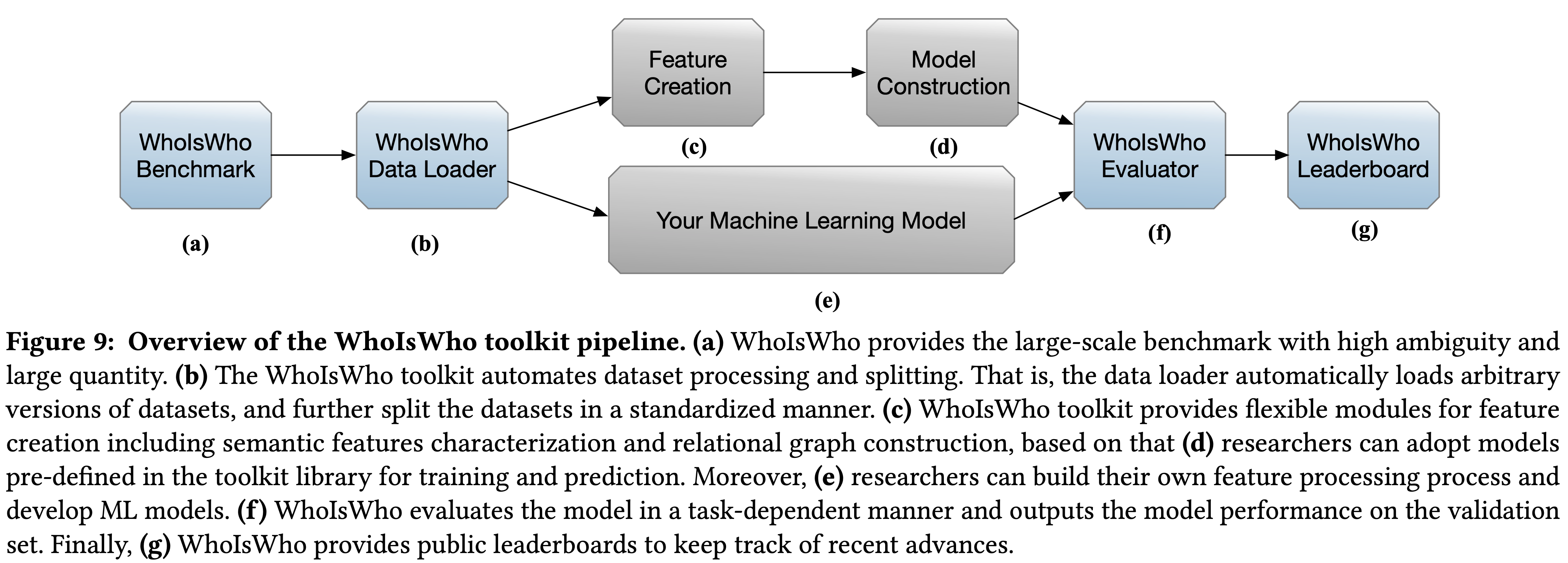
WhoIsWho
KDD'23 Web-Scale Academic Name Disambiguation: the WhoIsWho Benchmark, Leaderboard, and Toolkit
- 53
- Python
- 21 mo ago
🗺️ [NeurIPS 2026] Intern Atlas: Methodology-evolution graph builder from academic papers
Repo OpenRaiser/Intern-Atlas, read from GitHub 19 min ago. OpenRaiser has not joined Take My Repo.
OpenRaiser/Intern-Atlas is a public repo on GitHub by OpenRaiser. 🗺️ [NeurIPS 2026] Intern Atlas: Methodology-evolution graph builder from academic papers. It declares the MIT license on GitHub. It is written mainly in Python, has 47 stars and last changed on 2026-11-13. Nobody has reviewed it on Take My Repo yet, which says nothing about its quality. Read from GitHub on 2026-11-25.

English · 简体中文
Trace how a research method evolved through the papers that shaped it.
Browse the atlas ↗ / Paper / Dataset / API docs
Watch with sound · 1080p · 23 seconds
| Explore the atlas | What you’ll find |
|---|---|
 Follow a method back in time |
Which of three searches traces ConvNeXt V2 back to VGG? |
 Try the three-abstract sample |
Build a local graph and inspect its one candidate link. No API key needed. |
 Map your own papers |
Build a SQLite graph from PDFs or a list of titles and abstracts. |
 Query the public graph |
Look up FlashAttention or retrieve an evolution chain with the CLI. |
Install. Use Python 3.10 or later. On macOS or Linux, run these commands in Bash.
git clone https://github.com/OpenRaiser/Intern-Atlas.git
cd Intern-Atlas
python -m venv .venv
source .venv/bin/activate
python -m pip install -e .
git clone https://github.com/OpenRaiser/Intern-Atlas.git
cd Intern-Atlas
python -m venv .venv
.\.venv\Scripts\python.exe -m pip install -e .
From the repository root in this PowerShell session, replace the CLI executable intern-atlas with .\.venv\Scripts\intern-atlas.exe.
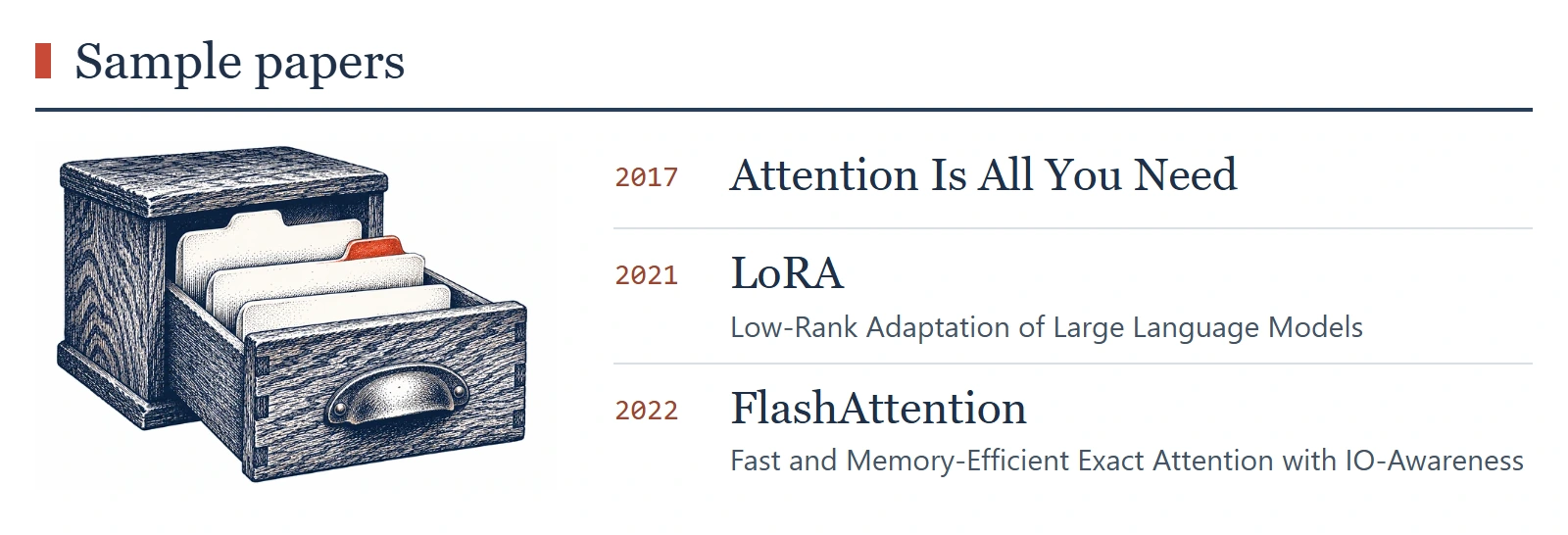
Build the graph. Start with a fresh outputs/smoke.db and the three sample abstracts. The --no-llm option uses local rules and needs no API key.
intern-atlas build --input examples/papers.txt --out outputs/smoke.db --json outputs/smoke.json --no-llm
Expected result 3 papers · 5 method entries · 1 candidate edge.
In outputs/smoke.json, the FlashAttention paper points to Attention Is All You Need. The two records share the extracted method name Transformer, which triggers the heuristic label extends.
Run these commands from the repository root after building the sample.
python -c "import json; g=json.load(open('outputs/smoke.json', encoding='utf-8')); print([m['canonical_name'] for m in g['methods']])"
python -c "import json; g=json.load(open('outputs/smoke.json', encoding='utf-8')); print(g['edges'][0])"
The uppercase-name rule also picks up the conference name ICLR. The candidate edge scores 0.61 from overlap in method names, titles and abstracts, using min(0.65, 0.35 + score / 20). The heuristic supplies fixed text for the bottleneck and mechanism fields. Candidate selection and scoring
Start the workspace.
intern-atlas serve --db outputs/smoke.db --host 127.0.0.1 --port 8000
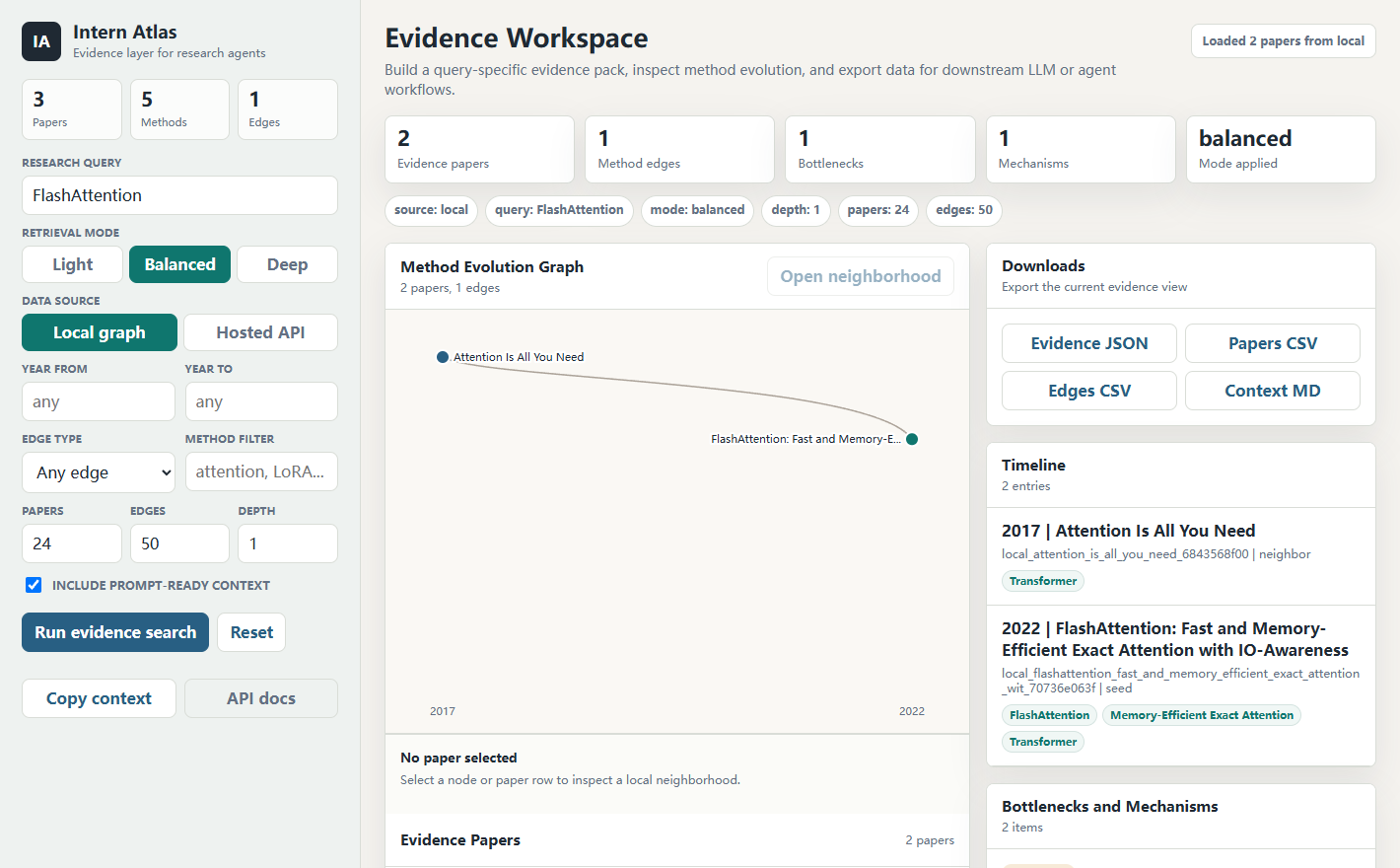
Keep the server running and open the local workspace. Enter FlashAttention and select Run evidence search. The sample returns two papers connected by one edge. Select a paper to inspect its neighborhood, or export the result as JSON, CSV or Markdown.
Set the API base URL, key and model in the terminal that will run the builder. The client appends /chat/completions to the base URL. In Bash:
export S4S_LLM_BASE_URL="https://your-openai-compatible-host/v1"
export S4S_LLM_API_KEY="YOUR_API_KEY"
export S4S_LLM_MODELS="gpt-4o-mini"
$env:S4S_LLM_BASE_URL = "https://your-openai-compatible-host/v1"
$env:S4S_LLM_API_KEY = "YOUR_API_KEY"
$env:S4S_LLM_MODELS = "gpt-4o-mini"
The multiline CLI and curl examples below use Bash syntax. In PowerShell, enter CLI arguments on one line.
Keep API keys, .env files, generated databases and PDF corpora out of version control.
The builder extracts method names, selects up to 120 candidate pairs by word overlap, and sends a summary of each pair to the model. If a classification call fails, the builder scores that pair with the heuristic. The build summary records whether a model client was configured in llm_used. Builder · CLI defaults
For fallback models, set S4S_LLM_MODELS to a comma-separated list such as model-a,model-b,model-c.
From a folder of PDFs — the example reads up to eight pages per paper.
intern-atlas build \
  --pdf-dir ./papers \
  --out outputs/local_graph.db \
  --json outputs/local_graph.json \
  --max-pdf-pages 8
Alternative input: titles and abstracts. Choose this build or the PDF build above for the same output path.
intern-atlas build \
  --input examples/papers.txt \
  --out outputs/local_graph.db \
  --json outputs/local_graph.json
| Input | Expected layout |
|---|---|
A directory of papers passed to --pdf-dir |
|
| TXT | Repeated Title:, Year: and Abstract: blocks |
| JSON / JSONL | Paper records with fields such as paper_id, title, abstract, year, authors and venue |
| CSV | At least title and abstract columns |
Use a fresh --out path for a clean build. Reusing a database can retain records from previous inputs. Add --json for a portable export. Local graph builder guide
| Table | What you can trace |
|---|---|
papers |
Source papers and their metadata |
methods |
Normalized method names extracted from the corpus |
method_aliases |
Normalized lookup keys and display names recorded from local method mentions |
paper_methods |
Which papers introduce, use, extend or compare a method |
citations |
How papers build on one another through relationships such as extends, improves, replaces, adapts, combines and uses_component |
Leave the sample server running. In a second Bash terminal, query the same database:
curl -X POST "http://127.0.0.1:8000/api/v1/evidence/context" \
  -H "Content-Type: application/json" \
  -d '{"query":"FlashAttention","mode":"balanced"}'
On the bundled sample, papers contains two records and method_edges contains their inferred link. Use suggested_prompt_context for the text prepared for a research agent. On your own corpus, add filters such as year_from or limits such as max_papers to the request.
To switch to a database you built from your own papers, stop the sample server with Ctrl+C in its original terminal. Then run:
intern-atlas serve --db outputs/local_graph.db --host 127.0.0.1 --port 8000
Browser workspace · Interactive API docs · Health · Graph statistics
curl "http://127.0.0.1:8000/api/papers/search?q=attention"
curl "http://127.0.0.1:8000/api/methods?q=Transformer"
curl -X POST "http://127.0.0.1:8000/api/assist/context" \
  -H "Content-Type: application/json" \
  -d '{"query":"efficient attention","max_nodes":80}'
Use the versioned endpoints when connecting an LLM or research agent.
| Request | Purpose |
|---|---|
POST /api/v1/evidence/context |
Assemble evidence for a research query |
GET /api/v1/methods/search |
Resolve a method name |
GET /api/v1/evolution/edges |
Find relationships between papers |
GET /api/v1/papers/{paper_id}/neighborhood |
Explore the papers around one result |
GET /api/v1/llm/tools |
Inspect the available tools |
Retrieval controls include mode, year range, edge type, method, graph depth and limits on papers and edges. LLM tool integration guide
After installation, the CLI targets the public service by default. Run these commands directly to search the hosted graph and retrieve an evolution chain.
intern-atlas remote health
intern-atlas remote search "FlashAttention" --include-subgraph
intern-atlas remote chain "attention" --max-chains 5
intern-atlas remote evidence "efficient long-context attention"

intern-atlas remote context "efficient long-context attention"

intern-atlas remote methods "Transformer"

intern-atlas remote edges --method attention --limit 20

intern-atlas remote ideas "long-context efficient attention" --use-llm

intern-atlas remote eval \
  "Use FlashAttention and LoRA for parameter-efficient vision transformer tuning."
intern-atlas remote query "efficient attention" --max-nodes 80
To use a different deployment, set its URL. Set the API key only if that deployment requires authentication.
export INTERN_ATLAS_REMOTE_BASE_URL="https://your-host.example.com/api"
export INTERN_ATLAS_API_KEY="YOUR_ATLAS_API_KEY"
To override the endpoint once, pass --base-url after the remote subcommand, for example intern-atlas remote health --base-url https://your-host.example.com/api. If the public demo returns an upstream error, point the client at your own deployment.
In the local workspace, choose Hosted API in the sidebar and enter the base URL and optional key. The workspace sends requests through the local FastAPI proxy. To use that proxy directly, run the local server and call:
curl -X POST "http://127.0.0.1:8000/api/v1/remote/evidence/context" \
  -H "Content-Type: application/json" \
  -d '{"query":"efficient attention","mode":"deep","base_url":"https://intern-atlas.opendatalab.org.cn/"}'
OpenRaiser/Intern-Atlas is a public repo on GitHub by OpenRaiser. 🗺️ [NeurIPS 2026] Intern Atlas: Methodology-evolution graph builder from academic papers.
It declares the MIT license on GitHub.
Its maker has not tagged a system, so it is unknown here. Its README says what it needs.
Open "Take it" on its page: Take My Repo writes an install plan for your machine and hands it to your AI agent (Claude Code, Codex or Cursor), which asks you before each step. Take My Repo has not tested it on any machine.
Cognee is the open-source AI memory platform for agents. Give your AI agents persistent long-term memory with small models for free
Local code intelligence for developers and AI agents. Connect code, docs and infrastructure in a persistent graph, with CBM Lens, MCP tools, agent integrations and change-aware test selection.
Compress tool outputs, logs, files, and RAG chunks before they reach the LLM. 20% fewer tokens for coding agents, 60-95% fewer tokens for JSON, same answers. Library, proxy, MCP server.
A scalable, distributed, collaborative, document-graph database, for the realtime web
Its last change on GitHub was on 2026-11-13. Take My Repo does not judge from that whether it is maintained.
Nobody has reviewed it on Take My Repo yet, which says nothing about its quality.
Take My Repo cannot say: it does not audit code and has not run Intern-Atlas. What is known comes from GitHub. It declares the MIT license on GitHub. Its last change was on 2026-11-13. It has 47 stars, which measure popularity, not safety. Nobody has reviewed it on Take My Repo yet, which says nothing about its quality. Read the source before you run it. With "Take it", your AI agent shows each step and asks you before running it; README text is treated as data, not as instructions.