
QOwnNotes
QOwnNotes is a plain-text file notepad and todo-list manager with Markdown support and Nextcloud / ownCloud integration.
- 6k
- C++
- GPL-2.0
- 14 h ago
Your tasks, your server. An open-source, local-first task manager you can host yourself. Everything you expect from a commercial task app, without the subscription or the lock-in.
Repo OpenTodoApp/OpenTodo, read from GitHub 55 min ago. OpenTodoApp has not joined Take My Repo.
OpenTodoApp/OpenTodo is a public repo on GitHub by OpenTodoApp. Your tasks, your server. An open-source, local-first task manager you can host yourself. Everything you expect from a commercial task app, without the subscription or the lock-in. It declares the AGPL-3.0 license on GitHub. It is written mainly in TypeScript, has 720 stars and last changed on 2026-11-25. Nobody has reviewed it on Take My Repo yet, which says nothing about its quality. Read from GitHub on 2026-11-25.
QOwnNotes is a plain-text file notepad and todo-list manager with Markdown support and Nextcloud / ownCloud integration.

Plan your day without renting your to-do list.
A free, open-source to-do app you run on your own server or have hosted for you. It works on your phone and your computer, even offline, shares lists with your family or your team, and keeps your data with you.
Try the demo · Install · Docs · Website
5 minutes to help shape OpenTodo: take the anonymous survey

New: OpenTodo is in the App Store and on Google Play. The apps connect to your OpenTodo server and add reminders on the phone, the share sheet, widgets and Face ID or fingerprint unlock. The iPhone app is a first release, so expect some rough edges; tell us what to improve.
Ways to run it: PikaPods (hosted, no server needed) · Docker · Umbrel (coming soon) · Unraid · Home Assistant · Kubernetes (Helm) · Single binary · iPhone and iPad app (App Store) · Android app (Google Play or APK from GitHub; F-Droid coming soon) · all 21 platforms
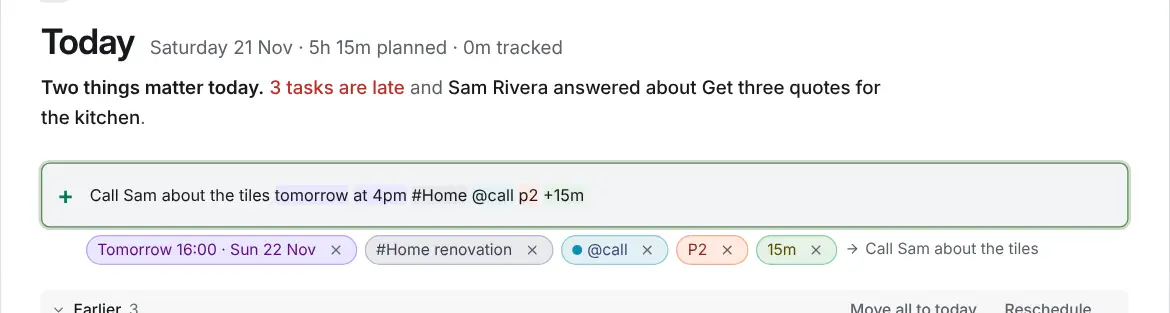
Type a task the way you say it: Call Sarah next Wed 3pm #work p1 sets the date, time, project and priority. Dictate it, send a page from your phone's share menu or the browser extension (Chrome, Firefox), or forward an email. Anything without a home lands in the Inbox. Quick add · Voice · Capture
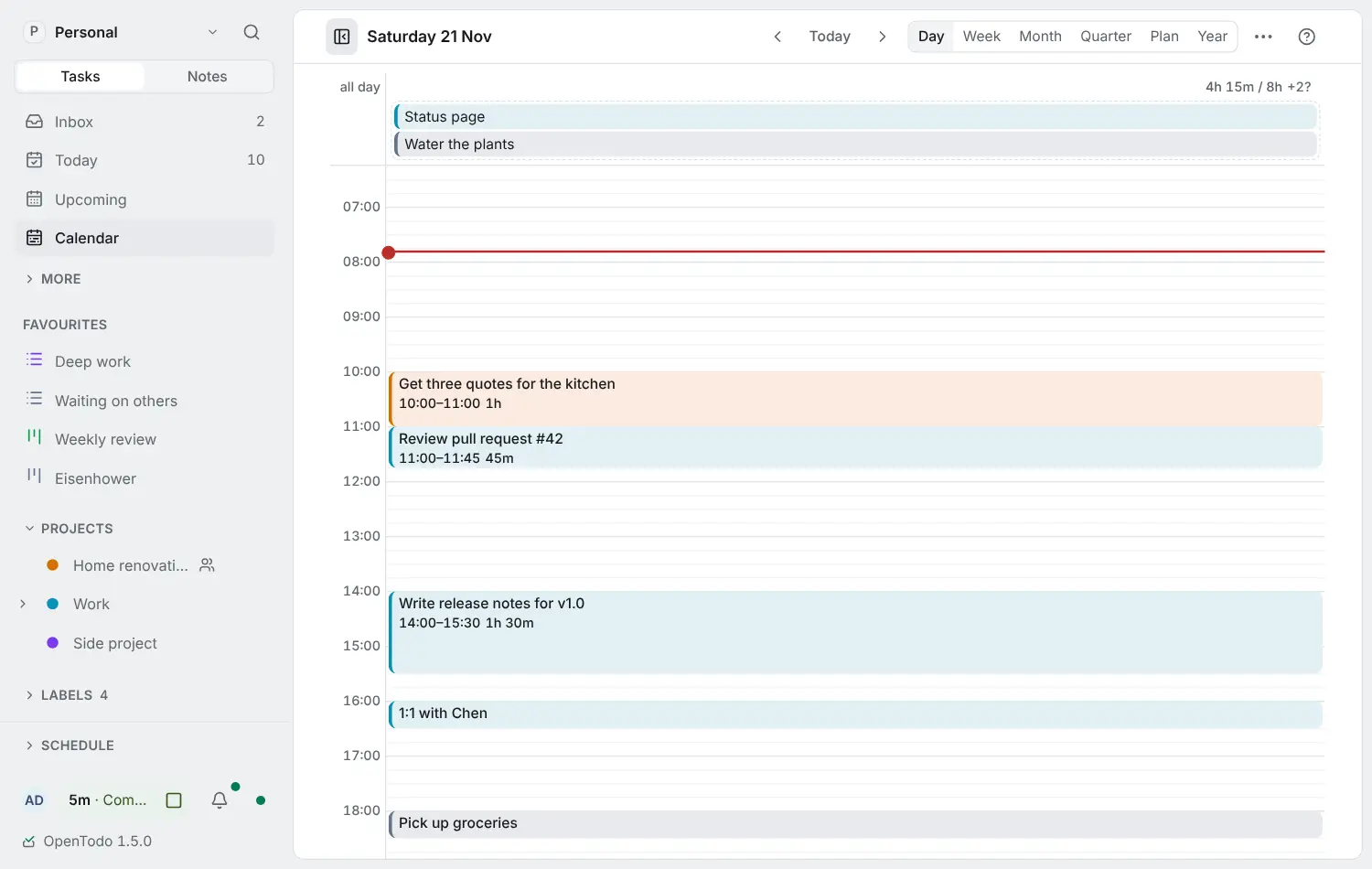
Today shows what is due and what is still open from earlier. Give tasks an estimate and drag them onto the Day or Week calendar to see whether the day fits. Today · Time blocking
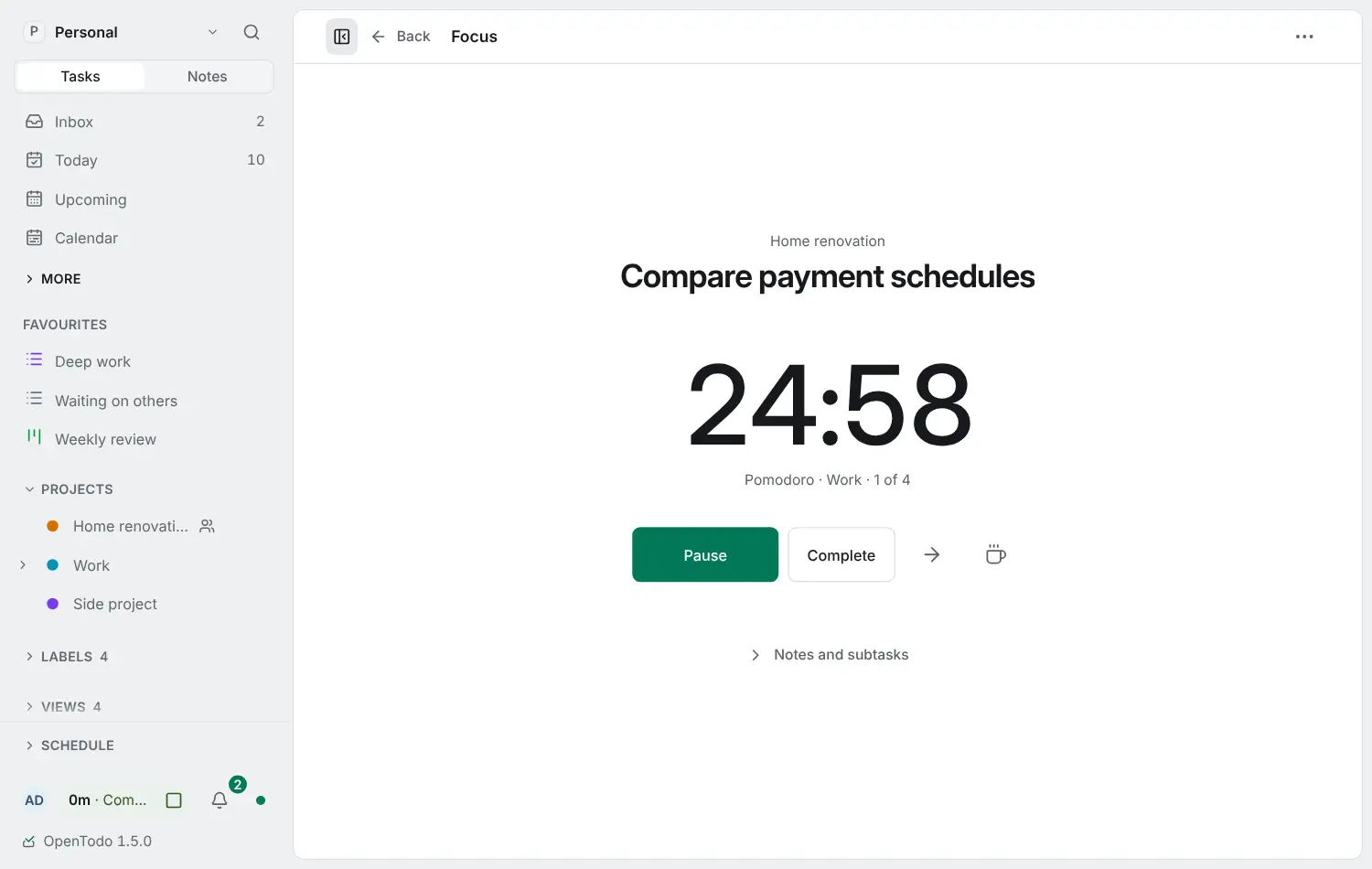
Open one task in Focus and start a Pomodoro, Flowtime or countdown timer. The time is logged to the task. Focus
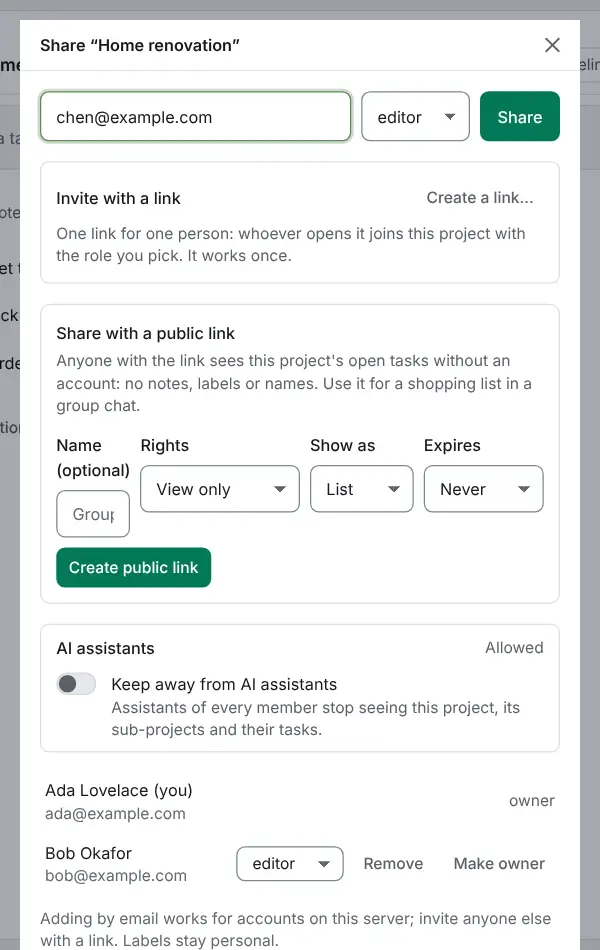
Share a project with your family or your team as viewer, editor or admin. Assign tasks, comment, and see what changed. Everyone can edit offline. Sharing
| OpenTodo | Todoist | TickTick | Things | Super Productivity | |
|---|---|---|---|---|---|
| Open source | ✅ | ❌ | ❌ | ❌ | ✅ |
| You can host it yourself | ✅ | ❌ | ❌ | ❌ | ✅ |
| Works offline | ✅ | ✅ | ⚠️ | ✅ | ✅ |
| Free, with every feature | ✅ | ❌ | ❌ | ❌ | ✅ |
| No subscription | ✅ | ❌ | ❌ | ✅ | ✅ |
| Optional end-to-end encryption | ✅ | ❌ | ❌ | ❌ | ✅ |
| Shared projects | ✅ | ✅ | ✅ | ❌ | ❌ |
✅ yes · ❌ no · ⚠️ partly, or not documented. Todoist and TickTick have a free plan with limits; Things is a one-time purchase per device type. Based on each product's public information as of November 2026. If an entry is wrong, open an issue with a source.
No install: open the demo and press Try the demo. You get a private copy with sample data, deleted after a few hours.
On your machine or server:
docker run -d -p 8080:8080 -v opentodo-data:/data ghcr.io/opentodoapp/opentodo:stable
Open http://localhost:8080. The first visit creates your account. No configuration needed.
git clone https://github.com/OpenTodoApp/OpenTodo.git
cd OpenTodo
docker compose up -d
Data is kept in the opentodo-data volume. On a server reachable from the internet, finish setup right after starting it, or set OPENTODO_SETUP_CODE=required (the setup code). Behind a reverse proxy, set OPENTODO_BASE_URL=https://todo.example.com.
The image is published for linux/amd64 and linux/arm64. :stable is the latest release, :1 follows every 1.x release, a minor tag such as :1.5 gets that line's fixes only, a full version such as :1.5.0 pins one release, and :latest follows the main branch. Upgrades from any release since 0.1.0 work directly, and nothing you rely on breaks within 1.x (stability). More in Running with Docker.
Download opentodo-<os>-<arch> for Linux, macOS or Windows from the latest release and run it. It serves on port 8080 and keeps its data in ./data.
With Go 1.27+, Node 22+ and GNU make:
git clone https://github.com/OpenTodoApp/OpenTodo.git
cd OpenTodo
make run
make run builds the web app and the server into bin/opentodo and starts it on port 8080. To work on the code, (cd web && npm ci) && make dev runs the API on :8080 and the web app with hot reload on http://localhost:5173; your first contribution takes it from there.
Managed hosting: PikaPods, Railway. These links support the project: OpenTodo receives a share when you host through them.
Nothing is required. Every setting is an optional environment variable with a safe default: see the configuration reference. To add people, keep sign-up closed and send invitation links (managing users).
The self-hosting handbook covers every platform, TLS, backups, upgrades and monitoring. The ot command-line client is in the CLI guide.
OpenTodoApp/OpenTodo is a public repo on GitHub by OpenTodoApp. Your tasks, your server. An open-source, local-first task manager you can host yourself. Everything you expect from a commercial task app, without the subscription or the lock-in.
It declares the AGPL-3.0 license on GitHub.
Its maker tagged it for macOS, Windows and Linux, or as Docker or cross-platform. That is declared by the maker; Take My Repo has not tested it.
💚 End-to-end encrypted cloud for everything.
🔥🔥🔥 Open-source Jira, Linear, Monday, and ClickUp alternative. Plane is a modern project management platform to manage tasks, sprints, docs, and triage.
A list of Free Software network services and web applications which can be hosted on your own servers
Task manager with Todoist, Nextcloud & CalDAV support designed for GNOME
Open "Take it" on its page: Take My Repo writes an install plan for your machine and hands it to your AI agent (Claude Code, Codex or Cursor), which asks you before each step. Take My Repo has not tested it on any machine.
Its last change on GitHub was on 2026-11-25. GitHub counts 83 open issues and pull requests. Take My Repo does not judge from that whether it is maintained.
Nobody has reviewed it on Take My Repo yet, which says nothing about its quality.
Take My Repo cannot say: it does not audit code and has not run OpenTodo. What is known comes from GitHub. It declares the AGPL-3.0 license on GitHub. Its last change was on 2026-11-25. It has 720 stars, which measure popularity, not safety. Nobody has reviewed it on Take My Repo yet, which says nothing about its quality. Read the source before you run it. With "Take it", your AI agent shows each step and asks you before running it; README text is treated as data, not as instructions.




